In the morning, your energy and focus are high because your mind and body are fresh, and your workspace feels comfortable. As the day progresses, poor ergonomics and prolonged stress cause physical discomfort, leading to fatigue. Social isolation can also drain your motivation and mental clarity over time. Small adjustments, like taking breaks or improving your workspace, can help you sustain energy. Keep going, and you’ll discover more ways to stay energized all day.
Key Takeaways
- Morning energy and focus are high, masking discomfort and fatigue that accumulate as the day progresses.
- Poor ergonomic setups cause physical strain, which worsens over time, reducing comfort and productivity.
- Social isolation diminishes mental motivation and increases feelings of loneliness, impacting overall well-being.
- Prolonged physical discomfort and mental fatigue diminish concentration and clarity by mid-afternoon.
- Lack of movement and social interaction leads to increased exhaustion, making home offices feel worse later in the day.

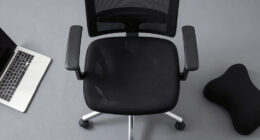
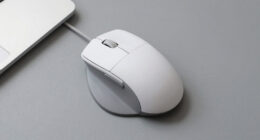
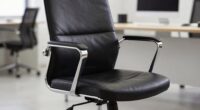
By mid-afternoon, many people start feeling drained and unfocused in their home offices, and it’s not just in your head. The morning often begins with a burst of energy and motivation, but as hours pass, that sharp focus dulls, and fatigue sets in. One major reason is ergonomics fatigue. When you work from home, you might not have an optimal setup—your chair may be uncomfortable, your desk too high or low, and your computer screen at an awkward angle. Over time, poor ergonomics strain your muscles and joints, making you feel physically exhausted even if you haven’t done much physically. This physical toll chips away at your concentration, leaving you sluggish and unproductive by the afternoon.
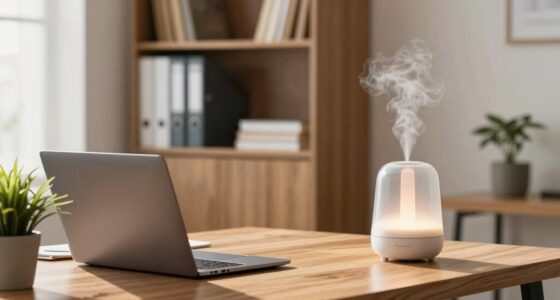
Poor ergonomics at home can drain your energy and reduce focus by afternoon.
Another factor contributing to that afternoon slump is social isolation. In a traditional office, casual chats, quick coffee breaks, and face-to-face interactions help break up the day and boost your mood. At home, those spontaneous exchanges are missing. Instead, you might find yourself staring at a screen for hours on end, with minimal human contact. This social isolation can lead to feelings of loneliness and even mild depression, which drain your mental energy and motivation. Without those social cues and support, it’s easier to become disengaged and distracted, making it difficult to sustain your focus as the day progresses. Additionally, physical discomfort from poor ergonomics can amplify feelings of fatigue and reduce your mental clarity. Incorporating ergonomic solutions into your workspace can significantly reduce these issues, especially when combined with proper work environment adjustments. Recognizing that mental fatigue is a natural response to prolonged stress and discomfort can help you develop strategies to combat it more effectively.
The combined effect of ergonomics fatigue and social isolation explains why you often feel so different by 3 PM. In the morning, you may feel fresh and alert, partly because you haven’t yet experienced the physical discomfort or emotional loneliness that accumulates over the day. But as fatigue takes hold and social connection wanes, your ability to concentrate diminishes. You might notice your mind wandering, your productivity dropping, and your mood dipping. These sensations are common, and they’re directly linked to how your body and mind respond to the home office environment.
Understanding these factors is key to improving your afternoon experience. Small adjustments, like investing in ergonomic furniture or scheduling regular virtual coffee breaks, can make a noticeable difference. Moving around periodically, stretching, or even standing while working can reduce physical fatigue. Meanwhile, intentionally connecting with colleagues or friends during your workday can combat social isolation. Recognizing that these issues are natural and solvable gives you a better chance to maintain your energy and focus well into the late afternoon.

Fizzin Office Chair Mesh Computer Chairs with Adjustable Lumbar Support
- Ergonomic Design for Comfort: Supports head, back, hips, and arms
- Adjustable Headrest: Up and down, angle adjustable
- Adjustable Lumbar Support: Customizable for perfect fit
As an affiliate, we earn on qualifying purchases.
As an affiliate, we earn on qualifying purchases.
Frequently Asked Questions
How Can I Improve My Home Office Ergonomics?
To improve your home office ergonomics, start by adjusting your desk posture so your feet are flat on the floor and your knees are at a 90-degree angle. Use ergonomic accessories like a supportive chair and a monitor stand to keep your screen at eye level. Regularly stretch and take breaks to prevent strain. These small changes help reduce discomfort and boost your productivity throughout the day.
What Are Some Quick Stress Relief Techniques for the Afternoon?
To quickly relieve afternoon stress, try mindful breathing—inhale slowly through your nose, hold briefly, then exhale gently. Pair this with a quick stretch, like reaching overhead or rolling your shoulders, to release tension. These simple techniques can refresh your mind and body, helping you regain focus and energy for the rest of your workday. Just a few minutes can make a noticeable difference in how you feel.
How Does Lighting Affect My Productivity Throughout the Day?
You notice your productivity dips in the afternoon, and it’s no coincidence—lighting plays a big role. Natural light boosts your mood and focus, making you feel energized longer. Artificial lighting, especially harsh or dim, can cause fatigue or eye strain, reducing efficiency. To stay sharp, maximize natural light in the morning and switch to balanced artificial lighting later. Proper lighting keeps your energy steady and your productivity high all day.
Are There Specific Foods That Boost Afternoon Energy?
To boost your afternoon energy, choose healthy snacks like nuts, fruit, or yogurt that provide sustained fuel. Incorporate hydration tips by drinking water regularly; staying hydrated prevents fatigue. Avoid heavy, sugary foods that cause crashes. Instead, opt for light, nutrient-dense options that keep your energy steady. These small changes help you stay alert and productive, preventing that sluggish feeling often experienced later in the day.
How Can I Set Boundaries to Prevent Work Overload at Home?
You can prevent work overload by establishing clear workspace boundaries and practicing effective time management. Set designated work hours and communicate them to others, so they respect your schedule. Create a specific workspace separate from personal areas to reinforce boundaries. Use alarms or timers to signal the start and end of your workday, and avoid checking emails or work tasks outside those hours. Consistent boundaries help you maintain balance and prevent burnout.

ErGear 48 X 24 Inch Height Adjustable Electric Standing Desk, Black
- Electric Height Adjustable Standing Desk for Comfortable Work…
- Powerful Motor with Memory Presets – Equipped with…
- Exceptional Stability Steel Frame – Built with a…
As an affiliate, we earn on qualifying purchases.
As an affiliate, we earn on qualifying purchases.
Conclusion
By now, you might be wondering what’s really behind that afternoon slump. Is it your environment, your routine, or something else entirely? The truth is, pinpointing the cause could change everything—and there’s more to uncover than you might expect. Stay tuned, because once you crack the code, your home office could transform from a place you dread by 3 pm into your most productive space yet. The answer might be closer than you think.
As an affiliate, we earn on qualifying purchases.

Wireless Keyboard and Mouse Combo, 2.4G Ergonomic Wave Keys(Black)
- Ergonomic Wave Design: Fits fingers and relieves wrist strain
- Adjustable Keyboard Stand: Set to most comfortable height
- Contoured Wireless Mouse: Fits snugly in the palm
As an affiliate, we earn on qualifying purchases.
As an affiliate, we earn on qualifying purchases.