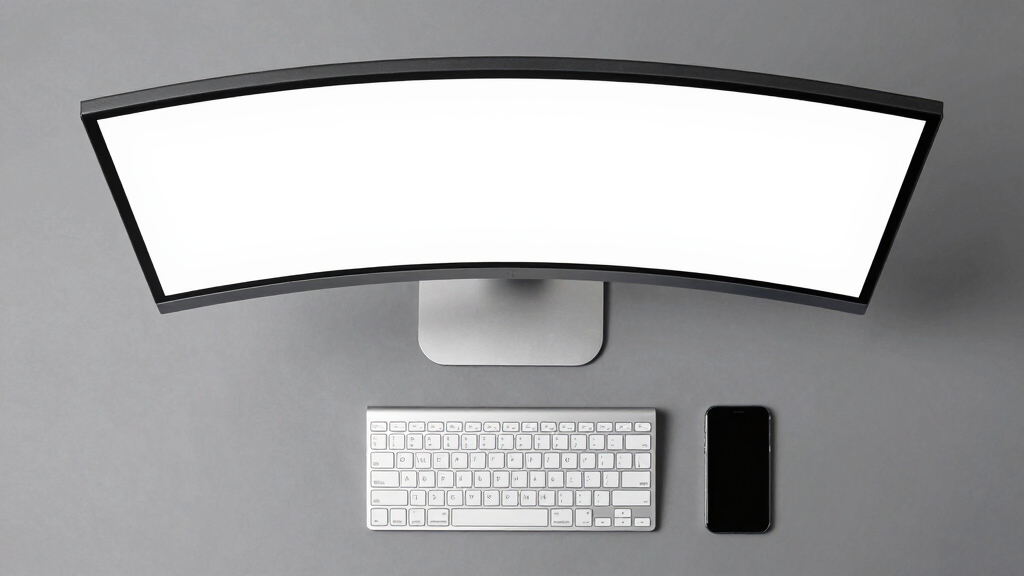
When selecting the best curved ultrawide monitor for productivity, the focus is on large, immersive screens that enhance multitasking and reduce eye strain. The Samsung Viewfinity S65UA stands out as the top overall choice thanks to its excellent balance of performance, color accuracy, and ergonomic features. For gamers who also work, the Samsung Odyssey G5 offers a fast refresh rate and a deep curve, though it sacrifices some color precision. Meanwhile, the Samsung 49” Business Curved Ultrawide provides a massive workspace suited for specialized professional tasks. The main tradeoffs involve balancing resolution, refresh rate, size, and connectivity options, which can make choosing the right monitor confusing. Keep reading for a detailed breakdown of these options to find your ideal fit.
Key Takeaways
- The best overall picks balance high resolution, ergonomic flexibility, and color accuracy for diverse productivity needs.
- Ultrawide sizes vary from 34-inch models to massive 49-inch screens, with tradeoffs in desk space and affordability.
- High refresh rates (over 100Hz) benefit dynamic workflows but are less critical for static productivity tasks.
- Connectivity features like USB-C, KVM, and multiple HDMI ports greatly enhance versatility for multi-device setups.
- Premium models often include advanced HDR and ergonomic adjustments, but budget options can still provide excellent value.


More Details on Our Top Picks
Samsung Viewfinity S65UA Series 34-Inch Ultrawide QHD Curved Monitor, 100Hz, USB-C, HDR10, Height Adjustable, TUV Eye Care, Black
The Samsung Viewfinity S65UA stands out for combining a large 34-inch curved display with a 100Hz refresh rate that balances productivity with smooth visuals. Compared to gaming monitors like the SANSUI 34-Inch, this model emphasizes comfort and color accuracy, making it more suitable for extended work sessions. Its USB-C port with 90W charging simplifies cable management, while TUV Eye Care certification helps reduce eye strain during long hours. However, the high price might deter budget-conscious buyers, and limited color calibration details could be a concern for creative professionals. This monitor is ideal for professionals prioritizing ergonomics and vibrant visuals for multitasking, video editing, or office work. Tradeoffs include less gaming-centric performance and a premium cost.
Pros:- Large, immersive 34-inch curved display enhances multitasking
- High refresh rate of 100Hz provides smooth visuals for general use
- USB-C with 90W charging reduces cable clutter
- Height adjustable stand improves ergonomic comfort
Cons:- Premium price may be a barrier for some users
- Limited details on color calibration for creative work
Best for: Professionals seeking a reliable, eye-friendly ultrawide for multitasking and productivity.
Not ideal for: Budget users or gamers needing ultra-high refresh rates or advanced gaming features.
- Screen Size:34 inches
- Resolution:Ultra WQHD
- Aspect Ratio:21:9
- Refresh Rate:100Hz
- Connectivity:USB Type-C with 90W charging
- Curvature:1000R
Bottom line: An excellent choice for productivity-focused professionals valuing comfort and vibrant visuals over gaming features.
SANSUI 34-Inch Curved Gaming Monitor UWQHD 3440 x 1440, 165Hz, 1ms, HDR, FreeSync
The SANSUI 34-Inch UWQHD excels with a 165Hz refresh rate and 1ms response time, making it ideal for fast-paced gaming and immersive multimedia experiences. Its ultra-wide 3440 x 1440 resolution paired with a 1500R curvature enhances immersion, paralleling the more entertainment-oriented Odyssey G5 but with a focus on response speed. While it offers excellent gaming specs, it falls short for productivity tasks due to limited stand adjustments and no mention of professional color accuracy. It lacks built-in speakers, which could be a drawback for those seeking all-in-one convenience. This monitor suits gamers or multimedia enthusiasts prioritizing speed and immersion over precise color work or extensive ergonomic adjustments. The primary tradeoff is its focus on gaming performance at the expense of some productivity features.
Pros:- Fast 165Hz refresh rate with 1ms response time for smooth gameplay
- Large 34-inch curved display enhances immersion
- HDR support and wide color gamut improve visual quality
Cons:- Limited stand adjustments restrict ergonomic flexibility
- No built-in speakers or productivity features
Best for: Gamers or multimedia users needing rapid response and high refresh rates in an ultrawide form.
Not ideal for: Professionals needing color-critical work or extensive ergonomic customizations.
- Size:34 inches
- Resolution:3440 x 1440 UWQHD
- Refresh Rate:165Hz
- Response Time:1ms
- Curvature:1500R
- Inputs:HDMI x2, DisplayPort 1.4
Bottom line: A strong pick for gaming and multimedia fans seeking fast, immersive visuals, not ideal for professional multitasking or color accuracy.
34 Inch Ultrawide Curved Monitor with USB-C, KVM, 165Hz, 3440×1440 WQHD, Height Adjustable, PIP/PBP
This 34-inch ultrawide curved monitor combines high performance with versatile connectivity, including a KVM switch and USB-C, making it ideal for users managing multiple devices or seeking a seamless workspace. Its 165Hz refresh rate and 3440×1440 resolution keep visuals sharp and fluid, suitable for both work and gaming. The adjustable height and ergonomic features support long working sessions, while PIP/PBP modes facilitate multitasking. Compared with the Samsung Viewfinity, this model offers more flexibility with input options and a focus on productivity. Yet, its size demands ample desk space, and setup complexity can be a challenge for some. This monitor makes the most sense for professionals who want a multi-purpose display that supports multitasking, gaming, and ergonomic comfort. The tradeoff involves a higher price and larger footprint.
Pros:- Ultra-wide 21:9 curved display boosts multitasking
- Multiple input options including USB-C and KVM switch
- Height adjustable stand and ergonomic features
Cons:- Higher cost may be prohibitive for some
- Requires significant desk space and complex setup
Best for: Professionals and multitaskers wanting a flexible, ergonomic ultrawide for work and entertainment.
Not ideal for: Users with limited desk space or those seeking a straightforward, budget-friendly option.
- Size:34 inches
- Resolution:3440×1440 WQHD
- Refresh Rate:165Hz
- Color Coverage:100% sRGB
- Panel Curvature:1000R
- Features:Height adjustable, PIP/PBP, KVM, HDR, FreeSync, G-Sync
Bottom line: A strong choice for multitasking professionals seeking flexibility, at the expense of size and complexity.
Samsung 34-Inch Odyssey G5 Ultra-Wide Gaming Monitor with 1000R Curved Screen, 165Hz, 1ms, FreeSync Premium, WQHD, Black
The Odyssey G5 offers a 1000R curvature that enhances immersion, especially suited for gaming or cinematic viewing. Its 165Hz refresh rate combined with 1ms response time ensures smooth, tear-free gameplay, comparable to the SANSUI model but with a focus on entertainment. The HDR10 support adds vibrancy, but its primary design is gaming rather than professional multitasking. Limited ergonomic adjustments and a single focus on speed mean it’s less suitable for prolonged work sessions or color-critical tasks. The monitor’s large size may also pose fitting challenges for some desk setups. This pick is ideal for gamers or entertainment enthusiasts prioritizing speed and immersive visuals over productivity features. The main tradeoff is reduced flexibility for professional use.
Pros:- 1000R curvature for immersive gameplay
- 165Hz refresh rate with 1ms response ensures smooth action
- HDR10 support for vibrant visuals
Cons:- Limited ergonomic adjustments, less suited for long work sessions
- Primarily designed for gaming, not productivity
Best for: Gamers or entertainment-focused users seeking immersive, fast visuals in an ultrawide format.
Not ideal for: Professionals needing detailed color accuracy or extensive ergonomic adjustments.
- Size:34 inches
- Curvature:1000R
- Resolution:WQHD (3440×1440)
- Refresh Rate:165Hz
- Response Time:1ms
- Features:FreeSync Premium, HDR10
Bottom line: A top-tier choice for gaming and immersive entertainment, less suitable for productivity or color-critical work.
SANSUI 34 Inch 240Hz Ultrawide Curved Gaming Monitor UWQHD 3440×1440, 21:9, HDR400, Fast VA, PIP/PBP, AI Crosshair, AIPQ, 1ms MPRT, HDMI 2.1 x2, DP 1.4 x2
This SANSUI monitor stands out for its exceptional 240Hz refresh rate and fast VA panel, delivering smooth visuals that benefit not only gaming but also fast-paced multitasking. Its 3440×1440 resolution enhances clarity across a wide desktop workspace, making it a strong competitor to the Samsung 49-inch models, which are more immersive but less agile for detailed work. The multiple ports, including HDMI 2.1 and DisplayPort 1.4, support versatile connectivity, while the ergonomic stand with PIP/PBP features boosts productivity. However, the lack of built-in speakers and the premium price might limit appeal for budget-conscious users or those seeking a more integrated setup.
Pros:- 240Hz refresh rate ensures ultra-smooth motion for fast workflows
- Vivid 3440×1440 resolution maximizes desktop real estate
- Multiple connectivity options including HDMI 2.1 and DisplayPort 1.4
- Adjustable stand with PIP/PBP enhances multitasking
Cons:- No built-in speakers, requiring external audio setup
- Higher price point may deter budget buyers
- Limited VRR support, mainly via HDMI 2.1
Best for: Power users and gamers who need a high-refresh-rate ultrawide for multitasking and smooth visuals.
Not ideal for: Professional designers or video editors requiring precise color accuracy, as HDR400 and color coverage are not calibrated for color-critical work.
- Screen Size:34 inches
- Resolution:3440×1440 (UWQHD)
- Refresh Rate:240Hz
- Response Time:1ms MPRT
- Display Technology:Fast VA LCD
- HDR:HDR400
- Ports:HDMI 2.1 x2, DisplayPort 1.4 x2
- Stand Features:Tilt -5° to 15°, VESA compatible
- Brightness:450 nits
Bottom line: Ideal for gamers and multitaskers who prioritize smooth visuals and expansive screens without needing top-tier color accuracy.
Samsung 49” Business Curved Ultrawide Dual QHD Computer Monitor, USB-C, DisplayPort, HDMI, 120Hz, VESA DisplayHDR 400, Built-in Speakers, Height Adjustable Stand, LS49C954UANXZA, 2024
This 49-inch Samsung monitor delivers a panoramic view with its 32:9 aspect ratio, making it exceptional for productivity tasks that benefit from wide screens—like data analysis, coding, or video editing. Its dual QHD resolution offers crisp visuals, comparable to dual monitors in a single display, with the added benefit of seamless integration thanks to USB-C with 90W power delivery. While it doesn’t match the ultra-high refresh rates of gaming-focused models, its 120Hz refresh rate ensures smooth scrolling and general responsiveness. The built-in speakers and VESA HDR 400 support make it a comprehensive workspace solution, though its size requires ample desk space and premium pricing might be a barrier for some.
Pros:- Immersive 49-inch curved display greatly boosts productivity
- Multiple connectivity options including USB-C with 90W charging
- Smooth 120Hz refresh rate for everyday responsiveness
- Built-in speakers simplify setup
Cons:- Large footprint demands substantial desk space
- Higher cost compared to smaller or less feature-rich monitors
- Color accuracy details are limited for professional design work
Best for: Professionals needing expansive screen real estate for multitasking and content creation.
Not ideal for: Casual users or those with limited desk space, as its size requires significant room and the premium price may not justify casual use.
- Screen Size:49 inches
- Aspect Ratio:32:9
- Resolution:Dual QHD
- Refresh Rate:120Hz
- HDR:VESA DisplayHDR 400
- Connectivity:DisplayPort, HDMI, USB-C
- Power Delivery:90W
- Stand:Height adjustable
Bottom line: Best suited for professionals requiring a vast, seamless workspace rather than casual or space-restricted users.
Sceptre 34-Inch Curved Ultrawide WQHD Monitor (3440 × 1440), 180Hz, 1ms, Built-in Speakers, Machine Black
The Sceptre 34-inch offers a compelling mix of high refresh rate and rapid response, making it a versatile choice for both productivity and gaming. Compared with the SANSUI, which emphasizes ultimate refresh rates, Sceptre’s 180Hz and 1ms response time deliver exceptionally smooth visuals, reducing ghosting during fast movements. Its 3440×1440 resolution maximizes workspace, and built-in speakers add convenience. However, its design and modern LED backlight might be less traditional, and input options are focused on DisplayPort, which could limit connectivity for some setups. It suits users who value speed and clarity equally.
Pros:- 180Hz refresh rate ensures buttery-smooth motion
- 1ms response time minimizes ghosting and blurring
- Vivid 3440×1440 resolution enhances workspace
- Built-in speakers reduce clutter
Cons:- Limited input options (mainly DisplayPort)
- Modern aesthetic may not suit traditional office setups
- Color accuracy for professional editing is unspecified
Best for: Power users who want a high-refresh ultrawide suitable for both work and gaming, especially in fast-paced environments.
Not ideal for: Creative professionals needing precise color calibration or extensive port variety.
- Size:34 inches
- Resolution:3440×1440 (WQHD)
- Refresh Rate:180Hz
- Response Time:1ms
- Panel Type:Curved
- Color Coverage:99% sRGB
- Inputs:DisplayPort x2
- Model Year:2025
Bottom line: A strong pick for users who need speed and clarity for both work and gaming, with some tradeoffs in professional-grade features.
Samsung 49″ Odyssey OLED G9 (G91SD) Curved Gaming Monitor, Dual QHD, 144Hz, 0.03ms, G-Sync Compatible, AMD FreeSync Premium Pro, Ergonomic Stand
The Samsung Odyssey OLED G9 stands out for its stunning QD-OLED display, offering vibrant, true-to-life colors that surpass the typical IPS panels found in many ultrawides like the Alienware AW3425DWM. Its 0.03ms response time and 144Hz refresh rate make it ideal for both fast-paced tasks and detailed work, though its premium price may be a barrier for some. Unlike the Alienware, which emphasizes gaming performance, the G9’s OLED panel provides deeper blacks and richer contrast, perfect for content creators and multitaskers who need color accuracy alongside productivity. However, its size and cost might be overkill for users with limited desk space or tighter budgets. Tradeoffs include high expense and size, but the visual quality and ergonomic features make it a superior all-around choice for those valuing image fidelity and adjustable comfort.
Pros:- Exceptional color vibrancy and deep blacks thanks to QD-OLED technology
- Ultra-fast 0.03ms response time and 144Hz refresh rate for smooth performance
- Supports G-Sync and FreeSync Premium Pro for tear-free gaming and smooth multitasking
- Fully adjustable ergonomic stand for personalized comfort
Cons:- High price point makes it less accessible for casual or budget users
- Large footprint requires a substantial desk setup
- Limited availability in some regions may restrict access
Best for: Creative professionals and power users who prioritize stunning visuals and flexible ergonomics in a large, curved display.
Not ideal for: Budget-conscious buyers or those with limited desk space who need a more affordable or compact ultrawide.
- Screen Size:49 inches
- Resolution:5120 x 1440 (Dual QHD)
- Refresh Rate:144Hz
- Response Time:0.03ms
- Panel Technology:QD-OLED
- HDR:VESA DisplayHDR True Black 400
Bottom line: This monitor is best suited for users who demand top-tier image quality and versatile ergonomics, despite its premium price.
Alienware 34 Curved Gaming Monitor – AW3425DWM – 34-inch WQHD 180Hz 1ms Display, 1500R, AMD FreeSync Premium, VESA AdaptiveSync
The Alienware AW3425DWM excels with its 34-inch ultrawide WQHD display, featuring a highly immersive 1500R curvature that enhances peripheral vision, making it a strong contender for multitasking and detailed work alongside gaming. Its 180Hz refresh rate and 1ms response time ensure smooth, lag-free visuals, outperforming the slightly slower G9 in gaming responsiveness. While it lacks the vibrant contrast of OLEDs like the Samsung G9, its color coverage (DCI-P3 95%) and HDR support deliver bright, vivid images suitable for creative tasks. However, its curved design and narrower aspect ratio may not suit users who prefer panoramic or dual-monitor setups. The Alienware’s focus on gaming performance makes it less ideal for those seeking the deepest blacks or the highest contrast for photo editing. Tradeoffs include a narrower color gamut compared to the OLED, but the high refresh rate and fast response make it excellent for fast-paced multitasking.
Pros:- Immersive 1500R curvature enhances peripheral awareness
- High 180Hz refresh rate and 1ms response time for smooth gameplay
- Vibrant DCI-P3 95% coverage and HDR support for vivid visuals
- Supports adaptive sync technology for tear-free performance
Cons:- Less contrast depth compared to OLED options like the Samsung G9
- Narrower aspect ratio may limit multitasking flexibility
- Price premium for high-end gaming features
Best for: Gamers and multitaskers who want an immersive ultrawide experience with fast performance for both work and play.
Not ideal for: Professionals needing the deepest blacks or color accuracy for photo editing, or users with limited space for a large curved monitor.
- Size:34 inches
- Resolution:WQHD (3440×1440)
- Refresh Rate:180Hz
- Response Time:1ms
- Curve Radius:1500R
- Color Coverage:DCI-P3 95%
Bottom line: This monitor is ideal for users seeking an immersive ultrawide experience that balances gaming responsiveness with productivity, especially in gaming contexts.
The Samsung Odyssey G9 offers a panoramic 32:9 aspect ratio on a 49-inch curved display, making it a strong choice for multitasking and workspace efficiency. Its DQHD resolution provides ample screen real estate, and the 1000R curvature enhances immersion without distorting content. Compared to the G9 OLED, this model emphasizes contrast and HDR performance with DisplayHDR 600, delivering vibrant visuals suitable for detailed work. Its 144Hz refresh rate and 1ms response time ensure smooth interactions, while the ergonomic stand supports tilt adjustments for comfort. Nonetheless, its large size can be cumbersome, and it demands considerable desk space. For users who need to run multiple applications side-by-side or prefer a more traditional monitor shape, this model excels, though it might be overkill for simple tasks. The high-end features and ultra-wide design make it ideal for productivity-focused users with ample space and powerful hardware.
Pros:- Ultra-wide 32:9 aspect ratio for multitasking and expansive views
- High contrast and HDR 600 deliver vibrant, detailed visuals
- Fast 144Hz refresh rate and 1ms response time for smooth performance
- Adjustable ergonomic stand for personalized positioning
Cons:- Requires significant desk space and setup planning
- Premium price may be prohibitive for some users
- Large size may not suit all hardware configurations
Best for: Professionals requiring extensive multitasking, particularly those who prefer an ultra-wide panoramic workspace.
Not ideal for: Users with limited desk space or those seeking a more compact monitor for simple or casual use.
- Screen Size:49 inches
- Resolution:DQHD (5120×1440)
- Refresh Rate:144Hz
- Response Time:1ms
- Curvature:1000R
- HDR:DisplayHDR 600
Bottom line: This monitor is best suited for multitasking professionals who need a panoramic workspace and have space to accommodate its size, despite its premium cost.

How We Picked
These monitors were evaluated based on their ability to support increased productivity through screen real estate, image clarity, and ergonomic features. Key criteria included resolution, size, refresh rate, color accuracy, connectivity options, and build quality. We prioritized models that offered a balance of performance and value, ensuring they suit both professional multitasking and general use. The rankings reflect how well each option manages tradeoffs like size versus desk space, advanced features versus affordability, and gaming capabilities versus professional usability, helping buyers find the best fit for their specific needs.Factors to Consider When Choosing Best Curved Ultrawide Monitor For Productivity
Choosing the best curved ultrawide monitor for productivity requires considering several factors that impact daily use. While larger screens and high resolutions can boost efficiency, they also introduce tradeoffs in cost and space. Ergonomics, connectivity, and display quality are equally important for a setup that remains comfortable and versatile over time. Below are the key factors to help you evaluate your options beyond just specs, ensuring you pick a monitor that truly enhances your workflow.Size and Curvature
Screen size significantly influences your workspace. Larger monitors, such as 49-inch models, provide immense real estate but require more desk space and may be overwhelming in smaller rooms. The degree of curvature impacts immersion and reduces distortion at the edges; a 1000R or 1500R curve offers a natural viewing experience that minimizes eye strain. Balancing size and curvature according to your desk space and visual comfort is key to creating a productive environment.
Resolution and Clarity
Higher resolutions like WQHD (3440×1440) or Dual QHD provide sharper text and more detailed images, which can reduce eye fatigue during long work sessions. However, increased resolution also demands more powerful hardware, especially if you want to use high refresh rates. For productivity, focus on resolutions that match your typical workflow—4K may be overkill in some cases, but WQHD offers a solid balance of clarity and performance.
Connectivity and Ergonomics
Look for monitors with versatile connectivity options, especially USB-C, which can handle video, data, and charging through a single cable. KVM switches are valuable for streamlining multi-device setups, saving desktop clutter. Ergonomic features like height adjustment, tilt, and swivel are critical for comfort during extended use, preventing fatigue. The best productivity monitors integrate these features seamlessly, supporting personalized setups that boost efficiency.
Refresh Rate and Gaming Features
While high refresh rates (above 100Hz) are primarily beneficial for gaming, they also contribute to smoother interactions in multi-window workflows or when dragging objects across the screen. For most productivity tasks, a standard 60Hz or 100Hz refresh rate suffices, but models with 165Hz or higher can add a sense of responsiveness that some users find beneficial. Keep in mind that higher refresh rates typically come at a premium and may require a more powerful graphics card.
Price and Value
Premium features like HDR, ultra-wide screens, and advanced ergonomics command higher prices. However, budget-friendly options can still deliver excellent workspace enhancements if they meet your core needs. Consider what features are essential for your workflow—sometimes sacrificing extras like HDR or high refresh rates can save money without sacrificing core productivity. Balance your budget against the features that will genuinely improve your daily tasks.
Frequently Asked Questions
Is a curved monitor better for multitasking?
A curved monitor can improve multitasking by offering a more immersive and natural viewing experience, especially on larger screens. The curve helps your eyes track across multiple windows more comfortably and reduces distortion at the edges. However, the benefit depends on the size and curvature; a too-shallow curve on a small monitor won’t offer much advantage. Ultimately, a well-sized curved ultrawide can make organizing multiple windows easier and more efficient.
Do I need a high refresh rate for productivity work?
For most productivity tasks like document editing, browsing, or spreadsheet work, a refresh rate of 60Hz to 100Hz is generally sufficient. Higher refresh rates primarily benefit gaming or fast-paced video editing, where motion smoothness is crucial. Investing in a very high refresh rate monitor makes sense only if you also plan to use the monitor for gaming or require ultra-responsive interactions. Otherwise, focus on resolution, size, and ergonomic features for best productivity gains.
What resolution should I prioritize for a curved ultrawide monitor?
Resolution depends on your hardware and workflow needs. WQHD (3440×1440) offers excellent sharpness for most users and is easier on your graphics card than 4K, making it a popular choice for ultrawide monitors. Dual QHD or higher resolutions can improve detail but may require more powerful PCs. For general productivity, WQHD strikes a good balance, providing clarity without demanding excessive hardware upgrades.
Are ultra-wide monitors good for color accuracy and creative work?
Some ultrawide monitors excel in color accuracy, especially those with factory calibration and HDR support. For creative tasks like photo editing or design, look for models with high color gamut coverage (sRGB, AdobeRGB) and good contrast ratios. Not all ultrawides are built with professional color work in mind, so verify these specs if color fidelity is critical. This allows you to enjoy immersive workspaces without sacrificing visual precision.
Is size more important than features like USB-C or HDR?
Size directly impacts your workspace and how much you can view at once, making it a primary consideration for productivity. However, connectivity features like USB-C and HDR add significant value by improving versatility and visual quality. The best approach is to weigh your specific workflow: if you rely on multiple devices, prioritize USB-C and ergonomic adjustments; if visual fidelity matters most, look for HDR support. Ideally, choose a monitor that balances size with the features that matter most to your tasks.
Conclusion
For general office productivity and multitasking, the Samsung Viewfinity S65UA offers a balanced mix of size, resolution, and ergonomic features, making it the best overall pick. Those on a tighter budget should consider the Sceptre 34-Inch Curved Ultrawide, which provides excellent value without sacrificing essential features. For users seeking the best premium experience, the Samsung Odyssey OLED G9 delivers stunning visuals and deep immersion, though at a higher price point. Beginners or casual users will find the Samsung 34” Odyssey G5 straightforward and easy to set up, while professionals working with large datasets or complex workflows may prefer the expansive size of the Samsung 49” Business Curved Ultrawide. Ultimately, the right choice depends on your specific needs, workspace, and budget—this roundup aims to help you identify the model that will boost your productivity most effectively.