Before selling your old gear, make sure you erase all personal data completely. Back up important files, sign out of accounts, and follow device-specific procedures for a factory reset. For added security, consider overwriting storage or using specialized software to guarantee data can’t be recovered. Taking these steps protects your privacy and prevents potential misuse. Want to learn more about securing your data before selling? Keep going to find out how.
Key Takeaways
- Backup all important data to cloud or external storage before wiping the device.
- Sign out of all accounts and deauthorize linked services to prevent access issues.
- Perform a factory reset or use specialized software to securely erase all personal information.
- Verify the device shows no personal data after reset, ensuring complete data removal.
- Use tools that overwrite data multiple times for added security against recovery.
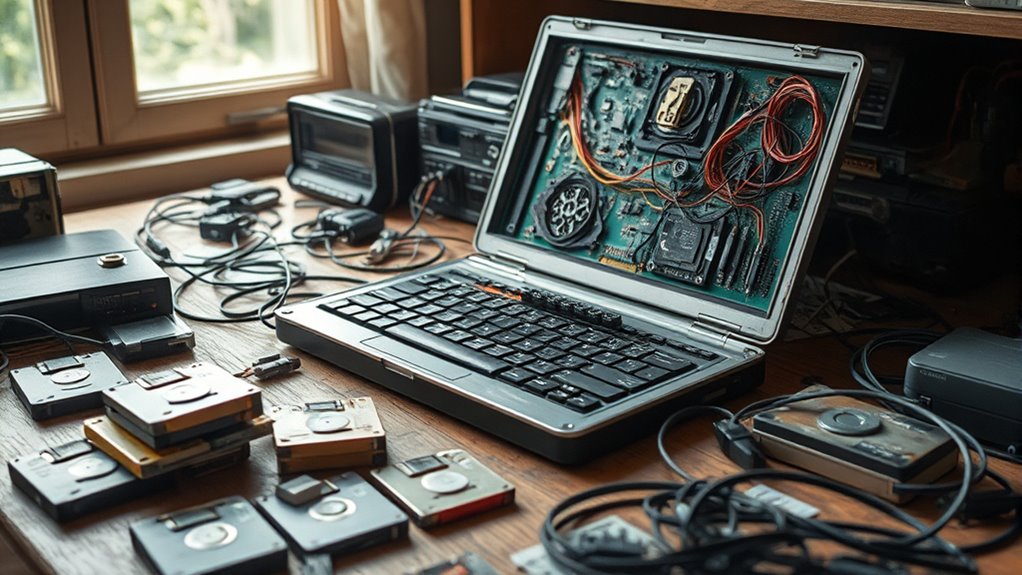
When you’re ready to sell or recycle your old devices, it’s crucial to protect your personal data first. You don’t want sensitive information falling into the wrong hands once your device leaves your home. The first step is to perform a thorough data erasure, which involves securely deleting all your files, apps, and settings. Simply deleting files isn’t enough because many devices store data in ways that can be recovered unless you use proper data erasure tools. Look for options like factory reset or specialized software designed to overwrite data completely. This ensures that your personal information, from bank details to private messages, can’t be retrieved by someone else.
Before selling or recycling, securely erase all data to protect your privacy and prevent recovery by others.
Before wiping your device, it’s equally important to create a device backup. Backing up your data means saving a copy of everything you might want later—photos, contacts, documents, app data, and even settings. This way, if you plan to upgrade your device or switch to a new one, you won’t lose priceless memories or essential information. Most smartphones and computers offer built-in backup options, such as cloud services or local backups to your computer or external drive. Take a few minutes to ensure your backup is complete and up-to-date before you start the erasure process. Once your data is safely backed up, you can proceed with confidence that your information is secure and accessible later if needed.
When performing data erasure, double-check that all accounts linked to your device are signed out and deauthorized, especially services like iCloud, Google, or other cloud platforms. This prevents any future issues with device activation locks or account restrictions. After confirming everything is signed out, initiate the reset or wipe process, following the manufacturer’s instructions carefully. Remember, some devices require additional steps to ensure data is unrecoverable, such as overwriting the storage multiple times or using specialized tools. Additionally, understanding the contrast ratio of your device can help you assess how well your data displays during the reset process, especially in dark environments. Once completed, verify that the device shows no trace of your personal data and that it’s effectively reset to factory settings.
Protecting your data isn’t just a step in selling your device; it’s a critical part of your digital security. Taking the time for proper data erasure and device backup guarantees that your personal information remains private, even after your device changes hands. It’s a simple yet essential process that prevents future headaches, identity theft, and privacy breaches. When you prioritize these precautions, you can confidently hand over your old gear, knowing your data stays safe and your privacy remains intact.

Secure Data Wipe USB – Permanent Hard Drive Erase Tool | Military-Grade Data Sanitization for PC, Laptop, HDD & SSD | Bootable USB Drive – Easy & Secure Data Removal
✔ Permanently Wipe Data – Securely erase your hard drive, ensuring no recovery is possible.
As an affiliate, we earn on qualifying purchases.
As an affiliate, we earn on qualifying purchases.
Frequently Asked Questions
How Can I Securely Erase Data From My Devices?
To securely erase data from your devices, start by performing a factory reset or using data encryption tools to lock your files. For thoroughness, consider hardware destruction methods like physically shredding or degaussing storage devices. These steps guarantee your personal information stays private and cannot be recovered, giving you peace of mind when selling or discarding old gear. Always double-check that your data is completely erased before handing over your devices.
What Tools Are Best for Wiping Data Completely?
Imagine your hard drive as a maze of data, intricate and layered. To erase it completely, use trusted data sanitization tools like DBAN or Blancco, which perform thorough wipes. Hard drive formats are helpful but not enough alone; combine them with these tools for full security. These methods guarantee all traces of your data vanish, safeguarding your privacy before you sell or discard your gear.
Does Deleting Files Remove All Personal Information?
Deleting files alone doesn’t remove all personal information. To truly protect your data, you should use data encryption before deleting, making the information unreadable. Additionally, perform a factory reset on your device to erase all settings and files completely. This combination guarantees your personal info is secure, preventing anyone from recovering sensitive data after you sell or dispose of your old gear.
Can Data Recovery Services Retrieve My Erased Data?
Ever wonder if erased data is truly gone? Data recovery services can sometimes retrieve your erased data, but beware of data recovery myths that suggest all files are recoverable. Typically, once you overwrite or securely delete files, the erased data limitations mean recovery becomes nearly impossible. So, if you’re concerned about sensitive info, don’t rely solely on deletion—use proper data sanitization methods to guarantee your data’s gone for good.
Are There Legal Considerations When Disposing of Old Electronics?
Yes, there are legal considerations when disposing of old electronics. You need to guarantee legal compliance by following privacy regulations that protect sensitive data. Failing to securely wipe your devices could lead to data breaches and legal penalties. Always verify local laws and regulations regarding electronic waste disposal, and if necessary, consult legal counsel to avoid inadvertently violating privacy laws or environmental rules during disposal.

Kaisi Professional Electronics Opening Pry Tool Repair Kit with Metal Spudger Non-Abrasive Nylon Spudgers and Anti-Static Tweezers for Cellphone iPhone Laptops Tablets and More, 20 Piece
Kaisi 20 pcs opening pry tools kit for smart phone,laptop,computer tablet,electronics, apple watch, iPad, iPod, Macbook, computer, LCD…
As an affiliate, we earn on qualifying purchases.
As an affiliate, we earn on qualifying purchases.
Conclusion
Before you sell your old gear, isn’t it worth taking a few minutes to protect your personal data? Just a quick wipe or reset can save you from future headaches or identity theft. Remember, once your device leaves your house, you can’t control what happens next. So, why risk exposing your private information? Take those simple steps now, and enjoy peace of mind knowing your data stays safe even after the sale.

Beamo Hard Drive and SSD Data Eraser USB, Highly Secure Data Wiping Tool, The Industry Standard Data Wiping Software
Secure Erasure: Professional-grade USB data eraser tool designed to permanently wipe sensitive data from hard drives and SSDs
As an affiliate, we earn on qualifying purchases.
As an affiliate, we earn on qualifying purchases.

YOTUO 1TB External Hard Drive, USB C Multiport Hub HDD 7-in-1, USB 3.0, SD/TF Card Reader, Docking Station, Multi-Function HDD for Windows, Mac, Android, TV, iPhone 15/16/17, Laptop, Desktop, PC
All-in-One Design: 1TB external hard drive, multi-port hub and SD/TF card reader combine to provide ample storage and…
As an affiliate, we earn on qualifying purchases.
As an affiliate, we earn on qualifying purchases.