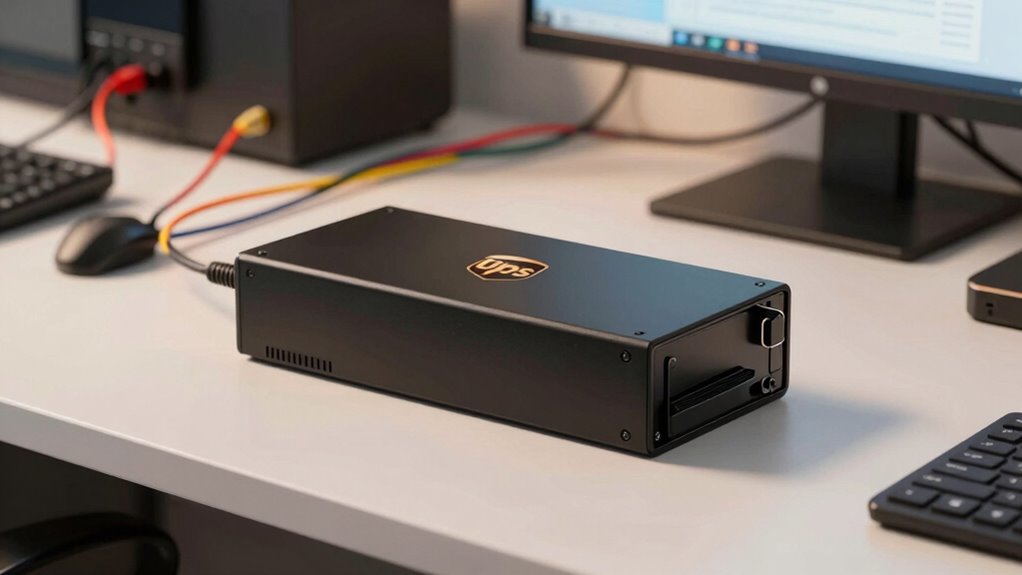

Understanding the fundamentals of UPS battery backups is key to protecting your electronics during outages and power fluctuations. The best models balance runtime, reliability, and features like surge protection. The APC UPS 425VA BE425M stands out as an excellent all-around choice for small setups, while the CyberPower CP1500AVRLCD3 offers advanced management for more demanding needs. Budget-conscious buyers might prefer the Amazon Basics 600VA, but it sacrifices some runtime and features. The main tradeoffs revolve around capacity, runtime, and complexity—more capacity means a higher price but greater protection. Continue reading for a detailed breakdown of these options and what to prioritize in your purchase.
Complete the kit



Key Takeaways
- Higher VA ratings generally provide longer runtime but come with increased cost and size.
- Models with LCD displays offer better management and status info but add to the price.
- Surge protection varies—ensure your chosen UPS has adequate surge suppressors for sensitive electronics.
- Budget options often trade off runtime and advanced features for affordability.
- Choosing between standby and sinewave UPS depends on whether you need clean power for sensitive gear.
| Staples TECH 650VA UPS Battery Backup, 8 Outlets, Surge Protection, Black |  | Best Compact Choice for Basic Home Office Use | Capacity: 650VA / 360W | Outlets: 8 | Color: Black | VIEW ON AMAZON | See Our Full Breakdown |
| CyberPower ST425 Standby UPS Battery Backup and Surge Protector |  | Best Budget-Friendly Option for Light Home Use | VA: 425VA | Wattage: 260W | Outlets: 8 | VIEW ON AMAZON | See Our Full Breakdown |
| CyberPower CP1500AVRLCD3 Intelligent LCD UPS Battery Backup |  | Best for Computer and Home Entertainment Enthusiasts | Capacity: 1500VA/900W | Outlets: 12 | USB Ports: 1 Type-A, 1 Type-C | VIEW ON AMAZON | See Our Full Breakdown |
| APC UPS 425VA 225W Battery Backup for Router and Small Electronics, BE425M |  | Best Space-Saving Solution for Small Electronics | Capacity: 425VA / 225W | Runtime: 15 minutes at 100W | Outlets: 6 | VIEW ON AMAZON | See Our Full Breakdown |
| GOLDENMATE 1500VA/1000W Lithium UPS Battery Backup & Surge Protector |  | Best for Long-Lasting, High-Power Support with Advanced Lithium Batteries | Battery Type: LiFePO4 | Capacity: 230Wh | Power Rating: 1500VA/1000W | VIEW ON AMAZON | See Our Full Breakdown |
| Amazon Basics UPS Battery Backup & Surge Protector, 600VA/360W, 8 Outlets, Standby Uninterruptible Power Supply, Black |  | Best Compact and Cost-Effective Backup for Basic Home Electronics | Capacity: 600VA/360W | Outlets: 8 | Surge Protected Outlets: 4 | VIEW ON AMAZON | See Our Full Breakdown |
| CyberPower EC850LCD Ecologic UPS Battery Backup and Surge Protector |  | Best for Energy Savings and Reliable Power for Small to Medium Setups | Capacity: 850VA/510W | Outlets: 12 | ECO Mode: Yes | VIEW ON AMAZON | See Our Full Breakdown |
| CyberPower CP1500PFCLCD PFC Sinewave UPS Battery Backup and Surge Protector, 1500VA/1000W, 12 Outlets, AVR, Mini Tower, UL Certified |  | Best for High-Power, Critical Devices with Active PFC and Pure Sine Wave Support | Capacity: 1500VA/1000W | Outlets: 12 | USB Ports: 1 Type-A, 1 Type-C | VIEW ON AMAZON | See Our Full Breakdown |
| Vertiv Liebert PowerUPS 200 Essential PSA6E-1500LVT UPS 1500VA/850W USB C+A |  | Best for Clean, Stable Power with User-Replaceable Batteries | Capacity: 1500VA/850W | Warranty: 3 years | Features: AVR stabilization, user-replaceable batteries, LED indicators | VIEW ON AMAZON | See Our Full Breakdown |
| APC UPS 600VA/330W Battery Backup for Computer, Router, NAS, BE600M1 |  | Best for Small Electronics and Cost-Effective, Easy-to-Replace Power Backup | Capacity: 600VA/330W | Runtime at 100W: 23 minutes | Number of Outlets: 5 (2 surge-only) | VIEW ON AMAZON | See Our Full Breakdown |
| ups battery backup basic | Capacity | Outlets | Warranty |
|---|---|---|---|
| Staples TECH 650VA UPS Battery | 650VA / 360W | 8 | — |
| CyberPower ST425 Standby UPS B | — | 8 | 3 years including battery |
| CyberPower CP1500AVRLCD3 Intel | 1500VA/900W | 12 | — |
| APC UPS 425VA 225W Battery Bac | 425VA / 225W | 6 | — |
| GOLDENMATE 1500VA/1000W Lithiu | 230Wh | 8 | — |
| Amazon Basics UPS Battery Back | 600VA/360W | 8 | — |
| CyberPower EC850LCD Ecologic U | 850VA/510W | 12 | 3 years including battery |
| CyberPower CP1500PFCLCD PFC Si | 1500VA/1000W | 12 | 3 years |
| Vertiv Liebert PowerUPS 200 Es | 1500VA/850W | — | 3 years |
| APC UPS 600VA/330W Battery Bac | 600VA/330W | — | 3 years |
More Details on Our Top Picks
Staples TECH 650VA UPS Battery Backup, 8 Outlets, Surge Protection, Black
The Staples TECH 650VA UPS stands out for its reliable power support for essential devices like computers and routers. Its 8 outlets and surge protection make it a practical choice for small workstations, especially given its compact design that easily fits under desks. Compared to larger units like the GOLDENMATE 1500VA, this model is less suited for high-power or server setups but excels in simplicity and space efficiency. Its 650VA capacity means it can support basic electronics during short outages, but it may struggle with extended power failures or high-demand equipment. The standby power mode is adequate for brief outages, yet limited for longer ones. This pick makes the most sense for users needing a straightforward backup for low-power devices without the need for advanced features or high capacity.
Pros:- Reliable backup for essential electronics
- Supports multiple devices with 8 outlets
- Built-in surge protection safeguards equipment
- Compact size fits under desks
Cons:- Limited to 650VA capacity, not suitable for high-power devices
- Standby power may not sustain devices during extended outages
Best for: Home office users with basic electronics and limited space needs
Not ideal for: Small businesses or setups requiring support for high-power devices or longer outages
- Capacity:650VA / 360W
- Outlets:8
- Color:Black
Our verdict“This UPS is ideal for users seeking a compact, reliable backup for essential home or office electronics with minimal power demands.”
CyberPower ST425 Standby UPS Battery Backup and Surge Protector
The CyberPower ST425 offers a solid entry point for protecting home electronics with 425VA/260W capacity. Its 8 outlets include both battery backup and surge protection, making it suitable for modest setups like modems and small computers. Compared to the larger CyberPower CP1500AVRLCD3, this model is less capable for power-hungry devices, but it compensates with high efficiency and UL safety certification. Its simulated sine wave output is often sufficient for basic electronics but might cause issues with sensitive or complex equipment. The 5-foot cord and straightforward design make installation simple, though the limited capacity restricts usage to low-power devices. This makes it a good choice for budget-conscious users needing basic surge and backup support without high power demands.
Pros:- Affordable backup power for small electronics
- Includes surge protection and UL certification
- High efficiency reduces power waste
- Reliable warranty coverage
Cons:- Limited to 425VA/260W capacity, not for high-demand devices
- Simulated sine wave may not suit sensitive equipment
- Only 8 outlets may be limiting for larger setups
Best for: Home users needing affordable backup for small electronics and modems
Not ideal for: Users with high-power computers or appliances, as capacity and output may be insufficient
- VA:425VA
- Wattage:260W
- Outlets:8
- Warranty:3 years including battery
Our verdict“This UPS suits budget-minded users needing basic power backup and surge protection for low-power home electronics.”
CyberPower CP1500AVRLCD3 Intelligent LCD UPS Battery Backup
The CyberPower CP1500AVRLCD3 provides robust backup power with 1500VA/900W capacity, making it well-suited for demanding setups like gaming, workstations, or NAS systems. Its LCD display offers detailed real-time status, setting it apart from simpler models like the Staples TECH 650VA. The automatic voltage regulation ensures stable power quality, especially during fluctuating grid conditions. While the 12 outlets are versatile, they are all NEMA 5-15R, which may limit compatibility with certain power strips or international plugs. Its battery replacement after warranty could be a consideration for long-term users. Compared to the GOLDENMATE 1500VA, this model focuses more on user interface and safety features, but both serve high-demand environments. It’s best for tech-savvy users who want detailed info and reliable power for sensitive devices.
Pros:- High capacity supports multiple high-demand devices
- Color LCD displays detailed status info
- Automatic voltage regulation improves power stability
- Includes USB ports for device charging
Cons:- Limited to NEMA 5-15R outlets, not ideal for international setups
- Battery replacement can be costly or inconvenient after warranty
- Higher price point for basic users
Best for: Power users requiring high-capacity backup and detailed system monitoring
Not ideal for: Basic home users or those with minimal backup needs, due to higher cost and complexity
- Capacity:1500VA/900W
- Outlets:12
- USB Ports:1 Type-A, 1 Type-C
Our verdict“This UPS excels for tech-savvy users seeking high capacity, detailed management, and reliable backup for demanding electronics.”
APC UPS 425VA 225W Battery Backup for Router and Small Electronics, BE425M
The APC BE425M offers a compact, space-efficient backup for essential small devices like routers and modems. With 425VA/225W capacity, it provides around 15 minutes of runtime at 100W, enough to safely shut down or keep equipment running during brief outages. Its 6 outlets include both battery-backed and surge-only options, with a wall-mount design ideal for tight spaces. Compared to larger models like the GOLDENMATE, this unit prioritizes size and simplicity over extended runtime or high power support. Automatic voltage regulation protects against power spikes, but the limited runtime means it’s best for short outages or to bridge power gaps. This makes it suitable for users who want a tidy, reliable backup without occupying much space.
Pros:- Compact, wall-mountable design
- Provides up to 15 minutes of backup for critical devices
- Surge protection and automatic voltage regulation
- Affordable and space-efficient
Cons:- Limited runtime for higher loads
- Only suitable for small electronics and low-power devices
Best for: Small home or office setups needing space-efficient backup for essential electronics
Not ideal for: Power users or setups requiring longer runtime or support for high-wattage devices
- Capacity:425VA / 225W
- Runtime:15 minutes at 100W
- Outlets:6
- Protection:$75,000 Equipment Protection
Our verdict“This UPS is ideal for users needing a space-saving, reliable backup for essential small electronics during brief outages.”
GOLDENMATE 1500VA/1000W Lithium UPS Battery Backup & Surge Protector
The GOLDENMATE 1500VA/1000W Lithium UPS stands out with its use of advanced LiFePO4 batteries, offering over 10 years of reliable service and fast charging. Its pure sine wave output ensures clean, stable power for sensitive devices like computers and NAS systems, contrasting with the simulated sine wave options in lower-capacity units. The LCD display provides real-time info on battery status and load, while the quiet cooling system maintains low noise during operation. The 8 outlets and USB ports add versatility, making it ideal for home office setups with multiple devices. However, the unit supports only 90-140V AC input, requiring voltage verification in certain regions, and it may not work with generator-supplied power. This pick targets users who want long-term, high-capacity power backup with minimal maintenance.
Pros:- Long-lasting LiFePO4 batteries with over 10 years of use
- Pure sine wave output for sensitive electronics
- Multiple outlets and USB ports for versatility
- Quiet cooling system and real-time LCD display
Cons:- Designed for standard household voltage, not compatible with all regions
- Supports only 90-140V AC input, requiring voltage check
- Higher price point for basic household needs
Best for: Home office users needing long-lasting, high-capacity backup with advanced batteries
Not ideal for: International users outside 90-140V regions or those with generator-powered setups
- Battery Type:LiFePO4
- Capacity:230Wh
- Power Rating:1500VA/1000W
- Outlets:8
- USB Ports:1 USB-C, 1 USB-A
- Cooling System:Built-in fan with quiet operation
Our verdict“This UPS suits tech-savvy users seeking durable, high-capacity, and clean power support for critical devices with minimal maintenance.”
Amazon Basics UPS Battery Backup & Surge Protector, 600VA/360W, 8 Outlets, Standby Uninterruptible Power Supply, Black
This UPS stands out for its simplicity and affordability, making it an excellent choice for protecting home networks, IoT devices, and entertainment systems. Compared to the larger capacity options like the CyberPower CP1500PFCLCD, it offers a more modest 600VA/360W, which is sufficient for low to moderate loads but limits runtime at higher loads. Its compact design means it easily fits into tight spaces, and with 8 outlets—half surge-only and half backup—it provides flexible protection. However, its runtime at full load drops to just 2 minutes, so it’s better suited for short outages or surge protection rather than prolonged power loss. The need to download power management software could be inconvenient, and users should keep loads under 80% to maximize runtime. Overall, this model is ideal for those prioritizing basic backup needs without complex features.
Pros:- Affordable price point for basic backup needs
- Compact design easily fits into small spaces
- Multiple outlets with surge protection and battery backup
Cons:- Limited runtime at full load, only about 2 minutes
- Requires software download for power management
- Load should be kept below 80% for best performance
Best for: Home users with small electronics and a preference for budget-friendly, straightforward protection
Not ideal for: Users needing longer runtime or high-power backup for gaming or desktop workstations
- Capacity:600VA/360W
- Outlets:8
- Surge Protected Outlets:4
- Battery Backup Outlets:4
- Runtime at Half Load:9 minutes
- Cord Length:5 feet
Our verdict“A practical, budget-friendly option for protecting essential small electronics against power outages and surges.”
CyberPower EC850LCD Ecologic UPS Battery Backup and Surge Protector
The CyberPower EC850LCD offers a solid 850VA/510W capacity, making it suitable for protecting workstations, routers, and media devices. Its 12 outlets provide ample space for multiple electronics, with an ECO mode that reduces energy consumption—a feature that helps lower electricity bills. The multifunction LCD panel adds transparency, displaying detailed status updates, which is especially helpful for users who want real-time information. Compared to the Amazon Basics model, it provides higher capacity and more outlets, but it’s limited to simulated sine wave output, which may not be compatible with sensitive equipment requiring pure sine wave power. The three-year warranty, including the battery, adds peace of mind, but some users might find the number of outlets insufficient for larger setups. Overall, it’s a good choice for those seeking energy efficiency and reliable protection.
Pros:- Provides reliable backup with 850VA capacity
- ECO mode reduces energy consumption
- Multifunction LCD panel shows detailed status
Cons:- Limited to simulated sine wave output, not suitable for all sensitive devices
- Outlets may be insufficient for large setups
- Display information may be overwhelming for casual users
Best for: Small to medium office setups or media rooms seeking energy efficiency and detailed monitoring
Not ideal for: Power users with high-power equipment or those needing pure sine wave output for sensitive electronics
- Capacity:850VA/510W
- Outlets:12
- ECO Mode:Yes
- Warranty:3 years including battery
- Guarantee:$100,000 Connected Equipment Guarantee
Our verdict“A well-rounded UPS for users prioritizing energy savings and detailed system monitoring over high-capacity or pure sine wave power.”
CyberPower CP1500PFCLCD PFC Sinewave UPS Battery Backup and Surge Protector, 1500VA/1000W, 12 Outlets, AVR, Mini Tower, UL Certified
The CyberPower CP1500PFCLCD is tailored for users with demanding power needs, supporting active PFC power supplies with a 1500VA/1000W capacity. Its pure sine wave output ensures compatibility with sensitive electronics, including servers and high-end workstations. The 12 outlets, USB ports, and color LCD display make it versatile and easy to monitor. The automatic voltage regulation (AVR) extends battery life during voltage fluctuations, a key advantage over simpler models like the Amazon Basics. However, its capacity might be insufficient for very high-power setups, and replacing the battery can require professional help. The LCD, while informative, may seem complex to some. Overall, this model makes the most sense for users with critical equipment that demands reliable, high-quality power support.
Pros:- Supports active PFC and sensitive electronics with pure sine wave output
- Includes USB charging ports for added convenience
- Color LCD provides detailed real-time information
Cons:- Limited to 1500VA, which might not cover all high-power setups
- Battery replacement can be complicated and may need professional assistance
- The LCD display may be overwhelming for casual users
Best for: Professional environments or tech enthusiasts with high-power, sensitive equipment
Not ideal for: Casual users with basic backup needs or limited budgets
- Capacity:1500VA/1000W
- Outlets:12
- USB Ports:1 Type-A, 1 Type-C
- Warranty:3 years
- Guarantee:$500,000 Connected Equipment Guarantee
Our verdict“Ideal for critical systems requiring high-quality, reliable power with advanced features and monitoring.”
Vertiv Liebert PowerUPS 200 Essential PSA6E-1500LVT UPS 1500VA/850W USB C+A
The Vertiv Liebert PowerUPS 200 emphasizes delivering stable, clean power with AVR stabilization, making it suitable for sensitive electronics like medical devices or servers. Its user-replaceable batteries extend the lifespan, reducing long-term costs, and LED indicators provide quick insights into battery health, which is an advantage over models like the Amazon Basics with fixed batteries. While it offers a respectable 1500VA/850W capacity, it lacks detailed runtime information, which could be a drawback for users needing precise backup durations. The mute button helps manage alarms, but some may find the noise levels or lack of advanced features limiting. This UPS is best suited for users who want reliable, stable power and easy maintenance, not necessarily for those needing high capacity or extensive monitoring tools.
Pros:- Provides stable, clean power with AVR technology
- User-replaceable batteries extend lifespan and reduce costs
- LED indicators offer quick battery status updates
Cons:- Limited to 1500VA, may not support very high loads
- No detailed runtime estimates provided
- Potentially loud alarms despite mute feature
Best for: Small to medium business or advanced home setups needing stable, clean power with easy maintenance
Not ideal for: Power users requiring high capacity or detailed runtime metrics for critical loads
- Capacity:1500VA/850W
- Warranty:3 years
- Features:AVR stabilization, user-replaceable batteries, LED indicators
Our verdict“A reliable, stable power source with easy maintenance, suited for sensitive electronics in small to medium environments.”
APC UPS 600VA/330W Battery Backup for Computer, Router, NAS, BE600M1
The APC BE600M1 offers a straightforward solution for protecting small electronics like computers, routers, and NAS devices. Its 600VA/330W capacity is enough for maintaining operation during short outages, with a runtime of up to 23 minutes at 100W, which surpasses many budget models. The internal battery is easy to replace, reducing long-term costs and making maintenance straightforward. Its compact size makes it suitable for home or small office use, but it’s not designed for larger or high-power setups. The 5 outlets, with some surge-only, limit its scalability for more extensive systems. While it provides reliable backup for small electronics, it isn’t suited for critical or high-load applications requiring longer runtimes or higher capacity.
Pros:- Affordable and reliable backup for small electronics
- Easy to replace internal battery
- Compact design fits in small spaces
Cons:- Limited runtime at higher loads
- Designed primarily for small electronics, not large appliances
- Fewer outlets and lower capacity compared to higher-end models
Best for: Home users seeking a simple, affordable backup for essential small devices
Not ideal for: Power users with larger systems or those needing extended runtime for high-power loads
- Capacity:600VA/330W
- Runtime at 100W:23 minutes
- Number of Outlets:5 (2 surge-only)
- USB Port:1.5A
- Warranty:3 years
Our verdict“A practical, low-cost option for protecting small electronics against power interruptions in home or office environments.”

How We Picked
I evaluated these UPS battery backups based on performance, build quality, ease of use, and value. Priority was given to models that offer reliable surge protection, sufficient capacity for common electronics, and straightforward installation. Cost-effectiveness was also considered, ensuring options ranged from budget-friendly to premium. I compared features like runtime, number of outlets, LCD displays, and form factor, ranking products that balance these factors well. The lineup reflects a mix of standby and sinewave types to suit different levels of sensitivity and complexity, with the top picks excelling in overall reliability and usability.Factors to Consider When Choosing Ups Battery Backup Basics
Choosing the right UPS battery backup involves considering several key factors beyond just capacity. Understanding your power needs, the type of UPS, and additional features can help you avoid common pitfalls and select a model that truly protects your equipment. This guide highlights the main considerations to keep in mind when evaluating options, including capacity, runtime, power quality, and expandability.Capacity and Power Rating
Capacity, measured in volt-amps (VA) and watts, determines how much equipment your UPS can support. Larger capacity UPS units can run more devices or provide longer backup time but come at a higher price and size. It’s important to estimate your total power draw accurately; overestimating can lead to unnecessary expense, while underestimating risks underpowering your setup during outages. Consider future expansion needs, especially if you plan to add more electronics later.
Runtime and Battery Life
Runtime specifies how long your devices will stay powered during an outage. Many users focus solely on VA, but actual runtime depends on your connected load. Cheaper models often have shorter backup times, which might only last a few minutes—enough to save work or shut down devices safely. For critical systems like servers or extensive setups, prioritize models with longer runtime or options for external batteries. Keep in mind that battery capacity diminishes over time, so maintenance and replacement costs should factor into your decision.
Waveform Type and Power Quality
For sensitive electronics, the type of waveform the UPS produces matters. Sinewave UPS units provide clean power similar to utility supply, ideal for servers, networking gear, and audio/video equipment. In contrast, standby models produce a stepped wave that may cause issues with delicate devices. Choosing the right waveform can prevent hardware failures and ensure stable operation, especially if your setup includes high-end or sensitive gear.
Features and Expandability
Additional features such as LCD displays, automatic voltage regulation (AVR), and network management tools add convenience and control. LCD screens help monitor real-time status, while AVR stabilizes voltage fluctuations, reducing strain on devices. Consider whether you need network management for remote monitoring or firmware updates. Expandability options, like external batteries, are also worth considering if you anticipate increased power needs in the future. Weigh these add-ons against your budget and complexity tolerance.
Cost and Maintenance
While initial price is a key factor, long-term costs like battery replacements can significantly impact the total expense. Cheaper units may have batteries that need replacing sooner, increasing ongoing costs. Higher-quality models often feature easier battery replacement and longer-lasting components. Balance your budget with the importance of reliability; investing a bit more upfront can save money and hassle later. Also, check warranty terms and customer support reputation to avoid issues with maintenance or repairs.
Frequently Asked Questions
How do I determine the right VA rating for my setup?
To find the appropriate VA rating, add up the wattage of all devices you want to support and then multiply by 1.2 to 1.5 for headroom. This extra margin accounts for startup surges and future expansion. For instance, if your total device wattage is 300W, selecting a UPS with at least 450VA to 500VA ensures reliable backup without overloading. Always check the VA-to-watt ratio specified by the manufacturer to ensure compatibility.
Is a sinewave UPS worth the extra cost?
Yes, especially if you run sensitive electronics like computers, servers, or audio equipment. Sinewave UPS units produce clean, stable power that prevents hardware malfunctions and reduces wear. Cheaper, stepped wave models may cause issues such as system resets or hardware damage over time. Investing in a sinewave model can ensure equipment longevity and consistent performance, making it worthwhile for critical or high-end gear.
How often should I replace the battery in my UPS?
Batteries typically last 3 to 5 years, but this depends on usage, temperature, and maintenance. Regularly testing your UPS and monitoring battery health alerts can help you catch declining performance early. Replacing batteries before they fail completely prevents unexpected shutdowns and protects your data. Many models allow easy battery replacement; check your unit’s manual for specific guidance and recommended replacement intervals.
Can I connect external batteries to extend runtime?
Many higher-capacity and professional-grade UPS units support external battery packs, significantly extending backup time. This feature is ideal for critical systems requiring longer outages. However, not all models are compatible, and adding external batteries can increase complexity and cost. Ensure your UPS explicitly supports external batteries and follow manufacturer instructions for safe installation and operation.
What common mistakes should I avoid when choosing a UPS?
A common error is underestimating your power needs, leading to insufficient runtime or overloads. Overlooking the importance of waveform type can cause hardware issues. Additionally, ignoring future expansion plans or maintenance costs might result in needing to upgrade sooner. To avoid these pitfalls, carefully assess your current and future requirements, prioritize quality for sensitive gear, and consider total ownership costs, including battery replacements and support.
Conclusion
For general home or small office use, the APC UPS 425VA BE425M offers reliable protection at an affordable price, making it ideal for beginners or budget-conscious buyers. If you require longer runtime and advanced features, the CyberPower CP1500AVRLCD3 is a solid choice for power users and small businesses. Those with sensitive equipment should consider the CyberPower CP1500PFCLCD for clean sinewave power, despite the higher cost. For larger setups or future-proofing, professional-grade options like external batteries or high-capacity units are best. Tailor your choice to your specific needs, balancing capacity, features, and budget for the most reliable backup protection.