
Many battery myths, like needing full discharge cycles or avoiding partial charges, are outdated. In reality, frequent topping up between 20% and 80% is best for prolonging your battery’s health. Modern devices have smart management systems that handle overcharging and calibration, so you don’t need to worry. Your main focus should be on avoiding extreme temperatures and understanding your device’s features. Keep going to discover what truly affects your battery day-to-day.
Key Takeaways
- Partial charges (between 20% and 80%) are safe and can prolong battery lifespan.
- Frequent full discharges are unnecessary; modern batteries handle multiple partial cycles well.
- Overcharging or leaving devices at 100% overnight is less harmful than in the past but still best avoided.
- Battery calibration is rarely needed due to smart management systems in modern devices.
- Extreme temperatures harm battery health more than charging habits or cycle counts.
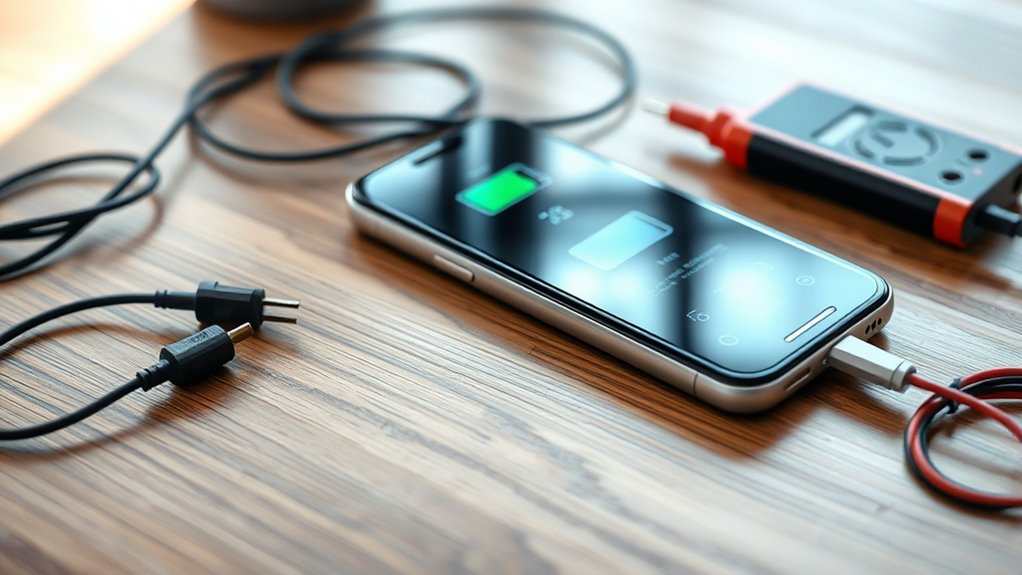
Many common beliefs about battery health are actually myths that can lead you astray. You might have heard that fully draining your device’s battery before charging it again is good for its lifespan, but that’s not quite true. Instead, understanding how charging cycles work is key. A charging cycle happens when you use 100% of your battery’s capacity, whether that’s in one go or through several partial charges. For example, using 50% one day and then recharging back to 100%, and doing the same the next day, counts as one full cycle. These cycles are what gradually wear down your battery, but you don’t need to avoid charging early or topping up frequently. Modern batteries are designed to handle multiple partial charges without significant damage, so keeping your device charged between 20% and 80% isn’t harmful—in fact, it can extend its overall lifespan. Additionally, many devices now incorporate smart charging technology that helps optimize battery health during daily use.
Another persistent myth is that you need to perform battery calibration regularly to maintain accuracy. Battery calibration involves fully draining and then fully charging your device to reset the battery meter. While this used to be more relevant for older batteries, most modern smartphones and laptops have smarter battery management systems that don’t require manual calibration. If your device’s battery percentage suddenly drops or jumps erratically, calibrating might help, but for daily use, it’s not something you should do routinely. Instead, focus on avoiding extreme temperatures and keeping your device’s software up to date, as these factors have a more significant impact on battery health than calibration.
Many people also believe that keeping your device plugged in all the time will ruin the battery. While it’s true that batteries can degrade if kept at 100% for extended periods, most modern devices have built-in mechanisms to prevent overcharging. Once the battery reaches 100%, charging usually stops or slows down, so leaving your device plugged in overnight isn’t as damaging as it once was. However, keeping your device at high charge levels consistently—say, at 100% for days—can still contribute to faster capacity loss over time. The real key is avoiding prolonged exposure to high temperatures and not relying solely on constant charging to keep your device alive.
In essence, the truths about battery health are less about strict rules and more about good habits. Charging cycles are normal and unavoidable, and battery calibration isn’t something you need to worry about daily. Smart charging practices, avoiding extreme temperatures, and understanding how your device manages power will serve you far better than believing in myths that no longer hold true.

How to Make Your Android Battery Last Longer: Simple Settings, Proven Tips and Daily Habits to Fix Battery Drain and Save Power on Android
As an affiliate, we earn on qualifying purchases.
As an affiliate, we earn on qualifying purchases.
Frequently Asked Questions
Does Using Fast Charging Reduce Battery Lifespan Significantly?
Using fast charging can contribute to battery degradation over time, but it doesn’t substantially reduce your battery’s lifespan if you don’t overuse it. Modern devices are designed to handle fast charging without major harm, especially when used occasionally. To preserve your battery health, avoid frequent fast charging sessions and don’t let your battery stay at 0% or 100% for extended periods. Balance fast charging with regular charging habits for best longevity.
Is It Necessary to Fully Discharge My Battery Regularly?
Think of your battery like a car’s odometer—you don’t need to hit zero miles to keep it accurate. You don’t have to fully discharge your battery regularly; it’s more about proper battery calibration and avoiding excessive cycling. Modern batteries don’t benefit from deep discharges because they wear out faster with unnecessary cycling. Instead, keep your charge between 20-80%, and your battery stays healthier longer.
Can Temperature Fluctuations Permanently Damage My Battery?
Temperature fluctuations can indeed cause thermal stress, which may lead to permanent battery damage over time. Extreme heat or cold affects voltage stability, causing the battery to degrade faster. You should avoid exposing your device to rapid temperature changes and extreme conditions. Keeping your battery within recommended temperature ranges helps maintain its health and longevity, preventing long-term damage caused by thermal stress and voltage instability.
Does Leaving My Device Plugged in Overnight Harm the Battery?
Leaving your device plugged in overnight usually won’t harm the battery if it has smart charging features. Modern devices regulate overnight charging to prevent overcharging, which helps maintain battery health. However, frequent overnight charging can increase your battery’s cycle count, gradually reducing its capacity over time. To preserve battery longevity, avoid consistently keeping your device plugged in long-term and try to keep the charge between 20% and 80%.
Are Battery Health Apps Accurate in Measuring Actual Battery Capacity?
Battery health apps can give you a rough idea of your battery’s capacity, but they aren’t always perfectly accurate. They often rely on battery calibration, which means your device’s software may need recalibrating for better readings. Keep in mind that app reliability varies; some are better than others. Use these tools as a general guide, but don’t rely solely on them for precise battery health assessments.
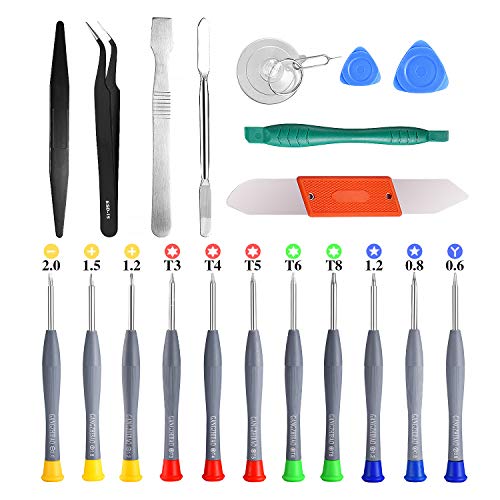
21pcs Precision Screwdriver Set Magnetic,GangZhiBao Repair Tools Kit for Fix Phone/iphone,Computer/PC,Tablet/Pad,Watch,PS4 – Replace Screen Battery Camera Small Electronics Open Pry Tool Kits Sets DIY
PentalobeScrewdriver Set: p5 Pentalobe screwdriver,PH000 Phillips Screwdriver, Pentalobe T5 Pentalobe T6 Screwdrivers Repair Tool Kit for Apple MacBook…
As an affiliate, we earn on qualifying purchases.
As an affiliate, we earn on qualifying purchases.
Conclusion
Don’t let these myths ruin your day or drain your energy! Forget obsessing over tiny details like full cycles or perfect temperatures—what really matters is keeping your battery out of the emergency zone and avoiding total destruction. Treat your device like a prized pet, give it some love, and it’ll perform like a superstar forever. So, relax, charge smart, and remember: it’s the big picture that keeps your battery happy, not the tiny myths.

Evopow 2-Pack Portable Charger, Slimmer 10000mAh Power Bank, Fast Charging Battery Pack, USB C in&Out External Portable Power Bank for iPhone Tablet Samsung Pixel Headphones etc (Blue&Purple)
【Smaller & Slimmer】A 0.55-inch power bank that breaks the 10000mAh limit, weighing just 219g and only 14mm thick….
As an affiliate, we earn on qualifying purchases.
As an affiliate, we earn on qualifying purchases.

PHOOZY Apollo II Thermal Phone Case with NASA-Derived Technology – Extends Battery Life 4X in Hot or Cold Weather – Military Grade 8-Foot Drop Protection Insulated Pouch – Large Black
BUILT FOR ADVENTURE ENTHUSIASTS WHO DEMAND RELIABILITY: Designed for hikers, boaters, beachgoers, desert travelers, and outdoor professionals who…
As an affiliate, we earn on qualifying purchases.
As an affiliate, we earn on qualifying purchases.