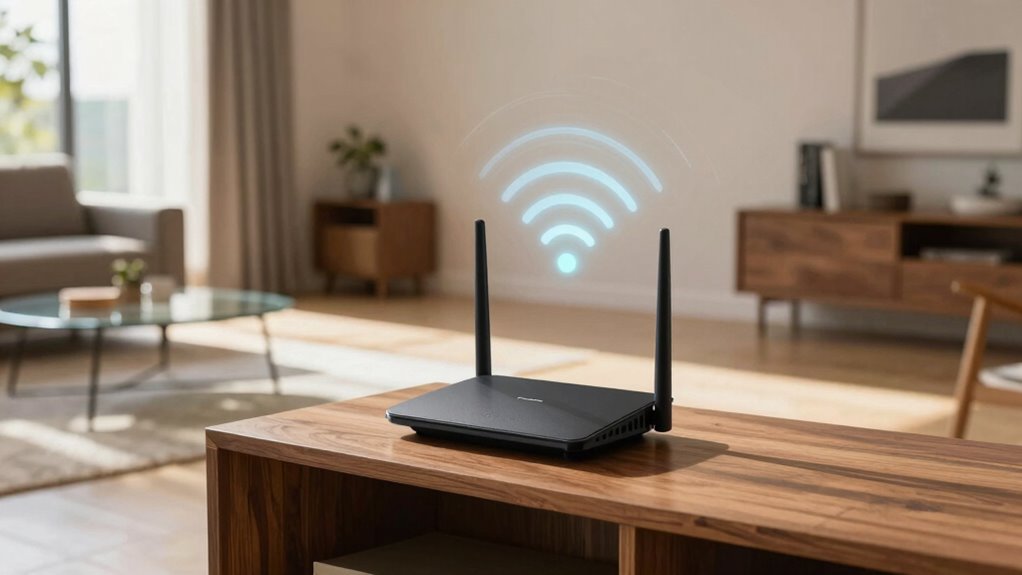
Your router’s placement affects more than just speed; it impacts signal strength, coverage, and stability across your home. Placing it in a central, open spot helps eliminate dead zones and prevents interference from electronics or walls. Poor positioning can cause weak signals, dropped connections, and slow speeds, especially when multiple devices connect. To ensure reliable Wi-Fi, you need to take into account how physical barriers and electronic interference influence performance. Want to discover how to optimize your router’s location? Keep exploring for expert tips.
Key Takeaways
- Proper placement ensures even Wi-Fi coverage, reducing dead zones and improving overall network accessibility.
- Strategic positioning minimizes interference from household electronics and obstacles, enhancing signal stability.
- Elevating the router prevents physical obstructions like walls and furniture that weaken signals.
- Correct placement supports stable connections for multiple devices, reducing lag and disconnections.
- Understanding wireless principles helps optimize location to maximize speed, reliability, and network performance.
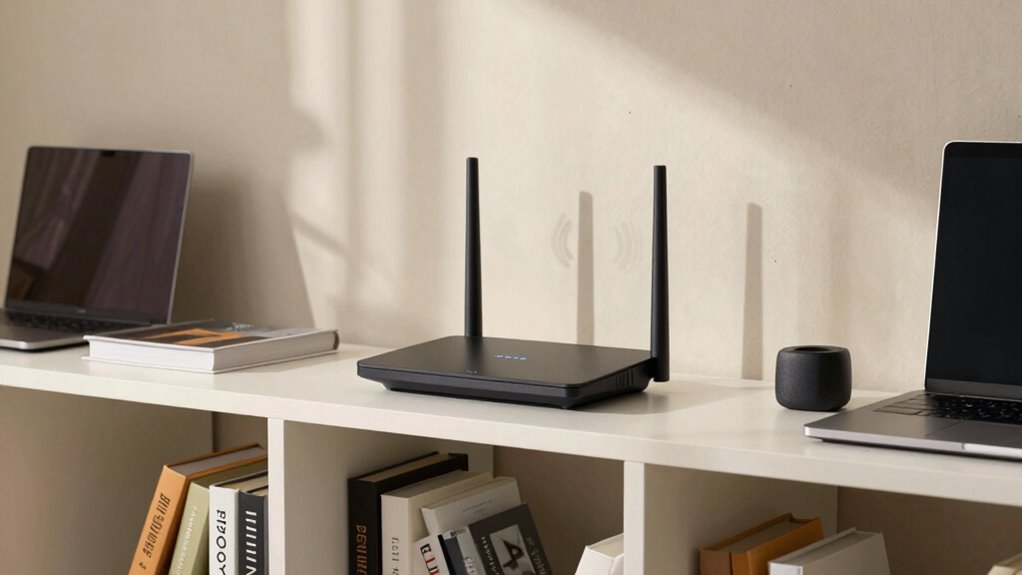
The placement of your router considerably influences your Wi-Fi signal strength and overall internet performance. When you set up your router, you might think only about the location’s convenience, but its position plays an essential role in how well your network functions. Proper placement helps minimize Wi-Fi interference and signal obstruction, which are common issues that degrade your connection. If your router is tucked away in a corner or behind furniture, your signal often has to work harder to reach your devices, leading to slower speeds and more frequent disconnects. Conversely, placing your router in an open space, ideally central to your home, guarantees better coverage and reduces dead zones.
Proper router placement improves Wi-Fi strength, coverage, and reduces dead zones for a more reliable internet connection.
Wi-Fi interference occurs when other electronic devices or networks disrupt your signal. Many household items—cordless phones, baby monitors, microwave ovens—operate on similar frequencies as your Wi-Fi, causing interference that weakens your connection. If your router is near these devices, you’ll notice slower speeds and unreliable streaming or browsing. To combat this, you should position your router away from such electronics and choose a location that minimizes potential interference sources. This simple step can dramatically improve your Wi-Fi performance.
Signal obstruction is another vital factor. Thick walls, metal cabinets, and large furniture can block or weaken Wi-Fi signals, forcing your devices to connect through weaker pathways. When your router is placed behind a wall or inside a cabinet, the signal must pass through barriers that absorb or reflect the wireless waves, resulting in reduced strength. To avoid this, put your router in an elevated, open spot, free from thick obstructions. This way, the signal can spread evenly across your space, providing more consistent internet access.
Your choice of placement also impacts how many devices can connect simultaneously without experiencing lag. A well-placed router ensures a stronger, more stable connection for everyone in your household. Keep in mind that placing your router near large metal objects, mirrors, or thick walls can cause signal reflection and attenuation, further impairing performance. If you notice your Wi-Fi is sluggish or drops frequently, revisit your router’s location and adjust it to a more open, central position, away from potential sources of interference and obstructions. Understanding router placement and how it affects your network can help you optimize your setup for the best possible performance. Improving your knowledge of wireless signal principles can further enhance your network’s reliability and speed. Additionally, being aware of electromagnetic interference sources in your environment can help you select the best spot for your router. Recognizing how signal propagation works can also guide you in choosing the most effective placement.
As an affiliate, we earn on qualifying purchases.
Frequently Asked Questions
How Does Router Placement Affect Device Battery Life?
You’ll notice that poor router placement can lead to increased device battery drain because weaker signal strength forces your device to work harder to maintain a connection. When your router is too far away or blocked, your device’s antenna has to boost power, draining the battery faster. To conserve battery life, position your router centrally and unobstructed, ensuring stronger signals and less energy expenditure on your device’s part.
Can Poor Placement Cause Security Issues?
Poor router placement is like leaving your front door wide open, inviting unwanted visitors. It can cause security issues by exposing your network to threats, especially if the router is near physical security vulnerabilities. Proper placement supports network segmentation, keeping sensitive data isolated, and reduces risks of hacking. Position your router in a central, secure spot to protect your network’s integrity and prevent potential breaches.
Does Router Placement Influence Wi-Fi Interference?
Yes, router placement influences Wi-Fi interference. When your router is placed near other electronic devices or walls, it can cause wireless congestion, leading to signal degradation. This interference weakens your Wi-Fi signal, resulting in slower connection speeds and less reliable performance. To minimize this, position your router in a central, open location away from potential sources of wireless congestion, ensuring a stronger, clearer signal throughout your space.
How Often Should I Reposition My Router?
You should reposition your router every few months or if you notice a drop in signal strength. Studies show that physical obstructions like walls or furniture can reduce Wi-Fi quality by up to 50%. Regular adjustments help optimize coverage, especially if you move your furniture or add new devices. Keep an eye on signal strength and move the router to a central, open spot to guarantee consistent, fast Wi-Fi throughout your space.
Can Placement Impact Wi-Fi Connectivity for Smart Home Devices?
Yes, your router placement can impact Wi-Fi connectivity for your smart home devices. If your router isn’t centrally located or is blocked, devices may experience weak signals or dropouts, affecting device compatibility. Position it in an open, elevated spot to guarantee strong, consistent signals. Proper placement helps all your smart devices communicate effectively, reducing lag and improving overall smart home performance.
As an affiliate, we earn on qualifying purchases.
Conclusion
You might think placing your router randomly doesn’t matter, but it’s no coincidence that your Wi-Fi struggles when tucked away in a corner. The right spot isn’t just about speed—it’s about creating a seamless connection that feels almost like magic. When you position your router wisely, you’re not just improving your internet; you’re inviting harmony into your home’s digital life. Sometimes, the smallest change can open a world of smoother, more reliable connectivity.
As an affiliate, we earn on qualifying purchases.
As an affiliate, we earn on qualifying purchases.