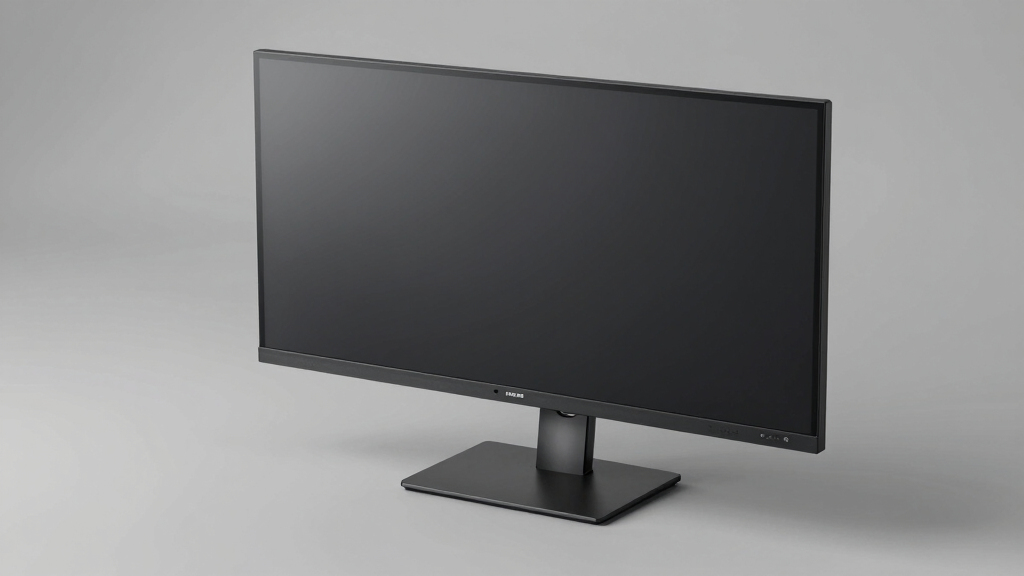

Looking for the best flat ultrawide monitor for work? The LG 38WR85QC-W stands out as the overall top pick, thanks to its expansive screen, vibrant Nano IPS display, and versatile features like USB-C and high refresh rates. For those prioritizing a curved design, the Samsung 49” Business Curved Ultrawide offers an impressive dual QHD experience ideal for multitasking. Meanwhile, the Philips 34E1C5600HE provides a strong balance of features with integrated webcam and docking, making it suitable for hybrid work setups. The main tradeoffs in this category involve balancing screen size, curvature, connectivity, and price. Keep reading for a detailed breakdown of each option to find the best fit for your workspace needs.
Key Takeaways
- The best ultrawide monitors for work prioritize high resolution and color accuracy to boost productivity and reduce eye strain.
- Curved screens tend to enhance immersion and reduce distortion, but flat models often provide a cleaner, more professional aesthetic and easier placement.
- Connectivity options like USB-C and integrated docks are increasingly common and can simplify cable management for hybrid work setups.
- Higher refresh rates (like 144Hz) are beneficial for multitasking and some productivity tasks, but may be unnecessary if your focus is static work or document editing.
- Sizes range from 34 to 49 inches, with larger screens providing more workspace but also requiring more desk space and potentially higher costs.


More Details on Our Top Picks
LG 38WR85QC-W 38 inch Curved UltraWide WQHD Nano IPS Monitor with HDR600, 144Hz, 1ms, USB-C, G-SYNC, FreeSync Premium Pro
This LG 38-inch curved monitor stands out for its expansive 38-inch Nano IPS display with 98% DCI-P3 coverage, offering vibrant colors and wide viewing angles that make it ideal for multitasking and creative work. Unlike the smaller 34-inch options, the extra real estate enhances productivity, especially when handling multiple windows or detailed content. The 144Hz refresh rate and 1ms response time also make it suitable for casual gaming without compromising work duties. However, its size demands ample desk space, and the premium price tag might be a barrier for budget-conscious users. Compared to the Samsung 49″ model, it’s more suitable for those who want a large but manageable workspace without the extreme size, though it lacks the ultra-wide aspect ratio for multitasking across multiple windows as seamlessly.
Pros:- Massive 38-inch curved display maximizes multitasking space
- Excellent color accuracy with Nano IPS and 98% DCI-P3
- Smooth gaming experience with 144Hz refresh and 1ms response
Cons:- Premium price may be prohibitive for some users
- Requires a large desk space to accommodate its size
- Limited ergonomic adjustments compared to some professional monitors
Best for: Creative professionals and power multitaskers needing a large, color-accurate display for work and light gaming
Not ideal for: Users with limited desk space or those seeking a budget-friendly monitor, due to its high price and size
- Display Size:38 inches
- Resolution:3840×1600 (WQHD+)
- Panel Type:Nano IPS
- Color Coverage:98% DCI-P3
- HDR:VESA DisplayHDR 600
- Refresh Rate:144Hz
- Response Time:1ms (GtG)
- Input Ports:USB Type-C, HDMI, DisplayPort, LAN
- Power Delivery:Up to 90W
Bottom line: This monitor suits professionals who need a large, vibrant display for multitasking and content creation, and have space for its size.
Philips 34E1C5600HE 34-Inch UltraWide QHD Curved Monitor with Webcam and USB-C Docking
The Philips 34E1C5600HE offers a 34-inch curved display with a sharp 3440×1440 resolution, making it perfect for multitasking and media consumption. Its standout feature is the built-in webcam with Windows Hello and noise-canceling mic, streamlining video calls—an advantage over monitors that require external accessories. The USB-C dock simplifies connectivity by providing charging and data transfer through a single cable, ideal for busy professionals. Compared to the Samsung ViewFinity, it emphasizes integrated features over larger size, making it more suitable for smaller desks or those prioritizing communication tools. The limited 65W power delivery could be a drawback if used with power-hungry laptops, however.
Pros:- Built-in webcam with Windows Hello for quick login
- USB-C docking reduces cable clutter and simplifies setup
- Vivid color reproduction with high sRGB coverage
Cons:- Limited 65W power delivery may not charge all laptops
- Curved design might not suit all workspace setups
- Not optimized for high-refresh gaming or fast-paced workflows
Best for: Remote workers or digital professionals who value integrated webcams and simplified connectivity
Not ideal for: Gamers or users needing the highest refresh rates, as it offers only standard performance for productivity tasks
- Display Size:34 inches
- Resolution:3440 x 1440 (WQHD)
- Aspect Ratio:21:9
- Curvature:1500R
- Color Gamut:sRGB 123.24%, NTSC 99.25%
- Webcam:5MP with Windows Hello
- Connectivity:USB-C with 65W Power Delivery
- Speakers:Stereo
Bottom line: Ideal for professionals who need a compact, feature-rich ultrawide with integrated communication tools and simple connectivity.
Samsung 49” Business Curved Ultrawide Dual QHD Computer Monitor LS49C954UANXZA, 2024
The Samsung LS49C954UANXZA, with its massive 49-inch curved display and dual QHD resolution, redefines ultrawide productivity. Its 32:9 aspect ratio offers a workspace comparable to two monitors side-by-side, making it ideal for professionals needing extensive screen real estate. While the 120Hz refresh rate is lower than some gaming-focused models, it still provides smooth motion for video and multitasking. Compared to the 38-inch LG, it offers a more immersive experience but at the cost of requiring a very large desk and more powerful graphics hardware. Its HDR 400 support enhances color contrast, and the ergonomic stand ensures comfortable long-term use. It’s particularly well-suited for heavy multitaskers, developers, or financial analysts who need a seamless work environment.
Pros:- Enormous 49-inch curved display maximizes multitasking space
- Dual QHD resolution offers sharp visuals across the entire width
- Adjustable ergonomic stand for long hours of comfortable use
Cons:- Requires a large desk and powerful GPU hardware
- 120Hz refresh rate not available in PBP mode
- Very large size may be impractical for some setups
Best for: Power users requiring the largest possible ultrawide workspace for multitasking and detailed data analysis
Not ideal for: Casual users or those with limited desk space, as the 49-inch size can be overwhelming
- Display Size:49 inches
- Curvature:1000R
- Resolution:5120×1440 (Dual QHD)
- Refresh Rate:120Hz
- HDR:DisplayHDR 400
- Connectivity:DisplayPort, HDMI x2, USB-C (90W), USB
- Stand:Height adjustable
- VESA Compatibility:Yes
Bottom line: This monitor fits professionals who need an expansive, dual-screen-like workspace in a single ultrawide display and have ample space.
Samsung 34″ ViewFinity S50GC Series Ultrawide QHD Monitor, 100Hz, HDR10, AMD FreeSync, Eye Care, Black
The Samsung ViewFinity S50GC offers a 34-inch Ultra-WQHD display with a 21:9 aspect ratio, delivering vibrant visuals with HDR10 support. Its 100Hz refresh rate and AMD FreeSync make it suitable for smooth, flicker-free work and media viewing. The TUV-certified eye care technology reduces strain during extended hours, making it appealing for users who prioritize comfort. Compared with the Philips 34E1C5600HE, it emphasizes vivid color reproduction and eye health features, but the slightly lower refresh rate means it’s less suited for fast-paced gaming. Its broad color support and contrast ratio of 3000:1 lend themselves well to creative tasks requiring color accuracy and detailed visuals, although ergonomic adjustments are less emphasized.
Pros:- Vivid colors with HDR10 and over a billion supported colors
- Eye care technology helps reduce fatigue during long use
- Wide 34-inch display enhances multitasking and media experience
Cons:- Limited ergonomic adjustments may affect comfort
- 100Hz refresh rate is lower than some gaming monitors
- Requires compatible hardware to fully utilize features
Best for: Creative professionals and remote workers needing vivid visuals and eye comfort for long hours
Not ideal for: Gamers or users seeking high refresh rates above 100Hz for fast action
Bottom line: This monitor suits users who prioritize vivid visuals, eye comfort, and ample workspace for extended productivity sessions.
LG 34U530A-W 34-inch UltraWide WFHD IPS Computer Monitor, 100Hz, VESA DisplayHDR 400, HDMI, DisplayPort, USB Type-C, Adjustable Stand
The LG 34U530A-W stands out for providing a wide 21:9 aspect ratio that’s perfect for multitasking, especially compared with smaller, traditional monitors. Its 2560 x 1080 resolution offers ample screen real estate, but falls behind 4K models in clarity, which might matter for detailed visual work. The 100Hz refresh rate ensures smooth scrolling and transitions, benefiting those who switch between multiple applications quickly. Connectivity options like USB Type-C and adjustable stand add ergonomic flexibility, making it suitable for users who want a customizable setup at a reasonable price. However, the resolution limits sharpness, and built-in speakers are mediocre, making it less ideal for high-quality audio needs. This monitor makes the most sense for budget-conscious professionals who prioritize screen space over ultra-high resolution.
Pros:- Wide 21:9 aspect ratio enhances multitasking and side-by-side comparisons
- High refresh rate of 100Hz for smooth visual transitions
- Multiple connectivity options including USB Type-C for simplified setups
- Adjustable stand improves ergonomic comfort
Cons:- Lower 2560 x 1080 resolution limits detail compared to 4K monitors
- Built-in speakers are underwhelming for media consumption
Best for: Professionals needing a large, flexible workspace without a premium price tag
Not ideal for: Creative artists requiring 4K detail or audiophiles needing high-fidelity sound
- Size:34 inches
- Resolution:2560 x 1080 (WFHD)
- Refresh Rate:100Hz
- DisplayHDR:DisplayHDR 400
- Panel Type:IPS
- Connectivity:HDMI, DisplayPort, USB Type-C
- Stand Adjustments:Height, Tilt, Swivel
- Color Coverage:sRGB 99%
Bottom line: This monitor suits users seeking a budget-friendly, spacious display with flexible connectivity for everyday work tasks.
Samsung 34″ ViewFinity S50GC Series Ultra-WQHD Monitor, 100Hz, HDR10, AMD FreeSync, Eye Care, Borderless, PIP, PBP, Black
The Samsung ViewFinity S50GC excels with a stunning Ultra-WQHD 3440×1440 resolution, offering sharper visuals than the LG 34U530A-W, which is ideal for detail-oriented tasks. Its vibrant HDR10 support and billion-color capability ensure rich, vivid image quality, surpassing the basic HDR performance of the LG. The inclusion of AMD FreeSync and a 100Hz refresh rate provides smoother motion, especially beneficial for multi-window workflows and light multimedia editing. The borderless design maximizes screen space, while PIP and PBP features facilitate multitasking across inputs. Still, its higher price point and reliance on a compatible graphics card for FreeSync may deter budget-conscious buyers. This monitor is best for creative professionals or multitaskers who need high-quality visuals and flexible input options.
Pros:- Ultra-WQHD resolution delivers sharp, detailed visuals
- HDR10 and billion-color support produce vibrant images
- Borderless design maximizes workspace
- PIP and PBP features enhance multitasking
Cons:- Higher price compared to similar models
- Requires compatible graphics card for FreeSync to function properly
Best for: Creative professionals and power multitaskers demanding detailed, colorful visuals
Not ideal for: Budget users or those without a capable graphics card for optimal FreeSync performance
- Screen Size:34 inches
- Resolution:3440×1440 (Ultra-WQHD)
- Refresh Rate:100Hz
- HDR:HDR10
- Color Support:Over 1 billion colors
- Contrast Ratio:3000:1
- Brightness:300 cd/㎡
- Inputs:2 x HDMI 2.2, 1 x DisplayPort 1.2
Bottom line: This monitor suits users who prioritize color fidelity, sharpness, and multitasking features over cost.

How We Picked
I evaluated these monitors based on key factors that matter most for work environments: screen size and resolution for ample workspace, color accuracy and panel quality for visual clarity, connectivity options for seamless device integration, and build quality for durability. Performance aspects like refresh rate and response time were secondary, relevant mainly for multitasking and fluid visuals. I also considered user-friendly features such as ergonomic adjustments and included ports, ranking the options based on overall value and functionality suited to professional use. The final list balances performance with price, highlighting products that stand out for either their features, affordability, or versatility.Factors to Consider When Choosing Best Flat Ultrawide Monitor For Work
Choosing the best flat ultrawide monitor for work involves balancing several factors beyond just size and resolution. Understanding your specific workflow, workspace constraints, and connectivity needs can help you avoid common pitfalls like overspending on unnecessary features or selecting a screen too large for your desk. The following considerations will guide you through the key aspects to keep in mind when making your selection.Screen Size and Resolution
Size and resolution directly impact your workspace and clarity. Larger screens (34 inches and above) increase productivity by allowing multiple windows side by side, but they also require more desk space. Resolution matters for sharpness; QHD (2560×1440) is common, but some models now offer Ultra-Wide QHD or higher for crisper visuals. Be mindful of your desk space and vision comfort—oversized screens can be overwhelming in small setups, while lower resolutions may cause pixelation or reduce workspace clarity.
Panel Quality and Color Accuracy
For work that involves detailed visuals or color-critical tasks, panel quality becomes essential. IPS panels generally provide better color accuracy and wider viewing angles compared to VA or TN types. Look for monitors with at least 99% sRGB coverage or higher if color precision matters. Conversely, if your work is more focused on document editing or general multitasking, this factor can be less critical, and you might prioritize other features like connectivity or price.
Connectivity and Ergonomics
Ease of connectivity can streamline your workflow. USB-C ports that support power delivery enable single-cable setups for laptops, reducing clutter. Built-in hubs with multiple USB ports add convenience. Ergonomic features like height adjustment, tilt, and pivot are vital for comfort during long work sessions and help prevent strain. Skipping these features can lead to discomfort over time or require additional accessories, which may add to the overall cost.
Price and Value
While higher-priced monitors often include advanced features, they aren’t always necessary for every user. Determine your budget and prioritize features that align with your work needs. For example, if you mainly do text editing and spreadsheets, a mid-range model with good resolution and connectivity might be sufficient. For graphics-intensive tasks, investing in a premium panel with better color accuracy and build quality can pay off in the long run. Be cautious of overspending on features you won’t use, but also avoid compromising on essential ergonomics or connectivity.
Additional Features and Future-Proofing
Extras like built-in webcams, speakers, PIP (Picture-in-Picture), and PBP (Picture-by-Picture) modes can add productivity, especially for hybrid or remote work. Consider compatibility with your current setup and future needs. Features like VESA mounting compatibility and adjustable stands enhance flexibility, making it easier to adapt your workspace as requirements evolve. Balancing these extras with your budget ensures you get a monitor that remains useful over time.
Frequently Asked Questions
Is a curved ultrawide better for work than a flat one?
Curved ultrawide monitors can enhance immersion and reduce distortion at the edges, making them appealing for multitasking and visual comfort. However, flat models often provide a cleaner, more professional aesthetic, and are easier to position in multi-monitor setups or smaller desks. If your workflow involves a lot of side-by-side window management or you prefer a traditional look, a flat monitor might be more practical. Both types can perform equally well, so your choice depends on personal preference and workspace constraints.
Do I need a high refresh rate for work tasks?
Most standard work tasks like document editing, browsing, and spreadsheets don’t benefit significantly from high refresh rates. A refresh rate of 60Hz to 75Hz is typically sufficient. Higher refresh rates (like 144Hz) are primarily advantageous for gaming or highly dynamic content, and may not justify the extra cost if your focus is productivity. However, if you frequently switch between work and gaming or video editing, a higher refresh rate can provide smoother visuals and reduce eye strain over long sessions.
What is the ideal resolution for a 34-inch ultrawide monitor?
For a 34-inch ultrawide monitor, a QHD resolution (3440×1440) strikes a good balance between clarity and performance. It offers ample screen real estate without requiring a very powerful GPU, which is beneficial for multitasking and general productivity. Some high-end models now offer Ultra-Wide 5K or higher resolutions, but these come at a premium and may be overkill for typical work tasks. Consider your hardware capabilities and whether your software can handle higher resolutions comfortably.
Should I pay more for a monitor with better color accuracy?
If your work involves color-sensitive tasks like graphic design, video editing, or photography, investing in a monitor with excellent color accuracy and wide color gamut coverage is worthwhile. For general office work or multitasking, good enough color reproduction is sufficient, and saving money on higher-end panels can be a smart choice. Remember, calibration can also improve color accuracy over time, so a reasonably priced IPS panel with factory calibration might meet your needs without overspending.
How important is connectivity for a work ultrawide monitor?
Connectivity is crucial for creating an efficient workspace. USB-C ports that support charging and data transfer simplify cable management, especially for laptop users. Multiple USB ports, HDMI, and DisplayPort options ensure compatibility with various devices. An integrated dock can reduce clutter and improve workflow. Overlooking connectivity features might lead to cumbersome setups or the need for additional adapters, which can frustrate daily use and reduce overall productivity.
Conclusion
For general office work and multitasking, the LG 38WR85QC-W offers a balanced mix of size, color, and connectivity, making it the best overall choice. If budget is a concern, the LG 34U530A-W provides solid features at a more accessible price, making it ideal for beginners or light users. The Samsung 49” Business Curved Ultrawide excels for those who need maximum screen real estate and are willing to invest in a premium setup. For professionals in creative fields, a monitor with higher color accuracy and calibration options justifies the premium price. Lastly, if you want a monitor tailored for hybrid work with integrated features, the Philips model offers great value without sacrificing essential performance.