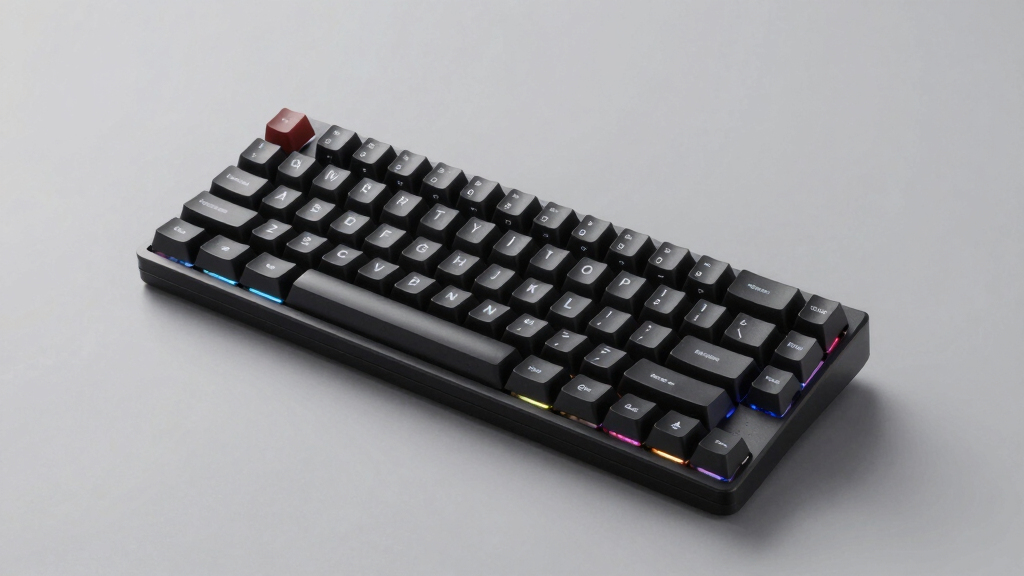

Finding the best wireless mechanical keyboard for Mac and Windows requires balancing performance, compatibility, and usability. The Logitech MX Mechanical stands out for its seamless integration and premium build, making it ideal for professionals. For gamers or those seeking a compact setup, the Keychron K3 Version 2 offers a portable design with solid typing feel. Meanwhile, the Keychron K10 Pro combines full-size comfort with hot-swappable switches for customization. Each option involves tradeoffs in size, features, and price, so continue reading for a detailed breakdown to find your perfect match.
Complete the kit



Key Takeaways
- The top picks balance cross-platform compatibility with reliable wireless connections, mainly via Bluetooth.
- Size and layout preferences significantly influence suitability, from compact 75% to full-size keyboards.
- Hot-swappable switches in premium models like the K10 Pro appeal to custom enthusiasts but increase cost.
- Backlighting features vary, with white backlit often preferred for versatility and aesthetics.
- Build quality and key switch type are key factors, impacting durability and typing experience.
| Logitech MX Mechanical Wireless Illuminated Performance Keyboard |  | Best Overall for Versatile, Premium Wireless Mechanical Keyboard | Switch Type: Mechanical, clicky | Backlit Keys: Yes, auto-adjusting | Connectivity: Bluetooth, USB-C, Logi Bolt receiver | VIEW LATEST PRICE | See Our Full Breakdown |
| Keychron K8 Tenkeyless Wireless Mechanical Keyboard for Mac, White Backlight, Bluetooth, Multitasking, Type-C Wired Gaming Keyboard for Windows with Brown Switch |  | Best for Compact, Multi-OS TKL Use | Layout: 87-key TKL | Backlight: White | Switch Type: Brown | VIEW LATEST PRICE | See Our Full Breakdown |
| Keychron K10 Full Size 104-Key Bluetooth Wireless Mechanical Gaming Keyboard for Mac and Windows |  | Best Full-Size for Versatile Home and Office Use | Connectivity: Bluetooth 5.1, USB Type-C wired | Switch Type: Keychron Super Brown | Backlight: White LED | VIEW LATEST PRICE | See Our Full Breakdown |
| Keychron K10 Pro Wireless Custom Mechanical Keyboard Full-Size Layout with Hot-swappable Switches | 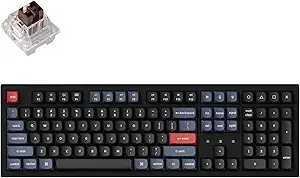 | Best for Customization and Extended Use | Layout: Full-size | Connectivity: Wireless (Bluetooth 5.1) and Wired (USB Type-C) | Battery Life: Up to 100 hours | VIEW LATEST PRICE | See Our Full Breakdown |
| Keychron K3 Version 2 75% Wireless Mechanical Keyboard with White Backlit and Brown Switches |  | Best for Portable, Space-Saving Productivity | Layout: 75% | Connectivity: Bluetooth 5.1, USB wired | Backlit: White | VIEW LATEST PRICE | See Our Full Breakdown |
| Logitech Alto Keys K98M Wireless Mechanical Gasket Keyboard – Graphite |  | Best for Compact Multi-Device Productivity | Switch Type: Marble Switches | Backlighting: White | Layout: 98-key with Numpad | VIEW LATEST PRICE | See Our Full Breakdown |
| wireless mechanical keyboard for mac and window | Connectivity | Switch Type | Compatibility | Battery Life |
|---|---|---|---|---|
| Logitech MX Mechanical Wireles | Bluetooth, USB-C, Logi Bolt receiver | Mechanical, clicky | macOS, Windows, Linux, iOS, Android | Up to 15 days with backlighting, 10 months without |
| Keychron K8 Tenkeyless Wireles | Bluetooth 5.1, USB Type-C wired | Brown | macOS, Windows | — |
| Keychron K10 Full Size 104-Key | Bluetooth 5.1, USB Type-C wired | Keychron Super Brown | Mac and Windows | Up to 240 hours (backlight off) |
| Keychron K10 Pro Wireless Cust | Wireless (Bluetooth 5.1) and Wired (USB Type-C) | — | — | Up to 100 hours |
| Keychron K3 Version 2 75% Wire | Bluetooth 5.1, USB wired | Brown | Mac and Windows | — |
| Logitech Alto Keys K98M Wirele | Bluetooth, Logi Bolt USB Receiver | Marble Switches | Windows, macOS | Up to 12 months |
More Details on Our Top Picks
Logitech MX Mechanical Wireless Illuminated Performance Keyboard
The Logitech MX Mechanical stands out as the best overall choice thanks to its combination of high-quality mechanical switches, smart auto-adjusting backlit keys, and multi-OS compatibility. Unlike the Keychron K8, it offers a more refined typing experience with a full-size layout that suits professional setups, though it comes at a higher price and is bulkier for small desks. Its long battery life and multi-device support make it ideal for multitasking environments where comfort and reliability matter. However, the mechanical clicky switches may be too loud for shared spaces, and the premium cost could be a barrier for budget-conscious users.
Pros:- Mechanical clicky switches deliver satisfying tactile feedback
- Auto-adjusting backlit keys enhance visibility in any lighting
- Multi-device and multi-OS compatibility increases versatility
- Long battery life with quick USB-C charging
Cons:- Mechanical switches can be noisy for quiet environments
- Full-size design may be bulky for small desks or portable use
Best for: Power users who need a durable, feature-rich keyboard compatible with multiple operating systems and value premium build quality.
Not ideal for: Users with limited desk space or those seeking a more compact or budget-friendly option.
- Switch Type:Mechanical, clicky
- Backlit Keys:Yes, auto-adjusting
- Connectivity:Bluetooth, USB-C, Logi Bolt receiver
- Compatibility:macOS, Windows, Linux, iOS, Android
- Battery Life:Up to 15 days with backlighting, 10 months without
- Material:Includes 45% post-consumer recycled plastic
Our verdict“This keyboard is best suited for professionals and enthusiasts seeking a premium, multi-device wireless mechanical keyboard with excellent build quality.”
Keychron K8 Tenkeyless Wireless Mechanical Keyboard for Mac, White Backlight, Bluetooth, Multitasking, Type-C Wired Gaming Keyboard for Windows with Brown Switch
The Keychron K8 excels as a tenkeyless option that balances portability with functionality, making it ideal for users who prefer a smaller footprint compared to the Logitech MX Mechanical. Its Bluetooth 5.1 connectivity supports up to three devices, akin to the K10 but in a more space-efficient layout. The tactile brown switches appeal to those seeking responsive feedback without excessive noise, perfect for office or casual gaming. However, its compact design means it lacks dedicated function keys found on larger keyboards, and it may feel cramped for users accustomed to full-sized layouts. It doesn’t match the premium feel of the MX Mechanical but offers excellent value for its size.
Pros:- Wireless and wired connectivity options for flexibility
- Tactile brown switches provide responsive feedback
- Compatible with both Mac and Windows with dedicated keys
- Long-lasting battery with large capacity
Cons:- Layout may be too compact for users who prefer full-sized keyboards
- Not identical to Apple’s built-in Mac keyboards, which could affect user experience
Best for: Mac and Windows users who need a portable, space-saving keyboard for multitasking and light gaming.
Not ideal for: Users who require a full-sized keyboard with dedicated number pads or extensive macro keys.
- Layout:87-key TKL
- Backlight:White
- Switch Type:Brown
- Connectivity:Bluetooth 5.1, USB Type-C wired
- Battery Capacity:4000 mAh
- Compatibility:macOS, Windows
Our verdict“This keyboard suits users looking for a compact, multi-OS compatible wireless mechanical keyboard without sacrificing essential features.”
Keychron K10 Full Size 104-Key Bluetooth Wireless Mechanical Gaming Keyboard for Mac and Windows
The Keychron K10 offers a robust full-size layout, standing out for users who need all keys—especially in productivity or light gaming scenarios—without sacrificing wireless convenience. Its Bluetooth 5.1 connection supports multi-device switching similar to the K8, but with a larger footprint suitable for dedicated workspace. The durable Keychron Super Brown switches provide tactile feedback, and the long battery life makes it ideal for extended use. Compared to the K3’s compact design, the K10’s size may be a drawback for portability, yet it delivers a more complete typing experience for those who rely on dedicated function and numpad keys. Nonetheless, its size is less suited for cramped setups.
Pros:- Wireless multi-device pairing for convenience
- Large 104-key layout with dedicated numpad
- Long battery life with 4000mAh capacity
- Highly durable switches rated for 50 million clicks
Cons:- Bulkier size limits portability
- Primarily designed for light gaming and office use, not heavy gaming
Best for: Users who prefer a full-size keyboard with a comfortable typing experience for work, gaming, or multimedia tasks.
Not ideal for: Portability-focused users or those with small desks who need a compact keyboard for travel or limited space.
- Connectivity:Bluetooth 5.1, USB Type-C wired
- Switch Type:Keychron Super Brown
- Backlight:White LED
- Number of Keys:104
- Battery Life:Up to 240 hours (backlight off)
- Compatibility:Mac and Windows
Our verdict“This model is ideal for those who need a full-sized, reliable wireless keyboard for multitasking in a home or office setting.”
Keychron K10 Pro Wireless Custom Mechanical Keyboard Full-Size Layout with Hot-swappable Switches
The Keychron K10 Pro is tailored for enthusiasts who want to customize their typing experience, thanks to its hot-swappable switches and support for QMK/VIA firmware. It mirrors the size and layout of the K10 but adds the ability to swap switches easily, making it a favorite for those who enjoy tinkering or upgrading without soldering. Its large 4000mAh battery and multi-device connectivity match the K10, but the real advantage lies in its customizability. The increased price reflects these advanced features, which may be unnecessary for casual users. Its sturdy build and sound-absorbing layers also reduce noise, enhancing comfort for long typing sessions.
Pros:- Hot-swappable MX switches allow easy customization
- Supports QMK/VIA for firmware customization
- Large 4000mAh battery for extended use
- Sound-absorbing foam and durable build enhance typing comfort
Cons:- Remapping is only available in wired mode
- Higher price point may be prohibitive for casual users
Best for: Tinkerers, custom keyboard enthusiasts, and heavy users who value switch customization and durability.
Not ideal for: Casual users or those who prefer plug-and-play setups without the need for firmware updates or switch swaps.
- Layout:Full-size
- Connectivity:Wireless (Bluetooth 5.1) and Wired (USB Type-C)
- Battery Life:Up to 100 hours
- Switch Support:Hot-swappable MX mechanical switches
- Backlight:White LED
- Material:Steel plate, silicone dampening, sound-absorbing foam
Our verdict“This keyboard is best suited for users who want a highly customizable, full-sized wireless mechanical keyboard with long-lasting battery life.”
Keychron K3 Version 2 75% Wireless Mechanical Keyboard with White Backlit and Brown Switches
The Keychron K3 V2 excels as an ultra-slim, portable solution for users who need a compact wireless mechanical keyboard. Its 75% layout reduces size without sacrificing core keys, appealing to mobile professionals or students. The low-profile Brown switches provide quick, responsive feedback suitable for typing and light gaming, while its Bluetooth 5.1 connection supports multi-device pairing. Compared to the larger K10 models, the K3’s lightweight aluminum body and floating keycap design make it ideal for on-the-go use. However, the smaller number of keys limits functionality for users reliant on dedicated function or numpad keys, and firmware updates may be needed for full compatibility with some devices.
Pros:- Compact and lightweight for portability
- Seamless multi-device Bluetooth connectivity
- Low-profile switches with fast response
- Includes keycaps for both Mac and Windows
Cons:- Limited number of keys may restrict functionality
- Requires firmware updates for certain device compatibilities
Best for: Frequent travelers and productivity-focused users who prioritize portability and multi-device connectivity.
Not ideal for: Users who need a full-sized keyboard with dedicated macro keys or extensive features for gaming or complex workflows.
- Layout:75%
- Connectivity:Bluetooth 5.1, USB wired
- Backlit:White
- Switch Type:Brown
- Compatibility:Mac and Windows
- Material:Reinforced aluminum body
Our verdict“This keyboard is perfect for those who want a sleek, portable wireless mechanical keyboard for everyday productivity on the go.”
Logitech Alto Keys K98M Wireless Mechanical Gasket Keyboard – Graphite
The Logitech Alto Keys K98M stands out for its gasket mount design, which absorbs vibrations and delivers a satisfying, stable keystroke feel—making it a compelling alternative to the Keychron K3’s more minimalist layout. Compared to the Logitech MX Mechanical, the Alto Keys offers a more portable form factor with a smaller footprint, perfect for users who need a reliable, wireless setup without sacrificing too many keys. Its Marble Switches provide clicky feedback that appeals to typists and gamers alike, though the absence of RGB lighting means it’s less customizable visually than some competitors. The long battery life of up to 12 months and multi-device support via Bluetooth and Logi Bolt make it a flexible choice for those juggling multiple systems. However, the limited 98-key layout omits some function keys, which could inconvenience power users, and hot-swappable switches, while a plus for enthusiasts, might intimidate beginners. This keyboard is best suited for productivity-focused users who value a compact, vibration-absorbing design over extensive lighting or full-size layouts.
Pros:- Vibration-absorbing gasket mount creates satisfying, stable keystrokes
- Supports multi-device connectivity via Bluetooth and Logi Bolt
- Exceptional battery life of up to 12 months with USB-C charging
- Customizable keys via Logi Options+
Cons:- Limited to 98 keys, missing some function keys and navigation controls
- No RGB backlighting, only white, reducing visual customization
- Hot-swappable switches may require technical skills to replace
Best for: Professionals who need a compact, multi-device keyboard with tactile feedback for work and casual gaming
Not ideal for: Gamers or users who require full-size keys and RGB customization, as this model lacks extensive macro keys and colorful backlighting
- Switch Type:Marble Switches
- Backlighting:White
- Layout:98-key with Numpad
- Connectivity:Bluetooth, Logi Bolt USB Receiver
- Battery Life:Up to 12 months
- Charging:USB-C
- Compatibility:Windows, macOS
Our verdict“This keyboard is ideal for users seeking a compact, tactile wireless keyboard with excellent battery life and multi-device support, but it sacrifices extensive keys and RGB features.”

How We Picked
These keyboards were selected based on their compatibility with both Mac and Windows systems, ensuring seamless switching without complicated setups. We evaluated performance aspects such as connection stability, battery life, and key responsiveness, as well as build quality and overall durability. User experience features, like backlighting and programmability, were also considered, along with value for money. The ranking reflects a combination of versatility, ease of use, and specific features that cater to different user needs, from casual users to power typists and gamers.| wireless mechanical keyboard for mac and window | Switch Type | Connectivity | Compatibility | Battery Life |
|---|---|---|---|---|
| Logitech MX Mechanical Wireles | Mechanical, clicky | Bluetooth, USB-C, Logi Bolt receiver | macOS, Windows, Linux, iOS, Android | Up to 15 days with backlighting, 10 months without |
| Keychron K8 Tenkeyless Wireles | Brown | Bluetooth 5.1, USB Type-C wired | macOS, Windows | — |
| Keychron K10 Full Size 104-Key | Keychron Super Brown | Bluetooth 5.1, USB Type-C wired | Mac and Windows | Up to 240 hours (backlight off) |
| Keychron K10 Pro Wireless Cust | — | Wireless (Bluetooth 5.1) and Wired (USB Type-C) | — | Up to 100 hours |
| Keychron K3 Version 2 75% Wire | Brown | Bluetooth 5.1, USB wired | Mac and Windows | — |
| Logitech Alto Keys K98M Wirele | Marble Switches | Bluetooth, Logi Bolt USB Receiver | Windows, macOS | Up to 12 months |
Factors to Consider When Choosing Best Wireless Mechanical Keyboard For Mac And Windows
Choosing the best wireless mechanical keyboard for Mac and Windows involves considering several key factors beyond basic features. Understanding your primary use—whether for work, gaming, or casual typing—helps narrow options. Compatibility and connectivity are vital, especially for seamless cross-platform use. Additional considerations like size, switch type, and backlighting influence overall satisfaction and workflow. Being aware of common tradeoffs, such as size versus functionality or cost versus customization, ensures you make a well-informed decision.Compatibility and Connectivity
Ensuring the keyboard connects smoothly with both Mac and Windows devices is fundamental. Bluetooth is the most common wireless standard, but not all keyboards support multi-device switching seamlessly. Look for models with dedicated Mac keys or customizable key mappings, especially if you switch between systems frequently. Some keyboards also support wired modes via Type-C, which can serve as a backup during connectivity issues or for lower latency needs.
Size and Layout
The layout impacts portability and workspace efficiency. Compact 75% or even 60% models save desk space and are easier to carry, but they might lack dedicated function or arrow keys. Full-size keyboards provide maximum functionality but take up more space and may be less portable. Consider your typical use case—if you’re on the go or have limited desk space, a smaller layout could be advantageous, while dedicated keys matter most for extensive productivity or gaming.
Switch Type and Customization
The switch type affects typing feel and noise levels. Brown switches are a popular middle ground—providing tactile feedback without loud clicks—ideal for office environments. Hot-swappable switches offer customization and easier repairs but increase initial cost. Decide whether you prefer a softer, quieter experience or a more crisp, responsive feel, and whether you’re willing to pay extra for switch customization.
Backlighting and Aesthetics
Backlit keyboards enhance visibility in low-light settings and add aesthetic appeal. White backlighting tends to be more versatile and less distracting, suitable for professional use. RGB lighting offers extensive customization but can impact battery life and may be a distraction in quiet environments. Consider whether lighting features are a priority, or if a simple, backlit layout suffices.
Build Quality and Durability
High-quality materials and solid construction extend the lifespan of your keyboard. Metal frames or reinforced plastic typically withstand regular use better. Mechanical switches with proven durability ensure consistent performance over thousands of keystrokes. If you type intensively or move your keyboard frequently, investing in a well-built model will save money long-term, even if it costs more upfront.
Frequently Asked Questions
Can I use a wireless mechanical keyboard for gaming on both Mac and Windows?
Yes, many wireless mechanical keyboards support both Mac and Windows, especially those with Bluetooth connectivity and customizable key mappings. However, some models might require software adjustments or manual remapping for optimal gaming performance. Check for low latency and reliable connection ratings, as wireless options can sometimes introduce slight input lag compared to wired counterparts. For competitive gaming, wired connections often remain preferable, but high-quality wireless models can be suitable for casual gaming and general use.
Will I need to install drivers or software to switch between Mac and Windows?
Most modern wireless mechanical keyboards designed for cross-platform use do not require drivers, providing plug-and-play functionality. Switching between Mac and Windows is typically achieved via dedicated keys or Bluetooth pairing, with some models supporting multi-device profiles. However, advanced features like custom key remapping or macros may need software, which is often available for Windows but less common for Mac. Be sure to verify software compatibility if extensive customization is important for your workflow.
How long does the battery last on these wireless keyboards, and what affects it?
Battery life varies significantly between models, often ranging from a few days to several weeks on a single charge. Factors influencing battery life include backlighting intensity, usage patterns, and Bluetooth version. Keyboards with brighter backlighting or RGB features tend to drain batteries faster. Choosing a model with good battery longevity is especially important if you prefer wireless to avoid frequent charging interruptions. Many models also support fast charging or have power-saving modes to extend usage.
Are wireless mechanical keyboards more expensive than wired ones?
Typically, wireless mechanical keyboards are priced higher due to added components like Bluetooth modules and batteries, along with design considerations for portability. The premium models offer features like multi-device pairing, backlighting, and customizable switches, which can further increase costs. However, the convenience of wireless connectivity often justifies the price for users prioritizing a clutter-free setup and mobility. For budget-conscious buyers, wired options tend to be more affordable but sacrifice the wireless benefits.
What should I consider if I want a quiet typing experience?
Opt for keyboards with quieter switches, such as tactile or linear types, or specifically designed silent switches. Brown switches often strike a balance, providing tactile feedback without excessive noise. Additionally, some keyboards include sound-dampening materials or o-rings on keycaps to reduce noise during use. Keep in mind that mechanical switches inherently produce more sound than membrane keyboards, so selecting the right switch type is essential if quiet operation is a priority.
Conclusion
For general productivity and a premium experience, the Logitech MX Mechanical offers versatile compatibility and high build quality, making it ideal for professionals. Budget-conscious users or those new to mechanical keyboards may prefer the Keychron K3 Version 2 for its compact size and affordability. Power users or enthusiasts looking for customization will appreciate the Keychron K10 Pro with hot-swappable switches. Gamers or users needing portability will find the Keychron K8 or Keychron K10 suitable, depending on size preferences. Ultimately, your choice depends on your specific use case, budget, and desired features, with each model excelling in different areas.