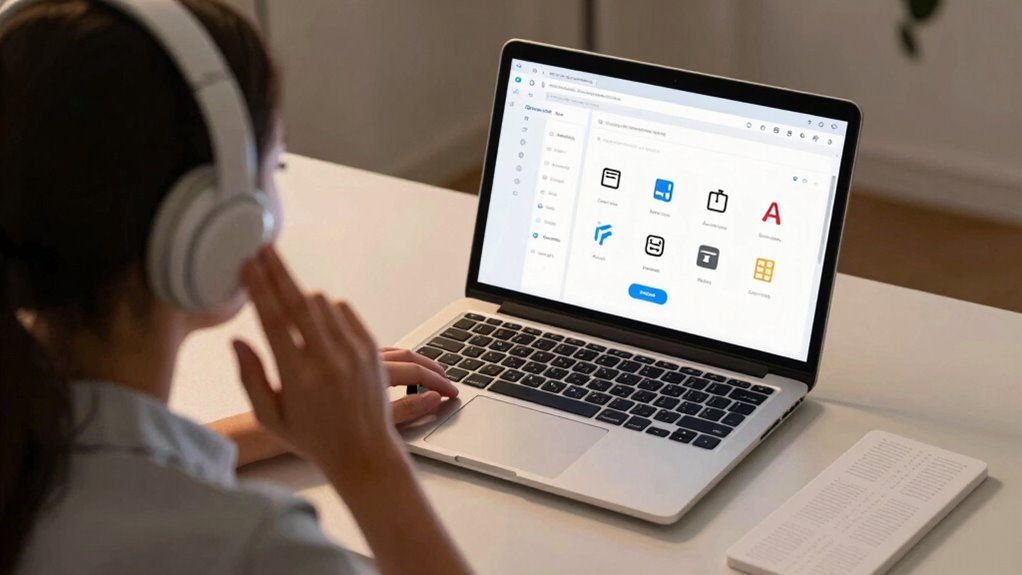

Screen readers are tools that convert on-screen text into speech or tactile output, allowing you to navigate digital content independently. They help visually impaired users access websites, documents, and multimedia by reading aloud or providing tactile feedback. Additionally, features like audio descriptions and tactile graphics expand accessibility for complex visuals. If you want to understand how these tools empower users and enhance digital inclusion, keep exploring more about their functions and benefits.
Key Takeaways
- Screen readers convert on-screen text into speech or braille, enabling visually impaired users to navigate digital content independently.
- They support access to websites, documents, and apps, facilitating equal participation in the digital world.
- Audio description complements screen readers by narrating visual elements in videos and images for better understanding.
- Tactile graphics provide a physical, touchable representation of visual information to assist learning and spatial comprehension.
- Combining these features creates an inclusive user experience, empowering users with visual impairments to explore digital content effectively.
Screen readers are powerful tools that transform on-screen text into spoken words or braille, enabling people with visual impairments to navigate digital content independently. When you use a screen reader, it reads aloud the text displayed on your device, allowing you to access websites, documents, and apps without needing to see the screen. This technology is essential for those who are blind or have low vision, giving you the ability to participate fully in the digital world. But screen readers do more than just vocalize text; they also support other accessibility features, such as audio description and tactile graphics, which further enhance your understanding of visual content.
Screen readers convert on-screen text into speech or braille, enabling independent digital navigation for visually impaired users.
Audio description is a feature that provides spoken narration of visual elements within videos or images, helping you grasp the context that might otherwise be missed. For example, if you’re watching a video, the audio description describes actions, settings, facial expressions, and important visual details. When combined with a screen reader, it guarantees you receive a thorough understanding of multimedia content without relying on sight. This feature is especially important for movies, TV shows, or online tutorials, where visual cues add meaning. The goal is to create an inclusive experience, making media accessible to everyone, regardless of visual ability.
Tactile graphics complement screen readers by translating visual information into physical forms that you can feel. These are specially designed images or diagrams printed on raised surfaces, allowing you to interpret complex visuals through touch. For instance, a tactile map or a diagram of a scientific concept turns a visual challenge into an accessible experience. When used alongside a screen reader, tactile graphics provide a multi-sensory approach, helping you better understand spatial relationships, patterns, or technical data. This combination makes learning and navigation more intuitive, especially in educational or professional settings where visual details are essential. Additionally, understanding the limitations of certain devices can help you choose the right tools to enhance your accessibility experience.
Together, features like audio description and tactile graphics expand what a screen reader can do, making digital content more accessible. They serve as bridges, translating visual information into formats you can hear or feel, which is indispensable for your independence and learning. Whether you’re exploring a new website, viewing multimedia, or studying complex diagrams, these tools ensure you’re not left behind because of your visual ability. As technology advances, screen readers continue to evolve, offering more seamless and detailed assistance. They empower you to engage fully with digital environments, providing a richer, more inclusive experience that respects your needs and enhances your ability to access information effortlessly.

Mastering JAWS Screen Reader: Step-by-Step Guide to Windows, Web, and Computer Use for Blind and Visually Impaired Users
As an affiliate, we earn on qualifying purchases.
As an affiliate, we earn on qualifying purchases.
Frequently Asked Questions
Can Screen Readers Be Used on Mobile Devices?
Yes, you can use screen readers on mobile devices. They often include features like voice command and gesture navigation, making it easier to control your device without sight. Simply enable the accessibility settings, and you’ll be able to navigate apps, read text, and interact with your phone using spoken commands or swipe gestures. This way, your mobile experience becomes more accessible and user-friendly.
Are There Free or Open-Source Screen Readers Available?
You’re in luck—there are numerous free and open-source screen readers available, making accessibility more powerful than ever. Open-source accessibility projects like NVDA and Orca provide robust options without costing a dime, empowering you to navigate digital worlds effortlessly. These free software solutions are supported by passionate communities dedicated to inclusivity, ensuring you get the features you need without breaking the bank. Immerse yourself and explore the world of accessible technology today!
How Do Screen Readers Handle Complex Web Layouts?
Screen readers handle complex web layouts by focusing on semantic navigation and layout interpretation. They analyze HTML structure, recognizing headings, landmarks, and ARIA labels to guide you through content logically. As you navigate, they interpret the layout, ensuring you understand the page’s organization. This way, even intricate designs become accessible, allowing you to efficiently access information through meaningful cues provided by the screen reader.
Can Screen Readers Be Customized for Individual Needs?
Yes, screen readers can be tailored to suit your individual needs. You can adjust voice customization options like speed, pitch, and volume to make listening more comfortable. Additionally, user preferences for navigation and reading styles can be set, helping you access content more efficiently. These features ensure the screen reader works best for you, providing a more personalized and accessible experience tailored to your specific requirements.
What Are the Limitations of Current Screen Reader Technology?
You might find current screen reader technology limited by its incomplete support for audio descriptions and braille displays. It can struggle with complex layouts, multimedia content, or visual cues, making navigation harder. Sometimes, it doesn’t seamlessly integrate with all devices or apps, which hampers accessibility. These limitations highlight the need for ongoing improvements to guarantee everyone can access digital content effectively and comfortably.

Hable One Portable Braille Keyboard for Visually Impaired – Wireless Braille Typing Device for Smartphones and Tablets – Compact Braille Machine for Easier, Faster, and More Accurate Typing
- Device Compatibility: Works with iPhone and Android devices
- User-Friendly Design: No prior Braille knowledge needed
- Portable & Private: Compact size for easy carrying and privacy
As an affiliate, we earn on qualifying purchases.
As an affiliate, we earn on qualifying purchases.
Conclusion
Understanding screen readers helps you appreciate their essential role in making digital content accessible. You might think they’re only for those with visual impairments, but they empower everyone to navigate technology more effectively. By supporting these tools, you’re fostering inclusivity and breaking down barriers. Embracing screen readers isn’t just about compliance; it’s about creating a more equitable digital world where everyone can participate fully. Together, we can make technology accessible for all.
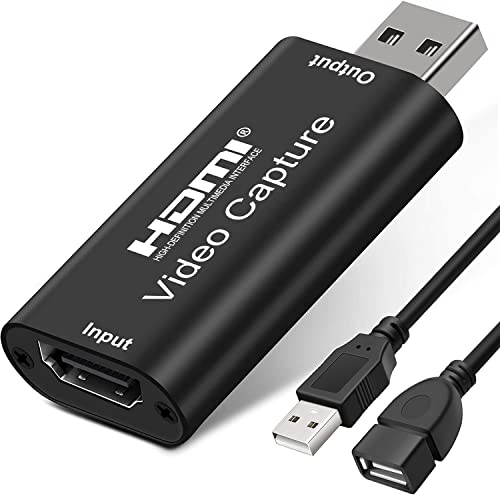
AMZHRLY 4K HDMI to USB 2.0 Video Capture Card 1080P Cam Link Card Game Capture Card Adapter Screen Record Capture Device for Streaming, Gaming, Video Conference, Teaching, Live Broadcasting
- Video Resolution Support: Supports 4K 60FPS HDMI input and 1080P output
- High-Quality Audio: Stereo sound output for clear audio
- Real-Time Preview: Low latency streaming with no delay
As an affiliate, we earn on qualifying purchases.
As an affiliate, we earn on qualifying purchases.

Braille and Print Card Kit Ultimate Set for Game Nights, Travel and Camping
- Portable Braille and Print Card Kit: Includes two decks, tactile dice, and holder
- Secure, Organized Storage: Magnetic lid with deep cavities for all components
- Durable, Waterproof Materials: Cards, dice, and holder are waterproof and easy to clean
As an affiliate, we earn on qualifying purchases.
As an affiliate, we earn on qualifying purchases.