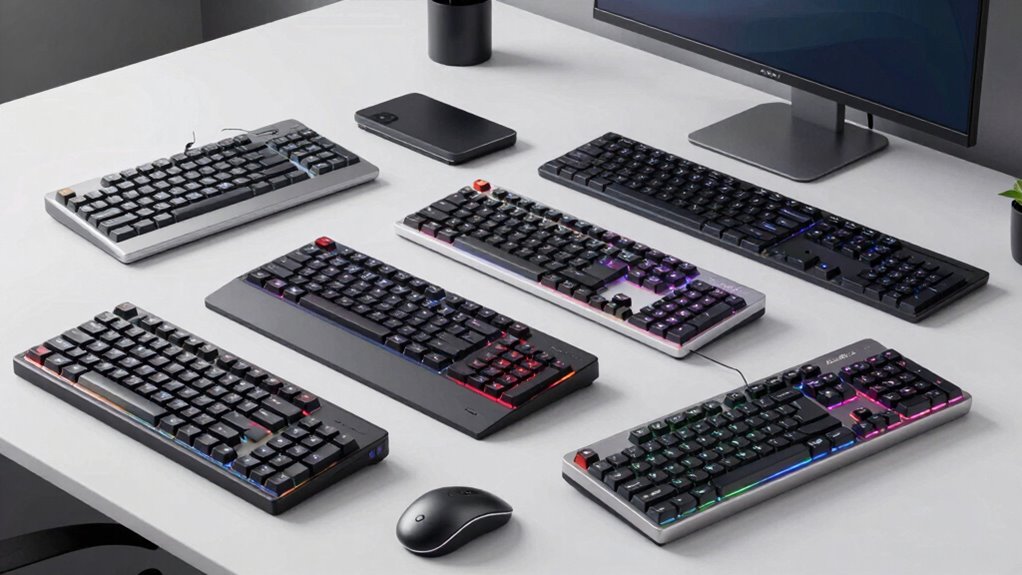

Finding a premium ergonomic keyboard compatible with both Mac and Windows can be challenging, as many options prioritize one platform or compromise on comfort. The Logitech Ergo K860 stands out for its balanced design, offering excellent comfort and seamless cross-platform support. For those seeking a mechanical option, the Keychron V10 Max provides customizable switches and robust build quality, though it’s larger and more complex to set up. The main tradeoffs in this category often involve balancing build quality, versatility, and price. Keep reading to see how these options compare and which one fits your workspace best.
Complete the kit



Key Takeaways
- The top picks excel in cross-platform compatibility, ensuring seamless use with Mac and Windows.
- Mechanical options like Keychron V10 Max offer durability and customization but tend to be larger and more expensive.
- Ergonomic split designs, such as the Logitech Ergo K860, prioritize comfort and wrist support, ideal for long typing sessions.
- Wireless connectivity varies; Bluetooth 5.1 and Logi Bolt provide reliable connections, but some models have limitations on device switching.
- Build quality and key switch type significantly influence typing feel, noise, and longevity, guiding buyers toward different priorities.
| Logitech Ergo K860 Split Wireless Keyboard – Graphite |  | Best Overall for Ergonomic Comfort and Multi-Device Use | Connectivity: Logi Bolt, Bluetooth | Compatibility: Windows, Mac, Chrome, Linux | Battery Life: 2 years | VIEW ON AMAZON | See Our Full Breakdown |
| Perixx PERIBOARD-835BR II Wireless Ergonomic Mechanical Keyboard RGB Backlit Low-Profile Brown Tactile Switches Multi-Device Connection |  | Best for Mechanical Feel and Customization | Dimensions: 18.66 × 7.95 × 1.73 in | Switch Type: Low-Profile Brown Tactile | Connectivity: Wired, 2.4 GHz, Bluetooth | VIEW ON AMAZON | See Our Full Breakdown |
| Keychron V10 Max Ergonomic Wireless Mechanical Keyboard, 75% 88 Hot Swappable Keys, RGB Gaming, Bluetooth 5.1, USB-C, Mac & Windows Compatible |  | Best for Customization and Space-Saving Versatility | Connection Modes: Bluetooth 5.1, 2.4 GHz, USB-C | Keys: 88 hot-swappable | Layout: 75%” (compact) | VIEW ON AMAZON | See Our Full Breakdown |
| Logitech Ergo K860 Wireless Ergonomic Keyboard with Wrist Rest |  | Best for Ergonomic Support and Adjustable Comfort | Connectivity: Bluetooth or USB | Design: Split keyboard layout | Wrist Rest: Pillowed, supports 54% more | VIEW ON AMAZON | See Our Full Breakdown |
| Logitech Signature Comfort Plus MK880 Wireless Keyboard and Mouse – Graphite |  | Best for Productivity and Extended Use | Connectivity: Bluetooth | Battery Life: 36 months (keyboard), 24 months (mouse) | Palmrest: Dual-foam, curved | VIEW ON AMAZON | See Our Full Breakdown |
| Logitech Ergo K860 Wireless Ergonomic Keyboard & Lift Vertical Ergonomic Mouse |  | Best Overall for Ergonomic Comfort and Versatility | Connectivity: Bluetooth or Logi Bolt USB Receiver | Color: Graphite | Number of Buttons: 4 | VIEW ON AMAZON | See Our Full Breakdown |
| Logitech MX Keys Combo for Business – Graphite |  | Best for Multi-Platform, Secure Professional Use | Connectivity: Bluetooth, Logi Bolt | Compatibility: Windows, Mac, ChromeOS, Linux | DPI: 8000 | VIEW ON AMAZON | See Our Full Breakdown |
| Logitech Ergo K860 Wireless Ergonomic Split Keyboard with Wrist Rest |  | Best for Ergonomic Long-Term Comfort and Adjustability | Connectivity: Bluetooth, USB receiver | Compatibility: Windows, Mac | Wrist Rest: Pillowed with memory foam | VIEW ON AMAZON | See Our Full Breakdown |
| Kinesis mWave Quiet Ergonomic Keyboard for Mac (White) |  | Best for Mac Users Seeking Programmability and Quiet Switches | Connectivity: Bluetooth & USB | Switch Type: Quiet mechanical switches | Backlit: Yes | VIEW ON AMAZON | See Our Full Breakdown |
| Keychron V10 Ultra 8K Wireless Mechanical Keyboard, 75% Alice Ergonomic Layout with Knob |  | Best for Gaming and Power Users Needing High Performance | Polling Rate: 8000Hz | Connectivity: 2.4GHz wireless, Bluetooth 5.3, USB-C | Layout: 75% Alice ergonomic | VIEW ON AMAZON | See Our Full Breakdown |
| premium ergonomic keyboard for mac and window | Connectivity | Compatibility |
|---|---|---|
| Logitech Ergo K860 Split Wirel | Logi Bolt, Bluetooth | Windows, Mac, Chrome, Linux |
| Perixx PERIBOARD-835BR II Wire | Wired, 2.4 GHz, Bluetooth | — |
| Keychron V10 Max Ergonomic Wir | — | MacOS & Windows |
| Logitech Ergo K860 Wireless Er | Bluetooth or USB | Windows/Mac |
| Logitech Signature Comfort Plu | Bluetooth | Windows and macOS |
| Logitech Ergo K860 Wireless Er | Bluetooth or Logi Bolt USB Receiver | — |
| Logitech MX Keys Combo for Bus | Bluetooth, Logi Bolt | Windows, Mac, ChromeOS, Linux |
| Logitech Ergo K860 Wireless Er | Bluetooth, USB receiver | Windows, Mac |
| Kinesis mWave Quiet Ergonomic | Bluetooth & USB | — |
| Keychron V10 Ultra 8K Wireless | 2.4GHz wireless, Bluetooth 5.3, USB-C | Mac, Windows, Linux |
More Details on Our Top Picks
Logitech Ergo K860 Split Wireless Keyboard – Graphite
The Logitech Ergo K860 stands out for its well-designed split and curved layout, which promotes better posture compared to traditional flat keyboards, making it a top choice for long hours of work. Its secure Logi Bolt connection ensures encrypted, reliable wireless links, especially valuable for multi-device workflows, setting it apart from less stable Bluetooth-only options like the Keychron V10 Max. The adjustable wrist rest adds comfort, but the design may require an adjustment period and the price is higher than standard keyboards. Compared to the Perixx PERIBOARD-835BR II, it offers a more straightforward setup but lacks the mechanical switches and RGB features, which the latter provides for a more tactile experience. Overall, this keyboard is best suited for users prioritizing ergonomic support and seamless multi-device management, willing to invest in comfort and security.
Pros:- Ergonomic split and curved design for improved posture
- Secure, encrypted wireless connection with Logi Bolt
- Supports multiple devices with easy switching
- Long-lasting battery life of up to two years
Cons:- Higher price point compared to standard keyboards
- Initial setup for multi-device pairing can be complex
- Design may feel unfamiliar and require adaptation
Best for: Professionals who spend long hours at their desk and need a reliable multi-device ergonomic keyboard.
Not ideal for: Budget-conscious users seeking a more affordable, straightforward keyboard without extensive ergonomic features.
- Connectivity:Logi Bolt, Bluetooth
- Compatibility:Windows, Mac, Chrome, Linux
- Battery Life:2 years
- Design:Split, curved, ergonomic
- Support Devices:Up to 3 devices
- Included:USB receiver (inside packaging)
Our verdict“This keyboard is ideal for users who prioritize ergonomic design, multi-device support, and secure connectivity, and are willing to invest accordingly.”
Perixx PERIBOARD-835BR II Wireless Ergonomic Mechanical Keyboard RGB Backlit Low-Profile Brown Tactile Switches Multi-Device Connection
The Perixx PERIBOARD-835BR II delivers a tactile, quiet typing experience thanks to its low-profile brown switches, making it a strong contender for those who prefer mechanical keyboards with ergonomic benefits. Its split-key design actively reduces wrist strain, similar to the Logitech Ergo K860, but adds the advantage of RGB backlighting and macro programming, appealing to gamers and power users. The multi-device connectivity via USB-C, Bluetooth, and 2.4 GHz makes it versatile, yet its larger footprint could be problematic for small desks, unlike more compact options like the Keychron V10 Max. The battery life is decent, but intensive use may require frequent recharging. For users who want a mechanical, customizable keyboard with ergonomic features, this model offers a balanced blend of comfort and performance, although setup complexity and size are tradeoffs.
Pros:- Ergonomic split-key design reduces wrist strain
- Quiet, tactile brown switches for accurate, comfortable typing
- Multi-device connectivity via USB-C, Bluetooth, and 2.4 GHz
- RGB backlighting and macro support for customization
Cons:- Relatively large size may not fit small desks
- Requires software for macro and lighting customization
- Battery life can vary with frequent use
Best for: Power users who desire mechanical switches, multi-device support, and customizable RGB lighting in an ergonomic layout.
Not ideal for: Users with limited desk space or those seeking a straightforward, plug-and-play solution without macro customization features.
- Dimensions:18.66 × 7.95 × 1.73 in
- Switch Type:Low-Profile Brown Tactile
- Connectivity:Wired, 2.4 GHz, Bluetooth
- Battery:3000 mAh, USB-C rechargeable
- Backlighting:RGB customizable
- Number of Macros:10
Our verdict“This keyboard suits enthusiasts who want mechanical feedback, multi-device flexibility, and aesthetic customization, accepting its size and setup complexity.”
Keychron V10 Max Ergonomic Wireless Mechanical Keyboard, 75% 88 Hot Swappable Keys, RGB Gaming, Bluetooth 5.1, USB-C, Mac & Windows Compatible
The Keychron V10 Max offers an impressive level of customization with 88 hot-swappable keys and a compact 75% layout, making it ideal for users who need a space-efficient yet feature-rich ergonomic keyboard. Its support for multiple connection modes—Bluetooth 5.1, 2.4 GHz, and USB-C—outperforms many competitors like the Perixx PERIBOARD-835BR II in flexibility and ease of switching between devices. The durable PBT keycaps and responsive mechanical switches ensure a satisfying typing feel, but the advanced features demand some technical knowledge to fully leverage, which could be daunting for beginners. Its higher price reflects the premium build and customization options, making it best suited for tech-savvy users who want a versatile keyboard for both work and gaming.
Pros:- Hot-swappable keys for easy customization
- Supports multiple connection modes including Bluetooth and USB-C
- Compact 75% layout saves desk space
- Durable PBT keycaps resist wear and fading
Cons:- Requires some technical knowledge for full customization
- Limited to 88 keys, which might restrict some workflows
- Higher price point due to premium features
Best for: Enthusiasts and gamers who want a highly customizable, space-saving keyboard compatible with multiple devices.
Not ideal for: Users seeking a plug-and-play ergonomic keyboard without the need for extensive customization or technical setup.
- Connection Modes:Bluetooth 5.1, 2.4 GHz, USB-C
- Keys:88 hot-swappable
- Layout:75%” (compact)
- Keycap Material:Double-shot PBT
- Compatibility:MacOS & Windows
- Polling Rate:1000 Hz
Our verdict“This keyboard is perfect for users wanting maximum customization, space efficiency, and multi-device support, accepting a learning curve and price premium.”
Logitech Ergo K860 Wireless Ergonomic Keyboard with Wrist Rest
The Logitech Ergo K860 with its split keyframe and pillowed wrist rest prioritizes natural typing posture, making it suitable for those who suffer from wrist discomfort with traditional keyboards. Its adjustable tilt legs allow fine-tuning for personalized comfort, and the wireless capability declutters the workspace. While similar in ergonomic intent to the Logitech Ergo K860 Graphite, this version emphasizes comfort with a plush wrist rest, though it shares the same premium price. The split layout may require some adjustment, especially for users accustomed to straight keyboards. Battery life details are less clear, which could be a concern for heavy users. Overall, this model excels for those dedicated to ergonomic health and adjustable comfort, though it may not appeal to users seeking a more compact or mechanical solution.
Pros:- Ergonomist-approved split and pillowed wrist rest
- Adjustable tilt legs for personalized comfort
- Reduces wrist bending by 25% and supports natural posture
- Wireless connectivity reduces clutter
Cons:- Premium price may be prohibitive for some
- Split layout may require an adjustment period
- Battery life details are not explicitly provided
Best for: Health-conscious professionals who need adjustable ergonomic support for all-day typing comfort.
Not ideal for: Users with limited desk space or those preferring a traditional keyboard with minimal ergonomic features.
- Connectivity:Bluetooth or USB
- Design:Split keyboard layout
- Wrist Rest:Pillowed, supports 54% more
- Adjustable Palm Lift:0°, -4°, -7° tilt options
- Compatibility:Windows/Mac
Our verdict“Ideal for users prioritizing ergonomic health and adjustable comfort over compactness or mechanical features.”
Logitech Signature Comfort Plus MK880 Wireless Keyboard and Mouse – Graphite
The Logitech Signature Comfort Plus MK880 combines ergonomic design with productivity features, featuring a curved palmrest and sculpted mouse that promote a relaxed, natural posture. Its long battery life—up to 36 months for the keyboard—reduces maintenance, and dedicated meeting keys streamline workflow. Its Bluetooth connectivity aligns well with both Mac and Windows users, though it lacks a wired option, which could be a drawback for those needing ultra-reliable connections in certain environments. Compared to the Logitech Ergo K860, this set offers a more integrated experience for office productivity, but with less focus on individual ergonomic customization. This set suits users who want a comfortable, all-day setup for work and meetings, willing to accept a higher price for extended battery life and convenience.
Pros:- Ergonomic curved palmrest reduces wrist strain
- Long battery life minimizes interruptions
- Dedicated meeting keys for quick access
- Quiet, soft-click keys for a quieter workspace
Cons:- No wired connection option for maximum reliability
- Higher cost may be a concern for budget users
- Limited customization compared to gaming keyboards
Best for: Office workers and professionals seeking a comfortable, long-lasting wireless keyboard and mouse combo for daily productivity.
Not ideal for: Power users looking for highly adjustable or mechanical keyboards, or those who prefer wired connections for maximum reliability.
- Connectivity:Bluetooth
- Battery Life:36 months (keyboard), 24 months (mouse)
- Palmrest:Dual-foam, curved
- Compatibility:Windows and macOS
- Recycled Plastic Content:49%
Our verdict“This set is a strong choice for professionals prioritizing comfort, long battery life, and productivity features in a wireless package.”
Logitech Ergo K860 Wireless Ergonomic Keyboard & Lift Vertical Ergonomic Mouse
This combo stands out for its comprehensive ergonomic design, combining a split, curved keyboard with a vertical mouse that encourages natural forearm positioning. Compared to the Logitech Ergo K860 Split Wireless Keyboard, it adds a dedicated vertical mouse that enhances wrist health and reduces strain, making it ideal for long hours of typing. The cushioned memory foam wrist rest and adjustable tilt legs improve comfort, though the setup requires Bluetooth or Logi Bolt USB receiver, which may be less seamless for some users. Its higher price reflects the ergonomic benefits and multi-device connectivity, making it a worthwhile investment for those prioritizing comfort over cost.
Pros:- Ergonomic design significantly reduces wrist and forearm strain
- Comfortable memory foam wrist rest enhances long-term comfort
- Quiet, customizable buttons on the mouse improve usability
Cons:- Requires Bluetooth or USB receiver, adding complexity for some setups
- Larger footprint may not fit small desks comfortably
- Higher price point for advanced ergonomic features
Best for: Professionals who spend hours at their desk and need both a comfortable keyboard and mouse setup for extended periods.
Not ideal for: Small-space users or those with limited desk area, due to its size, or budget-conscious buyers seeking lower-cost options.
- Connectivity:Bluetooth or Logi Bolt USB Receiver
- Color:Graphite
- Number of Buttons:4
- Quiet Clicks:Yes
- Keyboard Type:Ergonomic, Wireless
- Mouse Type:Vertical, Ergonomic
Our verdict“This pick suits users who prioritize ergonomic health and are willing to invest in a premium, comprehensive setup.”
Logitech MX Keys Combo for Business – Graphite
This combo is tailored for users who need a reliable, multi-platform wireless keyboard and mouse with enterprise-grade security features. Unlike the Logitech Ergo K860, which emphasizes ergonomic comfort, the MX Keys Combo focuses on precision, security, and seamless integration across Windows, Mac, and Linux. The high-DPI Darkfield laser mouse offers accurate tracking on nearly any surface, but the combo’s premium price might be a barrier for casual users. Its quiet clicks and MagSpeed scrolling are designed for professional environments, making it a strong choice for office productivity and multi-device workflows, though it may lack the dedicated ergonomic features some users need.
Pros:- Secure, encrypted wireless connection suitable for enterprise environments
- Quiet clicking reduces noise in shared workspaces
- High-precision Darkfield laser sensor for accurate tracking
Cons:- Requires USB receiver, which can be easily misplaced
- Premium pricing may be prohibitive for casual users
- Less focus on ergonomic design compared to dedicated ergonomic models
Best for: Business professionals who require multi-platform compatibility, secure connections, and high-precision peripherals for daily tasks.
Not ideal for: Users seeking maximum ergonomic support or those on a tighter budget, as this setup emphasizes security and precision over ergonomic features.
- Connectivity:Bluetooth, Logi Bolt
- Compatibility:Windows, Mac, ChromeOS, Linux
- DPI:8000
- Scrolling:MagSpeed
- Noise Level:Quiet Click
- Battery:Auto-off for power saving
Our verdict“Ideal for professionals needing secure, precise, multi-platform peripherals with minimal noise and fuss.”
Logitech Ergo K860 Wireless Ergonomic Split Keyboard with Wrist Rest
This keyboard is a strong choice for users seeking ergonomic benefits similar to the Logitech Ergo K860 but with added customization options. Its split, curved keyframe and pillowed wrist rest promote natural hand positioning, reducing strain during extended typing sessions. Unlike the combo in Product 6, this model does not include a mouse but pairs well with a vertical or ergonomic mouse for a complete setup. The adjustable tilt legs and ergonomic design make it better suited for users willing to spend extra time setting up their ideal posture, though it may require some adaptation to the split layout. Its higher price reflects its premium ergonomic features and build quality.
Pros:- Reduces wrist strain with split, curved layout
- Comfortable pillowed wrist rest with memory foam
- Multiple connectivity options including Bluetooth and USB receiver
- Adjustable tilt for personalized ergonomics
Cons:- Requires software for full customization
- Higher cost compared to standard keyboards
- Some users may need time to adapt to the split layout
Best for: Users committed to ergonomic health who want a customizable, full-size wireless keyboard for long-term comfort.
Not ideal for: Those with limited desk space or who prefer a traditional keyboard layout without a split design, or who need an all-in-one solution.
- Connectivity:Bluetooth, USB receiver
- Compatibility:Windows, Mac
- Wrist Rest:Pillowed with memory foam
- Adjustable Tilt:0, -4, -7 degrees
- Material:Plastic with 71% recycled content
- Power:Battery-powered with Logitech Options software
Our verdict“This keyboard is ideal for users seeking long-term ergonomic health with customizable features and willing to adapt to a split layout.”
Kinesis mWave Quiet Ergonomic Keyboard for Mac (White)
The Kinesis mWave is tailored for Mac users who prioritize quiet, mechanical typing and advanced customization. Its wave layout and padded palm support encourage a natural hand posture, similar to the Logitech Ergo K860, but with the added benefit of quiet mechanical switches that reduce finger fatigue. The backlit keys and programmable layers cater to power users who want macro control, yet setup complexity and price may be barriers for some. Its wired and wireless options make it versatile, but the focus on Mac compatibility means it isn’t ideal for Windows-only setups. This model excels for those who want a highly programmable, quiet ergonomic keyboard dedicated to Mac workflows.
Pros:- Ergonomic wave layout with padded palm support
- Quiet mechanical switches reduce noise and finger fatigue
- Wireless and wired connectivity options
- Highly programmable with macro and layer customization
Cons:- Price may be high for some users
- Requires setup for advanced programmability
- Limited to Mac compatibility
Best for: Mac users who need a programmable, quiet mechanical keyboard with ergonomic wave design and backlit keys.
Not ideal for: Windows users or those seeking plug-and-play simplicity without extensive setup or customization.
- Connectivity:Bluetooth & USB
- Switch Type:Quiet mechanical switches
- Backlit:Yes
- Programmable Keys:Yes
- Layers:Up to 8
- Color:White
Our verdict“This keyboard is ideal for Mac users who desire a quiet, programmable ergonomic solution with extensive customization options.”
Keychron V10 Ultra 8K Wireless Mechanical Keyboard, 75% Alice Ergonomic Layout with Knob
The Keychron V10 Ultra 8K combines high-end gaming features with ergonomic design, making it a versatile choice for power users across Mac, Windows, and Linux. Its 8000Hz polling rate ensures minimal input latency, surpassing typical office-focused models like the Logitech MX Keys Combo. The 75% Alice layout and hot-swappable banana linear switches provide customization and comfort, especially with the included rotary knob for quick control. While the complex setup and premium price might deter casual users, this keyboard is tailored for those who demand high performance, flexibility, and a sleek ergonomic form factor. It excels at bridging gaming and productivity needs, though it may be overkill for basic typing tasks.
Pros:- High polling rate for ultra-low latency
- Tri-mode connectivity for seamless device switching
- Hot-swappable switches for customization
- Gasket-mount design with RGB lighting for aesthetics
Cons:- Complex setup may challenge beginners
- Premium price point not suited for casual users
- Requires compatible switches for full customization
Best for: Gamers, programmers, and advanced users seeking a high-performance, customizable, ergonomic mechanical keyboard compatible with multiple OS.
Not ideal for: Beginners or users looking for a straightforward, plug-and-play office keyboard, due to complex setup and premium cost.
- Polling Rate:8000Hz
- Connectivity:2.4GHz wireless, Bluetooth 5.3, USB-C
- Layout:75% Alice ergonomic
- Switch Type:Banana linear, hot-swappable
- Compatibility:Mac, Windows, Linux
- Additional Features:Programmable keys, RGB lighting, gasket-mount
Our verdict“This keyboard is best for users who want high-end performance, extensive customization, and ergonomic design in a versatile package for gaming and productivity.”

How We Picked
These products were selected based on their ability to deliver premium ergonomic features compatible with both Mac and Windows platforms. We prioritized build quality, comfort, versatility, and connectivity options, ensuring each keyboard offers reliable performance in a professional setting. Mechanical switches were evaluated for durability and typing experience, while design features like split layouts and wrist support were key for ergonomic benefits. Price was considered relative to features, aiming to highlight options that balance quality and value. The ranking reflects a combination of user reviews, feature set, and overall versatility for different user needs.Factors to Consider When Choosing Premium Ergonomic Keyboard For Mac And Windows
Choosing the right premium ergonomic keyboard involves considering several factors that impact comfort, usability, and compatibility. Beyond aesthetics, understanding these aspects helps avoid common pitfalls such as sacrificing comfort for features or misjudging platform compatibility. The right choice depends on your specific workflow, preferences, and ergonomic needs, so weighing these factors carefully ensures a satisfying investment.Platform Compatibility and Connectivity
Ensure the keyboard supports macOS and Windows seamlessly, especially if you frequently switch between the two. Wireless options like Bluetooth 5.1 or Logi Bolt offer flexible setup, but verify if they support multi-device switching easily. Wired connections can offer more stability but reduce mobility. Compatibility with your existing accessories and ease of pairing are critical to avoid frustration during setup and daily use.
Ergonomic Design and Comfort
Look for features like split layouts, tenting, and wrist rests that promote natural hand positioning. Mechanical keyboards with low-profile switches can reduce strain, but may compromise on tactile feel for some users. Consider your typical usage duration; longer sessions benefit from adjustable angles and cushioned wrist supports. The goal is to reduce repetitive strain and increase comfort over extended periods.
Key Switch Type and Feel
The choice of switches—mechanical or membrane—significantly affects typing experience. Mechanical switches like Brown tactile or linear Banana switches offer durability and satisfying feedback but may be noisier. Low-profile switches provide a quicker, more refined feel. Think about your noise tolerance and preference for tactile feedback, especially if working in shared spaces.
Build Quality and Durability
Premium keyboards should feature high-quality materials like aluminum or sturdy plastics to withstand daily use. Hot-swappable switches are a bonus for customization and longevity, allowing easy upgrades without soldering. Avoid cheap plastics or poorly assembled models, as they tend to develop issues over time and diminish ergonomic benefits.
Price and Value
While premium keyboards come at a higher cost, consider whether the features justify the investment. Mechanical options with customization and high-end materials tend to last longer and perform better ergonomically. Balance your budget with your specific needs—sometimes spending more results in better long-term comfort and durability, but there are also well-priced options that deliver excellent value.
Frequently Asked Questions
Can I use a mechanical ergonomic keyboard with Mac and Windows without issues?
Yes, many premium ergonomic keyboards are designed to be compatible with both Mac and Windows, often supporting easy switching between devices via Bluetooth or dedicated keys. However, some features like function keys or media controls may require additional software or remapping. Always check the product specifications to ensure full compatibility and consider whether the keyboard’s layout aligns with your workflow for both platforms.
Is a split ergonomic keyboard better than a traditional one for long hours?
Split ergonomic keyboards are generally better suited for reducing strain over long typing sessions by allowing a more natural hand position. They promote better wrist alignment and minimize repetitive stress injuries. However, they can take time to get used to and may not be suitable for everyone, especially if you prefer a more compact or traditional layout. Trying different designs can help determine what feels most natural for your needs.
Are wireless keyboards reliable enough for professional work?
Wireless keyboards with Bluetooth 5.1 or Logi Bolt technology offer reliable connectivity and minimal latency for most professional tasks. They eliminate cable clutter and provide flexibility in positioning. However, in environments with lots of wireless interference or for tasks requiring ultra-low latency, wired connections might be preferable. Consider your workspace setup and personal preferences when choosing between wired and wireless options.
What key switch should I choose for ergonomic comfort?
For ergonomic comfort, low-profile switches tend to reduce finger fatigue and allow for quicker typing, which can decrease strain during long hours. Tactile switches like Brown or low-profile linear switches like Banana provide satisfying feedback without requiring excessive force. Test different switch types if possible, as personal preference plays a significant role in comfort and typing efficiency.
How much should I expect to spend on a quality ergonomic keyboard?
Premium ergonomic keyboards typically range from $150 to $300, depending on features like mechanical switches, build materials, and connectivity options. Investing in a higher-priced model often translates to better durability, more comfort features, and customization options. However, there are also mid-range options that balance quality and price effectively, so consider your specific ergonomic needs and platform compatibility before committing.
Conclusion
If you’re seeking the best overall ergonomic keyboard for daily professional use, the Logitech Ergo K860 offers a balanced combination of comfort, compatibility, and build quality. For those on a budget or looking for a mechanical experience, the Keychron V10 Max delivers high customization and durability, though it requires more setup. Beginners or users prioritizing simple, effective ergonomics might prefer the Logitech Signature Comfort Plus. Finally, for users with specific platform needs or advanced customization, high-end options like the Kinesis mWave or Keychron Ultra fit well. Consider your workspace, comfort preferences, and budget to find the perfect match.