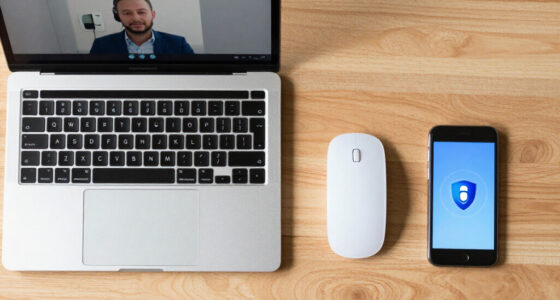

To sound more professional from home quickly, focus on your voice and environment. Speak confidently with clear enunciation, vary your pitch, and use pauses to emphasize key points. Dress professionally from the waist up and verify your workspace is quiet, well-lit, and tidy. Position your camera at eye level and maintain good eye contact. Paying attention to audio and visual quality instantly boosts your credibility. Keep these tips in mind, and you’ll see improvements fast—more guidance follows.

Get comfort and recovery gear delivered free with Prime
- Fast, free delivery on millions of items
- Prime Video, Amazon Music and more included
- Member-only deals all year
Key Takeaways
- Use a professional, well-fitting outfit from the waist up to boost confidence and credibility.
- Ensure good lighting and a clean background to enhance visual professionalism.
- Practice voice modulation with confident tone, clear enunciation, and strategic pauses.
- Maintain eye contact with the camera and use controlled gestures to convey engagement.
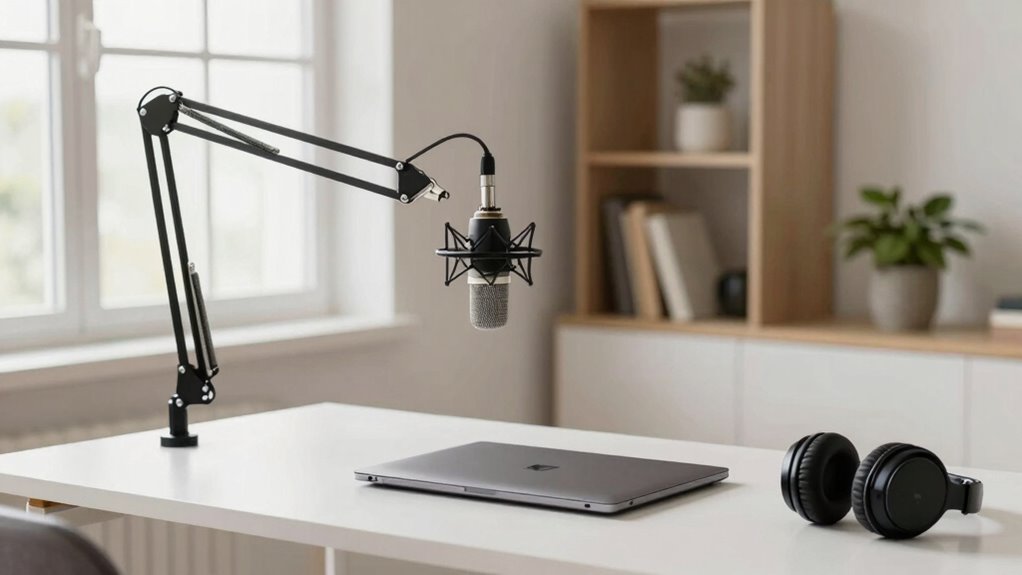
- Invest in quality audio equipment to ensure clear, distraction-free sound during virtual calls.

In just a few simple steps, you can instantly elevate how professional you sound from home. The key lies in refining your communication and presentation, which can be achieved with a few quick adjustments. First, pay attention to your voice modulation. When you speak confidently and with clarity, you immediately come across as more competent and trustworthy. Practice varying your pitch and pace to avoid sounding monotone, which can make even important messages seem dull or unconvincing. Use pauses effectively to emphasize points and give your listener time to absorb information. This not only makes your speech more engaging but also demonstrates control and confidence.
Next, consider your professional attire—even if you’re on a video call. Dressing appropriately, even from the waist up, sends a non-verbal signal that you’re serious about your work. It boosts your confidence and helps you get into a professional mindset, which naturally influences how you communicate. When you look the part, you’re more likely to speak with authority and purpose. Avoid casual or distracting clothing, and choose attire that aligns with your industry standards. This simple change can dramatically improve how others perceive you, making your interactions seem more polished and credible.
Additionally, setting up a quiet, well-lit workspace contributes to a more professional appearance both visually and audibly. Minimize background noise and interruptions, and position your camera at eye level to establish good eye contact. This shows you’re engaged and serious about your role, which boosts your professional image. Speaking in a clear, steady tone combined with appropriate body language—like upright posture and controlled gestures—reinforces your message and demonstrates confidence. Incorporating good lighting into your setup can further enhance your visual presence and make you appear more polished. Being mindful of your background setup can also help eliminate distractions and maintain a professional appearance throughout your calls. Paying attention to audio quality can significantly improve how clearly your message is received and understood. Maintaining consistency in your visual presentation creates a cohesive and professional impression that leaves a lasting positive impact.
As an affiliate, we earn on qualifying purchases.
Frequently Asked Questions
How Can I Improve My Home Internet for Professional Calls?
To improve your home internet for professional calls, start by upgrading your internet speed to guarantee smooth connections. Place your router in a central, elevated spot away from obstructions and electronic interference to maximize signal strength. Use a wired Ethernet connection if possible, and limit the number of devices using your network during calls. These steps help boost stability and clarity, making you sound more professional on every call.
What Are the Best Lighting Options for Virtual Meetings?
You should prioritize lighting setups that enhance your appearance during virtual meetings. Use soft, diffused lighting like ring lights or LED panels to reduce harsh shadows. Natural illumination works wonders; position yourself facing a window to maximize daylight. Avoid backlighting and dark corners. Combining natural illumination with adjustable artificial lighting creates a balanced, professional look. This setup guarantees you’re well-lit, confident, and ready to make a strong impression in every virtual meeting.
How Do I Manage Background Noise Effectively?
Think of managing background noise like taming a wild stallion—quick action keeps chaos at bay. Use noise-cancellation software and noise-canceling headphones to block out distractions. Soundproofing techniques, like adding rugs, curtains, or draft stoppers, create a fortress around your space. Mute yourself when not speaking, and choose a quiet room. These steps turn your environment into a calm, professional sanctuary, ensuring your message stays clear and focused.
What Attire Is Appropriate for Video Calls From Home?
For video calls from home, stick to a professional dress code, such as a neat blouse or shirt, avoiding overly casual or distracting clothing. Prioritize personal grooming—ensure your hair is tidy, and facial hair is well-maintained. Choose solid, neutral colors that look good on camera. This approach helps you appear polished and confident, enhancing your professionalism and making a positive impression during virtual meetings.
How Can I Ensure My Camera Quality Looks Professional?
To guarantee your camera quality looks professional, focus on camera angles and background setup. Position your camera at eye level to create a confident, engaging look. Keep your background tidy and well-lit, avoiding distractions. Use a good quality webcam or smartphone with high resolution, and ensure your lighting is soft and even. Test your setup beforehand to adjust angles and lighting, so you appear polished and professional during your calls.
As an affiliate, we earn on qualifying purchases.
Conclusion
Remember, your voice is your lighthouse in a sea of digital noise. When you speak clearly and confidently, you guide others safely to your message, cutting through the fog of distractions. Every word you choose is a step on your path to professionalism, illuminating your credibility like a beacon in the night. Keep refining your tone and presence from home, and you’ll shine brighter, inspiring trust and respect in every virtual encounter.
As an affiliate, we earn on qualifying purchases.
professional attire for video conferencing
As an affiliate, we earn on qualifying purchases.
As an affiliate, we earn on qualifying purchases.
Halloween Picks
halloween
As an affiliate, we earn on qualifying purchases.