
To build a better workspace using the “Anchor Item” method, start by choosing a central piece like a vibrant chair or sleek desk that reflects your style and supports your work habits. Use ergonomic accessories that promote comfort and healthy posture, and coordinate colors to create a cohesive, visually soothing environment. Keep your layout simple and functional, ensuring everything supports focus and motivation. Explore these strategies further to transform your space into an inspiring, productive haven.
Key Takeaways
- Identify a central, eye-catching item (desk, chair, accessory) to serve as the workspace’s visual and organizational foundation.
- Incorporate ergonomic accessories around the anchor item to enhance comfort and promote healthy posture.
- Use color schemes that match or complement the anchor item’s palette to create visual harmony and reduce distractions.
- Design a simple, functional layout that integrates ergonomic support and cohesive aesthetics for efficiency.
- Leverage the anchor item approach to foster motivation, organization, and sustainable, health-conscious work habits.

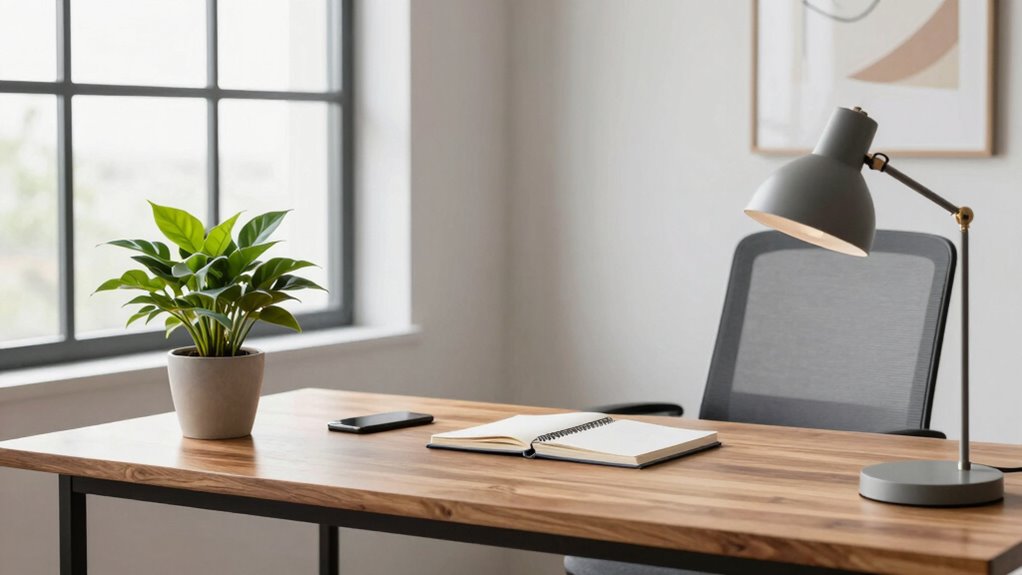
Creating an efficient workspace starts with a simple yet powerful idea: anchoring your environment around a single, focal item. This “anchor” acts as the foundation for everything else, helping you stay organized and focused. When you choose this item carefully, it guides the overall layout and style of your space. For many, this anchor can be a sleek desk, a standout piece of ergonomic accessories, or even a vibrant chair. Whatever you pick, make sure it’s something that catches your eye and aligns with your work habits. Once you have your anchor, everything else falls into place, making your workspace more inviting and functional.
Incorporating ergonomic accessories into your setup is crucial. These tools, like adjustable keyboard stands, supportive wrist rests, and ergonomic mice, enhance comfort and reduce strain during long work hours. When your anchor item supports ergonomic principles, it sets a tone for the entire space—encouraging you to prioritize health and comfort. For instance, if your anchor is a well-designed desk with a clean surface, you can arrange ergonomic accessories around it to optimize your posture and workflow. The goal is to create a seamless environment where every element contributes to efficiency, without clutter or discomfort. Paying attention to workspace ergonomics helps prevent fatigue and injury, making your work routine more sustainable. Additionally, integrating ergonomic principles can boost overall productivity by promoting better focus and reducing physical stress. Incorporating these ergonomic elements thoughtfully can also influence the overall aesthetic of your workspace, creating a balanced environment that is both stylish and functional. A well-designed ergonomic setup also encourages consistent use and helps establish healthy habits. Moreover, understanding the benefits of ergonomic design can motivate you to maintain a healthier workspace long-term.
Color coordination plays a significant role in reinforcing your workspace’s harmony. When your anchor item features a specific color palette, you can extend that theme throughout the room. Use matching or complementary shades for accessories, storage solutions, and even your wall decor. This consistency not only creates visual cohesion but also makes your workspace feel more intentional and calming. For example, if your anchor is a sleek black desk, choose ergonomic accessories with black accents or neutral tones to match. This approach prevents your workspace from feeling chaotic and helps your mind stay focused on work, rather than being distracted by mismatched or overly vibrant items. Thoughtful color coordination can also influence your mood, making your environment more conducive to concentration. When the color scheme is cohesive, it enhances the overall sense of space harmony, helping you stay motivated and engaged throughout your workday. Moreover, paying attention to color psychology can subtly influence your productivity and emotional well-being.
As you build your workspace around this anchor, think about how each element interacts. Keep the layout simple and functional. Use ergonomic accessories thoughtfully to support your posture, and employ color coordination to create a visually pleasing environment. This method ensures your workspace isn’t just organized but also inspiring. When your environment feels cohesive and tailored to your needs, you’ll find it easier to stay motivated and productive. The “Anchor Item” method isn’t just about aesthetics—it’s about creating a space that works for you, making every workday smoother and more enjoyable. By focusing on workspace organization, you can create a more efficient and motivating environment that enhances your overall work experience.
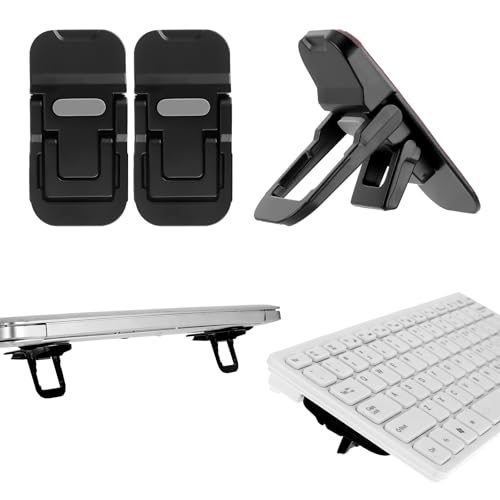
Bewudy 2 Pcs Portable Keyboard Stand, Dual Tilt Angle Adjustment, Foldable Laptop Riser, Self-Adhesive Feet for Most Keyboards (Black)
- Lightweight and Compact: Only 30 grams, foldable for travel
- Enhanced Heat Dissipation: Made of zinc alloy for cooling
- Adjustable Tilt Angles: Two angles: 35mm and 60mm
As an affiliate, we earn on qualifying purchases.
As an affiliate, we earn on qualifying purchases.
Frequently Asked Questions
How Do I Choose the Perfect Anchor Item for My Workspace?
To choose the perfect anchor item for your workspace, consider your overall color scheme and style. Pick a decorative accessory that resonates with your personality and sets the tone for the space. It should be a statement piece, like a bold sculpture or vibrant artwork, that balances functionality and aesthetics. This anchor item will unify your decor, making your workspace both inspiring and cohesive.
Can the Anchor Item Be Changed Over Time?
Think of your anchor item as a sturdy tree that can adapt with changing seasons. Yes, you can change it over time. As your needs evolve, you might swap out or update your anchor to keep your workspace fresh. Embracing flexible arrangements allows you to refresh your environment with seasonal updates, ensuring your workspace stays inspiring and functional without feeling stagnant. Adjusting your anchor keeps your space aligned with your current goals.
What Types of Workspaces Benefit Most From This Method?
You’ll find that workspaces emphasizing ergonomic design and aesthetic appeal benefit most from this method. It helps you create a balanced environment where the anchor item, like a desk or chair, sets the tone for comfort and style. As you update or change the anchor item over time, your workspace stays adaptable and visually appealing, making it ideal for both creative and professional settings that value functionality and aesthetic harmony.
How Does This Method Improve Productivity and Focus?
You might think the “Anchor Item” method is just about organization, but it actually boosts your productivity and focus by reducing distractions and creating a clear visual cue. By concentrating your workspace around a key item, you’re less likely to get sidetracked and more motivated to complete tasks. This focused environment encourages better concentration, minimizes clutter, and keeps your goals front and center, leading to a more efficient work session.
Are There Common Mistakes to Avoid When Implementing the Anchor Item?
When implementing the anchor item, avoid common mistakes like neglecting workspace organization or failing to reduce clutter around it. If you don’t keep your workspace tidy, the anchor item loses its effectiveness, leading to distractions. Also, don’t place the anchor item in an inconvenient spot, which can hinder focus. Regularly update and maintain the area to guarantee clutter stays reduced, and your workspace remains optimized for productivity.
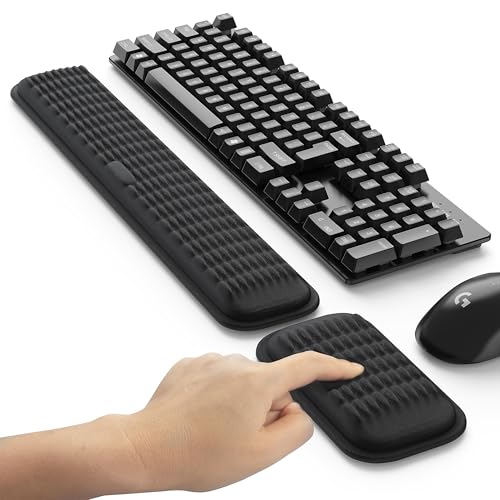
MEKASS Ergonomic Wrist Rest for Keyboard and Mouse, Soft Memory Foam Keyboard Wrist Rest Set with Non-Slip Silicone Base, Easy Typing, Pain Relief, Comfort for Office, Work, Gaming (Classic Black)
- Massage Pattern Design: Relieves pressure and promotes blood flow
- Soft Memory Foam: Provides comfort and support for wrists
- Perfectly Sized: Fits most keyboards and mice comfortably
As an affiliate, we earn on qualifying purchases.
As an affiliate, we earn on qualifying purchases.
Conclusion
By choosing your anchor item wisely, you create a foundation for organization, inspiration, and productivity. It anchors your space, guides your design, and fuels your focus. It simplifies decision-making, defines your style, and enhances your motivation. With your anchor item in place, you build a workspace that’s functional, inviting, and uniquely yours. Embrace this method, and watch your environment transform into a place where clarity, creativity, and comfort thrive—making every workday more efficient and enjoyable.

Anker 2.4G Wireless Ergonomic Mouse, Right Hand Vertical Mouse USB Receiver
- Ergonomic Design: Promotes healthy wrist and arm position
- Wireless Connectivity: Uses 2.4 GHz USB receiver, not Bluetooth
- High DPI Resolution: 800/1200/1600 DPI optical tracking
As an affiliate, we earn on qualifying purchases.
As an affiliate, we earn on qualifying purchases.

VINGLI Cute Petal Vanity Desk Chair with Star Pillow, Armless Swivel Chair in Vibrant Color-Blocking, Height Adjustable Modern Computer Task Chair for Bedroom & Home Office, Teddy Fleece,Purple
- Petal-inspired Design: Whimsical flower-shaped swivel chair
- Comfortable & Supportive: Six-petal backrest with lumbar support
- Generous Cushion: Thick 5.5-inch seat cushion for comfort
As an affiliate, we earn on qualifying purchases.
As an affiliate, we earn on qualifying purchases.