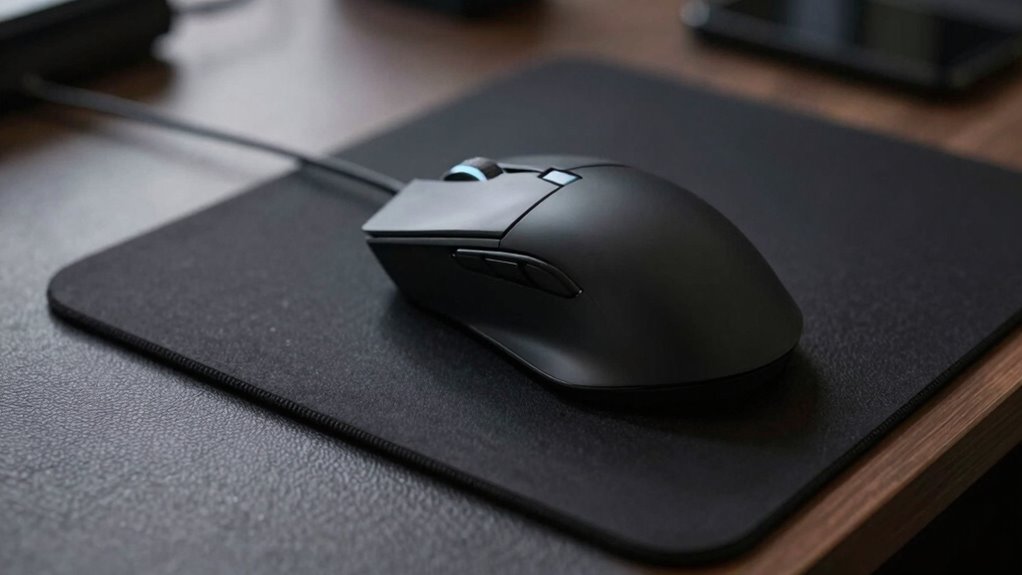

If your mouse tracking feels off, it could be due to using a desk mat instead of a dedicated mousepad. Desk mats provide broader surfaces that might interfere with precise movements, while mousepads are designed for responsiveness and accuracy. Ergonomic features and material quality also play roles in comfort and performance. Choosing the right surface matters for your health and control—keep exploring to discover how the right setup can improve your experience even more.
Key Takeaways
- Mousepads are designed for precise tracking, while desk mats prioritize comfort and surface area, affecting mouse responsiveness.
- Incorrectly paired surfaces, like a rough desk mat or worn mousepad, can cause tracking issues.
- Material differences between mousepads and desk mats impact glide and accuracy, influencing tracking consistency.
- Using a desk mat that’s too thick or soft may reduce mouse control, leading to “off” tracking.
- Ensuring your mousepad has a smooth, clean surface improves tracking accuracy compared to general desk mats.

When choosing between a desk mat and a mousepad, understanding their differences can help you make the right decision for your workspace. Both options serve as surfaces for your mouse, but they differ markedly in design, function, and how they influence your overall comfort and workspace aesthetics. A desk mat typically covers a larger area, providing a versatile surface that can also protect your desk from scratches and spills. A mousepad, on the other hand, is usually smaller, designed specifically to optimize mouse movement and precision. Knowing these distinctions helps you select the one that best suits your needs, especially if tracking feels “off” during use.
Choosing between a desk mat and a mousepad depends on your workspace needs, style, and focus on comfort or precision.
One of the main considerations is ergonomic benefits. A desk mat can support better posture by giving your wrist and arm a smoother, more cushioned surface, reducing strain during long hours at your desk. Its larger surface allows you to reposition your keyboard and mouse comfortably, encouraging a more natural arm and wrist alignment. This can make a noticeable difference if you experience discomfort or fatigue after extended computer use. Conversely, a mousepad offers a dedicated, often textured surface that enhances mouse responsiveness and accuracy, which is essential for tasks requiring precise tracking. Many ergonomic mousepads come with wrist rests, further promoting comfort and reducing repetitive strain injuries. Additionally, a comfortable surface that supports proper ergonomics can contribute to the overall health and longevity of your hands and wrists.
Aesthetic appeal also plays a crucial role in your workspace setup. A desk mat can serve as a stylish foundation, tying together your desk accessories with different colors, textures, or patterns. It adds visual interest and can give your workspace a more cohesive, professional look. If you prefer a minimalist aesthetic, a sleek, monochrome mat might complement your setup perfectly. Mousepads tend to be more functional in appearance, but high-quality designs can also add a touch of personality. Custom printed mousepads or those with unique textures can reflect your style while providing the necessary surface for precise tracking.
Ultimately, your choice depends on your specific needs. If you’re looking for a versatile item that improves both ergonomics and aesthetic appeal, a desk mat is a smart choice. It not only enhances comfort but also elevates your workspace’s look. If your main concern is improving mouse accuracy and response, especially for detailed work or gaming, a specialized mousepad is likely the better option. Both can help if your tracking feels “off,” but understanding their ergonomic benefits and aesthetic appeal ensures you select the right surface that promotes comfort, style, and performance during your work or gaming sessions. Moreover, considering the quality of materials used in each can influence durability and overall user experience.
Frequently Asked Questions
Can a Desk Mat Improve Overall Gaming Performance?
A desk mat can definitely improve your overall gaming performance by providing better surface control and comfort. It offers ergonomic benefits by reducing wrist strain and supporting healthier posture during long sessions. Plus, it enhances your setup with aesthetic enhancements, making your gaming space more visually appealing. With a smooth, consistent surface, you’ll experience more precise movements, leading to improved accuracy and response times, giving you an edge in competitive gameplay.
How Do Material Differences Affect Tracking Accuracy?
Think of your mouse as a skater gliding across different ice rinks; the surface friction from material differences can make all the difference in your tracking accuracy. Smooth materials like cloth offer less resistance, letting your movements flow effortlessly, while harder surfaces increase friction, potentially causing skips. Durability also plays a role—sturdier materials resist wear, maintaining consistent tracking. Selecting the right material guarantees your cursor moves as smoothly as you want it to.
Are There Size Considerations for Small Workspaces?
If you have limited workspace, choose a smaller desk mat or mousepad that fits comfortably without cluttering your area. Consider ergonomic factors to guarantee your wrist and arm stay comfortable during extended use. A compact size helps maximize movement space, reducing strain and improving tracking accuracy. Prioritize a size that balances workspace constraints with your ergonomic needs, so you can work efficiently without sacrificing comfort or precision.
Do Desk Mats Impact Wrist Comfort During Long Sessions?
A stitch in time saves nine, and that’s true for wrist comfort during long sessions. Desk mats often provide better ergonomic support than small mousepads, helping reduce wrist strain. They offer a cushioned surface that encourages natural wrist positioning, minimizing fatigue. If you spend hours at your computer, investing in a desk mat can make a significant difference, keeping your wrists comfortable and preventing pain over time.
How Do Cleaning Routines Differ Between Desk Mats and Mousepads?
Cleaning routines differ between desk mats and mousepads due to their surface textures and maintenance techniques. For your desk mat, regularly vacuum or wipe with a damp cloth to remove dust and debris, especially if it’s fabric or rubber. For mousepads, use gentle soap and water, scrubbing lightly to prevent damage. Always check manufacturer instructions for specific cleaning tips, ensuring your surfaces stay smooth and clean for peak tracking.
Conclusion
Choosing between a desk mat and a mousepad can truly impact your tracking experience. Remember, a chain is only as strong as its weakest link—investing in the right surface can make all the difference. Don’t settle for discomfort or inconsistency; prioritize your comfort and precision. When you find the right fit, your accuracy will soar, and your work will feel smoother. Sometimes, the smallest change can lead to the biggest improvements—so pick wisely and keep pushing forward.