
To build a workstation that recovers quickly after tech problems, prioritize robust backup strategies like automated cloud backups and regular testing to guarantee your data is safe and restore processes work smoothly. Use hardware redundancy, such as RAID arrays or extra power supplies, to prevent failures from causing major issues. Choose reliable, enterprise-grade components and keep software up to date. Focusing on these steps will help you minimize downtime—continue to explore how these strategies fit together for a resilient setup.

Get comfort and recovery gear delivered free with Prime
- Fast, free delivery on millions of items
- Prime Video, Amazon Music and more included
- Member-only deals all year
Key Takeaways
- Use enterprise-grade components for durability and stability.
- Implement regular cloud backups and system images for quick data recovery.
- Incorporate hardware redundancy like RAID and redundant power supplies.
- Regularly test recovery procedures to ensure backup effectiveness.
- Keep software and drivers up-to-date to minimize vulnerabilities and system issues.
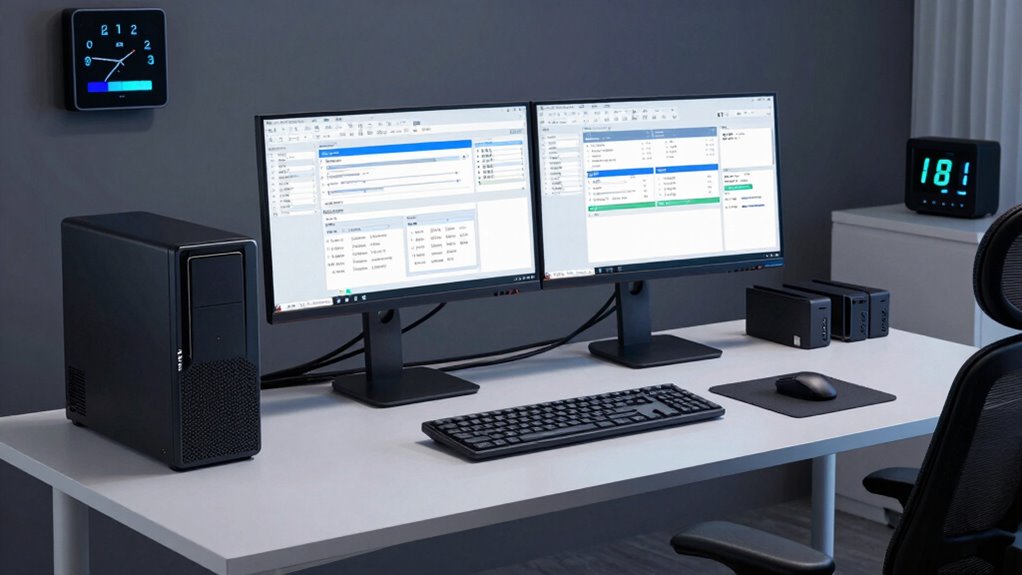
Ever wondered how to guarantee your workstation recovers swiftly after a crash or malware attack? The key lies in proactive planning and smart infrastructure choices. First, you need a reliable backup strategy that minimizes downtime and data loss. Cloud backups are essential here, allowing you to store copies of your files and system images securely off-site. Unlike traditional backup methods, cloud backups can be automated and scheduled regularly, so you don’t have to worry about manual updates. When disaster strikes, you can quickly restore your data from the cloud without waiting for physical media or dealing with complicated recovery procedures. This flexibility ensures your workflow resumes with minimal interruption.
Cloud backups enable quick, automated recovery, minimizing downtime after crashes or malware attacks.
In addition to cloud backups, hardware redundancy plays a vital role in building a resilient workstation. Hardware redundancy involves having duplicate components—like power supplies, storage drives, or network interfaces—so if one fails, the other takes over seamlessly. For example, using RAID configurations for your storage drives can prevent data loss and keep your system operational even if a drive crashes. Redundant power supplies ensure your workstation remains powered during outages or hardware failures, reducing unexpected shutdowns. These measures might seem costly upfront, but they pay off by dramatically decreasing recovery time and preventing catastrophic data loss. Understanding disaster recovery planning can help you implement these strategies more effectively. Incorporating redundant hardware into your setup provides an extra layer of protection against unexpected failures. Additionally, selecting enterprise-grade components can further enhance your system’s durability and reliability.
Another essential step is investing in a sturdy and reliable workstation setup. This includes choosing enterprise-grade components known for durability and stability. Pair this with a robust operating system that supports quick recovery features, such as system restore points and snapshot tools. Regularly updating your software and drivers also helps patch vulnerabilities and fix bugs before they cause major problems. Incorporating hardware redundancy further enhances system resilience, ensuring continuous operation during component failures. When combined with a solid backup plan, these practices help you recover faster if something goes wrong.
Finally, testing your recovery process periodically ensures everything works as intended. Simulate system failures or malware attacks to verify your backups are functional and your redundant hardware kicks in correctly. This proactive approach helps identify potential issues before an actual disaster occurs, giving you confidence that your workstation will bounce back quickly when needed. By integrating cloud backups, hardware redundancy, reliable hardware, and regular testing into your setup, you create a resilient environment that minimizes downtime and preserves productivity. This strategic approach guarantees that even in the worst-case scenario, your workstation can recover fast, keeping your work uninterrupted and your data safe.
enterprise-grade workstation components
As an affiliate, we earn on qualifying purchases.
As an affiliate, we earn on qualifying purchases.
Frequently Asked Questions
What Are the Best Backup Solutions for Quick Recovery?
The best backup solutions for quick recovery include cloud backups and redundant hardware. Cloud backups allow you to instantly restore files from any location, minimizing downtime. Redundant hardware, like extra drives or servers, guarantees your system stays operational if one component fails. Combining these strategies gives you a reliable safety net, so you can recover quickly from tech issues and keep your workstation running smoothly.
How Often Should I Test My Workstation’s Recovery Process?
You should test your workstation’s recovery process at least quarterly to guarantee system restore points work smoothly during emergencies. Regular testing helps identify potential issues early, enhancing disaster preparedness. During these tests, verify that backups restore correctly, and system restore functions as intended. Consistent testing builds confidence in your recovery plan, minimizes downtime, and ensures your workstation can bounce back quickly after tech problems.
Which Hardware Components Are Most Prone to Failures?
You should watch out for components with lower hardware longevity and durability, such as hard drives, power supplies, and cooling fans. Hard drives are prone to failure due to mechanical parts, while power supplies can degrade over time, affecting overall system stability. RAM and motherboards also face wear and tear. Regularly monitoring these components helps identify issues early, ensuring your workstation stays reliable and recovers quickly from tech problems.
How Can I Minimize Downtime During System Repairs?
You can minimize downtime during system repairs by regularly performing hardware upgrades and software optimization. Keep your hardware components, like hard drives and RAM, updated to prevent failures. Use reliable backup solutions and restore points to quickly recover data. Automate software updates and maintain efficient configurations to reduce troubleshooting time. This proactive approach guarantees your workstation recovers swiftly, minimizing productivity loss during unforeseen tech issues.
What Security Measures Ensure Safe Recovery From Cyberattacks?
You should implement robust security measures like antivirus software, firewalls, and encryption to guarantee safe recovery from cyberattacks. Keep your antivirus updated to detect threats early, configure firewalls to block malicious traffic, and encrypt sensitive data to prevent unauthorized access. Regularly back up your data and test recovery procedures. These steps help you quickly restore operations, minimize damage, and maintain your workstation’s security integrity after cyber incidents.
As an affiliate, we earn on qualifying purchases.
Conclusion
So, if you follow these steps, your workstation will bounce back from tech troubles faster than a superhero dodging a meteor shower! You’ll be so prepared that even a digital apocalypse won’t stand a chance against your quick recovery skills. Say goodbye to endless downtime and hello to unstoppable productivity. With this setup, you’ll be the master of recovery, turning every tech hiccup into just a tiny blip on your ultra-fast radar. Ready to conquer?
redundant power supply for workstation
As an affiliate, we earn on qualifying purchases.
As an affiliate, we earn on qualifying purchases.
As an affiliate, we earn on qualifying purchases.
Evergreen bestsellers Picks
bestsellers
As an affiliate, we earn on qualifying purchases.