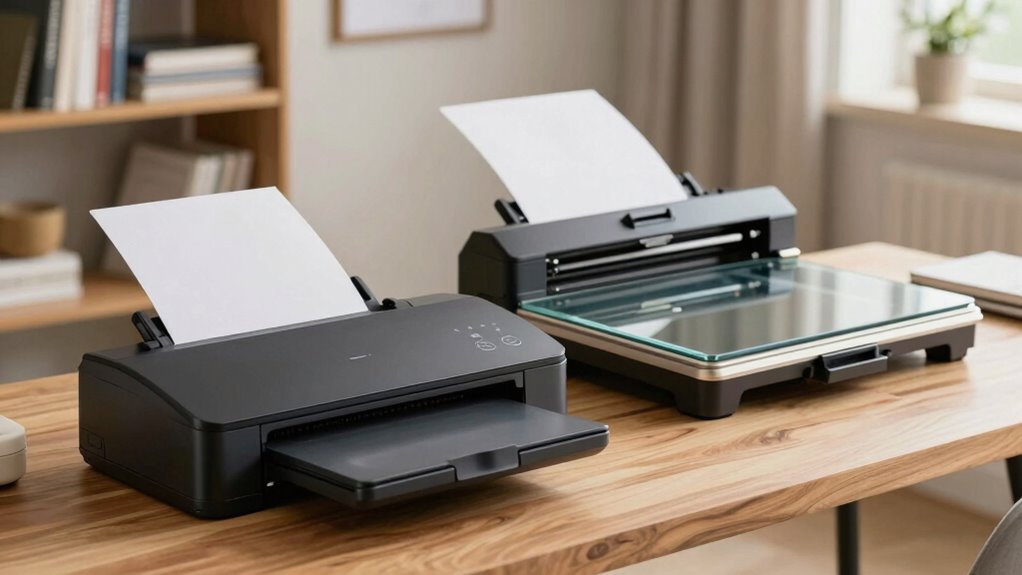
If you need to scan large volumes of documents quickly, a sheetfed scanner is your best choice because it processes multiple pages efficiently and saves space. On the other hand, if you frequently scan photos, artwork, or delicate items in higher quality, a flatbed scanner offers better resolution and gentle handling. Consider your specific needs and space constraints to choose the right type; there’s much more to explore to find the perfect fit for your home office.

Get comfort and recovery gear delivered free — and shop member deals
- Fast, free delivery on millions of items
- Access to Prime Big Deal Days deals on October 6–7
- Prime Video, Amazon Music and more included
Key Takeaways
- Choose a sheetfed scanner for quick processing of large document batches in limited space.
- Opt for a flatbed scanner to digitize photos, artwork, or fragile items requiring high resolution.
- Consider workspace size; sheetfed models are more compact, while flatbeds offer ergonomic comfort for detailed scans.
- Use a flatbed if handling delicate or irregular items to prevent damage and ensure precise scanning.
- Balance the need for speed versus image quality based on your home office scanning tasks.
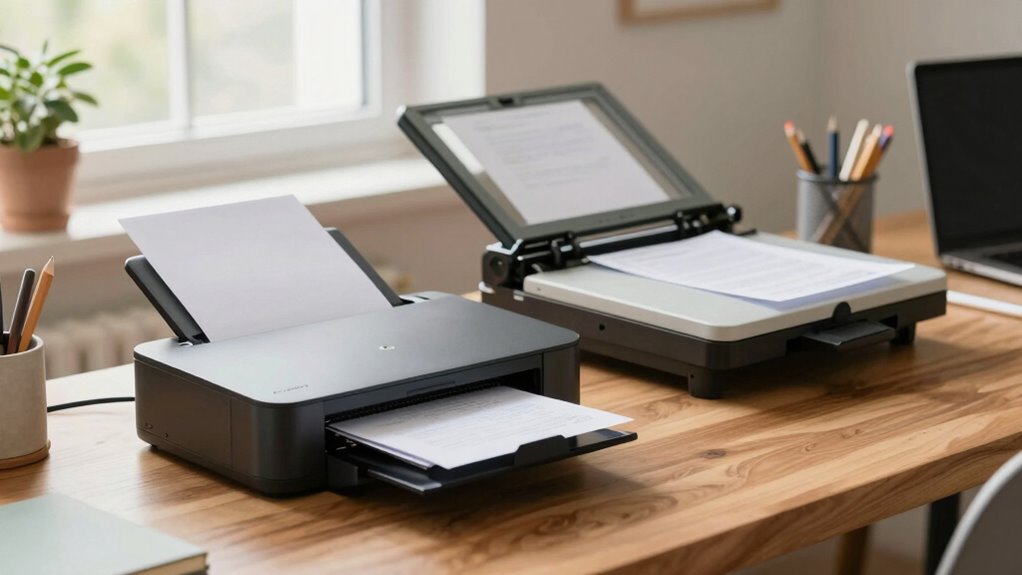
When choosing a scanner, understanding the differences between sheetfed and flatbed models is essential, as each offers unique advantages depending on your scanning needs. In a home office, your decision impacts how smoothly you handle document digitization and how comfortable you are during prolonged scanning sessions. If you frequently scan stacks of documents, receipts, or multiple pages, a sheetfed scanner can save you time with its automatic feeding system. It’s designed to quickly process large volumes, making it ideal for organizing bills, contracts, or reports without constant manual intervention. However, sheetfed models often have stricter limitations on document size and may not handle delicate or thick items well, which could affect the quality of your scanned images. Additionally, considering security strategies for your scanned data can help protect sensitive information stored digitally.
On the other hand, flatbed scanners excel in versatility and image quality. They allow you to scan a wide variety of materials—photos, bound documents, or fragile items—without risking damage. This makes them perfect if your home office involves digitizing artwork, old photographs, or irregularly shaped documents. Flatbeds also tend to produce higher resolution images, which is beneficial for detailed document digitization, especially when clarity is a priority. Their ergonomic design means you can position items comfortably and scan with precision, reducing the risk of misalignment or errors. The ergonomic design of flatbed scanners also contributes to a more comfortable and efficient scanning experience, particularly for larger or delicate items. Incorporating scanner ergonomics can significantly improve your overall workflow and reduce fatigue during lengthy scanning sessions. Furthermore, flatbed scanners often feature adjustable settings that allow for fine-tuning image quality based on your specific needs, enhancing their versatility. While flatbed models are typically slower when processing multiple pages, they often deliver superior image fidelity, making them the preferred choice for high-quality scans.
Flatbed scanners offer superior image quality and versatility for digitizing photos, artwork, and fragile documents with precision.
Your specific needs determine which scanner fits best in your home office. If you deal mainly with large volumes of standard documents and prioritize efficiency, a sheetfed scanner offers a practical solution. It’s generally more compact and easier to integrate into your workspace, especially if space is limited. Conversely, if your work involves detailed images or sensitive materials, a flatbed scanner provides the flexibility and quality you require. It also tends to be more ergonomic, as you can scan items at your own pace and avoid jams or misfeeds common with sheetfed models.
Ultimately, your decision hinges on balancing speed, document types, and image quality. Both types can support effective document digitization, but understanding their differences ensures you choose the right tool for your home office. By considering scanner ergonomics—how comfortably and efficiently you can operate each model—you’ll find a solution that streamlines your workflow, keeps your workspace organized, and makes digitization a seamless part of your daily routine.
best sheetfed document scanner for home office
As an affiliate, we earn on qualifying purchases.
As an affiliate, we earn on qualifying purchases.
Frequently Asked Questions
Which Scanner Type Is More Energy-Efficient for Home Use?
A sheetfed scanner is more energy-efficient for home use because it uses less power during scanning and often features faster operation, helping you save on energy costs. This efficiency contributes to cost savings and reduces environmental impact. Plus, its compact design means it consumes less space and energy overall. Choosing a sheetfed scanner aligns with eco-friendly practices while keeping your home office running smoothly and cost-effectively.
Can Sheetfed Scanners Handle Fragile or Aged Documents?
Think of your sheetfed scanner as a swift river—great for quick tasks but not for fragile documents or aged paper. It often struggles to handle delicate, brittle material without causing tears or damage. If you’re working with fragile documents or aged paper, a flatbed scanner acts more like a gentle hand, carefully capturing every detail without risking harm. For sensitive materials, a flatbed is the safer, more reliable choice.
How Do Scanner Speeds Compare for High-Volume Tasks?
You’ll find that sheetfed scanners generally scan faster for high-volume tasks, making them ideal if speed matters. They often have higher document resolution and consistent scanning accuracy, ensuring your bulk jobs are done efficiently without sacrificing quality. Flatbed scanners tend to be slower, especially with large batches, but excel at delicate or irregular documents. So, if speed and accuracy are your priorities, a sheetfed scanner is the better choice.
Are There Privacy Concerns With Cloud-Connected Scanners?
Yes, there are privacy concerns with cloud-connected scanners. You should prioritize digital security by choosing models that offer data encryption during transmission and storage. Always review the scanner’s privacy policies and guarantee you disable unnecessary cloud features if you’re wary of potential breaches. Regularly updating firmware and using strong, unique passwords also help protect sensitive documents from unauthorized access and keep your data secure.
Which Scanner Offers Better Software Compatibility With Home Computers?
A flatbed scanner generally offers better software compatibility with your home computer. Its driver support tends to be more reliable and easier to install, making software integration smoother. In contrast, sheetfed scanners may require more specific drivers and could face compatibility issues with certain operating systems. So, if seamless software integration matters to you, a flatbed scanner gives you a more dependable, user-friendly experience.
high resolution flatbed photo scanner
As an affiliate, we earn on qualifying purchases.
As an affiliate, we earn on qualifying purchases.
Conclusion
Choosing between a sheetfed scanner and a flatbed depends on your home office needs, but here’s an eye-opener: over 60% of home workers scan documents weekly. If speed and volume are your priorities, a sheetfed scanner might be your best bet. However, if you need to scan fragile or bound materials, a flatbed is more suitable. Consider your typical tasks and this statistic to make the best choice for your setup.
compact sheetfed scanner for large volumes
As an affiliate, we earn on qualifying purchases.
As an affiliate, we earn on qualifying purchases.
professional flatbed scanner for artwork
As an affiliate, we earn on qualifying purchases.
As an affiliate, we earn on qualifying purchases.
Fall Picks
fall essentials
As an affiliate, we earn on qualifying purchases.