
To build a workspace that supports your body, focus on ergonomic furniture like adjustable chairs with lumbar support and desks that keep your elbows at a 90-degree angle. Position your monitor at eye level and keep essentials within arm’s reach to avoid strain. Incorporate movement routines and regularly reassess your setup to guarantee comfort and prevent long-term injuries. If you want to optimize your space further, there’s more practical guidance to help you stay comfortable and healthy.
Key Takeaways
- Choose adjustable furniture to customize height and support for your body’s natural posture.
- Position monitors at eye level and keep essentials within arm’s reach to reduce strain.
- Incorporate ergonomic accessories like wrist rests and footrests for added support.
- Regularly assess and modify your workspace based on body feedback and movement needs.
- Prioritize movement routines and stretching to prevent long-term discomfort and promote circulation.

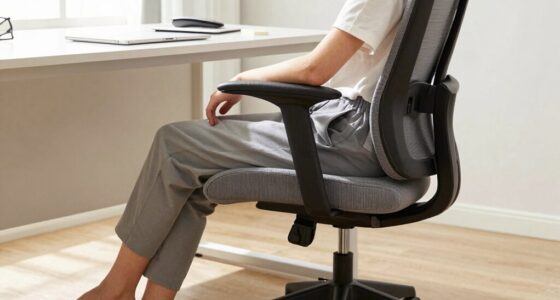
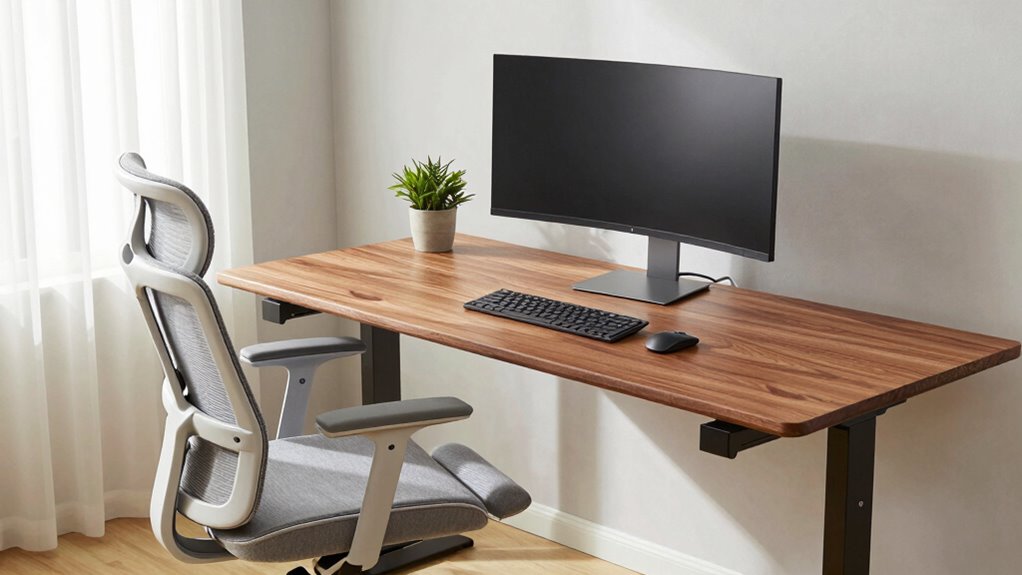
Creating an efficient workspace begins with understanding your needs and designing a space that promotes focus and productivity. To do this effectively, you must pay close attention to how your body interacts with your environment. An ergonomic assessment is a vital first step. It involves evaluating your posture, movements, and any discomfort you experience during work. This assessment helps you identify specific issues—whether it’s a strain on your neck, wrists, or lower back—that could lead to long-term health problems if left unaddressed. Once you understand your ergonomic needs, you can focus on ideal furniture selection. Choosing the right furniture isn’t just about style; it’s about functionality and support tailored to your body. An adjustable chair with lumbar support allows your lower back to maintain its natural curve, reducing fatigue and discomfort. Your desk height should enable your elbows to rest at a 90-degree angle, preventing strain on your shoulders and arms. When selecting furniture, prioritize pieces that can be customized to fit your body’s unique dimensions. This guarantees you stay comfortable during long work sessions and helps prevent repetitive strain injuries. Incorporating ergonomic principles can also improve your overall posture and reduce the risk of injury over time. Beyond furniture, pay attention to the layout of your workspace. Position your monitor at eye level to avoid tilting your head forward or backward, which can cause neck pain. Keep frequently used items within arm’s reach to prevent unnecessary stretching and twisting. Proper positioning not only minimizes physical strain but also enhances your efficiency. Incorporate accessories like footrests if your feet don’t comfortably reach the ground, and consider ergonomic accessories such as wrist rests or monitor stands to promote proper alignment. Remember, a workspace that fights your body can lead to discomfort, decreased focus, and even injury over time. Regularly reassess your setup, making adjustments as needed. Small changes, like changing your chair angle or adjusting your monitor height, can make a significant difference. It’s also helpful to understand your body’s signals and recognize when adjustments are necessary to prevent discomfort from becoming chronic. Developing body awareness can help you identify early signs of strain and make timely corrections. Building awareness of ergonomic principles can help you design a healthier workspace and prevent issues before they develop. Incorporating movement into your routine—such as standing, stretching, or walking around periodically—can further reduce stiffness and improve circulation. Remember that ergonomic solutions are most effective when tailored to your specific needs, so stay attentive to how your body responds. Building a workspace that doesn’t fight your body involves a combination of thoughtful ergonomic assessment and careful furniture selection. It’s about creating an environment that supports your natural posture and movement, so you can work comfortably and efficiently. Keep in mind that your needs may evolve, so stay attentive to your body’s signals and adjust your setup accordingly. By investing in ergonomic solutions, you’re not just improving your workspace—you’re safeguarding your health and boosting your productivity in the long run.

Ergonomic Office Chair with Adjustable Lumbar Support, 3D Arms and Headrest, High Back Wide Desk Computer Chair with Wheels, for Home & Office, Black
Large & Non-Deformable Cushion: Made from 4.33" thick, high-density shaped sponge, this wide comfy cushion resists sagging and…
As an affiliate, we earn on qualifying purchases.
As an affiliate, we earn on qualifying purchases.
Frequently Asked Questions
How Often Should I Take Breaks During Work?
You should take breaks every 30 to 60 minutes during work. During these breaks, do stretching routines and posture adjustments to prevent strain. Stand up, move around, and stretch your arms, neck, and back to keep your body relaxed and maintain good posture. Regular breaks help reduce fatigue, improve focus, and support your overall well-being, making sure your workspace remains comfortable and body-friendly.
What Are the Best Ergonomic Accessories for a Home Office?
You should invest in ergonomic accessories like an ergonomic keyboard and an adjustable monitor to support your body. An ergonomic keyboard promotes natural hand positioning, reducing strain, while an adjustable monitor allows you to set the screen height to eye level, preventing neck and eye strain. These accessories help create a comfortable, health-friendly workspace, making your workdays more productive and less tiring.
How Can I Reduce Eye Strain While Working?
To reduce eye strain, you should limit your exposure to blue light by using blue light filters or glasses, especially during late hours. Take regular breaks to do eye exercises, like blinking frequently or focusing on distant objects for a few seconds. Adjust your screen brightness to match your environment, and guarantee proper lighting to prevent glare. These simple steps help protect your eyes and keep you comfortable during long work sessions.
What Is the Ideal Desk Height for Comfort?
The ideal desk height for comfort is when your elbows are at a 90-degree angle, with your forearms parallel to the floor. Use an adjustable desk to easily set this height. Pair it with an ergonomic chair that supports your lower back and keeps your feet flat on the ground. This setup reduces strain, promotes good posture, and keeps you comfortable during long work hours.
How Do I Prevent Back Pain From Prolonged Sitting?
You can prevent back pain from prolonged sitting by practicing posture correction and choosing the right chair. As you sit, keep your back straight and shoulders relaxed, ensuring your feet rest flat on the floor. A chair with proper lumbar support aligns your spine naturally. Sometimes, a simple reminder to adjust your posture or switch chairs can make a big difference in reducing discomfort and preventing long-term back issues.

WALI Computer Monitor Stand for Desk, Adjustable Laptop Riser, Desk Monitor Stand Underneath Storage for Office, School Supplies (PTT001-B), 1 Pack, Black
Design: The monitor stand for the desk has a large 14.6 x 9.3 inches metal shelf that fits…
As an affiliate, we earn on qualifying purchases.
As an affiliate, we earn on qualifying purchases.
Conclusion
Creating a workspace that supports your body means choosing comfort, prioritizing ergonomics, and listening to your needs. It means adjusting your chair, repositioning your monitor, and taking breaks when necessary. It means respecting your body’s signals, embracing movement, and designing a space that promotes well-being. By aligning your environment with your body’s natural needs, you foster productivity, prevent discomfort, and nurture health. In building such a workspace, you build not just a station, but a sanctuary for your body and mind.
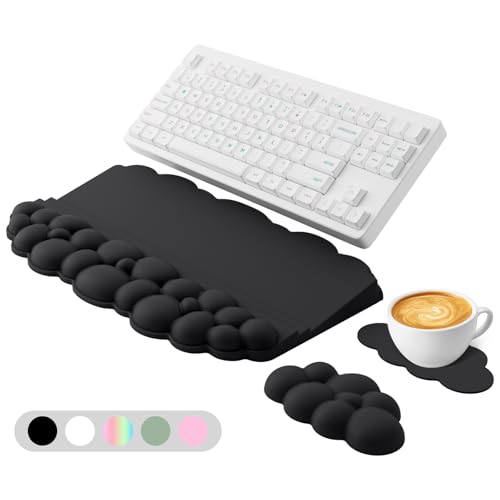
Ergonomic Wrist Rest for Keyboard and Mouse, Soft Memory Foam Cloud Keyboard Stand Pad with Wrist Rest Set with Non-Slip Silicone Base, Easy Typing, Pain Relief, Comfort for Office, Work, Gaming Black
[All-in-One Keyboard Stand Pad and Wrist Rest] This wrist rest for keyboard offers two tilt options (7° &…
As an affiliate, we earn on qualifying purchases.
As an affiliate, we earn on qualifying purchases.
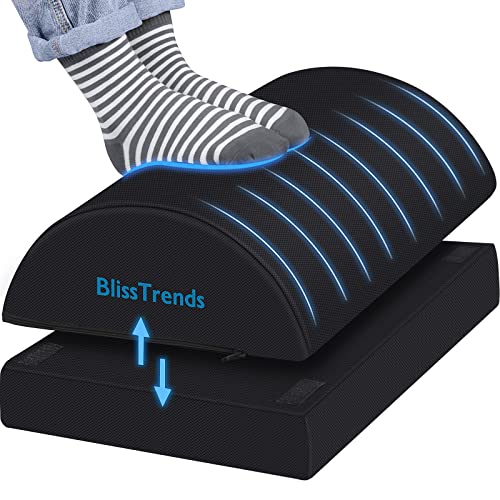
BlissTrends Foot Rest for Under Desk at Work-Versatile Foot Stool with Washable Cover-Comfortable Footrest with 2 Adjustable Heights for Car,Home and Office to Relieve Back,Lumbar,Knee Pain-Black
[Comfortable Experience] The BlissTrends foot rest has two layers: the lower layer measures 16.2"*9.9"*2.0", and the upper layer…
As an affiliate, we earn on qualifying purchases.
As an affiliate, we earn on qualifying purchases.