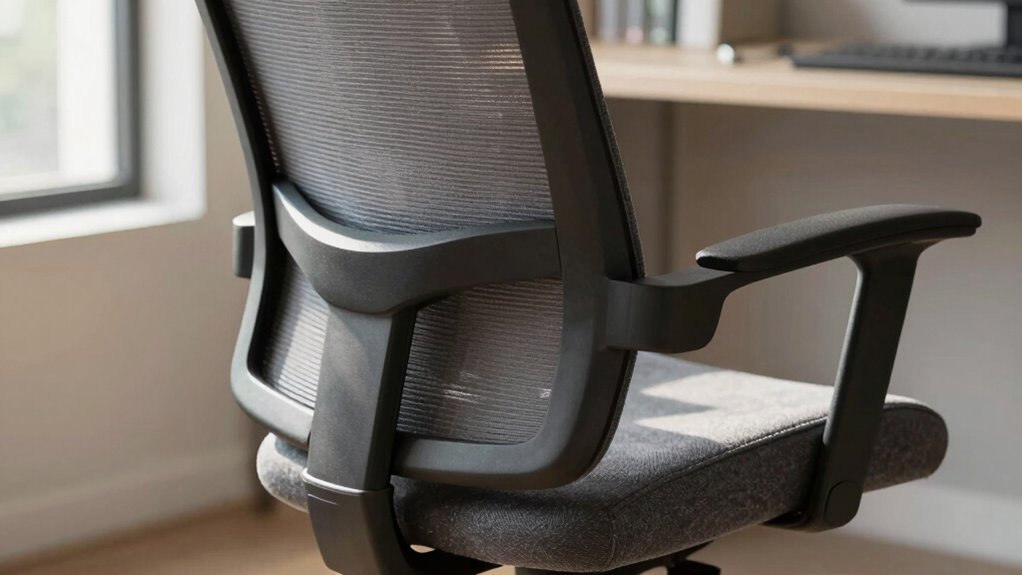

To save your back before buying a chair, follow the Chair Fit Rule: pick a chair that perfectly matches your body size, weight, and sitting habits. Look for adjustable features like seat height, armrest position, and backrest angle, so you can customize the fit and maintain natural, healthy posture. Properly fitting chairs reduce strain on your neck, shoulders, and lower back, promoting comfort and long-term health. If you’re curious, there’s more to discover about making the right choice.

Get comfort and recovery gear delivered free with Prime
- Fast, free delivery on millions of items
- Prime Video, Amazon Music and more included
- Member-only deals all year
Key Takeaways
- Ensure the chair can be adjusted to match your body size, weight, and sitting habits for a personalized fit.
- Test and modify seat height, armrest position, and backrest angle to maintain proper spinal alignment.
- Prioritize ergonomic features that support natural posture and reduce strain on neck, shoulders, and lower back.
- Choose durable materials that maintain shape and support over time, preventing sagging and discomfort.
- Invest in a chair that promotes healthy sitting habits for long-term back health and overall well-being.

Have you ever wondered if your chair truly supports your comfort and posture? Choosing the right chair isn’t just about looks or price; it’s about ensuring it promotes good ergonomic posture and withstands daily use. When you sit down, your goal should be to maintain a natural, healthy alignment of your spine, which prevents aches and long-term injuries. To do this, you need a chair that adapts to your body’s needs, offering proper lumbar support and adjustable features that encourage a neutral sitting position. A chair that compromises on ergonomic posture can lead to discomfort, fatigue, and even chronic back pain over time. That’s why understanding what makes a chair supportive is essential before you make a purchase.
A supportive chair promotes healthy posture, reduces discomfort, and prevents long-term back issues.
Material durability plays a crucial role in your decision. You want a chair that holds its shape and function over years of use, not one that sags, tears, or wears out quickly. High-quality materials such as sturdy steel frames, resilient mesh, or dense foam cushions are key indicators of durability. When you choose a chair with excellent material durability, you’re investing in a product that maintains its supportive qualities, ensuring your back stays protected day after day. Cheaper, low-quality materials might seem tempting initially, but they often compromise comfort and require replacement sooner, costing you more in the long run. Additionally, material durability is important because it directly impacts the longevity and sustained ergonomic support of your chair. A well-designed ergonomic posture not only enhances comfort but also reduces the risk of strain and injury during prolonged sitting. Understanding ergonomic posture can help you select a chair that aligns with your health needs and reduces the risk of discomfort. Proper ergonomic design also considers how the chair’s features support your body during prolonged sitting. Moreover, taking into account adjustability features can ensure a better fit and promote healthier sitting habits.
The chair fit rule emphasizes that the best chair is one that fits your body perfectly. It’s not enough to find a stylish or affordable seat; you need one that aligns with your height, weight, and sitting habits. Adjustable features like seat height, armrest position, and backrest angle allow you to customize the fit, promoting ergonomic posture. When the chair fits well, you reduce strain on your neck, shoulders, and lower back, making your work or leisure time more comfortable and less fatiguing. Take the time to test different chairs, sit in them for a few minutes, and adjust the settings to see if they support your natural sitting position.
Ultimately, the chair fit rule is about prioritizing your health and comfort over aesthetics or cost. By focusing on ergonomic posture and material durability, you can choose a chair that offers lasting support, helping you avoid back pain and discomfort. Remember, the right chair isn’t just a piece of furniture — it’s an investment in your well-being, ensuring you stay comfortable and supported every day.
ergonomic adjustable office chair
As an affiliate, we earn on qualifying purchases.
As an affiliate, we earn on qualifying purchases.
Frequently Asked Questions
How Often Should I Replace My Office Chair?
You should consider replacing your office chair every 5 to 8 years, depending on material durability and aesthetic appeal. As the years pass, wear and tear may diminish comfort and support, impacting your posture. If your chair shows signs of sagging, creaking, or loss of support, it’s time to upgrade. Staying attentive to these cues helps guarantee your workspace remains ergonomic and visually pleasing, promoting better back health.
Can Chair Fit Rules Apply to Ergonomic Gaming Chairs?
Yes, chair fit rules do apply to ergonomic gaming chairs. You should prioritize ergonomic design to support your gaming posture, ensuring the chair fits your body properly. Adjust the seat height, backrest, and armrests for ideal comfort and alignment. A well-fitting gaming chair helps prevent strain and injury, letting you play longer without discomfort. Remember, a good fit enhances your gaming experience and safeguards your back health.
Do Different Body Types Require Different Chair Adjustments?
Yes, different body types require different chair adjustments to guarantee comfort and support. You should customize lumbar support and utilize adjustability options like seat height, armrests, and tilt to fit your body perfectly. Properly adjusting these features helps maintain good posture, reduce strain, and prevent back pain. Taking time to set your chair according to your unique body shape makes a significant difference in overall comfort and spinal health.
Is It Better to Buy a Chair Online or In-Store?
It’s better to buy a chair in-store because you can test its fit firsthand. You get to see color options and feel material choices, ensuring comfort and style. Sitting in the chair helps you assess lumbar support, adjustability, and overall feel, which online shopping can’t provide. Plus, in-store experts can guide you to the best fit for your body type, saving you from buyer’s remorse later.
How Do I Know if My Current Chair Is Causing Back Pain?
Did you know that 80% of adults experience back pain at some point? To check if your chair causes it, pay attention to lumbar support and seat height. If your lower back aches after sitting, your chair likely lacks proper lumbar support. Also, if your feet don’t rest flat on the floor and your knees are higher than hips, your seat height needs adjusting. Proper support and fit can prevent future pain.
As an affiliate, we earn on qualifying purchases.
Conclusion
Remember, applying the Chair Fit Rule before buying your chair could save your back from the agony of a thousand tiny injuries. It’s like having a secret weapon against discomfort, transforming your workspace into a sanctuary of comfort and productivity. Don’t settle for a chair that’s just “okay”—choose one that fits perfectly and makes your back sing with joy. Your spine will thank you more than you’ve ever imagined, and your days will be forever better!
ergonomic chair with adjustable armrests
As an affiliate, we earn on qualifying purchases.
As an affiliate, we earn on qualifying purchases.
high durability ergonomic office chair
As an affiliate, we earn on qualifying purchases.
As an affiliate, we earn on qualifying purchases.
Columbus Day / Indigenous Peoples' Day Picks
long weekend sales
As an affiliate, we earn on qualifying purchases.