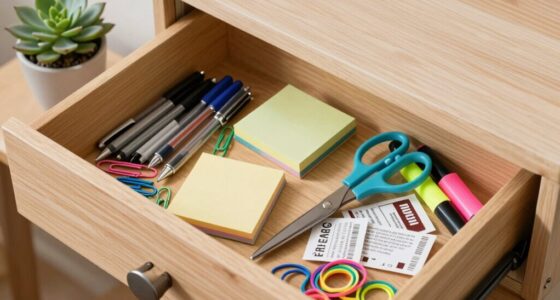
To clean your desk without losing important items, set aside a few minutes to sort through everything. Keep only essential items within reach and use trays or bins for pending tasks. Review your papers and digital files; delete what’s unnecessary and organize the rest into labeled folders. Always put things back in their proper places. Maintaining a routine like this guarantees your workspace stays tidy and your important stuff stays safe—keep going to learn more tips.
Key Takeaways
- Prioritize essential items, and store or file less important items to avoid accidental removal.
- Use designated trays or bins for pending tasks to keep items organized and accessible.
- Regularly review and discard unnecessary papers and digital files to prevent clutter buildup.
- Develop a routine of returning items immediately after use to maintain an organized workspace.
- Schedule weekly digital cleanup, like closing tabs and deleting files, to complement physical desk resets.

After a busy day, your desk can quickly become cluttered and overwhelming, making it harder to unwind and prepare for tomorrow. To keep things manageable, establishing a simple weekly routine for a desk reset can work wonders. The key is to focus on digital decluttering and developing organizing habits that prevent clutter from piling up. When you make this part of your weeknight routine, you’ll find it easier to start each day with a clear workspace and a clear mind.
Begin by setting aside just a few minutes to review what’s on your desk. This might mean tidying up physical papers, pens, and gadgets, but it also involves managing your digital clutter. Digital decluttering is just as important as cleaning your physical space. Close unnecessary tabs, delete files you no longer need, and organize your digital files into folders. Clearing your desktop and inbox can significantly reduce mental clutter and make it easier to focus when you’re working the next day. This process doesn’t have to be time-consuming—just a quick scan and cleanup can make a big difference.
Next, develop organizing habits that make weekly resets effortless. Use designated trays or bins for items that need to be filed or dealt with later, and keep only the essentials on your desk. When you clear out what you don’t need immediately, you create a more inviting and functional space. Incorporate habits like returning items to their proper places as soon as you’re finished with them, so clutter doesn’t build up again. Also, make it a point to review your upcoming schedule and prioritize tasks, which helps you avoid last-minute chaos or forgotten responsibilities. Over time, these habits become second nature, and your desk stays tidy without requiring major effort each evening.
In addition, consider creating a dedicated system for handling ongoing projects or important documents. Use labeled folders or digital tags to keep track of what’s active and what can be stored away. This way, you won’t lose critical information in the mess, and you’ll know exactly where everything is when you need it. Consistency is key—by sticking to your weekly reset routine, you reinforce your organizing habits and reduce the stress that clutter can cause. Keeping your workspace optimized can also benefit from understanding the role of contrast ratio, which impacts visual clarity and overall image quality, similar to how a tidy workspace enhances focus.
Ultimately, a well-maintained desk isn’t just about appearances; it’s about cultivating a productive and calming environment. Incorporate quick digital decluttering sessions and simple organizing habits into your weeknight routine, and you’ll find that your workspace remains inviting, functional, and stress-free. With a little effort each week, you can enjoy a fresh start every day, free from the chaos of clutter.

Supeasy 5 Trays Paper Organizer Letter Tray with Handle-Mesh Desk File Organizer, Paper Sorter Desk Organizer for Office, Home or School
[Handle Design] The handle design makes the golden paper tray organizer easy to move.
As an affiliate, we earn on qualifying purchases.
As an affiliate, we earn on qualifying purchases.
Frequently Asked Questions
How Often Should I Perform a Desk Reset?
You should perform a desk reset weekly to boost productivity tips and improve time management. Regularly clearing clutter helps you stay organized, minimizes distractions, and creates a fresh workspace. By dedicating just a few minutes each week, you guarantee important stuff stays accessible, reducing stress and maximizing efficiency. Incorporate this habit into your routine to maintain a clean, functional desk that supports your work habits and keeps you focused.
What Tools Are Best for Quick Cleaning?
Think of your desk as a well-tuned instrument. Use microfiber cloths and gentle screen cleaners to wipe away dust effortlessly, revealing your minimalist decor’s clean lines. Keep ergonomic accessories like adjustable keyboard stands and wrist supports close, so you can quickly tidy and arrange without chaos. These tools transform your cleanup into a smooth, swift symphony, helping you reset your workspace without losing sight of what matters most.
How Do I Organize Cables Effectively?
You can organize cables effectively by using cable management solutions like clips, sleeves, or Velcro straps to keep cords tidy. Label each cable with cord labeling tags to easily identify them later. Route cables along edges or behind your desk to reduce clutter and prevent tangling. Regularly check and adjust your cable management system to maintain a neat, functional workspace, making it easier to find and unplug devices when needed.
How to Prevent Clutter From Building Up?
To prevent clutter from building up, you should establish a daily digital declutter routine and implement effective paper management. Spend a few minutes each evening deleting unnecessary files and organizing important ones into clearly labeled folders. Keep your desk tidy by regularly sorting and discarding papers, and utilize storage solutions for ongoing paper flow. Consistency is key, so make these habits part of your routine to maintain a clutter-free workspace.
What Should I Do With Sentimental Items?
Did you know that 80% of sentimental items often hold little real value? For sentimental decluttering, keep only the most meaningful keepsakes. Use dedicated keepsake storage solutions, like boxes or albums, to organize and protect precious items. Be selective and consider photographing or journaling memories before letting go. This way, you preserve the sentiment without cluttering your space, making your desk both functional and emotionally meaningful.

Avery File Folder Labels, 5/8" x 2-3/4", White, Non-Printable, 156 Blank Labels Total (6141)
Achieve a professional and organized look with classic white labels that provide quick and easy file identification
As an affiliate, we earn on qualifying purchases.
As an affiliate, we earn on qualifying purchases.
Conclusion
As you finish your desk reset, you notice a pen cap that slipped to the side, almost like it was waiting for you. With everything in its place, your workspace feels lighter, as if a weight has lifted. You catch a glimpse of the clock just as the last light of day filters in, reminding you that a clean, organized space makes room for new ideas and fresh starts. Tonight, your desk’s calm becomes your calm.

My Analog Vault for My Digital Life: Offline Password Keeper Notebook to Track Usernames, Passwords, Websites & Digital Accounts
As an affiliate, we earn on qualifying purchases.
As an affiliate, we earn on qualifying purchases.

WOWBOX 25 PCS Clear Plastic Drawer Organizer Set, 4 Sizes Desk Drawer Divider Organizers and Storage Bins for Makeup, Jewelry, Gadgets for Kitchen, Bedroom, Bathroom, Office
Premium Material:The drawer organizer is made of non-toxic plastic which may be safely used. The transparent design makes…
As an affiliate, we earn on qualifying purchases.
As an affiliate, we earn on qualifying purchases.