
To keep your solo Kanban board from getting messy, stick to a simple setup with three columns: To Do, Doing, and Done. Keep tasks clear and specific, and only limit the number of tasks in the Doing stage to prevent overwhelm. Regularly review and update the board to adjust priorities and move tasks forward. This structure helps you stay focused, visualize progress, and avoid clutter, ensuring your workflow remains smooth and effective as you continue exploring smarter ways to manage your work.
Key Takeaways
- Start with three simple columns: To Do, Doing, Done, to keep the board organized.
- Keep task descriptions clear and specific to prevent clutter and confusion.
- Regularly review and update tasks to maintain clarity and relevance.
- Move tasks smoothly across columns to visualize progress and avoid messiness.
- Limit work-in-progress to prevent overload and ensure the board remains clean and manageable.
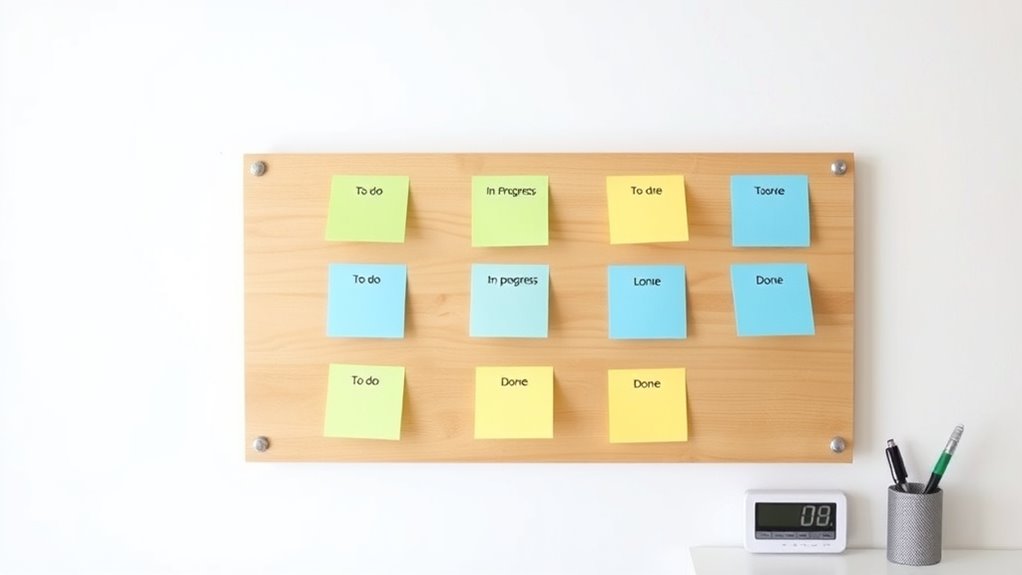
Managing your tasks efficiently can be challenging when you’re working solo, but implementing a Kanban system can make a significant difference. Even if you’re the only person handling everything, a well-structured Kanban board keeps your work organized and helps you stay on top of deadlines. It creates a visual workflow that clarifies what needs to be done, what’s in progress, and what’s completed, giving you instant insight into your project’s status. This clarity prevents tasks from slipping through the cracks and keeps you focused on your priorities. Incorporating a visual workflow can enhance your understanding of task progression and boost your productivity.
One of the key benefits of using a Kanban board is the way it fosters clarity around project deadlines. When you lay out all your tasks visually, you can see which ones are time-sensitive and need immediate attention. This helps you allocate your time more effectively, ensuring that urgent tasks are completed on schedule. You won’t waste energy on less critical activities when your board highlights what’s most important. It acts as a constant reminder of upcoming deadlines, so you stay proactive rather than reactive.
Even though team collaboration isn’t a primary concern in solo work, the principles of Kanban still apply. The system encourages you to break down projects into manageable pieces, making complex tasks less overwhelming. As you move items across your board, you reinforce a steady workflow and make it easier to track progress. This visual approach also minimizes the risk of burnout caused by juggling too many tasks at once. You can see at a glance where you’re spending your time and adjust if necessary, ensuring you’re not overloading yourself.
Breaking down tasks makes complex projects manageable and prevents burnout.
Setting up your Kanban board doesn’t have to be complicated. Start with three columns: To Do, Doing, and Done. Keep your tasks simple and specific. As you complete each task, move it to the Done column, providing a satisfying sense of progress and motivation. Regularly review and update the board, shifting priorities as needed. This ongoing process helps you stay aligned with project deadlines and adapt to new challenges quickly.
The simplicity of a Kanban board makes it a practical tool for solo work. It’s a visual system that keeps you disciplined, focused, and aware of your workload. By managing your tasks this way, you reduce stress and increase productivity, all while maintaining a clear picture of your project’s progress. Even without a team, this setup ensures you work smarter, meet your deadlines, and keep your projects on track.
Top picks for "kanban solo work"
Open Amazon search results for this keyword.
As an affiliate, we earn on qualifying purchases.
Frequently Asked Questions
How Do I Handle Urgent Tasks in a Solo Kanban Setup?
When urgent tasks pop up, prioritize them using your preferred prioritization strategies, like labeling or color-coding. Move these tasks to a dedicated “Urgent” lane or section to guarantee they get immediate attention without disrupting your workflow flexibility. This approach keeps your board organized, helps you focus on what matters most, and lets you adapt quickly without creating chaos in your solo Kanban system.
Can Kanban Be Integrated With Other Productivity Tools?
Yes, you can definitely integrate Kanban with other productivity tools. Focus on digital integration and tool compatibility to streamline your workflow. Use integrations with calendar apps, task managers, or communication platforms to keep everything synchronized. Many Kanban tools support automation and app connections, making it easier to manage tasks across different platforms. This way, your solo setup stays organized, efficient, and adaptable to your evolving productivity needs.
How Often Should I Review and Update My Kanban Board?
You should review your Kanban board daily or at least once a week to stay on top of tasks and prevent clutter. Even if you think your update strategies are enough, regular reviews help you catch bottlenecks early. Imagine a clean, clear board that sparks motivation—this only happens when you consistently update and reassess your workflow. Staying proactive guarantees your board remains an effective productivity tool.
What Are Common Pitfalls for Solo Kanban Practitioners?
You should watch out for scope creep and overcommitment, as they’re common pitfalls in solo Kanban. When you expand your task list without clear boundaries, it becomes overwhelming and difficult to manage. To avoid this, set realistic goals and prioritize your work carefully. Regularly review your board to stay aligned with your capacity, and don’t hesitate to cut tasks that no longer serve your main objectives.
How Do I Customize Columns for Different Types of Work?
You can customize columns by grouping different work types, like “Research,” “Development,” or “Review,” using custom column ideas that fit your workflow. Prioritization techniques, such as color-coding or swimlanes, help you distinguish urgent tasks from lower priority ones. Experiment with creating dedicated columns for recurring activities or stages, ensuring your board remains clear and effective. This flexibility keeps your workflow streamlined and tailored to your specific needs.
Conclusion
Setting up a Kanban board for solo work is like planting a sturdy tree—roots grounded in clarity, branches reaching toward your goals. With a simple, organized board, you’ll keep chaos at bay and productivity blooming. Remember, it’s not about perfection but progress. As you nurture your system, you’ll find your tasks flowing smoothly, turning clutter into clarity. Embrace the process, and watch your solo work thrive like a well-tended garden.