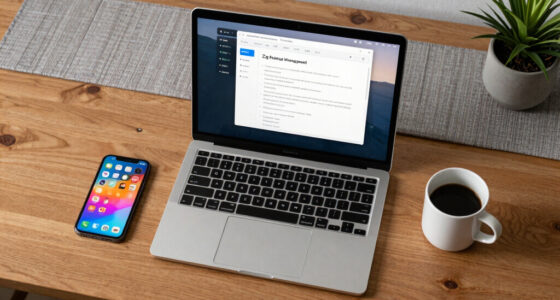
Macro pads are far from just hype—they’re real time savers for office work. By customizing shortcuts and automations, you can perform complex tasks with a single press, reducing repetitive movements and mouse clicks. This boosts your productivity and keeps your workflow smooth and comfortable. If you want to discover how these gadgets can transform your daily routine and save you precious minutes, keep exploring the benefits you might be missing out on.
Key Takeaways
- Macro pads streamline repetitive tasks, reducing mouse clicks and keyboard shortcuts, boosting office productivity.
- Customizable shortcuts allow tailored workflows, saving time across various office applications.
- Ergonomic design minimizes strain, enabling comfortable long-term use and reducing fatigue.
- They help focus on tasks by simplifying complex commands, improving efficiency.
- When properly configured, macro pads are practical tools that provide a noticeable time-saving advantage.
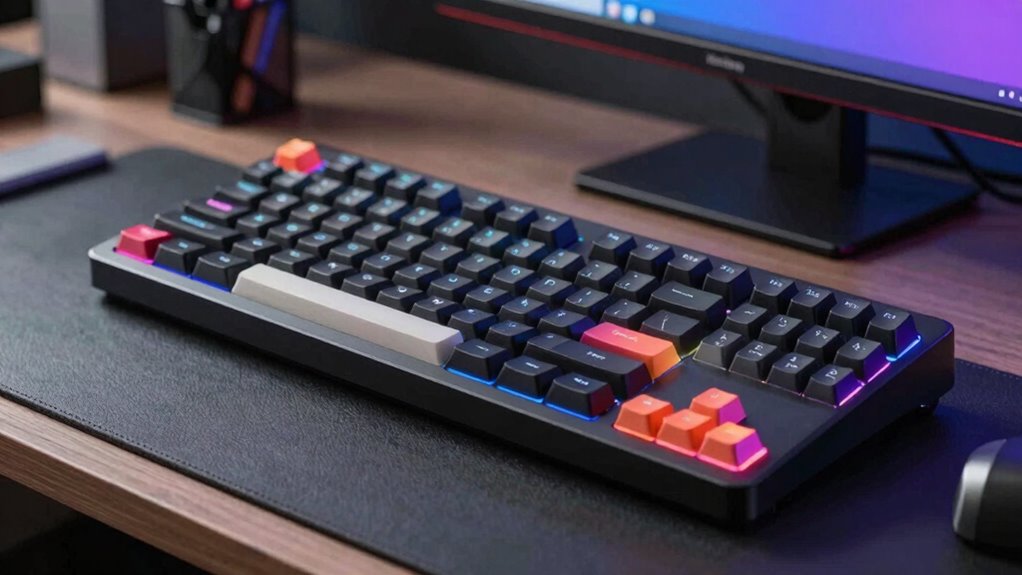
Have you ever wondered how professionals streamline repetitive tasks during office work? One effective tool gaining popularity is the macro pad. These compact, programmable devices are designed to simplify your workflow by giving you quick access to commands, shortcuts, and automations. But the question remains: are they just hype, or do they genuinely save you time? Many users find that macro pads can boost productivity significantly, especially when configured thoughtfully. They reduce the need for constant mouse clicks and keyboard shortcuts, allowing you to perform complex functions with a single press. This efficiency can lead to smoother workflows and less frustration, particularly during repetitive tasks like data entry, editing, or managing multiple applications.
Macro pads simplify workflows by enabling quick access to commands, saving time, and reducing repetitive tasks in office work.
When considering a macro pad, you’ll notice the range of customization options they offer. You can assign specific commands, macros, or even multimedia controls to individual keys. This flexibility means you can tailor the device to match your workflow optimization needs, whether you’re a graphic designer, programmer, or office worker. Customization options extend beyond just programming keys; many macro pads also come with adjustable layouts, backlit keys, and different sizes to suit your workspace. This level of personalization ensures that your macro pad fits seamlessly into your setup, making it more than just a gadget—it’s an extension of your productivity system. Additionally, the versatility of macro pads often includes programmable shortcuts, enabling users to optimize their workflow further. Incorporating ergonomic design features can further enhance comfort during long work sessions. Moreover, understanding how to properly configure these devices can maximize their efficiency benefits, helping you achieve better results with less effort.
Another key advantage of macro pads is their ergonomic benefits. Using a dedicated device for shortcuts and macros can reduce repetitive strain on your hands and wrists. Since you’re not constantly reaching for your mouse or stretching to hit multiple keys on a keyboard, your posture remains more natural and comfortable. Over time, this can help prevent fatigue and reduce the risk of repetitive strain injuries. Plus, many macro pads are designed with ergonomic considerations in mind, featuring contoured shapes or adjustable angles that support your hand’s natural position.
Ultimately, macro pads can be a hidden time saver if you take the time to customize and incorporate them into your daily routine. They’re not just a flashy accessory; they’re practical tools that can make your work more efficient and comfortable. By reducing unnecessary movements and streamlining complex commands, macro pads help you focus more on your tasks and less on navigating your software. If you’re looking to optimize your office setup and want a device that adapts to your workflow while offering ergonomic benefits, a macro pad might just be worth exploring.
programmable macro pad for office
As an affiliate, we earn on qualifying purchases.
As an affiliate, we earn on qualifying purchases.
Frequently Asked Questions
Can Macro Pads Improve Workflow for Non-Tech Office Workers?
Yes, macro pads can improve your workflow, even if you’re not tech-savvy. They offer ergonomic benefits by reducing repetitive mouse movements and clicking. With custom shortcut creation, you can quickly access frequently used commands, saving time and reducing strain. This makes your tasks more efficient and comfortable, allowing you to focus on your work rather than steering through complex menus or multiple steps.
Are Macro Pads Compatible With All Office Software?
You’ll find macro pads compatible with most office software, thanks to their flexible software integration. Coincidentally, many macro pads support standard protocols like USB or Bluetooth, making hardware integration straightforward. While some specialized applications may need custom setup, generally, you can customize macro pads to work seamlessly across your favorite programs, streamlining tasks and boosting productivity without worrying about software compatibility issues.
Do Macro Pads Require Special Technical Skills to Set Up?
You don’t need much technical expertise to set up a macro pad; the learning curve is usually quite manageable. Most models come with user-friendly software that guides you through customizing keys. With a little patience, you can quickly learn how to assign commands and shortcuts. So, even if you’re new to these devices, you’ll find the setup straightforward and accessible, making it a practical tool for boosting your productivity.
How Much Do Macro Pads Typically Cost?
Macro pads typically cost between $20 and $100, depending on features and brand options. Curiously, a cost comparison shows that basic models are affordable, while advanced ones with customizable keys can be pricier. Brands like Elgato, Razer, and Koolertron offer diverse options, so you can find a macro pad that fits your budget and needs. You’ll get more value with higher-end models, but even budget-friendly options boost productivity.
Are Macro Pads Durable Enough for Daily Office Use?
Yes, macro pads are durable enough for daily office use. They’re built with sturdy materials that withstand regular handling, and their ergonomic benefits help reduce strain during long work hours. Plus, their sleek designs often add aesthetic appeal to your workspace, making them both functional and stylish. With proper care, a quality macro pad can last for a long time, providing consistent productivity boosts without sacrificing comfort or appearance.
ergonomic macro keypad with customizable keys
As an affiliate, we earn on qualifying purchases.
As an affiliate, we earn on qualifying purchases.
Conclusion
Imagine your desk cluttered with endless sticky notes, each scribbled command a reminder of wasted time. Now picture a sleek macro pad, its buttons like a secret weapon, streamlining your tasks with a tap. While some see a gimmick, you realize it’s the hidden key to efficiency, transforming chaos into order. In the end, whether hype or help, a macro pad can turn your office chaos into a symphony of productivity.
compact mechanical macro pad for productivity
As an affiliate, we earn on qualifying purchases.
As an affiliate, we earn on qualifying purchases.
backlit programmable macro keyboard
As an affiliate, we earn on qualifying purchases.
As an affiliate, we earn on qualifying purchases.