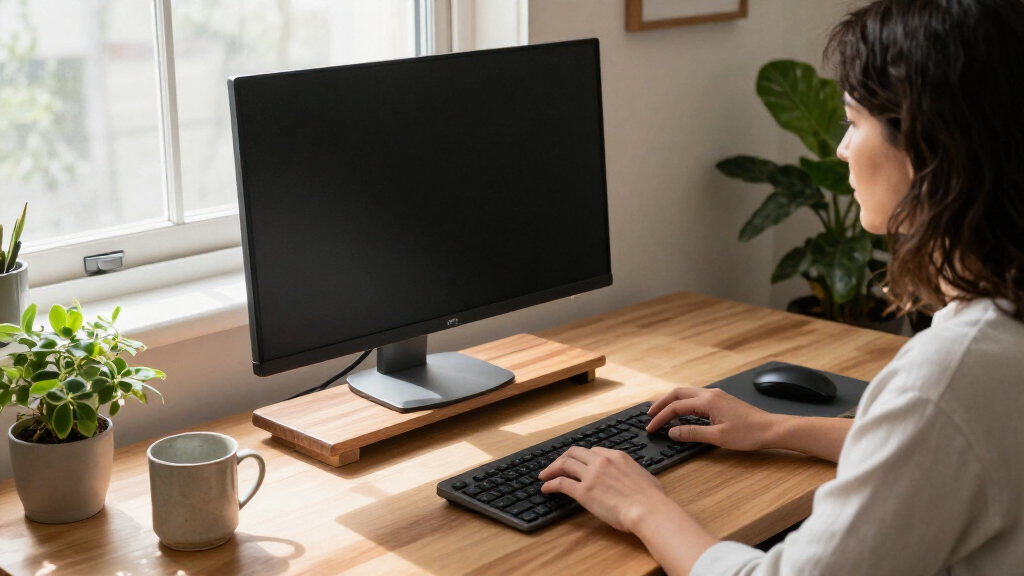

I’d choose the HUANUO Dual Monitor Desk Mount as the best overall pick for a more adjustable, uncluttered two-screen setup. For a simpler riser, the WALI Adjustable Metal Monitor Stand adds under-desk storage, while the HUANUO FlowLift Single Monitor Arm suits people who want to reposition one screen and free up desk space. The main tradeoff is between a stable platform that also stores small items and an arm that offers more positioning flexibility but depends on a compatible desk and monitor. Screen count, mounting compatibility, and how much adjustment you actually need all affect the right choice. Read on for the full comparison and guidance by setup.

Get comfort and recovery gear delivered free with Prime
- Fast, free delivery on millions of items
- Prime Video, Amazon Music and more included
- Member-only deals all year
Complete the kit


Key Takeaways
Monitor arms offer the broadest positioning range. The HUANUO dual mount, HUANUO FlowLift, NB SmooVex, and VIVO stand suit different screen counts and mounting needs, but require more compatibility checks than a simple riser.
Risers are the easier fit for many desks. Models such as the WALI and BoYata raise screens without asking buyers to attach a clamp or use a monitor’s VESA mounting points.
Two-screen buyers have several distinct routes. The Hemudu glass stand emphasizes an adjustable-length platform, the BONTEC swivel-shelf riser offers separate screen placement, and the HUANUO dual arm frees more surface area.
Storage changes the value of a riser. WALI adds under-desk storage, while the OPNICE and BONTEC drawer models organize small supplies; these features help with clutter, not screen positioning.
More adjustment is not always more ergonomic. A height-adjustable riser or arm can help align a screen, but screen size, desk layout, chair height, and stable support still determine whether the setup works comfortably.
| Hemudu Dual Monitor Stand with Adjustable Length and Angle, Clear Tempered Glass |  | Best for Adjustable Height and Tilt | Brand: Hemudu | Model: HD07T-301 | Material: Tempered glass shelf with stainless steel legs | VIEW LATEST PRICE | See Our Full Breakdown |
| WALI Adjustable Metal Monitor Stand with Under-Desk Storage |  | Best Value for a Single Device | Brand: WALI | Model: RDTT03 | Material: Metal | VIEW LATEST PRICE | See Our Full Breakdown |
| BONTEC Adjustable Triple Monitor Stand Riser with Smartphone Holder |  | Best for Wide, Changing Setups | Brand: BONTEC | Model: MTR-S3L | Material: Wood | VIEW LATEST PRICE | See Our Full Breakdown |
| BONTEC Adjustable Dual Monitor Stand Riser with Swivel Shelves, White |  | Best for Corner and Angled Layouts | Brand: BONTEC | Material: Wood | Finish: Lacquered | VIEW LATEST PRICE | See Our Full Breakdown |
| OPNICE 2-Tier Computer Monitor Stand Riser with Drawer and Pen Holders |  | Best for Built-In Desk Storage | Brand: OPNICE | Material: Carbon steel | Finish: Powder coated | VIEW LATEST PRICE | See Our Full Breakdown |
| HUANUO Dual Monitor Desk Mount for 13–32-Inch Screens |  | Best for Dual-Screen Positioning | Monitor size: 13–32 inches | Weight capacity: 4.4–19.8 lbs per arm | VESA compatibility: 75 × 75 mm and 100 × 100 mm | VIEW LATEST PRICE | See Our Full Breakdown |
| Hemudu Single LCD Monitor Stand Riser with Height Adjustment, Swivel, and Rotation |  | Best Freestanding Adjustable Stand | Screen size compatibility: 13–32 inches | Maximum weight capacity: 77 lbs | VESA patterns: 50 × 50 mm, 75 × 75 mm, and 100 × 100 mm | VIEW LATEST PRICE | See Our Full Breakdown |
| WESTREE Dual Monitor Stand Riser, Wood and Steel, Rustic Brown |  | Best Simple Dual-Monitor Riser | Material: Alloy steel | Finish and color: Polished finish; rustic brown | Shape: Rectangular | VIEW LATEST PRICE | See Our Full Breakdown |
| Canyora Height-Adjustable Monitor Stand Risers, 2-Pack |  | Best Value for Two Separate Workstations | Quantity: 2 stands | Adjustable heights: 4.13, 4.92, and 5.7 inches | Platform dimensions: 14.6 × 9.3 inches | VIEW LATEST PRICE | See Our Full Breakdown |
| HUANUO FlowLift Single Monitor Arm for 13–32-Inch Monitors |  | Best for a Single Adjustable Screen | Compatible monitor size: 13–32 inches | Supported monitor weight: 4.4–19.8 lbs | VESA patterns: 75 × 75 mm and 100 × 100 mm | VIEW LATEST PRICE | See Our Full Breakdown |
| BoYata Adjustable Height Metal Monitor Stand |  | Best for Fine-Tuning Stand Height | Material: Metal | Color: Black | Weight capacity: 33.06 lbs | VIEW LATEST PRICE | See Our Full Breakdown |
| BONTEC 2-Pack Adjustable Monitor Stand Riser with Drawer |  | Best for Two Workstations | Material: Powder-coated steel | Weight capacity: 44 lbs per stand | Dimensions: 14.49 x 9.09 x 5.51 inches | VIEW LATEST PRICE | See Our Full Breakdown |
| NB SmooVex Mechanical Spring Monitor Arm, Black, Fits 17–32 Inch Monitors |  | Best for Frequent Position Changes | Compatible screen size: 17–32 inches | VESA compatibility: 75×75 mm and 100×100 mm | Mounting: Tabletop C-clamp or grommet | VIEW LATEST PRICE | See Our Full Breakdown |
| Hemudu Adjustable Glass Monitor Riser, 2-Pack |  | Best Glass Pair for Tilted Viewing | Pack count: 2 | Material: Tempered glass and stainless steel | Height range: 3.4–4.9 inches | VIEW LATEST PRICE | See Our Full Breakdown |
| VIVO Single Monitor Desk Stand for Monitors up to 32 Inches and Ultrawide Screens up to 38 Inches |  | Best Freestanding Adjustable Stand | Model: STAND-V001H | Mounting type: Tabletop | Material: Alloy steel | VIEW LATEST PRICE | See Our Full Breakdown |
| ergonomic monitor stand | Material |
|---|---|
| Hemudu Dual Monitor Stand with | Tempered glass shelf with stainless steel legs |
| WALI Adjustable Metal Monitor | Metal |
| BONTEC Adjustable Triple Monit | Wood |
| BONTEC Adjustable Dual Monitor | Wood |
| OPNICE 2-Tier Computer Monitor | Carbon steel |
| HUANUO Dual Monitor Desk Mount | — |
| Hemudu Single LCD Monitor Stan | — |
| WESTREE Dual Monitor Stand Ris | Alloy steel |
| Canyora Height-Adjustable Moni | Cold-rolled steel |
| HUANUO FlowLift Single Monitor | — |
| BoYata Adjustable Height Metal | Metal |
| BONTEC 2-Pack Adjustable Monit | Powder-coated steel |
| NB SmooVex Mechanical Spring M | Aluminum |
| Hemudu Adjustable Glass Monito | Tempered glass and stainless steel |
| VIVO Single Monitor Desk Stand | Alloy steel |
More Details on Our Top Picks
Hemudu Dual Monitor Stand with Adjustable Length and Angle, Clear Tempered Glass
The Hemudu pairs a 42.5-inch glass shelf with adjustable legs and forward tilt, giving buyers more control over screen position than the fixed-height BONTEC white swivel-shelf riser. Its legs set the shelf between 3.4 and 4.9 inches, while up to 15 degrees of tilt can help angle a screen toward the viewer. The long platform is suited to two monitors, though the listed dimensions do not confirm that its length itself adjusts. Open space below can tuck away a keyboard, keeping the work surface clearer without adding drawers or compartments. The tradeoff is a glass surface that may not suit buyers who prefer an opaque, enclosed-looking setup, and assembly requires the included screws. Choose it for adjustable positioning and a broad, clean shelf; skip it if you need built-in storage or a verified expandable width.
Pros:- Height adjusts from 3.4 to 4.9 inches.
- Forward tilt adjustment offers more screen-angle control than fixed-height risers.
- Long shelf can support two monitors, a TV, or a laptop.
- Open space underneath can hold a keyboard and desk items.
Cons:- Requires screw assembly.
- The product title mentions adjustable length, but the listed specifications provide a fixed 42.5-inch shelf size.
- The clear glass shelf offers no enclosed storage for accessories.
Best for: People using two monitors who want adjustable riser height and screen tilt, plus open space for a keyboard.
Not ideal for: Buyers who need drawers, opaque shelving, or a confirmed adjustable shelf length; the listed dimensions show a fixed 42.5-inch shelf.
- Brand:Hemudu
- Model:HD07T-301
- Material:Tempered glass shelf with stainless steel legs
- Dimensions:42.5 × 9.5 × 4.9 inches
- Height adjustment:3.4–4.9 inches
- Tilt adjustment:0–15 degrees forward
- Weight:3.96 kg
- Color:Clear
Our verdict“Choose the Hemudu if adjustable height and tilt matter more than drawers or an opaque, expandable shelf.”
WALI Adjustable Metal Monitor Stand with Under-Desk Storage
The WALI is the practical pick for a single monitor or laptop when a buyer wants height choices without a wide furniture-style riser. Its three settings—3.9, 4.7, and 5.5 inches—make screen elevation more adaptable than the fixed-height OPNICE two-tier stand, while the ventilated metal platform leaves airflow around the device. Rubber pads help limit slipping and protect the desk, and the open underside provides a place to slide a keyboard or small accessories. Its 14.6-by-9.3-inch platform is much more compact than the Hemudu dual-monitor shelf, but that also limits support for larger screens or multiple devices. The single-level layout keeps the design simple; it does not offer the drawers or separate shelves found on more organization-focused options. I’d choose it for straightforward, adjustable elevation, not for a broad multi-monitor workspace.
Pros:- Three height settings allow a choice of screen elevation.
- Vented metal platform promotes airflow around the device.
- Rubber pads help protect the desk and reduce slipping.
- Open underside can hold a keyboard or small accessories.
Cons:- Compact platform may not accommodate larger devices or broad monitor bases.
- Single-level design has no separate shelves or built-in drawer.
- Height is selectable from preset positions rather than continuously adjustable.
Best for: Buyers with one monitor, laptop, or printer who need a compact riser with several height settings and space underneath.
Not ideal for: People with a wide monitor base or a multi-monitor setup; the 14.6-by-9.3-inch platform may be too small.
- Brand:WALI
- Model:RDTT03
- Material:Metal
- Platform dimensions:14.6 × 9.3 inches
- Height settings:3.9, 4.7, or 5.5 inches
- Maximum load capacity:44 lb (20 kg)
- Item weight:0.78 kg
- Warranty:10 years
Our verdict“Pick the WALI for compact, preset height adjustment with useful under-stand clearance, rather than a wide multi-monitor platform.”
BONTEC Adjustable Triple Monitor Stand Riser with Smartphone Holder
For a desk that needs to accommodate a changing monitor arrangement, this BONTEC offers the lineup’s broadest stated width range: 32.3 to 53.3 inches. That gives it more room to adapt than the BONTEC white swivel-shelf model, whose range tops out at 42.5 inches. Its adjustable angle adds another way to orient the shelf, while a 99-pound load capacity supports a substantial setup according to the product data. Three compartments, a phone slot, and a cable opening add practical organization without relying on a drawer. The tradeoff is that width flexibility does not mean height adjustment: the listed specifications provide no adjustable riser height, so buyers should check whether its fixed elevation suits their posture. Assembly also requires screws, and the long maximum span may be awkward on a smaller desk. This is a workspace organizer first, and an ergonomic height solution only if its elevation fits.
Pros:- Adjustable length spans 32.3 to 53.3 inches for varied desk layouts.
- Adjustable angle lets users change the shelf orientation.
- Three compartments, a smartphone slot, and a cable opening support desk organization.
- Listed load capacity is 99 lb.
Cons:- No height-adjustment range is provided in the product data.
- Requires screw assembly.
- Its maximum width may not suit compact desks.
Best for: People arranging several monitors across a wide desk who want adjustable shelf width, angle, and built-in accessory organization.
Not ideal for: Buyers who need adjustable screen height or have a small desk that cannot accommodate a wide riser.
- Brand:BONTEC
- Model:MTR-S3L
- Material:Wood
- Adjustable length:32.3–53.3 inches
- Load capacity:99 lb
- Storage:Three compartments
- Features:Adjustable angle, smartphone slot, cable opening, non-slip base
- Finish and color:Polished black
Our verdict“Choose this BONTEC for a wide, adjustable multi-monitor shelf and storage, but only if its unlisted height works for your viewing position.”
BONTEC Adjustable Dual Monitor Stand Riser with Swivel Shelves, White
The standout here is not height tuning but layout flexibility: the side shelves swivel to support straight, angled, or corner arrangements. That makes this white BONTEC a better fit for desks where monitors need to wrap around a corner than the simpler WALI single-device riser, which focuses on preset elevation. Its length adjusts from 31.5 to 42.5 inches, and three open compartments, a phone slot, and a cable opening give everyday items a home. Those features can make a desk easier to organize, but they do not replace an adjustable-height mechanism. Unlike the Hemudu glass stand, which provides a stated height range and forward tilt, this model’s listed ergonomic benefit depends on its fixed shelf elevation fitting the user. It also has a lower listed load capacity than the BONTEC triple-monitor model. Choose it for adaptable shelf geometry, not for precise posture adjustment.
Pros:- Swivel side shelves support straight, angled, and corner layouts.
- Adjustable length ranges from 31.5 to 42.5 inches.
- Three open compartments, a phone slot, and a cable opening help organize a desk.
- Non-slip pads support the stand and help protect the desk surface.
Cons:- No height-adjustment range is listed.
- The 44 lb load capacity is lower than the BONTEC triple-monitor riser’s listed capacity.
- Requires screw assembly.
Best for: People with two monitors on a corner or angled desk who want a width-adjustable riser with open accessory storage.
Not ideal for: Users who need to fine-tune monitor height or tilt; the product data lists no height or tilt adjustment.
- Brand:BONTEC
- Material:Wood
- Finish:Lacquered
- Color:White
- Adjustable length:31.5–42.5 inches
- Load capacity:44 lb
- Storage compartments:3
- Item weight:3.3 kg
Our verdict“Pick this BONTEC when swivel shelves and corner-friendly placement matter more than adjustable screen elevation.”
OPNICE 2-Tier Computer Monitor Stand Riser with Drawer and Pen Holders
The OPNICE is the most storage-oriented choice in this group, combining a two-tier layout, drawer, and two hanging pen holders in one riser. That setup suits a desk where loose stationery and small items compete for work space; it offers more contained organization than the open compartments on either BONTEC riser. Its carbon-steel construction and 44-pound listed capacity provide a sturdy platform, while slip-resistant pads are intended to help protect the desk. The ergonomic tradeoff is flexibility: the product describes the stand as adjustable but gives no adjustment range, and its 20.5-by-9.5-inch footprint is fixed. Unlike the Hemudu, it has no stated tilt adjustment or long shelf for two monitors. I’d favor it when storage is the priority and its dimensions suit the desk, but not when screen positioning needs precise tuning.
Pros:- Two-tier design adds a separate level for desk items.
- Built-in drawer and two hanging pen holders provide contained organization.
- Carbon-steel construction has a listed 44-pound load capacity.
- Slip-resistant, scratch-resistant features are specified for desk protection.
Cons:- Fixed 20.5-by-9.5-inch dimensions may not fit smaller or irregular desks.
- No specific height-adjustment range is provided.
- Metal construction may be heavier than lighter alternatives.
Best for: Desk users who want a monitor riser with a drawer and dedicated pen storage to clear small accessories from the work surface.
Not ideal for: People needing a wide dual-monitor platform or a clearly specified height and tilt range for precise ergonomic positioning.
- Brand:OPNICE
- Material:Carbon steel
- Finish:Powder coated
- Dimensions:20.5 × 9.5 × 6.3 inches
- Load capacity:44 lb
- Color:Black
- Features:Adjustable, drawer, rust resistant, scratchproof, slip resistant
- Shape:Rectangular
Our verdict“Choose the OPNICE if built-in drawer and pen storage matter more than a wide platform or clearly defined height adjustment.”
HUANUO Dual Monitor Desk Mount for 13–32-Inch Screens
For a two-monitor setup where each screen needs its own positioning, I’d choose this arm-style mount over the WESTREE Dual Monitor Stand Riser. Its tilt, swivel, and 360-degree rotation let you angle displays toward your seat, while raising them off the desk leaves more room for a keyboard and other work essentials. The C-clamp or grommet mounting gives compatible wooden desks two installation routes, and cable management helps keep the pair tidier.
The tradeoff is that this is a desk-mounted arm, not a broad platform: both monitors need compatible VESA holes and must weigh at least 4.4 pounds each. I’d also skip it for glass or plastic desks, or where underside beams block the clamp. Compared with the free-standing WESTREE riser, it offers more screen movement but asks more of the desk and installation.
Pros:- Supports two monitors from 13 to 32 inches within the stated per-arm weight range.
- Tilt, swivel, and full rotation allow more flexible screen positioning than a fixed riser.
- C-clamp and grommet mounting suit different compatible wooden desk setups.
- Cable management and elevated screens free up space on the desktop.
Cons:- Not recommended for plastic or glass desks.
- Desk crossbeams or panels can interfere with mounting.
- Each monitor must weigh at least 4.4 pounds and have a compatible VESA pattern.
Best for: People using two VESA-compatible monitors at a wooden desk who want to reposition each screen and reclaim desktop space.
Not ideal for: Users with glass or plastic desks, obstructed desk undersides, non-VESA displays, or screens under 4.4 pounds per arm.
- Monitor size:13–32 inches
- Weight capacity:4.4–19.8 lbs per arm
- VESA compatibility:75 × 75 mm and 100 × 100 mm
- Tilt:+85° / -50°
- Swivel and rotation:±90° swivel; 360° rotation
- Maximum height:15.75 inches
- Mounting:C-clamp or grommet; desk thickness 0.59–3.54 inches
- Recommended desk material:Wood
- Warranty:5 years
Our verdict“Choose this mount if you have two compatible monitors and a suitable wooden desk; choose the WESTREE riser if you want a simpler free-standing platform instead.”
Hemudu Single LCD Monitor Stand Riser with Height Adjustment, Swivel, and Rotation
I’d pick the Hemudu HT05B-001 for a single monitor when desk clamping is off the table but screen angle still matters. Its tempered-glass base sits on the desk, while the stainless-steel column offers four height settings plus tilt, swivel, and 360-degree rotation. That gives it more positioning flexibility than the WESTREE Dual Monitor Stand Riser, whose fixed platform is better suited to lifting screens without monitor-arm adjustments.
The glass-and-steel construction also gives this stand a more defined footprint than a clamp mount, and its stated 77-pound capacity accommodates heavier compatible displays. The tradeoffs are real: the height steps are limited rather than continuously adjustable, assembly takes tools, and glass needs careful handling. I’d choose a dual-screen mount instead if you need to position two monitors independently.
Pros:- Four height settings offer more adjustment than a fixed riser.
- Tilt, swivel, and 360-degree rotation help align the display to the user’s viewing position.
- Supports screens from 13 to 32 inches and lists several VESA patterns.
- Freestanding design avoids requiring a desk-edge clamp.
Cons:- Four fixed height levels provide less fine adjustment than a continuous-height arm.
- Tempered glass requires careful handling.
- Assembly requires tools and time.
Best for: Single-monitor users who need a freestanding base, multiple height settings, and adjustable viewing angles without clamping to the desk.
Not ideal for: People who want continuous height adjustment, need a mount for two independently positioned monitors, or prefer to avoid a tempered-glass base and tool-assisted assembly.
- Screen size compatibility:13–32 inches
- Maximum weight capacity:77 lbs
- VESA patterns:50 × 50 mm, 75 × 75 mm, and 100 × 100 mm
- Height adjustment:4 levels
- Tilt:-15° to +10°
- Swivel and rotation:-50° to +50° swivel; 360° rotation
- Materials:Stainless steel and tempered glass
- Dimensions:11.8 × 7.9 × 16 inches
- Warranty:1 year
Our verdict“Choose this for a single monitor when you want adjustable angles and stepped height settings on a freestanding base.”
WESTREE Dual Monitor Stand Riser, Wood and Steel, Rustic Brown
The WESTREE Dual Monitor Stand Riser is the straightforward choice for lifting two screens together without VESA mounting or a desk clamp. Its wide, one-level platform gives a dual-display setup a shared raised surface, with open space beneath for office supplies. Compared with the HUANUO Dual Monitor Desk Mount, it is simpler to place on a desk and does not depend on clamp clearance or monitor-arm compatibility.
That simplicity also limits ergonomic adjustment. The platform has just one level, so it cannot independently raise, rotate, or angle either screen; buyers need to judge whether its fixed lift suits their seated viewing position. The stated load capacity is substantial, but I would still check the dimensions against the monitors and available desk space. Optional anti-slip pads may also need fitting. This is a practical riser, not a substitute for a movable arm.
Pros:- Designed as a shared riser for two monitors.
- Open space underneath can hold office supplies.
- Steel legs and a stated 68 kg load capacity support a substantial setup.
- Can also serve as a stand for a laptop, printer, or TV.
Cons:- Single-level platform offers no height adjustment.
- Does not provide independent tilt, swivel, or rotation for either screen.
- Anti-slip pads are optional to install.
Best for: People with two monitors who want a shared, freestanding platform and useful storage space beneath it, without mounting hardware.
Not ideal for: Users who need to adjust screen height or angle, position two displays independently, or have limited desk depth for a 10.2-inch-wide platform.
- Material:Alloy steel
- Finish and color:Polished finish; rustic brown
- Shape:Rectangular
- Number of levels:1
- Load capacity:68 kg
- Dimensions:35.8 × 10.2 × 4.92 inches
- Item weight:4.09 kg
- Base type:Leg
Our verdict“Pick this if a fixed, shared lift for two monitors matters more than the screen-by-screen adjustment available from the HUANUO dual mount.”
Canyora Height-Adjustable Monitor Stand Risers, 2-Pack
This two-pack of adjustable risers suits buyers who want a simple height lift for two separate devices or work areas, rather than a single shared platform. Each stand has three height settings, so it offers more choice than the fixed-height WESTREE Dual Monitor Stand Riser. Tool-free leg attachment also makes setup less involved than assembling the Hemudu glass-and-steel stand.
The platforms are only 14.6 by 9.3 inches, so I’d check each monitor base before choosing this set; larger feet may not sit comfortably. These risers elevate a device but do not provide tilt, swivel, or rotation, which makes them less adaptable than the HUANUO monitor arms when screen angle is part of the ergonomic goal. Ventilation holes, rubber pads, and under-platform storage add practical touches, but the one-level platform design remains a basic desktop solution.
Pros:- Two stands provide separate platforms for different devices or work areas.
- Three height settings give more choice than a fixed-height riser.
- Tool-free leg attachment simplifies setup.
- Ventilation holes, rubber pads, and open storage space add everyday utility.
Cons:- The 14.6 × 9.3-inch platform may not suit larger device bases.
- No tilt, swivel, or rotation adjustment is specified.
- Each stand has a single platform level rather than a broad, shared dual-monitor surface.
Best for: People outfitting two desks or raising two compact monitor bases who want separate stands with a few height choices and no-tool assembly.
Not ideal for: Users with oversized monitor feet, those who need a single wide platform for two displays, or anyone seeking adjustable screen tilt and rotation.
- Quantity:2 stands
- Adjustable heights:4.13, 4.92, and 5.7 inches
- Platform dimensions:14.6 × 9.3 inches
- Load capacity:44 lbs
- Material:Cold-rolled steel
- Finish:Waterproof and anti-rust coating
- Ventilation:150 holes per stand
- Assembly:Tool-free
Our verdict“Choose this set for two compact setups needing simple, stepped height adjustment; choose the HUANUO arms if you need movable screens.”
HUANUO FlowLift Single Monitor Arm for 13–32-Inch Monitors
For one monitor, the HUANUO FlowLift brings the main ergonomic advantage of an arm—positioning the screen above the desktop—without adding a second arm you do not need. Tilt, swivel, and full rotation let users adjust the viewing angle, while a stated maximum screen lift of 39.6 cm gives more vertical placement range than the fixed WESTREE Dual Monitor Stand Riser. C-clamp and grommet options also accommodate compatible desk setups.
Its flexibility depends on a suitable desk and monitor: the screen must fall within the 4.4–19.8-pound range, use a supported VESA pattern, and have a mounting point free of obstructing beams or panels. Unlike the freestanding Hemudu single monitor stand, this arm needs a compatible desk edge or grommet location. That makes it a strong space-saving choice, but not the right one for every desk.
Pros:- Tilt, swivel, and 360-degree rotation support flexible screen positioning.
- Raises the display above the desk to free up surface area.
- C-clamp and grommet mounting provide two installation options for compatible desks.
- Supports common VESA patterns and monitors from 13 to 32 inches.
Cons:- Requires a compatible desk edge or grommet location.
- Beams or panels beneath the tabletop can obstruct installation.
- Monitor weight must fall between 4.4 and 19.8 pounds.
Best for: Single-monitor users with a compatible desk who want to lift and reposition a VESA-mounted screen while keeping the desktop clear.
Not ideal for: People with no suitable desk edge or grommet opening, obstructed tabletop undersides, non-VESA displays, or monitors outside the supported weight range.
- Compatible monitor size:13–32 inches
- Supported monitor weight:4.4–19.8 lbs
- VESA patterns:75 × 75 mm and 100 × 100 mm
- Tilt:-50° to +85°
- Swivel and rotation:±90° swivel; 360° rotation
- Maximum screen lift:39.6 cm
- Mounting options:C-clamp or grommet
- Tabletop thickness range:0.59–3.54 inches
- Warranty:5 years
Our verdict“Choose the FlowLift for one VESA-compatible monitor and a desk that can accept a clamp or grommet; choose the Hemudu stand if you need a freestanding base.”
BoYata Adjustable Height Metal Monitor Stand
I’d choose the BoYata adjustable riser when a fixed-height platform is close but not quite right. Its twist-knob height adjustment lets you tune the screen position, while the 33.06-pound capacity and non-slip pads give a sturdy base for a monitor. The open space below can hold a keyboard or notebook, so this stand helps reclaim desk surface without adding drawers or shelves.
Compared with the BONTEC 2-Pack Adjustable Monitor Stand Riser with Drawer, BoYata offers more continuous height tuning rather than three preset levels, but BONTEC supplies two stands and adds cable and pen organization. BoYata’s compact platform is a better fit when adjustability matters more than shared-monitor coverage. Its tradeoffs are screwdriver assembly and a metal build that weighs 2.63 kg; buyers seeking tool-free setup or a lightweight riser should look elsewhere.
Pros:- Twist-knob height adjustment allows more tailored positioning than fixed-height risers.
- 33.06-pound capacity supports substantial monitors.
- Open underside provides space for a keyboard or notebook.
- Non-slip pads help keep the stand steady on the desk.
Cons:- Assembly requires a screwdriver, even though one is included.
- At 2.63 kg, it is heavier than many plastic risers.
- A single compact platform does not provide the two-station coverage of the BONTEC 2-Pack.
Best for: People with one monitor who need to fine-tune screen height and want open storage for a keyboard or notebook.
Not ideal for: Buyers setting up two stations, wanting tool-free assembly, or needing a wider platform for multiple devices.
- Material:Metal
- Color:Black
- Weight capacity:33.06 lbs
- Item weight:2.63 kg
- Dimensions:9.3 x 7.87 x 4.3 inches
- Height adjustment:Adjustable via twist knob
- Assembly:Screwdriver included
- Model:D1
Our verdict“Choose BoYata if you need a sturdy single-monitor riser with adjustable height, and skip it if tool-free setup or a two-monitor arrangement matters more.”
BONTEC 2-Pack Adjustable Monitor Stand Riser with Drawer
The BONTEC 2-Pack is the practical pick when a buyer needs to raise two screens or create matching work areas. Each steel stand offers three preset heights, from 3.9 to 5.5 inches, so it can help bring screens closer to eye level without the trial-and-error of a fixed riser. Tool-free assembly and rubber feet also make setup simpler than the screw-together Hemudu Adjustable Glass Monitor Riser, 2-Pack.
Each unit supports up to 44 pounds, and the cable-management feature and pen holder help keep small desk items in order. That organization makes this a stronger shared-workspace choice than the height-adjustable but single-platform BoYata. The tradeoff is less fine control: three steps cannot match BoYata’s twist-knob adjustment. Its rectangular footprint may also constrain desk layouts, and steel adds weight compared with lighter alternatives.
Pros:- Two stands can support a pair of monitors or separate desk areas.
- Three height settings offer clear ergonomic positioning choices.
- Each stand has a 44-pound capacity.
- Tool-free setup, rubber feet, cable management, and a pen holder simplify daily use.
Cons:- Three preset heights provide less precise adjustment than BoYata’s twist-knob riser.
- The fixed rectangular footprint may not suit every desk layout.
- Powder-coated steel is heavier than plastic alternatives.
Best for: Couples, shared offices, or multi-device users who want two sturdy risers with simple height choices and basic desk organization.
Not ideal for: Buyers who need continuous height tuning, have irregular desk layouts, or want a glass platform aesthetic.
- Material:Powder-coated steel
- Weight capacity:44 lbs per stand
- Dimensions:14.49 x 9.09 x 5.51 inches
- Item weight:0.84 kg
- Height settings:3.9, 4.7, and 5.5 inches
- Pack size:2 stands
- Assembly:Tool-free
- Organization:Cable management and pen holder
Our verdict“Pick the BONTEC pair for two screens and convenient preset heights, but choose BoYata if one monitor needs more precise height tuning.”
NB SmooVex Mechanical Spring Monitor Arm, Black, Fits 17–32 Inch Monitors
For a buyer who regularly changes posture or shares a screen, the NB SmooVex mechanical spring arm offers a different kind of ergonomic adjustment from a riser: it moves the monitor through 230 mm of height travel and supports tilt, swivel, and rotation. That range makes it easier to reposition a compatible screen than with the BoYata Adjustable Height Metal Monitor Stand, which raises the monitor but keeps it on a desk platform.
The arm accepts 17–32-inch monitors with 75×75 mm or 100×100 mm VESA patterns, and its C-clamp or grommet mounting options suit different desk setups. Compared with the freestanding VIVO Single Monitor Desk Stand, SmooVex uses a desk-mounted arm rather than a base occupying the work surface. The tradeoff is compatibility: buyers must have the right VESA pattern and screen size, and installation requires a suitable desk edge or grommet point.
Pros:- Mechanical spring arm provides 230 mm of height travel.
- Tilt, swivel, and ±90° rotation support varied viewing positions.
- C-clamp and grommet mounting options suit different desk configurations.
- Arm design frees the desk area a stand base would occupy.
Cons:- Limited to 17–32-inch monitors with 75×75 mm or 100×100 mm VESA patterns.
- Requires a compatible desk edge or grommet point for installation.
- Unlike BoYata’s simple riser, an arm needs monitor mounting and desk setup.
Best for: People with a compatible 17–32-inch VESA monitor who frequently adjust screen position or want to clear space beneath the display.
Not ideal for: Owners of non-VESA or out-of-range screens, and buyers who cannot clamp or grommet-mount an arm to their desk.
- Compatible screen size:17–32 inches
- VESA compatibility:75×75 mm and 100×100 mm
- Mounting:Tabletop C-clamp or grommet
- Height travel:230 mm
- Tilt:-25° to 90°
- Rotation:±90°
- Material:Aluminum
- Item weight:2.5 kg
- Warranty:2 years
Our verdict“Choose SmooVex for a compatible monitor you reposition often, but opt for a riser if you want a simple platform without desk-mounted hardware.”
Hemudu Adjustable Glass Monitor Riser, 2-Pack
The Hemudu glass riser pair suits buyers who want two elevated screens with a clean, open look rather than steel platforms. Each stand has adjustable stainless steel legs, a 0–15° tilt range, and room beneath the glass for small desk items. Its 88-pound listed load capacity gives it a substantial support rating, while the two-stand pack can serve a dual-monitor setup more neatly than the single-platform BoYata Adjustable Height Metal Monitor Stand.
Height ranges from 3.4 to 4.9 inches, so the adjustment is limited compared with BoYata’s twist-knob approach or the movement offered by the NB SmooVex monitor arm. The glass surface also calls for more care than a metal riser, and assembly means attaching the legs with screws. I’d favor this set for buyers who value tilt and a clear platform over frequent repositioning or quick setup.
Pros:- Two platforms can support a dual-screen arrangement.
- Adjustable legs provide a 3.4–4.9-inch height range.
- Tilt from 0° to 15° allows a more angled viewing position.
- Space beneath each platform can hold small desk items.
Cons:- Height adjustment is limited compared with BoYata’s twist-knob riser.
- Screw assembly takes more effort than the BONTEC tool-free pair.
- Tempered glass may not suit buyers seeking a more forgiving metal surface.
Best for: Dual-monitor users who prefer a glass desk accessory, want some tilt adjustment, and have screens or laptops that fit the platforms.
Not ideal for: People who need broad height adjustment, frequently move their screens, or prefer a less delicate surface and tool-free setup.
- Pack count:2
- Material:Tempered glass and stainless steel
- Height range:3.4–4.9 inches
- Tilt range:0–15°
- Load capacity:88 pounds
- Dimensions:14.6 × 9.1 × 4.9 inches
- Item weight:2.72 kg
- Color:Clear
Our verdict“Choose Hemudu for a pair of tilting glass risers, but pick an adjustable arm or BoYata if you need more flexibility in monitor placement.”
VIVO Single Monitor Desk Stand for Monitors up to 32 Inches and Ultrawide Screens up to 38 Inches
The VIVO Single Monitor Desk Stand is for buyers who want the movement of a monitor mount but would rather not clamp an arm to the desk. Its freestanding base supports height adjustment, tilt, swivel, and 360° rotation, letting a compatible screen shift between portrait and landscape use. That makes it more adaptable than the BoYata Adjustable Height Metal Monitor Stand, which offers a raised platform but no screen rotation.
VIVO supports screens from 13 to 38 inches, including ultrawides up to 38 inches, though the monitor must weigh no more than 22 pounds and use a 75×75 mm or 100×100 mm VESA pattern. Unlike the desk-mounted NB SmooVex arm, its base occupies desk space; in return, it avoids clamp or grommet installation. The weight limit and VESA requirement are meaningful restrictions, so it is not a universal fit for large or unusually mounted displays.
Pros:- Height, tilt, swivel, and full rotation allow flexible screen positioning.
- Supports compatible screens up to 38 inches, including ultrawides.
- Freestanding tabletop installation avoids a desk clamp or grommet.
- Integrated cable management and included installation hardware help with setup.
Cons:- The base takes up desk space, unlike the NB SmooVex desk-mounted arm.
- The 22-pound capacity excludes heavier monitors.
- Requires 75×75 mm or 100×100 mm VESA mounting holes.
Best for: Users with a VESA-compatible screen weighing up to 22 pounds who want adjustable positioning without clamping a mount to the desk.
Not ideal for: Owners of non-VESA screens, monitors heavier than 22 pounds, or buyers who need to keep the desk area beneath the stand clear.
- Model:STAND-V001H
- Mounting type:Tabletop
- Material:Alloy steel
- Weight capacity:22 lbs
- Compatible screen size:13–38 inches
- VESA compatibility:75×75 mm and 100×100 mm
- Tilt:+15° to -15°
- Swivel and rotation:90° swivel; 360° rotation
- Warranty:3 years
Our verdict“Pick VIVO if you want a freestanding mount with broad positioning options and your monitor fits its weight and VESA limits.”
How We Picked
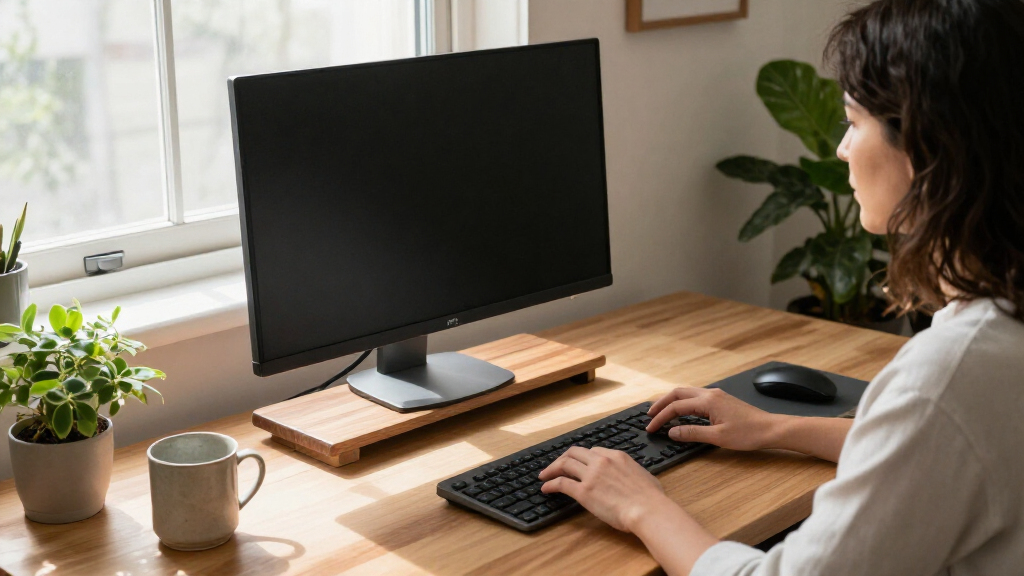
I compared these ergonomic monitor stands by how well each option can support a more comfortable screen position, how much desk space it uses or frees, and how easily it fits a real workstation. I weighed screen count and size compatibility, height or angle adjustment, stability and construction, mounting requirements, and useful extras such as drawers, phone holders, or separate shelves. A feature mattered most when it changed the buyer’s setup—not simply because it appeared on a spec list.
The ranking favors options with a clear ergonomic or workspace advantage and a role that suits a defined buyer. Flexible arms rank well for screen positioning and reclaimed desk space, while practical risers earn their place through straightforward setup, useful storage, or multi-screen support. I ranked products with narrower benefits lower than picks that address more common needs; buyers should still check the stated screen limits, desk compatibility, and mounting requirements before choosing.
Factors to Consider When Choosing Ergonomic Monitor Stands
Before choosing a stand, I’d start with the physical constraints of the desk and screen, then decide whether the priority is height, movement, or tidier storage. The best ergonomic setup is not always the one with the most moving parts: a stable riser may suit a fixed workstation better than an arm, while a clamp-mounted arm can be a poor match for a desk with limited edge access.
Choose a Riser or an Arm Based on How Often You Reposition
A riser is a sensible choice when the screen stays in one place and you mainly need to lift it off the desk. It is usually simpler to set up and can provide a shelf or storage space, but it offers limited movement once assembled. An arm makes more sense when you regularly adjust screen height, angle, or distance, or want to clear the area beneath the display. That flexibility brings extra checks: desk-edge shape, clamp clearance, VESA compatibility, and screen weight all matter. A common mistake is buying an arm for its range of motion when the screen is rarely moved and a stable platform would do the job with less setup.
Measure the Screen and the Workspace, Not Just the Desk
Measure the display’s width, depth, and weight, along with the space available where its base or stand will sit. For dual or triple screens, allow room for bezels, viewing angles, and any central laptop or speaker rather than measuring only the combined panel width. A wide shelf can fit large screens but leave little room for a keyboard or paperwork; a compact arm can reclaim surface area but may need room behind or beside the desk to move. Check the product’s supported screen range and weight limits against the monitor itself, not a general estimate based on screen size. Leaving a little extra clearance helps avoid buying a stand that technically fits but makes the rest of the workstation awkward.
Set Screen Height Around Your Seated Position
Ergonomics depends on where the screen lands when you are seated, not on how many height settings a stand advertises. Aim to place the screen so you can view it without repeatedly tipping your head up or down, then check the viewing distance and whether the display tilts toward you. A fixed riser can work well when its height matches your chair and desk; adjustable legs or an arm are more useful when several people share the workstation or the setup changes. Raising a monitor too high can trade a forward-neck posture for an upward gaze, so extra height is not automatically better. Adjust the chair and viewing distance as well as the stand rather than trying to solve every posture issue with one product.
Check Mounting and Desk Compatibility Before Buying
Desk-mounted arms need a suitable edge or mounting surface, and some desks have crossbars, drawers, cable trays, or thick lips that interfere with clamps. Confirm the monitor’s VESA pattern and the arm’s supported weight range if the product attaches to the back of the screen. A monitor without compatible mounting points may need an adapter, which adds cost and another fit check. Freestanding risers avoid those particular issues, but their feet and overall footprint still need a flat, stable surface. If you cannot verify the desk and monitor specifications, a platform-style stand is often the lower-risk starting point.
Treat Storage and Extra Features as a Separate Decision
Drawers, phone holders, and under-stand shelves can reduce visible clutter, but they do not improve screen alignment by themselves. Decide what you actually need to store and whether the added structure will leave enough space for your keyboard, mouse, and cables. A drawer is most useful for small items that otherwise occupy the work surface; it is less helpful if it blocks access to a laptop or makes the stand feel crowded. Glass, wood, and metal also create different visual and cleaning tradeoffs, while stability and support should come first. Pay more for an extra feature only when it replaces a separate organizer or meaningfully improves your daily layout.
Match Adjustment to Your Household and Work Routine
A shared desk or sit-stand workstation may benefit from an arm because different users or working positions call for frequent screen changes. For a dedicated desk with one regular user, a fixed-height riser can be easier to live with and may avoid unnecessary adjustment mechanisms. Consider whether cables will move freely as the screen shifts and whether you will need to reset the display after moving it. A multi-monitor setup also needs consistent screen heights and angles, which can be harder to achieve when stands have different adjustment ranges. Choose the simplest design that fits the way the workstation is used, then spend the remaining effort on a sound chair, desk height, and viewing distance.
Frequently Asked Questions
Are monitor arms more ergonomic than monitor risers?
Neither type is automatically more ergonomic; the better choice is the one that places your screen comfortably for your body and desk. Arms generally allow more changes to height, angle, and distance, which can help at shared or frequently adjusted workstations. Risers are often simpler and provide stable elevation without requiring a monitor mount or desk clamp. If you rarely move the screen, a well-sized riser may meet your needs with less setup. If your current position changes during the day, an arm’s movement range may be worth the added compatibility checks.
Can I use a monitor arm if my screen has no VESA holes?
Many arms attach through a VESA mounting plate, so a screen without compatible holes may not fit directly. Some monitors can use a model-specific adapter, but you would need to confirm that it matches both the display and the arm. Do not assume that a screen-size match guarantees compatibility: mounting pattern and supported weight matter too. If you cannot find a reliable adapter, a freestanding riser avoids the VESA question. Check the monitor manual or manufacturer specifications before ordering an arm.
What should I check before putting two monitors on one stand?
Confirm the stand is designed for two screens and check its supported load, width, and adjustment range against both monitors. Measure the screens with their bezels and any attached mounts, then compare that total with the usable platform or arm spacing. A dual setup also needs a practical viewing angle: screens placed too far apart can make you turn your head repeatedly. Check whether the desk can support the stand and whether the arrangement leaves room for a keyboard and other essentials. If the screens differ in size or weight, verify that the design can accommodate that combination rather than assuming both sides behave identically.
Will a monitor stand fix neck or shoulder discomfort?
A stand can help if your screen is currently too low or poorly positioned, but it cannot address every source of discomfort. Screen height, viewing distance, chair fit, desk height, and the time spent in one posture all play a part. Raising a monitor without checking the resulting eye line can create a new problem, so adjust gradually and assess the full seated setup. Persistent pain is not a reason to rely on a stand alone; a qualified health professional can help assess ongoing symptoms. Treat the stand as one workstation adjustment, not a medical device.
Is a drawer or storage shelf worth choosing over a simpler stand?
Storage is useful when small supplies are taking up space you need for typing or pointing, or when a tidy desk helps you keep a consistent layout. It matters less if your main problem is screen height or frequent repositioning, since a drawer does not improve either of those by itself. Check the storage dimensions and access before choosing, especially if the stand will sit close to a wall or laptop. Extra compartments can also reduce the usable area beneath a riser. Choose the added storage when it replaces a separate organizer without compromising screen placement or workspace.
Conclusion
For most buyers seeking a flexible multi-screen setup, I’d start with the HUANUO Dual Monitor Desk Mount as the best overall pick, provided the desk and monitors meet its mounting requirements. The WALI Adjustable Metal Monitor Stand is my best-value choice for a straightforward riser with under-desk storage, while the HUANUO FlowLift is the best premium-style direction for someone prioritizing movement and a clearer desktop. Beginners who want a simple, freestanding setup can start with the BoYata Adjustable Height Metal Monitor Stand rather than tackling arm compatibility first. For specific needs, choose the BONTEC triple riser for a three-screen platform, the OPNICE or BONTEC drawer riser for small-item organization, or a two-pack such as Canyora when you need to raise separate screens individually. Match the pick to your screen count, mounting options, and desired adjustment range before deciding.
Evergreen bestsellers Picks

KitchenAid Artisan Series 5-Quart Tilt-Head Stand Mixer with Pouring Shield, Cherry Tomato

Hisense 75U6SF Pro 75-Inch U6 Pro Mini-LED 4K UHD Smart Fire TV

TCL 75-Inch QM6K QLED Mini LED 4K HDR Smart Google TV, 144Hz
As an affiliate, we earn on qualifying purchases.