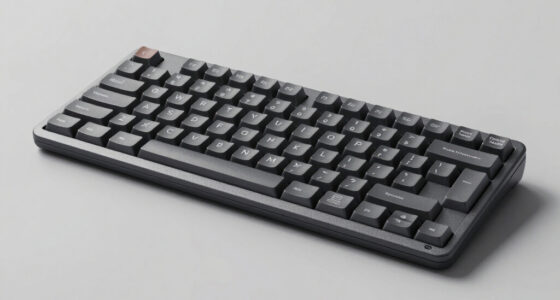
Ergonomic split keyboards vary from gently curved, all-in-one designs to models with two halves you can position independently. My best overall pick is the Logitech Ergo K860 for its familiar full-size layout, wireless use, and integrated wrist rest; the Kinesis Freestyle2 with VIP3 lifters stands out for adjustable separation and tenting, while the Arteck wired model offers a simpler, budget-minded starting point. The main tradeoffs are how much adjustment you need, whether you want wired or wireless connections, and how readily you can adapt to a split layout. Some models are easier to learn, while others offer more control over hand position. Read on for the full comparison and guidance on choosing a keyboard that suits your desk, devices, and typing habits.

Get comfort and recovery gear delivered free with Prime
- Fast, free delivery on millions of items
- Prime Video, Amazon Music and more included
- Member-only deals all year
Complete the kit


Key Takeaways
- The Logitech Ergo K860 is the strongest all-rounder: It combines a familiar full-size layout with wireless convenience and an integrated wrist rest, without requiring the user to position two separate keyboard halves.
- The Kinesis Freestyle2 is the adjustment pick: Its separated halves and VIP3 lifters offer more control over spacing and tenting than fixed, one-piece designs, but its wired connection and split-hand learning curve make it less plug-and-play.
- Several products share a design family: The two Nulea wireless listings and two Arteck models differ in connectivity or color, so buyers should compare the exact listing rather than assume a different brand name means a different layout.
- Connectivity changes the desk experience: Wireless options from Logitech, Nulea, Arteck, and TECKNET reduce cable clutter, while wired models such as the Kensington and Perixx avoid battery charging and wireless pairing.
- Split shape does not guarantee adjustability: Many keyboards in this roundup have a fixed, connected layout; buyers seeking independent positioning or tenting should prioritize adjustable designs rather than relying on the word “split.”



| ergonomic split keyboard | Connectivity | Layout | Dimensions | Compatibility |
|---|---|---|---|---|
| Logitech Wave Keys Ergonomic W | Bluetooth and Logi Bolt USB receiver | QWERTY, 101 keys | 14.8 × 8.62 × 1.18 inches | Windows, macOS, iPadOS, and ChromeOS |
| Arteck Split Ergonomic Keyboar | Wired USB | QWERTY, 101 listed keys | — | Windows computer, desktop, and laptop |
| Logitech Ergo K860 Wireless Er | Bluetooth and USB receiver | QWERTY, 105 keys | 17.95 × 9.17 × 1.89 inches | Windows, macOS, Linux, and ChromeOS |
| Nulea Ergonomic Split Wireless | Bluetooth and 2.4G wireless | QWERTY, 104 keys | — | — |
| Arteck Split Ergonomic Keyboar | 2.4G wireless via nano USB receiver | QWERTY, 102 keys | 16.5 × 9.6 × 1.02 inches | Windows desktop and laptop |
| Logitech Ergo K860 Split for B | Bluetooth and RF via Logi Bolt | Full-size QWERTY | 17.95 × 9.17 × 1.89 inches | — |
| Wired Ergonomic Split Keyboard | Wired USB-A; USB-C adapter included | Full-size QWERTY | 17.1 × 9.4 × 1.1 inches | Windows, macOS, Chrome OS, and Linux |
| MEETION Ergonomic Keyboard and | Bluetooth and USB receiver (2.4 GHz) | — | — | — |
| KINESIS Freestyle2 USB-A Ergon | Wired USB | Standard Windows QWERTY | 19 × 12.5 × 3.5 inches | — |
| Kensington Pro Fit Ergonomic W | Wired USB | Full-size QWERTY | 18.98 × 9.92 × 1.5 inches | Windows, macOS, and ChromeOS |
| TECKNET Wireless Ergonomic Key | Bluetooth 5.0 and 2.4GHz USB receiver | Split-style, curved ergonomic layout | — | Windows 10 and later listed |
| Nulea Wireless Ergonomic Keybo | Bluetooth and 2.4GHz USB | Split-style ergonomic layout | 16.5 × 1.3 × 9.6 inches | — |
| Nulea Wireless Ergonomic Keybo | Bluetooth and 2.4GHz wireless listed | Split-style ergonomic layout | — | Windows listed; Mac compatibility stated in product title |
| Perixx PERIBOARD-512B Wired Er | Wired USB | One-piece split-key ergonomic layout | 19.09 × 9.29 × 1.73 inches | Windows 10 and later listed |
| MEETION K2000 Wired Split Ergo | Wired USB-A; USB-C adapter included | Split and curved ergonomic layout | 17.5 × 9.3 × 1.3 inches | Windows listed; Mac compatibility stated in product description |
More Details on Our Top Picks
Logitech Wave Keys Ergonomic Wireless Keyboard with Palm Rest – Graphite
The Logitech Wave Keys is the easiest fit for someone who wants a more relaxed hand position without learning a pronounced split layout. Its wavy keyframe and cushioned memory-foam palm rest add ergonomic support in a compact, familiar one-piece design. Compared with the Logitech Ergo K860, it takes up less desk space and asks less of a typist adapting to separated key groups, but it does not offer the K860’s full curved split frame or adjustable palm lift. Bluetooth and Logi Bolt support switching among up to three devices, and the stated battery life of up to three years suits a desk setup where charging is an afterthought. The tradeoff is that this is a gentler ergonomic adjustment, not a true adjustable split keyboard; its single fixed layout may not suit people seeking a wider hand separation.
Pros:- Wavy key layout offers a less abrupt ergonomic change than the K860’s curved split frame.
- Cushioned memory-foam palm rest supports the wrists during long desk sessions.
- Bluetooth and Logi Bolt connections support switching among up to three devices.
- Manufacturer-stated battery life of up to three years reduces battery maintenance.
Cons:- The one-piece fixed layout does not let users adjust the distance or angle between key groups.
- Its gentler wave design provides less pronounced separation than the Logitech Ergo K860.
- Palm rest adds bulk compared with a compact keyboard without an integrated rest.
Best for: Office workers who want a compact, familiar keyboard shape with wrist support and multi-device wireless connections.
Not ideal for: Typists seeking independently adjustable keyboard halves or a pronounced split layout to set their preferred hand spacing.
- Layout:QWERTY, 101 keys
- Switch type:Membrane
- Connectivity:Bluetooth and Logi Bolt USB receiver
- Device switching:Easy-Switch for up to 3 devices
- Palm rest:Cushioned memory foam
- Power:2 batteries; up to 3 years stated battery life
- Dimensions:14.8 × 8.62 × 1.18 inches
- Compatibility:Windows, macOS, iPadOS, and ChromeOS
Our verdict“Choose the Wave Keys if you want an approachable ergonomic shape and cushioned wrist support without committing to a pronounced split design.”
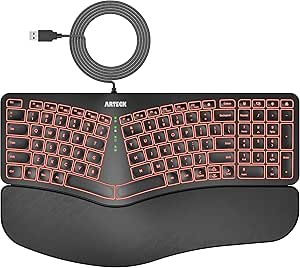
Arteck Split Ergonomic Keyboard with Palm Rest, USB Wired Backlit Keyboard
The Arteck wired split keyboard pairs a divided key layout with a padded wrist rest and adjustable backlighting, making it a practical choice for a fixed workstation where lighting and a direct cable connection matter. Its six-foot USB cable avoids battery upkeep and receiver pairing, unlike the wireless Arteck 2.4G Split Ergonomic Keyboard. The seven backlight colors and three brightness levels help make keys easier to see in a dim room, though this is still a conventional one-piece keyboard rather than two independently positioned halves. Scissor-switch keys keep the profile low, but the available information does not establish extensive layout customization or multi-device switching. Buyers should also note the listed Windows compatibility: this is less flexible for mixed-device households than the Bluetooth-capable Logitech Wave Keys.
Pros:- Wired USB connection needs no batteries or wireless receiver pairing.
- Seven backlight colors and three brightness levels suit dim workspaces.
- Cushioned wrist and palm rest is integrated into the keyboard.
- Low-profile scissor switches provide a slimmer key design than many full-height keyboards.
Cons:- The cable limits placement and makes it less convenient to move between devices than the Logitech Wave Keys.
- Listed compatibility is centered on Windows, limiting its appeal for mixed-platform setups.
- The one-piece construction does not allow independent positioning of the key groups.
Best for: Windows desktop users who want a wired split-style keyboard, a cushioned rest, and adjustable backlighting at one permanent desk.
Not ideal for: People who need Bluetooth, a rechargeable wireless setup, independently movable keyboard halves, or broad operating-system support.
- Layout:QWERTY, 101 listed keys
- Switch type:Scissor-switch
- Connectivity:Wired USB
- Cable length:1.8 m (6 ft)
- Backlighting:7 colors with 3 brightness levels
- Wrist support:Cushioned wrist and palm rest
- Compatibility:Windows computer, desktop, and laptop
- Enclosure materials:Plastic, rubber, and silicone
Our verdict“Pick this Arteck for a Windows workstation that benefits from wired reliability and adjustable key lighting, but skip it if wireless flexibility matters.”
Logitech Ergo K860 Wireless Ergonomic Split Keyboard with Wrist Rest
The Logitech Ergo K860 is the strongest match here for buyers who want a more substantial ergonomic change than the Wave Keys provides. Its curved, split keyframe separates the key zones while the sloping profile encourages a more relaxed wrist and forearm position. The adjustable palm lift offers three tilt settings, giving it an advantage over the fixed wrist-rest setup on the Arteck split models when desk height or sitting posture varies. A pillowed memory-foam rest and scooped keys add comfort-oriented details, and Bluetooth plus a USB receiver cover common desk setups. The cost of that more committed design is size: at nearly 18 inches long and over nine inches wide, it occupies more space than the Wave Keys. It is also a single, fixed keyboard frame, not a pair of independently positionable halves.
Pros:- Curved split keyframe creates a more pronounced ergonomic layout than the Logitech Wave Keys.
- Three palm-lift settings accommodate different sitting and standing desk positions.
- Pillowed wrist rest and scooped keys are designed around hand and wrist support.
- Bluetooth and included USB receiver provide two wireless connection options.
Cons:- Large full-size footprint takes more desk space than the Wave Keys.
- The keyboard remains a single fixed frame, so users cannot position each half independently.
- Its more pronounced layout may require an adjustment period for typists accustomed to standard keyboards.
Best for: Full-time typists who want a pronounced curved split layout, an integrated padded rest, and adjustable palm lift in a wireless full-size keyboard.
Not ideal for: People with limited desk space or anyone who needs independently movable halves to set custom separation and tenting.
- Layout:QWERTY, 105 keys
- Frame:Curved split keyframe
- Connectivity:Bluetooth and USB receiver
- Palm lift:0°, -4°, and -7° settings
- Wrist rest:Curved pillowed rest with memory foam
- Power:2 AAA batteries; up to 2 years stated battery life
- Dimensions:17.95 × 9.17 × 1.89 inches
- Compatibility:Windows, macOS, Linux, and ChromeOS
Our verdict“Choose the K860 if you want this lineup’s most complete fixed-frame ergonomic layout and have room for a full-size keyboard.”
Nulea Ergonomic Split Wireless Keyboard with Cushioned Wrist Rest
The Nulea Ergonomic Split Wireless Keyboard makes sense for buyers who want split-style typing and the freedom to connect without a cable. Its Bluetooth and 2.4G options offer more connection flexibility than the wired Arteck, while USB-C charging avoids replacing disposable batteries. The maker states up to 200 hours of battery life, a useful measure for people who prefer charging periodically rather than keeping spare cells on hand. Scissor-switch keys and a cushioned palm rest keep the setup familiar and support-focused, but the product information does not specify adjustable tenting or independent halves. That matters for shoppers comparing it with the Logitech Ergo K860, whose palm lift can be set to several angles. Nulea is better suited to straightforward wireless convenience than fine-tuning a custom ergonomic position, and its listed operating-system family is Windows.
Pros:- Bluetooth and 2.4G wireless modes offer more connection choice than the wired Arteck.
- USB-C charging avoids disposable battery replacement.
- Manufacturer-stated battery life reaches up to 200 hours.
- Cushioned palm rest and scissor-switch keys suit a familiar low-profile typing setup.
Cons:- No adjustable tenting or independently movable keyboard halves are specified.
- Listed operating-system family is Windows, making compatibility less clear for Mac users than the K860.
- Wireless operation depends on charging rather than offering a wired mode.
Best for: Windows laptop and desktop users who want a rechargeable split-style keyboard with both Bluetooth and 2.4G wireless connections.
Not ideal for: Buyers who need documented macOS support, adjustable tenting, independently positionable halves, or a wired connection.
- Layout:QWERTY, 104 keys
- Switch type:Scissor-switch
- Connectivity:Bluetooth and 2.4G wireless
- Charging:USB-C rechargeable
- Stated battery life:Up to 200 hours
- Wrist support:Cushioned palm rest
- Compatibility listed:Windows
- Color:A-Silver Black
Our verdict“Choose Nulea if rechargeable wireless use matters more than adjustable split positioning or broad, clearly stated OS support.”
Arteck Split Ergonomic Keyboard with Palm Rest, 2.4G USB Wireless Keyboard
The Arteck 2.4G Split Ergonomic Keyboard keeps the appeal of the wired Arteck—split-style keys and a cushioned wrist rest—but removes the cable for a cleaner desktop. Setup is simple: plug in the included nano receiver and type, with no Bluetooth pairing process. Its rechargeable battery is stated to last up to six months based on two hours of continuous use per day, a longer interval than the Nulea’s stated 200 hours, though those figures use different reporting conditions. Compared with the Nulea, this model offers only 2.4G USB wireless, so it is less convenient for tablets or devices without a USB-A port. The full-size 102-key layout and three-section design provide familiar keys, but the keyboard remains a single unit without adjustable halves or documented tenting.
Pros:- Nano USB receiver enables quick wireless setup without Bluetooth pairing.
- Rechargeable battery is stated to last up to six months under the specified daily-use conditions.
- Cushioned wrist and palm rest supports a relaxed desk setup.
- Full-size 102-key layout retains familiar key coverage.
Cons:- 2.4G receiver-only connection is less versatile than the Nulea’s Bluetooth and 2.4G modes.
- USB receiver use can be inconvenient with devices lacking a compatible USB port.
- Fixed one-piece construction does not allow independent spacing or tenting adjustments.
Best for: Windows desktop and laptop users who prefer a straightforward USB receiver connection and want a rechargeable keyboard with a padded rest.
Not ideal for: People who need Bluetooth for tablets or multiple devices, or who want to adjust the spacing and angle of separate keyboard halves.
- Layout:QWERTY, 102 keys
- Connectivity:2.4G wireless via nano USB receiver
- Switch type:Scissor-switch
- Power:Rechargeable lithium battery
- Stated battery life:Up to 6 months at 2 hours of continuous use per day
- Charging cable:USB-C
- Dimensions:16.5 × 9.6 × 1.02 inches
- Compatibility:Windows desktop and laptop
Our verdict“Pick this Arteck if you want easy receiver-based wireless use and a rechargeable full-size layout, but choose Nulea for Bluetooth flexibility.”
Logitech Ergo K860 Split for Business Wireless Keyboard – Graphite
The Logitech Ergo K860 for Business is the strongest fit here for teams that need a split-shaped ergonomic keyboard without giving up a full-size layout. Its fixed, curved keyframe and cushioned palm rest offer a guided alternative to the KINESIS Freestyle2, whose two halves can be separated and angled to suit an individual setup. That adjustability gives Kinesis more positioning freedom, while Logitech is simpler to place on a desk and manage across an organization.
Logi Bolt encryption, Bluetooth, support for up to three devices, and enterprise deployment features make this model more workplace-ready than the wired Frixalox or Kensington options. The tradeoff is that the split is not physically separable, and its full-size footprint takes up substantial desk space. I would choose it for a stable, familiar workstation, not for users who want portable, deeply customizable positioning.
Pros:- Curved split keyframe supports a more natural hand position without requiring users to place two separate modules.
- Pillowed wrist rest and three palm-lift positions allow adjustment for seated or standing work.
- Logi Bolt provides an encrypted wireless connection, with Bluetooth as another connection option.
- Full-size layout, number pad, and connection to up to three devices suit office workflows.
Cons:- The fixed split cannot be repositioned as freely as the KINESIS Freestyle2’s separate modules.
- Its full-size body and attached wrist rest occupy considerable desk space.
- Wireless operation means users must manage battery power.
Best for: Office teams and business users who want a full-size curved split keyboard, wireless device switching, and IT-friendly deployment features.
Not ideal for: People who need independently positioned keyboard halves, a compact desk setup, or a wired keyboard that never needs battery management.
- Connectivity:Bluetooth and RF via Logi Bolt
- Layout:Full-size QWERTY
- Number of keys:104
- Device connections:Up to three devices
- Power:Battery powered; listed battery life up to two years
- Compatible systems:Windows, macOS, and Linux
- Dimensions:17.95 × 9.17 × 1.89 inches
- Color:Graphite
Our verdict“Choose the Ergo K860 for Business if you want an IT-manageable, full-size ergonomic keyboard with a fixed split and wireless flexibility.”
Wired Ergonomic Split Keyboard with RGB Backlight & Numpad, Black
The Frixalox wired split keyboard pairs a familiar full-size layout with a raised-center, split-style design, an integrated hard wrist rest, and adjustable kickstands. Its main distinction from the Kensington Pro Fit Ergonomic Wired Keyboard is the lighting: 17 effects and multiple brightness levels help users see the keys in dim rooms, while Kensington prioritizes quiet typing and spill-resistant cleanup. The USB connection also avoids wireless pairing and battery upkeep.
This is a sensible pick for desk-bound typists who want a number pad, media shortcuts, and visible keys in one package. But the ergonomic layout is fixed rather than independently adjustable like the KINESIS Freestyle2, and the rigid palm rest may not suit everyone. RGB customization adds visual options, not a more adaptable split position; buyers seeking fine control over hand spacing should look elsewhere.
Pros:- Full-size layout includes a number pad and 17 dedicated shortcut keys.
- Wired USB-A connection with included USB-C adapter avoids pairing and battery charging.
- Multiple lighting modes and brightness levels support typing in low-light rooms.
- Two pairs of kickstands provide a choice of typing angles.
Cons:- The split frame is fixed, offering less hand-position flexibility than the KINESIS Freestyle2.
- Hard plastic wrist support may feel less cushioned than the Logitech Ergo K860’s palm rest.
- USB cable limits placement and portability compared with wireless alternatives.
Best for: Wired office users or night-time typists who want a full-size split-style keyboard, a number pad, media shortcuts, and adjustable backlighting.
Not ideal for: People who need to position each keyboard half independently, prefer a soft padded wrist rest, or want a wireless setup.
- Connectivity:Wired USB-A; USB-C adapter included
- Layout:Full-size QWERTY
- Number of keys:120
- Switch type:Membrane
- Backlighting:RGB; 17 lighting effects and five brightness levels
- Cable length:5.6 feet
- Compatibility:Windows, macOS, Chrome OS, and Linux
- Dimensions:17.1 × 9.4 × 1.1 inches
Our verdict“Pick the Frixalox if you want a wired, full-size ergonomic layout with backlighting and shortcuts, but not independently adjustable halves.”
MEETION Ergonomic Keyboard and Mouse, Split Curved 2.4G/Bluetooth Keyboard
The MEETION split keyboard and mouse set makes the most sense for buyers who want to replace both desktop peripherals at once. The keyboard combines a full-size curved split layout, a soft palm rest, four tilt brackets, and connections through Bluetooth or a USB receiver. That gives it more angle adjustment than the fixed-frame Logitech Ergo K860 for Business, while its included mouse adds a matching curved shape and adjustable DPI.
The bundle is convenient, but it is less specialized than the KINESIS Freestyle2: the product description does not specify independently separable keyboard halves, so users should not expect the same control over hand spacing. A wireless setup also brings battery management, and the listing provides fewer concrete details about key count and operating-system support than some alternatives. I’d shortlist it for a tidy, multi-device desk rather than a highly customized ergonomic workstation.
Pros:- Bluetooth and USB-receiver connectivity support switching among up to three devices.
- Soft, non-slip palm rest and four tilt brackets offer more setup adjustment than a basic fixed keyboard.
- Included mouse has a palm and thumb rest plus four selectable DPI levels.
- Lower-profile keycaps and a reduced footprint are intended to leave more desk space.
Cons:- The listing does not describe independently separable keyboard halves, limiting positioning flexibility compared with the KINESIS Freestyle2.
- Battery-powered wireless operation requires attention to power.
- Published information is limited for key count, dimensions, and specific supported operating-system versions.
Best for: Windows or Mac users setting up a wireless workstation who want a curved split keyboard, cushioned rest, and a coordinated ergonomic mouse.
Not ideal for: Touch typists who need independently movable keyboard halves, buyers seeking a wired connection, or users who want detailed key and compatibility specifications before choosing.
- Connectivity:Bluetooth and USB receiver (2.4 GHz)
- Keyboard layout:Full-size curved split QWERTY
- Device connections:Up to three devices
- Keyboard support:Soft palm rest and four adjustable tilt brackets
- Mouse:Optical sensor with four DPI levels
- Power:Battery powered; one included 9V battery listed
- Compatible systems:Windows and macOS
- Color:Black
Our verdict“Choose this MEETION bundle if you want a space-conscious wireless keyboard-and-mouse set with adjustable tilt, not a fully customizable split layout.”
KINESIS Freestyle2 USB-A Ergonomic Keyboard w/ VIP3 Lifters for PC (9″ Separation) (KB820PB-US)
The KINESIS Freestyle2 with VIP3 lifters is the most adaptable ergonomic choice in this group for users who want to set their own hand spacing. Its two keyboard modules can separate by up to nine inches and rotate independently, while the included lifters provide three tenting angles and cushioned palm supports. That makes it a more customizable fit than the fixed curved Logitech Ergo K860 or the wired Kensington Pro Fit.
Low-force membrane keys may help reduce effort during extended typing, and the familiar Windows layout keeps the learning curve focused on hand positioning rather than a radically different key arrangement. The tradeoff is a wired USB connection and a broad setup that needs room for both halves. Compared with the wireless MEETION bundle, it offers much greater control over keyboard placement but lacks a bundled mouse and wireless convenience.
Pros:- Separate modules rotate and spread apart by up to nine inches for individualized hand positioning.
- Included VIP3 lifters provide 5-, 10-, and 15-degree tenting options.
- Cushioned palm supports and low-force membrane switches support extended typing sessions.
- Standard Windows layout and hotkeys avoid requiring special drivers.
Cons:- The two modules and tenting accessories require more desk space than a fixed split keyboard.
- USB connection restricts placement and does not offer wireless device switching.
- The separated layout may take adjustment for users accustomed to a single-piece keyboard.
Best for: PC typists who want to adjust hand spacing, rotation, and tenting to fit their posture and have desk room for two keyboard modules.
Not ideal for: Users who need a compact or wireless keyboard, or who want a single-piece layout with minimal setup and repositioning.
- Connectivity:Wired USB
- Layout:Standard Windows QWERTY
- Number of keys:94
- Keyboard sections:Two separable modules
- Maximum separation:Up to 9 inches
- Tenting:VIP3 lifters with 5-, 10-, and 15-degree settings
- Switch type:Low-force membrane
- Dimensions:19 × 12.5 × 3.5 inches
Our verdict“Choose the Freestyle2 if adjustable spacing and tenting matter more to you than wireless convenience or a compact footprint.”
Kensington Pro Fit Ergonomic Wired Keyboard- Black (K75400US)
The Kensington Pro Fit Ergonomic Wired Keyboard is a practical choice for shared offices where quiet typing and simple upkeep matter as much as a split layout. Its fixed split-and-sloped design, cushioned wrist rest, and adjustable reverse tilt offer a guided ergonomic setup, while quiet keys keep typing less intrusive than the backlit, shortcut-heavy Frixalox wired keyboard. Spill-resistant construction also makes routine cleanup more straightforward.
Unlike the KINESIS Freestyle2, Kensington does not let you separate the key modules or tailor their spacing, so it suits users who prefer a one-piece keyboard. The wired USB connection is dependable and avoids battery management, but it sacrifices the multi-device flexibility of the Logitech Ergo K860. Its full-size footprint may also crowd smaller desks. I’d favor this model for a shared or practical workstation, not for someone seeking extensive positioning controls.
Pros:- Split, sloped layout and adjustable reverse tilt support a more neutral typing position.
- Built-in cushioned wrist rest supports the wrists without requiring a separate accessory.
- Quiet keys suit shared offices and low-noise work areas.
- Spill-resistant keys and plug-and-play USB connection favor straightforward daily use.
Cons:- Fixed one-piece construction offers less positioning freedom than the KINESIS Freestyle2.
- Wired connection lacks the device switching and placement flexibility of the Logitech Ergo K860.
- Full-size dimensions can take up substantial desk space.
Best for: Office workers in shared spaces who want a quiet, wired split keyboard with a cushioned wrist rest and spill-resistant keys.
Not ideal for: Users who need wireless connectivity, independently adjustable keyboard halves, or extensive tenting and spacing options.
- Connectivity:Wired USB
- Layout:Full-size QWERTY
- Number of keys:104
- Switch type:Linear
- Wrist support:Built-in cushioned wrist rest
- Tilt:Adjustable reverse tilt
- Compatibility:Windows, macOS, and ChromeOS
- Dimensions:18.98 × 9.92 × 1.5 inches
Our verdict“Pick the Kensington Pro Fit if you want a quiet, spill-resistant wired ergonomic keyboard and do not need adjustable split spacing.”
TECKNET Wireless Ergonomic Keyboard Rechargeable, 2.4G+Bluetooth Ergo Cordless USB Computer Keyboard, Wrist Rest, Natural Typing, Stain-Resistant Fabric, Compatible For Windows Computer Desktop Laptop
The TECKNET pairs a curved split layout with a full-size 104-key arrangement, making it a practical choice for office typists who want ergonomic shaping without giving up a familiar keyboard footprint. Its strongest advantage over the wired Perixx PERIBOARD-512B is connectivity: Bluetooth supports pairing memory for up to three devices, while the included 2.4GHz receiver gives another option. The integrated foam wrist rest and four tilt settings add useful ways to adjust the setup, and the rechargeable battery is specified for up to 200 hours of use. The tradeoff is that this remains a one-piece keyboard, not a physically separated design, so it offers less freedom to position each half independently than the KINESIS Freestyle2. Its Windows focus also makes it less appealing for buyers who need broad platform support.
Pros:- Bluetooth pairing memory for up to three devices plus a 2.4GHz USB receiver
- Full-size 104-key layout retains a familiar typing arrangement
- Integrated dual-density foam wrist rest and four tilt settings
- Rechargeable battery rated for up to 200 hours of continuous use
Cons:- One-piece construction does not allow independent positioning of the two key sections
- Compatibility information emphasizes Windows rather than broad cross-platform support
- Large full-size layout takes more desk space than a compact split option
Best for: Windows office users who switch among a desktop, laptop, and mobile device and want a full-size split-style keyboard with a built-in wrist rest.
Not ideal for: Buyers who need independently positionable keyboard halves, a compact desk footprint, or clearly stated support for operating systems beyond Windows.
- Layout:Split-style, curved ergonomic layout
- Number of keys:104
- Connectivity:Bluetooth 5.0 and 2.4GHz USB receiver
- Device pairing:Pairing memory for up to 3 Bluetooth devices; up to 4 devices stated overall
- Battery:500mAh rechargeable lithium battery; up to 200 hours of continuous use
- Charging:USB-C; supports use while charging
- Tilt settings:0°, 1.2°, 3°, and 6.2°
- Compatibility:Windows 10 and later listed
Our verdict“Choose the TECKNET if multi-device wireless flexibility and a full-size layout matter more than independently adjustable keyboard halves.”
Nulea Wireless Ergonomic Keyboard, Split Keyboard with Cushioned Wrist Rest, Bluetooth and USB Connectivity, USB-C Rechargeable, Compatible with Windows Mac (Grey Pink)
The Grey Pink Nulea makes the most sense for typists who want a generous cushioned wrist rest and wireless convenience in a conventional one-piece split-style keyboard. Its Bluetooth and 2.4GHz connection options suit a desk shared between a laptop and desktop, while the stated 200-hour battery life cuts down on charging interruptions. Compared with the TECKNET, it offers three tilt positions rather than four and does not specify multi-device pairing capacity; the TECKNET is the stronger fit for people who frequently move between several devices. The Nulea’s 101-key count and broad 16.5-inch width also make it a full desk fixture, not a compact travel pick. Its ergonomic shaping may help reduce wrist bending, but the fixed halves cannot be spaced independently like those of the KINESIS Freestyle2.
Pros:- Oversized, soft leatherette wrist rest supports the hands across a wide area
- Bluetooth and 2.4GHz wireless connection options
- Rechargeable battery rated for up to 200 hours
- Three tilt positions allow some adjustment to typing angle
Cons:- One-piece design does not permit independent spacing or rotation of each half
- No device-pairing capacity is specified, unlike the TECKNET’s multi-device details
- Wide 16.5-inch body may be awkward on a crowded or portable workstation
Best for: Windows or Mac users who type for long stretches at a fixed desk and prefer a broad, soft wrist-support surface with wireless connectivity.
Not ideal for: People with limited desk space, users who want independently positionable halves, or anyone who needs a clearly specified multi-device switching count.
- Layout:Split-style ergonomic layout
- Number of keys:101
- Dimensions:16.5 × 1.3 × 9.6 inches
- Connectivity:Bluetooth and 2.4GHz USB
- Battery:Rechargeable; up to 200 hours stated
- Charging:USB-C
- Tilt:Three adjustable tilt angles
- Switch type:Membrane
- Construction:Plastic and silicone
Our verdict“Pick this Nulea if a wide cushioned wrist rest is your priority and you have room for a full-size wireless keyboard.”
Nulea Wireless Ergonomic Keyboard, Split Keyboard with Cushioned Wrist Rest, Bluetooth and USB Connectivity, USB-C Rechargeable, Compatible with Windows Mac,Green Gray
This Green Gray Nulea offers the same central ergonomic idea as the Grey Pink version: a one-piece split-style layout, oversized leatherette wrist support, three tilt positions, and wireless operation. Its distinct appeal in this lineup is the understated colorway for buyers who want the Nulea’s cushioned, full-width setup without the pink accents. The listing names Bluetooth and 2.4GHz connectivity and states up to 200 hours of battery life, though its detailed specifications provide less connection and key-count information than the Grey Pink model. That makes the Grey Pink listing easier to evaluate if documented dimensions and a 101-key count matter. Neither version offers independently movable halves; for that kind of positioning freedom, the wired KINESIS Freestyle2 is a more direct alternative. This Nulea suits a settled workstation better than a small desk or frequent travel.
Pros:- Oversized leatherette wrist support is designed for broad palm contact
- Bluetooth and 2.4GHz connectivity are listed
- Rechargeable battery rated for up to 200 hours
- Three adjustable tilt positions provide some angle choice
Cons:- Listing provides fewer detailed specifications than the Grey Pink Nulea version
- Fixed one-piece layout cannot be spaced or angled by hand independently
- No exact dimensions or key count are provided in the supplied product information
Best for: Windows-focused home-office typists who want a subdued green-gray color scheme, a broad wrist rest, and wireless split-style shaping.
Not ideal for: Buyers who need independently movable keyboard halves, verified detailed dimensions, or a compact keyboard for a small desk.
- Layout:Split-style ergonomic layout
- Color:Green Gray
- Connectivity:Bluetooth and 2.4GHz wireless listed
- Battery:Rechargeable; up to 200 hours stated
- Charging:USB-C
- Wrist rest:Oversized cushioned leatherette support
- Tilt:Three adjustable angles
- Compatibility:Windows listed; Mac compatibility stated in product title
Our verdict“Choose this version for its green-gray styling and cushioned wireless setup, but favor the Grey Pink Nulea if fuller specification details matter.”
Perixx PERIBOARD-512B Wired Ergonomic Keyboard – Split Keyboard, Wrist Rest, Natural Typing – Wired USB Connectivity – US English – Black
The PERIBOARD-512B is the wired pick for typists who value a curved, sculpted key layout and more pronounced key travel over wireless convenience. Its membrane keys have a stated 4.2mm travel and tactile, audible feedback, giving it a more deliberate feel than the low-profile MEETION K2000. The one-piece split arrangement and curved rows aim to reduce wrist bending while keeping the familiar full-size format. That makes the Perixx a straightforward desktop choice, but not a flexible one: unlike the KINESIS Freestyle2, it cannot separate into independently positioned halves. A wired USB connection means no charging or pairing, yet it also ties the keyboard to the computer. The product information lists inconsistent layout details, so buyers who rely on a specific language layout should verify the key arrangement before ordering.
Pros:- Curved split-key arrangement and shaped keycaps support a more natural hand position
- 4.2mm key travel offers a deeper press than the MEETION K2000’s low-profile keys
- Wired USB connection needs no charging or wireless pairing
- Durability is specified at up to 20 million keystrokes
Cons:- Cable limits placement and makes it less suitable for a flexible multi-device desk
- One-piece construction prevents independent spacing of the key sections
- Tactile, audible feedback may bother people in quiet shared workspaces
Best for: Windows desktop typists who want a full-size wired ergonomic keyboard with tactile, longer-travel membrane keys and no battery management.
Not ideal for: Wireless users, people who need independently positionable halves, or buyers who cannot tolerate audible typing feedback.
- Layout:One-piece split-key ergonomic layout
- Number of keys:111 listed
- Connectivity:Wired USB
- Switch type:Membrane with tactile feedback
- Key travel:4.2mm
- Durability:Up to 20 million keystrokes stated
- Dimensions:19.09 × 9.29 × 1.73 inches
- Compatibility:Windows 10 and later listed
- Material:ABS key and enclosure materials listed
Our verdict“Choose the Perixx for a wired, full-size typing experience with deeper tactile key travel, not for wireless freedom or adjustable split spacing.”
MEETION K2000 Wired Split Ergonomic Keyboard, Low-Profile Backlit Keys
The MEETION K2000 stands apart from the Perixx by pairing a curved split layout with shallow, low-profile keys and adjustable RGB lighting. That lower key profile may suit office typists who prefer a flatter, lighter-feeling surface over the Perixx’s deeper 4.2mm travel and audible feedback. Larger letter markings and four brightness levels also make the K2000 a more legible choice in dimmer work areas. Its wired USB-A connection, with a USB-C adapter included, avoids battery charging and Bluetooth pairing, but limits placement compared with the wireless TECKNET and Nulea models. The integrated wrist rest adds palm support, though the keyboard remains a single fixed unit rather than two independently positioned halves. It is best viewed as an ergonomic desktop alternative for people who want lighting and low-profile keys, not a highly customizable split setup.
Pros:- Curved split layout pairs ergonomic shaping with an integrated cushioned wrist rest
- Low-profile keys and larger letter markings suit users who prefer a flatter typing surface
- Four brightness levels, seven static colors, RGB, and breathing effects
- USB-A cable and included USB-C adapter provide wired connection options
Cons:- Wired connection offers less placement freedom than the TECKNET and Nulea wireless models
- Fixed one-piece design does not allow independent positioning of the halves
- Low-profile keys may feel too shallow for users who prefer the Perixx’s longer travel
Best for: Home-office users who want a fixed, wired split-style keyboard with illuminated, large-letter low-profile keys for everyday documents and data entry.
Not ideal for: People who need wireless placement, independent separation of the keyboard halves, water resistance, or tall mechanical-style keys.
- Layout:Split and curved ergonomic layout
- Key profile:Low-profile
- Connectivity:Wired USB-A; USB-C adapter included
- Backlighting:RGB, seven static colors, and breathing effects
- Brightness:Four levels
- Layout standard:QWERTY
- Dimensions:17.5 × 9.3 × 1.3 inches
- Compatibility:Windows listed; Mac compatibility stated in product description
- Materials:ABS and TPU
Our verdict“Pick the K2000 if you want a wired ergonomic layout with illuminated low-profile keys, and skip it if wireless or adjustable split spacing is a priority.”

How We Picked
I compared the 15 listed keyboards against the needs that most affect everyday ergonomic use: the degree of split, whether the halves can be repositioned or tented, the presence and design of a wrist rest, connection type, and how familiar the layout is likely to feel. I also weighed practical desk factors, including full-size keys and number pads, backlighting, charging or battery needs, and compatibility claims. These details help distinguish a gently curved keyboard for an easy change from a more adjustable model intended for a deliberate hand-position setup.
The ranking favors useful ergonomic control and a good balance of usability over feature count alone. The Logitech Ergo K860 leads as a broadly approachable full-size wireless option; the Kinesis Freestyle2 ranks highly for adjustability, though its wired format suits a narrower audience. Simpler wired and fixed-layout models rank lower when they provide less control or flexibility, even if that simplicity can suit a beginner. Near-duplicate variants are treated as separate listed products, but their shared design limits how much they differ in this comparison.
| ergonomic split keyboard | Switch type |
|---|---|
| Logitech Wave Keys Ergonomic W | Membrane |
| Arteck Split Ergonomic Keyboar | Scissor-switch |
| Logitech Ergo K860 Wireless Er | — |
| Nulea Ergonomic Split Wireless | Scissor-switch |
| Arteck Split Ergonomic Keyboar | Scissor-switch |
| Logitech Ergo K860 Split for B | — |
| Wired Ergonomic Split Keyboard | Membrane |
| MEETION Ergonomic Keyboard and | — |
| KINESIS Freestyle2 USB-A Ergon | Low-force membrane |
| Kensington Pro Fit Ergonomic W | Linear |
| TECKNET Wireless Ergonomic Key | — |
| Nulea Wireless Ergonomic Keybo | Membrane |
| Nulea Wireless Ergonomic Keybo | — |
| Perixx PERIBOARD-512B Wired Er | Membrane with tactile feedback |
| MEETION K2000 Wired Split Ergo | — |
Factors to Consider When Choosing Ergonomic Split Keyboards
Before choosing, I would separate the ergonomic qualities you can adjust from the comfort features that are simply built in. A keyboard can have a curved shape and wrist rest yet still lock your hands into one fixed position. The best fit depends on your desk, the way you type, and how much change you are ready to make.
Decide How Much Separation and Tenting You Need
A connected, curved keyboard keeps both hands on one unit, which can make placement straightforward but limits how independently you can position each side. A keyboard with two movable halves gives you more freedom to set spacing and, when supported, tenting angle. That extra control helps only if the halves can stay stable on your desk and you are willing to adjust them gradually. A common mistake is buying a model described as split and assuming it offers independent halves. Check whether the product actually separates and whether tenting hardware is included or sold separately. If you are unsure, a fixed layout may be easier to learn; if you already know your preferred hand spacing, adjustability may be worth prioritizing.
Choose a Layout You Can Adapt To
Most split keyboards keep familiar QWERTY keys, but their curves, key wells, and spacing can still change how your hands move. A mild curve is usually a smaller adjustment than moving the two halves far apart or adopting a more unusual layout. Think about the work you do: heavy number entry may call for a dedicated number pad, while frequent shortcuts may favor familiar key placement. Do not assume an ergonomic shape will feel natural on the first day. If you switch, allow time for slower typing and practice before relying on the new keyboard for time-sensitive work. Buyers who need a gentle introduction should favor familiar layouts over maximum separation.
Treat the Wrist Rest as a Fit Question
An integrated rest can reduce the need for a separate desk accessory, but padding alone does not tell you whether its height and depth suit your hands. The rest should support the heel of your hands without encouraging you to press down while typing. Desk height and chair position affect that fit just as much as the keyboard itself. A wrist rest that feels comfortable while seated may not work well if the keyboard sits too high or too far from the desk edge. Avoid choosing by cushion softness alone; look at the overall keyboard profile and whether your forearms can remain relaxed. If your setup varies between desks, a fixed attached rest may be less adaptable than a separate support.
Match Connectivity to Your Work Setup
Wireless keyboards can make a shared or uncluttered desk easier to manage, but they add pairing, charging, or battery upkeep to the routine. Wired models avoid battery concerns and can suit a stationary computer, though their cable may limit placement. If you switch between computers, check the exact connection options and operating-system compatibility rather than relying on a broad compatibility label. A wireless receiver and Bluetooth are not interchangeable in every workflow, especially on computers with limited ports or managed device settings. Backlighting can help in a dim room, but it also adds a feature to weigh against battery use on cordless models. Pick the connection that fits your devices before prioritizing secondary features.
Pay for Control, Not a Longer Feature List
Spending more makes the most sense when it buys a feature you will use, such as movable halves, tenting, or reliable switching between devices. Added lighting, bundled accessories, or cosmetic color choices may matter less than stable placement and a layout that fits your hands. A lower-cost fixed keyboard can be a sensible first step if you want to explore a curved layout without changing your desk routine much. On the other hand, buying a basic model and later adding supports or replacing it may cost time and effort if you already know you need adjustability. Compare the complete setup, including any separately required accessories, rather than the keyboard alone. The right value is the model that addresses your actual constraint, not the one with the most listed features.
Check Desk Space and Number Entry Needs
Split keyboards can take up more horizontal space when the halves are spread apart, even if the keyboard itself is compact. Measure the usable desk area with your mouse in its normal position, not just the width available on paper. Full-size models with number pads are convenient for spreadsheets and data entry but can push the mouse farther to the side. A compact layout may make room for a more natural mouse position, though it can require learning alternate number-entry habits. Also check whether a separate keyboard halves setup leaves enough space for a notebook, pointing device, or other daily tools. Choosing around your actual desk routine helps prevent an ergonomic purchase from creating a cramped workstation.
Frequently Asked Questions
Is a fixed, curved split keyboard a good first step if I have never used one?
It can be, especially if the keyboard keeps a familiar key layout and connects both sides in one unit. That design asks you to adapt to a curve without also requiring you to arrange separate halves. The Logitech Ergo K860 and several fixed-layout options in this roundup fit that general approach. Expect a short adjustment period, and avoid judging comfort solely by the first few minutes of typing. If you already know you need a particular hand spacing or tenting angle, a more adjustable model may save you from outgrowing a fixed design.
Should I choose a keyboard with movable halves or one connected curved keyboard?
Choose movable halves if controlling the distance or angle between your hands is a main reason for buying a split keyboard. They let you tailor placement, but they can occupy more desk space and may require more setup. A connected curved keyboard is simpler to place and often preserves a more familiar all-in-one feel, though its geometry is fixed. Consider your typing position and desk width before deciding; flexibility has little benefit if you cannot use the desired spacing comfortably. Confirm that the model includes the adjustment hardware you expect.
Do wireless ergonomic keyboards work well for switching between multiple computers?
They can, but the answer depends on the keyboard’s actual connection options and how your computers handle Bluetooth or USB receivers. Check whether the product supports multiple paired devices and whether switching requires a key command or reconnecting. Some listings advertise wireless use without offering the same device-switching features, so do not infer that capability from Bluetooth alone. A wired model can be more predictable at a fixed workstation, while a wireless one can simplify a shared desk. Verify compatibility with each computer before choosing based on convenience.
Is a wrist rest necessary for an ergonomic split keyboard?
No single wrist-rest design suits every desk, hand size, or typing posture. A built-in rest can make setup simpler, but it should support your hands lightly rather than encourage pressure against the surface. Keyboard height and chair position can have more effect on comfort than cushion thickness. If a rest makes your hands bend upward or feel pinned, it may not be helping your posture. Compare the keyboard’s overall profile and placement, and consider a separate support if you want more freedom to change its position.
When is a more adjustable keyboard worth choosing over a simpler model?
It is worth prioritizing adjustability when you have a clear reason to alter hand spacing or keyboard angle, or when a fixed layout has not suited your typing position. The Kinesis Freestyle2 is the standout here because it is designed around separating the halves and adding tenting with its included lifters. That control comes with a wired setup and a less conventional arrangement than a one-piece keyboard. If you have no specific adjustment goal, a familiar fixed layout may be easier to place and learn. Choose adjustability for the control you will use, not as a feature you assume must be better.
Conclusion
For most buyers, I recommend the Logitech Ergo K860 as the best overall because it balances a familiar full-size layout, wireless convenience, and an integrated wrist rest. For adjustable positioning, choose the Kinesis Freestyle2 with VIP3 lifters; it is the best fit for buyers who want control over separation and tenting and accept a wired setup. For best value and a gentle first step, the simpler Arteck wired model is a practical option for shoppers who want a fixed ergonomic shape without a more involved split arrangement. Buyers who prefer wireless alternatives can compare the Nulea and Arteck wireless variants closely, since their layouts overlap and connection details matter more than small listing differences. For a straightforward wired desk, look at the Kensington or Perixx; for backlighting, compare the Arteck wired and MEETION K2000 listings. My final choice would be the keyboard that fits your hand position, desk space, and connection needs—not simply the one with the most features.
Halloween Picks
halloween
As an affiliate, we earn on qualifying purchases.