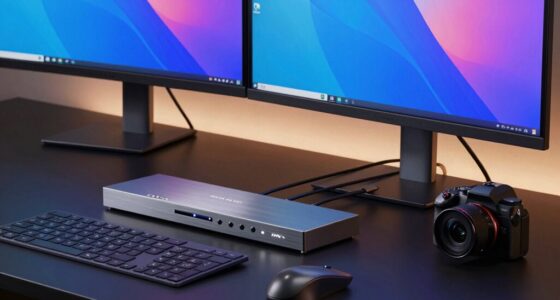
Finding the best compact Thunderbolt dock means balancing performance, size, and versatility. The top pick, the Satechi Thunderbolt 4 Slim Hub Pro Docking Station, offers a strong mix of power and portability with 100W charging and multiple ports. The Belkin Thunderbolt 3 Dock Mini stands out for its sleek design and compatibility, while the CalDigit E5 Thunderbolt 5 Element pushes the limits with Thunderbolt 5 support and extensive connectivity. Buyers often face tradeoffs between size, port selection, and power delivery, making it essential to prioritize what matters most for their setup. Continue reading for a detailed breakdown of these options and how to choose the best one for your workflow.

Get comfort and recovery gear delivered free with Prime
- Fast, free delivery on millions of items
- Prime Video, Amazon Music and more included
- Member-only deals all year
Complete the kit



Key Takeaways
- The best overall compact Thunderbolt dock balances size, power, and port variety, with the Satechi model leading due to its versatility.
- Port selection varies widely; consider whether you need dual 4K support or extra USB-A ports to match your workflow.
- Power delivery is crucial; docks with 100W charging support are better suited for charging larger laptops like MacBook Pro or M1/M2 Air.
- Size differences among these docks are subtle but impactful; smaller models enhance portability but may limit port options.
- Future-proofing with Thunderbolt 4 or Thunderbolt 5 can extend the longevity of your investment, especially for demanding workflows.
| Satechi Thunderbolt 4 Slim Hub Pro Docking Station with 100W USB-C Charging |  | Best Overall Compact Thunderbolt Dock | Hardware Interface: Thunderbolt 4, USB 3.2 Gen 2, USB | Compatible Devices: MacBook Pro 14/16-inch, MacBook Air 13/15-inch, iPad Pro, Mac Mini, iMac, Lenovo ThinkPad, Microsoft Surface | Total USB Ports: 1 | VIEW LATEST PRICE | See Our Full Breakdown |
| Belkin Thunderbolt 3 Dock Mini HD with Cable – USB-C Hub and Docking Station for Mac and Windows |  | Best Compact Thunderbolt Dock for Portability | Monitor Support: Dual 4K @60Hz | Transfer Speed: 40Gbps | Ports: 2 HDMI, Ethernet, USB-C | VIEW LATEST PRICE | See Our Full Breakdown |
| UGREEN 8-in-1 Thunderbolt 4 Docking Station, Dual 4K@60Hz, 3xTBT4, 40Gbps |  | Best High-Performance Versatile Dock | Hardware Interface: Thunderbolt 4 | Compatible Devices: Most Thunderbolt 4, 3, USB4, or USB-C computers and tablets | Total USB Ports: 3 | VIEW LATEST PRICE | See Our Full Breakdown |
| Plugable Thunderbolt 4 Dock for M4/M5 MacBook Air & Pro, 100W Charging |  | Best for MacBook M4/M5 Users and Versatile Connectivity | Hardware Interface: Thunderbolt 4 | Compatible Devices: M4/M5 MacBook Air & Pro, M1, M2, M3 MacBooks, Windows systems with Thunderbolt 4 or USB4 | Total USB Ports: 7 | VIEW LATEST PRICE | See Our Full Breakdown |
| Plugable Thunderbolt 4 Dock with 100W Charging and Dual 4K Support |  | Best Full-Featured Dual 4K Dock | Power Delivery: 100W | Display Support: Dual 4K 60Hz or single 8K | Ports: 2× HDMI, 1× Thunderbolt 4 downstream, 4× USB, SD/microSD, Ethernet | VIEW LATEST PRICE | See Our Full Breakdown |
| CalDigit E5 Thunderbolt 5 Element 5 Hub – 9 Ports with Thunderbolt 5/USB4 v2, USB-A, USB-C, 90W Charging, 8K/6K Display Support |  | Best Overall for High-Performance Professionals | Hardware Interface: Thunderbolt 3, Thunderbolt 4, USB 3.1 Type A, USB 3.1 Type C, USB 3.2 Gen 2 | Total Usb Ports: 5 | Number of Ports: 9 | VIEW LATEST PRICE | See Our Full Breakdown |
| OWC Thunderbolt Hub 5-Port Connectivity Solution |  | Best for Moderate Expansion and Legacy Device Support | Ports: 4 Thunderbolt 4, 1 USB-A | VIEW LATEST PRICE | See Our Full Breakdown |
| compact thunderbolt dock | Hardware Interface | Total USB Ports | Wattage |
|---|---|---|---|
| Satechi Thunderbolt 4 Slim Hub | Thunderbolt 4, USB 3.2 Gen 2, USB | 1 | 96 watts |
| Belkin Thunderbolt 3 Dock Mini | — | — | — |
| UGREEN 8-in-1 Thunderbolt 4 Do | Thunderbolt 4 | 3 | 140 watts |
| Plugable Thunderbolt 4 Dock fo | Thunderbolt 4 | 7 | 134 watts |
| Plugable Thunderbolt 4 Dock wi | — | — | — |
| CalDigit E5 Thunderbolt 5 Elem | Thunderbolt 3, Thunderbolt 4, USB 3.1 Type A, USB 3.1 Type C, USB 3.2 Gen 2 | 5 | 180W |
| OWC Thunderbolt Hub 5-Port Con | — | — | — |
More Details on Our Top Picks
Satechi Thunderbolt 4 Slim Hub Pro Docking Station with 100W USB-C Charging
The Satechi Thunderbolt 4 Slim Hub Pro stands out for its combination of portability and high performance, supporting dual 4K displays and up to 100W charging in a sleek aluminum chassis. Compared with the UGREEN 8-in-1 Thunderbolt 4 Dock, this model offers a more refined design and passive cooling, making it ideal for professionals who need a reliable, space-saving solution without sacrificing power or display capabilities. However, its limited USB-A ports may be a drawback for users with multiple peripherals. Its broad compatibility and durable build make it best suited for mobile professionals needing a compact yet powerful dock.
Pros:- Supports dual 4K displays or single 8K output for high-resolution needs
- Provides up to 100W charging, suitable for MacBook and tablets
- Slim aluminum design with passive cooling enhances durability and thermal management
- Multiple ports including Thunderbolt 4, Ethernet, and SD card reader
Cons:- Limited to one USB-A port, restricting peripheral connectivity
- Older Macs may face compatibility issues with higher refresh rates over HDMI
Best for: Creative professionals and remote workers who need a portable, high-performance Thunderbolt 4 dock
Not ideal for: Users with numerous USB-A peripherals or those requiring many additional ports, as it offers only one USB-A port
- Hardware Interface:Thunderbolt 4, USB 3.2 Gen 2, USB
- Compatible Devices:MacBook Pro 14/16-inch, MacBook Air 13/15-inch, iPad Pro, Mac Mini, iMac, Lenovo ThinkPad, Microsoft Surface
- Total USB Ports:1
- Number of Ports:5
- Wattage:96 watts
- Item Dimensions:5.31″ L x 0.67″ W x 2.91″ H
- Item Weight:8.75 ounces
Our verdict“This dock is perfect for professionals who prioritize a compact design without compromising on high-resolution display support and power delivery.”
Belkin Thunderbolt 3 Dock Mini HD with Cable – USB-C Hub and Docking Station for Mac and Windows
The Belkin Thunderbolt 3 Dock Mini HD offers a streamlined, portable solution that supports dual 4K monitors at 60Hz, making it ideal for users who need high-resolution displays on the go. While it’s more portable than the larger UGREEN or Plugable models, its reliance on Thunderbolt 3 limits compatibility to older Thunderbolt standards, compared with the Thunderbolt 4 options. The included short cable minimizes desk clutter but may require extension cables for some setups. This dock is perfect for users who prioritize mobility and quick setup, especially when working with dual 4K displays.
Pros:- Supports dual 4K@60Hz monitors for crisp, high-resolution visuals
- Single cable connection simplifies setup and reduces clutter
- Includes a Thunderbolt 3 cable, ready for immediate use
- Compact, lightweight design for portability
Cons:- Limited to Thunderbolt 3 devices, missing newer Thunderbolt 4 features
- Short cable length may necessitate additional extension cables for some desks
- Lacks additional USB ports for peripherals
Best for: Travelers and mobile professionals who need a compact, dual 4K display-ready dock with minimal setup fuss
Not ideal for: Power users who need more USB ports or higher Thunderbolt speeds, as it offers limited connectivity options beyond HDMI and Ethernet
- Monitor Support:Dual 4K @60Hz
- Transfer Speed:40Gbps
- Ports:2 HDMI, Ethernet, USB-C
- Cable Included:Thunderbolt 3 cable (6.8in/174mm)
Our verdict“Ideal for mobile users who need a reliable, dual 4K-capable dock that’s easy to carry and quick to set up.”
UGREEN 8-in-1 Thunderbolt 4 Docking Station, Dual 4K@60Hz, 3xTBT4, 40Gbps
The UGREEN 8-in-1 Thunderbolt 4 Dock caters to demanding users needing multiple high-speed ports, dual 4K displays at 60Hz, and robust power delivery. Its support for dual 4K or even 8K visuals makes it stand out for content creators and professionals requiring excellent display flexibility. Compared to the Plugable docks, the UGREEN offers a more comprehensive port selection and stronger charging capacity, but it’s bulkier and may face compatibility issues with some MacBook M-chip models. This dock is best suited for power users who need extensive connectivity in a single, compact unit.
Pros:- Supports dual 4K@60Hz or 8K visuals for high-quality display output
- High-speed data transfer up to 40Gbps
- Powerful 85W charging with included 140W charger
- Multiple ports including Thunderbolt 4, USB-A, Ethernet
Cons:- Compatibility issues with some MacBook M-chip models
- Requires connection to the charger to activate full features
- Relatively larger footprint for a compact dock
Best for: Content creators and multitaskers who need multiple ports and high-resolution display support
Not ideal for: Users with limited space or those seeking a very slim, ultra-portable dock, as it’s larger and heavier than alternatives
- Hardware Interface:Thunderbolt 4
- Compatible Devices:Most Thunderbolt 4, 3, USB4, or USB-C computers and tablets
- Total USB Ports:3
- Number of Ports:8
- Wattage:140 watts
- Color:Dark Gray
Our verdict“This dock is well-suited for professionals needing extensive port options and high display resolutions in a compact form factor.”
Plugable Thunderbolt 4 Dock for M4/M5 MacBook Air & Pro, 100W Charging
The Plugable Thunderbolt 4 Dock offers a sleek, high-performance option tailored for MacBook M4/M5 users, supporting dual 4K displays and 100W charging. Its 13-in-1 port array rivals larger docks like the Plugable Thunderbolt 4 Dock with 13 ports, but in a more compact, streamlined form. While it excels with dual 4K support and easy plug-and-play operation, some features are limited on base M1 and M2 models, which may only support a single external display. This dock makes the most sense for Mac users seeking a seamless, powerful connection station without excessive bulk.
Pros:- Supports dual 4K 60Hz HDMI displays without requiring drivers
- Offers a wide range of ports including USB, SD card, and Ethernet
- Provides 100W charging to keep laptops powered
- Sleek aluminum design for a professional look
Cons:- Base M1 and M2 MacBooks support only a single external display in some configurations
- Some advanced features may need specific Mac models or clamshell mode
- Limited USB-A ports compared to larger docks
Best for: MacBook M4/M5 owners who want a compact, feature-rich dock with high power delivery
Not ideal for: Users with Windows systems that require more USB ports or higher display flexibility, as it’s optimized primarily for newer Macs
- Hardware Interface:Thunderbolt 4
- Compatible Devices:M4/M5 MacBook Air & Pro, M1, M2, M3 MacBooks, Windows systems with Thunderbolt 4 or USB4
- Total USB Ports:7
- Number of HDMI Ports:2
- Wattage:134 watts
- Item Dimensions:3.3″L x 8.9″W x 0.9″H
Our verdict“This dock is ideal for MacBook M4/M5 users seeking a reliable, high-power, dual 4K solution in a compact form.”
Plugable Thunderbolt 4 Dock with 100W Charging and Dual 4K Support
The Plugable Thunderbolt 4 Dock with 100W Charging offers a comprehensive solution for demanding setups, with 40Gbps data transfer, dual 4K displays at 60Hz, and a broad port selection including HDMI, USB, Ethernet, and SD slots. Its performance covers the needs of professionals working with high-resolution visuals and multiple peripherals, but the system’s compatibility depends on the user’s device specifications. Compared with the UGREEN model, it provides a more versatile port array and robust performance, though it’s slightly larger. This dock is best suited for power users who want maximum connectivity without sacrificing portability.
Pros:- Supports dual 4K@60Hz or single 8K display for high-quality visuals
- High-speed Thunderbolt 4 performance at 40Gbps
- Supports 100W power delivery for all-day laptop use
- Wide port selection, including HDMI, USB, Ethernet, and SD card slots
Cons:- Compatibility varies depending on Mac system configurations
- Requires a compatible Thunderbolt 4 or USB4 system for full feature access
- Dual display support depends on system and mode
Best for: Power users and creative professionals requiring high data throughput and multiple high-res displays
Not ideal for: Casual users or those with limited desk space, as its size and complexity might be overkill
- Power Delivery:100W
- Display Support:Dual 4K 60Hz or single 8K
- Ports:2× HDMI, 1× Thunderbolt 4 downstream, 4× USB, SD/microSD, Ethernet
- Performance:40Gbps Thunderbolt 4
Our verdict“This dock suits professionals needing maximum performance and extensive port options in a compact yet powerful package.”
CalDigit E5 Thunderbolt 5 Element 5 Hub – 9 Ports with Thunderbolt 5/USB4 v2, USB-A, USB-C, 90W Charging, 8K/6K Display Support
The CalDigit E5 Thunderbolt 5 Element 5 Hub stands out for its cutting-edge Thunderbolt 5 and USB4 v2 support, making it ideal for users who need blazing-fast data transfer and multiple high-resolution displays. Compared to the OWC Thunderbolt Hub, which offers fewer ports and lacks Thunderbolt 5, the E5 provides more flexibility for demanding setups. However, this power comes with a higher price tag and a dependency on Thunderbolt 5 or USB4 v2 for full capabilities, limiting compatibility with older devices. Its 90W charging supports most laptops and peripherals, making it a comprehensive station for professionals who prioritize speed and display support. The high port count and support for dual 8K/6K displays make it a top pick for content creators and power users, despite its premium cost.
Pros:- Supports high-resolution displays up to 8K and dual 6K/8K for demanding workflows
- Provides up to 90W charging to power laptops and peripherals simultaneously
- Includes Thunderbolt 5 and USB4 v2 ports with 80Gb/s performance
- Multiple USB-A and USB-C ports for versatile device connectivity
Cons:- Requires Thunderbolt 5 or USB4 v2 for full feature utilization, limiting compatibility
- Relatively high price compared to simpler docks
- Limited support for triple displays on some macOS setups
Best for: High-end creative professionals and tech enthusiasts needing maximum bandwidth and multiple display support
Not ideal for: Casual users or those with older Thunderbolt or USB devices, due to limited backward compatibility and higher cost
- Hardware Interface:Thunderbolt 3, Thunderbolt 4, USB 3.1 Type A, USB 3.1 Type C, USB 3.2 Gen 2
- Total Usb Ports:5
- Number of Ports:9
- Wattage:180W
- Input Voltage:120 volts
- Item Dimensions:4.5″L x 2.75″W x 1.12″H
Our verdict“This dock makes the most sense for professionals who need the fastest data transfer, multiple high-res displays, and are ready to invest in premium connectivity.”
OWC Thunderbolt Hub 5-Port Connectivity Solution
The OWC Thunderbolt Hub offers a straightforward expansion with four Thunderbolt 4 ports and one USB-A port, making it well-suited for users who need reliable, high-speed connections without the complexity of advanced features. Compared to the CalDigit E5, which supports Thunderbolt 5 and multiple high-res displays, the OWC hub is more affordable but lacks support for the fastest data transfer standards and high-resolution display outputs. It’s a practical choice for those who primarily need to connect multiple Thunderbolt devices and legacy USB peripherals in a compact form. However, its limited port count and absence of charging capabilities restrict its appeal for power users needing more extensive setups or device charging on the fly.
Pros:- Four Thunderbolt 4 ports enable high-speed data and device daisy-chaining
- Includes a USB-A port for legacy device compatibility
- Compact, lightweight design perfect for portable setups
- Plug-and-play with simple connectivity
Cons:- Limited to five ports, which may not suffice for heavy users
- No charging or power delivery features, requiring separate power solutions
- Potentially higher price for only five ports compared to multi-port docks
Best for: Laptop users seeking a simple, reliable expansion for multiple Thunderbolt devices and USB peripherals
Not ideal for: Creative professionals or power users requiring higher data speeds, multiple display support, or charging features
- Ports:4 Thunderbolt 4, 1 USB-A
Our verdict“Ideal for users who need a dependable, straightforward Thunderbolt expansion without extra features or high display demands.”

How We Picked
The products in this roundup were selected based on a combination of performance, build quality, port versatility, and overall value in the compact Thunderbolt dock category. We prioritized docks that balance size with functionality, ensuring they fit easily into portable setups while delivering robust features. Power delivery capacity and compatibility with both Mac and Windows systems were key considerations, along with user reviews highlighting durability and ease of use. The ranking reflects how well each model meets these criteria while offering a distinct role, whether for everyday use, professional workflows, or premium setups.| compact thunderbolt dock | Hardware Interface |
|---|---|
| Satechi Thunderbolt 4 Slim Hub | Thunderbolt 4, USB 3.2 Gen 2, USB |
| Belkin Thunderbolt 3 Dock Mini | — |
| UGREEN 8-in-1 Thunderbolt 4 Do | Thunderbolt 4 |
| Plugable Thunderbolt 4 Dock fo | Thunderbolt 4 |
| Plugable Thunderbolt 4 Dock wi | — |
| CalDigit E5 Thunderbolt 5 Elem | Thunderbolt 3, Thunderbolt 4, USB 3.1 Type A, USB 3.1 Type C, USB 3.2 Gen 2 |
| OWC Thunderbolt Hub 5-Port Con | — |
Factors to Consider When Choosing Best Compact Thunderbolt Dock
Choosing the right compact Thunderbolt dock involves understanding several key factors that impact performance and usability. Size and portability are obvious considerations, but you should also evaluate port options, power delivery, and future compatibility. Making the wrong choice can lead to frustration, such as insufficient ports or inadequate charging. This guide highlights the main points to consider so you can find a dock that matches your specific needs without unnecessary compromises.Size and Portability
Size is often the primary reason for choosing a compact Thunderbolt dock, especially for mobile users. Smaller models are easier to carry and fit into tight workspaces but may restrict the number of ports or power options. Consider how often you’ll need to travel versus staying stationary; larger docks with more ports tend to be less portable but offer greater flexibility when plugged into a dedicated workspace. Finding a balance between size and port availability is key to ensuring your setup remains both functional and portable.
Port Selection and Compatibility
Not all docks are created equal in port variety. Evaluate what types of connections you need—USB-C, USB-A, HDMI, SD card slots, or Ethernet—and ensure the dock offers enough of each. Compatibility with your devices, whether Mac or Windows, also matters; some docks are optimized for one system over the other. Overloading a small dock with too many ports can lead to congestion or performance drops, so match your requirements with the dock’s offerings carefully.
Power Delivery (PD)
Power delivery is essential if you want your dock to also charge your MacBook or other laptops. Docks supporting 100W charging are better suited for larger laptops, ensuring your device stays powered during intensive tasks. Cheaper docks with lower PD ratings may charge smaller devices or only provide minimal power, which can be frustrating during long work sessions. Consider your device’s power needs carefully before choosing a dock with the right PD support.
Future-Proofing
Thunderbolt 4 and Thunderbolt 5 docks offer increased bandwidth and future compatibility, making them a smarter long-term investment. Thunderbolt 5, in particular, supports higher resolutions and faster data transfer, which can be beneficial for demanding workflows like video editing or 8K displays. Choosing a dock with the latest standard can extend its relevance, but often comes at a premium. Balance your budget with your need for cutting-edge features.
Build Quality and Ease of Use
Durability and user-friendly features like simple cable management, easy port access, and driver support can significantly affect your overall experience. A well-built dock with high-quality materials resists wear and tear, especially if you move it frequently. Ease of setup and switching between devices are also important; docks with plug-and-play operation save time and reduce frustration, especially for users who frequently change setups.
Frequently Asked Questions
Can I use a Thunderbolt dock with a non-Thunderbolt USB-C port?
While some docks may work with non-Thunderbolt USB-C ports, full functionality, especially high-speed data transfer and power delivery, typically requires a true Thunderbolt port. Thunderbolt docks leverage specific hardware protocols that standard USB-C ports often lack. Using a Thunderbolt dock with a non-compatible port may result in limited performance or no connection at all, so it’s best to match the dock’s requirements with your device’s port capabilities.
Will a compact Thunderbolt dock support dual 4K monitors?
Most docks in this category can support dual 4K displays, especially those with Thunderbolt 4 or Thunderbolt 5 support. However, the actual video output depends on the dock’s specifications and your computer’s graphics capabilities. Verify that the dock explicitly states dual 4K or higher resolution support and that your laptop’s GPU can handle multiple high-resolution displays simultaneously. This helps avoid disappointments when setting up multiple monitors.
How important is port variety in a compact dock?
Port variety is crucial if you need to connect multiple peripherals like external drives, cameras, or Ethernet. A compact dock with limited ports can become a bottleneck, requiring additional hubs or adapters, which defeats its purpose. Consider your primary use case and ensure the dock provides all necessary connections without overcrowding a small form factor. Prioritize docks that offer versatile port options aligned with your workflow.
Are Thunderbolt 5 docks worth the extra cost?
Thunderbolt 5 offers higher bandwidth, faster data transfer, and better future-proofing, making it appealing for demanding workflows like 8K video editing or extensive data transfer. However, these docks tend to be more expensive and may offer features that are unnecessary for casual users. If your work involves high-resolution displays or large file transfers, investing in Thunderbolt 5 can be justified; otherwise, Thunderbolt 4 options often suffice for most users.
Should I prioritize power delivery or port count?
Deciding between power delivery and port count depends on your primary needs. If you require your dock to charge your laptop while connected, prioritize models with 100W PD support. Conversely, if you need multiple peripherals simultaneously, focus on docks with a broader port array, even if it means sacrificing some power delivery capacity. Ideally, choose a dock that balances both features to cover your main use cases without compromise.
Conclusion
For users seeking the best overall performance in a compact form factor, the Satechi Thunderbolt 4 Slim Hub Pro Docking Station makes a compelling choice, especially for professionals who need reliable power and multiple ports. Budget-conscious buyers or those with light workloads will find the Belkin Thunderbolt 3 Dock Mini offers excellent value, combining portability with essential features. For those who demand cutting-edge technology and maximum future-proofing, the CalDigit E5 Thunderbolt 5 provides the latest standards and extensive connectivity. Beginners or casual users might prefer a simple, easy-to-set-up dock, while power users should prioritize models with high wattage charging and broad port options. Consider your specific needs carefully to select the perfect compact Thunderbolt dock in 2026.