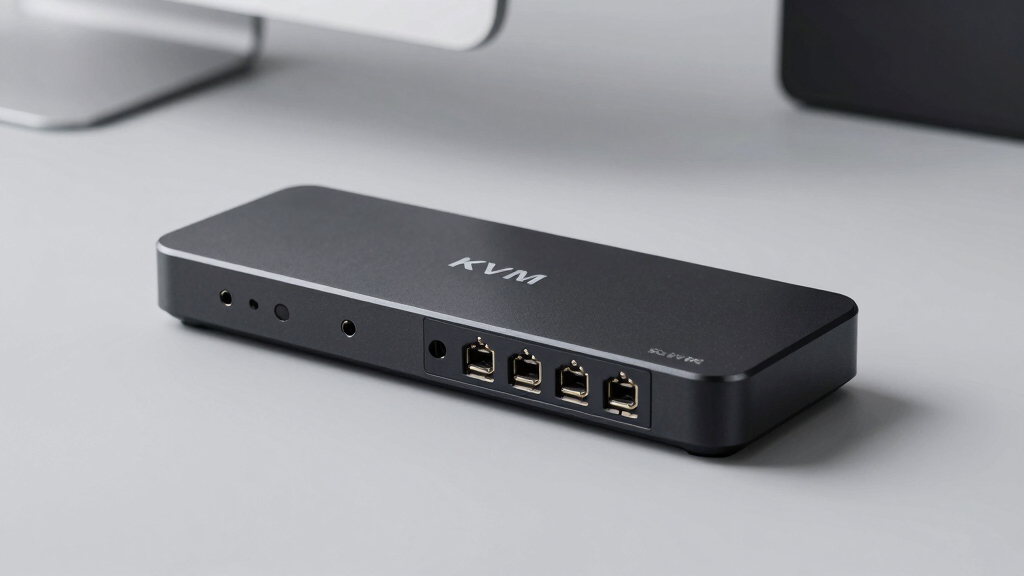
Finding the best KVM switch for Mac and PC can be challenging due to varying features, compatibility, and performance levels. The ideal model should support multiple monitors, high resolutions, and seamless switching, all while maintaining reliable connections. The Hearvo USB 3.0 HDMI KVM Switch stands out for its straightforward setup and solid 4K@60Hz performance, making it a top overall choice. For those needing dual monitor support, the AV Access KVM Switch Dock offers powerful features like 4K dual display and fast Ethernet. However, tradeoffs often include price, complexity, and port selection, which can influence your decision. Continue reading for a detailed breakdown of these options to find your best fit.

Get comfort and recovery gear delivered free with Prime
- Fast, free delivery on millions of items
- Prime Video, Amazon Music and more included
- Member-only deals all year
Key Takeaways
- High-resolution support, such as 4K or 8K, is common among top KVM switches, but it often comes with higher price tags.
- Dual monitor capability is a key feature for professional workflows, but not all switches support multiple displays simultaneously.
- USB port variety and speed (USB 3.0 vs. USB-C) significantly impact device compatibility and data transfer rates.
- Wired remote controls enhance convenience, especially for setups with frequent switching, but may add complexity.
- Build quality and compatibility vary widely; premium models tend to offer more durability and broader device support.
| Hearvo USB 3.0 HDMI KVM Switch for 2 Computers 1 Monitor, 4K@60Hz, S7232H |  | Best Overall for Versatile Home and Office Use | Input Ports: 2 HDMI | USB Ports: 4 (3 USB-A + 1 USB-C) | Resolution Support: 4K@60Hz, HDCP 2.2 | VIEW LATEST PRICE | See Our Full Breakdown |
| HDMI KVM Switch 2 Monitors 2 Computers – 8K@60Hz, 4K@120Hz, 4 Port USB 3.0 Hub, Wired Remote, Plug & Play |  | Best for Ultra-High-Resolution Multi-Display Setups | Resolution Support: 8K@60Hz, 4K@120Hz | Ports: 2 DisplayPort 1.4, 1 HDMI 2.1, 4 USB 3.0 | Power Supply: 5V/2A adapter | VIEW LATEST PRICE | See Our Full Breakdown |
| UGREEN HDMI KVM Switch for Dual Monitors and Dual Computers, 4K@60Hz, with USB 3.0 Ports |  | Best for Multi-Display Productivity in Work Environments | Resolution Support: 4K@60Hz | Number of Monitors: 2 | USB Ports: 4 (3 USB-A + 1 USB-C) | VIEW LATEST PRICE | See Our Full Breakdown |
| UGREEN 8K@60Hz HDMI DisplayPort KVM Switch for 3 Monitors and 2 Computers |  | Best for High-End Multi-Monitor and Content Creation Setups | Resolution: 8K@60Hz, 4K@240Hz | Ports: 2 DisplayPort 1.4, 1 HDMI 2.1, 4 USB 3.0 | Supported Systems: Windows, Mac, Linux | VIEW LATEST PRICE | See Our Full Breakdown |
| AV Access KVM Switch Dock 2 Monitors 2 Laptops, 4K Dual Monitor, 60W PD, 1G Ethernet, Plug & Play |  | Best for Hybrid Work and Portable Multi-Device Control | Number of Monitors: 2 | Supported Resolutions: 4K@60Hz | USB Ports: Multiple including USB 3.0 | VIEW LATEST PRICE | See Our Full Breakdown |
| Hearvo USB 3.0 HDMI + USB-C KVM Switch for 1 Monitor and 2 Computers |  | Best Value for Single-Monitor Multi-Platform Setup | Input Ports: HDMI + USB-C for Computer 1, USB-C for Computer 2 | USB Ports: 3 USB-A + 1 USB-C | Video Resolution: 4K@60Hz | VIEW LATEST PRICE | See Our Full Breakdown |
| UGREEN 8K@60Hz HDMI KVM Switch for 4 Computers with 4 USB 3.0 Ports |  | Best for Multi-Device High-Resolution Control | Resolution: 8K@60Hz | USB Ports: 4 (3 USB-A + 1 USB-C) | Supported Systems: Windows, MacOS, Linux | VIEW LATEST PRICE | See Our Full Breakdown |
| AV Access Dual 4K HDMI KVM Switch Docking Station for MacBook and PC |  | Best for Seamless Multi-Device Multitasking | Compatibility: MacBook (Pro/Air) with M1/M2/M3/M4, Windows PC | Display Support: Dual 4K HDMI (single on M1/M2 Macs) | Power Delivery: 100W | VIEW LATEST PRICE | See Our Full Breakdown |
| kvm switch for mac and pc | USB Ports | Compatibility | Switching Methods | Power Supply |
|---|---|---|---|---|
| Hearvo USB 3.0 HDMI KVM Switch | 4 (3 USB-A + 1 USB-C) | Windows 7/8/10/11, Mac, Linux | Button, Wired Remote | — |
| HDMI KVM Switch 2 Monitors 2 C | — | Windows, Mac, Linux | Button, remote | 5V/2A adapter |
| UGREEN HDMI KVM Switch for Dua | 4 (3 USB-A + 1 USB-C) | — | — | Included (3 adapters) |
| UGREEN 8K@60Hz HDMI DisplayPor | — | — | — | Included power adapter |
| AV Access KVM Switch Dock 2 Mo | Multiple including USB 3.0 | USB-C laptops supporting DP Alt Mode | — | — |
| Hearvo USB 3.0 HDMI + USB-C KV | 3 USB-A + 1 USB-C | Windows, macOS, Linux | Button and wired remote | — |
| UGREEN 8K@60Hz HDMI KVM Switch | 4 (3 USB-A + 1 USB-C) | — | Button, Desktop Controller | Required |
| AV Access Dual 4K HDMI KVM Swi | — | MacBook (Pro/Air) with M1/M2/M3/M4, Windows PC | — | — |
More Details on Our Top Picks
Hearvo USB 3.0 HDMI KVM Switch for 2 Computers 1 Monitor, 4K@60Hz, S7232H
This Hearvo HDMI KVM switch stands out for its straightforward setup and solid 4K@60Hz support, making it ideal for users who want reliable dual-computer control without complexity. Compared with the UGREEN HDMI KVM, it offers similar resolution but includes a remote control, which adds convenience for frequent switching. However, its control is limited to two computers and it lacks an integrated power supply, so some setups may require external power. Its multiple USB 3.0 ports enable fast peripheral sharing, and plug-and-play design means no driver fuss. This model makes the most sense for users needing a simple, high-quality switch for mainstream office or home use.
Pros:- Supports 4K resolution at 60Hz for crisp visuals
- Includes remote control for easy switching
- Multiple USB 3.0 ports for fast device sharing
- Plug and play with no driver installation
Cons:- Limited to controlling only two computers at once
- No built-in power supply, may need external power for some peripherals
Best for: Small to medium-sized office workers or home users who want easy, reliable dual-OS control with 4K visuals.
Not ideal for: Power users needing more advanced features or multi-monitor setups beyond 2 displays, as it only supports controlling two computers with one monitor.
- Input Ports:2 HDMI
- USB Ports:4 (3 USB-A + 1 USB-C)
- Resolution Support:4K@60Hz, HDCP 2.2
- Switching Methods:Button, Wired Remote
- Compatibility:Windows 7/8/10/11, Mac, Linux
- Package Includes:HDMI switch, 2 USB 3.0 cables, remote, user manual
Our verdict“This pick is best for users seeking a straightforward, reliable 4K KVM switch for everyday dual-computer setups.”
HDMI KVM Switch 2 Monitors 2 Computers – 8K@60Hz, 4K@120Hz, 4 Port USB 3.0 Hub, Wired Remote, Plug & Play
This HDMI KVM switch is tailored for users who demand the highest resolution support, including 8K@60Hz and 4K@120Hz, making it ideal for professional content creators or gamers. While the Hearvo switch offers good resolution, this model pushes the envelope with ultra-high resolutions and dual monitor support, suitable for high-end workstations. Its external power supply ensures stable performance at 8K, but it might be overkill for typical office tasks. The durable metal housing and USB 3.0 hub add to its appeal for demanding workflows. Compared to the UGREEN model, it offers more robust resolution and multi-monitor capabilities, though it’s more complex and requires external power.
Pros:- Supports up to 8K@60Hz and 4K@120Hz for ultra-sharp visuals
- Dual monitor support for expanded workspace
- Includes USB 3.0 hub for fast peripherals
- Durable metal housing
Cons:- Requires external power supply for optimal performance
- More complex setup compared to simpler switches
Best for: Creative professionals and gamers who need stable, high-res dual-monitor control with maximum visual fidelity.
Not ideal for: Casual users or those with limited space, since its setup and power needs are more involved, and it’s not optimized for simple office use.
- Resolution Support:8K@60Hz, 4K@120Hz
- Ports:2 DisplayPort 1.4, 1 HDMI 2.1, 4 USB 3.0
- Power Supply:5V/2A adapter
- Compatibility:Windows, Mac, Linux
- Cable Length:Within 2 meters for 8K
- Switching Methods:Button, remote
Our verdict“This is best for users needing maximum resolution and multi-monitor capability at the highest levels of fidelity.”
UGREEN HDMI KVM Switch for Dual Monitors and Dual Computers, 4K@60Hz, with USB 3.0 Ports
The UGREEN HDMI KVM switch offers a balanced mix of high-resolution support (4K@60Hz) and dual monitor control, making it a strong choice for professional setups. Compared with the Hearvo model, it provides dual monitor support and easier switching modes but lacks a remote control, which might be inconvenient for some users. Its support for HDR and HDCP 2.2 enhances visual quality, and multiple USB 3.0 ports facilitate fast data transfer. The need for an external power supply and limited cable length are tradeoffs, especially for users with complex cable arrangements. For those with straightforward multi-monitor needs, this switch provides excellent value without overcomplicating the setup.
Pros:- Supports 4K@60Hz for detailed images
- Dual monitor support enhances productivity
- Multiple USB 3.0 ports for peripherals
- HDR and HDCP 2.2 support for quality content
Cons:- No remote control, less convenient for frequent switching
- Requires external power for full functionality
Best for: Office professionals and content creators who need reliable dual-monitor performance with high-quality visuals.
Not ideal for: Users requiring ultra-high resolutions like 8K or those seeking remote control functionality, as this model is more suited for standard professional environments.
- Resolution Support:4K@60Hz
- Number of Monitors:2
- USB Ports:4 (3 USB-A + 1 USB-C)
- HDMI Version:HDMI 2.0
- HDR:Yes
- Power Supply:Included (3 adapters)
Our verdict“Ideal for office setups that need dependable dual-monitor control and high-quality visuals without complex features.”
UGREEN 8K@60Hz HDMI DisplayPort KVM Switch for 3 Monitors and 2 Computers
This UGREEN switch is designed for professionals who require control over multiple high-resolution displays, supporting up to 8K@60Hz and 4K@240Hz, with three monitors and four USB 3.0 ports. It surpasses most options like the Hearvo in multi-monitor capacity, making it suitable for demanding content creators or IT environments. The broad compatibility with Windows, Mac, and Linux, along with multiple switching modes, offers flexibility. However, its need for both computers to support triple-monitor output limits its use to high-end systems, and the cable length restrictions for 8K resolution may pose challenges. This switch is best suited for those with advanced, multi-display workflows.
Pros:- Supports up to 8K@60Hz and 4K@240Hz for ultra-high-res workflows
- Controls three monitors simultaneously
- Broad system compatibility and multiple switching options
- Includes power adapter
Cons:- Requires triple-monitor support from both computers
- Cable length limitations for 8K resolution
Best for: Content creators, IT professionals, or power users managing multi-monitor, high-resolution setups.
Not ideal for: Standard office users or casual setups, due to its complexity and high system requirements.
- Resolution:8K@60Hz, 4K@240Hz
- Ports:2 DisplayPort 1.4, 1 HDMI 2.1, 4 USB 3.0
- Supported Systems:Windows, Mac, Linux
- Cable Length:Within 2 meters for 8K
- Power Supply:Included power adapter
Our verdict“Best suited for advanced users who need multi-monitor, ultra-high-resolution control at the professional level.”
AV Access KVM Switch Dock 2 Monitors 2 Laptops, 4K Dual Monitor, 60W PD, 1G Ethernet, Plug & Play
The AV Access KVM dock offers a comprehensive solution for controlling two laptops with dual monitors, plus extensive peripheral connectivity, including Ethernet, SD card, and headset support. It excels for hybrid work environments, especially with its 60W power delivery, allowing quick charging of laptops while switching instantly. Compared to the other models, it emphasizes versatility and ease of use, making it ideal for home offices or on-the-go professionals. Its limitations include potential restrictions with 5K or G-Sync/FreeSync monitors and macOS display restrictions, which may affect some users seeking ultra-high-end gaming or editing setups. This device is perfect for those prioritizing simplicity and multiple connectivity options in a single dock.
Pros:- Supports dual 4K@60Hz monitors with fast switching
- Includes 60W power delivery for charging laptops
- Extensive connectivity options (Ethernet, SD, headset)
- Plug and play with no driver installation
Cons:- Limited to mirroring displays on Mac due to macOS restrictions
- Maximum resolution capped at 4K for ultrawide monitors
Best for: Home office workers or hybrid professionals needing a portable, all-in-one docking station for dual laptops and peripherals.
Not ideal for: High-end gamers or creators requiring 5K or G-Sync/FreeSync support, as it’s limited to 4K resolutions and specific macOS display capabilities.
- Number of Monitors:2
- Supported Resolutions:4K@60Hz
- USB Ports:Multiple including USB 3.0
- Power Delivery:60W
- Connectivity:Ethernet, SD, headset
- Compatibility:USB-C laptops supporting DP Alt Mode
Our verdict“Ideal for hybrid workers seeking a flexible, portable docking station with quick switching and comprehensive peripheral support.”
Hearvo USB 3.0 HDMI + USB-C KVM Switch for 1 Monitor and 2 Computers
This model stands out for providing a straightforward solution that supports both HDMI and USB-C inputs, making it ideal for users with mixed systems like Windows and macOS. Compared with the AV Access Dual 4K HDMI KVM Switch, it offers a simpler setup without extra features like Ethernet or extensive peripheral ports, focusing instead on core functionality. Its support for 4K@60Hz ensures sharp visuals, suitable for professional or home use. The tradeoff is that it only handles a single monitor, which limits multitasking for power users. Its two switching options—button and remote—offer convenience, but requiring multiple cables may clutter a desk. Overall, this pick makes the most sense for users who need reliable single-monitor sharing without the complexity or high cost of multi-display setups.
Pros:- Supports crisp 4K@60Hz visuals for clear image quality
- Multiple USB ports facilitate peripheral sharing
- Dual switching options for flexible control
Cons:- Limited to controlling one monitor only
- Requires multiple cables, which can add desk clutter
- No dedicated audio support for sound management
Best for: Home users or small office setups needing simple dual-PC control on one monitor
Not ideal for: Professionals needing multi-monitor workflows or high-end gaming setups
- Input Ports:HDMI + USB-C for Computer 1, USB-C for Computer 2
- USB Ports:3 USB-A + 1 USB-C
- Video Resolution:4K@60Hz
- HDCP Support:HDCP 2.2
- Switching Methods:Button and wired remote
- Compatibility:Windows, macOS, Linux
Our verdict“This switch is perfect for users who want a reliable, straightforward single-monitor solution across different OS platforms without extra bells and whistles.”
UGREEN 8K@60Hz HDMI KVM Switch for 4 Computers with 4 USB 3.0 Ports
This option is distinguished by supporting ultra-high 8K@60Hz resolution, making it ideal for users who need the highest image fidelity, such as digital content creators or high-end workstation users. Compared to the Hearvo switch, it handles more computers—up to four—and offers a wider range of switching options, including a desktop controller, which enhances usability for busy environments. Its multiple USB 3.0 ports facilitate fast data transfer for peripherals, and HDMI 2.0/1.4 support ensures compatibility with modern displays. However, it does require a power connection, which might be inconvenient for minimal setups, and it does not support hotkey switching, making it less ideal for quick, keyboard-based toggling. This switch is best suited for professional users who prioritize resolution and device versatility over simplicity.
Pros:- Supports stunning 8K@60Hz resolution for detailed visuals
- Includes four USB 3.0 ports for fast peripheral data transfer
- Multiple switching options improve workflow flexibility
- Wide compatibility with various operating systems
Cons:- Requires a power supply, adding to cable clutter
- No hotkey switching limits quick toggling
- Not compatible with docking stations or laptops with limited ports
Best for: Professional content creators or engineers managing multiple high-res systems
Not ideal for: Casual users or those with limited desk space who prefer simpler switches
- Resolution:8K@60Hz
- USB Ports:4 (3 USB-A + 1 USB-C)
- Supported Systems:Windows, MacOS, Linux
- HDMI Version:HDMI 2.0/1.4
- HDCP:2.3/2.2/1.4
- Switching Methods:Button, Desktop Controller
- Power Supply:Required
Our verdict“This switch is ideal for users demanding top-tier resolution and multiple device control in a professional setting, accepting the need for extra power and setup complexity.”
AV Access Dual 4K HDMI KVM Switch Docking Station for MacBook and PC
This dock excels by combining KVM switching with docking station features, making it perfect for users who want a clutter-free workspace with dual 4K HDMI displays. Unlike the UGREEN 8K switch, it supports dual monitors on most Windows PCs and MacBooks with M1/M2 chips, offering more flexible multitasking options. Its plug-and-play nature ensures easy setup without driver hassles. The inclusion of 100W Power Delivery, Ethernet, and multiple ports provides a comprehensive workstation solution, especially appealing to remote workers or professionals who rely on a MacBook or Windows ultrabook. The main limitation is that it only supports one MacBook and one PC, which might restrict those with larger workflows. Also, dual monitor support for M1/M2 Macs is limited—these models often only support one external display without additional workarounds.
Pros:- Supports dual 4K HDMI displays for multitasking
- Plug-and-play setup simplifies deployment
- Includes 100W Power Delivery for charging and power needs
- Comprehensive ports like Ethernet and SD card reader
Cons:- Limited to one MacBook and one PC, restricting multi-device workflows
- Dual monitor support on M1/M2 Macs is limited to one display
- Requires closed-lid mode or specific configurations for dual displays on Macs
Best for: Creative professionals and remote workers who need a tidy, multi-peripheral workspace with dual monitors
Not ideal for: Large teams or users with multiple systems needing extensive port sharing or multi-device switching
- Compatibility:MacBook (Pro/Air) with M1/M2/M3/M4, Windows PC
- Display Support:Dual 4K HDMI (single on M1/M2 Macs)
- Power Delivery:100W
- Ports:2 HDMI, 3 USB 3.0, 2 USB 2.0, USB-C, SDXC, 3.5mm audio, Ethernet
- Switching Method:Button or wired remote
- Additional Features:EDID emulation, plug-and-play
Our verdict“This docking station is best suited for professionals seeking a clean, all-in-one dual-monitor solution for a single MacBook or Windows PC, accepting some limitations on multi-device flexibility.”

How We Picked
In selecting these KVM switches, I prioritized performance, compatibility, build quality, and ease of use. Devices needed to support both Mac and PC systems without requiring complex configurations, emphasizing plug-and-play operation. High-resolution support, especially 4K and 8K, was a must, along with reliable switching mechanisms and multiple USB ports for peripherals. Price was a consideration, but I focused on options that deliver good value for performance and features. Products were ranked based on how well they balance these factors for different user needs, from casual to professional setups.| kvm switch for mac and pc | Switching Methods | Compatibility |
|---|---|---|
| Hearvo USB 3.0 HDMI KVM Switch | Button, Wired Remote | Windows 7/8/10/11, Mac, Linux |
| HDMI KVM Switch 2 Monitors 2 C | Button, remote | Windows, Mac, Linux |
| UGREEN HDMI KVM Switch for Dua | — | — |
| UGREEN 8K@60Hz HDMI DisplayPor | — | — |
| AV Access KVM Switch Dock 2 Mo | — | USB-C laptops supporting DP Alt Mode |
| Hearvo USB 3.0 HDMI + USB-C KV | Button and wired remote | Windows, macOS, Linux |
| UGREEN 8K@60Hz HDMI KVM Switch | Button, Desktop Controller | — |
| AV Access Dual 4K HDMI KVM Swi | — | MacBook (Pro/Air) with M1/M2/M3/M4, Windows PC |
Factors to Consider When Choosing Best Kvm Switch For Mac And Pc
Choosing the best KVM switch for Mac and PC involves understanding your specific needs and the tradeoffs involved. Beyond basic compatibility, consider the resolution support, number of monitors, USB port types, and ease of switching. A well-chosen KVM switch can streamline your workspace, but a mismatch can lead to frustration or hardware issues. Keep these factors in mind to make an informed decision that suits your workflow and budget.Resolution and Monitor Support
High-resolution video support, such as 4K or 8K, ensures your displays look sharp and vibrant. However, achieving this often requires more advanced hardware, which can drive up costs. Consider how many monitors you need to connect simultaneously—dual or triple monitor setups demand more bandwidth and compatible switches. Always verify that the switch supports your monitor resolutions and number of displays to avoid display issues or lag.
Compatibility with Mac and PC
Not all KVM switches handle Mac and PC systems equally well. Some models are optimized for Windows or Linux, while others explicitly support MacOS with minimal setup. Check for compatibility issues like driver requirements or special cables. A switch with broad OS support saves headaches and prevents connectivity problems down the line, especially if you switch between different operating systems regularly.
USB Ports and Peripheral Support
The variety and speed of USB ports influence how smoothly peripherals like keyboards, mice, and external drives function. USB 3.0 offers faster data transfer than older standards, which is crucial for data-heavy tasks. Some switches include USB-C ports, adding compatibility with newer devices. Be mindful of how many USB devices you plan to connect simultaneously, and choose a switch that provides enough ports with the required speeds.
Ease of Switching and Remote Controls
Seamless switching between computers is key for productivity. Manual button presses work well, but remote controls or hotkey switching options add convenience, especially in multi-device setups. Wireless remotes or dedicated software can streamline this process but may introduce compatibility issues or additional setup time. Weigh the tradeoffs between simplicity and advanced features based on your workflow.
Build Quality and Future-Proofing
Durability and quality of components vary significantly across price ranges. Premium switches often feature metal casings and robust connectors, reducing wear over time. They also tend to support newer standards like 8K or higher refresh rates, future-proofing your setup. Cheaper models might save money initially but can lead to reliability issues or limited lifespan. Balance your budget with the need for durable, reliable hardware that supports your current and future needs.
Frequently Asked Questions
Will a KVM switch work with my MacBook and Windows desktop?
Most modern KVM switches are designed for cross-platform compatibility, supporting both Mac and Windows systems. However, it’s important to verify that the switch explicitly mentions support for MacOS, as some models may require additional drivers or specific cables. USB-C compatibility is also a consideration if you’re using newer MacBooks, so look for switches with USB-C ports or adapters. Proper setup is usually straightforward, but double-checking OS support helps avoid unexpected issues.
Can I connect more than two computers to a single monitor with a KVM switch?
Yes, some KVM switches support multiple computers—up to 4 or more—sharing one or multiple monitors. These multi-port models are ideal for complex setups but tend to be more expensive and larger. Ensure that the switch supports your desired resolution and monitor count, as not all models handle multi-monitor configurations well. Also, check if the switch offers convenient switching options to manage multiple devices efficiently.
Will a KVM switch slow down my display or peripherals?
High-quality KVM switches designed for 4K or 8K resolutions typically do not introduce noticeable lag or performance drops. Cheaper or older models might cause minor delays, especially with high-refresh-rate displays or fast peripherals. To minimize latency, choose switches with appropriate bandwidth and support for your display standards. For data-intensive peripherals, opting for USB 3.0 or higher is advisable to prevent bottlenecks.
Is it better to choose a manual switch or a remote-controlled model?
Manual switches are simple and reliable, providing quick physical access to toggle between devices. Remote-controlled models offer greater convenience, especially in busy setups or when devices are difficult to reach. However, remotes can sometimes introduce compatibility issues or require batteries. Your choice depends on your workspace layout and how often you switch between computers; remote control tends to be more suitable for frequent switching.
Should I prioritize higher USB port counts or better video support?
This depends on your workflow. If you rely heavily on multiple peripherals, prioritize a switch with ample USB ports and fast data transfer speeds. If your work involves high-resolution video editing or gaming, focus on models supporting 4K or higher resolutions with high refresh rates. Ideally, choose a device balancing both high-quality video support and sufficient USB connectivity to meet all your needs without compromise.
Conclusion
For general users seeking reliable multi-platform compatibility, the Hearvo USB 3.0 HDMI KVM Switch offers a solid balance of performance and ease of use. Professionals requiring dual or triple monitors with high resolutions will find the AV Access KVM Switch Dock best suited for demanding workflows. Budget-conscious buyers should consider models like the UGREEN HDMI KVM Switch for affordability without sacrificing core features. Power users and creative professionals should look toward premium options with 8K support and extensive USB ports, such as the UGREEN 8K HDMI KVM Switch for 4 Computers. Depending on your setup, prioritize the features that align most closely with your daily tasks to make the best choice.Columbus Day / Indigenous Peoples' Day Picks
long weekend sales
As an affiliate, we earn on qualifying purchases.