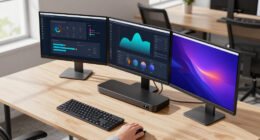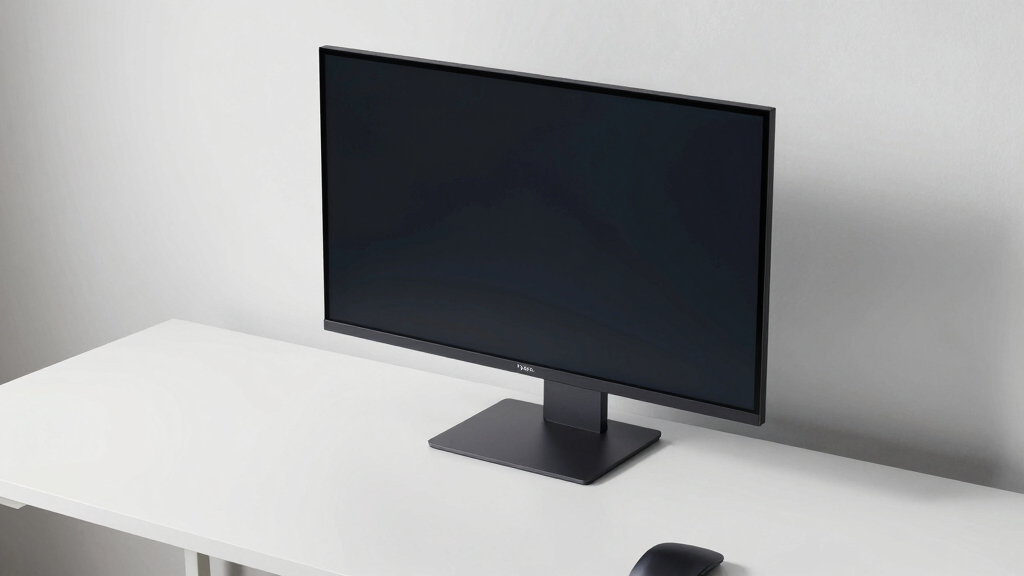

Choosing the best monitor for a bright room home office involves finding a display that can cut through abundant ambient light without sacrificing clarity or comfort. The ASUS VA27AQSE stands out as the overall top pick thanks to its high brightness and low blue light technology, ideal for well-lit spaces. Other solid options include the Samsung ViewFinity S50GC, with its ultra-WQHD resolution and HDR10 support, and the CRUA Curved Monitor, which offers a budget-friendly curved design with good anti-glare features. The main challenge in this category is balancing brightness, glare reduction, and color accuracy, often requiring tradeoffs between cost and performance. Continue reading for a detailed breakdown of each monitor and what makes them suitable for bright room setups.
Key Takeaways
- High brightness levels (around 300-400 nits) are essential for visibility in bright environments, and several monitors in this roundup meet or exceed that threshold.
- Anti-glare coatings and matte screens significantly improve usability in well-lit rooms, reducing reflections that impair clarity.
- Adjustable stand features such as tilt and VESA compatibility boost ergonomic comfort and flexible placement for optimal viewing angles.
- Incorporating eye care technologies like flicker-free screens and low blue light helps prevent eye strain during long working hours.
- Size and resolution choices depend on workspace space and tasks—larger, high-resolution screens improve multitasking but may require more powerful hardware.



More Details on Our Top Picks
ASUS 27” QHD Business Monitor (VA27AQSE) – IPS, Frameless, HDMI, DisplayPort, VGA, 1ms, Speakers, Low Blue Light, Flicker-Free, Ergonomic, VESA Mountable, 3-Year Warranty
This ASUS monitor stands out for its high-quality IPS panel that offers wide 178° viewing angles, making it ideal in bright rooms where glare and color shifting are common. Compared to the Samsung 34″ ViewFinity, it provides a more focused size and better ergonomic adjustments, though it lacks the ultra-wide aspect for multitasking. The inclusion of eye care features like Flicker-Free and Low Blue Light enhances comfort during long work sessions. Its multiple connectivity options support seamless integration with various devices, and the VESA mount allows flexible placement. The main tradeoff is its 27-inch limit, which might not satisfy users needing larger screens for detailed tasks, and it doesn’t include a built-in USB hub. Overall, this monitor balances image quality and ergonomic flexibility, making it an excellent choice for professionals in bright environments.
Pros:- Excellent IPS color accuracy and wide viewing angles
- Strong ergonomic adjustments for comfortable use
- Multiple connectivity options including HDMI, DisplayPort, and VGA
- Eye care features reduce fatigue during extended use
Cons:- Limited to 27 inches, which may be small for some tasks
- No built-in USB hub or extra ports
Best for: Professionals working in bright, well-lit offices who need accurate color and adjustable ergonomics
Not ideal for: Creative professionals requiring larger screens or USB hubs, or those wanting a wider display for multitasking
- Display Size:27 inches
- Resolution:2560 x 1440 (QHD)
- Panel Type:IPS
- Response Time:1ms
- Connectivity:HDMI, DisplayPort, VGA
- Features:Flicker-Free, Low Blue Light, Speakers, VESA Mountable, Ergonomic
- Warranty:3 years
Bottom line: This monitor is best suited for office users needing reliable color and comfort in bright rooms.
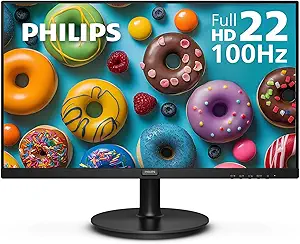
Philips 22-Inch Full HD Monitor (221V8LB)
The Philips 221V8LB offers a compact 22-inch Full HD display with a VA panel that provides high contrast and vivid images, making it suitable for bright environments. While it isn’t as large or feature-rich as the ASUS VA27AQSE, it excels in delivering deep blacks and high contrast ratios that cut through bright ambient light. Its 100Hz refresh rate and Adaptive-Sync support ensure smoother visuals during casual work or light gaming, similar to the Sansui 24-inch, but with a slightly larger screen. The monitor’s eye-friendly LowBlue Mode and flicker-free tech help reduce eye strain, essential in bright, long work sessions. Its limited connectivity—only HDMI and VGA—may require additional adapters, and it lacks built-in speakers. Overall, this model provides a compelling mix of affordability and performance for users needing a bright room-ready display without extra bells and whistles.
Pros:- High contrast VA panel with vivid colors
- Good glare resistance and eye care features
- VESA compatibility for flexible mounting
- Affordable price point
Cons:- Limited connectivity options (no HDMI 2.0 or DisplayPort)
- No built-in speakers or USB hub
- Basic design may lack aesthetic appeal
Best for: Budget-conscious professionals seeking a reliable, glare-resistant screen for bright office environments
Not ideal for: Users who need multiple ports or built-in speakers, or larger displays for multitasking
- Display Size:22 inches
- Resolution:1920 x 1080
- Panel Type:VA
- Refresh Rate:100Hz
- Viewing Angle:178 degrees
- Contrast Ratio:3000:1
- Features:Low Blue Mode, Flicker-Free
Bottom line: This monitor offers solid performance and contrast at an attractive price for bright room setups.
SANSUI 24 Inch Full HD 100Hz Monitor with HDMI and VGA Ports, VESA Mount, Eye Care, Ultra-Slim Ergonomic Tilt
The SANSUI 24-inch monitor delivers a strong balance of performance and flexibility. Its 1080p VA panel offers high contrast and good color depth, making it suitable for bright rooms where glare can wash out poorer screens. The 100Hz refresh rate makes it a good choice for fast-paced work and light gaming, similar to the Philips model but with better ergonomic tilt adjustments for comfort. Its eye care features, including Low Blue Light and Anti-Flicker, help mitigate eye fatigue during long hours in bright environments. While it lacks built-in speakers and has limited port options—no DisplayPort—its VESA compatibility and slim profile make it easy to set up in various desk arrangements. This monitor suits users who want a reliable, versatile display without the need for ultra-wide or high-end features.
Pros:- High contrast VA panel with vivid images
- Smooth 100Hz refresh rate for fast-moving visuals
- VESA mount for flexible placement
- Eye care technologies for prolonged use
Cons:- No built-in speakers
- Limited to HDMI 1.4 and VGA, no DisplayPort
- Basic design without advanced ergonomic features
Best for: Home office users who want a flexible, glare-resistant display with ergonomic tilt options
Not ideal for: Creative professionals needing color accuracy or users requiring multiple advanced ports
- Screen Size:24 inches
- Resolution:1920 x 1080
- Refresh Rate:100Hz
- Viewing Angle:178°
- Brightness:250 Nits
- Features:Low Blue Light, Anti-Glare, Anti-Flicker
Bottom line: A versatile, eye-friendly monitor suitable for general office tasks and casual gaming in bright environments.
Samsung 34″ ViewFinity S50GC Series Ultra-WQHD Monitor, 100Hz, 5ms, HDR10, AMD FreeSync, Eye Care, Borderless Design, PIP, PBP, LS34C502GANXZA, Black
The Samsung ViewFinity S50GC elevates multitasking with its expansive 34-inch ultra-wide 21:9 aspect ratio and Ultra-WQHD resolution, providing a broad workspace ideal for bright room home offices. Its HDR10 support and over a billion colors ensure vibrant images that cut through ambient light, surpassing traditional 16:9 screens in immersive capability. The 100Hz refresh rate and AMD FreeSync make it smooth for both work and light entertainment, while the eye care features reduce strain during long hours. The borderless design maximizes desk space, but some may find the high price and resolution—limited to 3440×1440—less appealing compared to 4K options. Its size and feature set are best for users who need serious multitasking and color accuracy in bright settings.
Pros:- Ultra-wide 21:9 aspect ratio enhances multitasking
- Vivid HDR10 support with over a billion colors
- Eye care features for extended use
- Borderless design maximizes workspace
Cons:- Limited to 3440×1440 resolution, not 4K
- Premium price point
- Some users may prefer a traditional 16:9 aspect ratio
Best for: Multi-window professionals and content creators who need a large, colorful display in bright environments
Not ideal for: Those seeking a standard-sized, budget-friendly monitor or 4K resolution for detailed editing
- Screen Size:34 inches
- Resolution:3440 x 1440
- Refresh Rate:100Hz
- Response Time:5ms
- HDR:HDR10
- Features:PIP, PBP, Borderless, Eye Care
Bottom line: Ideal for professionals who need a large, vibrant, multitasking display in bright rooms, despite the higher cost.
CRUA 24 Inch Curved Monitor, FHD (1920×1080), 100Hz, 120% sRGB, Narrow Bezel, Blue Light Filter, HDMI & VGA, White
This monitor stands out for its vivid color reproduction with 120% sRGB coverage, making it ideal for tasks that benefit from rich visuals, such as creative work or media consumption. Its 100Hz refresh rate provides smoother motion compared to standard 60Hz displays, reducing flicker and eye strain in bright environments. The curved 2800R screen enhances immersion, especially in bright rooms where flat panels can reflect more ambient light. Compared with the KOORUI 24-inch, it offers better color accuracy but lacks built-in speakers and has limited tilt adjustment. Its narrow bezel makes multi-monitor setups cleaner, but the absence of HDMI or VGA cables means you’ll need to supply your own. For users prioritizing vibrant visuals and a curved design, this monitor delivers, though it sacrifices some ergonomic flexibility.
Pros:- Vivid colors with 120% sRGB coverage
- Smooth 100Hz refresh rate reduces flickering
- Narrow bezel design for seamless multi-monitor setups
- Blue light filter reduces eye fatigue
Cons:- No built-in speakers
- Limited to tilt adjustment only
- Does not include HDMI or VGA cables
Best for: Creative professionals or media enthusiasts who need bright, colorful visuals in well-lit rooms
Not ideal for: Gamers seeking high refresh rates or those needing built-in speakers, as it only supports tilt adjustments and lacks audio features
- Size:24 inches
- Resolution:1920×1080 (FHD)
- Refresh Rate:100Hz
- Color Coverage:120% sRGB
- Brightness:250 cd/m²
- Panel Type:VA
Bottom line: This curved monitor excels for color-rich work and immersive viewing in bright environments, ideal for creative tasks but less suited for gaming or multimedia with audio needs.
Packard Bell airFrame 27″ FHD Monitor, 1920×1080, Ultrawide, VESA Mount Compatible, Tilt Adjustment, HDMI/VGA, Slim Bezel
This 27-inch monitor offers a larger screen with a classic 1920×1080 resolution, making it suitable for a broad range of tasks from office work to light gaming. Compared with the smaller CRUA, it provides more screen real estate, but with a lower refresh rate of 75Hz, it’s less ideal for fast-paced gaming or smooth video playback. Its slim bezel design maximizes screen space, and VESA compatibility allows for flexible mounting options—perfect for those wanting a clutter-free, adjustable setup. The tilt adjustment helps reduce glare in bright rooms, but the stand offers limited movement beyond tilt, and it lacks built-in speakers. This pick suits users who prioritize screen size and flexibility over high refresh rates or advanced features.
Pros:- Large 27-inch display for increased productivity
- VESA mount compatibility for flexible positioning
- Adjustable tilt for ergonomic comfort
- Good wide viewing angles
Cons:- Limited to 75Hz refresh rate, less suitable for fast gaming
- No built-in speakers
- Basic stand adjustment options
Best for: Home office workers or casual users needing a larger display with flexible mounting options
Not ideal for: Serious gamers or multimedia creators requiring high refresh rates and advanced color calibration
- Size:27 inches
- Resolution:1920×1080 (Full HD)
- Refresh Rate:75Hz
- Response Time:5ms
- Viewing Angle:178 degrees
- VESA Mount:Yes
Bottom line: This monitor is a solid choice for users needing a larger screen with versatile mounting options, but it’s less suited for high-speed gaming or color-critical work.
KOORUI 24 inch Curved Monitor, Full HD 1080P, 100Hz, Eye Care, Tilt Adjustable, HDMI & VGA
The KOORUI 24-inch curved monitor makes the most of its 1500R curvature to create an immersive experience, especially in brightly lit rooms where flat screens can reflect ambient light. Its high-contrast VA panel ensures vivid images, while eye-care tech like blue light filtering and flicker-free technology help reduce eye strain during long work sessions. The 100Hz refresh rate offers smoother visuals than typical 60Hz displays, but it doesn’t support VESA mounting, limiting flexible placement options. The tilt adjustment helps find comfortable viewing angles, yet the lack of built-in speakers means you’ll need external audio solutions. Compared with the CRUA, it offers a more immersive experience but sacrifices some ergonomic flexibility and connectivity options.
Pros:- Immersive 1500R curved display enhances viewing
- High contrast VA panel delivers vivid images
- Eye-care technology reduces blue light and flickering
- Adjustable tilt for ergonomic comfort
Cons:- No VESA mount support
- No built-in speakers
- Limited connectivity to HDMI and VGA only
Best for: Users who want an immersive, curved display that reduces glare and eye strain in bright rooms
Not ideal for: Those needing VESA mounting or built-in audio for a clutter-free setup or multimedia use
- Size:24 inches
- Resolution:1920×1080 (Full HD)
- Refresh Rate:100Hz
- Curvature:1500R
- Panel Type:VA
- Blue Light Reduction:Yes
Bottom line: Designed for bright environments that benefit from immersive curvature, this monitor offers comfort and vivid visuals but lacks mounting flexibility and speakers.
INNOCN 40C1R Ultrawide Monitor 40″ WQHD 3440 x 1440p 144Hz FreeSync HDR400
The INNOCN 40C1R’s vast 40-inch ultrawide screen makes it ideal for multitasking in bright rooms, offering extensive real estate that surpasses traditional monitors. Its WQHD resolution combined with a 144Hz refresh rate ensures sharp, smooth visuals, whether you’re working across multiple windows or enjoying multimedia. Its high brightness of 500 nits and HDR400 support help combat glare and ambient light reflections. While this monitor excels for productivity, its large size requires ample desk space and may overwhelm smaller setups. Connectivity is versatile, including USB-C, HDMI, and DisplayPort, with adjustable tilt, swivel, and height options. Compared with the smaller, curved monitors, it offers unmatched workspace but at a premium price and size.
Pros:- Large 40-inch ultrawide display boosts multitasking
- High 144Hz refresh rate for smooth visuals
- High brightness and HDR support reduce glare
- Multiple connectivity options including USB-C
Cons:- Requires substantial desk space
- Higher price point compared to smaller monitors
- Potential overkill for simple tasks
Best for: Professionals multitasking across multiple applications in bright, open environments
Not ideal for: Anyone with limited desk space or seeking a single-purpose gaming monitor with ultra-fast response times
- Size:40 inches
- Resolution:3440 x 1440 (WQHD)
- Refresh Rate:144Hz
- Brightness:500 nits
- Color Gamut:95% DCI-P3
- HDR:HDR400
Bottom line: This ultrawide monitor excels for productivity and multitasking in bright rooms, but its size and cost may not suit all setups.

How We Picked
The monitors in this roundup were evaluated based on their brightness capacity, glare-reduction features, color accuracy, ergonomic options, and connectivity. Performance in bright environments was prioritized, especially the ability to maintain clarity and reduce reflections. Value was also a key factor, ensuring options cater to different budgets without compromising essential features. We ranked the monitors considering how well they address the main challenges of a bright room setup—namely, glare, visibility, and eye comfort—helping readers find options suited to both casual and professional use.Factors to Consider When Choosing Best Monitor For Bright Room Home Office
Choosing the best monitor for a bright room involves more than just picking the highest brightness. It’s important to consider glare-reducing features, screen finish, and ergonomic flexibility to ensure comfortable, clear visibility. These factors help prevent eye strain and improve overall productivity, especially in spaces with abundant ambient light.Brightness and Anti-Glare Coatings
Look for monitors with a brightness of at least 300 nits, which helps combat sunlight and strong indoor lighting. Matte or anti-glare coatings scatter reflections, making screens easier to see without glare interference. Combining both high brightness and matte finishes results in a display that remains clear and legible throughout the day.
Color Accuracy and Contrast
In bright rooms, color fidelity can suffer due to reflections and ambient light. Monitors with good contrast ratios and wide color gamuts ensure images stay vibrant and clear. This is especially important if you work with color-sensitive tasks or enjoy media consumption alongside your work.
Ergonomics and Adjustability
Adjustable stands, tilt, swivel, and VESA compatibility allow you to position your monitor for optimal glare reduction and comfort. Proper positioning minimizes reflections and reduces neck strain, which is essential for long hours in bright environments.
Eye Care Technologies
Features like flicker-free technology and low blue light modes help reduce eye fatigue, especially when working in well-lit spaces. These technologies are worth investing in if you spend extended periods in front of your monitor.
Size and Resolution
Higher resolutions, such as 1440p or 4K, provide sharper images that are easier to see in bright conditions. Larger screens improve productivity, but ensure your workspace can accommodate them comfortably without causing reflections from nearby windows or lights.
Frequently Asked Questions
Can a matte screen really reduce glare in a bright room?
Yes, matte screens are designed with anti-glare coatings that diffuse reflections from ambient light sources. This coating significantly reduces glare, making the display easier to see in bright environments. However, matte screens can sometimes slightly dull the overall image quality and contrast compared to glossy finishes, so it’s about balancing glare reduction with visual clarity.
Is 300 nits brightness enough for a very bright room?
While 300 nits is generally sufficient for most bright rooms, extremely sunny or well-lit spaces may require monitors with 350 nits or higher for optimal visibility. If your workspace has direct sunlight, opting for a higher brightness level combined with anti-glare features will yield better results.
Should I prioritize resolution or brightness for a bright room?
Both are important, but the priority depends on your tasks. High resolution ensures sharp images, which is crucial for detailed work, while high brightness improves visibility in bright conditions. Ideally, choose a monitor that offers both, such as a 1440p or 4K display with at least 350 nits brightness, to balance clarity and glare resistance.
Are curved monitors better for bright rooms?
Curved monitors can help reduce reflections by directing your line of sight more directly at the screen. They also provide a more immersive experience and may improve contrast perception. However, the effectiveness depends on your workspace setup, and curved screens can sometimes increase glare if positioned near windows or bright lights.
How important is adjustable height and tilt for a bright room setup?
Adjustability allows you to fine-tune your monitor’s position to minimize glare and reflections, which is especially helpful in bright rooms. Proper ergonomic positioning reduces eye strain and ensures that reflections do not impair visibility, making adjustable stands a valuable feature for such environments.
Conclusion
For general office work in bright rooms, the ASUS VA27AQSE offers a balanced mix of high brightness, glare reduction, and ergonomic features, making it the best overall choice. Budget-conscious users will find the CRUA Curved Monitor delivers decent anti-glare performance at a lower price. Those seeking a premium experience with extra resolution and HDR capabilities should consider the Samsung ViewFinity S50GC. Beginners or casual users will benefit from straightforward, eye-friendly models, while professionals working with color-critical tasks might prioritize monitors with higher color accuracy and adjustable stands. Matching your specific needs with the right features ensures a comfortable, productive workspace in even the sunniest environments.