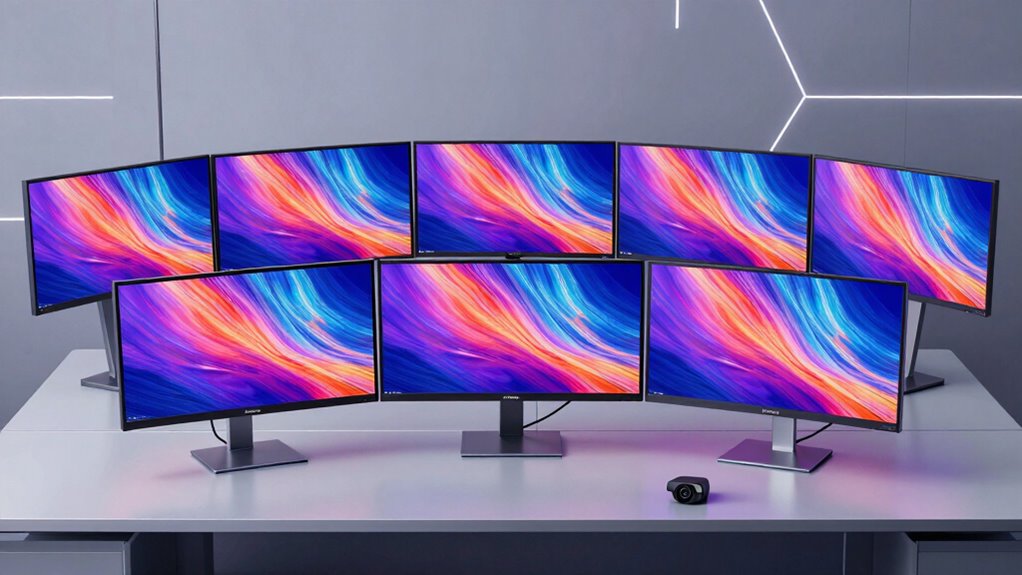

A 1440p ultrawide monitor for work replaces a dual-monitor setup with a single 34-inch (or larger) curved screen that fits two full windows side by side without a bezel in the middle. After comparing this lineup, the LG 34WR55QK-B stands out as my best overall pick because it pairs a 100Hz WQHD panel with USB-C connectivity and a height-adjustable stand — the three features that matter most at a desk job. For tighter budgets, the Sceptre 34-inch curved model delivers a sharp 3440×1440 image at a lower price, while the Samsung ViewFinity S50GC earns its place with strong color accuracy and a borderless design built for productivity. The main tradeoff in this category is between gaming-oriented speed (165Hz–240Hz panels like the SANSUI and Alienware options) and workplace fundamentals like adjustable stands, USB-C, and eye comfort. Read on for the full breakdown, including who each model suits and who should skip it.

Get comfort and recovery gear delivered free with Prime
- Fast, free delivery on millions of items
- Prime Video, Amazon Music and more included
- Member-only deals all year
Complete the kit



Key Takeaways
- Refresh rate matters far less for office work than stand adjustability and USB-C — the LG 34WR55QK-B and Samsung S50GC rank near the top because of ergonomics and connectivity, not speed.
- Several high-refresh gaming models here (SANSUI 240Hz, Alienware AW3425DWM) force a real tradeoff: excellent motion smoothness but fixed or limited stands and weaker office feature sets.
- The two 49-inch 5K2K options (Deco Gear and INNOCN) split by buyer type — the INNOCN’s USB-C and adjustable stand make it the smarter productivity pick, while the Deco Gear suits spreadsheet-heavy users who don’t need docking.
- Built-in speakers appear on most budget models but rarely replace desk speakers for calls and media; treat them as a convenience, not a deciding factor.
- VA panels (Dell S3425DW, Sceptre) offer deeper contrast for documents and video, while IPS models (LG, Alienware) keep colors consistent across the wide curve — a genuine decision point for side-by-side window work.


| 1440p ultrawide monitor for work | Resolution | Refresh Rate | Size | Panel Type |
|---|---|---|---|---|
| CRUA 34 Inch 165Hz UWQHD IPS U | 3440×1440 UWQHD | 165Hz | 34 inches | IPS |
| Sceptre 34-Inch Curved Ultrawi | 3440 x 1440 WQHD | 165Hz | 34 inches | VA |
| LG 34WR55QK-B 34-inch UltraWid | 3440 x 1440 WQHD | 100Hz | 34 inches | — |
| Deco Gear 49-Inch Super Ultraw | 5120×1440 (5K2K) | 120Hz | 49 inches | — |
| SAMSUNG 34" ViewFinity S50GC S | Ultra WQHD (3440×1440) | 100Hz | 34 inches | — |
| SANSUI 34 Inch Curved Gaming M | 3440×1440 UWQHD | 240Hz | 34 inches | VA |
| Dell 34 Monitor S3425DW | 3440×1440 WQHD | 120Hz | — | VA |
| Alienware 34 Curved Gaming Mon | 3440×1440 WQHD | 180Hz | — | — |
| SANSUI 34-Inch Curved Gaming M | 3440×1440 UWQHD | 200Hz | — | VA LED |
| INNOCN 49-Inch Curved Ultrawid | 5120×1440 (5K2K) | 120Hz | 49 inches | VA |
More Details on Our Top Picks
CRUA 34 Inch 165Hz UWQHD IPS Ultrawide Gaming Monitor with Speakers and PIP/PBP
This option stands out for pairing work-friendly IPS color accuracy with a 165Hz refresh rate that makes it just as comfortable for after-hours gaming as for spreadsheets. Compared with the Sceptre 34-inch curved model, the CRUA’s IPS panel delivers wider viewing angles and punchier color at 120% sRGB, which matters if a colleague ever looks over your shoulder or you do occasional photo edits. The PIP/PBP modes let you run two inputs side by side, effectively replacing a second monitor for reference-heavy workflows. The tradeoffs are real: brightness of 380 cd/m² can run up power bills, and the stand appears to offer no height adjustment, so budget for a VESA arm. Speaker quality is also unverified — plan on external audio.
Pros:- IPS panel with 120% sRGB and 178° viewing angles for accurate, shareable color
- 165Hz refresh rate with FreeSync handles both work scrolling and fast gaming
- PIP/PBP with dual HDMI and dual DisplayPort supports true two-source multitasking
- 1ms response time keeps motion crisp
Cons:- No height or swivel adjustment on the stand
- Built-in speaker quality is undocumented and likely basic
- High 380 cd/m² brightness suggests above-average power draw
Best for: Hybrid users who split their day between productivity apps and competitive gaming and want one display that handles both
Not ideal for: Buyers who need an ergonomic stand out of the box — the fixed-height stand means you’ll need a 75x75mm VESA mount for proper positioning
- Size:34 inches
- Resolution:3440×1440 UWQHD
- Refresh Rate:165Hz
- Panel Type:IPS
- Color Gamut:120% sRGB
- Response Time:1 ms
- Ports:2x HDMI 2.0, 2x DisplayPort 1.4
- VESA Mount:75x75mm
Our verdict“This pick makes the most sense for buyers who refuse to choose between a work monitor and a gaming monitor and already own (or will buy) a monitor arm.”
Sceptre 34-Inch Curved Ultrawide WQHD Monitor (3440 × 1440), R1500, 165Hz
For pure dollars-to-screen-per-inch value, the Sceptre is hard to beat among 34-inch curved options. Its VA panel with a 1,000,000:1 dynamic contrast ratio produces deeper blacks than the CRUA’s IPS panel, which helps text-heavy documents and video content feel richer — though VA panels trade that away with slightly worse off-axis color. The 165Hz refresh rate matches the CRUA at a typically lower price point, and the dual-HDMI/dual-DisplayPort setup supports the same multitasking flexibility. Drawbacks mirror its budget positioning: no ergonomic adjustments, a modest 280 cd/m² brightness that struggles in sunny rooms, and LED backcover lighting that some office environments will find distracting rather than stylish.
Pros:- VA panel delivers deep contrast for text and video clarity
- 165Hz with 1ms response at a budget-friendly price
- Four video inputs enable dual-PC workflows
- Curved R1500 design reduces edge-of-screen distortion
Cons:- No height, swivel, or tilt ergonomics on the listed stand
- Modest 280 cd/m² brightness limits use near windows
- LED backcover lighting may distract in professional settings
Best for: Value-focused buyers who want a curved 165Hz ultrawide for mixed work and gaming without paying premium-brand prices
Not ideal for: Well-lit offices or bright home workspaces — 280 cd/m² brightness falls short against glare, and anyone needing height adjustment
- Size:34 inches
- Resolution:3440 x 1440 WQHD
- Refresh Rate:165Hz
- Panel Type:VA
- Contrast Ratio:1,000,000:1
- Brightness:280 cd/m²
- Connectivity:2x HDMI, 2x DisplayPort
- Weight:15.3 pounds
Our verdict“The strongest choice for buyers who want the full curved ultrawide experience — speed included — while spending as little as possible on the monitor itself.”
LG 34WR55QK-B 34-inch UltraWide WQHD Curved Computer Monitor
Where this LG model earns its spot is docking convenience. A single USB-C cable can carry video and power delivery to a laptop, which neither the CRUA nor the Sceptre offers — turning it into a genuine one-plug workstation hub. LG also includes the tilt and height-adjustable stand that both budget picks omit, a meaningful comfort upgrade for eight-hour days. The 100Hz refresh rate and 5ms response place it firmly behind the CRUA and Sceptre for gaming, but for document juggling, that difference barely registers. HDR10 support is present but modest at this brightness class. Just note there are no built-in speakers, and OnScreen Control features require a software install some corporate IT departments restrict.
Pros:- USB-C connectivity with power delivery enables single-cable laptop docking
- Height and tilt adjustable stand included
- 3-side virtually borderless design suits multi-monitor aesthetics
- HDR10 and 99% sRGB cover standard creative work
Cons:- 100Hz refresh rate and 5ms response lag behind gaming-focused rivals
- No built-in speakers
- OnScreen Control software required for advanced settings
Best for: Laptop-based professionals who want a single-cable USB-C docking setup with proper ergonomic adjustability
Not ideal for: Gamers or anyone prioritizing high refresh rates — 100Hz and 5ms lag well behind the 165Hz options in this lineup
- Size:34 inches
- Resolution:3440 x 1440 WQHD
- Refresh Rate:100Hz
- Response Time:5ms
- Ports:2x HDMI, 2x USB, DisplayPort, USB Type-C, headphone jack
- HDR:HDR10
- Stand Adjustments:Tilt, Height
Our verdict“This model is better suited to desk-bound professionals docking a laptop than anyone chasing frame rates — the connectivity and ergonomics are what you’re paying for.”
Deco Gear 49-Inch Super Ultrawide Curved Monitor, 5120×1440, 5K2K, 120Hz
If your work means living in timelines, spreadsheets, and reference material simultaneously, this 49-inch 32:9 super ultrawide functions as a dual-monitor rig with no bezel down the middle. At 5120×1440 it offers roughly double the horizontal workspace of the LG 34WR55QK-B, and its 65W USB-C power delivery plus KVM support means one keyboard and mouse can switch between two computers — something none of the 34-inch picks here can match. The full ergonomic stand (130mm height, ±30° swivel) and strong DCI-P3 coverage make it a genuine workstation tool. The honest tradeoffs: it demands a deep, wide desk, sits at a premium price, and its 120Hz refresh makes it work-first rather than an esports display like the SANSUI 240Hz.
Pros:- 5120×1440 at 32:9 replaces a two-monitor setup with no bezel
- 65W USB-C power delivery with KVM for two-computer workflows
- Full ergonomics: 130mm height, tilt, and ±30° swivel
- 100% sRGB and 91% DCI-P3 coverage for color work
Cons:- Enormous footprint demands a deep, wide desk
- Premium price point far above the 34-inch options
- Built-in speaker quality unclear
Best for: Power users — traders, editors, developers — who run multiple full-screen applications and want one seamless curved canvas with KVM switching
Not ideal for: Anyone with a standard 30-inch-deep desk or a modest budget — the footprint and price both overdeliver for typical office work
- Size:49 inches
- Resolution:5120×1440 (5K2K)
- Refresh Rate:120Hz
- Aspect Ratio:32:9
- Color Coverage:100% sRGB, 91% DCI-P3
- Connectivity:HDMI 2.0, DisplayPort 1.4, USB-C with 65W PD, USB hub
- Adjustments:Tilt -5° to +15°, ±30° swivel, 130mm height
- VESA Mount:100x100mm
Our verdict“This is the pick when a 34-inch ultrawide simply isn’t enough screen — buy it for the workspace, not the savings.”
SAMSUNG 34″ ViewFinity S50GC Series Ultra-WQHD Monitor, 100Hz, HDR10
Samsung’s ViewFinity S50GC is built around a simple premise: long workdays shouldn’t strain your eyes. Flicker Free and Eye Care technology, a 3000:1 VA contrast ratio, and HDR10 support make static documents and dashboards look rich without harsh backlight flicker — a differentiator the Sceptre and CRUA don’t address. PIP and PBP support mirrors the CRUA’s multitasking strengths, and the borderless design keeps multi-monitor setups clean. Compared with the LG 34WR55QK-B, it counters with higher contrast but gives up USB-C docking and built-in ergonomics aren’t its headline. The 100Hz refresh rate and 5ms response place it squarely in office territory — fine for spreadsheets, unremarkable for fast gaming. No speakers are included, which is a miss at this price tier.
Pros:- Eye Care and Flicker Free features reduce fatigue over long sessions
- 3000:1 VA contrast renders deep blacks for text-heavy work
- PIP and PBP support for multi-source productivity
- HDR10 with over a billion colors for vivid content
Cons:- 100Hz refresh rate limits gaming appeal
- No built-in speakers
- Premium-brand pricing without USB-C connectivity
Best for: Office professionals and remote workers logging long hours who prioritize eye comfort and color-rich text over gaming specs
Not ideal for: Gamers — 100Hz and 5ms fall well short of the 165Hz+ options — and anyone who needs built-in speakers or USB-C docking
- Size:34 inches
- Resolution:Ultra WQHD (3440×1440)
- Refresh Rate:100Hz
- Response Time:5ms
- HDR:HDR10
- Contrast Ratio:3000:1
- Inputs:2x HDMI 2.2, 1x DisplayPort 1.2
- Features:PIP, PBP, Eye Care, Flicker Free, AMD FreeSync
Our verdict“This pick makes the most sense for desk workers whose priority is comfortable, color-rich viewing across marathon sessions rather than speed or docking features.”
SANSUI 34 Inch Curved Gaming Monitor 240Hz UWQHD 3440×1440
Most 1440p ultrawides in this range top out between 100Hz and 180Hz, but this SANSUI pushes a full 240Hz, which is its entire reason for being here. Compared with the Alienware AW3425DWM at 180Hz, the extra headroom matters if you play competitive titles after hours — motion stays cleaner and input feels more immediate. For pure work use, though, that speed is wasted on spreadsheets, and that’s the honest tradeoff: you’re buying a gaming monitor first that happens to be wide enough for productivity. HDMI 2.1 and dual DisplayPort 1.4 inputs give you flexible hookup options, and PIP/PBP lets you run two sources side by side — handy for a laptop plus desktop setup. The VA panel delivers strong contrast, but expect the usual smearing in dark scenes that faster IPS panels avoid.
Pros:- 240Hz refresh rate beats every other 34-inch option in this lineup
- Four video inputs with HDMI 2.1 and dual DisplayPort 1.4
- PIP/PBP support for dual-source workflows
- VESA mount compatibility with 100x100mm pattern
Cons:- No built-in speakers, unlike the CRUA 34-inch in this guide
- Only tilt adjustment — no height or swivel without a monitor arm
- VA panel dark-scene smearing despite the high refresh rate
Best for: Hybrid users who work on an ultrawide during the day and want serious competitive-gaming headroom at night without buying two monitors
Not ideal for: Pure office productivity buyers — the Dell S3425DW costs less fuss with USB-C docking and eye comfort features this model lacks
- Size:34 inches
- Resolution:3440×1440 UWQHD
- Refresh Rate:240Hz
- Response Time:1ms MRPT
- Panel Type:VA
- Ports:HDMI 2.1 ×2, DP 1.4 ×2, headphone
- HDR:HDR400
Our verdict“Buy this if gaming performance is a co-equal priority with work; skip it if you’d never notice the difference between 120Hz and 240Hz.”
Dell 34 Monitor S3425DW, WQHD VA, 120Hz, FreeSync Premium, Eye Comfort
This is the pick that makes the most sense for a single-cable desk setup. The USB-C port with 65W power delivery means one cord runs video, data, and charging to your laptop — something none of the SANSUI models or the Alienware in this roundup can do. The 120Hz refresh rate is plenty smooth for everyday scrolling and window snapping, and FreeSync Premium keeps things tear-free if you game casually. Color coverage of 99% sRGB and 95% DCI-P3 rivals the Alienware’s gamut at what is typically a friendlier price, which is why I’d call this the better value for people whose monitor earns its keep in Excel, not Fortnite. The blue-light reduction and eye comfort tech matter for eight-hour days. You give up HDR certification and the stand is tilt-only territory compared with the LG 34WR55QK-B’s adjustable base.
Pros:- USB-C with 65W power delivery enables true single-cable docking
- Excellent color accuracy at 99% sRGB / 95% DCI-P3
- Eye comfort features suited to full workdays
- 120Hz with FreeSync Premium for smooth general use
Cons:- 300 nits brightness limits HDR-adjacent content enjoyment
- No built-in speakers for video calls without a headset
- Stand lacks height adjustment out of the box
Best for: Laptop-based remote workers who want a single-cable docking setup with accurate color for documents, design review, and media
Not ideal for: Competitive gamers — 120Hz is half of what the SANSUI 240Hz model offers, and there’s no HDR certification
- Display Size:34 inches
- Resolution:3440×1440 WQHD
- Refresh Rate:120Hz
- Panel Type:VA
- Color Gamut:99% sRGB, 95% DCI-P3
- Ports:2 HDMI, USB-C (65W), 4 USB
- Brightness:300 nits
Our verdict“The most sensible all-around work monitor in this lineup if you dock a laptop and value comfort and color over raw gaming speed.”
Alienware 34 Curved Gaming Monitor – AW3425DWM, 34-inch WQHD, 180Hz, 1ms
Alienware commands a premium, and the AW3425DWM justifies some of it through polish rather than raw specs. Its 400-nit brightness with VESA DisplayHDR 400 outshines both SANSUI panels here, which sit at 300 nits, making HDR content genuinely more watchable. The 1500R curvature is tighter than most, wrapping the screen around you in a way that reduces edge-of-screen eye movement during long sessions. At 180Hz with 1ms response, it slots between the Dell’s 120Hz and SANSUI’s 200Hz — a sweet spot for immersive single-player games where contrast and color matter more than tournament-level refresh. Build quality and warranty support also outclass the budget entries. The honest catch: on paper, the SANSUI 200Hz model delivers similar resolution and gamut for less money, so you’re paying for the tighter curve, brighter panel, and brand support rather than a spec win.
Pros:- Brighter 400-nit panel with DisplayHDR 400 certification
- Aggressive 1500R curvature for immersion
- 95% DCI-P3 coverage for color-sensitive work
- Strong build quality and brand support
Cons:- Premium price without a standout spec advantage over cheaper rivals
- Limited USB port count for a monitor this size
- No USB-C connectivity for laptop docking
Best for: Buyers who want a refined, well-supported ultrawide that handles HDR gaming and color-critical work without compromise
Not ideal for: Value-focused shoppers — the SANSUI 200Hz covers most of the same ground at a lower price with a more modest feature set
- Display Size:34 inches
- Resolution:3440×1440 WQHD
- Refresh Rate:180Hz
- Response Time:1ms
- Brightness:400 nits
- Color Coverage:DCI-P3 95%
- Curvature:1500R
Our verdict“Worth it if build quality, brightness, and support matter more to you than squeezing maximum specs per dollar.”
SANSUI 34-Inch Curved Gaming Monitor UWQHD 3440 x 1440P 200Hz Ultrawide
Sitting between the 240Hz SANSUI and the more conventional Dell, this 200Hz model is the value play for high refresh. You keep the same 3440×1440 VA panel, dual HDMI 2.1 plus DisplayPort inputs, and strong gamut coverage — 130% sRGB and 96% DCI-P3, which actually edges the Alienware on the sRGB figure. Compared with its 240Hz sibling, the 60Hz difference is nearly invisible outside of esports, and the AI blue-light reduction and flicker control make it friendlier for mixed work-and-play days. Where the savings show up is physical: tilt-only stand adjustment means you’ll want a VESA arm for proper ergonomics, an added cost worth budgeting. Like most budget entries here, there are no speakers. Against the similarly priced Sceptre 34-inch, this model pulls ahead on refresh rate and color gamut.
Pros:- 200Hz refresh rate at a budget-friendly tier
- Wide color coverage at 130% sRGB and 96% DCI-P3
- AI blue-light and flicker reduction for long sessions
- Lifetime technical support backing the warranty
Cons:- Tilt-only stand — height adjustment requires a VESA arm
- No built-in speakers
- 300-nit brightness limits HDR content impact
Best for: Students and hybrid users who want high-refresh 1440p ultrawide performance and vivid color without paying premium-brand prices
Not ideal for: Ergonomics-first office buyers — the tilt-only stand and lack of USB-C make it a poor fit for a laptop docking station
- Screen Size:34 inches
- Resolution:3440×1440 UWQHD
- Refresh Rate:200Hz
- Panel Type:VA LED
- Color Gamut:130% sRGB, 96% DCI-P3
- Connectivity:DP 1.4, HDMI 2.1 ×2, 3.5mm audio
- VESA:100×100mm
Our verdict“The smart middle ground if you want most of the 240Hz model’s speed with change left over for a monitor arm.”
INNOCN 49-Inch Curved Ultrawide Gaming Monitor 5K2K 120Hz 32:9
This one changes the category entirely: at 49 inches and 32:9, it’s essentially two 27-inch 1440p monitors fused into one seamless surface — no bezel gap, no mismatched color. For work, that means three full documents side by side, or an editor timeline that finally breathes. The 5K2K resolution at 120Hz matches the Deco Gear 49-inch in this roundup, but the INNOCN pulls ahead with USB-C, an RJ45 Ethernet port, and built-in speakers — effectively replacing a docking station. Compared with any 34-inch option like the Dell S3425DW, you’re trading desk footprint and desk depth for sheer workspace. The full ergonomic stand with height, tilt, and swivel is rare at this size and matters more than it sounds when the panel fills your field of view. Be realistic about hardware: pushing 5120×1440 at 120Hz asks more of your GPU than any 34-inch here.
Pros:- 32:9 aspect ratio replaces a dual-monitor setup with no bezel gap
- USB-C and RJ45 Ethernet enable full docking-station replacement
- Height, tilt, and swivel adjustments included
- Built-in speakers for video calls
Cons:- Massive footprint demands a deep, wide desk
- Higher power draw than 34-inch alternatives
- Requires capable hardware to run 5K2G at 120Hz
Best for: Power users — traders, developers, video editors — who want a single seamless replacement for a dual-monitor setup
Not ideal for: Small or shallow desks and modest laptops — the sheer width needs roughly a meter of clearance and a capable GPU for full refresh
- Size:49 inches
- Resolution:5120×1440 (5K2K)
- Refresh Rate:120Hz
- Aspect Ratio:32:9
- Panel Type:VA
- Curvature:1800R
- Connectivity:USB-C, DP 1.4, HDMI 2.1, RJ45, USB-A/B
Our verdict“Buy it when two monitors’ worth of screen is the goal and your desk can actually hold it; everyone else should stick with a 34-inch.”

How We Picked
Because this roundup is built around work, not gaming, I weighted everyday desk factors above raw speed. Panel type and image consistency came first: an ultrawide’s curve means you view the edges at an angle, so IPS panels earned an edge over VA for color stability, while VA earned credit for contrast in document-heavy workflows. Ergonomics ranked heavily too — a height-adjustable stand matters more over eight-hour days than a 240Hz refresh rate ever will, and models locked at fixed heights were penalized accordingly.
Connectivity was the third pillar. USB-C with power delivery turns a monitor into a laptop dock with one cable, which is why the LG and INNOCN models rank above similarly specced competitors. I also weighed eye-comfort features, warranty reputation, and whether high refresh rates added genuine value for office users or just inflated the price. Products are ranked by this productivity-first logic, with budget picks earning their spots through surprising completeness rather than low cost alone.
Factors to Consider When Choosing 1440p Ultrawide Monitor For Work
Choosing a 1440p ultrawide for work involves several decisions that go beyond any single product comparison. These are the factors that most often cause buyer regret, and getting them right before you click buy will save you an exchange cycle.
34 Inches vs. 49 Inches: Which Width Fits Your Work?
The single biggest mistake buyers make is assuming bigger is always better. A 34-inch 21:9 display fits comfortably on a standard desk at a normal viewing distance and still gives you two generous windows side by side. A 49-inch 32:9 model behaves like two 27-inch monitors fused together — fantastic for timeline-based work, massive spreadsheets, or running three windows at once, but it demands a deeper desk and more head movement. If you sit roughly two feet from your screen, a 49-inch panel can force constant neck rotation that becomes fatiguing over a full workday. Measure your desk depth before committing: you want at least 30 inches of depth for the super-ultrawides to feel comfortable. Also check whether your laptop or desktop GPU can actually drive 5120×1440 at full resolution — older integrated graphics sometimes struggle here.
USB-C: The Feature That Quietly Changes Your Daily Routine
Monitors with USB-C and power delivery let you connect a laptop with a single cable that carries video, data, and charging at once. Over a year of daily docking and undocking, that convenience compounds — no more plugging in three separate cables every morning. Many buyers skip this feature to save money, then buy a separate docking station that costs nearly the difference. Check the wattage carefully, though: some monitors deliver only 15W, which is fine for accessories but won’t charge a productivity laptop under load. Look for 60W or more if you plan to run your laptop off the monitor. If you use a desktop PC exclusively, USB-C becomes far less valuable and you can safely prioritize other specs.
Stand Adjustability and Ergonomics
A fixed-height stand is the most common complaint among ultrawide buyers, because the sheer width of these monitors makes them awkward to prop up on books or risers. Height adjustment lets you position the top of the screen at or slightly below eye level, which reduces neck strain across long sessions. Some budget models ship with tilt-only stands — a genuine tradeoff if you’re tall, short, or planning a monitor arm. If your preferred monitor lacks height adjustment, budget for a VESA-compatible arm and confirm the monitor has VESA mounting holes before buying. Tilt and swivel matter less on a curved ultrawide since the curve itself angles the edges toward you, but height is non-negotiable for all-day comfort.
Refresh Rate and Panel Type: What Actually Matters for Office Work
Marketing pushes high refresh rates hard, but for spreadsheets, documents, and browser work, anything above 100Hz delivers diminishing returns. The jump from 60Hz to 100Hz does make scrolling and cursor movement feel noticeably smoother, so I’d treat 100Hz as a sensible floor rather than a luxury. Beyond that, panel type matters more: IPS panels keep colors accurate when you view the far edges of a wide screen at an angle, while VA panels deliver deeper blacks and contrast that make text and video pop. If you mix in evening gaming or media consumption, a 165Hz+ panel is worth having — but don’t pay a large premium for 240Hz if your workday is email and documents.
Screen Curvature: R1500 vs. R1800 and Viewing Distance
Curvature ratings describe the radius of the circle the screen would form — a lower number means a more aggressive curve. An R1500 curve wraps the display more tightly around you, which feels immersive at close viewing distances but can exaggerate distortion if you sit far back. Gentler curves like R1800 sit more naturally in shared or varied-viewing setups where a colleague might glance at your screen. For single-user desk work, either works, but pairing an aggressive curve with a shallow desk is a recipe for discomfort. If you frequently share your screen during in-person meetings, a gentler curve keeps the image readable from off-angles.
Eye Comfort Features for Long Sessions
If you spend eight or more hours in front of the screen, flicker-free backlights and low blue light modes genuinely reduce end-of-day eye fatigue — these aren’t marketing fluff. Look for TÜV certification as independent verification rather than trusting brand claims alone. Matte anti-glare coatings matter too: a glossy ultrawide acts like a mirror for overhead office lighting across its entire width. The Dell S3425DW’s Eye Comfort certification is an example of this done properly. Also consider brightness: 250 nits is adequate in a dim room but struggles against a sunny window, so measure your workspace lighting before settling on a budget panel.
Frequently Asked Questions
Is a 1440p ultrawide better for work than two separate monitors?
For most knowledge work, yes — a single 3440×1440 screen gives you the same side-by-side window real estate as two monitors without a center bezel breaking your view. It also simplifies window management, since you can drag a window anywhere without it getting trapped on one display. Dual monitors still win if you need two different inputs at once (like a work laptop and personal desktop), or if you prefer one screen in portrait orientation for coding or reading long documents. Ultrawides also avoid the color and brightness mismatch that plagues mismatched dual-monitor pairs. The tradeoff is screen recording and screen sharing, where some video apps letterbox an ultrawide awkwardly.
Do I need a high refresh rate like 165Hz or 240Hz for office work?
No — for documents, spreadsheets, and browsing, 100Hz captures nearly all the perceptible benefit, making scrolling and cursor movement feel smooth without the price premium of gaming-tier panels. The models in this lineup with 200Hz+ refresh rates make sense if you game after hours or work with fast-moving content like video editing scrubbing. For pure office use, that money is better spent on a better stand, USB-C, or superior panel quality. One caveat: if you find a high-refresh model at a budget price, like the Sceptre or SANSUI options here, there’s no downside to having the headroom. Just don’t let refresh rate be the deciding factor when the rest of the package fits your desk better.
Can my laptop run a 49-inch 5120×1440 super ultrawide?
It depends heavily on your laptop’s graphics and ports. A modern laptop with DisplayPort over USB-C or HDMI 2.0 can usually drive 5120×1440 at 60Hz or higher, but older machines with HDMI 1.4 may cap you at lower refresh rates. Integrated graphics handle productivity apps fine at this resolution, but video playback and video calls add load that can cause stutter on weaker chips. Check your laptop’s maximum external display resolution and refresh rate in its specifications before buying. If your machine tops out around 3440×1440 comfortably, a 34-inch model like the LG or Dell is the safer, smoother choice.
Are built-in monitor speakers good enough for work calls?
Built-in speakers on ultrawide monitors are serviceable for system audio and casual video watching, but they typically lack the clarity and directionality you want for long voice calls. If you spend hours on Zoom or Teams each week, a dedicated headset or desk speakers will sound noticeably better and reduce listener fatigue on both ends. Where monitor speakers shine is as a backup — they’re already wired, always connected, and fine in a pinch. The budget models in this roundup nearly all include them, which is a genuine value-add rather than a checkbox feature. Just don’t choose between two otherwise-equal monitors based on speaker quality alone.
Is a curved or flat ultrawide better for productivity work?
Curved is generally the better fit for ultrawide widths of 34 inches and up, because the curve angles the edges of the screen toward you and keeps the whole display at a more consistent viewing distance. On a flat 34-inch panel, the far corners sit noticeably farther away, which can cause eye strain and slight color shifting on non-IPS panels. Flat panels still make sense if multiple people view the screen, you do precise design work where any geometric distortion bothers you, or you wall-mount at a distance. Every curved model in this roundup uses a gentle enough radius that text distortion is negligible in practice. For solo desk work, the curve is a comfort feature you’ll stop noticing — until you switch back to a flat screen.
Conclusion
The right pick here depends less on specs and more on how you actually work. For best overall, the LG 34WR55QK-B hits the productivity trifecta of USB-C, a 100Hz panel, and an adjustable stand — it’s the monitor I’d point most desk workers toward. The Sceptre 34-inch curved model is my best value pick, delivering the core 3440×1440 ultrawide experience with a fast panel at a price that leaves room in the budget for a monitor arm. On the premium end, the INNOCN 49-inch 5K2K rewards power users with a massive 32:9 workspace plus USB-C docking, while the Alienware AW3425DWM suits hybrid workers who game seriously after hours.
For beginners making their first ultrawide jump, the Samsung ViewFinity S50GC is the safest choice thanks to accurate colors, a borderless design, and predictable everyday behavior. The Dell S3425DW fits eye-comfort-focused buyers and corporate buyers who value warranty support, and the Deco Gear 49-inch serves spreadsheet-and-document power users who don’t need docking. Whatever you choose, prioritize stand height, connectivity, and panel type over headline refresh rates — those are the factors you’ll feel every single workday.
Halloween Picks
halloween
As an affiliate, we earn on qualifying purchases.