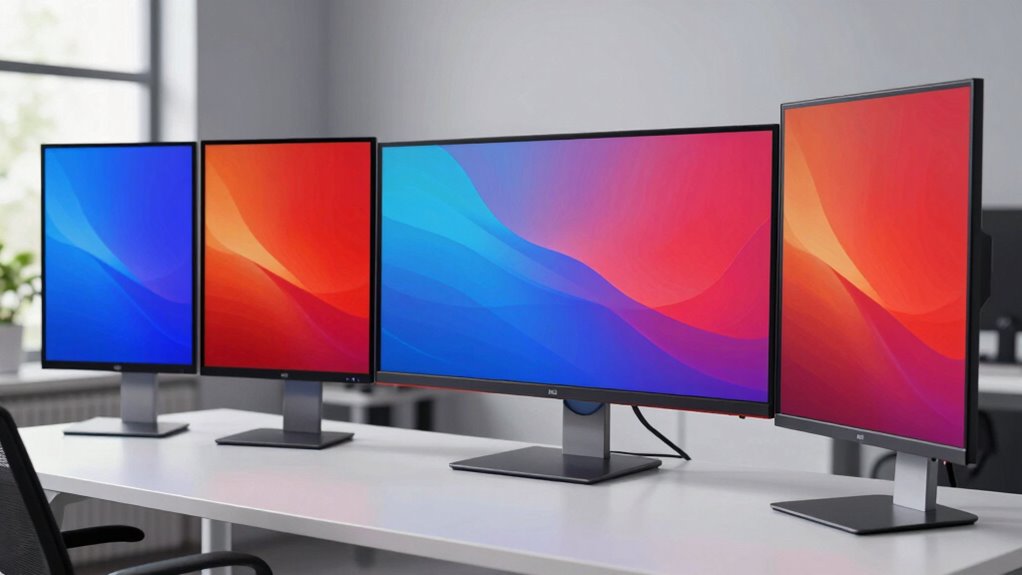

Choosing a 4K monitor for color accurate work demands balancing color precision, screen size, connectivity, and budget. For those seeking the best overall, the ASUS ProArt PA279CV offers factory calibration and versatile ports, while the ViewSonic VP3256-4K excels with professional validation and ergonomic flexibility. The Dell S2725QS stands out with a sleek design and high refresh rate, but is less suited for critical color tasks. This guide compares these options, highlighting their tradeoffs so you can pick the perfect fit for your professional or creative needs.

Get comfort and recovery gear delivered free with Prime
- Fast, free delivery on millions of items
- Prime Video, Amazon Music and more included
- Member-only deals all year
Complete the kit



Key Takeaways
- Color accuracy and wide gamuts are essential for professional editing, favoring monitors like the ASUS ProArt or ViewSonic.
- Connectivity options such as USB-C with Power Delivery streamline workflow for creatives and professionals.
- Size and ergonomics significantly impact comfort during long editing sessions, with larger screens and adjustable stands being advantageous.
- Refresh rate matters less for color work but can influence overall user experience—120Hz models like Dell‘s are better for multitasking and some entertainment.
- Premium models tend to come with calibration and validation, which are critical for color-critical workflows, but at a higher cost.
| ASUS ProArt PA279CV 27 Inch 4K UHD USB-C Professional Monitor |  | Best Overall for Professional Color Accuracy | Screen Size: 27 inches | Resolution: 3840 x 2160 (4K UHD) | Color Gamut: 100% sRGB, 100% Rec. 709 | VIEW ON AMAZON | See Our Full Breakdown |
| ViewSonic VP3256-4K 32 Inch 4K ColorPro Monitor with IPS Display |  | Best for Extended Creative Work & Ergonomics | Display Size: 32 inches | Resolution: 3840 x 2160 | Color Coverage: 100% sRGB | VIEW ON AMAZON | See Our Full Breakdown |
| Dell 27 Monitor S2725QS 4K UHD IPS with 120Hz Refresh Rate and Height Adjustment |  | Best for Versatile Use & Smooth Visuals | Screen Size: 27 inches | Resolution: 4K UHD | Color Coverage: 99% sRGB | VIEW ON AMAZON | See Our Full Breakdown |
| LG 27UP650K-W 27-inch 4K UHD IPS Computer Monitor |  | Best for Multi-Purpose Use with HDR | Display Size: 27 inches | Resolution: 3840 x 2160 | Color Coverage: 95% DCI-P3 | VIEW ON AMAZON | See Our Full Breakdown |
| ASUS ProArt PA279CRV 27-Inch 4K UHD HDR Professional Monitor for Mac |  | Best for Creative Professionals on Mac | Display Size: 27 inches | Resolution: 3840 x 2160 | Color Coverage: 99% DCI-P3, 99% Adobe RGB | VIEW ON AMAZON | See Our Full Breakdown |
| 4k monitor for color accurate work | Resolution | Connectivity | Color Coverage | Display Size |
|---|---|---|---|---|
| ASUS ProArt PA279CV 27 Inch 4K | 3840 x 2160 (4K UHD) | USB-C with 65W PD, HDMI, DisplayPort, USB Hub | — | — |
| ViewSonic VP3256-4K 32 Inch 4K | 3840 x 2160 | USB-C, HDMI, USB, DisplayPort | 100% sRGB | 32 inches |
| Dell 27 Monitor S2725QS 4K UHD | 4K UHD | HDMI, DisplayPort | 99% sRGB | — |
| LG 27UP650K-W 27-inch 4K UHD I | 3840 x 2160 | HDMI, DisplayPort | 95% DCI-P3 | 27 inches |
| ASUS ProArt PA279CRV 27-Inch 4 | 3840 x 2160 | USB-C with 96W PD, DisplayPort, HDMI | 99% DCI-P3, 99% Adobe RGB | 27 inches |
More Details on Our Top Picks
ASUS ProArt PA279CV 27 Inch 4K UHD USB-C Professional Monitor
The ASUS ProArt PA279CV is a standout for anyone prioritizing true color fidelity. It offers 100% sRGB and Calman Verified calibration, ensuring that your colors are precise straight out of the box. Compared to other models, its factory calibration and extensive connectivity—including USB-C with 65W Power Delivery—make it versatile for creative workflows. However, the price may deter casual users, and some might find its size or features excessive if they only need basic color correction. Its response time of 5ms is sufficient for most professional tasks but less ideal for fast-paced gaming or highly demanding video editing.
Pros:- Excellent factory calibration with Calman Verified status
- Wide color coverage including 100% sRGB and Rec. 709
- Versatile connectivity with USB-C Power Delivery
- Five-year warranty for peace of mind
Cons:- Higher price point may be prohibitive for casual users
- Requires calibration for optimal accuracy
- Limited to 27 inches, which might be small for some workflows
Best for: Professional content creators and designers needing precise color reproduction
Not ideal for: Casual users or gamers who prioritize high refresh rates over color accuracy
- Screen Size:27 inches
- Resolution:3840 x 2160 (4K UHD)
- Color Gamut:100% sRGB, 100% Rec. 709
- Response Time:5.0 ms
- Connectivity:USB-C with 65W PD, HDMI, DisplayPort, USB Hub
- Warranty:5 years
Our verdict“A top choice for professionals demanding reliable, factory-calibrated color accuracy combined with flexible connectivity.”
ViewSonic VP3256-4K 32 Inch 4K ColorPro Monitor with IPS Display
The ViewSonic VP3256-4K offers a large 32-inch screen with exceptional color accuracy validated by Pantone. Its 100% sRGB and Delta E<2 ensure precise editing, and its ergonomic adjustments—tilt, swivel, pivot, height—make it highly adaptable for long hours. While its 60Hz refresh rate may not appeal to gamers, it’s more than suitable for detailed editing and color grading. Compared with smaller or less validated displays, this model emphasizes color fidelity and comfort, though its premium price might be a barrier for casual users or those with tighter budgets.
Pros:- Pantone validated for reliable color accuracy
- Large 32-inch display ideal for detailed work
- Excellent ergonomics for all-day comfort
- Multiple connectivity options including USB-C with 65W PD
Cons:- 60Hz refresh rate limits gaming potential
- High price point for non-professionals
- Premium build may be less portable
Best for: Professional content creators needing large, color-accurate displays with ergonomic flexibility
Not ideal for: Gamers or users who want high refresh rates for fast-paced applications
- Display Size:32 inches
- Resolution:3840 x 2160
- Color Coverage:100% sRGB
- Color Accuracy:Delta E<2
- HDR:HDR10
- Connectivity:USB-C, HDMI, USB, DisplayPort
- Power Delivery:65W
Our verdict“Best suited for professionals requiring a large, color-accurate, ergonomically flexible monitor for intensive editing tasks.”
Dell 27 Monitor S2725QS 4K UHD IPS with 120Hz Refresh Rate and Height Adjustment
The Dell S2725QS delivers a 27-inch 4K UHD IPS display with vibrant colors and wide viewing angles. Its standout feature is the 120Hz refresh rate, which benefits multitasking and general entertainment, although it’s less critical for color-critical work. The ergonomic stand with height, swivel, and pivot adjustments enhances comfort during long sessions. Compared to professional-grade monitors, this model’s color coverage of 99% sRGB is adequate but not ideal for precise color work. It’s a good choice for users who want a balanced monitor for work and casual use but aren’t focused solely on color accuracy.
Pros:- Vivid visuals with 4K resolution and IPS panel
- 120Hz refresh rate for smooth content and multitasking
- Ergonomic adjustments for comfortable use
- Anti-glare coating for better viewing in different environments
Cons:- Limited color coverage for critical editing (99% sRGB)
- Response time of 5ms may not satisfy competitive gamers
- Price not specified, potential value concerns
Best for: General users who need decent color accuracy with smooth visuals for mixed use
Not ideal for: Color professionals and serious creators requiring high-grade calibration
- Screen Size:27 inches
- Resolution:4K UHD
- Color Coverage:99% sRGB
- Refresh Rate:120Hz
- Response Time:5ms
- Connectivity:HDMI, DisplayPort
- Additional Features:Anti-glare, HDR readiness
Our verdict“A versatile, well-rounded monitor suited for users needing good color and smooth visuals for everyday tasks but not for high-end color work.”
LG 27UP650K-W 27-inch 4K UHD IPS Computer Monitor
The LG 27UP650K-W combines vibrant 4K visuals with up to 95% DCI-P3 coverage and DisplayHDR 400 support. Its ergonomic stand with height, tilt, and pivot adjustments makes it suitable for varied work environments. While its 60Hz refresh rate is less ideal for gaming, it’s quite capable for color-sensitive tasks, streaming, and general productivity. The limited response time of 5ms is acceptable for non-competitive use, but professional editors might find it less responsive. Compared with higher-end professionals displays, this model offers good value with decent color coverage and HDR support, making it a solid choice for versatile use.
Pros:- Vivid image quality with 95% DCI-P3 coverage
- Supports DisplayHDR 400 for contrast enhancement
- Adjustable stand for ergonomic comfort
- Affordable and versatile for multiple tasks
Cons:- Limited to 60Hz refresh rate, not for high-end gaming
- Response time of 5ms may be insufficient for fast action
- No built-in speakers
Best for: Casual creatives and professionals seeking good color with multi-purpose features
Not ideal for: High-end color grading or fast-paced gaming
- Display Size:27 inches
- Resolution:3840 x 2160
- Color Coverage:95% DCI-P3
- HDR:DisplayHDR 400
- Stand Adjustments:Height, tilt, pivot
- Connectivity:HDMI, DisplayPort
Our verdict“A well-rounded, affordable monitor that balances decent color accuracy with HDR support for everyday and creative tasks.”
ASUS ProArt PA279CRV 27-Inch 4K UHD HDR Professional Monitor for Mac
The ASUS ProArt PA279CRV is tailored for Mac users and creative professionals, offering 99% DCI-P3 and Adobe RGB coverage with Delta E<2> calibration and Calman verification. Its wide color gamut and factory calibration ensure accuracy for color grading and professional workflows. The USB-C with 96W Power Delivery simplifies setups, especially for MacBook users, and its ergonomic stand provides extensive adjustments. However, its premium price and the need for calibration may limit its appeal for casual users or those on a tighter budget. Its 60Hz refresh rate is typical for professional monitors but not suited for gaming.
Pros:- Outstanding color accuracy with 99% DCI-P3 and Adobe RGB
- Wide gamut coverage and calibration for professional use
- USB-C with 96W Power Delivery for seamless integration
- Daisy-chain and ergonomic adjustments
Cons:- High price may be prohibitive for some
- Requires calibration for optimal color accuracy
- Limited to professional and creative workflows
Best for: Creative professionals and Mac users needing precise color workflows
Not ideal for: Casual users or gamers seeking high refresh rates
- Display Size:27 inches
- Resolution:3840 x 2160
- Color Coverage:99% DCI-P3, 99% Adobe RGB
- Color Accuracy:Delta E<2, Calman Verified
- Connectivity:USB-C with 96W PD, DisplayPort, HDMI
- Stand Adjustments:Tilt, swivel, pivot, height
Our verdict“An ideal monitor for Mac-based creatives demanding the highest color fidelity and flexible workspace setup.”

How We Picked
Our selection process focused on monitors that balance high-resolution 4K displays with professional-grade color accuracy features. We prioritized models with wide color gamuts such as DCI-P3 and Adobe RGB, factory calibration, and validation from industry standards like Calman or Pantone. Ergonomics, connectivity options including USB-C with Power Delivery, and overall build quality were also key factors. Price was considered but secondary to ensuring each model offers meaningful benefits for color-sensitive work. We aimed to include a range of options—from premium professional screens to versatile, all-rounders—so users can choose based on their specific needs and budgets.
| 4k monitor for color accurate work | Connectivity |
|---|---|
| ASUS ProArt PA279CV 27 Inch 4K | USB-C with 65W PD, HDMI, DisplayPort, USB Hub |
| ViewSonic VP3256-4K 32 Inch 4K | USB-C, HDMI, USB, DisplayPort |
| Dell 27 Monitor S2725QS 4K UHD | HDMI, DisplayPort |
| LG 27UP650K-W 27-inch 4K UHD I | HDMI, DisplayPort |
| ASUS ProArt PA279CRV 27-Inch 4 | USB-C with 96W PD, DisplayPort, HDMI |
Factors to Consider When Choosing 4k Monitor For Color Accurate Work
Selecting the right 4K monitor for color accurate work involves evaluating several key aspects. Beyond resolution, color coverage, calibration, and validation are crucial for professional-grade accuracy. Size and ergonomics help maintain comfort during extended editing sessions. Connectivity options like USB-C with Power Delivery streamline your workflow, while budget considerations influence your choice among entry-level, mid-range, and premium models. This section breaks down these factors to help you identify the best fit for your specific needs.Color Accuracy and Gamut Coverage
For precise color work, look for monitors with wide color gamuts such as DCI-P3, Adobe RGB, or Rec. 709, and factory calibration or validation from industry standards like Calman or Pantone. These features ensure consistent and reliable colors across your projects, especially important for photography, video editing, and design. Keep in mind that higher color coverage often comes with a higher price, but it is a necessary investment for professional workflows.
Connectivity and Ergonomics
Versatile connectivity options like USB-C with Power Delivery simplify your setup, especially when connecting to laptops or MacBooks. Ergonomic adjustments—height, tilt, swivel, pivot—are vital to reduce strain during long editing sessions. The size of the monitor should match your workspace and workflow preferences, with larger screens offering more detail but requiring more desk space.
Calibration and Validation
Calibration ensures your monitor displays colors accurately, which is critical for professional work. Monitors with factory calibration and validation from trusted sources provide peace of mind that your colors are true to life. While calibration can be performed manually, built-in validation and calibration tools often improve consistency and save time.
Budget and Use Case
Professional-grade monitors with extensive color coverage and validation tend to come at a premium. Casual users or hobbyists can opt for more affordable options with decent color coverage, but they should be aware of the potential compromises in accuracy. Define your primary use—whether for editing, casual viewing, or gaming—to select a monitor that balances features with cost effectively.
Frequently Asked Questions
Why is color accuracy important on a 4K monitor?
Color accuracy ensures that the colors you see on your monitor match real-world colors as closely as possible, which is essential for professional work such as photography, video editing, and graphic design. Accurate colors prevent surprises when your work is printed or viewed on other devices, maintaining consistency and quality across your projects.
What is the significance of color gamut coverage like DCI-P3 or Adobe RGB?
Color gamut coverage indicates the range of colors a monitor can display. DCI-P3 and Adobe RGB are wider gamuts that encompass more colors than standard sRGB, allowing for more vibrant and precise colors in professional workflows. Monitors with high coverage are preferred for creative work that demands color fidelity and detailed color grading.
Should I prioritize calibration and validation features?
Yes, calibration and validation features help ensure your monitor displays colors accurately over time, which is critical for professional work. Monitors with factory calibration and validation from trusted standards reduce the need for manual calibration and provide consistent performance, saving you time and increasing confidence in your color work.
Is a higher refresh rate necessary for color work?
Generally, a higher refresh rate like 120Hz is not necessary for color accuracy but can improve overall user experience, especially when multitasking or viewing motion-heavy content. For color-critical tasks, focus more on color coverage, calibration, and validation rather than refresh rate, which mainly impacts gaming and smoothness.
Can I use a 4K monitor for gaming and creative work at the same time?
While some monitors, like the Dell S2725QS, offer high refresh rates suitable for gaming, they may lack the color precision required for professional editing. Conversely, professional monitors with high color accuracy often have lower refresh rates, prioritizing color fidelity over gaming performance. Choose a model based on your primary use—professional editing or gaming—to avoid compromises.
Conclusion
If your main focus is professional content creation, editing, or color grading, prioritizing a monitor like the ASUS ProArt PA279CV or ViewSonic VP3256-4K makes sense due to their industry-standard calibration and wide color gamuts. Creative professionals working on Mac systems should consider the ProArt PA279CRV for its seamless Mac compatibility and high fidelity. For users seeking a versatile, all-rounder display that balances decent color performance with general use, the Dell S2725QS or LG 27UP650K-W offers a practical compromise. However, those demanding the highest accuracy and validation should be prepared for a higher investment.
Halloween Picks
halloween
As an affiliate, we earn on qualifying purchases.