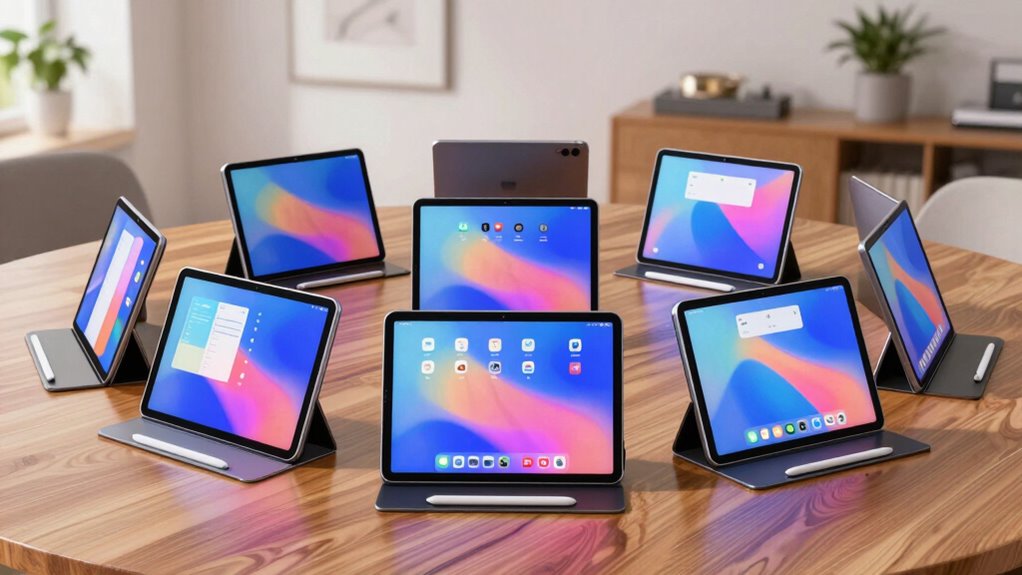

Finding the perfect digital planner tablet for notes involves balancing features like screen quality, note-taking flexibility, and portability. The XPPen 3-in-1 Digital Notebook stands out as the best overall choice for its versatile design and extensive storage. The iFlytek AINOTE 2 offers excellent handwriting recognition, ideal for transcription-heavy users, while the Rocketbook Reusable Planner provides a sustainable, reusable option for daily planning. Each option involves tradeoffs, such as screen glare versus paper-like feel, or price versus advanced features. Continue reading for a detailed breakdown of each model to find the best fit for your needs.

Get comfort and recovery gear delivered free with Prime
- Fast, free delivery on millions of items
- Prime Video, Amazon Music and more included
- Member-only deals all year
Complete the kit



Key Takeaways
- The best digital planner tablets balance writing experience with storage capacity and portability.
- E-Ink models excel for extended note-taking without eye strain but typically lack color and advanced multimedia features.
- Premium options often include stylus pressure sensitivity and multi-device compatibility, justifying higher prices.
- Reusability and sustainability are key factors for budget-conscious users or those prioritizing eco-friendliness.
- User experience varies widely based on software integration, screen quality, and accessory availability.


More Details on Our Top Picks
XPPen 3-in-1 Color Digital Notebook 10.95” Paper Note Taking Tablet with 16384 Pressure Levels, Battery-Free X3 Pro Pencil, 6+128GB Storage
The XPPen 3-in-1 Color Digital Notebook stands out for its large, paper-like display that minimizes glare and eye strain, making it ideal for prolonged note-taking sessions. Its 16K pressure sensitivity paired with a battery-free stylus offers precise control, comparable to writing on real paper, which gives it an edge over more basic models like the iFlytek AINOTE 2. However, its narrow viewing angle can limit visibility from certain perspectives, and running multiple apps may slow performance. This device is best suited for users who value a natural writing experience and need a versatile device for notes, reading, and meetings without sacrificing portability. It might be less ideal for those who require wide viewing angles or plan to multitask heavily on the device.
Pros:- High-quality paper-like display reduces glare and eye strain
- Stylus with 16K pressure sensitivity for precise annotation
- Supports multiple productivity and AI features
- Lightweight and portable for on-the-go use
Cons:- Narrow viewing angle limits visibility from certain angles
- Requires system upgrade to unlock full AI features
Best for: Creative professionals, students, or remote workers who need a high-quality, portable note-taking device with advanced stylus controls.
Not ideal for: Users who need a wide viewing angle for group collaboration or those who multitask with many apps simultaneously, as performance may lag.
- Display Size:10.95 inches
- Display Technology:AG nano-etched LCD with TCL NXTpaper 3.0
- Refresh Rate:90Hz
- Pressure Levels:16K
- Storage:6GB RAM + 128GB ROM
- Battery:8000mAh
Our verdict“This tablet is perfect for users seeking a natural writing experience with versatile functionality, but less so for those needing wide viewing angles or heavy multitasking.”
XPPen Note Plus Digital Notebook with Pen
The XPPen Note Plus excels for users who prefer the tactile sensation of writing on real paper but want seamless digital sharing. Its Bluetooth connectivity paired with real A5 paper cores creates a natural writing experience, similar to the Penstar eNote2, but with the added advantage of cross-platform sync. Its limited to A5-sized cores, making it unsuitable for larger formats, and Bluetooth connectivity may introduce latency or performance hiccups in busy environments. This pick makes the most sense for students or artists who want a true paper feel combined with digital flexibility, but it might not satisfy those seeking larger or more complex digital workflows.
Pros:- Authentic paper-like experience with dedicated ink pen
- Seamless Bluetooth sync to mobile devices
- Compatible with standard A5 paper cores, reducing waste
- Supports offline writing with auto-sync
Cons:- Requires Bluetooth, which may affect performance in crowded environments
- Limited to A5-sized cores, not suitable for larger notes or sketches
Best for: Students, writers, or sketch artists who value the feel of traditional paper with quick digital sharing capabilities.
Not ideal for: Professionals who need larger formats or faster, more reliable connectivity in challenging environments, as Bluetooth performance can be inconsistent.
- Compatibility:Android 10.0+ / iOS 14.0+
- Battery Capacity:1000mAh
- Battery Life:14 hours
- Pressure Sensitivity:8192 levels
- Pen Refill:Swiss Mini Star D1 0.8mm
- Dimensions:245×176×13mm
Our verdict“Best for those who prioritize a natural writing feel and simple digital sharing, but less suitable for users needing larger formats or robust connectivity.”
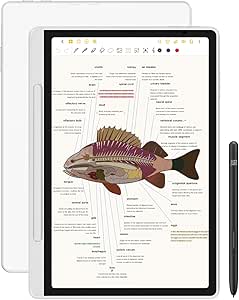
iFlytek AINOTE 2 10.65″ E-Ink Tablet for Note Taking and Transcription
The iFlytek AINOTE 2 offers an ultra-light, paper-like writing experience ideal for lengthy sessions, thanks to its 14-day battery life and low-latency handwriting. Its AI-assisted transcription and multilingual support make it a strong choice for professionals and students who need transcription accuracy and seamless note management. Compared with the VIWOODS AiPaper Mini, it provides a larger screen and better AI features, but it requires Wi-Fi to access AI functions, which could be limiting in offline scenarios. Its limited offline functionality makes it less suitable for environments with poor connectivity or for users who prefer to work without internet dependency.
Pros:- Paper-like writing with low latency
- Exceptional battery life up to 14 days
- Supports 18 languages for transcription
- Ultra-thin and lightweight design
Cons:- Requires Wi-Fi for AI and transcription features
- Limited offline note-taking capabilities
Best for: Professionals and students who need long-lasting, portable note-taking with transcription and multilingual support.
Not ideal for: Those who often work in low-light environments or without reliable Wi-Fi, as AI features and transcription require internet access.
- Display Size:10.65 inches
- Thickness:4.2 mm
- Battery Life:Up to 14 days
- Languages Supported:18
- Connectivity:Wi-Fi required
Our verdict“Ideal for users who prioritize long battery life and transcription accuracy, but less so for frequent offline use or in low-light conditions.”
VIWOODS Upgraded Bundle with AiPaper Mini, 8.2’’ AI E Ink Tablet with Adjustable Light, 292 PPI Electronic Notebook with Pen, Portable 230g, 128GB Storage
The VIWOODS AiPaper Mini makes a compelling choice for users who need a compact, portable device that combines reading and note-taking. Its high-resolution 292 PPI display and adjustable warm light enhance reading comfort, much like the iFlytek AINOTE 2, but in a smaller size. While its E Ink display offers excellent battery life and a paper-like experience, the refresh latency during fast page turns may disrupt flow, and it’s not suited for multimedia or quick editing tasks. This device is best for commuters, students, or casual readers who want a lightweight device with extensive storage, but it’s less suited for users requiring fast screen updates or multimedia capabilities.
Pros:- Lightweight and portable at only 230g
- High-resolution display with adjustable warm light
- Large 128GB storage capacity
- Includes stylus and additional accessories
Cons:- Refresh latency during fast page turns
- Limited to e-paper display, not suitable for multimedia
Best for: Readers and note-takers who need a lightweight device with excellent battery life and adjustable lighting for daily use.
Not ideal for: Users who demand quick refresh speeds or multimedia features, as E Ink refresh latency can be noticeable during rapid navigation.
- Display Size:8.2 inches
- Resolution:292 PPI
- Weight:230g
- Storage:128GB
- Light Adjustment:20 levels of warm light
Our verdict“A strong pick for those seeking a tiny, portable e-reader and note device with long battery life, but not for multimedia or fast-paced editing.”
iFlytek AINOTE 2 10.65″ E-Ink Digital Notebook with Grey Sandy Folio Case
The iFlytek AINOTE 2 with its 10.65-inch E-Ink display and included folio case offers a sleek, portable solution for note-taking, reading, and transcription. Its up to 14 days of battery life makes it ideal for users who need a device that can last through long meetings or study sessions, similar to the iFlytek AINOTE 2 reviewed earlier but with the added benefit of a protective case. While its AI-powered transcription and multi-language support improve organization, the need for Wi-Fi for these features remains a limitation. It’s best for professionals or students who need long battery life and cross-device access, but less so for those relying heavily on offline features or quick screen updates.
Pros:- Paper-like writing with low latency
- Long battery life with extended standby
- AI-powered transcription and multi-language support
- Includes folio case for protection
Cons:- Requires Wi-Fi for AI features and transcription
- Not suitable for low-light or dark environments without external lighting
Best for: Meeting professionals, students, or academics who prioritize battery longevity and multi-device access for note management.
Not ideal for: Users who often work in environments with poor Wi-Fi or require quick, responsive screen interactions, as E Ink refresh rates are slower.
- Display:10.65-inch E-Ink
- Thickness:4.2mm
- Battery Life:Up to 14 days
- Standby Time:Up to 113 days
- Languages Supported:18
Our verdict“Excellent for users needing long-lasting, cross-device note access with AI assistance, but less suited for offline or rapid interaction needs.”
iFLYTEK AINOTE Air 2 Bundle – 8.2-inch AI Note-Taking Tablet with Folio Case
This model stands out for its real-time speech-to-text and multilingual translation features, making it a strong choice for professionals who need to capture ideas quickly in multiple languages. Compared with the iFLYTEK AINOTE 2 10.65″, it offers a more compact form factor ideal for portability, but the smaller 8.2-inch screen can feel cramped for intensive note-taking. The paper-like E Ink display reduces eye strain, perfect for long reading or writing sessions, yet the limited size and the inability to use voice transcription simultaneously might slow down workflows for some users. The need to wait for transcription before converting handwriting adds a small delay that could be frustrating in fast-paced environments.
Pros:- Real-time speech-to-text and multilingual translation capabilities
- Paper-like writing experience with high pressure sensitivity
- Reduces eye strain with E Ink display
Cons:- Voice transcription and handwriting conversion cannot be used simultaneously
- Limited to 8.2-inch screen size, which may be small for some users
- Requires waiting for ongoing transcription before converting handwriting
Best for: Language learners, international professionals, or educators who require multilingual support and voice transcription in a portable format
Not ideal for: Users needing a larger screen or multimedia capabilities, as the small display limits extensive note-taking and media use
- Display:8.2-inch E Ink
- Pressure Levels:4096
- Languages Supported:17 speech, 83 handwritten
- Features:Speech-to-text, handwriting conversion, AI notetaking
- Weight:not specified
- Battery Life:not specified
Our verdict“This is best suited for users who prioritize multilingual voice features and portability over screen size or multimedia support.”
Rocketbook Reusable Smart Everyday Planner, Executive 6×8.8, Black
This pick makes the most sense for those seeking a traditional paper feel with the convenience of digital integration, especially because it offers multiple templates for daily, weekly, and monthly planning. Compared with the Penstar eNote2, it lacks a high-tech screen but excels in reusability and ease of use. The undated format allows flexibility, but manual date entry can slow down busy schedules. Its physical pages are easier for those who prefer writing with a pen, yet it relies on compatible erasable pens and scanning to digitize notes, which might be less seamless than fully digital options. The environmental aspect is a clear advantage for eco-conscious buyers.
Pros:- Reusable and environmentally friendly
- Versatile templates suit various planning needs
- Smooth writing with pen-to-paper feel
Cons:- Requires compatible erasable pens for best use
- Undated format needs manual date entry
- Limited to executive size, may not suit all preferences
Best for: Students, busy professionals, or environmentally minded users who want a reusable planner with digital sharing capabilities
Not ideal for: Creative professionals or those who prefer advanced digital note features like AI organization, as it is primarily paper-based
- Size:6 x 8.8 inches
- Reusable:Yes
- Templates:Daily, Weekly, Monthly, Annual
- Includes:Pilot Frixion Pen, Microfiber Cloth
- Weight:not specified
- Battery:not applicable
Our verdict“Ideal for eco-conscious users who want a flexible yet traditional planning experience with digital sharing options.”
Penstar eNote2 E-Ink Digital Notebook with Pen, 10.3” Paper Tablet, 128GB, 6500mAh Battery
This model makes sense for users who want a larger, 10.3-inch paper-like display with advanced pressure sensitivity and long battery life, making it suitable for detailed notes or sketches. Compared to the iFLYTEK AINOTE Air 2, it lacks multilingual voice features but compensates with a bigger screen and more storage. Its lightweight design and AI-powered organization help users manage extensive notes, yet the black-and-white only display limits multimedia use, and some may find the learning curve for the digital interface steep. It’s a strong choice for those who prioritize detailed handwriting or drawing over multimedia capabilities.
Pros:- Paper-like writing experience with 8192 pressure levels
- Lightweight with long battery life
- Ample 128GB storage and AI note organization
Cons:- Limited to black-and-white display, reducing multimedia options
- Requires familiarity with digital note-taking tools
- Potential learning curve for new users
Best for: Students, writers, or creative professionals who value a larger screen for detailed notes, sketches, or long sessions
Not ideal for: Users seeking multilingual voice transcription or multimedia features, as it’s primarily designed for writing and drawing
- Display Size:10.3 inches
- Pressure Levels:8192
- Storage:128GB
- Battery Capacity:6500mAh
- Weight:409 grams
- Features:AI organization, voice-to-text
Our verdict“Best suited for creative users who need a large, detailed digital notebook with long-lasting battery life.”
iFLYTEK AINOTE Air 2 Bundle – 8.2″ E Ink AI Note-taking Tablet with Stylus, 4096 Pressure Levels, Voice-to-Text, Multi-language Support
This version emphasizes multilingual transcription and meeting summaries, making it ideal for students or professionals in diverse environments. Compared with the Penstar eNote2, it offers a smaller, more portable 8.2-inch screen but lacks the same pressure sensitivity, which may affect handwriting precision. Its dual-color reading light and AI features support efficient note management, yet the inability to use voice-to-text and handwriting simultaneously limits multitasking. The E Ink display keeps eye strain low but may not meet multimedia needs for users seeking color or video support.
Pros:- Natural paper-like writing with 4096 pressure levels
- Supports multiple languages for transcription and handwriting
- Includes features for meeting summaries and schedule management
Cons:- Voice-to-text and handwriting cannot be used simultaneously
- Limited to E Ink display, not suitable for multimedia
- Smaller screen may limit extensive note-taking
Best for: Students, conference attendees, or multilingual teams who need quick transcription and easy reading in a compact device
Not ideal for: Creative users or multimedia enthusiasts who require color or video features, as the device is monochrome and primarily for reading and writing
- Screen Size:8.2 inches
- Pressure Levels:4096
- Languages Supported:17 transcription, 83 handwriting
- Features:Voice-to-text, translation, schedule
- Display:E Ink
- Battery:not specified
Our verdict“Best for multilingual, on-the-go note-taking and meeting summaries in a compact, eye-friendly format.”
Huion Note 2-in-1 Digital Notebook Drawing Tablet with Battery-free Pen, Bluetooth Wireless Paper Tablet, Refillable A5 Notepad
This device offers a unique blend of traditional notepad feel with digital versatility, making it ideal for users who want to draw, write, and record audio seamlessly. Compared with the Penstar eNote2, it provides a refillable notepad and Bluetooth connectivity, which adds flexibility for sharing across devices. Its A5 size and battery life suit those who need a portable, all-in-one solution for meetings or creative sessions, though the need to use the Huion app introduces a learning curve. For those who prefer a natural pen experience combined with digital features, this is a compelling option despite its smaller size and app dependency.
Pros:- Combines traditional notepad with digital features
- Long battery life with all-day usage and standby
- Easy Bluetooth pairing and app integration
Cons:- Requires the Huion app for full functionality, which may have a learning curve
- Limited to A5 size, not suitable for extensive note-taking
- Some may find the digital pen less natural than traditional pens
Best for: Creative professionals, students, or meeting participants who value drawing and note-sharing in a portable format
Not ideal for: Users seeking a dedicated, high-precision writing device for extensive text input without drawing, as its focus is on versatility and sketching
- Size:9.5×7 inches
- Battery Life:18 hours
- Connectivity:Bluetooth 5.0
- Included Accessories:A5 Notepad, USB-C, Magnetic Pen
- Refillable:Yes
- Color Display:Black and white only
Our verdict“Ideal for creative users and those who want a portable, versatile digital notepad with drawing capabilities.”
HUION Note E 8.4-inch Digital Notebook with Battery-Free Magnetic Pen, Android 15, Bluetooth, 6GB RAM, 128GB Storage, Anti-Glare Screen, Folio Cover
The HUION Note E stands out for its compact 8.4-inch size, making it one of the most portable options in this lineup. Its high-pressure sensitivity and low latency stylus provide a natural writing feel similar to paper, which makes it a solid choice for students and professionals who need quick, on-the-move notes. Compared to larger tablets like the XPPen 3-in-1 Color Digital Notebook, this model sacrifices screen real estate for portability, which may be a tradeoff for users who prefer extensive note spaces. The anti-glare and eye-friendly display help reduce fatigue during long sessions, and seamless cloud backup enhances workflow. However, the limited screen size might feel cramped for detailed sketches or extensive note-taking, and reliance on Android 15 could pose compatibility issues with older devices. The absence of stylus replacements or additional accessories also means limited longevity for heavy users.
Pros:- Compact and lightweight design perfect for on-the-go use
- High pressure sensitivity with low latency stylus for natural writing
- Anti-glare, eye-friendly display reduces eye strain during long sessions
- Seamless cloud backup and file sharing options
Cons:- Limited to an 8.4-inch screen, which may be too small for some users
- Requires Android 15, potentially limiting compatibility with older devices
- No mention of stylus replacements or additional accessories, affecting durability for heavy users
Best for: Travelers, students, or professionals who prioritize portability and quick note access without sacrificing quality.
Not ideal for: Users who require a larger canvas for detailed sketches or extensive note-taking, or those with older Android devices needing broader compatibility.
- Screen Size:8.4 inches
- Display Resolution:1920×1200
- Pixel Density:270 PPI
- Battery Capacity:4500mAh
- Processor:8-core
- RAM:6GB
- Storage:128GB
- Connectivity:Bluetooth, Android 15
- Pen:Battery-free magnetic stylus with 8192 levels of pressure sensitivity
Our verdict“This tablet is an excellent choice for those who need a portable, high-quality note-taking device that can be easily carried everywhere.”

How We Picked
These products were selected based on a combination of performance, usability, build quality, and value. Priority was given to devices that excel in note-taking accuracy, stylus responsiveness, and ease of use. We also considered factors like storage options, battery life, and portability, which are essential for daily use. Devices that offer unique features, such as transcription or multi-device syncing, were rated higher, but we balanced this against price and simplicity for different user needs. Our ranking reflects a mix of high-performance models and those offering the best value for specific use cases, ensuring a comprehensive overview for various buyers.Factors to Consider When Choosing Digital Planner Tablet For Notes
Choosing the right digital planner tablet for notes involves understanding your specific needs and how different features align with those. Whether you need a device for heavy transcription, quick sketching, or simple note archiving, several key factors can guide your decision. Being aware of common pitfalls, such as overpaying for unnecessary features or choosing incompatible styluses, can help you make a smarter purchase. Here are the main considerations to keep in mind when selecting your ideal digital planner tablet.Display Type and Quality
The choice between E-Ink and LCD screens significantly impacts your note-taking experience. E-Ink screens, like those found on many e-paper models, reduce eye strain and offer excellent readability in sunlight but lack color and fast refresh rates. LCD screens, on the other hand, provide vibrant color and faster response times, making them better suited for multimedia notes or annotations. Consider your typical environment and whether color or clarity matters most for your notes to select the right display type.
Stylus Responsiveness and Pressure Sensitivity
A responsive stylus with pressure sensitivity makes a noticeable difference in writing and drawing accuracy. Devices with high pressure sensitivity, such as 4096 levels, allow for nuanced shading and natural handwriting, mimicking paper much more closely. Cheaper styluses or lower sensitivity levels can result in lag, inconsistent lines, and frustration. If you plan to sketch or write extensively, investing in a model with a high-quality stylus is often worth the extra cost.
Storage and Battery Life
Storage capacity determines how many notes, sketches, or files you can keep directly on the device. Larger storage options are beneficial for users who work with multimedia or large files. Battery life affects your ability to use the device throughout the day without frequent recharging. Models with larger batteries or more efficient power management provide longer usage, especially important for students or professionals on the go. Balancing storage and battery needs prevents frustration and ensures smooth workflow.
Compatibility and Ecosystem
Ensure the device integrates well with your existing tools, whether that’s cloud storage, note apps, or transcription services. Devices supporting stylus compatibility across multiple platforms or offering seamless syncing with PCs or smartphones can greatly enhance your productivity. Limited ecosystem support might restrict your ability to transfer notes or use preferred apps, which can be a major drawback for power users. Check compatibility before committing to a device to avoid workflow disruptions.
Price and Long-Term Value
Premium devices often come with advanced features like multi-device syncing, color screens, or sophisticated styluses, but they also carry higher price tags. Conversely, budget models may lack some features but serve well for basic note-taking. Consider how much you’re willing to spend relative to your needs, and whether additional features justify the cost. Investing in a higher-priced model can be worthwhile if it improves your note quality or workflow, but for casual users, more affordable options often suffice.
Frequently Asked Questions
Can I use these tablets for handwriting recognition and transcription?
Many of these tablets, especially models like the iFlytek AINOTE 2, are equipped with handwriting recognition and transcription features. These tools convert handwritten notes into editable text, which can save time and improve organization. However, the accuracy varies depending on the device and language support. If transcription is a priority, look for models with dedicated voice or AI features, and be prepared for some manual correction in complex or handwritten notes.
Are E-Ink tablets suitable for sketching or drawing?
While E-Ink tablets excel at reading and note-taking, they generally lack the responsiveness and color options preferred by artists. Devices like the Huion Note 2-in-1 or HUION Note E offer better drawing experiences thanks to higher refresh rates and pressure sensitivity. If your focus is on sketching or detailed illustrations, opting for a color LCD or hybrid device with more advanced stylus support will yield better results.
How important is stylus pressure sensitivity for everyday notes?
For most daily note-taking, high pressure sensitivity enhances the natural feel of writing and allows for more expressive notes or sketches. It’s especially valuable if you combine handwriting with drawing or shading. Lower sensitivity styluses may lead to inconsistent lines and reduce the overall natural feel, which can be frustrating over time. If you plan to do extensive handwriting or sketching, choosing a device with at least 4096 pressure levels is advisable.
Should I prioritize a color screen or E-Ink for notes?
This depends on your specific use case. Color screens are better for multimedia notes, highlighting, or diagrams that benefit from color differentiation. E-Ink screens, however, are easier on the eyes for long reading or writing sessions and perform better outdoors. If your notes are mostly text-based and you spend many hours on the device, an E-Ink model reduces eye strain, but for visual or color-coded notes, a color display might be more suitable.
Is it worth paying extra for a device with more storage or advanced features?
Investing in additional storage or advanced features can significantly improve your experience if you handle large files, multimedia notes, or need seamless syncing across devices. However, for simple text notes or light use, a more affordable device with basic features might suffice. Consider your daily workflow and whether additional capabilities will genuinely enhance productivity or if they simply add cost without practical benefit.
Conclusion
For users seeking a reliable, all-around digital planner for notes, the XPPen 3-in-1 Color Digital Notebook stands out as the best overall choice, combining versatility with performance. Those prioritizing eco-friendly, reusable options may prefer the Rocketbook Reusable Planner. Professionals who need advanced handwriting recognition and seamless device integration should consider the iFlytek AINOTE 2 or HUION Note E. Beginners or casual users can find excellent value in more affordable models. Ultimately, your ideal device depends on your specific workflow, whether it’s extensive note transcription, sketching, or simple daily planning—use this guide to match features with your needs.Fall Picks
fall essentials
As an affiliate, we earn on qualifying purchases.