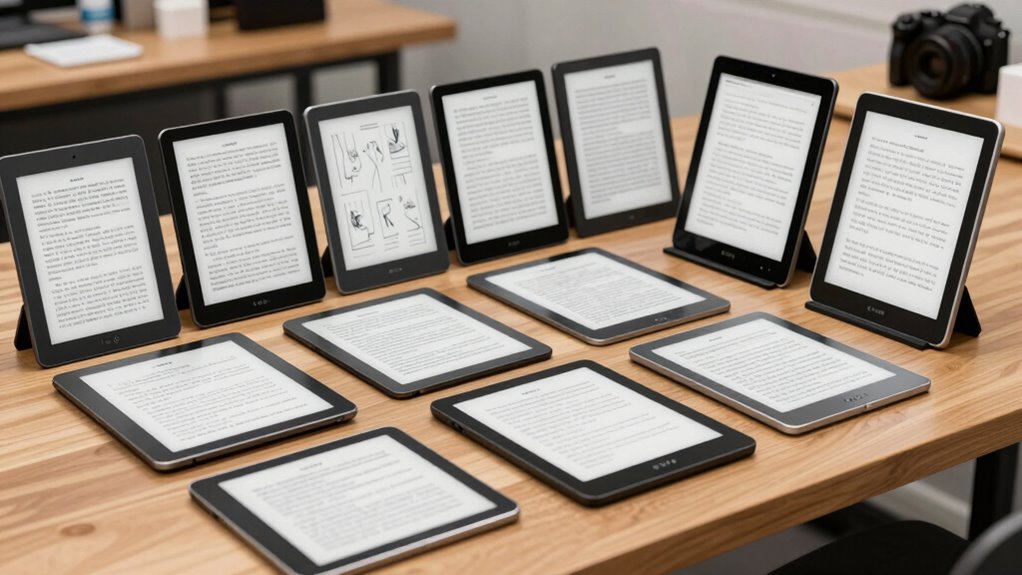

For those seeking a dedicated device that combines the clarity of e ink with versatile note-taking capabilities, the choice can be overwhelming. The reMarkable 2 stands out as the overall best for its seamless writing experience, while the BOOX Note Air 5 offers advanced features like color ePaper and Android support for power users. At the same time, budget-friendly options like the PocketBook InkPad One deliver solid performance without a hefty price tag. The main tradeoffs in this category often involve balancing display quality, software flexibility, and affordability. Continue reading for a detailed breakdown of these 14 leading options and what makes each one unique.

Get comfort and recovery gear delivered free with Prime
- Fast, free delivery on millions of items
- Prime Video, Amazon Music and more included
- Member-only deals all year
Complete the kit



Key Takeaways
- The most balanced device for reading and note-taking combines excellent display quality with strong stylus support, like the BOOX Note Air 5.
- Budget options such as the PocketBook InkPad One still provide core note-taking features but may lack advanced customization or multitasking capabilities.
- Premium models like reMarkable Paper Pro excel in writing experience but come with a higher price tag, suitable for dedicated note-takers.
- Devices with color ePaper, such as BOOX Tablet Go Color, are ideal for visual learners or users needing color for annotations.
- Battery life varies significantly, with some models lasting weeks and others only days, influencing how portable and reliable the device is for daily use.
| Huion Ink EB1011 E Ink Tablet 10.3″ Digital Notebook with Dual Front Light and Battery-Free Pen |  | Best Overall for Versatile Reading and Note-Taking | Display Size: 10.3 inches | Resolution: 1404×1872 (227 PPI) | Front Light: Dual-color adjustable | VIEW ON AMAZON | See Our Full Breakdown |
| reMarkable 2 with Marker Plus | 10.3” Paper Tablet with E Ink Display |  | Best for Pure Paper-Like Note-Taking and Reading | Display: 10.3-inch black and white E Ink | Thickness: 4.7 mm | Battery Life: Up to 2 weeks | VIEW ON AMAZON | See Our Full Breakdown |
| BOOX Note Air 5 10.3″ E Ink Tablet with Color ePaper Display, 6GB RAM, 64GB Storage, Android 15 |  | Best for Color Reading and Light Multimedia with Note-Taking | Display: 10.3-inch Kaleido 3 color e-ink, 2480×1860 B/W, 1240×930 color | Processor: Octa-core | RAM: 6GB | VIEW ON AMAZON | See Our Full Breakdown |
| BOOX Tablet Go Color 7 Gen II E Ink Tablet Support Active Stylus InkSense (Black) |  | Best Compact Color E Ink for Reading and Light Note-Taking | Screen: 7″ Kaleido 3 (4096 colors) | Resolution: 1680 x 1264 (B/W 300 ppi, Color 150 ppi) | CPU: Octa-core | VIEW ON AMAZON | See Our Full Breakdown |
| reMarkable Paper Pure with Marker Plus and Mist Green Sleeve Folio 10.3-inch Digital Paper Tablet |  | Best for Focused Writing and Document Review | Display Size: 10.3 inches | Display Type: E Ink | Color: Black and white | VIEW ON AMAZON | See Our Full Breakdown |
| Penstar eNote2 E-Ink Digital Notebook with Pen, 10.3” AI Note-Taking Paper Tablet, 8192 Levels Pressure, 128GB Storage, 6500mAh Battery, Leather Folio Cover Bundle |  | Best for Professional Note-Taking and Organization | Display Size: 10.3 inches | Pressure Levels: 8192 | Storage: 128GB | VIEW ON AMAZON | See Our Full Breakdown |
| BOOX Tablet Go 10.3 Gen II Lumi ePaper E Ink Tablet Notebook |  | Best for Versatile Reading, Browsing, and Note-Taking | Screen Size: 10.3 inches | Resolution: 2480×1860 (300 ppi) | Touch: Stylus with 4,096 pressure levels + capacitive | VIEW ON AMAZON | See Our Full Breakdown |
| BOOX Tablet Go 7 B/W E Ink Tablet 4G 64GB Support Active Stylus InkSense |  | Best Compact E-Ink Tablet for Reading and Light Note-Taking | Display: 7-inch HD ePaper | Resolution: 1680 x 1264 | Stylus Support: Active InkSense (sold separately) | VIEW ON AMAZON | See Our Full Breakdown |
| reMarkable Paper Pro with Marker Plus and Black Leather Book Folio |  | Best for Creative Work and Color Reading | Display: 11.8-inch color e-ink | Included Items: Marker Plus, spare tips, leather folio | Features: Adjustable reading light, handwriting to text | VIEW ON AMAZON | See Our Full Breakdown |
| PocketBook InkPad One 10.3” E Ink Reader with Stylus |  | Best for Premium Reading and Note-Taking Ecosystem | Screen Size: 10.3 inches | Supported Formats: 25 formats including DRM | Features: Bluetooth, Text-to-Speech, SMARTlight | VIEW ON AMAZON | See Our Full Breakdown |
| iFLYTEK AINOTE Air 2 Bundle – 8.2″ E Ink AI Note-taking Tablet with Stylus, Voice-to-Text, Multi-language Support |  | Best for Multilingual Note-taking and Meeting Summaries | Screen Size: 8.2 inches | Pressure Levels: 4096 | Languages Supported: 17 for transcription, 83 for handwriting | VIEW ON AMAZON | See Our Full Breakdown |
| Kloudnote Slim 10.3″ Digital Notebook, E Ink Tablet and ePaper Notepad |  | Best for Extended Reading and Office Tasks | Screen Size: 10.3 inches | Resolution: 1404×1872 (227ppi) | Processor: 1.8GHz A55 quad-core | VIEW ON AMAZON | See Our Full Breakdown |
| VIWOODS Upgraded Bundle with AiPaper Mini 8.2” AI E Ink Tablet with Adjustable Light, 292 PPI Electronic Notebook with Pen, 128GB Storage, Portable |  | Best for Portable Reading and Digital Planning | Display: 8.2 inches, 292 PPI | Weight: 230g | Storage: 128GB | VIEW ON AMAZON | See Our Full Breakdown |
| reMarkable Paper Pro Move with Marker Plus – 7.3″ Color Digital Notebook |  | Best for Distraction-Free Color Note-taking and Portable Productivity | Display: 7.3-inch Canvas Color | Included Accessories: Marker Plus, spare tips, USB-C | Connectivity: Cloud sync | VIEW ON AMAZON | See Our Full Breakdown |
| e ink tablet for reading and note taking | Storage | Weight |
|---|---|---|
| Huion Ink EB1011 E Ink Tablet | 64GB (expandable up to 2TB) | 0.99 pounds |
| reMarkable 2 with Marker Plus | — | — |
| BOOX Note Air 5 10.3" E Ink Ta | 64GB | Approx. 430 g |
| BOOX Tablet Go Color 7 Gen II | — | 195 g |
| reMarkable Paper Pure with Mar | — | — |
| Penstar eNote2 E-Ink Digital N | 128GB | 409 grams |
| BOOX Tablet Go 10.3 Gen II Lum | 64GB | Approx. 364g |
| BOOX Tablet Go 7 B/W E Ink Tab | 64GB | Approx. 195g |
| reMarkable Paper Pro with Mark | — | — |
| PocketBook InkPad One 10.3” E | — | — |
| iFLYTEK AINOTE Air 2 Bundle | — | — |
| Kloudnote Slim 10.3" Digital N | 64G | — |
| VIWOODS Upgraded Bundle with A | 128GB | 230g |
| reMarkable Paper Pro Move with | — | — |
More Details on Our Top Picks
Huion Ink EB1011 E Ink Tablet 10.3″ Digital Notebook with Dual Front Light and Battery-Free Pen
This option stands out for combining a high-resolution, paper-like E-Ink display with advanced features like handwriting-to-text conversion and a stylus that is battery-free with high pressure sensitivity. Compared to the reMarkable 2, it offers broader functionality, including multi-format reading and potential for professional drawing, but this added versatility comes with a more complex interface that might overwhelm casual users. Its dual-color adjustable front light makes it suitable for different lighting conditions, enhancing eye comfort during extended use. While it requires an external connection for detailed artwork, its long battery life and lightweight design prioritize portability and all-day use. However, the expandable storage up to 2TB may involve additional costs, and some users might find the feature set more than needed for simple note-taking.
Pros:- High-resolution, paper-like display reduces eye strain
- Battery-free stylus with high pressure sensitivity for precise writing and drawing
- Supports handwriting-to-text conversion and multi-format reading
- Long battery life and lightweight design for portability
Cons:- Requires external connection for use as a professional drawing tablet
- Expandable storage up to 2TB may require additional purchase
- Feature set may be complex for basic note-taking needs
Best for: Creative professionals or students needing a multi-purpose device for reading, note-taking, and light drawing, prioritizing versatility.
Not ideal for: Users seeking a straightforward e-ink device solely for reading or basic note-taking without the complexity of additional features.
- Display Size:10.3 inches
- Resolution:1404×1872 (227 PPI)
- Front Light:Dual-color adjustable
- Stylus:Battery-free, 8192 pressure levels
- Storage:64GB (expandable up to 2TB)
- Battery Life:Up to 12 days
- Weight:0.99 pounds
- Thickness:0.25 inches
- Operating System:Android 11
Our verdict“This tablet suits users seeking a versatile device for reading, writing, and light creative work, willing to navigate its broader feature set.”
reMarkable 2 with Marker Plus | 10.3” Paper Tablet with E Ink Display
This device excels at mimicking the feel of paper, making it ideal for users who prioritize natural writing and distraction-free reading. Unlike the Huion Ink EB1011, it offers a simplified, dedicated experience with no extra app clutter or multimedia features, emphasizing focus and clarity. The long-lasting two-week battery life supports extended writing sessions without frequent charging. Its cloud sync and document organization features make it perfect for students and professionals managing large notes or manuscripts. The downside is its black-and-white display, which limits visual richness and may not appeal to those wanting color or multimedia capabilities. Additionally, it requires a subscription for full cloud functionality, which could be a concern for budget-conscious users.
Pros:- Feels like paper for natural writing and reading
- Long battery life of up to 2 weeks
- Distraction-free with no apps or notifications
- Supports document organization and cloud sync
Cons:- Limited to black-and-white display
- Requires subscription for full cloud features
- No multimedia or app store access
Best for: Students or writers seeking a distraction-free, natural writing experience with excellent organization tools.
Not ideal for: Users who want color, multimedia, or app-based functionality beyond note-taking and reading.
- Display:10.3-inch black and white E Ink
- Thickness:4.7 mm
- Battery Life:Up to 2 weeks
- Included:reMarkable 2 tablet, Marker Plus, 9 spare tips, USB-A to C cable
- Connectivity:Wi-Fi, cloud storage
- OS:Proprietary
Our verdict“This tablet is perfect for those who want a focused, paper-like experience for reading and note-taking, with minimal digital distractions.”
BOOX Note Air 5 10.3″ E Ink Tablet with Color ePaper Display, 6GB RAM, 64GB Storage, Android 15
This model makes the most sense for users who want a color e-ink experience combined with multitasking capabilities, thanks to its high-resolution Kaleido 3 display running on Android 15. It provides a broader range of document formats and multimedia support than monochrome options like the reMarkable 2 or Huion Ink EB1011. However, the inherent limitations of color e-ink—such as darker, grayer visuals and slower refresh rates—mean it doesn’t match LCD performance, especially for animation or rapid app responsiveness. It’s ideal for reading illustrated content or annotating images but less so for multimedia-heavy tasks. Its lightweight, portable design with a sizable storage capacity makes it suitable for mobile professionals but may not satisfy users requiring vibrant, high-refresh-rate screens.
Pros:- High-resolution color e-ink display for reading and annotation
- Runs on Android 15 with ample RAM and storage
- Supports a range of document, image, and audio formats
- Lightweight with long battery life
Cons:- Color e-ink produces darker or grayer visuals compared to LCDs
- Slower refresh rates affect responsiveness
- Not suitable for animation-heavy or highly interactive apps
Best for: Creative professionals or students who want color annotations and light multimedia use alongside reading and note-taking.
Not ideal for: Those demanding high-performance multimedia or vibrant high-resolution visuals akin to LCD screens.
- Display:10.3-inch Kaleido 3 color e-ink, 2480×1860 B/W, 1240×930 color
- Processor:Octa-core
- RAM:6GB
- Storage:64GB
- Connectivity:Wi-Fi, Bluetooth 5.1
- Front Light:Yes, with CTM
- Battery:3,700mAh
- Weight:Approx. 430 g
Our verdict“This device suits users who value color annotation and lightweight multitasking over vivid multimedia performance.”
BOOX Tablet Go Color 7 Gen II E Ink Tablet Support Active Stylus InkSense (Black)
This 7-inch device is tailored for users who want color display in a small, portable package, making it more suitable for casual reading and note-taking than larger, more feature-rich tablets like the BOOX Note Air 5. Its 4096-color Kaleido 3 screen provides color options, but the inherent limitations of color e-ink—such as darker tones and slower refresh—mean it’s less vibrant than LCD counterparts. The stylus support is a plus, but the stylus must be purchased separately, adding to the overall cost. It’s a good choice for those who need a pocket-sized device to read illustrated content or annotate documents on the go, but it’s less ideal for detailed color work or multimedia tasks.
Pros:- Supports a wide range of document and image formats
- Color E Ink display with adjustable front light
- Lightweight and portable design
Cons:- Color E Ink produces darker or grayer images compared to LCD
- Stylus support requires purchase separately
- Display quality may not meet expectations for detailed color work
Best for: Mobile users who want a compact device for reading color content and light note-taking on the go.
Not ideal for: Users needing vibrant color displays or high-performance multimedia capabilities.
- Screen:7″ Kaleido 3 (4096 colors)
- Resolution:1680 x 1264 (B/W 300 ppi, Color 150 ppi)
- CPU:Octa-core
- RAM:4GB
- ROM:64GB
- Connectivity:Wi-Fi + BT 5.1
- Front Light:Yes
- Battery:2,300mAh
- Weight:195 g
Our verdict“This device is ideal for casual color reading and note-taking in a compact form factor, with some compromises in display vibrancy.”
reMarkable Paper Pure with Marker Plus and Mist Green Sleeve Folio 10.3-inch Digital Paper Tablet
This model emphasizes a high-contrast, fast-response e-ink display, making it ideal for users who prioritize writing, annotating, and reviewing documents without distractions. Compared to the Huion Ink EB1011 with its color display and flexible features, the reMarkable Paper Pure offers a simpler, streamlined experience focused on handwriting and document organization. Its cloud integration supports seamless transfer and sharing, but the limited to monochrome display and a learning curve for new users might deter those seeking more multimedia or color options. The device’s battery life is decent but may diminish with frequent use, especially when using extensive annotations or markup features.
Pros:- High-contrast, fast-response e-ink display
- Supports handwriting, note organization, and document markup
- Cloud integration for easy document transfer and sharing
- Includes useful accessories for a complete experience
Cons:- Limited to black-and-white display
- Requires a learning curve for new users
- Battery life may decline with intensive use
Best for: Professionals or students who need a dedicated, distraction-free device for writing, reading, and reviewing documents.
Not ideal for: Users wanting color, multimedia, or highly interactive applications beyond basic note-taking and review.
- Display Size:10.3 inches
- Display Type:E Ink
- Color:Black and white
- Included Accessories:Marker Plus, Sleeve Folio
- Connectivity:Cloud sync, Wi-Fi
- Battery Life:Variable, depends on use
Our verdict“This device is well-suited for focused note-taking and document review, especially for those who prefer a paper-like experience with simple digital management.”
Penstar eNote2 E-Ink Digital Notebook with Pen, 10.3” AI Note-Taking Paper Tablet, 8192 Levels Pressure, 128GB Storage, 6500mAh Battery, Leather Folio Cover Bundle
This model stands out for its high pressure sensitivity of 8192 levels, delivering a truly paper-like writing experience that surpasses many standard e-ink tablets. Compared with the reMarkable Paper Pro, the Penstar eNote2 offers more extensive AI-powered features, including voice-to-text, making it especially appealing for users who want smart organization alongside note-taking. Its lightweight design and 128GB storage support extensive notes and multimedia accessories, but the lack of detailed info on refresh rates and potential lag could impact smooth writing for some. The high price tag might deter casual users, yet for professionals seeking a portable, feature-rich digital notebook, this is a compelling choice.
Pros:- High pressure sensitivity for realistic writing
- Smart note organization and AI voice-to-text
- Lightweight with large storage and included accessories
Cons:- Limited info on screen refresh rate and potential lag
- No color or multimedia capabilities, restricting versatility
Best for: Professionals and students who need a natural writing feel combined with smart features and ample storage
Not ideal for: Casual readers or those seeking multimedia functionality, as it focuses primarily on note-taking and organization
- Display Size:10.3 inches
- Pressure Levels:8192
- Storage:128GB
- Battery Capacity:6500mAh
- Weight:409 grams
- Thickness:5.5 mm
Our verdict“Ideal for users who prioritize a natural writing experience with smart features over multimedia support.”
BOOX Tablet Go 10.3 Gen II Lumi ePaper E Ink Tablet Notebook
This pick makes the most sense for users who want a balance between reading and note-taking on a high-resolution, Android-powered device. Its 2480×1860 resolution and multiple refresh modes improve reading clarity and reduce ghosting, surpassing the 7-inch BOOX Go 7 in size and functionality. The 10.3-inch screen provides more space for notes and reading, but at approximately 364 grams, it’s heavier than smaller models, which could be tiring for extended one-handed use. Its Android 15 OS supports third-party apps, adding flexibility, yet the battery life might fall short with intensive use. This is a solid all-rounder for those who want a larger, adaptable device for reading and note-taking, though it sacrifices some portability.
Pros:- High-resolution display with multiple refresh modes
- Supports a wide range of document, image, and audio formats
- Android OS allows for third-party app installation
Cons:- Heavier weight for extended one-handed use
- Battery capacity may require frequent charging with heavy use
Best for: Students and professionals seeking a versatile device for reading, note-taking, and light multimedia use
Not ideal for: Users needing a lightweight, highly portable device for quick notes or casual reading
- Screen Size:10.3 inches
- Resolution:2480×1860 (300 ppi)
- Touch:Stylus with 4,096 pressure levels + capacitive
- Operating System:Android 15
- RAM:4GB
- Storage:64GB
- Battery:3,700mAh
- Weight:Approx. 364g
Our verdict“Best suited for users who want a large, adaptable e-ink device for multi-purpose reading and note-taking, accepting some weight tradeoffs.”
BOOX Tablet Go 7 B/W E Ink Tablet 4G 64GB Support Active Stylus InkSense
This device makes sense for those prioritizing portability and basic note-taking, especially with its compact 7-inch display. Its 1680×1264 resolution and multiple refresh modes improve display quality, but the smaller size limits space for extensive notes compared to larger tablets like the PocketBook InkPad One. The support for an active InkSense stylus (sold separately) adds precision for handwriting, yet the stylus purchase adds extra cost. Its lightweight design at around 195g makes it ideal for on-the-go reading or quick notes, but it’s less suited for prolonged writing sessions or multimedia use. This is a practical choice for casual readers and occasional note-takers seeking a portable, affordable device.
Pros:- Lightweight and highly portable at 195g
- Supports a wide range of formats and expandable storage
- Multiple refresh modes for display optimization
Cons:- Stylus support requires separate purchase
- Limited to black-and-white content, no color display
- Slower navigation due to refresh modes
Best for: Travelers and casual users who want a compact, easy-to-carry device for reading and light note-taking
Not ideal for: Power users or those requiring color or multimedia features, as it’s limited to black-and-white e-ink and basic functionality
- Display:7-inch HD ePaper
- Resolution:1680 x 1264
- Stylus Support:Active InkSense (sold separately)
- CPU:Octa-core
- RAM:4GB
- Storage:64GB
- Battery:2,300mAh
- Weight:Approx. 195g
Our verdict“Best for those who need a compact, lightweight device for reading and light notes without the need for multimedia or color.”
reMarkable Paper Pro with Marker Plus and Black Leather Book Folio
The reMarkable Paper Pro excels for users who want a large, color-capable e-ink display for reading and sketching. Its 11.8-inch color display offers more versatility than monochrome options, especially for visual tasks like annotations, sketches, or reading in color. Compared to the smaller reMarkable 2, the Paper Pro provides a bigger canvas, but its higher price and reliance on accessories may be a barrier for some. The adjustable reading light and included leather folio enhance usability in various lighting conditions. However, its focus remains on e-ink functionality, so it won’t handle multimedia like videos or complex PDFs with multimedia content. This device suits creators and professionals needing a large, color e-ink workspace.
Pros:- Large color e-ink display for versatile use
- Responsive pen and organized note tools
- Low-glare, outdoor-friendly screen with adjustable light
Cons:- Higher cost due to premium features
- Limited to e-ink, not suitable for multimedia playback
- Requires compatible accessories for full functionality
Best for: Artists, designers, and professionals who want a large, color e-ink device for creative work and detailed reading
Not ideal for: Those seeking multimedia or fast-paced interactive content, as it’s optimized mainly for static media and note-taking
- Display:11.8-inch color e-ink
- Included Items:Marker Plus, spare tips, leather folio
- Features:Adjustable reading light, handwriting to text
Our verdict“Ideal for professionals and creatives who want a large, color e-ink device for detailed drawing, reading, and note organization.”
PocketBook InkPad One 10.3” E Ink Reader with Stylus
This device is tailored for users who want a large, elegant reading device that also supports active note-taking. Its 10.3-inch display and stylus support make it a strong choice for active reading and annotations, especially with its open ecosystem supporting 25 formats, including DRM-protected content. The aluminum frame gives it a premium feel, but it lacks adjustable lighting controls outside the SMARTlight feature, which might limit flexibility in different environments. Without multimedia or color support, it’s best suited for serious e-book readers and note-takers who prefer a sleek, durable device. Its focus on format support and build quality makes it ideal for users demanding a premium, no-frills reading experience with some note-taking capabilities.
Pros:- Large, paper-like display ideal for reading and notes
- Supports a wide array of formats and DRM
- Premium aluminum frame with sleek design
Cons:- Limited lighting controls outside SMARTlight
- No color or multimedia support
Best for: E-book enthusiasts and professionals needing a durable, stylish device for extensive reading and annotations
Not ideal for: Casual readers or multimedia users seeking color or video functionality, as it’s primarily an e-ink reading device
- Screen Size:10.3 inches
- Supported Formats:25 formats including DRM
- Features:Bluetooth, Text-to-Speech, SMARTlight
- Material:Aluminum frame
Our verdict“Best for users who want a high-quality, durable e-ink device optimized for reading and note-taking with extensive format support.”
iFLYTEK AINOTE Air 2 Bundle – 8.2″ E Ink AI Note-taking Tablet with Stylus, Voice-to-Text, Multi-language Support
The iFLYTEK AINOTE Air 2 stands out for its advanced voice-to-text capabilities and multi-language support, making it ideal for professionals and students who prioritize transcription accuracy in diverse languages. Compared to the reMarkable Paper Pro Move, it offers more robust voice features, though its handwriting experience is slightly less refined. The main tradeoff is that voice transcription cannot run simultaneously with handwriting, which might slow down multitasking. Its paper-like display and meeting tools make it well-suited for those who need to capture ideas verbally and visually. However, users looking for multimedia or high-speed editing may find it limiting due to its E Ink display’s constraints.
Pros:- 4096 pressure levels provide a natural paper-like writing feel
- Supports 17 languages for transcription and 83 for handwriting
- Includes features for meeting summaries and schedule management
- Eye-friendly dual-color reading light with adjustable brightness
Cons:- Voice transcription cannot run simultaneously with handwriting
- Limited to monochrome E Ink display, unsuitable for multimedia
Best for: Multilingual professionals, students, and meeting participants who need accurate voice transcription integrated with note-taking.
Not ideal for: Users seeking a device for multimedia consumption or fast-paced sketching, as voice and handwriting features cannot operate together and the display is monochrome.
- Screen Size:8.2 inches
- Pressure Levels:4096
- Languages Supported:17 for transcription, 83 for handwriting
- Features:Voice-to-text, meeting summaries, schedule management, dual-color reading light
Our verdict“This device is best for users who need multilingual voice transcription and integrated meeting tools, accepting some limitations in multitasking and multimedia use.”
Kloudnote Slim 10.3″ Digital Notebook, E Ink Tablet and ePaper Notepad
The Kloudnote Slim 10.3 combines a high-resolution 1404×1872 screen with a broad array of note templates, making it ideal for those who want a versatile device for both reading and detailed note-taking. Unlike the reMarkable Paper Pro Move, which emphasizes portability and handwriting, this model offers more extensive note customization and cloud integration. Its 40-hour battery life and support for multiple cloud services make it suitable for long work sessions away from power sources. However, it’s limited to e-paper and note functions, so multimedia playback or fast-paced sketching aren’t feasible. PDF support for listening is absent, and app availability outside the App Store is restricted, which may impact some users.
Pros:- High-resolution display reduces eye strain during long reading sessions
- Long battery life up to 40 hours supports extended use
- Supports multiple cloud storage options for seamless file access
- Includes various note templates for customization
Cons:- PDFs are not supported for listening or annotation outside note-taking
- Limited app ecosystem outside App Store
Best for: Professionals and students needing a high-resolution device for extended reading, note organization, and document management.
Not ideal for: Those wanting multimedia capabilities or fast, dynamic sketching, as the device is primarily designed for static reading and note tasks.
- Screen Size:10.3 inches
- Resolution:1404×1872 (227ppi)
- Processor:1.8GHz A55 quad-core
- RAM:2G
- Storage:64G
- Battery:3000mAh (up to 40 hours)
Our verdict“This tablet is a great choice for users prioritizing high-res reading and extensive note management over multimedia features.”
VIWOODS Upgraded Bundle with AiPaper Mini 8.2” AI E Ink Tablet with Adjustable Light, 292 PPI Electronic Notebook with Pen, 128GB Storage, Portable
The AiPaper Mini 8.2 excels as a lightweight, highly portable device with a crisp 292 PPI display, making it ideal for reading and quick note-taking on the go. Compared with larger tablets like the Kloudnote Slim, it sacrifices some screen real estate for portability, but its adjustable warm light enhances comfort during extended reading. Its included stylus allows precise writing and sketching, though its E Ink refresh latency may be noticeable during rapid page turns. The large 128GB storage and multiple file transfer options give it a practical edge for busy professionals and students. Its primary limitation is that it focuses on e-paper and note functions, so it’s not suited for multimedia or complex app use.
Pros:- Lightweight and portable at just 230g for easy carrying
- High-resolution 292 PPI display for sharp text and images
- Adjustable warm light for comfortable reading in different environments
- Large 128GB storage with versatile file transfer options
Cons:- E Ink refresh latency may affect fast page turns
- Limited to e-paper and note functions, no multimedia support
Best for: Students and professionals seeking a compact device for reading, note-taking, and digital planning while on the move.
Not ideal for: Users needing multimedia or fast-paced sketching, as refresh latency can interrupt quick navigation and the device is optimized mainly for static content.
- Display:8.2 inches, 292 PPI
- Weight:230g
- Storage:128GB
- Light Adjustment:20 levels of warm light
Our verdict“This device suits users who want a portable, high-quality reading and note-taking tool with excellent display clarity.”
reMarkable Paper Pro Move with Marker Plus – 7.3″ Color Digital Notebook
The reMarkable Paper Pro Move offers a unique balance of portability and color display, making it suitable for users who want to organize notes, sketches, and ideas in a visually engaging way. Its smaller 7.3-inch size contrasts with larger options like the Kloudnote Slim, but its color capabilities and distraction-free writing environment are distinctive. The device supports cloud syncing and searchability of handwritten notes, though a subscription is required for full search features. The limited refresh rate of the color display and smaller size might be a downside for those needing larger visual workspace or faster editing.
Pros:- Distraction-free, paper-like writing experience in color
- Portable and lightweight, fits easily in a pocket
- Searchable handwritten notes with cloud synchronization
- Supports organization and annotation of colorful notes
Cons:- Subscription required for full search capabilities
- Limited to 7.3-inch display, smaller workspace for detailed tasks
Best for: On-the-go users who prioritize color, handwriting organization, and a compact form factor for note-taking and quick sketches.
Not ideal for: Users who need a larger display for detailed editing or multimedia use, as the 7.3-inch screen can feel cramped and lacks high refresh rates.
- Display:7.3-inch Canvas Color
- Included Accessories:Marker Plus, spare tips, USB-C
- Connectivity:Cloud sync
Our verdict“Ideal for color note-takers who want a compact, portable device with organization features, accepting some limitations in size and refresh speed.”

How We Picked
The selection process focused on key factors that impact usability for reading and note-taking. Performance was evaluated based on display clarity, responsiveness of the stylus, and software stability. Build quality and user interface were also critical, ensuring the devices are durable and intuitive. Value was considered by weighing features against price, and versatility was assessed through support for different file formats, stylus options, and connectivity features. Devices were ranked to reflect how well they serve both casual users and dedicated note-takers, balancing cost with advanced features when necessary.Factors to Consider When Choosing E Ink Tablet For Reading And Note Taking
Choosing the right e ink tablet for reading and note-taking involves more than just screen size and price. Buyers should consider display quality, stylus support, software ecosystem, and battery life, as these directly impact daily usability. Understanding these factors helps avoid common pitfalls, such as sacrificing writing comfort for a cheaper display or choosing a device with limited app support that hampers productivity. Balancing features with your specific needs ensures long-term satisfaction and makes your investment worthwhile.Display Quality and Size
Display clarity, resolution, and size are fundamental for a satisfying reading and writing experience. Higher PPI (pixels per inch) results in sharper text and images, reducing eye strain. Larger screens make note-taking and reading more comfortable but can reduce portability. If you primarily read PDFs or annotate detailed documents, a 10.3-inch or larger screen is ideal. Conversely, smaller screens are more portable but may require more scrolling, impacting ease of use over long sessions.
Stylus Support and Responsiveness
The quality of the stylus directly influences your ability to jot notes smoothly and accurately. Features like low latency, pressure sensitivity, and palm rejection matter for a natural writing feel. Some devices, like the reMarkable series, support battery-free styluses that mimic traditional pen-on-paper feedback, while others use active styluses with additional features. Consider whether the stylus is included or sold separately, and how comfortable it feels during extended use, especially if you plan to write daily.
Software Ecosystem and Compatibility
The operating system and app support determine how versatile your e ink tablet can be. Devices running Android or supporting third-party apps offer more flexibility, enabling integration with cloud services, document editors, and note-taking apps. Simpler, dedicated e ink readers may excel at reading but lack advanced annotation features. Compatibility with common file formats like PDF, EPUB, and DOCX ensures your documents open seamlessly, reducing frustration during use.
Battery Life and Portability
Battery longevity influences how often you’ll need to recharge, especially if you plan to use the device extensively away from power sources. Many e ink tablets last weeks on a single charge, making them ideal for travel or daily commutes. However, more feature-rich devices with color screens or Android support may consume more power, reducing overall battery life. Portability also depends on weight and size; lighter, slimmer models are easier to carry around but may compromise on screen size or durability.
Price and Value
Pricing varies widely, from budget-friendly options to premium devices with advanced features. It’s important to match your expectations with your budget—paying more typically yields better display and stylus support, but less expensive models can be sufficient for casual reading or basic note-taking. Look for bundled accessories like cases or styluses that add value. Consider long-term costs, such as replacement styluses or software upgrades, to ensure your chosen device remains useful over time.
Frequently Asked Questions
Can I use my e ink tablet for detailed PDF annotations?
Yes, most modern e ink tablets support PDF annotation, but performance varies. Devices with higher resolution screens, responsive styluses, and robust software support will make marking up detailed documents easier. Some models, like the BOOX Note Air 5, offer advanced note-taking features, multi-page viewing, and better file management, which are essential for detailed annotations. Always check if the device supports the specific file formats and annotation tools you need before purchasing.
Is it necessary to buy a device with color ePaper for reading and note-taking?
While color ePaper can enhance visual media and allow for more vibrant notes, it is not a necessity for most reading and note-taking tasks. Monochrome screens excel at providing sharp text and long battery life, making them ideal for extended reading sessions and writing. If your work involves visual diagrams, charts, or color-coded notes, a device with color display like the BOOX Note Air 5 offers added flexibility. Otherwise, a high-quality black-and-white e ink tablet often suffices.
How important is stylus support and what should I look for?
Stylus support is critical for a natural writing experience. Look for low latency, pressure sensitivity, palm rejection, and ergonomic design. Some styluses are battery-free, providing a more paper-like feel, while active styluses with additional buttons can improve productivity. Consider whether the stylus comes included or is an extra cost, and whether it offers customizable shortcut buttons or tilt support. These features can significantly enhance comfort and efficiency during extended use.
What should I prioritize: display size or portability?
This depends on your primary use case. Larger screens, 10 inches or more, improve comfort for reading and note-taking but can be heavier and less portable. If you plan to carry your device everywhere, a smaller, lightweight model might suit your needs better, even if the screen is slightly smaller. Balancing screen size with weight and battery life helps ensure your device remains practical for daily use while providing enough space for your tasks.
Are there any long-term costs I should consider?
Yes, beyond the initial purchase, consider potential expenses like replacing styluses, acquiring protective cases, or buying software upgrades. Some devices may require proprietary accessories, which can add to long-term costs. Additionally, if you rely on cloud storage or subscription-based apps, these recurring fees could impact your overall investment. Choosing a device with durable hardware and compatible accessories can help minimize future expenses and ensure sustained usability.
Conclusion
For casual readers and beginners, the PocketBook InkPad One offers a straightforward, affordable experience without sacrificing core features. Power users or students who need versatile note-taking combined with a high-quality display should consider the BOOX Note Air 5 for its balance of performance and expandability. Professionals seeking the best writing experience and durability might find the reMarkable Paper Pro or Paper Pure worth the investment. Budget-conscious buyers should prioritize models with essential features, while those needing advanced capabilities should be prepared to pay a premium for added flexibility and features. Ultimately, selecting the right device depends on your specific reading habits, note-taking needs, and budget constraints.
Fall Picks
fall essentials
As an affiliate, we earn on qualifying purchases.