If you’re searching for the top enterprise routers for your home lab or office in 2026, I recommend considering options like FortiGate-30G, SonicWall TZ570W, FortiGate-40F, Ubiquiti EdgeRouter PoE, FortiGate-100F, and MikroTik RB4011. These models offer a mix of high performance, security features, scalability, and flexible connectivity. Each one suits different organizational needs, whether small or large. Keep exploring — I’ll guide you through the details so you can choose the perfect fit.
Key Takeaways
- Highlights of top enterprise routers like FortiGate-30G, SonicWall TZ570W, and Ubiquiti EdgeRouter PoE for 2026.
- Focus on performance metrics such as 1 Gbps throughput, high session capacity, and scalable port options.
- Essential security features including intrusion prevention, SSL inspection, and advanced threat protection.
- Deployment ease, centralized management, and flexible design suited for home labs and office environments.
- Cost considerations, future-proofing capabilities, and support for evolving networking technologies.
| FortiGate-30G Security Appliance with 3-Year Protection | 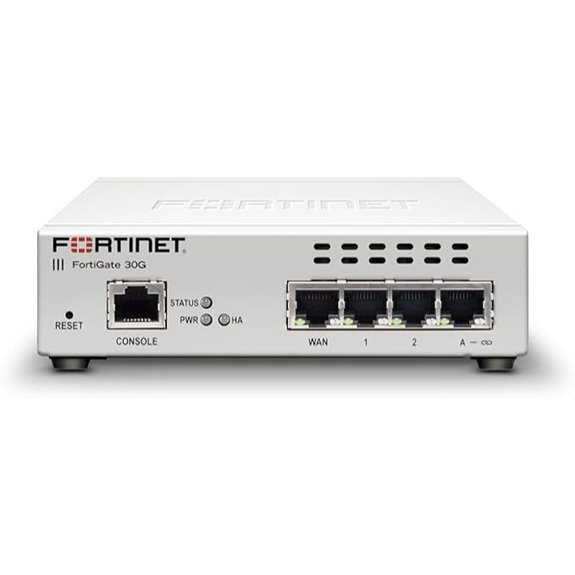 | Small Office Powerhouse | Number of Ports: 4 GE RJ45 ports | Wireless Support: No built-in wireless | Power over Ethernet (PoE): No PoE | VIEW LATEST PRICE | See Our Full Breakdown |
| SonicWall TZ570W Wireless Firewall with PoE and SD-WAN | 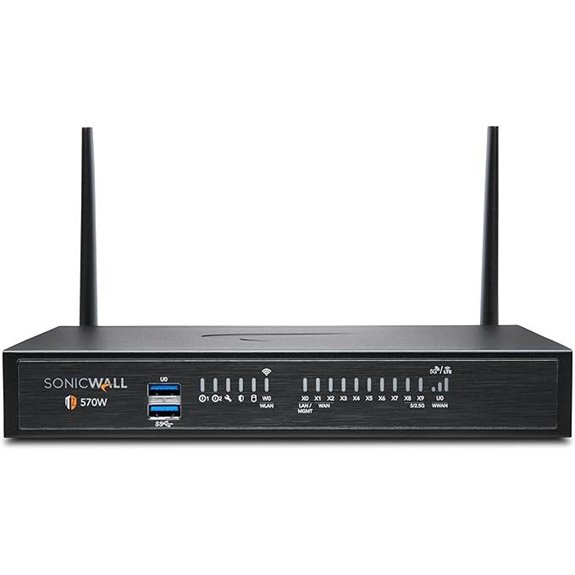 | Best Wireless Security | Number of Ports: 5 Gigabit ports + wireless | Wireless Support: Yes, high-speed 802.11ac Wave 2 | Power over Ethernet (PoE): Supports PoE for connected devices | VIEW LATEST PRICE | See Our Full Breakdown |
| FortiGate-40F Firewall Appliance with 5 Gigabit Ports | 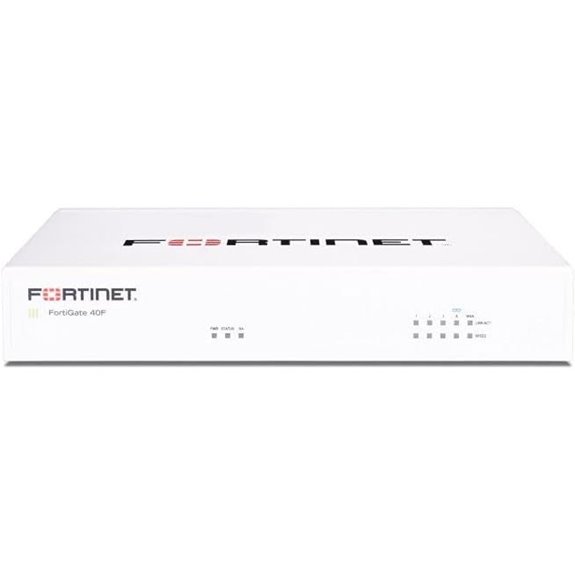 | Compact Enterprise Security | Number of Ports: 5 Gigabit RJ45 ports | Wireless Support: No built-in wireless | Power over Ethernet (PoE): No PoE | VIEW LATEST PRICE | See Our Full Breakdown |
| Ubiquity EdgeRouter PoE (ERPoe-5) 5-Port Router with Power Over Ethernet | 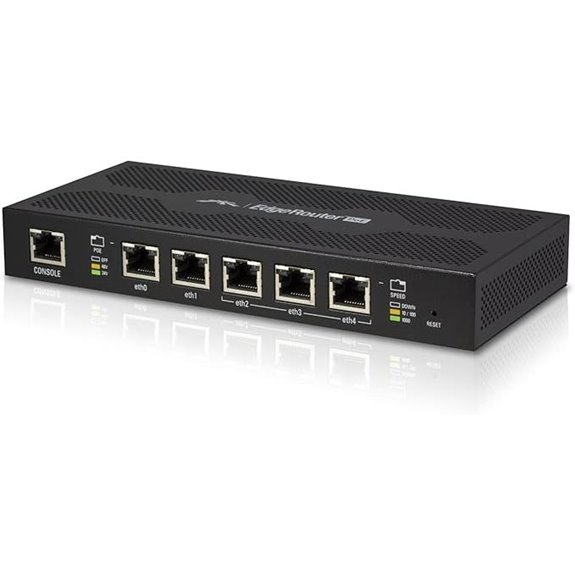 | Versatile PoE Router | Number of Ports: 5 Gigabit RJ45 ports | Wireless Support: No wireless | Power over Ethernet (PoE): Supports PoE | VIEW LATEST PRICE | See Our Full Breakdown |
| FortiGate-100F Firewall Appliance with 22 Ethernet Ports | 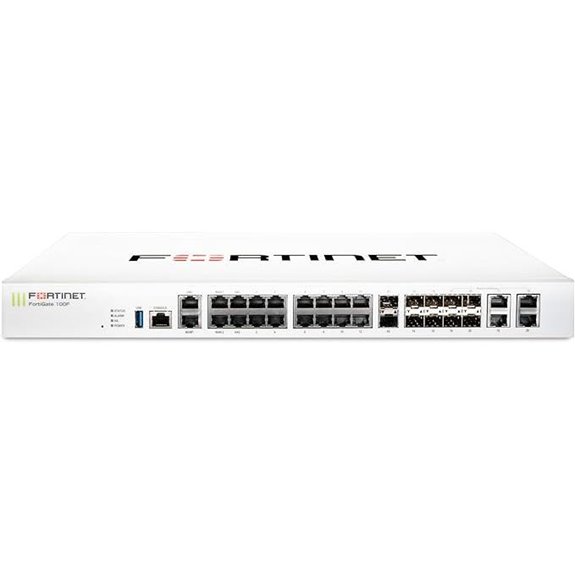 | High-Performance Core | Number of Ports: 22 Gigabit RJ45 + SFP ports | Wireless Support: No built-in wireless | Power over Ethernet (PoE): No PoE | VIEW LATEST PRICE | See Our Full Breakdown |
| MikroTik RB4011 Ethernet 10-Port Gigabit Router (RB4011iGS+RM) | 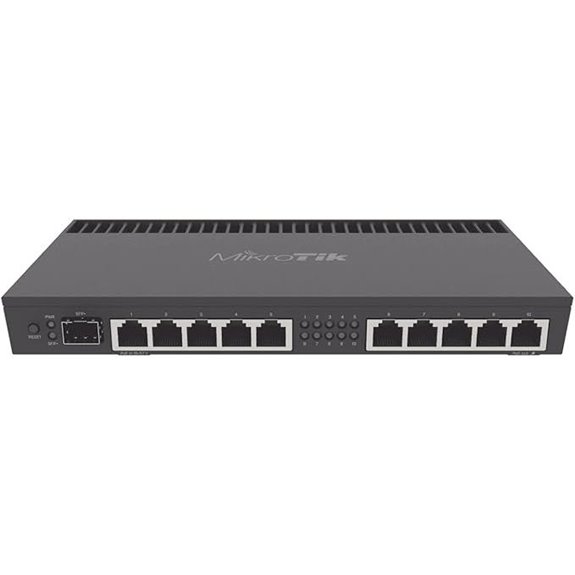 | Professional Grade | Number of Ports: 10 Gigabit Ethernet ports | Wireless Support: No wireless | Power over Ethernet (PoE): Supports PoE on port #10 | VIEW LATEST PRICE | See Our Full Breakdown |

More Details on Our Top Picks
-

SonicWall TZ570W Wireless Gen7 Firewall | PoE Multi-Gig Security Appliance with 3.0 Gbps Throughput, Integrated PoE, SD-WAN, and Full Threat Protection (02-SSC-2835)
SonicWall TZ570W Appliance Only - No Service Subscription (02-SSC-2835) - Delivers the multi-gigabit performance of the TZ570 while...
As an affiliate, we earn on qualifying purchases.
FortiGate-30G Security Appliance with 3-Year Protection
If you’re looking for a compact yet powerful security solution for small offices or home labs, the FortiGate-30G Security Appliance is an excellent choice. It combines firewall, SD-WAN, and Wi-Fi management in a small, fanless design. With four GE RJ45 ports, it offers flexible connectivity for various network setups. Built on a secure processor, it delivers 800 Mbps IPS and 500 Mbps threat protection, ensuring strong defense. Its zero-touch deployment makes setup quick and straightforward. Plus, the centralized management console simplifies policy enforcement and monitoring, making it perfect for small-scale environments that require reliable, integrated security without complexity.
- Number of Ports:4 GE RJ45 ports
- Wireless Support:No built-in wireless
- Power over Ethernet (PoE):No PoE
- Performance Throughput:800 Mbps IPS / 500 Mbps threat
- Security Features:Integrated firewall, IPS, threat protection
- Management & Deployment:Centralized management console, zero-touch deployment
- Additional Feature:Compact fanless design
- Additional Feature:Integrated firewall and Wi-Fi
- Additional Feature:Centralized management console
-
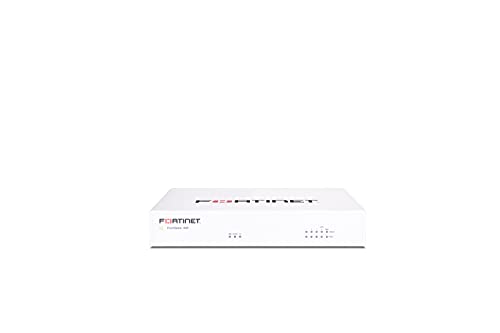
FortiGate-40F Firewall Appliance - 5 Gigabit Ethernet RJ45 Ports, Ideal for Small Businesses (Appliance Only, No Subscription) (FG-40F)
Compact and Efficient Design: The FortiGate 40F is designed for small to mid-sized businesses and enterprise branch offices,...
As an affiliate, we earn on qualifying purchases.
SonicWall TZ570W Wireless Firewall with PoE and SD-WAN
Looking for a reliable enterprise router that simplifies secure wireless connectivity while boosting network performance? The SonicWall TZ570W Wireless Firewall with PoE and SD-WAN is an excellent choice. It offers 3.0 Gbps throughput, integrated high-speed Wi-Fi, and PoE support for powering connected devices. Its robust security features include sandboxing, intrusion detection, encrypted traffic inspection, and support for up to 1.25 million concurrent connections. Deployment is quick thanks to integrated wireless, eliminating the need for standalone access points. Plus, with SD-WAN and centralized management, it’s perfect for modern offices needing secure, flexible, and scalable network solutions.
- Number of Ports:5 Gigabit ports + wireless
- Wireless Support:Yes, high-speed 802.11ac Wave 2
- Power over Ethernet (PoE):Supports PoE for connected devices
- Performance Throughput:3.0 Gbps throughput
- Security Features:Malware, intrusion, sandboxing, DPI-SSL
- Management & Deployment:Centralized management, easy deployment
- Additional Feature:Supports multi-gigabit throughput
- Additional Feature:Encrypted traffic inspection
- Additional Feature:No service subscription required
-

Ubiquity EdgeRouter PoE (ERPoe-5) 5-Port Router with Power Over Ethernet
Powerful Routing Performance: The EdgeRouter PoE routes up to 1 million packets per second to meet the needs...
As an affiliate, we earn on qualifying purchases.
FortiGate-40F Firewall Appliance with 5 Gigabit Ports
The FortiGate-40F Firewall Appliance stands out for small to mid-sized businesses seeking reliable security in a compact form. Its fanless desktop design ensures quiet operation and easy deployment in limited spaces. Equipped with 5 Gigabit Ethernet ports, including one WAN and four internal ports, it offers versatile connectivity for diverse network setups. With up to 1 Gbps IPS throughput and 600 Mbps threat protection, it delivers high-performance security powered by Fortinet’s specialized processors. Integrated with FortiGuard Labs’ AI-driven threat intelligence, it defends against both known and unknown threats. The user-friendly management console simplifies deployment, especially with Fortinet’s Zero Touch Integration, making it ideal for growing networks.
- Number of Ports:5 Gigabit RJ45 ports
- Wireless Support:No built-in wireless
- Power over Ethernet (PoE):No PoE
- Performance Throughput:1 Gbps IPS / 600 Mbps threat
- Security Features:AI-powered threat detection, sandboxing
- Management & Deployment:User-friendly console, zero touch, automation support
- Additional Feature:Purpose-built security processors
- Additional Feature:AI-powered FortiGuard Labs
- Additional Feature:Zero Touch Integration
Ubiquity EdgeRouter PoE (ERPoe-5) 5-Port Router with Power Over Ethernet
For those managing small to medium-sized office networks or home labs, the Ubiquiti EdgeRouter PoE (ERPoe-5) stands out thanks to its high-performance routing capabilities combined with built-in Power over Ethernet support. It handles up to 1 million packets per second, making it suitable for carrier-class networks. The device features five Gigabit RJ45 ports and supports 24V or 48V passive PoE, enabling you to power multiple network devices directly. Managed via UNMS, it offers an intuitive interface and centralized control across multiple sites. This combination of speed, PoE flexibility, and ease of management makes it a versatile choice for demanding network environments.
- Number of Ports:5 Gigabit RJ45 ports
- Wireless Support:No wireless
- Power over Ethernet (PoE):Supports PoE
- Performance Throughput:High performance routing, unspecified Mbps
- Security Features:Firewall, threat protection, SSL inspection
- Management & Deployment:Managed via UNMS, centralized control
- Additional Feature:Carrier-class packet handling
- Additional Feature:Managed via UNMS system
- Additional Feature:Supports passive PoE input
FortiGate-100F Firewall Appliance with 22 Ethernet Ports
With its 22 Gigabit Ethernet ports, the FortiGate-100F Firewall Appliance stands out as an ideal choice for medium to large home labs and small enterprises that require extensive wired connectivity. It also features 4 SFP ports and 2 10G SFP+ FortiLinks, offering flexible deployment options. Dual power supplies ensure redundancy, minimizing downtime. The appliance delivers advanced threat prevention, utilizing AI-driven insights from FortiGuard Labs to block malware, exploits, and malicious sites. Powered by a purpose-built Secure SD-WAN ASIC, it supports high performance, SSL inspection, and up to 1.5 million sessions, combining security, speed, and reliability in a compact, manageable package.
- Number of Ports:22 Gigabit RJ45 + SFP ports
- Wireless Support:No built-in wireless
- Power over Ethernet (PoE):No PoE
- Performance Throughput:High performance, suitable for business-critical apps
- Security Features:Advanced malware, exploits, SSL inspection
- Management & Deployment:User-friendly console, automation, Zero Touch
- Additional Feature:Dual power supplies for redundancy
- Additional Feature:Industry-leading threat prevention
- Additional Feature:Ultra-low latency performance
MikroTik RB4011 Ethernet 10-Port Gigabit Router (RB4011iGS+RM)
If you’re seeking a powerful, compact router for a professional home lab or office setup, the MikroTik RB4011iGS+RM stands out with its ten Gigabit Ethernet ports and 10Gbps SFP+ interface. It features a quad-core Cortex A15 CPU, comparable to carrier-grade models, and 1GB of RAM, ensuring smooth performance. Its sleek, matte black metal enclosure and rack-mount capability make it suitable for professional environments. Supporting passive PoE input and a wide voltage range, it offers flexible deployment options. With hardware acceleration for IPsec and high-speed fiber connectivity, this router delivers robust, reliable performance in a compact form factor.
- Number of Ports:10 Gigabit Ethernet ports
- Wireless Support:No wireless
- Power over Ethernet (PoE):Supports PoE on port #10
- Performance Throughput:Handles up to 1 million packets/sec
- Security Features:Hardware acceleration, IPsec, threat mitigation
- Management & Deployment:Rackmount, professional design, flexible deployment
- Additional Feature:10 Gigabit Ethernet ports
- Additional Feature:SFP+ 10Gbps interface
- Additional Feature:Rackmountable design
Factors to Consider When Choosing an Enterprise Router for Home Lab Office
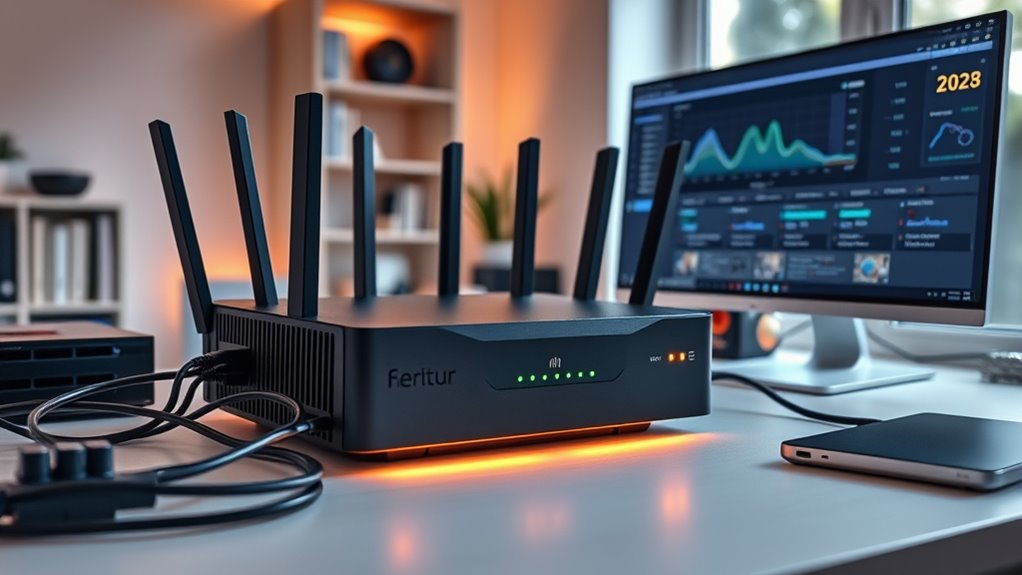
When choosing an enterprise router for your home lab or office, I focus on several key factors. It’s important to take into account your performance needs, security features, and available connectivity options to ensure the router fits your setup. Additionally, ease of management and deployment can make a big difference in how smoothly everything runs.
Performance Capacity Needs
Choosing an enterprise router for a home lab or office hinges on understanding your performance capacity needs. I look for routers that can deliver at least 1 Gbps throughput to handle multiple devices and data-heavy applications smoothly. It’s essential to have enough Ethernet ports—ideally 4 to 8—that support Gigabit speeds for wired connections and future expansion. I also check the router’s ability to support high connection counts, like over a million simultaneous sessions, to ensure reliable multitasking. Hardware acceleration features like SSL inspection and intrusion prevention are critical to maintaining high performance while keeping security intact. Additionally, I prioritize routers with powerful processors, such as quad-core CPUs or specialized security ASICs, to handle peak loads without lag or bottlenecks.
Security Features Importance
Security features are the backbone of a reliable enterprise router for a home lab or office, as they protect sensitive data and maintain network integrity. In today’s threat landscape, features like intrusion prevention, malware detection, and SSL inspection are essential to safeguard your network from cyber attacks. Advanced threat protection capabilities, including sandboxing and real-time traffic analysis, help identify and mitigate emerging threats proactively. Support for encrypted traffic inspection ensures secure communications are monitored without compromising privacy or compliance. Additionally, application control and URL filtering prevent unauthorized access and reduce attack surfaces. Integration with centralized management platforms enhances security posture by allowing consistent policy enforcement and quick responses to incidents. Prioritizing these security features is vital for creating a resilient and secure network environment.
Connectivity Options Variety
Selecting the right enterprise router involves more than just security features; connectivity options play a key role in guaranteeing your network meets all your needs. I look for routers with multiple Ethernet interfaces, especially Gigabit or multi-Gigabit ports, to connect various devices and network segments efficiently. Support for PoE is also essential, as it allows powering access points and cameras directly through the router, reducing clutter. Integrated wireless capabilities, like high-speed 802.11ac or 802.11ax Wi-Fi, ensure seamless wireless connectivity across your space. Additionally, compatibility with VPN, SD-WAN, and other secure tunneling protocols expands remote access options. Fiber optic connectivity via SFP or SFP+ ports is vital for high-speed, long-distance links. A versatile connectivity suite guarantees flexibility and future-proofing for your network.
Management and Usability
A user-friendly management interface is essential because it makes configuring and maintaining your enterprise network much easier. With intuitive dashboards, I can quickly monitor device status, enforce policies, and troubleshoot issues without hassle. Centralized management tools streamline administration across multiple devices, saving time and reducing errors. Support for zero-touch deployment simplifies setup, allowing me to get new hardware online with minimal manual configuration. Advanced features like automation and scripting boost efficiency, especially as my network grows. Compatibility with network automation systems and APIs lets me integrate the router into existing workflows, ensuring seamless operation. Overall, a well-designed management interface enhances usability, reduces complexity, and helps me maintain a reliable, scalable network for my home lab or office.
Deployment Simplicity
When choosing an enterprise router for my home lab or office, deployment simplicity is a crucial factor that can save me time and frustration. Routers with zero-touch deployment let me set up the network quickly without complex configurations, which is a huge time-saver. User-friendly management interfaces make ongoing maintenance straightforward, reducing the learning curve. Automated configuration features and centralized controls streamline both initial setup and updates, minimizing manual effort. Compatibility with network automation tools further simplifies deployment by allowing me to manage multiple devices efficiently. Clear, detailed documentation and robust support resources help me troubleshoot problems quickly and ensure smooth installation. Overall, prioritizing deployment simplicity means I can get my network up and running faster, with less hassle and more confidence.
Scalability Potential
Understanding the scalability potential of an enterprise router is essential because it determines whether my network can grow smoothly as my needs increase. I look for routers that support high port density and multiple Gigabit or 10-Gigabit interfaces, guaranteeing I can add devices without sacrificing performance. Support for advanced features like virtual routing and multiple VLANs helps my network expand seamlessly, accommodating new segments and traffic loads. A modular design or upgradeable components give me flexibility to enhance hardware as my demands evolve. Compatibility with SD-WAN and cloud management solutions also plays a vital role, offering a scalable, flexible architecture that adapts to future expansion. Prioritizing these factors ensures my network remains robust and responsive in the face of growth.
Cost and Budget
Choosing the right enterprise router involves carefully balancing cost and features to guarantee it fits my budget without sacrificing essential performance and security. Enterprise routers vary widely in price, from under $200 to over $2000, which affects my planning. I need to consider not just the initial purchase but also ongoing expenses like licensing, support, and future upgrades. Budget constraints might limit me to models with fewer ports, lower throughput, or fewer advanced security features. However, investing in a more expensive router can offer better performance, scalability, and security, reducing long-term operational costs. By carefully evaluating features versus price, I can select a router that meets my current needs while accommodating future growth, ensuring I get the best value without overspending.
Frequently Asked Questions
How Do Enterprise Routers Enhance Security Beyond Basic Firewalls?
Enterprise routers boost security by offering advanced features like intrusion detection, VPN support, and segmented networks, which basic firewalls can’t provide alone. I appreciate how they enable granular access controls and real-time monitoring, helping me identify threats quickly. These routers also integrate with centralized security management, ensuring my network stays protected against sophisticated attacks and unauthorized access, giving me peace of mind in both home and office environments.
Can These Routers Support Future Network Upgrades and Scalability?
Sure, these routers are future-proof, right? Honestly, they’re designed with scalability in mind, so I can easily upgrade them as new network demands emerge. They support upcoming standards and have modular features, making expansion straightforward. It’s like having a backbone that grows with your needs instead of forcing you to replace everything every few years. So, yes, they’re built to evolve alongside your network’s future, not just today’s requirements.
What Are the Power Consumption Differences Among These Enterprise Routers?
The power consumption varies markedly among enterprise routers. Some models are designed for energy efficiency, consuming less power even under heavy loads, while others prioritize performance and may use more energy. I recommend checking each product’s specifications for wattage details. If you’re concerned about energy costs or environment impact, look for routers with energy-saving certifications or advanced power management features to optimize efficiency.
How Easy Is It to Configure and Manage These Enterprise Routers?
Configuring these enterprise routers is like assembling a complex puzzle—challenging but rewarding. I find most models come with intuitive interfaces and step-by-step wizards that make setup smoother than I expected. Management tools are often centralized, so I can oversee multiple devices from one dashboard. While initial setup demands attention, ongoing management feels like riding a well-oiled machine, making network administration less of a chore and more of a strategic play.
Do These Routers Support Integration With Existing Network Infrastructure?
Yes, these routers support integration with existing network infrastructure. I find they’re designed with compatibility in mind, making it straightforward to connect with various switches, firewalls, and other network components. They often come with flexible configuration options and standard protocols, so I can seamlessly incorporate them into my setup without major disruptions. This guarantees my network remains cohesive, scalable, and ready for future upgrades or expansions.
Conclusion
In the end, selecting the right enterprise router is more about aligning features with your unique needs than chasing the latest buzz. While each option offers its own strengths, I believe a thoughtful choice can subtly elevate your home lab or office setup, providing stability and security without unnecessary complexity. Remember, the best decision is one that seamlessly complements your vision and workflows, quietly supporting your growth with reliable sophistication.