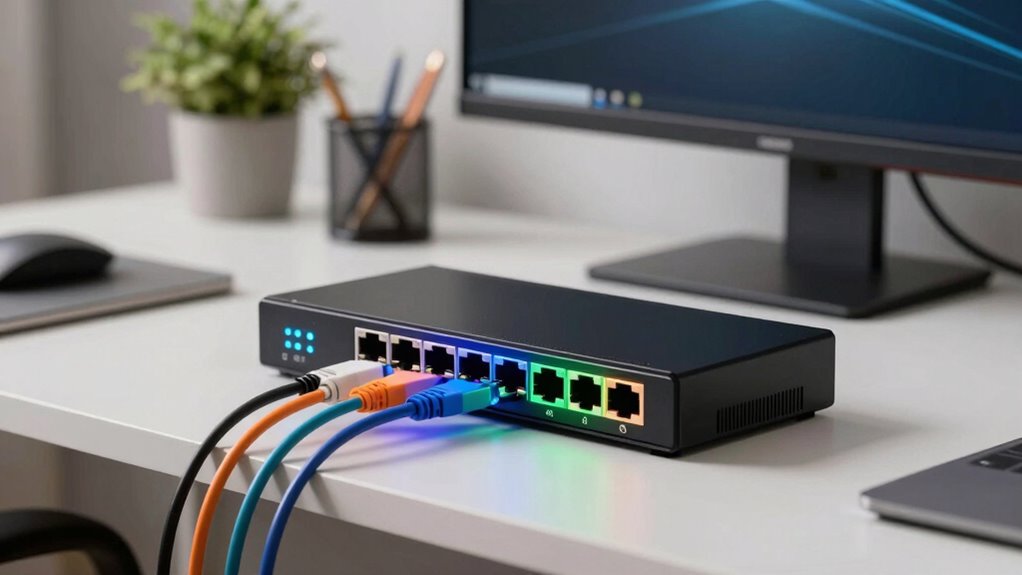
If you’re setting up or upgrading a home office network, a managed switch can provide better control, security, and performance than unmanaged options. The NETGEAR GS305E stands out as the best overall for its balance of features and affordability. For those needing PoE functionality, the NETGEAR GS308EP offers reliable power delivery, while the SteaMemo 16-Port Managed Switch provides advanced VLAN and QoS options for more complex setups. The main challenge in choosing a managed switch for a home office is balancing features with simplicity and budget. Keep reading for a detailed breakdown of the top choices to help you find the right fit for your needs.

Get comfort and recovery gear delivered free — and shop member deals
- Fast, free delivery on millions of items
- Access to Prime Big Deal Days deals on October 6–7
- Prime Video, Amazon Music and more included
Complete the kit



Key Takeaways
- The top picks balance ease of setup with advanced network management features for small home offices.
- PoE capabilities are a key differentiator for powering IP cameras and VoIP phones without extra power supplies.
- Higher port counts (16+ ports) are best suited for larger home networks with multiple devices or future expansion.
- User-friendly interfaces and plug-and-play options are crucial for non-technical users, while more advanced features appeal to power users.
- Price varies significantly based on features like VLAN, QoS, PoE, and port count, so prioritize based on your specific network needs.
| NETGEAR 5-Port Gigabit Ethernet Easy Smart Managed Network Switch (GS305E) |  | Best Overall for Small, Quiet, Managed Networks | Number of Ports: 5 | Port Speed: 1.0Gbps | Mounting Options: Desktop or wall-mount | VIEW ON AMAZON | See Our Full Breakdown |
| NETGEAR 5-Port Gigabit Ethernet Unmanaged Network Switch (GS305) |  | Best Budget Unmanaged Switch for Very Small Networks | Number of Ports: 5 | Port Speed: 1.0Gbps | Design: Desktop or wall mount | VIEW ON AMAZON | See Our Full Breakdown |
| TP-Link TL-SG1016DE 16-Port Gigabit Easy Smart Managed Switch |  | Best for Small to Medium Networks Requiring Management | Ports: 16 | Form Factor: Desktop/Rackmount | Material: Sturdy metal | VIEW ON AMAZON | See Our Full Breakdown |
| STEAMEMO 16-Port Gigabit Managed Switch with VLAN & QoS |  | Best for Small Business and Advanced Home Office Networks | Number of Ports: 16 | Port Speed: Gigabit Ethernet | Management: Web interface and software | VIEW ON AMAZON | See Our Full Breakdown |
| NETGEAR 8 Port PoE Gigabit Ethernet Easy Smart Managed Switch (GS308EP) |  | Best for Small Office PoE Devices with Managed Features | Number of Ports: 8 | Port Type: Gigabit Ethernet | PoE Support: Yes | VIEW ON AMAZON | See Our Full Breakdown |
| TP-Link 8 Port Gigabit Switch – Easy Smart Managed, Plug & Play, Desktop/Wall-Mount, Sturdy Metal with Shielded Ports |  | Best Overall for Small to Medium Managed Networks | Number of Ports: 8 | Port Speed: Gigabit Ethernet | Management: Smart Managed | VIEW ON AMAZON | See Our Full Breakdown |
| NETGEAR 26-Port PoE Gigabit Ethernet Smart Managed Network Switch (GS724TP) |  | Best for Device-Powered Networks in Small to Medium Offices | Number of Ports: 26 | PoE+ Ports: 24 | PoE Power Budget: 190W | VIEW ON AMAZON | See Our Full Breakdown |
| 2.5Gb Managed Switch 9 Port: 8 x 2.5Gb + 1 x 10G SFP+ | Web Managed, Fanless, Metal Housing |  | Best for High-Speed Home or Office Networks with Silent Operation | Ports: 8 x 2.5Gb Ethernet, 1 x 10G SFP+ | Supported Speeds: 10/100/1000M/2.5G for Ethernet, 10G for SFP+ | Power Consumption: 12W | VIEW ON AMAZON | See Our Full Breakdown |
| TP-Link 24 Port Gigabit Ethernet Switch (TL-SG1024S) |  | Best for Large, Quiet, Unmanaged Expansion | Number of Ports: 24 | Port Speed: Gigabit | Form Factor: Desktop/Rackmount | VIEW ON AMAZON | See Our Full Breakdown |
| NETGEAR 8-Port Gigabit Ethernet Unmanaged Network Switch (GS308) |  | Best for Simple, Reliable Home or Small Office Networks | Number of Ports: 8 | Port Speed: Gigabit | Operation: Unmanaged | VIEW ON AMAZON | See Our Full Breakdown |
| NETGEAR 8-Port Gigabit Ethernet Easy Smart Managed Network Switch (GS308E) |  | Best for Small Home Office Networks with Easy Management | Ports: 8 x 1Gbps | Management: Web GUI, Easy Smart | VLANs: Up to 64 | VIEW ON AMAZON | See Our Full Breakdown |
| managed switch for home office network | Number of Ports | Port Speed |
|---|---|---|
| NETGEAR 5-Port Gigabit Etherne | 5 | 1.0Gbps |
| NETGEAR 5-Port Gigabit Etherne | 5 | 1.0Gbps |
| TP-Link TL-SG1016DE 16-Port Gi | — | — |
| STEAMEMO 16-Port Gigabit Manag | 16 | Gigabit Ethernet |
| NETGEAR 8 Port PoE Gigabit Eth | 8 | — |
| TP-Link 8 Port Gigabit Switch | 8 | Gigabit Ethernet |
| NETGEAR 26-Port PoE Gigabit Et | 26 | — |
| 2.5Gb Managed Switch 9 Port: 8 | — | — |
| TP-Link 24 Port Gigabit Ethern | 24 | Gigabit |
| NETGEAR 8-Port Gigabit Etherne | 8 | Gigabit |
| NETGEAR 8-Port Gigabit Etherne | — | — |
More Details on Our Top Picks
NETGEAR 5-Port Gigabit Ethernet Easy Smart Managed Network Switch (GS305E)
The NETGEAR GS305E stands out for its straightforward management features that strike a balance between simplicity and control, making it ideal for small home offices where advanced features aren’t critical. Unlike the unmanaged GS305, this switch allows VLAN setup, QoS, and port monitoring, providing a layer of management that enhances network reliability. Its fanless design ensures silent operation, perfect for quiet work environments, and flexible mounting options make placement hassle-free. However, its management options are limited compared to more feature-rich models like the TP-Link TL-SG1016DE, which could be overkill for very simple setups. This pick makes the most sense for users who want manageable, quiet connectivity without complexity or high cost.
Pros:- Easy to configure with intuitive management interface
- Silent operation suitable for quiet environments
- Flexible desktop or wall-mount options
- Energy-efficient, reducing power consumption
Cons:- Limited to regional compatibility in U.S. & CA
- Basic management features may fall short for complex networks
Best for: Home office users who want easy, silent management features with flexible placement
Not ideal for: Advanced network setups requiring extensive VLANs, PoE, or Layer 3 routing
- Number of Ports:5
- Port Speed:1.0Gbps
- Mounting Options:Desktop or wall-mount
- Operation:Fanless, energy-efficient
- Compatibility:U.S. & CA
Our verdict“A solid choice for home offices seeking simple, managed gigabit connectivity without noise or complexity.”
NETGEAR 5-Port Gigabit Ethernet Unmanaged Network Switch (GS305)
The NETGEAR GS305 offers straightforward, plug-and-play connectivity that suits users who don’t need management or advanced features. Compared to the GS305E, it lacks VLAN and QoS controls but excels in simplicity and cost. Its fanless, compact design ensures quiet operation, and mounting flexibility makes it suitable for tight spaces. On the downside, the 5-port limit may restrict growth for small but expanding networks. This switch is ideal for those who prioritize plug-and-play ease over management capabilities, especially in very small setups or as an upgrade from basic unmanaged models.
Pros:- Plug-and-play setup with no configuration required
- Silent operation due to fanless design
- Flexible mounting options
- Energy-efficient operation
Cons:- Limited to five ports, restricting scalability
- No management features for network control
Best for: Home users who want reliable, simple gigabit connectivity with zero configuration
Not ideal for: Users needing VLAN, QoS, or future network expansion beyond five devices
- Number of Ports:5
- Port Speed:1.0Gbps
- Design:Desktop or wall mount
- Operation:Fanless, Energy Efficient
- Compatibility:U.S. & CA
Our verdict“Perfect for small, static networks where simplicity and quiet operation are priority.”
TP-Link TL-SG1016DE 16-Port Gigabit Easy Smart Managed Switch
The TP-Link TL-SG1016DE offers greater port density and advanced management options compared to the GS305E. Its 16 ports support VLAN, QoS, and link aggregation, making it suitable for users needing more expansion and control. Its sturdy metal build and IGMP support enhance reliability and features for small to medium-sized networks. However, its lack of PoE limits its use for powering devices like cameras or access points directly. The absence of built-in fans could result in noise in some environments, unlike the fanless NETGEAR models. This switch makes sense for users who want a balance of management features and capacity without stepping into enterprise-grade territory.
Pros:- Supports advanced network management features
- Sturdy metal construction for durability
- Supports link aggregation and jumbo frames
Cons:- No PoE support for powering devices
- Potential noise due to lack of fan in some environments
- Limited to small/medium networks, not enterprise
Best for: Small to medium-sized networks requiring VLAN, QoS, and expandable port count
Not ideal for: Home users needing PoE or ultra-quiet operation in a small, simple setup
- Ports:16
- Form Factor:Desktop/Rackmount
- Material:Sturdy metal
- Features:VLAN, QoS, Link Aggregation
- Jumbo Frame:9K
- Warranty:3 years
Our verdict“Ideal for users needing manageable, high-capacity switches for growing small networks without PoE demands.”
STEAMEMO 16-Port Gigabit Managed Switch with VLAN & QoS
The STEAMEMO 16-port managed switch emphasizes high-speed connectivity coupled with VLAN and QoS management, making it suitable for those who need control over traffic prioritization and segmentation. Its web-based management simplifies configuration, and the fanless metal housing ensures durability and quiet operation. Compared with the TP-Link TL-SG1016DE, it offers similar port density but emphasizes ease of remote management and stability. The absence of PoE limits its use for powering devices directly, and it’s better suited for network expansion rather than small setups needing minimal management. This model is best for users who want a robust, web-managed switch with future growth in mind.
Pros:- 16 high-speed gigabit ports for expansion
- Web interface simplifies management
- Durable, fanless metal housing
Cons:- No PoE support for powering devices
- Limited to small business/home office use
- No included rack-mount hardware
Best for: Small businesses or home offices requiring managed, scalable network expansion
Not ideal for: Users seeking PoE support or ultra-compact, plug-and-play solutions
- Number of Ports:16
- Port Speed:Gigabit Ethernet
- Management:Web interface and software
- VLAN Support:Up to 15 groups
- Housing:Fanless metal
- Mounting Options:Desktop/Wall
Our verdict“A strong choice for network managers seeking manageable, scalable gigabit switches in small business or advanced home setups.”
NETGEAR 8 Port PoE Gigabit Ethernet Easy Smart Managed Switch (GS308EP)
The NETGEAR GS308EP combines managed switching with PoE+ support, making it ideal for small setups needing to power devices like security cameras or VoIP phones. Its 8 ports are sufficient for small networks, and its management interface facilitates VLAN, QoS, and security settings. Compared to the non-PoE GS305E, it adds the ability to power connected devices, though with a modest 62W power budget that may limit larger deployments. Its fanless design ensures quiet operation, suitable for office or home environments. However, its limited PoE capacity constrains larger or more power-hungry devices, and it’s less suitable for larger networks needing more ports or advanced Layer 3 features. This product fits best where PoE powering and manageable gigabit switching are priorities in small spaces.
Pros:- Easy to configure with management interface
- Supports PoE+ for powering connected devices
- Silent, energy-efficient operation
- Compact size fits small spaces
Cons:- Limited to 8 ports, restricting expansion
- PoE power budget may be insufficient for high-power devices
- No Layer 3 routing capabilities
Best for: Home or small office environments requiring PoE support for cameras or phones
Not ideal for: Larger networks or setups needing extensive PoE power or high port counts
- Number of Ports:8
- Port Type:Gigabit Ethernet
- PoE Support:Yes
- PoE Power Budget:62W
- Mounting Options:Desktop or wall-mount
- Energy Efficiency:IEEE 802.3az
Our verdict“Best for small office environments needing PoE and managed gigabit switching within a compact, silent device.”
TP-Link 8 Port Gigabit Switch – Easy Smart Managed, Plug & Play, Desktop/Wall-Mount, Sturdy Metal with Shielded Ports
This switch stands out for its combination of straightforward setup and comprehensive management features like VLAN, QoS, and network monitoring. Compared to the NETGEAR GS724TP, it offers easier plug-and-play functionality but lacks the extensive PoE support. Its sturdy metal build and flexible mounting make it suitable for environments where durability matters, yet its management complexity might challenge users unfamiliar with network configs. Overall, this pick suits those wanting reliable control without enterprise-level price or complexity.
Pros:- Easy to set up with plug-and-play design
- Supports VLAN, QoS, IGMP, and network monitoring
- Durable metal construction with flexible mounting options
Cons:- May be complex for users unfamiliar with network management
- No built-in PoE support
Best for: Home office users who want a manageable, durable switch with advanced features but minimal fuss
Not ideal for: Complete beginners or those seeking PoE support to power devices directly through Ethernet
- Number of Ports:8
- Port Speed:Gigabit Ethernet
- Management:Smart Managed
- Mounting Options:Desktop/Wall-Mount
- Material:Sturdy Metal
- Supported Features:VLAN, QoS, IGMP, LAG, Port Mirroring, Loop Prevention, Cable Diagnostics
Our verdict“This switch is ideal for users who want manageable control in a compact, durable package without PoE needs.”
NETGEAR 26-Port PoE Gigabit Ethernet Smart Managed Network Switch (GS724TP)
Compared with the TP-Link 8 Port, this NETGEAR model offers a high port count and PoE+ support, ideal for powering multiple devices like IP cameras or VoIP phones. Its cloud management via NETGEAR Insight makes remote control straightforward, but the switch’s size and power requirements may be overkill for small, simple setups. This pick targets users needing both network expansion and device power, though it sacrifices some simplicity and noise level considerations.
Pros:- 24 PoE+ ports with 190W power budget
- Includes 2 SFP fiber ports for expansion
- Remote management through cloud service
Cons:- Potentially noisy due to fan operation
- Requires compatible Ethernet cables for full performance
Best for: Small to medium offices or home setups needing to power multiple devices via PoE with remote management
Not ideal for: Users with very limited space or those who prefer unmanaged, plug-and-play switches without PoE needs
- Number of Ports:26
- PoE+ Ports:24
- PoE Power Budget:190W
- SFP Ports:2
- Management:Insight Cloud Management
- Mounting Options:Desktop or Rack Mount
Our verdict“This switch suits users who need extensive device powering and remote management but are aware of its noise and setup requirements.”
2.5Gb Managed Switch 9 Port: 8 x 2.5Gb + 1 x 10G SFP+ | Web Managed, Fanless, Metal Housing
This switch excels in environments requiring fast connections with minimal noise, supporting 8 2.5Gb ports plus a 10G SFP+ for backbone upgrades. Its fanless, metal design ensures silent operation and durability, making it a solid choice over the fan-cooled options like the TP-Link TL-SG1024S. While it offers advanced management features similar to enterprise switches, it doesn’t support GPON or XGSPON modules, limiting some flexibility. This model is perfect for those needing high-speed links without noise or extra management complexity.
Pros:- Supports 2.5Gb and 10G SFP+ high-speed connections
- Fanless design for silent operation
- Web-based VLAN, QoS, DHCP management
Cons:- Requires IP setup via IPv4 before login
- Limited advanced management features compared to enterprise switches
Best for: Home offices or small businesses needing fast, quiet, and reliable connections with VLAN and QoS management
Not ideal for: Users seeking full enterprise-level features or external fiber module support beyond 10G SFP+
- Ports:8 x 2.5Gb Ethernet, 1 x 10G SFP+
- Supported Speeds:10/100/1000M/2.5G for Ethernet, 10G for SFP+
- Power Consumption:12W
- Housing:Metal
- Design:Fanless
- Mounting:Wall or desk
Our verdict“Ideal for high-speed, quiet networks where silent operation and flexible speeds are priorities over advanced management features.”
TP-Link 24 Port Gigabit Ethernet Switch (TL-SG1024S)
Compared with the unmanaged NETGEAR GS308, this 24-port model offers significantly more capacity for expanding networks with minimal fuss. Its metal casing and fanless design ensure quiet operation, making it suitable for office environments, but it lacks advanced management features needed for complex setups. For users comfortable with basic plug-and-play expansion, this switch delivers reliable performance at a budget-friendly price, though it doesn’t support VLANs or QoS.
Pros:- High port count for extensive network expansion
- Durable metal casing with fanless, quiet operation
- Plug-and-play setup
Cons:- Lacks advanced management features like VLAN and QoS
- No mounting hardware included
Best for: Large home offices or small businesses that need simple, reliable port expansion without management complexity
Not ideal for: Those who want detailed control over traffic or plan to segment networks with VLANs
- Number of Ports:24
- Port Speed:Gigabit
- Form Factor:Desktop/Rackmount
- Casing Material:Metal
- Fanless:Yes
- Warranty:3 years
Our verdict“Best suited for users needing a straightforward, large-capacity switch for expanding networks quietly and reliably.”
NETGEAR 8-Port Gigabit Ethernet Unmanaged Network Switch (GS308)
Compared with the TP-Link TL-SG1024S, the NETGEAR GS308 offers a more compact, unmanaged solution ideal for quick setups requiring no configuration. Its fanless, energy-efficient design ensures silent operation, and the flexible mounting options fit various environments. However, it provides no management features, which limits control over traffic prioritization or network segmentation. This switch makes the most sense for users seeking straightforward, reliable connectivity without complexity or extra features.
Pros:- Easy plug-and-play setup
- Silent operation with fanless design
- Flexible mounting options
Cons:- Limited to unmanaged setup
- Regional compatibility only for U.S. & CA
Best for: Home offices or small workspaces needing simple, reliable gigabit connectivity with easy setup
Not ideal for: Users seeking VLAN support, QoS, or network control features for more complex environments
- Number of Ports:8
- Port Speed:Gigabit
- Operation:Unmanaged
- Design:Fanless
- Operation Mode:Plug-and-play
- Mounting:Desktop or wall
Our verdict“This switch is perfect for users who want reliable, easy gigabit connectivity without management complexity.”
NETGEAR 8-Port Gigabit Ethernet Easy Smart Managed Network Switch (GS308E)
The NETGEAR GS308E stands out for its straightforward setup and silent operation, making it ideal for quiet home environments. Unlike the larger TP-Link TL-SG1016DE, which offers more ports but lacks managed features, this switch strikes a balance between simplicity and control. Its web-based management allows VLAN segmentation, QoS, and security features without overwhelming users, yet it doesn’t match higher-end switches with advanced features like port mirroring or extensive SNMP support. The fanless, durable metal housing ensures longevity and quiet operation, but the 8-port limit may be restrictive for growing networks. Compared to unmanaged options like the NETGEAR GS305, this switch provides essential management features that benefit small networks, though at a slightly higher price and complexity.
Pros:- Plug-and-play setup with web GUI simplifies management
- Fanless design ensures silent operation
- Supports VLANs and QoS to prioritize traffic
- Durable, compact metal housing for various environments
Cons:- Limited to 8 ports, not suitable for expanding networks
- Basic management features may not suffice for advanced users
- No Power over Ethernet (PoE) support
Best for: Small home office users who want manageable, silent networking without complexity
Not ideal for: Larger networks needing more than 8 ports or advanced management capabilities
- Ports:8 x 1Gbps
- Management:Web GUI, Easy Smart
- VLANs:Up to 64
- Features:QoS, IGMP snooping, port mirroring, DoS prevention, loop detection, broadcast storm control
- Housing:Fanless metal
- Operation:Desktop or wall mount
Our verdict“This switch is a reliable choice for small home offices seeking straightforward, manageable networking in a quiet, durable package.”

How We Picked
To select these managed switches, I evaluated key factors such as performance reliability, ease of setup, build quality, and feature set tailored for home office environments. I prioritized options that offer a good mix of advanced features like VLAN, QoS, and PoE for those needing more control, while also considering models that are straightforward for less technical users. Price-to-value ratio played a significant role, ensuring that each pick provides solid features without excessive cost. The ranking reflects a balance between versatility, user-friendliness, and future-proofing for evolving home networks.Factors to Consider When Choosing Managed Switch For Home Office Network
Choosing the right managed switch for a home office involves more than just counting ports. It’s important to consider the specific features that match your network’s size, security needs, and future plans. Reliability, ease of management, and expandability are key aspects that influence long-term satisfaction and performance. Understanding these factors helps prevent overspending on unnecessary features or ending up with a switch that can’t support your growth.Port Count and Network Size
Assess how many devices need wired connections now and in the future. For small setups, 5 to 8 ports often suffice, but if you plan to add more devices or expand, a 16-port or higher model offers better scalability. Overestimating port needs might lead to unnecessary expense, while underestimating can cause future bottlenecks and require a switch upgrade sooner than expected.
Power over Ethernet (PoE) Capability
If you use or plan to install IP cameras, VoIP phones, or wireless access points, PoE support becomes a valuable feature. It simplifies wiring and reduces clutter by powering devices directly through Ethernet cables. However, PoE switches tend to be more expensive, and if you don’t need to power devices, a non-PoE model can save money without sacrificing core network functions.
Management Features and Usability
Managed switches offer features like VLAN segmentation, QoS prioritization, and network monitoring, which are beneficial for security and performance. For home users unfamiliar with network configurations, look for models with user-friendly interfaces or cloud management options. Power users or those with complex setups might prioritize advanced management capabilities, but these often come with a steeper learning curve.
Build Quality and Reliability
Since a home office switch runs continuously, a sturdy metal housing and good ventilation help ensure longevity. Cheaper plastic models may save money upfront but can be less durable over time. It’s worth investing in a reliable brand that offers firmware updates and good customer support, especially if you depend on a stable network for work or business activities.
Future-Proofing and Expandability
Consider whether the switch supports higher speeds like 2.5Gb or 10Gb uplinks, which can accommodate faster internet plans and data transfer needs. Models with modular or stacking options might appeal if you envision expanding your network significantly. Prioritizing future-proof features can reduce the need for another upgrade down the line, but usually at a higher initial cost.
Frequently Asked Questions
Do I need a managed switch for my home office?
A managed switch is beneficial if you want better control over your network, such as VLAN segmentation, traffic prioritization, or monitoring. For simple setups with just a few devices, unmanaged switches are often sufficient and easier to use. However, as your network grows or if security is a priority, a managed switch can provide valuable tools to optimize performance and safeguard your data.
Is PoE necessary for a home office?
PoE becomes useful if you plan to run devices like IP cameras, VoIP phones, or wireless access points that can be powered through Ethernet. If you do not need to power devices directly via Ethernet, a non-PoE switch can save money. Think about your current and future device needs before deciding, as PoE adds to the complexity and cost.
How many ports should I choose?
The ideal port count depends on your current device count and potential future expansion. For most home offices, 8 to 16 ports strike a good balance between capacity and cost. If you have many devices or plan to add more, opting for a 16-port or larger switch provides room to grow without needing an immediate upgrade.
What management features are most useful for a home setup?
Features like VLAN segmentation improve security by isolating sensitive devices, while QoS prioritizes work-related traffic for better performance during busy times. Easy-to-use management interfaces or cloud access are also helpful for non-technical users. Focus on what features you actually need to prevent paying extra for capabilities that won’t be used.
Is it worth investing in a higher speed (2.5Gb or 10Gb) switch for home use?
Higher speed switches are more future-proof, especially if you have or plan to upgrade to faster internet plans or transfer large files frequently within your network. For most typical home office tasks, gigabit speeds suffice, but if you’re working with large media files or require high bandwidth, investing in a 2.5Gb or 10Gb switch can be worthwhile, though at a higher cost.
Conclusion
If you want the best overall balance of features, ease of use, and price, the NETGEAR GS305E makes a compelling choice for most home offices. For those seeking the best value with PoE support, the NETGEAR GS308EP offers excellent versatility. Beginners or less technical users should consider plug-and-play models like the NETGEAR GS308. Power users or larger setups will benefit from models with higher port counts and advanced features, such as the TP-Link TL-SG1016DE. Your ideal pick depends on your current network size, future plans, and specific needs like PoE or VLAN support.
Fall Picks
fall essentials
As an affiliate, we earn on qualifying purchases.