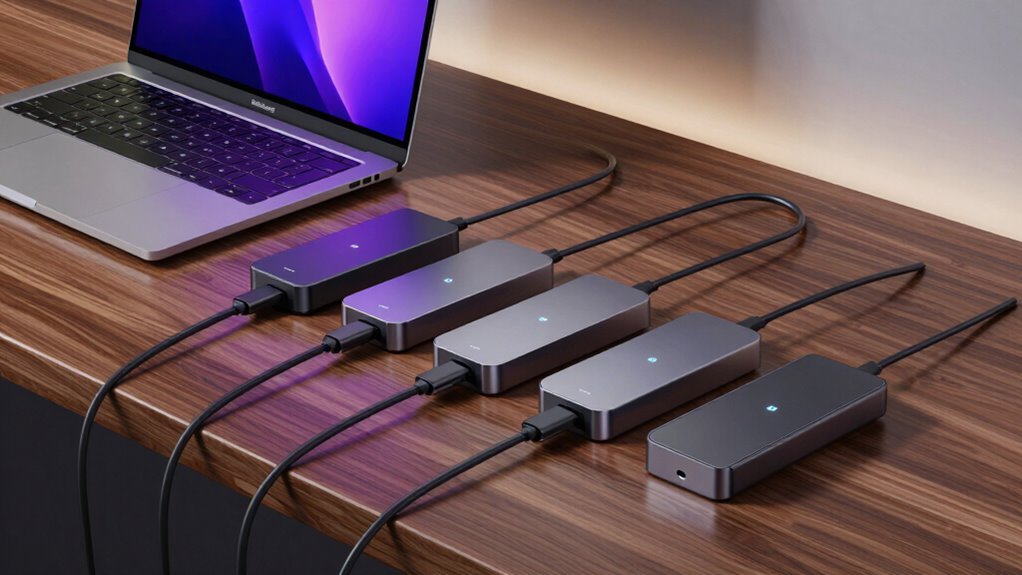

If you’re looking for the best Thunderbolt 4 docking stations for your MacBook Pro in 2026, I recommend options like UGREEN’s 8-in-1 with 8K support, Dell’s SD25TB4 for 4K displays, and Belkin’s versatile dock with power delivery. Others like Kensington’s SD5910T and CalDigit’s TS4 offer multiple ports and high-speed connectivity. Keep an eye on compatibility, power needs, and display options — if you continue, you’ll discover all the key features that make these docks stand out.
Key Takeaways
- Compatibility with MacBook Pro models, including Apple Silicon chips, ensures seamless integration and optimal performance.
- Support for dual 4K@60Hz or 8K@30Hz displays caters to high-resolution professional workflows.
- Power delivery up to 140W and multiple ports for data, Ethernet, and peripherals meet demanding productivity needs.
- Build quality with durable materials and reinforced ports guarantees longevity and stable connections.
- Advanced features like daisy-chaining, high-speed data transfer, and industry certifications enhance versatility and reliability.
| UGREEN Thunderbolt 4 Dock 8-in-1 with 8K Display | 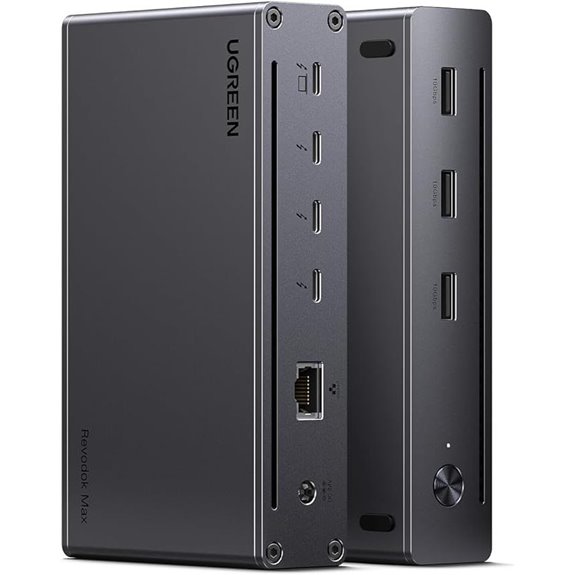 | Top Performance | Number of Ports: 8 ports (Thunderbolt 4, USB-A, Ethernet, power) | Display Support: Dual 4K@60Hz or 8K@30Hz | Power Delivery (Charging): 140W charger, 85W laptop charging | VIEW LATEST PRICE | See Our Full Breakdown |
| Dell Thunderbolt 4 Dock SD25TB4 with 4K Displays | 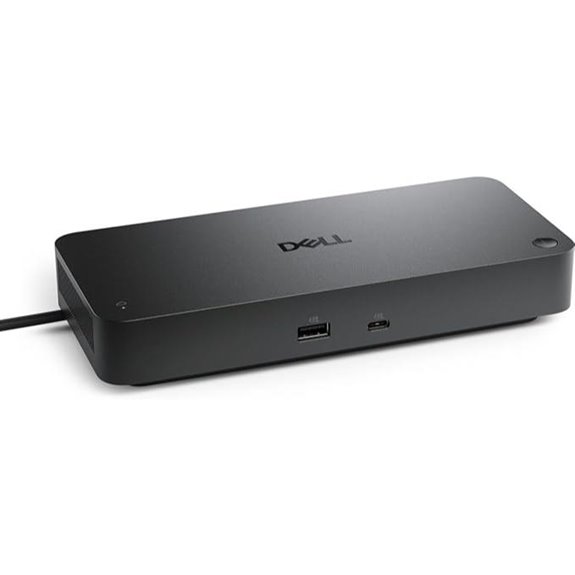 | Enterprise Ready | Number of Ports: 10 ports (Thunderbolt 4, HDMI, Ethernet, USB-C, USB-A, SD) | Display Support: Up to 4x 4K or 1x 8K | Power Delivery (Charging): 130W or 96W (Dell-specific) | VIEW LATEST PRICE | See Our Full Breakdown |
| Belkin Thunderbolt 4 Docking Station with Power | 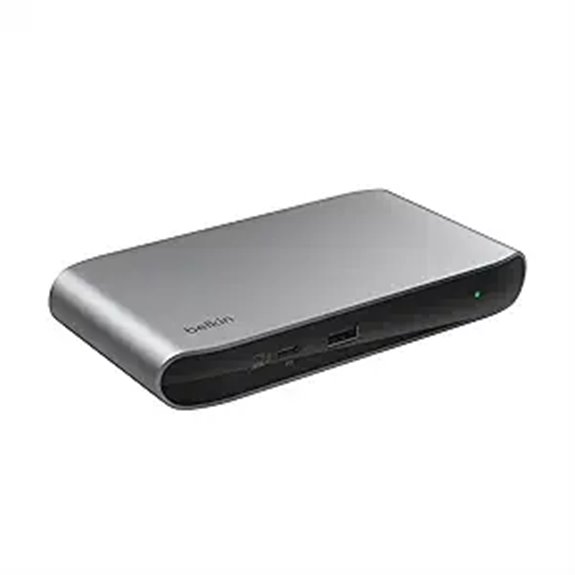 | Compact & Reliable | Number of Ports: 5 ports (Thunderbolt 4, USB-C, USB-A, Ethernet, audio) | Display Support: Dual 4K@60Hz or 8K@30Hz | Power Delivery (Charging): 96W PD, downstream 15W | VIEW LATEST PRICE | See Our Full Breakdown |
| TobenONE Triple 4K Docking Station with Power |  | Versatile Power | Number of Ports: 18 ports (HDMI, DisplayPort, USB-C, USB 3.2, Ethernet) | Display Support: Triple or quad 4K@60Hz | Power Delivery (Charging): 120W power adapter, 100W to laptop | VIEW LATEST PRICE | See Our Full Breakdown |
| Plugable Thunderbolt 4 Dock for MacBook Pro/Air |  | Multi-Display Master | Number of Ports: 8 ports (Thunderbolt 4, HDMI, USB-C, USB-A, SD, Ethernet) | Display Support: Dual 4K@60Hz or 6K@60Hz (single display) | Power Delivery (Charging): 100W PD, 18W to phones | VIEW LATEST PRICE | See Our Full Breakdown |
| Plugable Thunderbolt 4 Dock with 100W Charging | 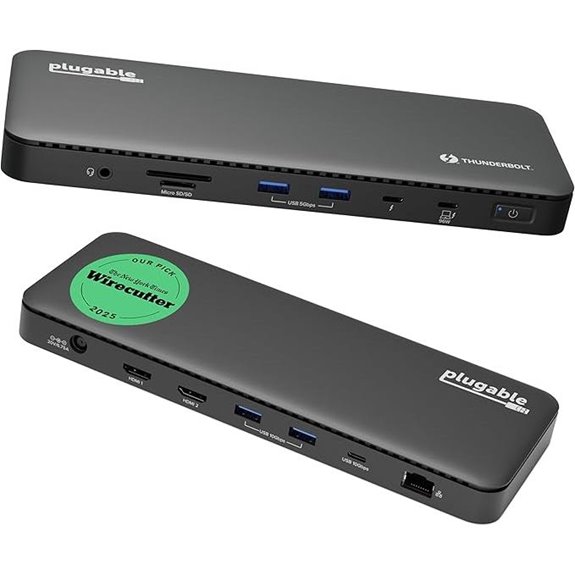 | Budget Powerhouse | Number of Ports: 13 ports (Thunderbolt 4, USB-A, Ethernet, SD, audio) | Display Support: Dual 4K@60Hz or 8K@30Hz | Power Delivery (Charging): 100W PD (96W certified) | VIEW LATEST PRICE | See Our Full Breakdown |
| UGREEN Thunderbolt 4 Dock 13-in-1 with 8K Display |  | Premium Connectivity | Number of Ports: 13 ports (Thunderbolt 4, HDMI, USB-A, USB-C, SD, Ethernet) | Display Support: Dual 4K@60Hz or 8K@30Hz | Power Delivery (Charging): 180W power, 90W to laptop | VIEW LATEST PRICE | See Our Full Breakdown |
| Kensington SD5910T Thunderbolt 4 Docking Station | 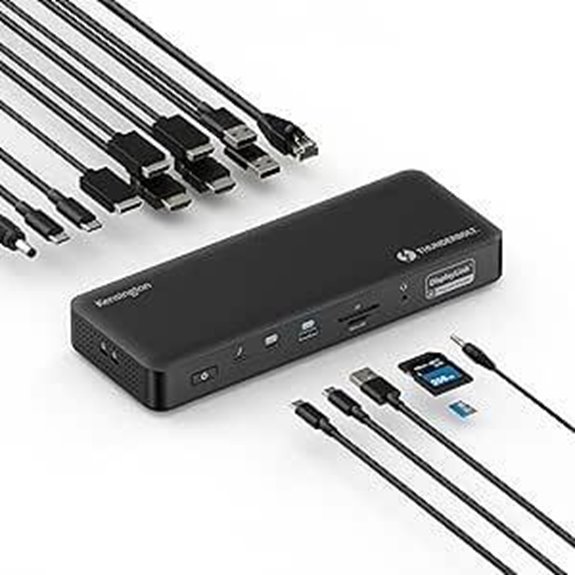 | Eco-Friendly Choice | Number of Ports: 7 ports (Thunderbolt 4, HDMI, USB-A, Ethernet, audio) | Display Support: Quad 4K@60Hz or Triple 4K (via DisplayLink) | Power Delivery (Charging): 100W PD (96W certified) | VIEW LATEST PRICE | See Our Full Breakdown |
| Plugable 16-in-1 Thunderbolt 4 Dock with Dual 4K Monitors | 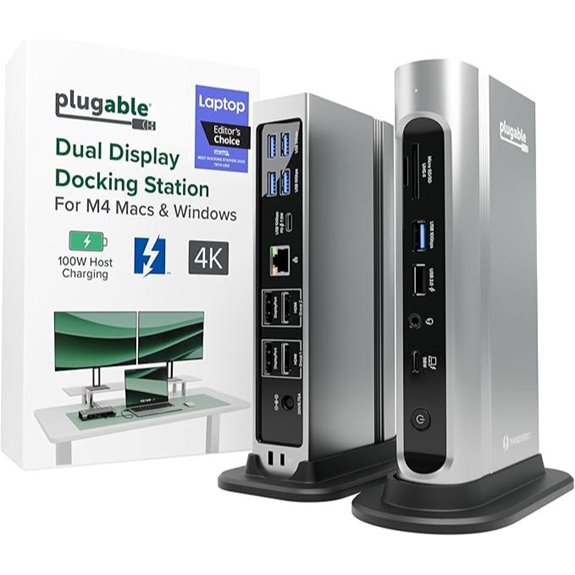 | Award-Winning Design | Number of Ports: 7 ports (Thunderbolt 4, HDMI, DisplayPort, USB-A, SD, Ethernet) | Display Support: Dual 4K@60Hz | Power Delivery (Charging): 100W PD | VIEW LATEST PRICE | See Our Full Breakdown |
| CalDigit TS4 Thunderbolt 4 Dock with 18 Ports |  | High-End Expansion | Number of Ports: 18 ports (Thunderbolt 4, USB-A, HDMI, DisplayPort, Ethernet, audio) | Display Support: Dual 4K@60Hz or 8K@60Hz | Power Delivery (Charging): 98W charging, 2.5GbE Ethernet | VIEW LATEST PRICE | See Our Full Breakdown |
More Details on Our Top Picks
UGREEN Thunderbolt 4 Dock 8-in-1 with 8K Display
If you’re looking for a versatile docking station that can handle demanding workflows and deliver stunning visuals, the UGREEN Thunderbolt 4 Dock 8-in-1 is an excellent choice. It features three Thunderbolt 4 ports, supporting data transfer up to 40Gbps, plus multiple USB-A ports, gigabit Ethernet, and a 140W power delivery port. With support for dual 4K@60Hz or a single 8K@30Hz display, it boosts your visual experience. The dock also includes a 140W GaN charger, offering up to 85W for laptop charging. Compatible with Thunderbolt 4, USB-C, and USB4 devices, it’s a powerful, all-in-one solution for MacBook Pro users.
- Number of Ports:8 ports (Thunderbolt 4, USB-A, Ethernet, power)
- Display Support:Dual 4K@60Hz or 8K@30Hz
- Power Delivery (Charging):140W charger, 85W laptop charging
- Compatibility:Thunderbolt 4/3, USB4, macOS 11.4+, Windows 10+
- Build Material:Aluminum, plastic
- Size/Weight:Compact, lightweight
- Additional Feature:Supports 140W GaN charger
- Additional Feature:Compatible with Thunderbolt 3 & USB4
- Additional Feature:MacBook basic M-Chips support
Dell Thunderbolt 4 Dock SD25TB4 with 4K Displays
The Dell Thunderbolt 4 Dock SD25TB4 stands out for users who need to connect multiple 4K displays seamlessly, making it ideal for creative professionals, data analysts, and AI researchers. It supports up to four 4K monitors via HDMI 2.1, DP 1.4, USB-C, and Thunderbolt 4, enabling robust multi-display setups. Dual Thunderbolt 4 ports allow high-speed data transfer and daisy-chaining up to six devices. It delivers up to 130W charging for Dell laptops and 96W for others, reducing cable clutter. Plus, it offers reliable wired networking with 2.5GbE Ethernet and enterprise-level security features, all in a sustainable, compact design.
- Number of Ports:10 ports (Thunderbolt 4, HDMI, Ethernet, USB-C, USB-A, SD)
- Display Support:Up to 4x 4K or 1x 8K
- Power Delivery (Charging):130W or 96W (Dell-specific)
- Compatibility:Thunderbolt 4, USB-C, Windows 10+, Mac
- Build Material:Plastic, recycled materials
- Size/Weight:Medium size, portable
- Additional Feature:2.5GbE Ethernet included
- Additional Feature:Supports up to 6 devices daisy-chain
- Additional Feature:Sustainable recycled plastic design
Belkin Thunderbolt 4 Docking Station with Power
For those seeking a compact yet powerful docking solution, the Belkin Thunderbolt 4 Docking Station with Power stands out thanks to its 96W Power Delivery port, which guarantees fast, reliable charging for your MacBook Pro while connecting multiple peripherals. It features three Thunderbolt 4 USB-C upstream ports and one downstream port, allowing daisy-chaining up to six devices. With transfer speeds up to 40Gbps, it supports dual 4K monitors or a single 8K display. Its efficient power distribution enables simultaneous device charging without interruption. Crafted with innovative engineering, it emphasizes performance, reliability, and ease of use, making it a versatile hub for any modern workspace.
- Number of Ports:5 ports (Thunderbolt 4, USB-C, USB-A, Ethernet, audio)
- Display Support:Dual 4K@60Hz or 8K@30Hz
- Power Delivery (Charging):96W PD, downstream 15W
- Compatibility:Thunderbolt 4, USB-C, broad device support
- Build Material:Aluminum, plastic
- Size/Weight:Compact, lightweight
- Additional Feature:Certified overcurrent protection
- Additional Feature:Compact, detailed craftsmanship
- Additional Feature:Includes Thunderbolt 4 cable
TobenONE Triple 4K Docking Station with Power
Designed for users who need to connect multiple high-resolution displays and peripherals simultaneously, the TobenONE Triple 4K Docking Station with Power stands out as an all-in-one solution. It offers 18 ports through a single USB-C connection, including 3 HDMI, 3 DisplayPort, USB-C, USB 3.2, SD/TF card readers, and gigabit Ethernet. Compatible with Thunderbolt 4, 5, USB4, and full-featured USB-C laptops, it supports triple or quad 4K displays at 60Hz. With a 120W power adapter, it delivers up to 100W charging, reducing the need for multiple chargers. Its versatile connectivity and high resolution make it perfect for boosting productivity and visual experience.
- Number of Ports:18 ports (HDMI, DisplayPort, USB-C, USB 3.2, Ethernet)
- Display Support:Triple or quad 4K@60Hz
- Power Delivery (Charging):120W power adapter, 100W to laptop
- Compatibility:USB-C, Thunderbolt 5/4/3, Windows, macOS
- Build Material:Plastic, metal
- Size/Weight:Larger, desktop footprint
- Additional Feature:120W power adapter
- Additional Feature:Supports triple or quad 4K displays
- Additional Feature:Includes SD/TF card readers
Plugable Thunderbolt 4 Dock for MacBook Pro/Air
If you need a reliable, plug-and-play dock that seamlessly integrates with MacBook Pro or Air models, the Plugable Thunderbolt 4 Dock (TBT-UDM) stands out. It’s compatible with all M4, M5, M1, M2, and M3 Macs, as well as Windows systems with Thunderbolt 4 or USB4. It offers a 13-in-1 setup, supporting dual 4K 60Hz or a single 6K display, plus high-speed data transfer, Ethernet, SD card slots, and 100W charging. Its driverless operation guarantees easy setup, making it perfect for home, hot-desks, or professional studios. Built for reliability, it’s an excellent all-in-one solution for multitasking and creative workflows.
- Number of Ports:8 ports (Thunderbolt 4, HDMI, USB-C, USB-A, SD, Ethernet)
- Display Support:Dual 4K@60Hz or 6K@60Hz (single display)
- Power Delivery (Charging):100W PD, 18W to phones
- Compatibility:Thunderbolt 4, USB4, MacBook, Windows
- Build Material:Aluminum, plastic
- Size/Weight:Compact, portable
- Additional Feature:Supports dual 4K displays
- Additional Feature:Driverless, plug-and-play
- Additional Feature:100W power delivery
Plugable Thunderbolt 4 Dock with 100W Charging
The Plugable Thunderbolt 4 Dock with 100W Charging stands out as an excellent choice for professionals who need reliable, high-speed connectivity and powerful charging capabilities in one compact package. It’s Thunderbolt Certified and was named Best Thunderbolt Dock 2025 by Wirecutter. With 40Gbps speeds, 13 ports—including dual HDMI, Thunderbolt 4, USB, card reader, Ethernet, and audio—it covers all your connection needs. It delivers up to 96W of certified power to your MacBook Pro, ensuring fast, stable charging. Its versatility supports multiple displays, making it perfect for demanding workflows while maintaining a sleek, space-saving design.
- Number of Ports:13 ports (Thunderbolt 4, USB-A, Ethernet, SD, audio)
- Display Support:Dual 4K@60Hz or 8K@30Hz
- Power Delivery (Charging):100W PD (96W certified)
- Compatibility:Thunderbolt 4, USB-C, Windows, macOS
- Build Material:Aluminum, plastic
- Size/Weight:Medium, portable
- Additional Feature:Recognized as Dock of the Year
- Additional Feature:Supports dual 4K or 8K display
- Additional Feature:Multiple USB ports (10Gbps)
UGREEN Thunderbolt 4 Dock 13-in-1 with 8K Display
For creative professionals and power users who need maximum connectivity and high-resolution visuals, the UGREEN Thunderbolt 4 Dock 13-in-1 with 8K Display stands out as an excellent choice. It offers versatile port options, including 2 Thunderbolt 4 ports, DisplayPort 1.4, SD/TF card readers, Ethernet, USB-C, USB-A, audio, and a powerful 180W power supply. Compatible with Thunderbolt 4/3, USB4, and USB-C devices, it supports high-speed data transfer at 40Gbps and enables dual 4K displays or an 8K monitor. Its compact design and reliable power delivery make it perfect for enhancing productivity and high-quality visuals on MacBook Pro and other compatible laptops.
- Number of Ports:13 ports (Thunderbolt 4, HDMI, USB-A, USB-C, SD, Ethernet)
- Display Support:Dual 4K@60Hz or 8K@30Hz
- Power Delivery (Charging):180W power, 90W to laptop
- Compatibility:Thunderbolt 4, USB-C, Windows, Mac
- Build Material:Aluminum, plastic
- Size/Weight:Compact, portable
- Additional Feature:Supports 180W power adapter
- Additional Feature:Supports dual 4K@60Hz or 8K@30Hz
- Additional Feature:Full-function USB-C laptops
Kensington SD5910T Thunderbolt 4 Docking Station
Designed to support demanding multi-monitor setups, the Kensington SD5910T Thunderbolt 4 Docking Station is an excellent choice for MacBook Pro users who need reliable, high-speed connectivity. It combines Thunderbolt 4 technology with DisplayLink multi-monitor support, enabling up to four 4K displays or three on base M1/M2 models. Compatible with MacBook Pro/Air, Windows, ChromeOS, and USB-C devices, it offers versatile ports including Thunderbolt 4, HDMI, DisplayPort, and USB options. With 100W charging, SD card readers, Ethernet, and audio jacks, it’s a all-encompassing dock for productivity. Built from recycled aluminum and backed by a three-year warranty, it’s both eco-friendly and durable.
- Number of Ports:7 ports (Thunderbolt 4, HDMI, USB-A, Ethernet, audio)
- Display Support:Quad 4K@60Hz or Triple 4K (via DisplayLink)
- Power Delivery (Charging):100W PD (96W certified)
- Compatibility:Thunderbolt 4, USB-C, Windows, macOS
- Build Material:Aluminum, plastic
- Size/Weight:Compact, lightweight
- Additional Feature:Made from recycled aluminum
- Additional Feature:Supports Quad 4K @ 60Hz
- Additional Feature:Security cable lock slot
Plugable 16-in-1 Thunderbolt 4 Dock with Dual 4K Monitors
If you need a reliable docking station that effortlessly supports dual 4K monitors, the Plugable 16-in-1 Thunderbolt 4 Dock is an excellent choice. It’s an award-winning device, recognized as the 2025 Dock of the Year by Laptop Mag, and offers seamless compatibility with MacBook Air and Pro, Windows, and USB4 systems. Supporting dual 4K 60Hz displays via HDMI or DisplayPort, it requires no driver installation—just plug and play. With 100W Power Delivery, it keeps your laptop charged all day, while its versatile ports—including Ethernet, SD card readers, and multiple USBs—boost productivity and connectivity.
- Number of Ports:7 ports (Thunderbolt 4, HDMI, DisplayPort, USB-A, SD, Ethernet)
- Display Support:Dual 4K@60Hz
- Power Delivery (Charging):100W PD
- Compatibility:Thunderbolt 4, USB-C, macOS, Windows
- Build Material:Aluminum, plastic
- Size/Weight:Compact, portable
- Additional Feature:Recognized as 2025 Dock of the Year
- Additional Feature:2 HDMI + 2 DisplayPorts
- Additional Feature:Includes 40Gbps Thunderbolt 4 cable
CalDigit TS4 Thunderbolt 4 Dock with 18 Ports
The CalDigit TS4 Thunderbolt 4 Dock stands out with its impressive 18 ports, making it an ideal choice for users who need extensive connectivity in a single device. It offers 3 Thunderbolt 4 ports, 8 USB-A ports, SD/microSD card readers, DisplayPort 1.4, audio jacks, 2.5GbE Ethernet, and a security slot. This setup supports multiple displays—up to dual 6K on M1-M4 Macs—and powers laptops with 98W charging. Fully compatible with Thunderbolt 4, USB4, and USB-C, it handles demanding workflows, connecting multiple peripherals, storage devices, and displays seamlessly in a single, versatile hub.
- Number of Ports:18 ports (Thunderbolt 4, USB-A, HDMI, DisplayPort, Ethernet, audio)
- Display Support:Dual 4K@60Hz or 8K@60Hz
- Power Delivery (Charging):98W charging, 2.5GbE Ethernet
- Compatibility:Thunderbolt 4/3, USB-C, Windows, Mac
- Build Material:Aluminum, plastic
- Size/Weight:Larger, substantial build
- Additional Feature:Supports 98W charging
- Additional Feature:Extensive port options
- Additional Feature:Supports dual 6K/8K displays
Factors to Consider When Choosing a Thunderbolt 4 Docking Station for MacBook Pro
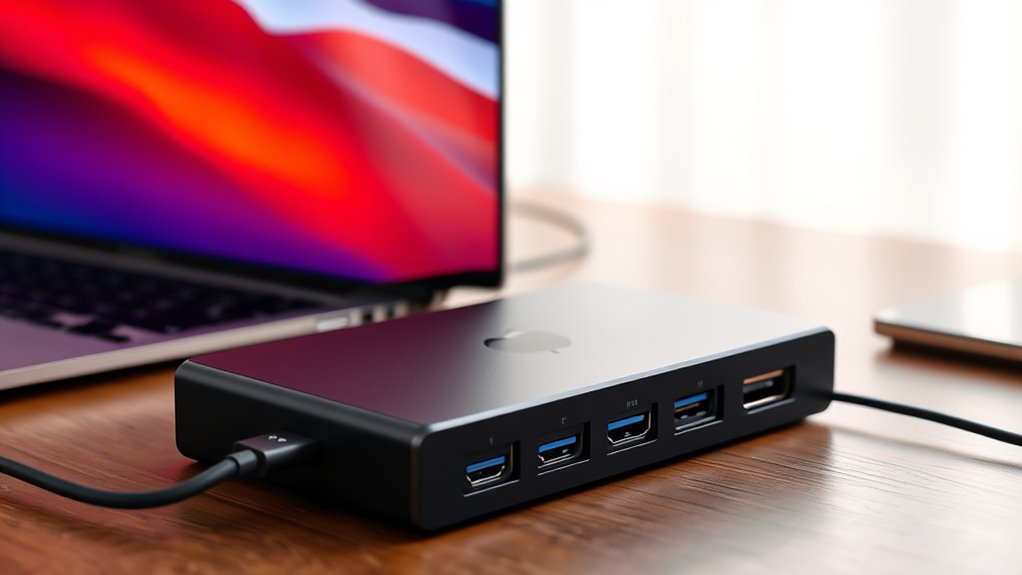
When selecting a Thunderbolt 4 dock for your MacBook Pro, I consider compatibility, port options, and display support to ensure it meets my needs. Power delivery capacity is also vital so I can charge my laptop efficiently, while build quality guarantees durability over time. Keeping these factors in mind helps me find a dock that’s reliable and perfectly suited to my setup.
Compatibility With Macbook
Choosing a Thunderbolt 4 docking station for your MacBook Pro requires careful attention to compatibility factors that guarantee smooth performance. First, make sure the dock explicitly states compatibility with your MacBook Pro model to ensure seamless integration. Verify that it supports macOS 11.4 or later, which is essential for maximum functionality with recent MacBooks. If you have an Apple Silicon chip like M1, M2, M3, or M4, confirm that the dock is fully compatible to avoid issues. Additionally, check if the firmware and drivers are fine-tuned for macOS, preventing connectivity or performance problems. If you plan to use multiple monitors, ensure the dock supports dual or multi-display setups on MacBook Pro, especially for demanding workflows. Compatibility is key to a hassle-free experience.
Number of Ports Needed
Determining how many ports you need on your Thunderbolt 4 dock is crucial to supporting all your peripherals without hassle. Think about the devices you use daily—USB drives, external displays, Ethernet, SD cards—and ensure the dock has enough ports to connect them simultaneously. If you work with high-resolution displays, check whether the dock supports dual 4K or 8K setups to match your visual needs. Consider future expansion as well—additional Thunderbolt 4 or USB-C ports can be useful for daisy-chaining devices or adding new peripherals later. Don’t forget legacy connections; enough USB-A ports are essential if you still rely on older devices. Ultimately, your workflow dictates the ideal port count, helping you avoid juggling multiple hubs or docks.
Display Support Capabilities
The display support capabilities of a Thunderbolt 4 dock directly impact how well it integrates with your MacBook Pro’s visual setup. These docks can support dual 4K displays at 60Hz or a single 8K display at 30Hz, depending on your device and configuration. Compatibility with DisplayPort 1.4 or HDMI 2.0/2.1 is essential for high-resolution multi-monitor setups. Keep in mind, the number of supported displays varies with your MacBook Pro model and GPU capabilities, with newer models generally handling more screens. Some docks may require firmware or driver updates to enable multi-display support on Macs. Ultimately, the dock’s bandwidth and your Mac’s video output specs determine if you can seamlessly extend or mirror your screens.
Power Delivery Capacity
Since your MacBook Pro relies on sufficient Power Delivery (PD) to stay charged and perform at its best, it’s essential to make sure your Thunderbolt 4 dock can provide enough wattage. Look for a dock that offers between 96W and 140W of PD output to match or surpass your MacBook’s original charger, ensuring fast and reliable charging. Confirm whether the dock supports downstream charging for connected peripherals without draining power from your MacBook. Also, check if the dock needs an external power source or can draw power solely from your MacBook’s connection. An inadequate PD capacity can lead to slower charging, reduced performance, or incomplete power delivery, so prioritize high wattage to keep your MacBook Pro fully powered during intensive tasks.
Build Quality and Durability
A well-made Thunderbolt 4 dock can stand up to daily use and protect your investment in a MacBook Pro. High-quality docks typically feature premium materials like aluminum or reinforced plastic, guaranteeing durability over time. Reinforced ports and secure cable connections help prevent damage from constant plugging and unplugging. Look for docks with robust internal components and shielding to guard against electrostatic discharge and power surges, which can harm your device. A sturdy, non-slip base adds stability, reducing the risk of accidental tipping during use. Additionally, certifications and compliance with industry standards indicate the dock’s safety and long-term reliability. Investing in a durable, well-built dock ensures both protection and sustained performance, making it a smart choice for your MacBook Pro.
Data Transfer Speeds
To guarantee your MacBook Pro reaches its full potential, understanding data transfer speeds is essential when choosing a Thunderbolt 4 dock. Thunderbolt 4 supports speeds of up to 40Gbps, allowing for rapid file transfers and streamlined workflows. This high speed minimizes latency, especially when working with large media files or complex data sets, ensuring smooth editing and data management. Compatibility with Thunderbolt 4 guarantees consistent, high-speed performance across various devices and peripherals. However, to achieve these maximum speeds, both the dock’s Thunderbolt 4 port and your cable must meet the standard’s specifications. The dock’s ability to handle multiple high-bandwidth devices simultaneously depends on supporting Thunderbolt 4’s full 40Gbps throughput, making speed a critical factor in your choice.
Security and Reliability
When selecting a Thunderbolt 4 dock for your MacBook Pro, security and reliability should be at the top of your list. I recommend choosing a dock that supports enterprise-level security features like WPA3 encryption, DMA protection, and secure enclosures to keep your sensitive data safe. It’s also essential to verify that the device has undergone rigorous testing and certification, such as Thunderbolt 4 certification, to ensure consistent performance. Look for docks with built-in safeguards against power surges, overcurrent, and thermal issues to prevent damage and extend lifespan. Additionally, prioritize products offering firmware updates and reliable technical support to address vulnerabilities and maintain stability. A proven track record of positive reviews and industry certifications further guarantees dependable performance and peace of mind.
Frequently Asked Questions
How Do Thunderbolt 4 Docks Improve Macbook Pro Performance?
Thunderbolt 4 docks boost my MacBook Pro’s performance by providing faster data transfer speeds and more reliable connections. They expand my laptop’s capabilities with multiple ports for external displays, USB devices, and Ethernet, reducing clutter and improving workflow. I notice quicker file transfers, smoother multitasking, and less lag during intensive tasks. Overall, they transform my MacBook into a powerful, versatile workstation, making my daily tasks more efficient and enjoyable.
Are Thunderbolt 4 Docks Compatible With Older Macbook Models?
Yes, Thunderbolt 4 docks are compatible with older MacBook models that have Thunderbolt 3 or USB-C ports. I’ve used one with my previous MacBook, and it worked seamlessly. Just make sure your device has the necessary ports and supports Thunderbolt 4 standards. The main difference is that newer docks will have enhanced features, but overall, they’re backward compatible, making them a versatile choice for various MacBook models.
What Security Features Do Thunderbolt 4 Docking Stations Offer?
When I connect my Thunderbolt 4 dock, I know it offers robust security features like hardware-based Direct Memory Access (DMA) protection, which prevents unauthorized data access. It also supports secure boot and firmware updates, ensuring my data stays safe. Plus, the encrypted data transfer keeps sensitive info protected during connections. These features give me peace of mind, knowing my MacBook Pro stays secure even when I’m working remotely or in public spaces.
Can Thunderbolt 4 Docks Support Daisy Chaining Multiple Devices?
Yes, Thunderbolt 4 docks support daisy chaining multiple devices, allowing me to connect several peripherals through a single port. I love how this feature simplifies my setup, reducing clutter and expanding connectivity. With Thunderbolt 4’s high bandwidth, I can connect multiple high-speed devices like external drives, monitors, and audio interfaces without sacrificing performance. It’s a seamless way to maximize my MacBook Pro’s capabilities with minimal cables.
How Do I Troubleshoot Connectivity Issues With Thunderbolt 4 Docks?
When troubleshooting connectivity issues with my Thunderbolt 4 dock, I first check all cables and connections to make sure they’re secure. I then restart my MacBook and the dock, and test with different cables if possible. Updating my macOS and dock firmware is essential, too. If issues persist, I disconnect other peripherals to identify conflicts. Sometimes, resetting the SMC or NVRAM helps resolve persistent problems.
Conclusion
So, I found that choosing the right Thunderbolt 4 dock really depends on your needs—whether it’s extra displays, power, or ports. Remarkably, I discovered that many of these docks share similar features, making it almost a coin toss. Sometimes, the perfect match just comes down to a small detail, like your preferred brand or specific port. Hopefully, this list helps you find that ideal dock—because, honestly, the right connection can make all the difference.