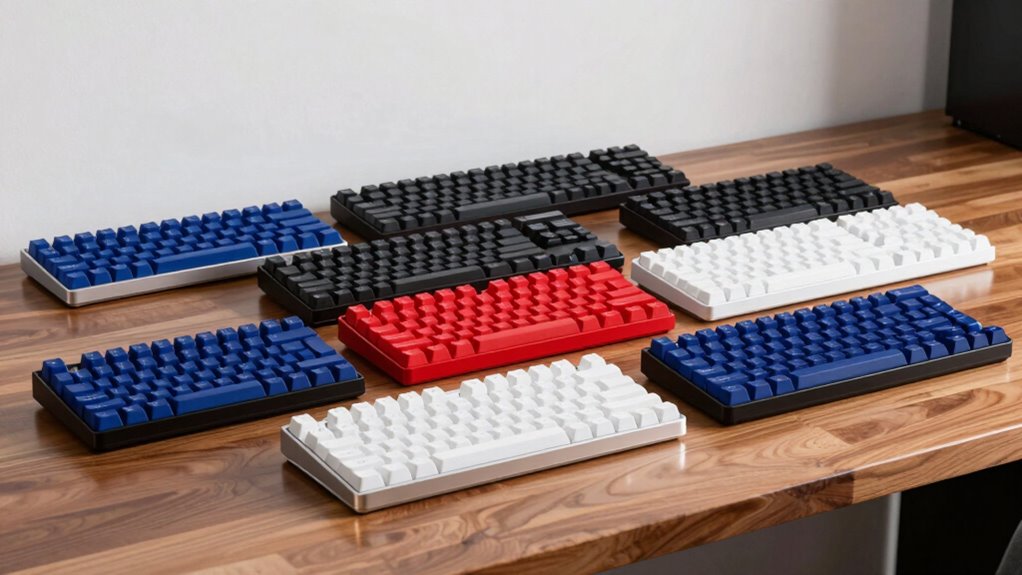

Finding a wireless mechanical keyboard compatible with both Mac and Windows can be challenging, as many models favor one platform over the other. The Logitech MX Mechanical stands out as the best overall choice with seamless cross-platform support and reliable connectivity. For those prioritizing compact design, the Keychron K3 Version 2 offers a versatile 75% layout with excellent build quality. Meanwhile, the Keychron K10 delivers full-size comfort for users who need a dedicated number pad. Each option comes with tradeoffs, such as price, size, or key feel, so understanding these differences helps in making the best choice. Continue reading for a detailed breakdown of each keyboard to match your specific needs.
Complete the kit



Key Takeaways
- The top picks balance cross-platform compatibility, build quality, and connectivity stability, with Logitech MX Mechanical leading as the overall best.
- Size matters: compact keyboards like the Keychron K3 are ideal for limited space but may lack dedicated keys, while full-size models like the K10 suit users needing a number pad.
- Switch options (Brown, Red) influence typing feel and sound, impacting suitability for office or gaming use—most models offer variety to match preferences.
- Wireless stability and ease of pairing are critical; Bluetooth 5.0 support ensures fewer dropouts and quick reconnections.
- Build quality and keycap durability vary, so investing a bit more often results in longer-lasting keyboards, especially for intensive daily use.



| wireless mechanical keyboard for mac and window | Switch Type | Connectivity | Layout | Compatibility |
|---|---|---|---|---|
| Logitech MX Mechanical Wireles | Tactile, Quiet Mechanical | Bluetooth, USB-C, Logi Bolt | — | macOS, Windows, Linux, iOS, Android |
| Keychron K8 Tenkeyless Wireles | Brown | Bluetooth 5.1, Type-C wired | 87-key TKL | macOS, Windows |
| Logitech Alto Keys K98M Wirele | Marble Switches | Bluetooth, Logi Bolt USB Receiver | 98-key + Numpad | — |
| Keychron K3 Version 2 75% Wire | Brown | Bluetooth 5.1, USB wired | 75% | Mac and Windows |
| Keychron K10 Full Size 104-Key | Keychron Super Brown | Bluetooth 5.1, USB Type-C wired | — | — |
| Keychron K8 Tenkeyless Wireles | Keychron Super Red | Bluetooth 5.1, USB Type-C wired | Tenkeyless (87-key) | Mac and Windows |
| Keychron K2 75% Layout Bluetoo | Super Mechanical Brown | Bluetooth 5.1, USB Type-C wired | 75% (84 keys) | Mac and Windows |
| Keychron C1 87-Key TKL Wired M | Gateron G Pro Brown | — | 87-key TKL | Mac and Windows |
| Logitech G413 SE Full-Size Mec | Tactile mechanical | — | Full-size | — |
| Keychron K4 96% Layout Wireles | Keychron Super Brown | Bluetooth 5.1, USB Type-C wired | 96% (100 keys) | Mac, Windows, iPad, Smartphone |
More Details on Our Top Picks
Logitech MX Mechanical Wireless Illuminated Keyboard Tactile – Graphite
The Logitech MX Mechanical stands out for its quiet, tactile switches that deliver satisfying feedback without noise, making it ideal for shared spaces. Its smart backlighting adjusts automatically, reducing distractions and battery drain, unlike the Keychron K8’s manual backlight. The keyboard’s multi-device connectivity across Bluetooth and Logi Bolt supports seamless switching between Mac, Windows, and Linux, surpassing many competitors like the Keychron K3, which lacks multi-OS compatibility. However, this flexibility comes at a higher price point and requires specific connectivity options, which could be a barrier for budget-conscious buyers. Compared to the Keychron K10, it offers better multi-OS support but sacrifices some portability due to its bulk. Overall, this pick is best for users who value a refined, multi-platform experience and long battery life, willing to invest more for versatility.
Pros:- Quiet, tactile switches for precise feedback
- Smart, automatic backlit keys that adapt to ambient light
- Multi-device support across operating systems
- Long-lasting battery with quick USB-C charging
Cons:- Higher price compared to standard wireless keyboards
- Requires Bluetooth or Logi Bolt receiver for full functionality
Best for: Professionals needing a reliable, multi-OS wireless keyboard for daily multitasking
Not ideal for: Budget buyers or those seeking a compact, lightweight setup for travel
- Switch Type:Tactile, Quiet Mechanical
- Backlit Keys:Yes
- Connectivity:Bluetooth, USB-C, Logi Bolt
- Compatibility:macOS, Windows, Linux, iOS, Android
- Battery Life:Up to 15 days with backlighting, 10 months with backlighting off
- Material:Plastic with 45% post-consumer recycled content
Our verdict“This keyboard is perfect for those who prioritize multi-OS compatibility and a premium typing experience, even at a higher cost.”
Keychron K8 Tenkeyless Wireless Mechanical Keyboard for Mac, White Backlight, Bluetooth, Multitasking, Type-C Wired Gaming Keyboard for Windows with Brown Switch
The Keychron K8 offers a compact 87-key TKL layout, making it a versatile choice for those who need space-saving efficiency. Its Bluetooth 5.1 supports up to three devices, similar to the Logitech MX but with a more affordable price, though it lacks the multi-OS customization options of the Logitech. The Brown switches deliver a responsive, tactile feel suited to both work and casual gaming, comparable to the K3’s switches but with a slightly larger form factor. While its battery life of around 200 hours with backlight off is impressive, the backlight’s drain can reduce runtime, especially on Windows. The K8’s limited key count may frustrate users who need dedicated function keys or a numpad, unlike the K10. This model suits users who want a balance of portability, multi-device support, and tactile feedback, with a more budget-friendly approach.
Pros:- Wireless multi-device Bluetooth connectivity
- Responsive brown switches for versatile typing
- Long battery life with minimal backlight drain
- Includes Mac and Windows keycap sets
Cons:- Limited to 87 keys, no dedicated number pad
- Backlight may reduce battery life faster
Best for: Mac and Windows users who need a compact, responsive keyboard for multitasking and light gaming
Not ideal for: Power users requiring dedicated macro keys or a full-sized layout
- Layout:87-key TKL
- Backlight:White
- Switch Type:Brown
- Connectivity:Bluetooth 5.1, Type-C wired
- Battery Capacity:4000 mAh
- Compatibility:macOS, Windows
Our verdict“A solid choice for those who want a compact, tactile, multi-OS wireless keyboard without extra bells and whistles.”
Logitech Alto Keys K98M Wireless Mechanical Gasket Keyboard – Graphite
The Logitech Alto Keys K98M distinguishes itself with gasket-mounted construction that absorbs vibrations, creating a satisfying keystroke for both work and gaming. Its Marble Switches produce a clicky, tactile experience, similar to the Keychron K10’s switches but with a different feel. The 98-key layout includes a numpad, making it better suited for productivity tasks than the more compact options like the K3 or K8. Support for multi-device connectivity via Bluetooth and Logi Bolt enhances versatility, although the absence of RGB lighting simplifies aesthetics and may disappoint gamers looking for flashy visuals. With up to 12 months of battery life, it balances durability and convenience, but the hot-swappable switches could require extra care during customization. This model appeals to users who want a tactile, feature-rich keyboard with vibration absorption, especially in a compact form.
Pros:- Vibration-absorbing gasket mount for satisfying keystrokes
- Wireless support for multi-device use
- Long battery life up to 12 months
- Programmable action keys for customization
Cons:- No RGB backlighting, limited aesthetic options
- Compact layout may reduce some key sizes
Best for: Gamers and productivity users who prefer a tactile, vibration-absorbing keyboard with a numpad
Not ideal for: Those seeking RGB lighting or ultra-compact layouts for portability
- Switch Type:Marble Switches
- Backlighting:White
- Layout:98-key + Numpad
- Connectivity:Bluetooth, Logi Bolt USB Receiver
- Battery Life:Up to 12 months
- Power Source:Wireless, USB-C recharge
Our verdict“Ideal for those who want a tactile, vibration-absorbing wireless keyboard with a numpad for versatile productivity and light gaming.”
Keychron K3 Version 2 75% Wireless Mechanical Keyboard with White Backlit and Brown Switches
The Keychron K3 V2 excels in portability thanks to its ultra-slim 75% layout and lightweight aluminum body, making it ideal for on-the-go users. Its white LED backlit is straightforward, but unlike the Logitech MX or K10, it lacks RGB options, limiting aesthetic customization. The Brown switches provide a tactile yet quiet typing experience similar to the K8, but in a smaller footprint suitable for tight spaces or travel. Its multi-device Bluetooth support simplifies multitasking across devices, yet the firmware updates needed for advanced customization can be a hurdle. While it offers Mac and Windows keycap sets, the compact design sacrifices some keys, which might hinder users who prefer dedicated function or navigation keys. This makes it a good pick for users prioritizing portability without sacrificing tactile feedback.
Pros:- Extremely portable and lightweight design
- Seamless multi-device Bluetooth support
- Tactile Brown switches for quiet, responsive typing
- Includes Mac and Windows keycap sets
Cons:- Limited to 75% layout, fewer keys than standard keyboards
- Requires firmware updates for full customization
Best for: Travelers and remote workers needing a compact, reliable wireless keyboard for multi-device use
Not ideal for: Users needing a full-sized layout or extensive key functions for complex workflows
- Layout:75%
- Backlight:White LED
- Switch Type:Brown
- Connectivity:Bluetooth 5.1, USB wired
- Material:Reinforced aluminum body
- Compatibility:Mac and Windows
Our verdict“A perfect compact keyboard for those prioritizing portability and multi-device connectivity with tactile feedback.”
Keychron K10 Full Size 104-Key Bluetooth Wireless Mechanical Gaming Keyboard for Mac and Windows
The Keychron K10 offers a full-sized 104-key layout, making it suitable for users who need all keys including a dedicated numpad, unlike smaller models like the K8 or K3. Its white LED backlighting and Bluetooth 5.1 support multi-device switching, comparable to the Logitech MX and Alto Keys, but with a more traditional gaming-oriented build. The hot-swappable switches allow customization and easy maintenance, appealing to hobbyists and gamers alike. Its long battery life of up to 240 hours when backlight is off supports extended use in both office and gaming scenarios. However, the Num Lock function is Windows-only, and the full size may be cumbersome for tight spaces or portable setups. This model is best for those who need a durable, full-featured keyboard for multi-purpose use, especially in a home or gaming environment.
Pros:- Full-size layout with dedicated numpad
- Wireless multi-device support and easy switching
- Hot-swappable switches for customization
- Very long battery life for extended sessions
Cons:- Bulkier, less portable than smaller models
- Num Lock only works on Windows, limiting Mac compatibility for certain functions
Best for: Users seeking a full-size, versatile wireless keyboard for work and light gaming
Not ideal for: Travelers or those with limited desk space needing a compact setup
- Keys:104
- Backlight:White LED
- Connectivity:Bluetooth 5.1, USB Type-C wired
- Switch Type:Keychron Super Brown
- Battery Capacity:4000 mAh
- Additional Keycaps:Included for Mac and Windows
Our verdict“Ideal for users who want a complete, durable wireless keyboard capable of handling productivity and light gaming at home or office.”
Keychron K8 Tenkeyless Wireless Mechanical Keyboard for Mac, White Backlight, Bluetooth, Type-C Wired Gaming Keyboard for Windows Red Switch
The Keychron K8 stands out as the best all-around choice for users seeking a wireless, versatile keyboard that works seamlessly across Mac and Windows. Its tenkeyless design offers a compact footprint while maintaining essential keys, making it ideal for both workspace and light gaming. Unlike the smaller K2, the K8’s larger size provides a more comfortable typing experience for extended use, though it sacrifices some portability. The wireless connectivity supports up to three devices via Bluetooth 5.1, with a substantial 4000mAh battery that can last up to 200 hours with backlight off, far exceeding many competitors. The smooth Red switches deliver a linear feel suited for typing and casual gaming, but the absence of RGB lighting and macro keys limits customization and high-end gaming performance. Compared to the Logitech G413 SE, the K8’s wireless feature is a key advantage, yet it’s less suited for intense gaming sessions due to switch and feature limitations.
Pros:- Wireless multi-device support with Bluetooth 5.1
- Long-lasting 4000mAh battery for extended use
- Smooth linear Red switches for comfortable typing
- Compatible with Mac and Windows
Cons:- Limited to light gaming; not designed for high-end gaming
- No RGB backlight, only white illumination
- No dedicated macro keys for advanced customization
Best for: Professionals and light gamers who need a wireless keyboard with broad device compatibility and long battery life.
Not ideal for: Heavy gamers or users requiring extensive macro customization, as it lacks dedicated macro keys and RGB lighting.
- Layout:Tenkeyless (87-key)
- Backlight:White
- Switch Type:Keychron Super Red
- Connectivity:Bluetooth 5.1, USB Type-C wired
- Battery Life:Up to 200 hours (backlight off)
- Compatibility:Mac and Windows
Our verdict“This keyboard offers a balanced mix of wireless convenience, long battery life, and compatibility, making it ideal for office and casual users.”
Keychron K2 75% Layout Bluetooth Wireless Mechanical Keyboard with White LED Backlit, USB-C, Anti-Ghosting, N-Key Rollover, 84 Keys for Mac and Windows
The Keychron K2 offers a compact 75% layout, perfect for users who need a space-efficient keyboard without sacrificing essential keys. Its smaller footprint compares favorably against the K8’s larger size, making it a better fit for tight desks or portable setups. The white LED backlight provides sufficient visibility, but lacks RGB options, which might disappoint those seeking colorful customization. Its Bluetooth 5.1 support and 4000mAh battery mean extended wireless use, similar to the K8, but with a focus on portability. The Super Mechanical Brown switches provide a slightly tactile feel better suited for mixed gaming and typing. Compared with the K8, the K2’s smaller size makes it less comfortable for prolonged typing sessions, but easier to carry. Its limited backlight customization makes it less appealing for those who prioritize aesthetic flair.
Pros:- Space-saving 75% layout fits small desks
- Long-lasting 4000mAh battery for extended wireless use
- Includes extra keycaps for Mac and Windows
- Supports Bluetooth 5.1 and wired connection
Cons:- Limited RGB lighting options, only white LED
- Not designed for heavy gaming or macro-heavy tasks
- Smaller size may reduce comfort for extended typing
Best for: Users needing a compact, wireless keyboard that balances portability with decent typing comfort for everyday use.
Not ideal for: Gamers who prefer RGB lighting or heavy-duty gaming, as it’s primarily designed for light use and portability.
- Layout:75% (84 keys)
- Backlight:White LED
- Switch Type:Super Mechanical Brown
- Connectivity:Bluetooth 5.1, USB Type-C wired
- Battery:4000 mAh
- Compatibility:Mac and Windows
Our verdict“This compact keyboard is a smart choice for users prioritizing space efficiency and multi-device wireless connectivity.”
Keychron C1 87-Key TKL Wired Mechanical Keyboard for Mac and Windows
The Keychron C1 appeals to users seeking a straightforward, wired tenkeyless keyboard with durable components. Its 87-key layout is familiar and space-efficient, though it doesn’t offer wireless flexibility like the K8 or K2. The white backlit static mode provides clear visibility, but the absence of RGB lighting limits aesthetic options. The Gateron G Pro Brown switches deliver a balanced tactile response, suitable for long typing sessions without being too loud. Compared to the K8’s wireless capabilities, the C1’s wired-only design simplifies setup and reduces latency, which is ideal for users who prioritize reliability. However, this also means sacrificing the convenience of wireless connectivity for those who need it. Its durable build and included extra keycaps make it a solid choice for office environments, but it falls short for users wanting portability or gaming features.
Pros:- Durable Gateron G Pro Brown switches
- Compact tenkeyless layout saves space
- Includes extra keycaps for Mac and Windows
- Adjustable feet for comfort
Cons:- No wireless connectivity options
- Limited backlight modes (static only)
- Less suitable for gaming due to wired-only design
Best for: Office workers or typists who prefer a reliable wired connection and straightforward design.
Not ideal for: Users seeking wireless flexibility or gaming-oriented features, as it lacks Bluetooth and macro support.
- Layout:87-key TKL
- Backlight:White, static
- Switch Type:Gateron G Pro Brown
- Connection:Wired USB Type-C
- Compatibility:Mac and Windows
- Additional Keycaps:Included for Mac and Windows
Our verdict“This wired keyboard provides durability and simplicity, making it ideal for dedicated office setups and long typing sessions.”
Logitech G413 SE Full-Size Mechanical Gaming Keyboard – Black
The Logitech G413 SE is a solid choice for gamers needing a dependable wired setup with tactile feedback. Its full-size layout offers a dedicated number pad and media keys, making it suitable for both gaming and productivity. The PBT keycaps resist wear, and the brushed aluminum top case adds durability and a premium feel. While it excels in build quality and anti-ghosting performance, it lacks wireless features, which may limit portability. The white LED backlighting enhances visibility during intense gaming sessions, but the absence of RGB lighting reduces aesthetic customization. Compared to wireless options like the K8 or K2, the G413 SE’s wired-only connection ensures minimal latency and consistent performance, ideal for competitive gaming, but less flexible for mobile or desk setups.
Pros:- Durable PBT keycaps
- Robust brushed aluminum top case
- Reliable anti-ghosting with media controls
- Tactile switches for responsive feedback
Cons:- No wireless connectivity
- Limited customization with white LED only
- Size may be too large for small desks
Best for: Gamers and users who want a durable, wired keyboard with tactile feedback for gaming and everyday tasks.
Not ideal for: Those seeking wireless convenience or RGB lighting, since it’s wired-only and has a more subdued aesthetic.
- Keycaps:PBT, heat- and wear-resistant
- Switch Type:Tactile mechanical
- Lighting:White LED
- Layout:Full-size
- Material:Brushed aluminum
- Features:Anti-ghosting, media keys
Our verdict“This wired mechanical keyboard delivers reliable performance and durability, perfect for gamers who prioritize tactile feedback and stability.”
Keychron K4 96% Layout Wireless Mechanical Gaming Keyboard with White LED Backlight
The Keychron K4 offers a 96% layout, combining a full set of keys with a compact form factor, making it a versatile choice for both gaming and productivity. Its wireless support via Bluetooth 5.1, coupled with wired connectivity, provides multi-device flexibility similar to the K8 and K2, but with a more integrated design. The large 4000mAh battery ensures extended use, yet its white backlight is static, limiting aesthetic customization compared to RGB options. The Keychron Super Brown switches deliver a tactile feel suitable for long typing sessions and casual gaming. Compared to the K8, the K4’s full layout may feel more natural for users who frequently use the number pad, but it’s bulkier than the 75% K2. Its focus on a more complete layout makes it less ideal for tight spaces but better suited for users needing a full keyboard experience in a compact form.
Pros:- Full 96% layout with number pad
- Wireless Bluetooth 5.1 and wired support
- Large 4000mAh battery for extended use
- Includes extra keycaps for Mac and Windows
Cons:- Limited RGB lighting options, only white backlight
- May be too bulky for very small desks
- Primarily designed for light gaming and productivity
Best for: Productivity-focused users who want a full-sized keyboard with wireless versatility without sacrificing desk space.
Not ideal for: Users with very limited space or those seeking a very compact keyboard for portability, as it’s larger than the K2 or K8.
- Layout:96% (100 keys)
- Connectivity:Bluetooth 5.1, USB Type-C wired
- Backlight:White LED
- Battery:4000 mAh
- Switch Type:Keychron Super Brown
- Compatibility:Mac, Windows, iPad, Smartphone
Our verdict“The K4 strikes a balance between a full layout and wireless convenience, ideal for users who need a complete keyboard in a compact form.”

How We Picked
In selecting the best wireless mechanical keyboards for Mac and Windows, I focused on key factors that matter most to users: cross-platform compatibility, wireless connection reliability, build quality, ease of use, and value for money. Each keyboard was evaluated for how seamlessly it works with both operating systems, including Bluetooth pairing and key mapping. Build durability, switch options, backlighting, and additional features like USB-C support also influenced rankings. I prioritized models that strike a balance between performance and affordability, ensuring that users get a versatile device suited to everyday use. The final order reflects the overall versatility, quality, and user-friendliness of each product in real-world scenarios.
| wireless mechanical keyboard for mac and window | Connectivity | Compatibility | Backlight |
|---|---|---|---|
| Logitech MX Mechanical Wireles | Bluetooth, USB-C, Logi Bolt | macOS, Windows, Linux, iOS, Android | — |
| Keychron K8 Tenkeyless Wireles | Bluetooth 5.1, Type-C wired | macOS, Windows | White |
| Logitech Alto Keys K98M Wirele | Bluetooth, Logi Bolt USB Receiver | — | — |
| Keychron K3 Version 2 75% Wire | Bluetooth 5.1, USB wired | Mac and Windows | White LED |
| Keychron K10 Full Size 104-Key | Bluetooth 5.1, USB Type-C wired | — | White LED |
| Keychron K8 Tenkeyless Wireles | Bluetooth 5.1, USB Type-C wired | Mac and Windows | White |
| Keychron K2 75% Layout Bluetoo | Bluetooth 5.1, USB Type-C wired | Mac and Windows | White LED |
| Keychron C1 87-Key TKL Wired M | — | Mac and Windows | White, static |
| Logitech G413 SE Full-Size Mec | — | — | — |
| Keychron K4 96% Layout Wireles | Bluetooth 5.1, USB Type-C wired | Mac, Windows, iPad, Smartphone | White LED |
Factors to Consider When Choosing Wireless Mechanical Keyboard For Mac And Windows
Choosing the right wireless mechanical keyboard for Mac and Windows involves weighing several key factors beyond just compatibility. Understanding your priorities—whether it’s size, typing experience, or price—can prevent costly mistakes. Here are the main considerations to keep in mind when selecting a keyboard that meets your needs and fits your workspace.Platform Compatibility and Key Mapping
Many wireless keyboards claim to support both Mac and Windows, but differences in key layout and functions can cause frustration. Look for models that explicitly state cross-platform support or offer easy key remapping. Some keyboards include dedicated Mac function keys, which simplify switching between systems. Avoid models that require complicated software or manual remapping, as these can hinder productivity and convenience.
Connectivity Stability and Ease of Pairing
Wireless stability is critical for a seamless experience, especially if you switch devices frequently. Bluetooth 5.0 or higher typically offers more reliable connections with faster pairing and longer range. Consider keyboards with multi-device support if you plan to switch between Mac and Windows or other devices regularly. Also, check whether the keyboard supports quick re-pairing or has a dedicated switch for easy device toggling, reducing downtime during transitions.
Size and Layout
Size impacts both portability and workspace comfort. Compact layouts like 75% or TKL save desk space but may omit dedicated function or navigation keys, which could be a drawback for some users. Full-size models provide a number pad and extra keys that benefit those doing data entry or gaming. Think about your typical tasks and workspace constraints before choosing a size—sometimes a slightly larger keyboard enhances efficiency and comfort.
Switch Type and Typing Feel
The switch choice affects sound, feel, and noise levels. Brown switches strike a balance between tactile feedback and quiet operation, suitable for office environments. Red switches are smoother and quieter, favored by gamers or those who prefer a softer touch. Knowing your preferred typing style helps avoid dissatisfaction, especially since switch options are often customizable or available in different models within the same line.
Price and Durability
Wireless mechanical keyboards range widely in price, reflecting build quality, switch options, and features. Investing more generally yields better materials and longer-lasting keycaps, especially for heavy daily use. However, budget options can still offer solid performance if they meet your core needs. Consider durability, warranty, and brand reputation to ensure your investment remains reliable over time.
Frequently Asked Questions
Can I customize the key functions on these wireless keyboards for Mac and Windows?
Most modern wireless mechanical keyboards support key remapping either through dedicated software or system settings. Keyboards like Keychron models often include firmware updates or companion apps that allow customization of function keys, macros, and layouts. This flexibility makes it easier to tailor the keyboard to your workflow. However, some budget models may have limited or no customization options, so checking the specifications before purchasing is advisable.
Will these keyboards work seamlessly with both Mac and Windows without additional setup?
Generally, yes, but the user experience varies. Many keyboards explicitly support both platforms and include dual key mappings or dedicated Mac and Windows modes. Some might require manual remapping or software adjustments, especially for function keys or special shortcuts. Reading user reviews and product specs can reveal how smoothly a particular model transitions between the two systems to avoid frustration.
What is the typical battery life I can expect from these wireless mechanical keyboards?
Battery life depends on usage, backlighting, and the size of the battery. Most modern models offer anywhere from 10 to 40 days of use on a single charge under typical conditions. Backlit keyboards tend to consume more power, so if battery life is critical, choosing models with adjustable brightness or non-backlit options can extend usage. Regular charging or replacing batteries will be necessary for prolonged or intensive use.
Are wireless mechanical keyboards durable enough for daily heavy use?
Yes, many high-quality models are built with durable materials and keycaps designed for frequent typing. Brands like Logitech and Keychron emphasize robust construction with metal frames or reinforced plastic. Switch durability also varies, with most mechanical switches rated for hundreds of thousands of keystrokes. Investing in a well-reviewed model typically ensures longevity, but it’s wise to check warranty details for added peace of mind.
Is there a noticeable latency difference between wired and wireless mechanical keyboards?
In most cases, modern wireless keyboards exhibit minimal latency that is hardly noticeable during regular use or gaming. Bluetooth 5.0 and newer protocols have significantly improved connection speeds and responsiveness. For competitive gaming or tasks requiring absolute precision, a wired connection might still be preferable. However, for everyday typing and office tasks, wireless keyboards offer a convenient experience without perceptible delay.
Conclusion
For those seeking the best overall experience, the Logitech MX Mechanical offers excellent cross-platform support, build quality, and reliable wireless performance. Budget-conscious buyers or those new to mechanical keyboards might prefer the Keychron K3 Version 2 for its compact size and affordability. Professionals requiring a full-size layout should consider the Keychron K10 for its comfort and versatility. Gamers or heavy typists may find the Keychron K4 or Logitech G413 SE better suited to their needs. Ultimately, matching your priorities—whether it’s size, features, or budget—will lead to the best choice in 2026.