
To sanitize your workspace without damaging surfaces, use gentle, electronics-safe disinfectant wipes or sprays labeled for delicate materials like glass, plastic, or wood. Spray lightly and wipe gently to avoid excess moisture, which can harm electronics or wood finishes. Always read labels to verify compatibility and avoid harsh chemicals or abrasive tools. Consistently using these safe methods helps keep your workspace hygienic while preserving its surfaces—continue to explore more effective tips for a safe, clean environment.
Key Takeaways
- Use gentle, surface-compatible disinfectant wipes or sprays labeled safe for electronics and furniture.
- Spray antimicrobial solutions lightly and wipe with a soft cloth to avoid excess moisture and damage.
- Avoid harsh chemicals and abrasive tools that can scratch or degrade surfaces.
- Follow manufacturer instructions for each product to ensure safe and effective sanitization.
- Regularly clean high-touch areas with appropriate, surface-friendly disinfectants to maintain hygiene safely.
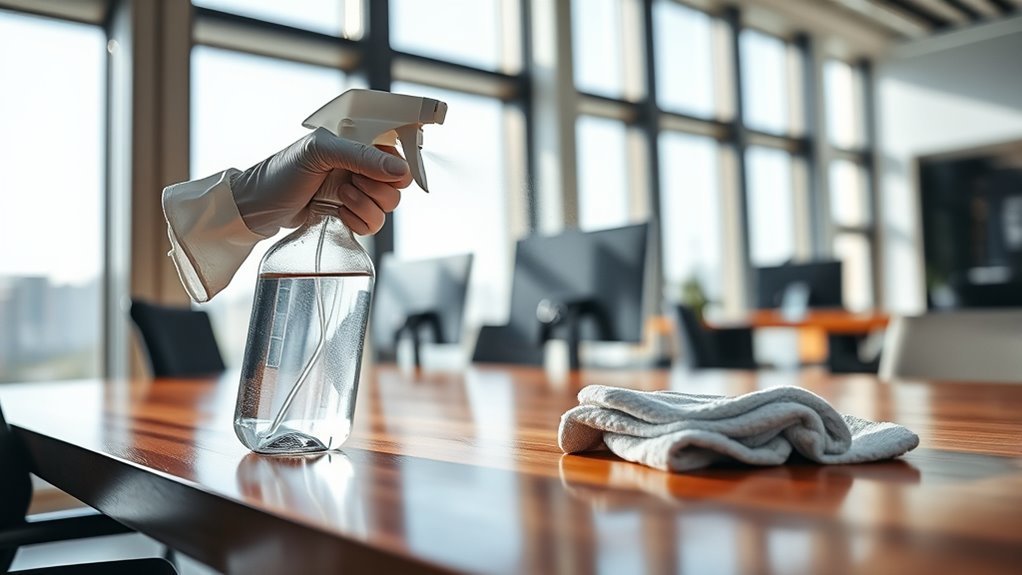
Keeping your workspace clean is essential for your health and productivity. A tidy environment reduces the risk of germs spreading and helps you stay focused on your tasks. To do this effectively, you need the right tools and techniques that sanitize without causing damage to surfaces. Using antimicrobial sprays and disinfectant wipes is a convenient way to keep your workspace hygienic. These products are designed to eliminate bacteria and viruses quickly, making them ideal for daily cleaning routines. When you choose antimicrobial sprays, ensure they are compatible with your surfaces, especially if you’re working with delicate materials like glass or plastic. These sprays often come in spray bottles, allowing you to target specific areas accurately. Spray lightly and wipe with a clean cloth to avoid excess moisture, which can harm certain surfaces over time. Disinfectant wipes, on the other hand, provide a mess-free option that’s quick and easy to use. They are pre-moistened with disinfectant solutions, so you can simply grab a wipe and go over your keyboard, mouse, desk, or phone. Be sure to use wipes that are safe for electronic devices; many brands specify if they are suitable for screens and keyboards. When you use disinfectant wipes, don’t rush. Wipe thoroughly but gently, making sure to cover all high-touch areas. This ensures that bacteria and viruses are effectively killed without scratching or damaging your devices or surfaces. It’s a good idea to follow up with a dry cloth after wiping to remove any residual moisture that could cause streaks or damage. Remember, consistency is key. Incorporate these cleaning methods into your daily routine to maintain a consistently sanitized workspace. Regularly using antimicrobial sprays and disinfectant wipes not only helps prevent illness but also gives you peace of mind while working. Avoid harsh chemicals or abrasive cleaning tools, as they might scratch or degrade sensitive surfaces. Instead, opt for products specifically labeled as safe for electronics and furniture. Keep in mind that some surfaces, like wooden desks or painted surfaces, might require gentler cleaning agents. Always read the label instructions to ensure you’re using the product correctly and safely. Using the right cleaning products consistently helps extend the life of your furniture and devices while keeping germs at bay. With a bit of effort and the right supplies, you can create a clean, healthy workspace that supports your productivity and well-being every day.
Top picks for "sanitize workspace without"
Open Amazon search results for this keyword.
As an affiliate, we earn on qualifying purchases.
Frequently Asked Questions
Can I Use Homemade Cleaning Solutions Safely on All Surfaces?
Homemade cleaners aren’t safe for all surfaces. You should check surface compatibility before using them, as some ingredients like vinegar or lemon juice can damage delicate materials. Always do a patch test on a small, hidden area first. Use simple, gentle recipes and avoid harsh acids or abrasives. This way, you can effectively sanitize your workspace without risking surface damage.
How Often Should I Sanitize My Workspace for Optimal Safety?
To keep your workspace safe, you should sanitize it regularly—at least once a day or after high-traffic periods. Follow frequency guidelines based on usage and surface considerations, especially if you share your space or handle sensitive materials. This way, you stay ahead of germs without overdoing it. Remember, a little prevention goes a long way, so don’t let your cleaning routine slide; consistency is key!
Are There Eco-Friendly Sanitizing Options Available?
Yes, eco-friendly sanitizing options are available. You can choose biodegradable disinfectants and plant-based cleaners that effectively sanitize without harming surfaces or the environment. These products are safe for you and minimize chemical exposure. Look for certifications like USDA Organic or EPA Safer Choice to guarantee you’re selecting genuinely eco-friendly options. Using these alternatives helps keep your workspace clean while supporting sustainability efforts.
What Are the Best Practices for Sanitizing Electronic Devices?
Think of your electronic devices as delicate gardens needing gentle care. To sanitize, use microfiber cloths dampened with alcohol-based solutions—avoid harsh chemicals. Consider applying antimicrobial coatings for ongoing protection, like a shield around your gadgets. For deep cleaning, UV sterilization offers a quick, chemical-free method, ensuring your devices stay germ-free without damage. Regularly cleaning your devices with these practices keeps your workspace safe and your tech in pristine condition.
How Do I Prevent Damage When Disinfecting Delicate Materials?
To prevent damage when disinfecting delicate materials, you should focus on gentle cleaning and surface protection. Use soft cloths or microfiber towels dampened with a mild disinfectant, avoiding harsh chemicals that can cause harm. Always test a small area first to verify compatibility. Keep liquids from seeping into seams or openings, and avoid abrasive scrubbers. This approach helps sanitize effectively while maintaining the integrity of sensitive surfaces.
Conclusion
Keep your workspace spotless and germ-free without risking any surface damage. With the right cleaning methods, you can create a sanctuary so clean, it’s like stepping into a germ-free paradise—without the harsh chemicals. Remember, a little care goes a long way in maintaining your surfaces’ beauty and longevity. Don’t settle for less; protect your space like it’s the crown jewel of your daily routine. A pristine workspace is just a wipe away!