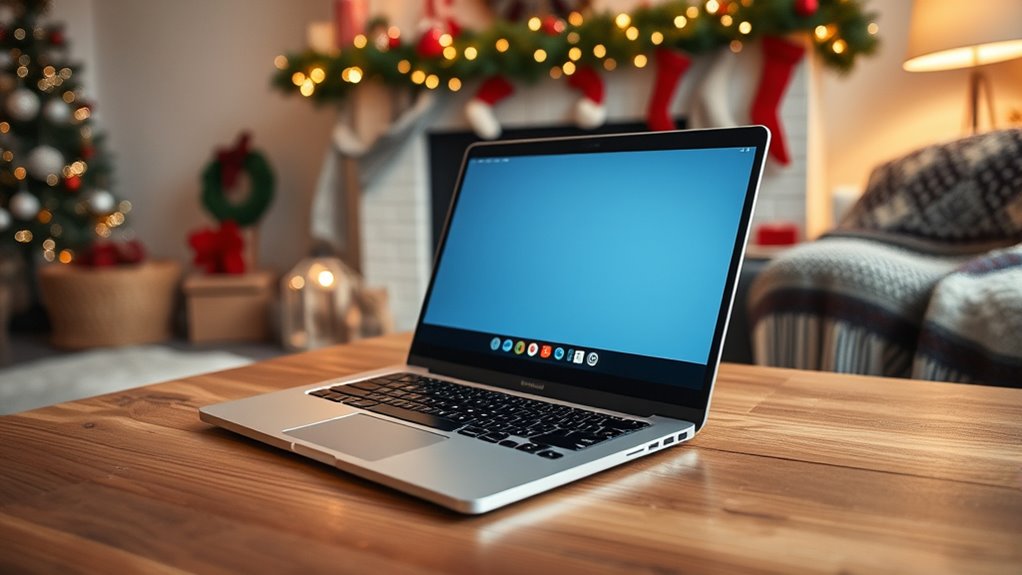
To keep your holiday video calls chaos-free, start by tidying your space and removing clutter that could distract viewers. Add simple, tasteful festive decorations like string lights or cozy throws, and make certain your lighting is warm and flattering. Position your camera at eye level to frame your face and some of your decor without showing mess. Choose a quiet spot, minimize background noise, and maintain an inviting atmosphere. Keep these tips in mind to create a festive, distraction-free setting — more insights await if you continue.
Key Takeaways
- Clear your space of clutter and unnecessary items before the call to maintain a tidy appearance.
- Use simple, tasteful holiday decor that enhances the background without overwhelming it.
- Position your camera at eye level and frame a clean, festive background free of distractions.
- Optimize lighting with warm, soft sources to highlight decor and create an inviting atmosphere.
- Choose a quiet, organized space to minimize noise and interruptions during your video call.
During the holiday season, video calls have become a popular way to connect with loved ones, but a cluttered or inappropriate background can distract from the festive spirit. To guarantee your background enhances the cheer instead of distracting from it, focus on managing clutter and showcasing festive decor. Start by tidying up your space before the call. Clear away any unnecessary items that don’t add to the holiday mood—papers, dishes, or random clutter can divert attention and make your setting look chaotic. A neat, organized background not only looks better on camera but also helps you feel more confident and prepared.
Next, incorporate festive decor strategically. Think about adding seasonal accents like string lights, holiday-themed pillows, or a small decorated Christmas tree in the background. These touches instantly create a warm, inviting atmosphere and signal your holiday spirit. Keep decorations simple and tasteful; too many can look cluttered and overwhelming on camera. Focus on a few well-placed items that complement your space and don’t distract from your face. For example, a festive wreath on the wall or a cozy throw blanket in holiday colors can add just enough festivity without cluttering the scene.
Lighting plays a critical role in both clutter management and showcasing your decor. Make sure your space is well-lit, preferably with natural light or soft, warm lamps that highlight your festive decor. Avoid harsh overhead lighting or backlighting that can cast shadows or obscure your background details. Good lighting makes your background look intentional and curated, rather than messy or uninviting. Understanding modern kitchen technology can also inspire creative ideas for lighting, such as smart bulbs, to enhance your holiday setup.
Consider the placement of your camera as well. Position it at eye level to frame your face and a portion of your decorated background. Ensure that clutter stays out of frame, and your festive decor is prominently visible. This approach keeps the focus on you while allowing your holiday spirit to shine through. If needed, use a virtual background or blur feature to hide any lingering clutter, but only if it looks natural and doesn’t distract from your face.
Finally, be mindful of sound and distractions. Choose a quiet, clutter-free space where you won’t be interrupted. This will make your video calls more enjoyable and allow your holiday decor and warm personality to take center stage. With a little effort in clutter management and thoughtful decor placement, you’ll create a festive, inviting background that enhances your holiday connections rather than detracts from them.

JMEXSUSS 100 LED Globe String Lights Indoor Bedroom, 33ft Classroom Lights
- Frosted Globe Design: Creates soft, eye-friendly lighting
- Durable Shatterproof Globes: Enhances safety and longevity
- Multi-Function Remote: Controls modes, brightness, and timer
As an affiliate, we earn on qualifying purchases.
As an affiliate, we earn on qualifying purchases.
Frequently Asked Questions
How Can I Make My Background More Festive?
To make your background more festive, add some cheerful decor like string lights, holiday-themed artwork, or a cozy, decorated corner. Incorporate holiday themes such as ornaments, wreaths, or a small Christmas tree to create a festive atmosphere. Keep it simple yet colorful, so it enhances your video call without overwhelming. This way, your background feels warm and inviting, spreading holiday cheer to everyone on the call.
What Lighting Tips Improve Video Call Quality?
To improve your video call quality, focus on effective lighting techniques and camera positioning. Use soft, natural light or diffused lamps to avoid harsh shadows, and position your light source in front of you for even illumination. Adjust your camera so it’s at eye level, ensuring your face is well-lit and clearly visible. This combination creates a professional look, reduces glare, and enhances overall video clarity, making your calls more engaging.
How Do I Hide Clutter Behind Me?
Sure, hide that clutter by using a virtual background—because who wouldn’t want a beach or cityscape instead of your laundry pile? Just make certain your camera positioning is perfect, so your virtual background stays seamless. Avoid awkward cut-offs by sitting at the right distance from the camera. Remember, a tidy space or a clever virtual background saves everyone from the chaos of your overflowing closet. No more surprises!
Can Virtual Backgrounds Replace Physical Ones?
Virtual backgrounds can replace physical ones, offering a quick way to hide clutter and create a professional look. With various virtual background options, you can select images that suit your style or occasion. However, physical backgrounds offer benefits like better image quality and fewer distractions, especially in low-light environments. Ultimately, choose virtual backgrounds for convenience and customization, but keep physical backgrounds in mind for consistent, high-quality visuals.
What Are Privacy Considerations for Background Sharing?
You should review your privacy settings carefully before sharing backgrounds. Make certain your platform’s privacy options are set to limit who can see your background or access your shared content. Use background blurring to protect sensitive details and avoid revealing personal or confidential information. Always be mindful of what’s visible behind you, and adjust your settings accordingly to maintain your privacy during video calls.

Elegant Comfort Lightweight Printed Throw Blanket- All Season, Ultra Soft, Cozy and Plush- Decorative Throw Blankets, Perfect for Lounging, 50 x 60 inches, Holiday Snowman, Throw Blanket
- Silky Soft Material: Soft to the touch for ultimate comfort
- Decorative & Cozy: Made from super soft fleece yarns
- Lightweight & All-Season: Perfect for year-round use without overheating
As an affiliate, we earn on qualifying purchases.
As an affiliate, we earn on qualifying purchases.
Conclusion
By following this background control checklist, you’ll guarantee your holiday video calls stay smooth and stress-free. Did you know that 75% of people feel more confident during virtual meetings when their background is tidy and appropriate? Taking a few moments to prepare can make a big difference in how you’re perceived and how comfortable you feel. So, get your background ready, and enjoy the holidays with confidence and clarity—no chaos, just connection.

Amazon Basics 50-inch Lightweight Portable Camera Tripod Stand with Quick-Release Plate, Adjustable Height, Aluminum, for Travel Photography, Champagne
- Includes Zippered Storage Bag: Camera tripod with carrying case
- Adjustable Height Range: 16.1 to 50 inches
- 3-Section Lever-Lock Legs: Easy height adjustments
As an affiliate, we earn on qualifying purchases.
As an affiliate, we earn on qualifying purchases.
![Touch Bedside Table LED Lamp, [Sleek Design & RGB Mode] Multi-Color Dimmable with Warm White Lights, Birthday Gifts for Women Mom, Smart Nightstand Small Lamp for Bedroom Living Room Home Decor](https://m.media-amazon.com/images/I/31HBCOIqHyL._SL500_.jpg)
Touch Bedside Table LED Lamp, [Sleek Design & RGB Mode] Multi-Color Dimmable with Warm White Lights, Birthday Gifts for Women Mom, Smart Nightstand Small Lamp for Bedroom Living Room Home Decor
- Versatile RGB Touch Lamp: Create cozy, flicker-free lighting
- Adjustable Color Modes: Cycle RGB colors to match mood
- Dimmable Brightness Levels: Low, medium, high options for comfort
As an affiliate, we earn on qualifying purchases.
As an affiliate, we earn on qualifying purchases.