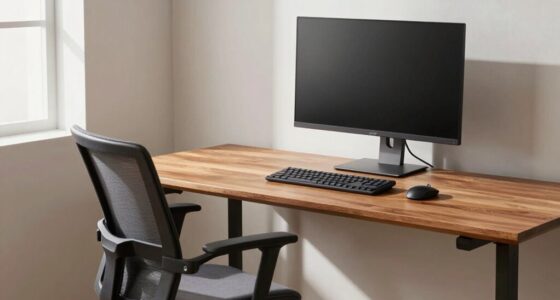

During long laptop sessions, it’s essential to reset your posture every hour to avoid discomfort and fatigue. Take a break to stand, stretch, and adjust your chair, keeping your neck and back aligned. Incorporate simple stretches for your shoulders and neck, and breathe deeply to boost circulation and focus. These quick resets can greatly improve comfort and productivity. Keep going, and you’ll discover how small changes can make a big difference in your work routine.
Key Takeaways
- Take a short break every hour to stand, stretch, and realign your posture.
- Use ergonomic accessories like adjustable stands and supportive chairs to promote proper alignment.
- Incorporate simple neck, shoulder, and back stretches during breaks to reduce stiffness.
- Practice deep breathing or mindfulness during resets to refresh mental focus.
- Consistently combining posture resets with mental pauses boosts comfort, productivity, and overall well-being.

When you plunge into marathon laptop sessions, you’re often pushing your device—and yourself—beyond typical limits. Long hours sitting at your desk can take a toll on your posture, leading to discomfort, fatigue, and decreased productivity. That’s when incorporating ergonomic accessories becomes essential. Items like adjustable laptop stands, ergonomic keyboards, and supportive chairs help align your body properly, reducing strain on your neck, shoulders, and back. These accessories encourage better posture, making your extended work periods less taxing physically. But technology alone isn’t enough; mental focus techniques are equally important. When distractions creep in or your concentration wanes, taking deliberate mental pauses can refresh your mind and sharpen your focus.
Every hour, it’s essential to reset your posture. Even with ergonomic accessories, staying in one position for too long can cause stiffness and discomfort. Set a timer to remind yourself to stand up, stretch, and readjust your seating. Simple stretches targeting your neck, shoulders, and back can loosen tight muscles and improve circulation. During these breaks, practicing mental focus techniques like deep breathing or mindfulness exercises can clear your mind and renew your energy. Incorporating posture resets and mindful pauses can significantly enhance your comfort and efficiency during long sessions.
Reset your posture hourly with stretches and mindfulness to boost energy and prevent fatigue.
As you reset your posture regularly, pay attention to your breathing and mental state. Deep, slow breaths help reduce stress and increase oxygen flow to your brain, enhancing your ability to concentrate. Short mindfulness exercises—like paying close attention to the sensation of your breath or the feeling of your feet on the ground—can ground you and improve mental clarity. These small pauses are powerful. They not only alleviate physical discomfort but also boost your mental resilience, allowing you to sustain high levels of focus throughout marathon sessions.
Adopting a routine that combines ergonomic accessories and mental focus techniques transforms your long work hours from a physical and mental grind into a more manageable, productive experience. Remember, the key isn’t just about working harder but working smarter. Prioritize your posture reset every hour and practice mental techniques to keep your mind sharp. With consistent effort, you’ll find it easier to maintain your energy, protect your body from strain, and stay engaged during those intense, prolonged laptop sessions. Your productivity and well-being will thank you, making every hour of work more efficient and less exhausting.

Nulaxy Ergonomic Adjustable Laptop Stand for Desk, Dual Foldable Computer Riser with Advanced Heat-Vent, Heavy-Duty Portable Notebook Holder for Posture Correction, Compatible with Mac 10-17" Laptops
Ergonomic Posture Correction: Designed to elevate your laptop to the perfect eye level, this adjustable laptop stand significantly…
As an affiliate, we earn on qualifying purchases.
As an affiliate, we earn on qualifying purchases.
Frequently Asked Questions
What Are Some Quick Stretches to Do During Breaks?
During breaks, you can do quick mobility stretching routines like neck rolls, shoulder shrugs, and arm circles to relieve tension. Incorporate gentle twists and seated spinal stretches to loosen your back and hips. These quick stretches help reset your posture, improve circulation, and boost focus. Keep each stretch to about 30 seconds, and repeat as needed. Regularly practicing these routines prevents stiffness and keeps you comfortable during long laptop sessions.
How Can I Improve My Desk Ergonomics?
In the age of chivalry and modern tech, you can improve your desk ergonomics by investing in ergonomic accessories like adjustable chairs, keyboard trays, and monitor stands. Use desk setup tips such as aligning your monitor at eye level, keeping feet flat on the floor, and maintaining a 90-degree angle at your elbows. These adjustments prevent strain, boost comfort, and keep you productive during long work sessions.
Are There Specific Exercises to Strengthen Posture Muscles?
You can strengthen your posture muscles with specific exercises like shoulder blade squeezes, wall angels, and planks. Focus on posture muscle activation during these routines to build stability. Additionally, make ergonomic chair adjustments, such as proper lumbar support and seat height, to support your efforts. Regularly practicing these exercises and maintaining correct chair positioning help improve posture, reduce strain, and keep you comfortable during long laptop sessions.
What Signs Indicate My Posture Is Causing Discomfort?
Your body’s telling you something’s wrong when you feel persistent muscle tension and joint pain. These signs are like warning bells ringing, indicating your posture may be causing discomfort. If you notice stiffness after sitting or aching in your neck, shoulders, or back, it’s time to reset your posture. Ignoring these signals can lead to long-term issues, so listen closely and take action to keep your body happy and healthy.
How Long Should Each Posture Reset Last?
You should aim for each posture reset to last about 1 to 2 minutes. During this time, focus on posture awareness and make ergonomic adjustments, such as aligning your screen at eye level and supporting your lower back. These brief, intentional resets help prevent discomfort and strain, keeping you mindful of your body’s position. Regularly resetting your posture guarantees you’re staying comfortable and maintaining good ergonomic habits throughout your marathon laptop sessions.

Marsail Ergonomic Office Chair: Office Desk Chair with High Back Mesh and Adjustable Lumbar Support Rolling Work Swivel Task Chairs with Wheel 3D Armrests and Headrest
Fully Adjustable Office Chair: Customized chairs, featuring with an adjustable 2D headrest, backrest with 90° to 120° recline,…
As an affiliate, we earn on qualifying purchases.
As an affiliate, we earn on qualifying purchases.
Conclusion
Remember, your posture is the steady anchor in your marathon laptop journey. Every hour, give it a gentle reset like tuning a fine instrument, preventing fatigue from creeping in. Think of these pauses as invigorating breathers for your body’s symphony, keeping you in harmony and on track. Stay mindful, reset often, and turn those long hours into a smooth, unstoppable rhythm. Your posture’s the quiet hero behind every successful, pain-free session.
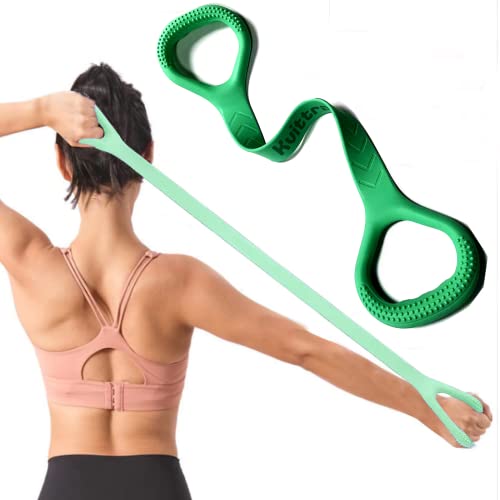
Kvittra Figure 8 Resistance Band, Arm Back Shoulder Exercise Elastic Rope Stretch Fitness Band, Foot, Leg, Hand Stretcher, Arm Exerciser for Yoga Pilates Stretching Physical Therapy, Home Gym Workout
UPGRADED MANUAL DESIGN EXERCISE BANDS – Made of natural latex, designed with an 8 shape, perfectly fits your…
As an affiliate, we earn on qualifying purchases.
As an affiliate, we earn on qualifying purchases.

Taxhtext Anxiety Ring for Women – Amethyst Crystal Fidget & Stress Relief Ring, Mindfulness, Meditation, Focus & Emotional Comfort, Calming Jewelry for Daily Wear
💜 Peace, Clarity & Inner Strength — Amethyst aids stress relief and clarity. Wear it as an anxiety…
As an affiliate, we earn on qualifying purchases.
As an affiliate, we earn on qualifying purchases.