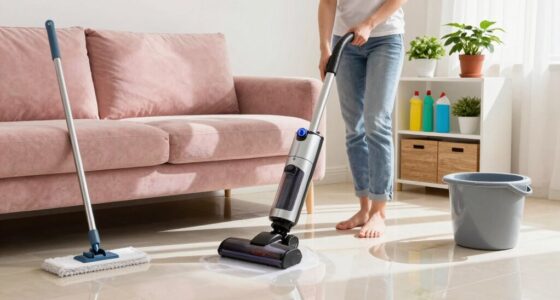
Dust buildup can clog vents, cause overheating, and slow down your devices. To keep your gear running smoothly, power down your electronics first, then use anti-static wipes or compressed air held upright to remove dust safely. Gently clean vents and filters regularly and handle devices with care to avoid static damage. Maintaining a routine guarantees your equipment stays efficient and lasts longer. Keep going to discover more tips on keeping your workspace clean and your gear at peak performance.

Get comfort and recovery gear delivered free — and shop member deals
- Fast, free delivery on millions of items
- Access to Prime Big Deal Days deals on October 6–7
- Prime Video, Amazon Music and more included
Key Takeaways
- Regularly power down devices and use anti-static wipes or compressed air to safely remove dust from electronics.
- Focus on cleaning vents, filters, and fans to improve airflow and prevent overheating.
- Use microfiber cloths to trap dust without dispersing particles into the environment.
- Avoid harsh chemicals; opt for gentle, electronics-safe cleaning products.
- Schedule routine cleaning sessions to maintain optimal device performance and prolong hardware lifespan.
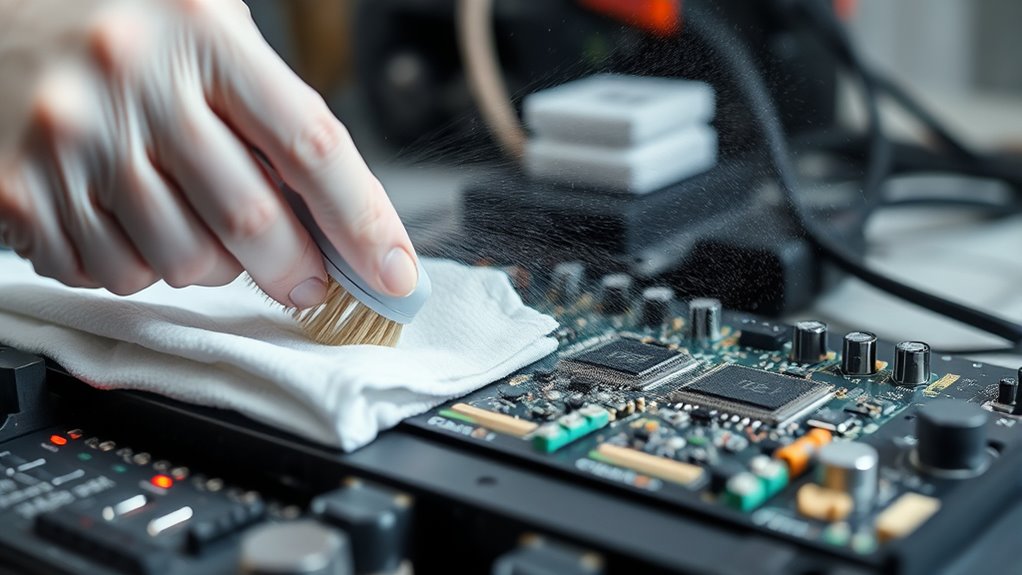
Have you ever wondered if your dusting routine is truly safe? Many people underestimate the importance of proper dusting, especially when it comes to electronics maintenance and maintaining good workplace hygiene. Dust isn’t just a visual annoyance; it can substantially impact the performance of your devices and the overall cleanliness of your environment. When dust accumulates on electronics, it can clog vents, cause overheating, and even lead to hardware failures. That’s why adopting a safe, effective cleaning routine is essential to keep your gear running smoothly and your workspace hygienic.
First, it’s fundamental to understand that dust isn’t just surface-level. It often embeds itself deep within electronics, making routine cleaning indispensable. Using the wrong tools or techniques can cause static buildup or damage delicate components. Always opt for anti-static wipes or compressed air designed specifically for electronics maintenance. When cleaning keyboards, screens, or CPUs, avoid harsh chemicals that might corrode sensitive parts. Instead, gentle, specialized cleaning products help remove dust without risking damage. Regularly cleaning your electronics not only improves their longevity but also guarantees they operate efficiently, saving you time and money in the long run.
In the workplace, hygiene plays a central role in health and productivity. Dust can carry allergens, bacteria, and other pollutants that compromise air quality and pose health risks. Maintaining a clean environment involves more than just surface dusting; it requires an all-encompassing approach that includes regular vacuuming, dusting hard surfaces, and ensuring proper ventilation. This helps prevent the buildup of dust in the air, which can be particularly harmful to individuals with allergies or respiratory issues. Incorporating dust control measures, such as using air purifiers and ensuring staff follow good hygiene practices, creates a safer, healthier workspace. Cleanliness also fosters a professional atmosphere, where employees feel comfortable and focused.
To implement a truly safe dusting routine, schedule regular cleaning sessions, paying special attention to electronics and high-touch surfaces. Use microfiber cloths for dusting, as they trap particles effectively without dispersing them into the air. Always power down electronics before cleaning, and handle them gently to avoid static discharge. When using compressed air, hold the can upright and keep a safe distance to prevent moisture from spraying onto sensitive parts. Don’t forget to clean vents and filters regularly to prevent dust from recirculating. Additionally, understanding that contrast ratio impacts image quality can help you prioritize cleaning efforts around projectors and screens, ensuring optimal viewing conditions. These steps not only protect your equipment but also uphold workplace hygiene standards, reducing the spread of germs and allergens.
anti-static electronics cleaning wipes
As an affiliate, we earn on qualifying purchases.
As an affiliate, we earn on qualifying purchases.
Frequently Asked Questions
How Often Should I Clean Dust From My Gear?
You should clean dust from your gear weekly to maintain peak performance. Regular air filter maintenance helps trap dust before it settles on your equipment. Keep your workspace organized to minimize dust buildup and make cleaning easier. By staying consistent with these routines, you prevent dust from slowing down your gear and guarantee a smoother workflow. Regular cleaning not only prolongs your equipment’s life but also keeps your workspace safer and more efficient.
Can Dust Damage Electronic Components Over Time?
Yes, dust can damage electronic components over time. Dust accumulation reduces air quality around your gear, causing overheating and corrosion. As dust builds up, it insulates components and blocks airflow, which can lead to overheating and long-term damage. Regular cleaning helps prevent this. Keep dust at bay by frequently removing dust from your gear, ensuring proper airflow, and maintaining a clean environment to protect your electronic components.
What Tools Are Best for Safe Dust Removal?
You should use compressed air and soft brushes for safe dust removal. Compressed air effectively blasts dust from hard-to-reach areas without damaging sensitive components. Soft brushes gently sweep away dust from surfaces and connectors, preventing static buildup. Avoid using water or household cleaners, as they can harm electronic parts. These tools help keep your gear clean and functioning smoothly without risking damage, ensuring your equipment stays in top condition.
Are There Specific Cleaning Products to Avoid?
Avoid harsh chemicals and abrasive brushes when cleaning your gear, as they can damage delicate surfaces. Stick to gentle, electronics-safe cleaning products or a damp cloth to remove dust effectively. Harsh chemicals might corrode parts, and abrasive brushes can scratch surfaces, leading to performance issues. By using appropriate cleaners and tools, you guarantee your gear stays in top condition without risking damage from aggressive cleaning methods.
How Do I Prevent Dust Buildup in the First Place?
To prevent dust buildup, you should use proper air filtration systems in your workspace and regularly replace filters to trap airborne particles. Additionally, invest in effective storage solutions like sealed containers and covered shelving to keep gear dust-free when not in use. Keep your environment clean by dusting frequently and maintaining good airflow, which reduces dust settling and helps maintain your equipment’s performance over time.
compressed air duster for electronics
As an affiliate, we earn on qualifying purchases.
As an affiliate, we earn on qualifying purchases.
Conclusion
Remember, a gentle touch keeps your gear happy and performing at its best. By regularly dusting and cleaning with care, you’re helping your equipment stay in top shape without risking any unintended scars. Think of it as giving your gear a little spa day—refreshing and revitalizing. So, stay consistent with your routine, and your gear will thank you with smooth operation and long-lasting performance. A little attention now keeps issues at bay tomorrow.
microfiber cloth for electronics
As an affiliate, we earn on qualifying purchases.
As an affiliate, we earn on qualifying purchases.
electronics-safe cleaning products
As an affiliate, we earn on qualifying purchases.
As an affiliate, we earn on qualifying purchases.
Fall Picks
fall essentials
As an affiliate, we earn on qualifying purchases.