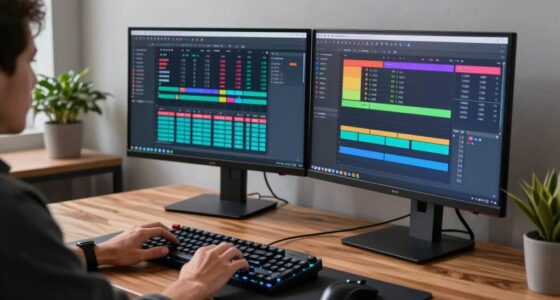

Using dual screens can hurt your focus when it tempts you to switch constantly between tabs, leading to fragmented attention and decreased efficiency. Cluttered monitors and open applications create visual overload, making it harder to prioritize tasks. Physical discomfort from poor ergonomic setup can also be distracting and reduce productivity over time. If you want to understand how these issues impact your work and ways to improve, keep exploring the details.

Get comfort and recovery gear delivered free with Prime
- Fast, free delivery on millions of items
- Prime Video, Amazon Music and more included
- Member-only deals all year
Key Takeaways
- Constant screen switching and multitasking fragment attention, reducing overall focus and productivity.
- Visual overload from cluttered monitors hampers task prioritization and mental clarity.
- Keeping multiple applications open increases cognitive load and distracts from critical tasks.
- Improper ergonomic setup causes physical discomfort, diverting attention away from work.
- Long-term clutter, distractions, and discomfort collectively diminish sustained focus and efficiency.
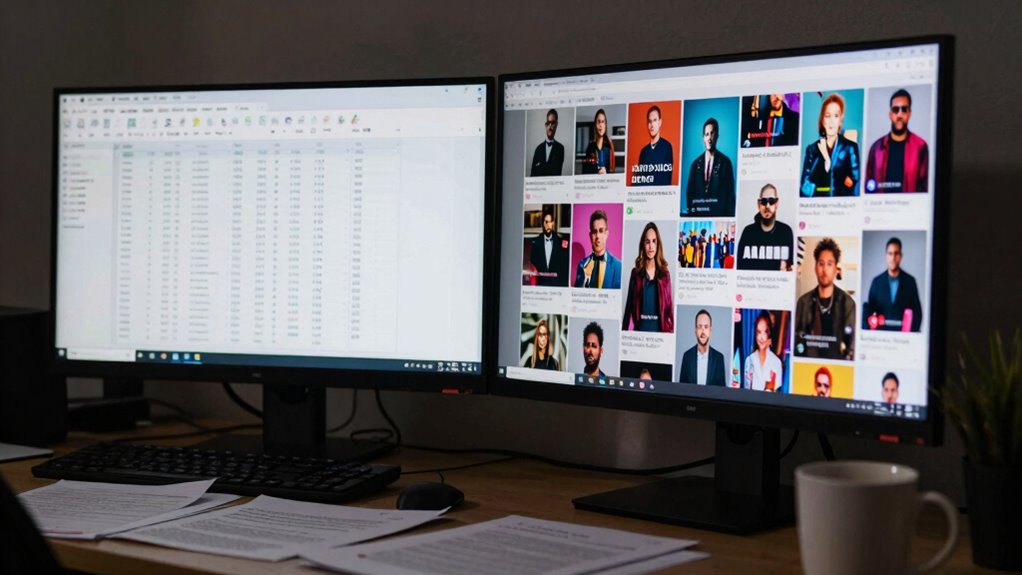
Setting up a dual-screen workspace might seem like a productivity boost, but it can actually hurt your focus if you’re not careful. When you add a second monitor, it’s easy to fall into a trap of multitasking distractions. Instead of streamlining your workflow, you might find yourself switching between screens constantly, chasing multiple tasks at once. This constant shifting can fragment your attention, making it harder to concentrate on any one thing. As a result, your work becomes less efficient, and mistakes may slip in because your brain is juggling too many inputs simultaneously.
Dual monitors can hinder focus by encouraging constant multitasking and shifting attention.
Another problem that often accompanies dual screens is workspace clutter. When both monitors are cluttered with open tabs, files, and notifications, your brain struggles to filter out irrelevant information. Instead of a clear focus, you’re met with a visual overload that hampers your ability to prioritize tasks. Over time, this clutter can create a distracting environment, where even small disruptions pull you away from your main work. The more cluttered your workspace becomes, the more your attention is pulled in different directions, reducing your overall productivity. Additionally, being overwhelmed by visual stimuli can diminish your ability to maintain a steady workflow over extended periods. Proper workspace organization can help mitigate these issues and improve focus. Incorporating mindful digital habits can also help reduce unnecessary distractions and maintain a clear mental space.
You might also find that dual screens tempt you to keep multiple applications open all at once, even when you don’t need them simultaneously. This habit amplifies multitasking distractions, making it harder to dedicate your full attention to a single task. This habit can lead to cognitive overload, where your brain becomes overwhelmed, decreasing your ability to process information effectively or retain important details. Additionally, an ergonomic setup is crucial to prevent physical discomfort that can impair focus. Investing in proper ergonomic accessories can help mitigate these issues and create a more comfortable working environment. It’s also important to periodically adjust monitor positions to maintain comfort and prevent strain during long work sessions.
Furthermore, the physical setup of dual monitors can contribute to discomfort and fatigue, which further diminishes focus. If your screens aren’t positioned ergonomically, you may experience neck strain, eye fatigue, or headaches. These physical discomforts become additional distractions, breaking your concentration and leading to reduced work quality. Over time, the combination of workspace clutter, multitasking distractions, and physical strain can make your dual-screen setup more of a hindrance than a help. Being mindful of ergonomic principles can significantly improve your overall comfort and focus during long work sessions.
Popular right now

KitchenAid Artisan Series 5-Quart Tilt-Head Stand Mixer, Dried Rose (KSM150PS)

Apple AirPods Pro 3 Wireless Earbuds with Active Noise Cancellation

Vitamix Propel Series 510 Professional-Grade Blender, 3 Programs, Black
As an affiliate, we earn on qualifying purchases.
Frequently Asked Questions
How Can I Prevent Dual Screens From Causing Distractions?
To prevent dual screens from causing distractions, you should organize your workspace to reduce visual clutter and focus on essential tasks. Limit multitasking pitfalls by dedicating specific screens to particular activities, like one for work and one for communication. Use window management tools to keep your screens tidy, and close unnecessary apps. Regularly review your setup to guarantee it supports productivity, not distractions, helping you stay concentrated and efficient throughout the day.
What Are the Best Practices for Managing Dual Monitors?
To maximize your multitasking efficiency, focus on proper screen arrangement. Keep essential apps on one monitor and secondary tasks on the other to avoid clutter. Use consistent placement for frequently used windows, and consider ergonomic positioning to reduce strain. Limit distracting notifications and customize your workspace to suit your workflow. These best practices help you stay focused and make dual monitors a productivity booster rather than a distraction.
Do Dual Screens Improve or Hinder Productivity Long-Term?
Dual screens can boost your multitasking efficiency, but they also risk increasing visual clutter, which may hinder long-term productivity. At first, you might feel more organized, but over time, distractions from multiple windows can break your focus. If you manage your workspace wisely, dual monitors can serve you well. However, without discipline, they could become a source of constant interruptions, ultimately diminishing your ability to stay concentrated and efficient.
Are There Specific Tasks Better Suited for Single or Dual Screens?
You’ll find that single screens work best for tasks requiring deep focus, like writing or detailed analysis, boosting your multitasking efficiency. Dual screens excel in creative workflows or multitasking scenarios, such as designing or managing multiple applications simultaneously. However, for complex tasks demanding sustained concentration, sticking to one screen minimizes distractions. Choose your setup based on whether your priority is focused work or enhanced multitasking, optimizing your productivity accordingly.
How Does Dual-Screen Use Affect Eye Health and Comfort?
Using a dual-screen setup can be a double-edged sword for your eye health. It often leads to increased eye strain and visual fatigue, making your eyes work harder to switch focus between screens. This constant adjustment can cause discomfort over time, like a candle flickering unpredictably. To protect your eyes, take regular breaks, follow the 20-20-20 rule, and guarantee proper screen positioning to reduce strain and maintain comfort.
Conclusion
While dual screens might seem like a productivity boost, they can actually distract you more than help. Sure, having extra space sounds great, but the constant temptation to multitask can break your focus and slow you down. If you’re worried about missing out on multitasking, try sticking to a single screen and see how much more you accomplish. Sometimes, less truly is more for your concentration and efficiency.