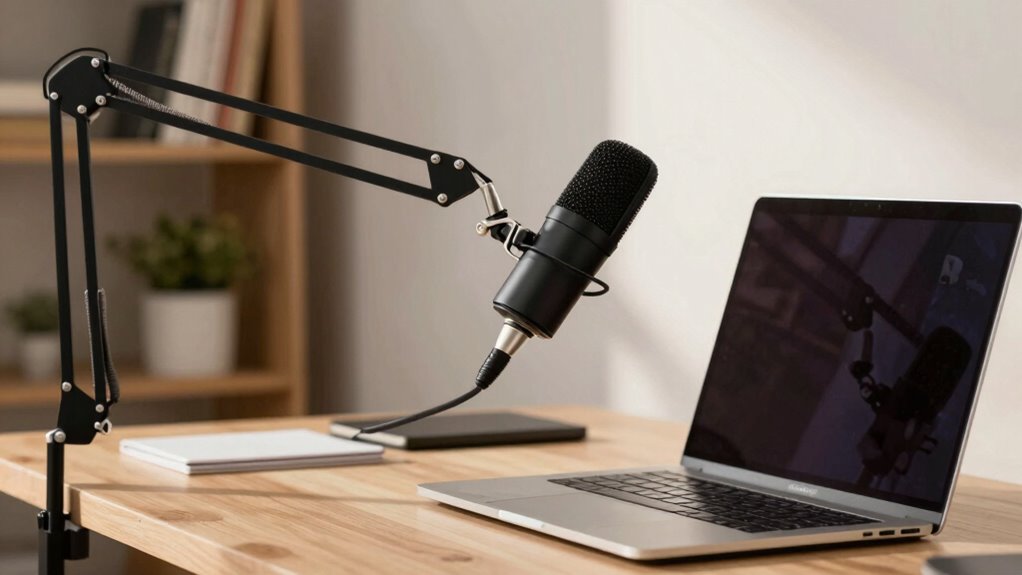

To guarantee clear, natural sound during virtual meetings, keep your microphone 6 to 12 inches from your mouth. Standing too close can cause distortion or muffling, while being too far makes your voice sound distant or tinny. Position the mic directly in front of or just below your mouth, and experiment to find the best balance. For more tips on perfecting your setup, you’ll discover how small adjustments can make a big difference.

Get comfort and recovery gear delivered free with Prime
- Fast, free delivery on millions of items
- Prime Video, Amazon Music and more included
- Member-only deals all year
Key Takeaways
- Keep the microphone 6 to 12 inches from your mouth for clear, natural sound.
- Adjust distance based on voice volume and background noise for optimal clarity.
- Position the mic directly in front or just below mouth level to avoid breathing sounds.
- Regularly test and fine-tune mic placement before meetings for the best audio quality.
- Use noise reduction tools and environment adjustments to complement proper microphone distance.
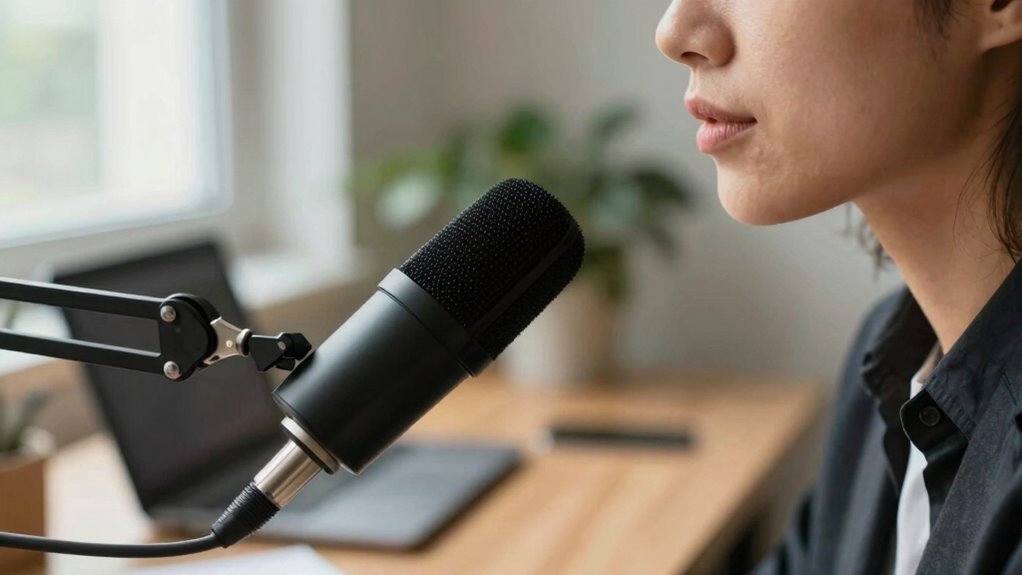
When working remotely, one of the simplest yet most overlooked tips for clear communication is paying attention to your microphone distance. The way you position your microphone has a direct impact on your audio clarity, which is essential for effective virtual meetings. If your microphone is too close, your voice may sound distorted or muffled, and if it’s too far, your speech can get drowned out or sound tinny. Finding the right microphone placement ensures your voice comes through clearly and naturally, reducing misunderstandings and the need for repeated explanations.
Proper microphone distance improves clarity, reduces misunderstandings, and ensures your voice sounds natural during remote meetings.
To achieve optimal audio clarity, you should keep your microphone about 6 to 12 inches away from your mouth. This distance strikes a balance that captures your voice accurately without picking up excessive background noise or causing popping sounds from plosive consonants like ‘p’ and ‘b’. If you notice your voice sounds overly bass-heavy or muffled, try adjusting the microphone slightly farther away. Conversely, if your audio is too faint or distant, moving closer can help. The key is to experiment with the placement until you find a position that produces a natural, balanced sound.
Microphone placement isn’t just about distance; it also involves positioning the mic directly in front of your mouth, ideally at or just below your mouth level. This helps avoid capturing breathing sounds or typing noises that can distract listeners. If you’re using a headset, make sure the mic is aligned properly—sometimes, a small adjustment can significantly improve audio clarity. For desktop microphones, using a stand or boom arm can help maintain consistent placement, so your voice remains clear during long meetings. Proper microphone positioning is crucial for ensuring your voice is consistently clear and easily understood. Additionally, choosing the right microphone type can significantly impact your audio quality, especially when working in noisy environments. Using soundproofing techniques can further reduce unwanted echoes or background noise, making your audio even clearer. Being aware of your audio environment and making adjustments accordingly can make a noticeable difference in your sound quality.
Another important aspect is to minimize background noise and echo, which can be amplified if your microphone is too sensitive or improperly placed. Using a noise-canceling microphone or a pop filter can further enhance sound quality. Regularly checking your audio before meetings can save you from awkward moments where colleagues struggle to understand you. Many video conferencing tools have a test feature that allows you to listen to your microphone input, helping you fine-tune your placement. Additionally, understanding the “Mic Distance” rule can help you make informed adjustments for better clarity.
In essence, mastering your microphone distance and placement isn’t complex, but it makes a significant difference in how you’re perceived during remote work. Clear, crisp audio fosters better communication, reduces fatigue for your listeners, and demonstrates professionalism. Keep your microphone at the right distance, position it properly, and regularly test your setup to ensure your voice remains clear, confident, and easy to understand in every virtual interaction.
USB desktop microphone with adjustable arm
As an affiliate, we earn on qualifying purchases.
As an affiliate, we earn on qualifying purchases.
Frequently Asked Questions
How Do I Know if My Mic Is Too Close or Too Far?
You can tell if your mic is too close if you notice popping sounds or wind noise, especially without a pop filter. If your voice sounds muffled or distant, you’re too far. Aim to keep your mic about 6-12 inches from your mouth, and use a pop filter to reduce pops and wind noise. Adjust the distance until your voice sounds clear and natural, without distortion or unwanted noise.
Does Mic Distance Affect Audio Quality During Calls?
Yes, mic distance impacts audio quality during calls. If you’re too close, background noise and plosive sounds may become prominent, especially if your microphone sensitivity is high. Conversely, if you’re too far, your voice may sound muffled or faint. Finding the right distance helps balance clarity and minimizes background noise, ensuring your voice comes through clearly without overwhelming the microphone’s sensitivity or capturing unwanted sounds.
Are There Recommended Mic Distances for Different Types of Microphones?
You should place your microphone at specific distances depending on its type, such as around 6-12 inches for condenser mics and closer for dynamic ones, to optimize sound. Good microphone placement, combined with acoustic treatment, minimizes echo and background noise, improving call clarity. Adjusting mic distance is key, so experiment to find the sweet spot that captures your voice clearly without picking up unwanted sounds.
Can Mic Distance Impact Background Noise Levels?
Yes, mic distance impacts background noise levels. If your microphone is too far, it picks up more ambient sounds, increasing background noise. Proper microphone placement, keeping it close to your mouth, minimizes unwanted noise and enhances sound clarity. Adjusting the distance guarantees your voice is clear and reduces distractions for listeners. Experiment with placement to find the ideal balance between capturing your voice and avoiding background noise.
How Do I Adjust Mic Distance for Optimal Voice Clarity?
You should position your microphone about 6-12 inches from your mouth for clear voice capture. Keep a slight angle to avoid popping sounds; use a pop filter placed a few inches in front of the mic to reduce plosives. Adjust the microphone orientation so it’s directly facing your mouth, not at an angle. Regularly test your audio to confirm clarity, and tweak the distance as needed for the best sound quality.
noise cancelling headset for remote work
As an affiliate, we earn on qualifying purchases.
As an affiliate, we earn on qualifying purchases.
Conclusion
Mastering the “mic distance” rule keeps your calls clear and colleagues comfortable. By maintaining a mindful minimum distance, you minimize mishaps and maximize professionalism. Remember, when you’re mindful of your mic’s measure, you make meetings more meaningful and mistakes minimal. So stay steadfast, keep your mic at the right distance, and let your voice be heard without hassle. Master this simple rule, and your remote work routine will run smoothly, showcasing your skill and superb communication.
As an affiliate, we earn on qualifying purchases.
As an affiliate, we earn on qualifying purchases.
Halloween Picks
halloween
As an affiliate, we earn on qualifying purchases.