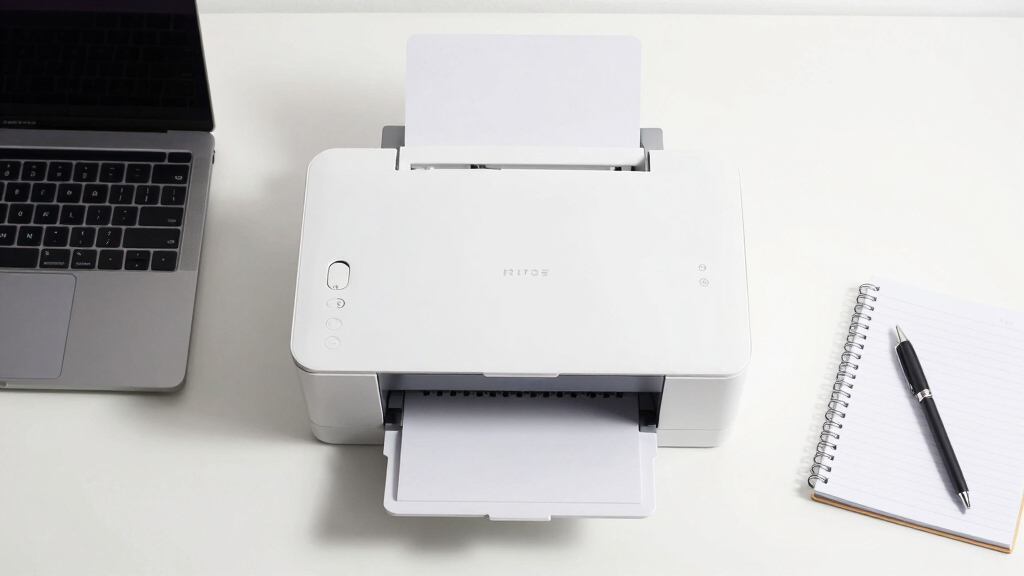

Choosing the best printer scanner copier for remote work depends on balancing print quality, connectivity, and ease of use. The Brother DCP-L2640DW stands out as the best overall for its reliable laser printing and straightforward features. The Canon PIXMA TR8620a offers versatile functionality perfect for home offices needing both printing and scanning. Many options in this category face tradeoffs between cost, print speed, and multifunctionality. Continue reading for a detailed breakdown of each model and what makes them suitable for different remote work needs.
Complete the kit



Key Takeaways
- Laser printers like the Brother DCP-L2640DW excel in cost-effective, fast monochrome printing with low maintenance for heavy workloads.
- Inkjet all-in-one models such as the Canon PIXMA TR8620a provide better color quality and versatility, ideal for creative or document-heavy tasks.
- Connectivity options like Wi-Fi and mobile printing are essential for seamless remote workflows, influencing ease of use.
- Cost per page and refill frequency are critical tradeoffs that impact long-term value, especially for frequent printing needs.
- Compact designs and user-friendly interfaces matter most for small home offices with limited space and less tech experience.
| Brother DCP-L2640DW Wireless Monochrome Multi-Function Laser Printer with Copy and Scan |  | Best Overall for Small Remote Work Setups | Print Speed: up to 36 ppm | Scan Speed: up to 23.6/7.9 ipm | Auto Document Feeder: 50 pages | VIEW LATEST PRICE | See Our Full Breakdown |
| Brother MFC-J1410DW Wireless Color Inkjet All-in-One Printer with Touchscreen and Duplex Printing |  | Best for Small Multi-Function Color Needs | Printer Type: All-in-One Inkjet | Connectivity: Wireless, USB | Touchscreen: 2.7 inches | VIEW LATEST PRICE | See Our Full Breakdown |
| Canon PIXMA TR7120 Wireless Color Inkjet Printer |  | Best Budget-Friendly All-in-One for Hybrid Work | Printer Type: All-in-One Inkjet | Color: Color | Connectivity: Wireless (Wi-Fi 2.4/5GHz) | VIEW LATEST PRICE | See Our Full Breakdown |
| Canon PIXMA TR8620a All-in-One Printer for Home Office, Wireless, Fax, Scanner, Copier, AirPrint, Android Compatible |  | Best for Versatile Home Office Needs with Extra Features | Printer Type: Inkjet | Functions: Print, Copy, Scan, Fax | Wireless: Yes | VIEW LATEST PRICE | See Our Full Breakdown |
| Canon PIXMA TS6520 Wireless Color Inkjet Printer Duplex Printing |  | Best Compact and Affordable for Light Home Use | Printer Type: All-In-One Inkjet | Connectivity: Wi-Fi (dual-band 2.4/5GHz), Mobile printing | Print Size: Up to 8.5 x 11 inches | VIEW LATEST PRICE | See Our Full Breakdown |
| Brother MFC-J1360DW Wireless Color Inkjet All-in-One Printer with Duplex Printing and 1.8” Color Display |  | Best for Small Offices and Home Workers Who Need Flexibility | Printer Type: All-in-One Inkjet | Connectivity: Wireless, USB | Display: 1.8-inch Color Display | VIEW LATEST PRICE | See Our Full Breakdown |
| printer scanner copier for remote work | Connectivity | Printer Type | Print Speed | Auto Document Feeder |
|---|---|---|---|---|
| Brother DCP-L2640DW Wireless M | Wireless (2.4GHz/5GHz), Ethernet, USB | — | up to 36 ppm | 50 pages |
| Brother MFC-J1410DW Wireless C | Wireless, USB | All-in-One Inkjet | 16 ppm black / 9 ppm color | 20 sheets |
| Canon PIXMA TR7120 Wireless Co | Wireless (Wi-Fi 2.4/5GHz) | All-in-One Inkjet | — | Yes |
| Canon PIXMA TR8620a All-in-One | — | Inkjet | 15 ppm black/white | 20 sheets |
| Canon PIXMA TS6520 Wireless Co | Wi-Fi (dual-band 2.4/5GHz), Mobile printing | All-In-One Inkjet | — | — |
| Brother MFC-J1360DW Wireless C | Wireless, USB | All-in-One Inkjet | Up to 16 ppm black, 9 ppm color | — |
More Details on Our Top Picks
Brother DCP-L2640DW Wireless Monochrome Multi-Function Laser Printer with Copy and Scan
The Brother DCP-L2640DW stands out as the best overall choice for remote workers needing a reliable monochrome laser option. Compared to color inkjet models like the Canon PIXMA TR8620a, it offers faster print and scan speeds, which is essential for productivity. Its compact design fits easily in small spaces, and with wireless and Ethernet options, it provides flexible connectivity. However, its monochrome-only output limits versatility for users who need color printing. The inclusion of a 50-page auto document feeder adds efficiency, but toner replacement can be a drawback for those seeking minimal maintenance. This model makes the most sense for remote workers who primarily print text documents and need quick, high-volume copying and scanning without the fuss of color ink management.
Pros:- Fast printing and scanning speeds for efficient workflow
- Compact design fits small workspaces
- Flexible wireless and Ethernet connectivity
Cons:- Limited to monochrome printing, reducing versatility
- Toner replacement may be frequent and somewhat costly
Best for: Remote professionals who need fast, high-volume monochrome printing and scanning in a compact setup
Not ideal for: Users requiring color printing or photo quality output, as this model only handles black and white documents
- Print Speed:up to 36 ppm
- Scan Speed:up to 23.6/7.9 ipm
- Auto Document Feeder:50 pages
- Connectivity:Wireless (2.4GHz/5GHz), Ethernet, USB
- Includes:Refresh Subscription Trial
- Type:Monochrome Laser
- Dimensions:Compact
- Paper Capacity:Standard tray
Our verdict“A solid choice for remote workers focused on high-speed, monochrome document handling with limited space.”
Brother MFC-J1410DW Wireless Color Inkjet All-in-One Printer with Touchscreen and Duplex Printing
The Brother MFC-J1410DW is ideal for remote workers who need a versatile color printer with straightforward controls. Its 2.7-inch touchscreen makes navigation simple, especially for those new to multi-function printers. While it offers a good balance of features like automatic duplex printing and cloud connectivity, its slower print speed of 16 ppm for black and white, and 9 ppm for color, makes it less suited for high-volume tasks compared to laser options like the Brother DCP-L2640DW. Its smaller paper capacity and ink dependency can also be limiting for busy home offices. This pick makes the most sense for users who value color versatility and easy operation over speed and volume.
Pros:- Intuitive touchscreen interface
- Wireless and cloud connectivity options
- Automatic duplex printing reduces paper use
Cons:- Slower print speeds limit high-volume efficiency
- Small paper capacity requires frequent refills
Best for: Remote workers who need occasional color printing, copying, and scanning with easy-to-use interfaces
Not ideal for: High-volume or fast-paced environments where speed and larger paper capacity are priorities
- Printer Type:All-in-One Inkjet
- Connectivity:Wireless, USB
- Touchscreen:2.7 inches
- Automatic Duplex Printing:Yes
- Auto Document Feeder:20 sheets
- Paper Capacity:150 sheets
- Print Speed:16 ppm black / 9 ppm color
- Includes:Refresh Subscription Trial
Our verdict“A practical choice for those needing reliable color printing with ease of use in a small home setup.”
Canon PIXMA TR7120 Wireless Color Inkjet Printer
The Canon PIXMA TR7120 offers a compelling mix of affordability and quality for remote workers who occasionally print photos or detailed documents. Its high-resolution output and auto document feeder make it suitable for light multi-page tasks, but its print speed isn’t highlighted and may be slower than laser models like the Brother DCP-L2640DW. The small OLED display is functional but less intuitive for frequent users, and its limited media size of 8.5×11 inches narrows its use cases. Compared to the Canon PIXMA TR8620a, it’s more affordable but less feature-rich. It’s ideal for casual home use, especially for those prioritizing photo quality and occasional document printing over speed or large volume handling.
Pros:- High-quality color and photo printing
- Wireless connectivity with mobile printing options
- Auto document feeder for multi-page scans and copies
Cons:- Limited media size restricts larger print jobs
- Unspecified print speed may hinder productivity
Best for: Home users or remote workers needing high-quality color printing with occasional scanning and copying
Not ideal for: Heavy or high-speed printing needs, or those requiring large media sizes or frequent multi-page tasks
- Printer Type:All-in-One Inkjet
- Color:Color
- Connectivity:Wireless (Wi-Fi 2.4/5GHz)
- Display:1.42-inch OLED
- Auto Document Feeder:Yes
- Media Size:Up to 8.5 x 11 inches
- Print Technology:Hybrid ink system
- Automatic Duplex Printing:Yes
Our verdict“A good fit for casual remote workers who value photo and document quality over high volume or speed.”
Canon PIXMA TR8620a All-in-One Printer for Home Office, Wireless, Fax, Scanner, Copier, AirPrint, Android Compatible
The Canon PIXMA TR8620a is designed for remote workers who want a multi-functional device with extras like fax and voice command support. Its versatile features, including a 20-sheet auto document feeder and compatibility with Alexa, make everyday tasks more convenient. While it’s larger and heavier than compact models like the PIXMA TS6520, its expanded media capacity and additional functions appeal to those juggling multiple document types, including faxes. Its relatively modest print speed and size might not suit high-volume or fast-paced environments, but it provides a well-rounded experience for home offices where multifunctionality matters most.
Pros:- Wireless printing, scanning, copying, and faxing
- Supports voice commands via Alexa
- High print resolution for photos and documents
Cons:- Larger footprint may be unsuitable for tight spaces
- Limited input capacity at 100 sheets
Best for: Remote workers who need a multifunction device with fax, voice control, and good photo quality
Not ideal for: Those with limited space or high-speed, high-volume printing demands
- Printer Type:Inkjet
- Functions:Print, Copy, Scan, Fax
- Wireless:Yes
- Auto Document Feeder:20 sheets
- Maximum Media Size:8.5 x 14 inches
- Print Speed:15 ppm black/white
- Maximum Copy Resolution:4800 x 1200 dpi
- Weight:17.4 pounds
Our verdict“A versatile, feature-rich printer ideal for home offices that require multifunctionality and voice control.”
Canon PIXMA TS6520 Wireless Color Inkjet Printer Duplex Printing
The Canon PIXMA TS6520 offers a budget-friendly option for remote workers with limited printing needs. Its compact design makes it easy to fit into small workspaces, and its high-quality color output is excellent for photos and documents. While similar in features to the PIXMA TR7120, it offers a more streamlined setup and lower cost, making it appealing for occasional printing. Its small OLED display and unspecified print speed suggest it’s better suited for light workloads rather than high-volume or fast-turnaround tasks. This device fits those prioritizing affordability and space efficiency over speed or media versatility.
Pros:- Affordable and compact design
- High-quality color printing
- Wireless connectivity with mobile printing support
Cons:- Limited media size restricts larger print jobs
- Print speed not specified, may be slow for busy use
Best for: Remote workers with modest printing needs in tight spaces, valuing quality over volume
Not ideal for: High-volume or fast-paced remote work environments requiring larger media handling or quick output
- Printer Type:All-In-One Inkjet
- Connectivity:Wi-Fi (dual-band 2.4/5GHz), Mobile printing
- Print Size:Up to 8.5 x 11 inches
- Display:1.42-inch OLED
- Automatic Duplex Printing:Yes
- Cartridge System:2-cartridge hybrid
- Dimensions:Compact and stylish
Our verdict“A practical, space-saving printer for light, casual printing in a small home office setting.”
Brother MFC-J1360DW Wireless Color Inkjet All-in-One Printer with Duplex Printing and 1.8” Color Display
The Brother MFC-J1360DW stands out for its versatility as an all-in-one inkjet designed specifically for small office and home environments. Unlike laser options such as the Brother DCP-L2640DW, it offers color printing, which is essential for professionals who need visual clarity. Its wireless and USB connectivity ensures seamless remote printing, and the automatic duplex feature saves time and paper. The 1.8-inch color display simplifies operation, though it may feel limiting for users who want more detailed control—something larger touchscreens like on the Canon PIXMA TR8620a provide. The 20-sheet automatic document feeder enhances productivity, but the use of LC501 series inks can make running costs higher over time. This printer excels for those who need color, occasional copying, and scanning, but it’s less suited for high-volume or monochrome laser users.
Pros:- Wireless and USB connectivity for flexible remote access
- Automatic duplex printing saves time and paper
- Easy-to-use color display with cloud app integration
- Fast print speeds for an inkjet
Cons:- Limited to small office or home use, not suitable for high-volume environments
- Uses specialized LC501 inks which can be costly to replace
- Small display size may restrict access to advanced settings
Best for: Small business owners or remote workers who require versatile color printing and scanning within a compact, user-friendly setup.
Not ideal for: Heavy print volume users or those needing advanced fax or large capacity paper handling, as the paper capacity and speed may fall short.
- Printer Type:All-in-One Inkjet
- Connectivity:Wireless, USB
- Display:1.8-inch Color Display
- Automatic Duplex Printing:Yes
- Automatic Document Feeder:20-sheet
- Paper Capacity:150 sheets
- Print Speed:Up to 16 ppm black, 9 ppm color
- Uses:LC501 Series Inks
Our verdict“This pick makes the most sense for remote workers or small offices that want reliable, color-capable multifunctionality without high-volume demands.”
How We Picked
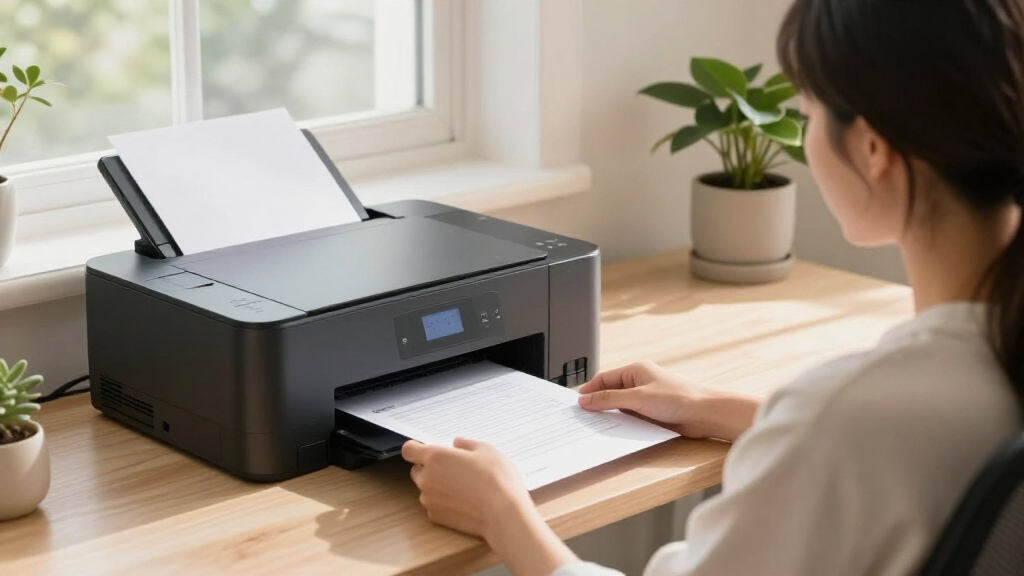
These products were evaluated based on performance, usability, build quality, connectivity, and overall value. Priority was given to models that offer reliable wireless connections, low maintenance, and multifunctionality suitable for remote work environments. We considered both laser and inkjet options to address different user needs, ranking them by how well they balance cost, print quality, and ease of operation. Our selection aims to provide options for various budgets and technical comfort levels, ensuring that each product fills a distinct niche.| printer scanner copier for remote work | Connectivity | Printer Type |
|---|---|---|
| Brother DCP-L2640DW Wireless M | Wireless (2.4GHz/5GHz), Ethernet, USB | — |
| Brother MFC-J1410DW Wireless C | Wireless, USB | All-in-One Inkjet |
| Canon PIXMA TR7120 Wireless Co | Wireless (Wi-Fi 2.4/5GHz) | All-in-One Inkjet |
| Canon PIXMA TR8620a All-in-One | — | Inkjet |
| Canon PIXMA TS6520 Wireless Co | Wi-Fi (dual-band 2.4/5GHz), Mobile printing | All-In-One Inkjet |
| Brother MFC-J1360DW Wireless C | Wireless, USB | All-in-One Inkjet |
Factors to Consider When Choosing Best Printer Scanner Copier For Remote Work
When selecting the best printer scanner copier for remote work, several key factors can influence your decision beyond basic features. Understanding these considerations helps avoid common pitfalls like overspending on unnecessary functions or choosing a device incompatible with your home setup. The right choice depends on your specific printing volume, space constraints, and whether color or monochrome output matters most. Here are the main factors to keep in mind:Print Speed and Volume
If you print frequently or in large volumes, prioritize models with faster print speeds and higher duty cycles. Laser printers generally excel here, reducing wait times and handling more pages without overheating. For light to moderate use, inkjet models might suffice, but be mindful of refill costs and ink drying times that can slow down your workflow.
Connectivity and Mobile Compatibility
Wireless connectivity is essential for remote work, enabling you to print from laptops, tablets, and smartphones. Look for printers with robust Wi-Fi, AirPrint, or Google Cloud Print support to simplify setup and daily use. Avoid models with limited or unreliable connections, which can frustrate remote workflows and cause delays.
Multifunctionality and Ease of Use
Consider whether you need scanning, copying, faxing, or all-in-one capabilities. User-friendly interfaces, touchscreen controls, and straightforward paper handling can save time and reduce errors. Beware of overly complex models if you’re not tech-savvy—simplicity often leads to better long-term satisfaction.
Operating Costs and Maintenance
Look beyond the initial purchase price to understand ongoing costs like ink or toner refills and replacement parts. Models with high-yield cartridges or toner can offer better value over time, especially if you print regularly. Neglecting this aspect might lead to unexpectedly high expenses and downtime.
Size and Design
Space is often limited in home offices, so choose a compact model if your area is tight. Also, consider the design—easy-to-load paper trays and accessible ink compartments can streamline your workflow. A bulky or poorly designed device can become an obstacle rather than an asset.
Frequently Asked Questions
How do I choose between laser and inkjet printers for remote work?
Laser printers are typically better for high-volume, monochrome printing, offering faster speeds and lower cost per page, making them ideal for document-heavy tasks. Inkjet printers shine when color accuracy and photo printing are priorities, which can be useful for creative work or detailed visual documents. Your choice should align with your primary printing needs and budget considerations, as laser models usually cost more upfront but save money over time with toner refills.
Is wireless connectivity reliable enough for remote work?
Most modern wireless printers provide stable connections with dual-band Wi-Fi and support for mobile printing protocols. However, reliability depends on your home network’s strength and setup. For consistent performance, consider routers with strong signals and place the printer within good range of your Wi-Fi source. Avoid models with outdated wireless standards to minimize disconnection issues that can disrupt your workflow.
How much should I expect to spend on a good remote work printer scanner copier?
Prices vary widely based on features, but a reliable all-in-one for remote work typically costs between $150 and $300. Budget models might lack some advanced features or have higher ongoing costs, while premium options include faster speeds, better build quality, and additional functionalities like fax or duplex printing. Weigh your needs against these costs to find the best balance of performance and value.
Are multifunction printers more prone to breakdown than single-function models?
Multifunction printers have more moving parts and functionalities, which can increase the likelihood of issues over time. However, quality brands with good maintenance and proper use tend to be quite reliable. Regular cleaning and timely ink or toner replacements can extend lifespan. If you prefer lower maintenance, a dedicated printer might be a better choice, but it sacrifices versatility.
What features are most important for a remote worker with limited space?
Compact size and lightweight design are key features for small spaces. Look for models with foldable paper trays and easy-to-access ink compartments to maximize convenience. Wireless connectivity reduces clutter from cables, and choosing a device with multifunction capabilities in a small footprint offers the best productivity without occupying too much room.