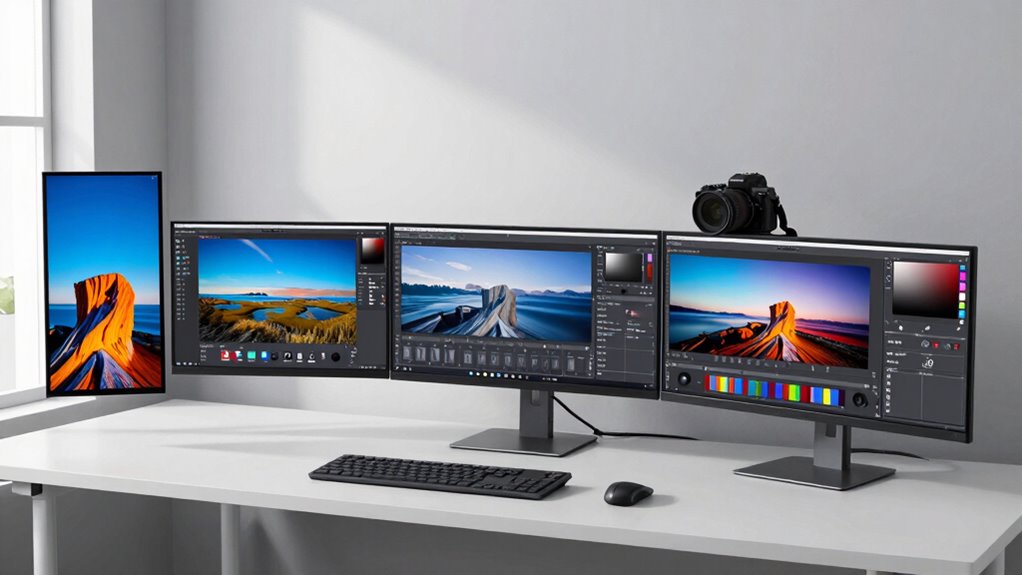
If you’re setting up a home office for photo editing, selecting the right 4k monitor is essential. The LG 27-Inch 4K UHD IPS Monitor stands out as the best overall due to its color accuracy and HDR support, ideal for detailed editing work. The ASUS ProArt PA279CV offers superb color calibration for professionals, while the Samsung ViewFinity S8 provides a larger screen with excellent ergonomic features. Buyers face tradeoffs between price, size, color fidelity, and connectivity options. Keep reading for a detailed breakdown to find the perfect fit for your workflow.

Get comfort and recovery gear delivered free with Prime
- Fast, free delivery on millions of items
- Prime Video, Amazon Music and more included
- Member-only deals all year
Complete the kit



Key Takeaways
- The top monitors balance color accuracy, connectivity, and ergonomic features based on user needs.
- Size matters—larger screens like 32 inches benefit detailed editing but may require more desk space.
- Color calibration and gamut coverage are critical for professional-quality photo work.
- Connectivity options like USB-C with Power Delivery streamline workflows for home office setups.
- Higher-end models tend to include HDR support and factory calibration, but come at a premium.
| LG 27-Inch 4K UHD IPS Computer Monitor with HDR10 and Color Gamut |  | Best Overall for Color Accuracy and Versatility | Display Size: 27 inches | Resolution: 3840×2160 (4K UHD) | Contrast Ratio: 1000:1 | VIEW ON AMAZON | See Our Full Breakdown |
| ASUS ProArt PA279CV 27 Inch 4K UHD USB-C Professional Monitor |  | Best for Professional Color Precision | Display Size: 27 inches | Resolution: 3840 x 2160 (4K UHD) | Panel Type: IPS | VIEW ON AMAZON | See Our Full Breakdown |
| ASUS ProArt PA279CRV 27-Inch 4K UHD HDR Professional Monitor for Mac |  | Best for Mac-Integrated Creative Workflows | Display Size: 27 inches | Resolution: 3840 x 2160 (4K UHD) | Color Coverage: 99% DCI-P3, 99% Adobe RGB | VIEW ON AMAZON | See Our Full Breakdown |
| BenQ MA270UP 27” 4K Monitor for MacBook – USB-C, 90W Power Delivery, P3 Color Gamut, Adjustable Stand |  | Best for MacBook Users Seeking Simplicity and Color Vibrancy | Display Size: 27 inches | Resolution: 3840×2160 (4K) | Color Gamut: P3 | VIEW ON AMAZON | See Our Full Breakdown |
| Samsung 32” ViewFinity S8 (S80UD) 4K UHD IPS HDR10 Monitor with USB-C and Ergonomic Stand |  | Best for Large, Vivid Viewing with Professional Features | Display Size: 32 inches | Resolution: 3840×2160 (4K UHD) | Panel Type: IPS | VIEW ON AMAZON | See Our Full Breakdown |
| ASUS ProArt Display 32” 4K HDR Monitor (PA329CV) |  | Best for Professional Color Accuracy and Connectivity | Display Size: 32 inches | Resolution: 3840 x 2160 (4K UHD) | Panel Type: IPS | VIEW ON AMAZON | See Our Full Breakdown |
| LG 27US500-W Ultrafine 27-Inch 4K UHD HDR10 IPS Monitor |  | Best Vivid Visuals and Ergonomics for Creative Work | Display Size: 27 inches | Resolution: 3840×2160 (4K UHD) | Contrast Ratio: 1000:1 | VIEW ON AMAZON | See Our Full Breakdown |
| Dell UltraSharp U2723QE 27″ 4K UHD WLED LCD Monitor |  | Best All-Around Versatility with Fast Response | Screen Size: 27 inches | Resolution: 3840 x 2160 (4K UHD) | Response Time: 5 ms GTG | VIEW ON AMAZON | See Our Full Breakdown |
| INNOCN 27-inch 4K USB-C Monitor for Laptop MacBook/Mac mini |  | Best for Budget-Conscious Creatives Needing Versatility | Size: 27 inches | Resolution: 3840 x 2160 (4K UHD) | HDR: HDR 400 | VIEW ON AMAZON | See Our Full Breakdown |
| ASUS ProArt PA27UCGE 27 Inch 4K HDR USB-C Professional Monitor for Mac |  | Best for High-Precision Color and Calibration Control | Display Size: 27 inches | Resolution: 3840 x 2160 (4K) | Color Gamut: 98% DCI-P3, 100% sRGB | VIEW ON AMAZON | See Our Full Breakdown |
| Samsung Viewfinity S8 S80ud 32-Inch 4K UHD Monitor with USB-C and KVM |  | Best Overall | Display Size: 32 inches | Resolution: 3840×2160 (4K UHD) | Panel Type: VA | VIEW ON AMAZON | See Our Full Breakdown |
| LG 27UP650K-W 27-inch 4K UHD IPS Computer Monitor |  | Best Value | Display Size: 27 inches | Resolution: 3840 x 2160 (4K UHD) | Color Gamut: 95% DCI-P3 | VIEW ON AMAZON | See Our Full Breakdown |
| Samsung 27-inch ViewFinity S8 (S80D) 4K UHD HDR10 Computer Monitor with Ergonomic Stand |  | Best for Ergonomics and Color Fidelity | Size: 27 inches | Resolution: 4K UHD | Colors: 1.07 billion | VIEW ON AMAZON | See Our Full Breakdown |
| Dell 27 Monitor S2725QC 4K UHD IPS with USB-C, HDMI, DisplayPort |  | Best for Connectivity and Smooth Performance | Display Size: 27 inches | Resolution: 3840×2160 (4K UHD) | Panel Type: IPS | VIEW ON AMAZON | See Our Full Breakdown |
| Samsung 32-Inch ViewFinity S7 (S70D) Series 4K UHD Monitor with HDR10 and Eye Care |  | Best for Eye Care and Ease of Setup | Size: 32 inches | Resolution: 3840×2160 (4K UHD) | HDR: HDR10 | VIEW ON AMAZON | See Our Full Breakdown |
| 4k monitor for photo editing home office | Resolution | Display Size | Connectivity |
|---|---|---|---|
| LG 27-Inch 4K UHD IPS Computer | 3840×2160 (4K UHD) | 27 inches | — |
| ASUS ProArt PA279CV 27 Inch 4K | 3840 x 2160 (4K UHD) | 27 inches | USB-C with 65W PD, HDMI, DisplayPort |
| ASUS ProArt PA279CRV 27-Inch 4 | 3840 x 2160 (4K UHD) | 27 inches | USB-C with 96W PD, DisplayPort, HDMI |
| BenQ MA270UP 27” 4K Monitor fo | 3840×2160 (4K) | 27 inches | USB-C, 2 HDMI, 2 USB-C |
| Samsung 32” ViewFinity S8 | 3840×2160 (4K UHD) | 32 inches | — |
| ASUS ProArt Display 32” 4K HDR | 3840 x 2160 (4K UHD) | 32 inches | USB-C, DisplayPort, HDMI, USB 3.1 Hub |
| LG 27US500-W Ultrafine 27-Inch | 3840×2160 (4K UHD) | 27 inches | — |
| Dell UltraSharp U2723QE 27" 4K | 3840 x 2160 (4K UHD) | — | — |
| INNOCN 27-inch 4K USB-C Monito | 3840 x 2160 (4K UHD) | — | USB-C, HDMI, DisplayPort |
| ASUS ProArt PA27UCGE 27 Inch 4 | 3840 x 2160 (4K) | 27 inches | — |
| Samsung Viewfinity S8 S80ud 32 | 3840×2160 (4K UHD) | 32 inches | HDMI, DisplayPort, USB-A, USB-B, USB-C, RJ45, 3.5 mm Audio Jack |
| LG 27UP650K-W 27-inch 4K UHD I | 3840 x 2160 (4K UHD) | 27 inches | 2x HDMI, DisplayPort 1.4, 3.5mm Out |
| Samsung 27-inch ViewFinity S8 | 4K UHD | — | — |
| Dell 27 Monitor S2725QC 4K UHD | 3840×2160 (4K UHD) | 27 inches | USB-C, HDMI, DisplayPort |
| Samsung 32-Inch ViewFinity S7 | 3840×2160 (4K UHD) | — | — |
More Details on Our Top Picks
LG 27-Inch 4K UHD IPS Computer Monitor with HDR10 and Color Gamut
This LG monitor stands out for its vibrant 4K UHD resolution combined with a wide 90% DCI-P3 color gamut, making it ideal for precise photo editing. Its virtually borderless design creates an immersive workspace, while eye care features like Flicker Safe and Reader Mode help reduce fatigue during long editing sessions. Compared with the ASUS ProArt models, LG offers a more budget-friendly option without sacrificing color quality, though it lacks height adjustment and built-in USB hubs. The tilt-only stand limits ergonomic flexibility, which might be a drawback for those needing more customization. Overall, this monitor is a solid choice for creatives valuing vivid visuals and an immersive display but who can accept basic ergonomics and no integrated speakers.
Pros:- Vivid 4K UHD resolution with accurate, vibrant colors
- Borderless design enhances immersion for editing workflows
- Eye care features reduce strain during prolonged use
Cons:- Limited to tilt adjustment, no height or swivel options
- No built-in speakers or USB hub
Best for: Photographers and designers seeking a visually vibrant, affordable 4K display with good color accuracy and multi-tasking ease.
Not ideal for: Users who require extensive ergonomic adjustments or integrated USB hubs, as this model only tilts and lacks additional connectivity options.
- Display Size:27 inches
- Resolution:3840×2160 (4K UHD)
- Contrast Ratio:1000:1
- Color Gamut:90% DCI-P3
- HDR:HDR10
- Design:3-side virtually borderless
- Stand Adjustment:Tilt from -5 to 15 degrees
Our verdict“This monitor suits creatives who prioritize color fidelity and immersive design over flexible ergonomics.”
ASUS ProArt PA279CV 27 Inch 4K UHD USB-C Professional Monitor
The ASUS ProArt PA279CV excels in delivering factory-calibrated, professional-grade color accuracy with 100% sRGB and Rec. 709 coverage, making it perfect for critical photo editing. Its versatile connectivity, including USB-C with 65W Power Delivery, HDMI, and DisplayPort, offers flexible setup options for creative workflows. Unlike the LG, it provides a fully adjustable ergonomic stand, allowing height, tilt, swivel, and pivot adjustments. However, a notable inconsistency in the description mentions a 23.8-inch display, which seems to be an error, raising questions about the actual size—likely a typo. The high price reflects its professional focus, which might be excessive for casual users. In comparison to the LG, ASUS offers more precise calibration and better ergonomics at a higher cost, making it suitable for demanding professionals.
Pros:- Factory-calibrated, highly accurate color with calibration verification
- Flexible connectivity options including USB-C with 65W PD
- Adjustable ergonomic stand for extended comfort
Cons:- Inconsistent description regarding display size raises concerns
- High price may be a barrier for budget-conscious users
Best for: Professional photographers and designers needing calibrated color accuracy combined with extensive connectivity and ergonomic comfort.
Not ideal for: Casual users or hobbyists who don’t need professional-grade calibration or adjustable stands, as the premium price may not be justified.
- Display Size:27 inches
- Resolution:3840 x 2160 (4K UHD)
- Panel Type:IPS
- Color Coverage:100% sRGB, 100% Rec. 709
- Response Time:5.0 ms
- Connectivity:USB-C with 65W PD, HDMI, DisplayPort
Our verdict“This monitor is ideal for professionals who need precise color reproduction and flexible ergonomics, despite its premium price.”
ASUS ProArt PA279CRV 27-Inch 4K UHD HDR Professional Monitor for Mac
The ASUS ProArt PA279CRV offers a 27-inch 4K UHD display with 99% DCI-P3 and Adobe RGB coverage, making it a strong choice for color-critical tasks on Mac. Its factory calibration and Delta E < 2 ensure professional-grade color accuracy right out of the box. The inclusion of USB-C with 96W Power Delivery simplifies connection to MacBooks, while extensive ergonomic adjustments support comfortable extended use. Compared with other models like LG, this monitor emphasizes broader color gamut and advanced connectivity, but its premium pricing limits accessibility for casual users. The support for daisy chaining and the versatile stand set it apart for professional workflows, especially on Mac systems.
Pros:- High-resolution 4K display with accurate, vibrant colors
- Factory calibration with Delta E < 2 for professional precision
- USB-C with 96W charging and daisy chain support
Cons:- Premium price may be prohibitive for some
- Targeted at professional workflows, less suited for casual use
Best for: Creative professionals working extensively on Mac that demand high color accuracy and comprehensive connectivity options.
Not ideal for: Budget-conscious hobbyists or users not needing extensive ergonomic adjustments or professional calibration features.
- Display Size:27 inches
- Resolution:3840 x 2160 (4K UHD)
- Color Coverage:99% DCI-P3, 99% Adobe RGB
- Color Accuracy:Delta E < 2
- Connectivity:USB-C with 96W PD, DisplayPort, HDMI
- Adjustments:Tilt, swivel, pivot, height
Our verdict“This monitor suits Mac professionals who prioritize color accuracy and extensive connectivity, despite its higher cost.”
BenQ MA270UP 27” 4K Monitor for MacBook – USB-C, 90W Power Delivery, P3 Color Gamut, Adjustable Stand
The BenQ MA270UP offers a 27-inch 4K display calibrated for MacBook, showcasing vibrant P3 wide color coverage. Its single USB-C connection with 90W Power Delivery simplifies setups, especially for MacBook users. The integrated MacBook controls enhance usability, and the adjustable stand provides ergonomic flexibility—an advantage over less adjustable models like LG. However, its focus on MacBook compatibility limits its appeal to Windows users or those requiring multi-platform versatility. The lack of built-in speakers and reliance on USB-C for full functionality might be inconvenient for some settings. Compared with the ASUS ProArt, this model emphasizes ease of use and color vibrancy at the expense of broader professional calibration features.
Pros:- Vibrant P3 wide color gamut calibrated for MacBook
- Single USB-C connection with 90W power delivery
- Adjustable stand for ergonomic comfort
Cons:- Limited to MacBook compatibility, not ideal for Windows users
- No built-in speakers
Best for: MacBook users who want a straightforward, color-accurate 4K monitor with easy USB-C connectivity and ergonomic adjustments.
Not ideal for: Non-Mac users or those with multi-platform needs, as the monitor is optimized for MacBook compatibility only.
- Display Size:27 inches
- Resolution:3840×2160 (4K)
- Color Gamut:P3
- Connectivity:USB-C, 2 HDMI, 2 USB-C
- Power Delivery:90W
- Stand Adjustments:Height, tilt, swivel, pivot
Our verdict“This monitor is perfect for MacBook users seeking vibrant color and simple connectivity, with limited multi-platform flexibility.”
Samsung 32” ViewFinity S8 (S80UD) 4K UHD IPS HDR10 Monitor with USB-C and Ergonomic Stand
The Samsung ViewFinity S8, with its sizable 32-inch 4K UHD IPS panel, offers expansive workspace and vivid visuals thanks to HDR10 support and a wide color gamut. Its ergonomic stand with height, tilt, and pivot adjustments enhances comfort during long editing sessions. The inclusion of a built-in KVM switch makes managing multiple sources more straightforward compared to smaller monitors like LG or ASUS. While the larger size is a plus for multitasking, it may be excessive for smaller home offices or desks with limited space. The connection options include USB-C with 90W power delivery and Ethernet, providing versatility but also increasing complexity and cost. This monitor is well-suited for professionals who need a larger display and advanced features, though it might be overkill for casual editing or tight spaces.
Pros:- Large 32-inch 4K UHD display with HDR10 for vivid visuals
- Ergonomic stand with height, tilt, and pivot adjustments
- Built-in KVM switch simplifies multi-source management
Cons:- Premium price and larger footprint may be prohibitive
- Setup complexity for non-technical users
Best for: Creative professionals who prefer a large, detailed display with flexible connectivity and ergonomic comfort in a spacious workspace.
Not ideal for: Smaller home offices or users with limited desk space, as the large size may be impractical and more expensive than necessary.
- Display Size:32 inches
- Resolution:3840×2160 (4K UHD)
- Panel Type:IPS
- HDR:HDR10
- USB-C Power Delivery:90W
- Stand Features:Height adjustable, tilt, pivot
Our verdict“This monitor is best for professionals needing a large, feature-rich display with ergonomic flexibility and multi-source management in spacious setups.”
ASUS ProArt Display 32” 4K HDR Monitor (PA329CV)
The ASUS ProArt PA329CV stands out for its exceptional color fidelity, with factory calibration and 100% sRGB/Rec.709 coverage, making it a top choice for detailed photo editing. Its large 32-inch 4K IPS panel offers expansive workspace, which is ideal compared to smaller monitors like the LG 27US500-W. While its premium price reflects its professional-grade features, it offers multiple connectivity options, including USB-C with Power Delivery, ensuring a clutter-free setup. However, it lacks detailed ergonomic features beyond height adjustment, which might be limiting for some users. This monitor is best suited for creative professionals who prioritize accurate color reproduction and versatile connections, even if they don’t need extensive ergonomic adjustments. Compared to the Dell U2723QE, it provides a larger display with broader color coverage at a higher cost, emphasizing professional-grade performance over affordability.
Pros:- High color accuracy with factory calibration and wide color gamut
- Multiple connectivity options including USB-C Power Delivery
- Large 32-inch 4K UHD display with wide viewing angles
Cons:- Premium price may be prohibitive for casual users
- Limited ergonomic adjustments beyond height
Best for: Professional photographers and designers needing precise color accuracy and extensive connectivity options.
Not ideal for: Casual users or those on a tight budget who won’t utilize its calibration and color features.
- Display Size:32 inches
- Resolution:3840 x 2160 (4K UHD)
- Panel Type:IPS
- Brightness:400 cd/㎡
- Color Coverage:100% sRGB, 100% Rec. 709
- Connectivity:USB-C, DisplayPort, HDMI, USB 3.1 Hub
Our verdict“This monitor is ideal for professionals who need precise color fidelity and flexible connectivity, accepting a higher price point.”
LG 27US500-W Ultrafine 27-Inch 4K UHD HDR10 IPS Monitor
The LG 27US500-W offers a crisp 27-inch 4K UHD display with HDR10 support, delivering vibrant colors and deep blacks, which is a step down in size but comparable in image quality to the ASUS ProArt. Its ergonomic stand with tilt allows flexible positioning, making it suitable for creative workflows, unlike the more fixed setup of the Dell U2723QE. While it excels in visual vividness and comfort, it lacks detailed connectivity options and built-in speakers, which might be a downside for those seeking a more all-in-one solution. This monitor makes the most sense for photographers or multimedia artists who value color vibrancy and ergonomic flexibility but don’t need the extensive port selection or calibration tools of higher-end models. Compared with the ASUS ProArt, it offers better ergonomics but less comprehensive color calibration features, making it a balanced choice for semi-professional use.
Pros:- Vivid colors with HDR10 support
- Ergonomic, adjustable stand for flexible positioning
- Deep contrast and wide viewing angles
Cons:- Limited connectivity options details
- No mention of built-in speakers
Best for: Creative professionals and multimedia enthusiasts seeking vibrant visuals with flexible positioning.
Not ideal for: High-end color correction professionals needing factory calibration and extensive port options.
- Display Size:27 inches
- Resolution:3840×2160 (4K UHD)
- Contrast Ratio:1000:1
- HDR:HDR10
- Color Gamut:90% DCI-P3
- Stand:Ergonomic, adjustable tilt
Our verdict“This monitor is perfect for creatives who prioritize vivid imagery and ergonomic comfort over calibration and extensive ports.”
Dell UltraSharp U2723QE 27″ 4K UHD WLED LCD Monitor
The Dell UltraSharp U2723QE offers a versatile 27-inch 4K display suitable for photo editing, multimedia, and general office work. It features an anti-glare coating and a quick 5 ms response time, making it a balanced choice for those who need both visual quality and responsiveness. Compared to the ASUS ProArt, it provides a more affordable entry into 4K with decent color performance, though it doesn’t match the ProArt’s calibration precision. Its multiple ports—including USB-C with 90W Power Delivery—favor a tidy workspace, but it lacks detailed ergonomic adjustments, which could be a drawback for long hours of editing. This monitor is well-suited for users who want a reliable, all-in-one display for various tasks, rather than specialized color work. For those prioritizing color accuracy above all, the ASUS ProArt may be a better option, but for general versatility, the Dell hits the sweet spot.
Pros:- Vibrant 4K display with anti-glare coating
- Multiple connectivity options including USB-C with 90W PD
- Fast response time suitable for multimedia and casual gaming
Cons:- Limited ergonomic adjustments
- Color calibration not as precise as high-end professional monitors
Best for: Generalists who need a reliable 4K monitor for photo editing, multimedia, and day-to-day tasks.
Not ideal for: Professionals requiring the highest color fidelity or extensive ergonomic customization.
- Screen Size:27 inches
- Resolution:3840 x 2160 (4K UHD)
- Response Time:5 ms GTG
- Brightness:400 Nit
- Ports:HDMI, DisplayPort, USB-C 3.2
- Coating:Anti-glare
Our verdict“This monitor balances versatility and quality, making it ideal for users who need a capable all-around 4K display for photo editing and more.”
INNOCN 27-inch 4K USB-C Monitor for Laptop MacBook/Mac mini
The INNOCN 27-inch 4K USB-C Monitor offers a compelling package for those seeking a versatile, budget-friendly photo editing display. Its IPS panel with HDR400 support provides vibrant colors and sharp images comparable to pricier models like the LG 27US500-W, but at a more accessible price point. The adjustable stand with tilt, height, and pivot options adds ergonomic flexibility that rivals higher-end monitors. While its 60Hz refresh rate isn’t ideal for high-end gaming, it’s sufficient for photo editing and multimedia. The built-in speakers add convenience, although they aren’t a substitute for dedicated audio solutions. It’s best for hobbyists or small studios that want quality without paying premium prices, but it may fall short for professionals needing ultra-precise calibration. Compared with the ASUS ProArt, it offers good features at a lower cost, though with less calibration finesse.
Pros:- Vibrant 4K display with HDR400 support
- Ergonomic stand with tilt, height, and pivot adjustments
- Built-in speakers for added convenience
Cons:- 60Hz refresh rate limits high-end editing precision
- Lacks extensive calibration tools
Best for: Budget-conscious photographers and hobbyists who want flexible features without a high price tag.
Not ideal for: Pro photographers or those needing top-tier color calibration and professional-grade precision.
- Size:27 inches
- Resolution:3840 x 2160 (4K UHD)
- HDR:HDR 400
- Brightness:400 nits
- Connectivity:USB-C, HDMI, DisplayPort
- Stand Adjustments:Tilt, Height, Pivot
Our verdict“This monitor is a smart choice for budget-conscious creatives who want versatile features and decent image quality.”
ASUS ProArt PA27UCGE 27 Inch 4K HDR USB-C Professional Monitor for Mac
The ASUS ProArt PA27UCGE is tailored for professionals who demand absolute color precision and reliable calibration. With a 98% DCI-P3 and 100% sRGB coverage, plus a built-in colorimeter for self-calibration, it surpasses many competitors like the LG 27US500-W in accuracy. Its high refresh rate of 160Hz makes it suitable for both detailed editing and smooth multimedia playback. The extensive connectivity, including USB-C with 96W Power Delivery, supports a clutter-free workspace. The main tradeoff is its steep price, which may be unnecessary for casual or even some semi-professional users. This monitor fits best into high-end creative workflows where color accuracy and calibration are non-negotiable. Compared to the ASUS ProArt PA279CV, it offers higher refresh rates and calibration tools, making it a superior choice for demanding professionals.
Pros:- Exceptional color accuracy with built-in calibration
- High refresh rate of 160Hz for smooth visuals
- Wide color gamut with 98% DCI-P3 coverage
Cons:- Premium price point
- Complex calibration features may be unnecessary for some users
Best for: High-end photographers, retouchers, and creative professionals requiring precise color control and calibration.
Not ideal for: Casual users or those who don’t need advanced calibration features at a premium price.
- Display Size:27 inches
- Resolution:3840 x 2160 (4K)
- Color Gamut:98% DCI-P3, 100% sRGB
- Color Accuracy:Delta E < 1
- Refresh Rate:160Hz
- Brightness:600 nits
Our verdict“This monitor is best suited for professionals needing absolute color precision and advanced calibration features, accepting the higher cost.”
Samsung Viewfinity S8 S80ud 32-Inch 4K UHD Monitor with USB-C and KVM
The Samsung Viewfinity S8 S80ud stands out for its expansive 32-inch VA panel, delivering deep contrast and vivid colors that are ideal for detailed photo editing. It supports HDR10, which enhances dynamic range, and offers versatile connectivity including USB-C with 90W charging, making it highly adaptable for a home office setup. The ergonomic adjustments ensure comfortable long-term use, especially important for extended editing sessions. Compared with smaller or less feature-rich options like the LG 27UP650K-W, this monitor provides a larger workspace and richer visual depth, though it requires multiple ports for full functionality and might be overkill for those who prefer smaller screens. Tradeoffs include a higher price and a focus on larger size, which could be limiting for tight spaces or users preferring a more compact setup.
Pros:- Large 32-inch VA panel with deep contrast and vivid colors
- HDR10 support enhances dynamic range for accurate photo previews
- Versatile connectivity including USB-C with 90W charging and Ethernet
Cons:- Limited to 32 inches, which may be too large for some setups
- Requires multiple ports for full feature access, adding complexity
Best for: Photographers and designers needing a large, color-accurate display with extensive connectivity for a dedicated home office.
Not ideal for: Users with limited desk space or those who prefer smaller, more budget-friendly monitors without extensive features.
- Display Size:32 inches
- Resolution:3840×2160 (4K UHD)
- Panel Type:VA
- Brightness:350 nits
- Color Coverage:99% sRGB
- Connectivity:HDMI, DisplayPort, USB-A, USB-B, USB-C, RJ45, 3.5 mm Audio Jack
Our verdict“This monitor suits those who want a large, feature-rich display with excellent color and contrast for professional photo editing in a spacious home office.”
LG 27UP650K-W 27-inch 4K UHD IPS Computer Monitor
The LG 27UP650K-W offers a well-rounded 27-inch 4K IPS display with wide color coverage, supporting 95% DCI-P3 and HDR 400, making it a strong choice for those seeking vibrant visuals without a hefty price tag. Its adjustable stand and multiple connectivity options provide good ergonomics and flexibility for a home office. When compared to the Dell S2725QC, which boasts a faster 120Hz refresh rate, this LG model focuses more on color accuracy and broader gamut, suited for precise photo editing rather than fast-paced tasks. The main tradeoff is its 60Hz refresh rate, limiting it slightly for multimedia or gaming. Additionally, it lacks built-in speakers, which might matter for some users. This pick makes the most sense for budget-conscious creatives who prioritize color fidelity.
Pros:- Vivid 4K resolution with 95% DCI-P3 coverage
- HDR 400 support for better contrast and brightness
- Adjustable stand with tilt, height, and pivot for ergonomic comfort
Cons:- Limited to 60Hz refresh rate, not ideal for fast-paced video editing or gaming
- No built-in speakers, requiring external audio solutions
Best for: Amateur photographers and hobbyists wanting a color-accurate 4K display at a reasonable price point.
Not ideal for: Gamers or users who need high refresh rates for smooth motion or those expecting integrated audio solutions.
- Display Size:27 inches
- Resolution:3840 x 2160 (4K UHD)
- Color Gamut:95% DCI-P3
- HDR:DisplayHDR 400
- Response Time:5ms GtG
- Connectivity:2x HDMI, DisplayPort 1.4, 3.5mm Out
Our verdict“This monitor provides excellent color performance for creative work at a budget-friendly price, though it’s less suited for fast motion tasks.”
Samsung 27-inch ViewFinity S8 (S80D) 4K UHD HDR10 Computer Monitor with Ergonomic Stand
The Samsung S80D combines a 27-inch 4K UHD panel with HDR10 support and 1.07 billion colors, delivering vibrant visuals crucial for detailed photo editing. Its ergonomic stand and Eye Saver Mode make it comfortable for extended use, reducing eye strain. Compared to the LG 27UP650K-W, this monitor emphasizes color vibrancy and ergonomic flexibility, though it offers less detailed technical specs. A notable tradeoff is the limited information on additional features like HDR performance and connectivity options, which might concern users seeking comprehensive specs. It’s a solid choice for those prioritizing visual quality and comfort in a more straightforward package.
Pros:- Vibrant 4K UHD display with 1.07 billion colors
- Supports HDR10 for richer contrast and image depth
- Ergonomic stand with tilt, swivel, and height adjustments
Cons:- Limited detailed specs and connectivity information
- No mention of built-in speakers or additional features
Best for: Photographers and designers who want a color-rich display with ergonomic features for long editing sessions.
Not ideal for: Users needing extensive connectivity options or higher refresh rates for multimedia tasks.
- Size:27 inches
- Resolution:4K UHD
- Colors:1.07 billion
- HDR:HDR10
- Features:Eye Saver Mode, Ergonomic Stand
Our verdict“Ideal for those who seek a color-accurate, comfortable workspace, especially in a home office setting.”
Dell 27 Monitor S2725QC 4K UHD IPS with USB-C, HDMI, DisplayPort
The Dell S2725QC excels by blending stunning 4K visuals with a 120Hz refresh rate, making it suitable for both precise photo editing and multimedia use. Its IPS panel ensures accurate color reproduction, covering 99% sRGB, essential for professional editing workflows. The inclusion of a single USB-C port providing up to 65W power simplifies cable management, especially in a home office environment. Compared to the LG 27UP650K-W, which emphasizes color gamut, this Dell model offers a smoother experience with higher refresh rates, though at a premium price. The limited details on the built-in speakers’ quality could be a drawback for those wanting integrated audio.
Pros:- Vivid 4K visuals with 99% sRGB coverage
- High 120Hz refresh rate for smooth editing and viewing
- USB-C with 65W power delivery for simple connectivity
Cons:- Higher price point due to premium features
- Uncertain quality of built-in speakers
Best for: Creative professionals who need both color accuracy and smoother performance for editing and casual multimedia tasks.
Not ideal for: Budget-conscious users or those who don’t need high refresh rates or USB-C connectivity.
- Display Size:27 inches
- Resolution:3840×2160 (4K UHD)
- Panel Type:IPS
- Refresh Rate:120Hz
- Color Coverage:99% sRGB
- Connectivity:USB-C, HDMI, DisplayPort
Our verdict“Best suited for those who want a versatile, color-accurate monitor with smooth performance for demanding editing tasks.”
Samsung 32-Inch ViewFinity S7 (S70D) Series 4K UHD Monitor with HDR10 and Eye Care
The Samsung S70D offers a 32-inch 4K UHD display with HDR10 and a wide color gamut, making it suitable for detailed photo work. Its TÜV-certified Eye Care technology and tool-free setup simplify long hours of editing while maintaining comfort. When compared with the smaller S80D, this model emphasizes ease of use and eye comfort, though it provides less detailed specifications on connectivity and features. The lack of mention of built-in speakers or extensive adjustability might limit its appeal for users wanting a more versatile setup. This monitor is a good choice for those prioritizing eye health and quick setup in a larger display size.
Pros:- High-resolution 4K UHD with wide color spectrum
- HDR10 support for vibrant images
- TÜV-certified eye care technology reduces strain
Cons:- Limited details on connectivity and adjustable features
- No built-in speakers or extensive ergonomic options
Best for: Photographers who need a large, easy-to-set-up display with eye care features for long editing sessions.
Not ideal for: Users seeking advanced connectivity options or integrated audio solutions.
- Size:32 inches
- Resolution:3840×2160 (4K UHD)
- HDR:HDR10
- Ports:HDMI, DisplayPort, USB-A, USB-B
- Eye Care:TÜV-certified
Our verdict“Ideal for photographers valuing large visuals and eye comfort during extended editing routines.”
How We Picked
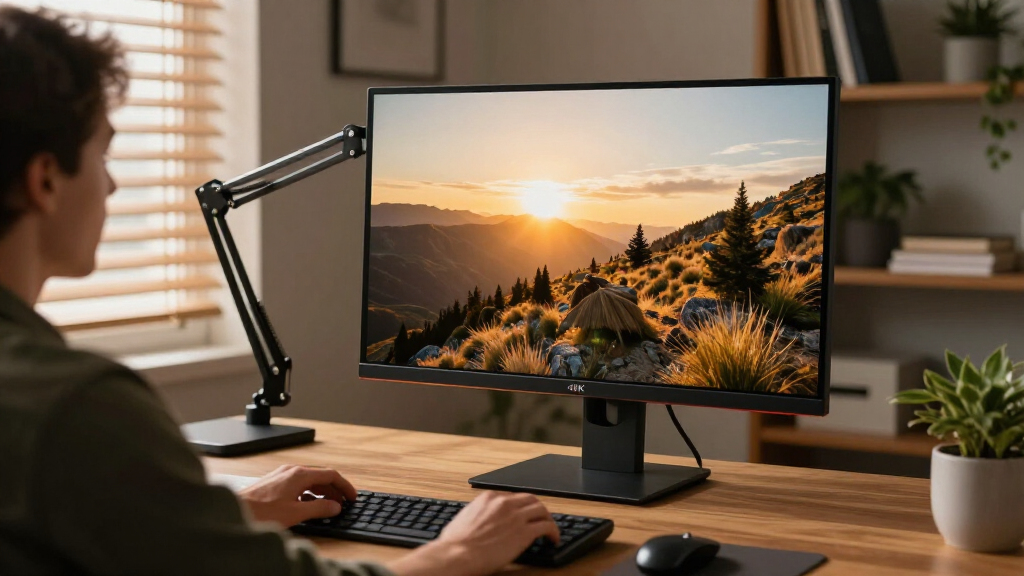
To evaluate these 15 options, I focused on performance features essential for photo editing in a home office environment. Key factors included color accuracy, calibration quality, screen size, resolution, connectivity options, and ergonomic design. Usability and build quality also played a role, ensuring the monitors are suitable for long editing sessions. The ranking reflects a balance between professional features and value, prioritizing models that cater to serious photo editors while considering budget-conscious buyers as well.Factors to Consider When Choosing 4k Monitor For Photo Editing Home Office
Choosing a 4k monitor for photo editing involves more than just resolution. It’s important to consider color accuracy, as precise color representation is vital for editing work. Screen size impacts workflow efficiency—larger screens can display more detail but require more space. Connectivity options like USB-C with Power Delivery can simplify cable management. Additionally, adjustable stands and ergonomic features help reduce fatigue during long editing sessions. Finally, calibration capabilities and HDR support can enhance image fidelity, but often come with higher price tags.Color Accuracy and Gamut Coverage
For photo editing, accurate color reproduction is non-negotiable. Look for monitors that cover at least 99% sRGB and AdobeRGB color gamuts, which ensure your edits translate well across devices and print. Factory calibration adds confidence your display shows true colors right out of the box, saving you time and effort in manual adjustments. However, higher color coverage and calibration features usually mean a higher price, so weigh how critical these are to your workflow.
Size and Resolution Balance
While 27-inch screens are common and manageable for most desks, a 32-inch display offers more room for multitasking and detailed editing. Resolution at 4k ensures sharp images, but ensure your hardware can handle the higher pixel count smoothly. Larger screens with 4k resolution provide more workspace without sacrificing image clarity, but they also demand better graphics cards and more desk space, making size a key tradeoff.
Connectivity and Ergonomics
USB-C with Power Delivery streamlines your workspace by reducing cable clutter, especially if you connect a laptop. An adjustable stand and ergonomic features like tilt, swivel, and height adjustment contribute to comfort during extended editing sessions. These features might add to the cost but significantly improve usability, especially for home setups where space and comfort matter.
HDR Support and Calibration
HDR support enhances visual fidelity, but its benefits for photo editing depend on your workflow—it’s more critical for video editing. Calibration tools or hardware calibration support ensure consistent, accurate colors over time. High-end monitors often include these features, but they come at a premium. Consider whether your editing needs justify the extra investment in these capabilities.
Budget Considerations and Future Proofing
Entry-level monitors may lack professional calibration or wide color gamuts, but they can still serve beginners or hobbyists well. Investing in a higher-quality model might be worthwhile if you plan to do professional work or want to future-proof your setup. Balance your budget against the features most critical for your workflow, avoiding overpaying for unnecessary extras or underinvesting in essential qualities like color accuracy.
Frequently Asked Questions
Is 4K resolution necessary for photo editing?
While 1080p can suffice for basic editing, 4k resolution provides sharper details and more screen real estate, which improves precision and workflow efficiency. Higher resolution allows for better zooming into images without losing clarity, making it a valuable feature for serious photographers. However, it also demands more from your graphics hardware and can increase costs, so assess your system’s capability and budget before choosing.
How important is color calibration for a home photo editing setup?
Color calibration is vital if you need accurate, consistent colors for professional output. Factory calibration ensures your monitor displays true colors from the start, while hardware calibration tools can fine-tune this further. For hobbyists or casual users, calibration might be less critical, but for anyone producing print-ready images or working professionally, investing in a calibrated display improves confidence in your edits.
Should I prioritize size over resolution in my monitor choice?
Both size and resolution matter, but the best balance depends on your workspace and editing needs. Larger screens like 32 inches offer more workspace and can reduce eye strain, but they also require higher-end hardware to drive the higher pixel count smoothly. If space or budget is limited, a 27-inch 4k monitor can still provide excellent detail while being more manageable and cost-effective.
Are curved monitors better for photo editing?
Curved monitors can reduce glare and distortion at the edges, providing a more immersive viewing experience, especially on larger screens. However, they are not universally better for editing, as some users prefer flat displays for color accuracy and straight lines. Consider your workspace and personal comfort—curved screens tend to suit larger, wider monitors more than smaller or standard aspect ratios.
What connectivity options should I look for?
USB-C with Power Delivery is highly recommended as it simplifies cable management and can power your laptop while connecting to the monitor. HDMI and DisplayPort are also common and reliable choices, especially for desktops. Ensure the monitor supports your existing hardware’s connection types and consider future-proofing with multiple options, so your setup remains flexible as your needs evolve.
Conclusion
For general home office photo editing, the LG 27-Inch 4K UHD IPS Monitor is the best overall choice due to its balance of color accuracy, size, and affordability. Beginners or casual users will find the LG 27UP650K-W a solid entry-level option, while professionals needing absolute precision should consider the ASUS ProArt PA279CV or ProArt PA279CRV. Those requiring larger screens and enhanced ergonomics will benefit from the Samsung ViewFinity S8. Budget-conscious buyers should look for models with good calibration out of the box, whereas serious professionals might invest in HDR support and hardware calibration features for maximum color fidelity.Columbus Day / Indigenous Peoples' Day Picks
long weekend sales
As an affiliate, we earn on qualifying purchases.