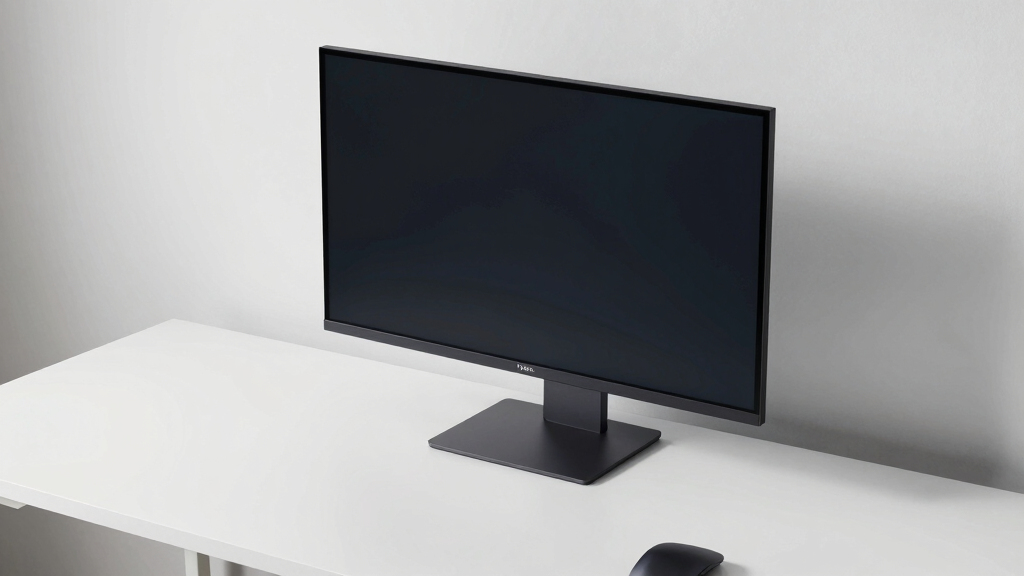

Choosing the best monitor for a bright room home office requires balancing screen brightness, glare handling, and color accuracy. The Dell 34 Monitor S3425DW stands out as the overall top pick for its high brightness, wide color range, and eye comfort features. For those on a budget, the Philips 24 Inch FHD Monitor offers solid performance with flicker-free technology. Meanwhile, the Dell 27 Plus QHD Monitor provides a sharp display with good brightness, suited for detailed work. The main challenge in this category is finding a display that minimizes glare without sacrificing clarity or color. Continue reading for a detailed breakdown of these options and how they fit different needs.

Get comfort and recovery gear delivered free with Prime
- Fast, free delivery on millions of items
- Prime Video, Amazon Music and more included
- Member-only deals all year
Complete the kit



Key Takeaways
- The best monitors for bright rooms prioritize high brightness levels (300+ nits) and anti-glare coatings to combat direct light.
- Panel type significantly impacts visibility; VA panels often provide better contrast and glare resistance compared to IPS or TN options.
- Higher refresh rates (at least 100Hz) are common among top picks, benefiting both comfort and smoother visuals during extended work sessions.
- Adjustability and flicker-free technology are crucial for reducing eye strain in prolonged use, especially in bright environments.
- Pricing varies, but investing in a monitor with higher brightness and anti-glare features yields better long-term comfort and visibility.
| Dell 34 Monitor S3425DW, WQHD VA, 120Hz, FreeSync Premium, Eye Comfort |  | Best Overall for Bright Rooms | Screen Size: 34 inches | Resolution: WQHD | Panel Type: VA | VIEW LATEST PRICE | See Our Full Breakdown |
| Philips 22 Inch Full HD Computer Monitor, 100Hz VA, VESA Flicker-Free | 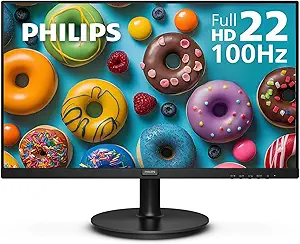 | Best Compact Budget Choice | Size: 22 inches | Resolution: 1920×1080 | Refresh Rate: 100Hz | VIEW LATEST PRICE | See Our Full Breakdown |
| Dell 27 Plus QHD Monitor – S2725DSM |  | Best for Versatile Productivity and Multimedia | Display Size: 27 inches | Resolution: 2560×1440 (QHD) | Refresh Rate: 144Hz | VIEW LATEST PRICE | See Our Full Breakdown |
| Sceptre 24-inch Curved Gaming Monitor, 1ms 100Hz, 1500R, DisplayPort & HDMI, Built-in Speakers, Eye Care |  | Best Curved for Immersive Bright Room Use | Size: 24 inches | Curvature: 1500R | Refresh Rate: 100Hz | VIEW LATEST PRICE | See Our Full Breakdown |
| Dell 27 Plus Monitor – S2725HSM – 27-inch FHD (1920×1080) 144Hz 1ms Display with Speakers and Adjustable Stand |  | Best for Adjustable Comfort and Speed | Screen Size: 27 inches | Resolution: 1920×1080 (FHD) | Refresh Rate: 144Hz | VIEW LATEST PRICE | See Our Full Breakdown |
| KTC 24 Inch QHD 100Hz Computer Monitor, IPS, 2K 1440P |  | Best Overall for Bright Rooms and Color Accuracy | Size: 24 inches | Resolution: 1440P (2K QHD) | Refresh Rate: 100Hz | VIEW LATEST PRICE | See Our Full Breakdown |
| Philips 24 Inch FHD Computer Monitor 100Hz VA VESA Flicker-Free |  | Best Budget Choice for Bright Rooms with Contrast Focus | Size: 24 inches | Resolution: 1920×1080 (FHD) | Refresh Rate: 100Hz | VIEW LATEST PRICE | See Our Full Breakdown |
| Acer 21.5-inch FHD 1920×1080 100Hz Office Monitor KB220Q H2bi |  | Best Compact Budget for Bright Rooms and Seamless Multi-Monitor Setups | Screen Size: 21.5 inches | Resolution: 1920×1080 (FHD) | Refresh Rate: 100Hz | VIEW LATEST PRICE | See Our Full Breakdown |
| monitor for bright room home office | Refresh Rate | Resolution | Response Time | Panel Type |
|---|---|---|---|---|
| Dell 34 Monitor S3425DW | 120Hz | WQHD | 0.03ms | VA |
| Philips 22 Inch Full HD Comput | 100Hz | 1920×1080 | — | VA |
| Dell 27 Plus QHD Monitor | 144Hz | 2560×1440 (QHD) | 1ms MPRT | — |
| Sceptre 24-inch Curved Gaming | 100Hz | — | 1ms | — |
| Dell 27 Plus Monitor | 144Hz | 1920×1080 (FHD) | 1ms MPRT | — |
| KTC 24 Inch QHD 100Hz Computer | 100Hz | 1440P (2K QHD) | — | IPS |
| Philips 24 Inch FHD Computer M | 100Hz | 1920×1080 (FHD) | — | VA |
| Acer 21.5-inch FHD 1920×1080 1 | 100Hz | 1920×1080 (FHD) | 1ms | — |
More Details on Our Top Picks
Dell 34 Monitor S3425DW, WQHD VA, 120Hz, FreeSync Premium, Eye Comfort
The Dell S3425DW stands out for its expansive 34-inch display and vibrant color coverage, making it ideal for bright rooms where glare can wash out less capable screens. Its high 120Hz refresh rate and AMD FreeSync Premium deliver smooth visuals, even during fast-paced work or entertainment. Compared with smaller monitors like the Philips 22 Inch, this model’s size and resolution better combat ambient light, providing a more immersive experience. However, its larger footprint and potential cost might be a concern for limited desk space or budget-conscious buyers. The blue light reduction technology helps reduce eye strain during long work sessions, and the single USB-C connection simplifies cable clutter. Still, the stand lacks adjustable ergonomic features, which might be a downside for prolonged use.
Pros:- Expansive 34-inch screen with vibrant, true-to-life colors
- High 120Hz refresh rate ensures smooth motion
- Blue light reduction minimizes eye strain for long hours
- Single USB-C port simplifies connectivity
Cons:- Lacks adjustable stand or ergonomic features
- Higher price point may be prohibitive for some users
Best for: Professionals working in bright, well-lit environments who need a large, color-accurate display for both work and entertainment
Not ideal for: Users with limited desk space or who prefer a more compact setup, due to its sizeable 34-inch form factor
- Screen Size:34 inches
- Resolution:WQHD
- Panel Type:VA
- Refresh Rate:120Hz
- Response Time:0.03ms
- Color Coverage:99% sRGB, 95% DCI-P3
- Contrast Ratio:3000:1
- HDR:Yes
- Blue Light Reduction:≤35%
Our verdict“This monitor is best suited for those needing a large, bright-room-friendly display with excellent color coverage and smooth performance.”
Philips 22 Inch Full HD Computer Monitor, 100Hz VA, VESA Flicker-Free
For those with limited space or budget constraints, the Philips 22 Inch monitor offers a crisp Full HD picture and a 100Hz refresh rate, making it a solid choice for everyday tasks in bright rooms. Its VA panel provides high contrast, helping colors pop even in well-lit environments, yet it’s smaller than the Dell options, which may be less immersive for detailed multitasking. Unlike larger models, its compact size makes it easier to place on smaller desks, but this also limits its suitability for multi-window workflows. The flicker-free technology reduces eye fatigue, a key benefit in bright rooms, but the lack of modern connectivity options and built-in speakers might restrict versatility.
Pros:- Compact 22-inch size fits small desks and tight spaces
- Vivid colors with high contrast from VA panel
- Flicker-Free technology reduces eye strain
- Wide viewing angles for consistent visuals
Cons:- Small screen size may hinder multitasking
- Limited ports and no built-in speakers
Best for: Users needing a space-saving, budget-friendly monitor for basic productivity in bright environments
Not ideal for: Creative professionals or gamers seeking larger screens or advanced features, due to its smaller size and limited specs
- Size:22 inches
- Resolution:1920×1080
- Refresh Rate:100Hz
- Panel Type:VA
- Viewing Angle:178/178 degrees
- VESA Compatibility:Yes
- Flicker-Free:Yes
Our verdict“This monitor is an excellent choice for space-conscious users who need reliable, color-rich visuals in bright rooms at an affordable price.”
Dell 27 Plus QHD Monitor – S2725DSM
The Dell S2725DSM offers a balanced 27-inch QHD display, combining sharp detail with smooth 144Hz performance, making it suitable for both work and entertainment in bright rooms. Its 2560×1440 resolution surpasses Full HD, providing clearer images and more workspace, though it’s smaller than the 34-inch Dell. The 1ms response time and dual 3W speakers add to its appeal, especially for multimedia use. Compared to the smaller Philips or Sceptre screens, this model provides a larger, high-resolution experience that doesn’t sacrifice performance. The adjustable stand enhances comfort, yet its moderate size and price could be drawbacks for those needing a large or budget option.
Pros:- High-resolution QHD display with crisp visuals
- Fast 144Hz refresh rate and 1ms response time
- Adjustable stand for ergonomic comfort
- Built-in dual speakers for multimedia
Cons:- Moderate 27-inch size may be limiting for some workflows
- No mention of USB hub or additional connectivity options
Best for: Productivity-focused users who want a sharp, responsive display with multimedia capabilities in a bright room
Not ideal for: Gamers or creative professionals requiring ultra-wide or larger screens, or those on a tight budget
- Display Size:27 inches
- Resolution:2560×1440 (QHD)
- Refresh Rate:144Hz
- Response Time:1ms MPRT
- Speakers:2 x 3W
- Connectivity:HDMI, DisplayPort 1.4
- Adjustability:Height, Tilt, Pivot, Swivel
Our verdict“Ideal for users seeking a versatile, high-performing monitor that balances detail, speed, and comfort in a bright environment.”
Sceptre 24-inch Curved Gaming Monitor, 1ms 100Hz, 1500R, DisplayPort & HDMI, Built-in Speakers, Eye Care
The Sceptre 24-inch curved monitor offers a 1500R curvature and 100Hz refresh rate, which can help combat ambient light glare in bright rooms by creating a more focused viewing area. Its 100% sRGB coverage delivers vibrant colors, and the curved design enhances immersion for gaming or multimedia tasks. Compared with flat monitors like the Dell S2725DSM, its curved display can help reduce reflections and improve perceived contrast in bright settings. However, its smaller 24-inch size may limit multitasking or workspace efficiency, and the lack of ergonomic adjustments could impact comfort during extended use. Built-in speakers and eye care features are added benefits for clutter-free desks and reduced eye fatigue.
Pros:- Vivid colors with 100% sRGB coverage
- Curved 1500R screen enhances immersion and reduces reflections
- Fast 1ms response time and 100Hz refresh rate
- Built-in speakers simplify setup
Cons:- Limited to 24-inch size, less workspace for multitasking
- No adjustable stand or height control
Best for: Gamers or multimedia enthusiasts who want an immersive experience in a bright environment without sacrificing color accuracy
Not ideal for: Professionals needing large, flat screens for multitasking or detailed work, due to its size and limited adjustability
- Size:24 inches
- Curvature:1500R
- Refresh Rate:100Hz
- Response Time:1ms
- Color Gamut:100% sRGB
- Connectivity:2 x HDMI, 1 x DisplayPort
- VESA Compatibility:Yes
Our verdict“Best suited for users seeking an immersive, color-rich display with reduced glare in a bright room, especially for gaming or media consumption.”
Dell 27 Plus Monitor – S2725HSM – 27-inch FHD (1920×1080) 144Hz 1ms Display with Speakers and Adjustable Stand
The Dell S2725HSM provides a 27-inch Full HD display with a rapid 144Hz refresh rate and 1ms response time, making it well-suited for fast-paced work or entertainment in brightly lit rooms. Its fully adjustable stand—allowing height, tilt, pivot, and swivel adjustments—outperforms many competitors like the Philips 22 Inch, which lack ergonomic features. The built-in dual speakers add convenience, although the Full HD resolution may fall short for users who prefer sharper images, especially when compared with QHD or larger screens. Its high refresh rate helps keep motion smooth, but the limited connectivity options might restrict versatility for some setups.
Pros:- Fast 144Hz refresh rate with 1ms response time
- Fully adjustable stand for ergonomic comfort
- Built-in dual speakers for multimedia
- Reliable blue light reduction features
Cons:- Full HD resolution may be less sharp for detailed tasks
- Limited connectivity options beyond HDMI
Best for: Gamers or video editors who prioritize speed and ergonomic comfort in a bright environment
Not ideal for: Users seeking higher resolution or larger screens for detailed creative work, or those on a tight budget
- Screen Size:27 inches
- Resolution:1920×1080 (FHD)
- Refresh Rate:144Hz
- Response Time:1ms MPRT
- Speakers:2 x 3W
- Connectivity:HDMI
- Adjustability:Height, Tilt, Pivot, Swivel
Our verdict“This monitor is ideal for fast-paced gaming or multimedia use where ergonomic flexibility is valued in a bright setting.”
KTC 24 Inch QHD 100Hz Computer Monitor, IPS, 2K 1440P
This model stands out for its high-resolution 2K QHD display, which delivers crisp visuals that cut through glare and ambient light in bright rooms. Compared with the Philips FHD monitor, the KTC’s vibrant colors and wider color gamut help compensate for challenging lighting conditions, making it ideal for detailed work and media consumption. Its 100Hz refresh rate and adaptive sync support ensure smooth motion, beneficial for both productivity and light gaming. While it lacks built-in speakers and offers limited connectivity details, its IPS panel and wide viewing angles minimize color distortion when viewed from different positions. The frameless design enhances multi-monitor setups, adding to its versatility. This pick makes the most sense for professionals needing vibrant visuals in well-lit environments, but it comes at a potentially higher cost due to advanced features.
Pros:- High-resolution 2K QHD display with vibrant, accurate colors
- Wide viewing angles and IPS panel for consistent visuals from any position
- Smooth 100Hz refresh rate with adaptive sync support for fluid motion
Cons:- No built-in speakers, requiring external audio solutions
- Potentially higher price point due to advanced color and display tech
Best for: Creative professionals or remote workers needing accurate, vibrant colors in bright rooms.
Not ideal for: Budget-conscious buyers seeking a simple, no-frills display or those requiring built-in speakers.
- Size:24 inches
- Resolution:1440P (2K QHD)
- Refresh Rate:100Hz
- Panel Type:IPS
- Color Coverage:99% sRGB
- Viewing Angle:178°
- VESA Compatibility:Yes
- Blue Light Filter:Yes
Our verdict“This monitor is best suited for users who prioritize color accuracy and clarity in bright environments, despite its premium price.”
Philips 24 Inch FHD Computer Monitor 100Hz VA VESA Flicker-Free
Compared to the KTC’s high-res display, the Philips FHD monitor offers a lower resolution but emphasizes contrast with its VA panel, producing richer blacks and more vivid whites—advantageous in bright rooms where glare can wash out details. Its bezel-free design makes it a strong candidate for multi-monitor setups, especially when paired with the Acer 21.5-inch for compact desk spaces. While the resolution is limited to 1080p, the wide viewing angles and flicker-free technology help reduce eye strain during long sessions. Its lack of built-in speakers or USB ports might be a drawback for those seeking a more integrated setup. Overall, this monitor suits users who prioritize contrast and affordability over ultra-high resolution, making it a practical choice for everyday office work in bright environments.
Pros:- Deep contrast with vibrant blacks and whites from VA panel
- Wide viewing angles for consistent visuals from any position
- Flicker-Free technology reduces eye fatigue
Cons:- Limited to 1080p resolution, which may feel pixelated for some tasks
- Lacks built-in speakers or USB ports for convenience
Best for: Budget-conscious office workers needing contrast and wide viewing angles in bright rooms.
Not ideal for: Creative professionals or gamers who require high resolution or high refresh rates.
- Size:24 inches
- Resolution:1920×1080 (FHD)
- Refresh Rate:100Hz
- Panel Type:VA
- Viewing Angle:178/178 degrees
- Features:VESA mount, Flicker-Free, EasyRead mode
Our verdict“This monitor is an affordable, contrast-rich option suited for general office use in well-lit spaces, but not for high-resolution needs.”
Acer 21.5-inch FHD 1920×1080 100Hz Office Monitor KB220Q H2bi
The Acer KB220Q’s smaller 21.5-inch size makes it perfect for tight desks where space is limited, and its 1080p resolution combined with a 100Hz refresh rate offers smooth visuals suitable for everyday tasks. Compared with the Philips and KTC models, its lower resolution may not satisfy those needing detailed imagery, but the 1ms response time reduces ghosting in fast-moving content. The zero-frame design ensures a near-seamless multi-monitor experience, ideal for users who want to expand their workspace without clutter. While it lacks built-in speakers and USB ports, its true-to-life colors and quick response make it a solid value pick for office environments with bright lighting. This monitor makes the most sense for those prioritizing space-efficiency and smooth motion at an affordable price, but it’s less suited for detailed creative work.
Pros:- Vivid, true-to-life colors in a compact size
- Fast 1ms response time for smooth motion
- Zero-frame design enables seamless multi-monitor setups
Cons:- Limited to 1080p resolution, not suitable for high-detail tasks
- No built-in speakers or USB ports, requiring external peripherals
Best for: Office users with limited desk space needing a compact, smooth, and affordable display.
Not ideal for: Creative professionals or gamers seeking higher resolution or integrated audio features.
- Screen Size:21.5 inches
- Resolution:1920×1080 (FHD)
- Refresh Rate:100Hz
- Response Time:1ms
- Design:ZeroFrame
- Features:VESA mount
Our verdict“This monitor is ideal for space-constrained offices seeking smooth visuals and a tidy setup, but it sacrifices resolution for size.”

How We Picked
To select these monitors, I focused on key factors that influence visibility and comfort in bright environments. Brightness levels (measured in nits), anti-glare coatings, and panel types were top priorities, as they directly impact screen clarity under strong ambient light. I also considered refresh rates, eye comfort features like flicker-free technology, and ergonomic adjustments. Durability and build quality played a secondary role, ensuring each monitor offers reliable performance over time. The ranking reflects a balance between performance, value, and suitability for bright room conditions, with an emphasis on real-world usability rather than just technical specs.| monitor for bright room home office | Panel Type |
|---|---|
| Dell 34 Monitor S3425DW | VA |
| Philips 22 Inch Full HD Comput | VA |
| Dell 27 Plus QHD Monitor | — |
| Sceptre 24-inch Curved Gaming | — |
| Dell 27 Plus Monitor | — |
| KTC 24 Inch QHD 100Hz Computer | IPS |
| Philips 24 Inch FHD Computer M | VA |
| Acer 21.5-inch FHD 1920×1080 1 | — |
Factors to Consider When Choosing Best Monitor For Bright Room Home Office
When choosing a monitor for a bright home office, it’s vital to consider how the display handles glare, color accuracy, and eye comfort. Brightness levels should be high enough to counteract ambient light, but other features like anti-glare coatings and panel type also matter. Beyond specs, think about how adjustable the monitor is and whether it offers eye care features, which can reduce fatigue. Avoid models with poor viewing angles or low brightness, as they tend to wash out easily in bright settings. Carefully balancing these factors ensures a comfortable, productive workspace that remains clear regardless of lighting conditions.Brightness and Anti-Glare Coatings
High brightness (at least 300 nits) is essential for bright rooms, helping the screen stand out against ambient light. An anti-glare coating minimizes reflections that can cause eye strain and reduce clarity. Monitors with matte screens are preferable over glossy finishes, which tend to reflect more light. However, be aware that some anti-glare treatments can slightly dull colors, so look for a balance that maintains color accuracy while reducing glare.
Panel Type and Contrast
VA panels generally provide higher contrast ratios and better glare resistance, making them suitable for bright environments. IPS panels offer superior color accuracy and wider viewing angles but can sometimes be more reflective. TN panels are less ideal due to poorer viewing angles and contrast, though they can offer faster response times. Choosing the right panel depends on whether you prioritize vivid colors or high contrast in bright settings.
Size and Resolution
For bright rooms, larger screens with higher resolutions improve clarity and reduce eye strain. A 27-inch or larger monitor at QHD or 4K resolution provides sharp text and detailed images, making everyday tasks easier to view without squinting. Smaller screens or lower resolutions can be harder to see clearly under strong light, so size and resolution should align with your workspace and visual needs.
Adjustability and Eye Comfort Features
Ergonomic adjustments such as height, tilt, and swivel enhance comfort during long work hours. Features like flicker-free technology and low blue light modes significantly reduce eye fatigue, especially in well-lit environments. Avoid models lacking these features, as they can cause discomfort over time. Proper adjustability and eye care support sustained productivity without discomfort.
Value and Price Considerations
While higher brightness and anti-glare features often come at a premium, investing in these qualities pays off in comfort and visibility. Budget options may lack advanced coatings or sufficient brightness, leading to glare issues. However, budget-friendly models with matte screens and decent brightness can still perform adequately if you understand their limitations. Prioritize features that match your lighting conditions and usage patterns to avoid overpaying for unnecessary specs.
Frequently Asked Questions
What brightness level do I need for a bright room home office?
In bright rooms, monitors with at least 300 nits of brightness are recommended. Higher levels, around 350-400 nits, can provide even better visibility under direct light, reducing glare and reflections. Keep in mind that brightness alone isn’t enough—pairing it with anti-glare coatings and proper positioning enhances visibility and reduces eye strain. Choosing a monitor with adjustable brightness settings also helps tailor the display to your specific lighting conditions throughout the day.
Are matte screens better than glossy in bright environments?
Matte screens are generally preferable for bright rooms because they diffuse reflections and minimize glare, making the display easier to see. Glossy screens tend to reflect ambient light, which can wash out colors and cause discomfort during long work sessions. However, matte coatings can sometimes slightly dull colors, so it’s a tradeoff between glare reduction and color vibrancy. For most home office setups with strong ambient light, matte is the safer choice for clarity and comfort.
Should I prioritize refresh rate or color accuracy for a home office monitor?
For typical home office tasks, color accuracy and glare handling are more important than very high refresh rates. A refresh rate of 60-75Hz is usually sufficient for productivity. Higher refresh rates (100Hz or more) are beneficial if you do multimedia editing or video calls, but they are less critical for standard work. Focus on a monitor with good brightness, anti-glare features, and accurate colors to ensure clear, comfortable viewing in a bright environment.
How important is adjustability in a bright room monitor?
Adjustability is vital in bright environments because it allows you to position the monitor to minimize glare and reflections. Being able to tilt, swivel, or change the height helps find the optimal viewing angle, reducing strain. Additionally, many monitors include ergonomic features like height adjustment and pivot, which support long hours of work. Adjustable brightness and contrast settings also help tailor the display to changing ambient light conditions, maintaining clarity and comfort.
Is it worth investing in a high-end monitor for a bright room?
Investing in a high-end monitor with high brightness (over 350 nits), anti-glare coatings, and advanced eye comfort features pays off in long-term comfort and productivity. These models reduce reflections and eye strain, especially in environments with strong sunlight or artificial lighting. While they come at a higher cost, the improved visibility and reduced fatigue can justify the expense if you spend many hours working at your desk. Low-end models may struggle with glare, leading to discomfort and decreased efficiency over time.
Conclusion
For most home office users in bright rooms, the Dell 34 Monitor S3425DW offers the best overall balance of brightness, glare resistance, and comfort. Budget-conscious buyers will find the Philips 24 Inch FHD Monitor a solid choice, especially with flicker-free tech. If you need a sharper, more detailed display, the Dell 27 Plus QHD Monitor provides excellent clarity for a higher price. Beginners or casual users should prioritize models with good anti-glare coatings and adjustable stands, while power users or professionals might prefer premium options with higher brightness and color accuracy. Matching your specific needs—whether budget, comfort, or high performance—ensures you find the right fit for your bright room setup.