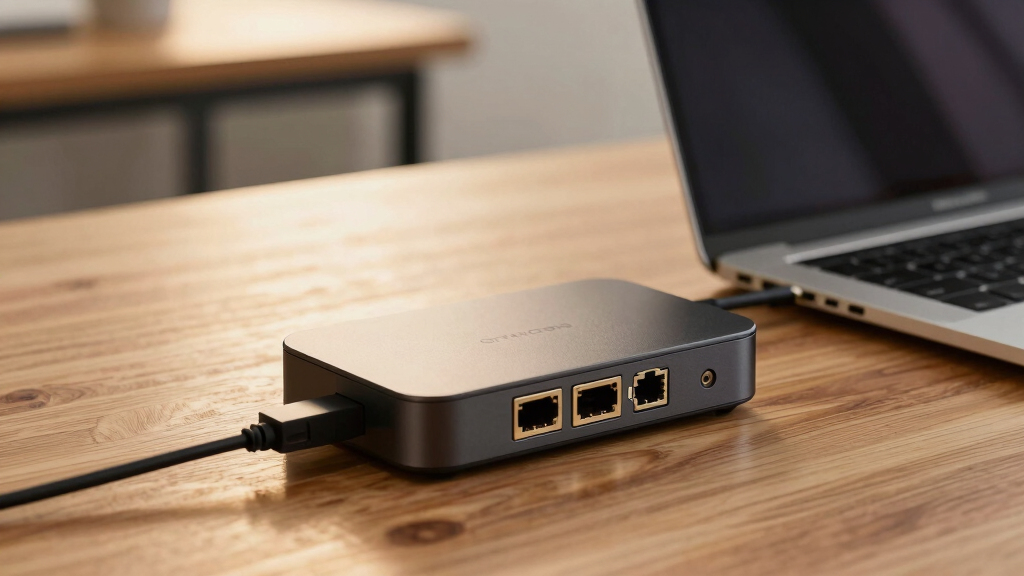
If you’re searching for the best docking station with 2.5Gb Ethernet, you’re likely balancing speed, port variety, and compatibility. The Anker Prime Docking Station DL7400 stands out for its robust 14-port setup and high power delivery, making it ideal for demanding setups. The TobenONE MacBook Docking Station offers a balanced mix of dual 4K support and multiple USB ports for Mac users. However, buyers face tradeoffs between port count, size, and price. Continue reading for a detailed breakdown of these top options and what makes each one unique.
Key Takeaways
- High port versatility is common among the top-ranking docks, catering to professional setups.
- 2.5Gb Ethernet support is now standard in higher-end models, but some docks still prioritize other features over networking speed.
- Power delivery varies significantly; choosing a dock with at least 100W charging is essential for laptop users.
- Size and portability differ; compact docks are suitable for travel, while larger models excel in fixed workstations.
- Compatibility with both Mac and Windows can influence port layout and driver support, impacting overall usability.


More Details on Our Top Picks
Anker Prime Docking Station DL7400, 14-Port Triple Display with DisplayLink, 140W Max, Smart Display, Cooling Fan for macOS and Windows
The Anker Prime DL7400 stands out for supporting triple 4K displays and an 8K output, making it ideal for professionals who need high-resolution multitasking. Its 140W power delivery ensures quick charging of laptops while connected, surpassing most docking stations like the Belkin Connect, which maxes out at 100W. The built-in cooling fan helps maintain stability under heavy loads, a feature absent in many simpler docks. However, it relies on specific DisplayLink drivers, which can introduce compatibility issues, especially on macOS. Front USB-C ports lack media display support, limiting some workflows. Compared to the StarTech USB4 dock, this offers broader device compatibility but at a higher complexity and cost. This dock is best suited for power users who demand multiple high-res displays and robust connectivity.
Pros:- Supports triple 4K displays plus 8K output for high-res workflows
- Provides up to 140W power delivery for fast charging
- Built-in cooling fan maintains performance during intensive use
- Multiple ports including SD/TF slots for extensive connectivity
Cons:- Requires latest DisplayLink drivers which can cause compatibility hiccups
- Front USB-C ports do not support media display capabilities
- Connection stability can depend on cable quality and driver updates
Best for: Creative professionals or engineers needing triple 4K/8K display setups with maximum power and stability
Not ideal for: Casual users or those on a tight budget, due to its complexity and higher price point
- Number of Ports:14
- Display Outputs:Triple 4K 60Hz, one 8K
- Power Delivery:Up to 140W
- USB-C Ports:Three (one upstream, two downstream)
- Ethernet:1 Gbps
- Compatibility:macOS 13.5+, Windows 10/11
Bottom line: This station is best for demanding professionals who need maximum resolution and robust connectivity with high power delivery.
StarTech.com USB-C Docking Station (10-in-1, USB4) with 100W Charging and Dual 4K Display
The StarTech USB4 Dock is designed for users who prioritize dual 4K@120Hz displays, making it perfect for video editors or gamers. Its high data throughput of 40Gbps and USB4 support ensure seamless performance compared to older USB-C docks like Belkin’s, which max at 60Hz. The dock’s 2.5Gb Ethernet offers reliable wired networking, crucial for professional workflows. It’s compatible with Windows and ChromeOS, but not macOS, which limits its flexibility for Mac users. Its VESA mounting option adds versatility for workspace setups. The tradeoff is that users need host devices supporting DP Alt Mode for optimal video output, and the mounting accessories are sold separately. This makes it ideal for enterprise or demanding visual workflows but less so for casual or Mac-centric setups.
Pros:- Supports dual 4K@120Hz for high-quality, smooth visuals
- Fast 40Gbps data transfer and 2.5Gb Ethernet for reliable performance
- VESA mounting capability for flexible workspace integration
- Plug-and-play with Windows and ChromeOS without drivers
Cons:- Not compatible with macOS, limiting user options
- Mounting accessories are sold separately, adding cost
- Requires DP Alt Mode support for full video capabilities
Best for: Designers, video editors, or gamers requiring dual 4K@120Hz displays with fast data transfer
Not ideal for: Mac users or casual users who don’t need ultra-high refresh rates or enterprise features
- Video Output:Dual 4K@120Hz
- Charging Power:Up to 100W
- Data Transfer Speed:40Gbps
- Ethernet:2.5Gb Ethernet
- Compatibility:Windows, ChromeOS
Bottom line: This dock is best for professionals needing high-refresh-rate dual 4K displays with enterprise-grade connectivity.
Belkin Connect 8-Port USB-C Hub with 4K HDMI, Ethernet, and 100W Power Delivery
The Belkin Connect Hub offers a straightforward way to expand a laptop’s connectivity, with support for 4K@60Hz, 2.5Gb Ethernet, and 100W charging. Compared with more advanced docks like the WAVLINK, it’s less complex and better suited for users who need reliable basic connectivity on the go. This hub’s 8 ports cover most needs, but the 4K resolution max at 60Hz may fall short for gamers or video professionals seeking smoother visuals. Its environmentally friendly recycled plastic design is a plus, but the total performance depends heavily on the host device’s capabilities. The absence of included charger and the need for a compatible USB-C port with sufficient power output are notable limitations. It’s an excellent choice for general users or students but less so for demanding professional workflows requiring higher refresh rates or multiple displays.
Pros:- Supports 4K@60Hz for decent video quality
- Includes Ethernet, SD card, and multiple USB ports
- Provides up to 100W power delivery for fast charging
- Eco-friendly recycled materials
Cons:- Maximum video resolution at 60Hz, not ideal for high-refresh-rate needs
- Charger not included, requiring additional purchase
- Limited to simple workflows without advanced display capabilities
Best for: Students or remote workers needing reliable port expansion with 4K video and Ethernet
Not ideal for: Gamers or high-end creative professionals requiring 120Hz or multi-monitor setups
- Ports:8 (including HDMI, Ethernet, SD, USB)
- Maximum Resolution:4K@60Hz
- Power Delivery:Up to 100W
- Ethernet Speed:2.5Gbps
- Cable Length:7.9 inches
Bottom line: This hub is ideal for everyday productivity and port expansion for mobile or home use.
WAVLINK 6-in-1 USB C Hub with Ethernet, 4K@120Hz HDMI, 10Gbps USB Ports, 100W PD Charging
The WAVLINK 6-in-1 USB C Hub excels in providing high-quality video output with 4K@120Hz HDMI, paired with rapid data transfer via dual USB 3.2 ports. Its 2.5Gb Ethernet and 100W Power Delivery make it a strong choice for users who want a balance of performance and affordability. Compared to the StarTech USB4 dock, it offers similar high-refresh-rate video but at a more accessible price point. However, it requires host devices supporting DP Alt Mode for full video functionality, which might limit compatibility. The lack of included charger and reliance on specific device features make it less flexible for some users. This pick suits those seeking fast connectivity and high-res video in a compact, budget-friendly package.
Pros:- Supports 4K@120Hz HDMI output for smooth visuals
- Dual USB 3.2 ports for fast data transfer
- 2.5Gb Ethernet for stable internet
- 100W pass-through charging for convenience
Cons:- Requires DP Alt Mode support on host device for video
- Charger and cable are not included, adding extra cost
- Limited to single 4K display at high refresh rates
Best for: Business travelers or remote workers needing reliable high-res video and fast data transfer
Not ideal for: Mac users or those needing multi-monitor setups beyond a single 4K display
- HDMI Output:4K@120Hz
- USB Ports:2x USB 3.2
- Ethernet:2.5Gbps
- Power Delivery:100W
- Total Ports:6
Bottom line: This hub is best for users needing fast video and data performance in a compact form factor.
Acer Premium 13-in-1 Docking Station with 110W PD & Triple Monitor Support
The Acer 13-in-1 Docking Station offers comprehensive connectivity, including dual HDMI, DisplayPort, and USB-C, supporting triple monitor configurations with 110W charging. Its versatility makes it suitable for busy office setups where multiple devices need connection, especially given its support for triple 4K monitors (though only at 30Hz with DSC). Compared to the Belkin hub, which offers simpler port expansion, this station provides more high-end features, but the lack of USB-C video output limits flexibility. It also supports a broad range of peripherals with SD/TF card readers and audio jacks, making it ideal for professionals. The caveat is that extended 4K output requires specific GPU features, and macOS users may face mirroring limitations. This makes it well-suited for Windows-based workstations with multiple peripherals.
Pros:- Supports triple 4K @30Hz with DSC for multitasking
- Includes a powerful 110W charger for reliable laptop charging
- Multiple ports including SD/TF card reader and audio jack
- Supports multiple device connections for productivity
Cons:- Does not support video output via USB-C, limiting flexibility
- Triple 4K at 30Hz may not satisfy high-refresh-rate needs
- MacOS only supports mirroring, not extended desktop
Best for: Office professionals or developers who need multiple high-resolution displays and device connectivity
Not ideal for: Mac users seeking extended desktop across multiple 4K displays or casual users
- Number of Ports:13
- HDMI Ports:2
- DisplayPort:1
- Power Adapter:110W
- Supported Monitors:Triple 4K @30Hz
Bottom line: This dock is ideal for Windows professionals managing multiple peripherals and multiple displays in a single setup.
TobenONE MacBook Docking Station Dual 4K@60Hz Monitor, 16-in-2 USB C Dock with 2.5Gbps Ethernet, 100W Power, 2 HDMI & DisplayPort, 5 USB Ports
The TobenONE dock excels for users who need dual 4K displays and a robust network connection, making it a standout for creative professionals or multitaskers. Compared with the Anker 8-in-1 hub, it supports higher-resolution dual monitors at 60Hz, providing a smoother visual experience. However, its compatibility with M1, M2, and M3 MacBooks is limited, especially regarding dual monitor support, which can be a frustration for Mac users. Its bulkier design also might be a drawback for those with small workspaces. Still, its combination of 2.5Gb Ethernet and 100W charging makes it a strong choice for high-performance setups that need reliability and power.Pros:- Supports dual 4K@60Hz with high visual fidelity
- Reliable 2.5Gbps Ethernet connection
- Multiple ports including USB and SD cards
- Powerful 100W charging for demanding devices
Cons:- Limited dual monitor support for certain MacBooks
- Bulky design may not suit small desks
- Requires correct connection setup for full dual display support
Best for: MacBook users requiring dual 4K displays and fast network speeds in a professional environment.
Not ideal for: Users with limited space or MacBook models (M1/M2) that don’t support dual monitor output without additional setup.
- Compatibility:MacBook Pro/Air with M1, M2, M3 chips
- Display Support:Dual 4K@60Hz via HDMI and DisplayPort
- Network:2.5Gbps Ethernet
- USB Ports:5 USB ports
- Card Slots:SD and micro SD
- Power Delivery:100W
Bottom line: This dock is ideal for Mac professionals who prioritize dual high-resolution displays and stable network connectivity over compactness.
Anker 8-in-1 USB-C Hub with Dual 4K HDMI, Ethernet, SD Card Reader, and 85W Power Delivery
The Anker 8-in-1 hub is a solid choice for users who need multiple display options along with reliable Ethernet, especially if they prioritize portability. Unlike the TobenONE dock, it’s smaller and more portable but sacrifices some display resolution support, offering only mirror modes for macOS dual monitors. It provides 85W power delivery, slightly less than the 100W of TobenONE but sufficient for many laptops. Its support for dual 4K HDMI with high refresh rates makes it suitable for home offices or lightweight workflows, though its lack of included charger means additional investment is necessary. It’s best for users who want a compact, all-in-one connectivity solution without needing extensive display configurations.Pros:- Supports dual 4K@60Hz with high refresh rates
- Compact and durable aluminum design
- Includes Ethernet, SD card reader, and multiple USB ports
- High-speed data transfer
Cons:- Charger not included, additional purchase needed
- Display mirroring limits on macOS
- No support for Linux
Best for: Travelers or professionals needing a portable hub for dual 4K displays and reliable wired networking.
Not ideal for: Power users requiring 100W charging or advanced dual monitor setups on macOS that do not support mirroring.
- Hardware Interface:USB-C
- Additional Features:HDMI, Powered
- Total USB Ports:3
- Data Transfer Rate:5120 Megabytes Per Second
- Number of Ports:8
- Power Delivery:85W
Bottom line: This hub suits mobile professionals seeking a portable, reliable multi-connection solution for everyday productivity.
D-Link 9-in-1 USB4 Docking Station with Dual 8K DisplayPorts, Ethernet, and Power Delivery
The D-Link DUF-901 stands out for its support of dual 8K outputs, far surpassing most competitors like the Anker or TobenONE in maximum resolution. Its high-speed 40 Gbps data transfer and 100W charging make it a powerful tool for professional content creators or engineers working with ultra-high-definition visuals. However, performance relies heavily on the host GPU and cable quality, which can limit real-world use. Its compact, vented aluminum design helps with heat dissipation, but the advanced features may be overkill for users who only need 2.5Gb Ethernet and basic connectivity. This dock is best suited for those with high-end workstations and demanding visual needs.Pros:- Supports dual 8K display outputs
- High-speed 40 Gbps data transfer
- Up to 100W power delivery
- Vented aluminum design for heat management
Cons:- Performance depends on host GPU and cable quality
- Requires compatible host and cables
- More expensive than typical docks
Best for: Professionals needing dual 8K support and high-speed data transfer for graphics-intensive tasks.
Not ideal for: Average users or those with casual or standard display requirements, due to its specialized high-resolution focus and higher cost.
- Display Outputs:2× DisplayPort 1.4
- Max Resolution:8K
- Ethernet:2.5 GbE
- USB Ports:1× USB-C (40 Gbps), 2× USB-A (10 Gbps)
- Power Delivery:Up to 100W
- Housing:Vented aluminum
Bottom line: This dock is tailored for users who require ultra-high-resolution visuals and maximum data throughput, making it less suitable for basic needs.
Anker Nano 13-in-1 USB-C Laptop Docking Station with Detachable Hub, Triple Display, 100W Power Delivery
The Anker Nano’s standout feature is its detachable hub, combining versatility with expanded connectivity for users who switch between mobile and desktop setups. It supports three displays—two HDMI and one DisplayPort—more than most in this roundup, making it ideal for multi-taskers. Compared to the TobenONE, it offers more display options but may face limitations on macOS, where video output via USB-C is often mirrored only. Its 100W power delivery and compact design make it attractive for professionals on the move, though some features depend on device compatibility. This dock makes sense for those who need a flexible, portable multi-display solution with reliable wired networking.Pros:- Supports triple 4K display output
- Detachable hub enhances portability
- Fast data transfer at 10 Gbps
- Up to 100W charging for laptops
Cons:- Video output limited to mirroring on macOS
- Requires active connection to laptop for full feature access
- Some features vary by device compatibility
Best for: Mobile professionals or remote workers needing triple display support and portable connectivity.
Not ideal for: Users with desktop-only setups or those requiring advanced dual 8K support, as the focus is on triple 4K and portability.
- Number of ports:13
- Display outputs:2 HDMI, 1 DisplayPort
- USB-C data ports:2
- USB-A ports:3
- Power delivery:Up to 100W
- Detachable hub:Yes
Bottom line: This dock is well-suited for users needing flexible multi-display options combined with portability and strong charging capabilities.
UGREEN Thunderbolt 4 Dock 13-in-1 40Gbps Docking Station with Dual 4K@60Hz and 8K Display, 90W Charging
This Thunderbolt 4 dock from UGREEN stands out for its exceptional support for dual 4K displays at 60Hz or a single 8K display, making it ideal for creative professionals or designers who need high visual fidelity. Compared to the StarTech.com USB-C Docking Station, which offers similar dual 4K support but lacks the Thunderbolt 4 bandwidth and 8K capability, the UGREEN provides faster data transfer rates and more future-proof connectivity. Its extensive port selection, including SD/TF card readers and five USB ports, caters to users with diverse peripherals, while the 90W power delivery reduces the need for extra chargers. However, its reliance on a power connection limits portability, and full multi-display support can vary depending on the host device. This dock makes the most sense for professionals working from a stationary setup that demands high video resolution and multiple device connections.
Pros:- Supports dual 4K@60Hz or single 8K display for high-res visuals
- Extensive port options including SD/TF card readers and multiple USB ports
- Delivers up to 90W charging, reducing clutter from additional chargers
Cons:- Requires constant connection to power, limiting portability
- Full multi-display support may depend on device compatibility
Best for: Creative professionals or power users who need dual 4K or 8K displays with high-speed data transfer and extensive port options
Not ideal for: Travelers or users who prioritize portability, as it requires connection to wall power and is relatively bulky for mobile use
- Hardware Interface:Ethernet, Thunderbolt 4, USB 3.2 Gen 1
- Compatible Devices:laptops, tablets
- Total USB Ports:5
- Number of Ports:13
- Item Dimensions:5.85″ L x 3.79″ W x 2.05″ H
- Power Delivery:Up to 90W
Bottom line: This dock is best suited for stationary setups where high-resolution displays and multiple peripherals are priorities.
How We Picked
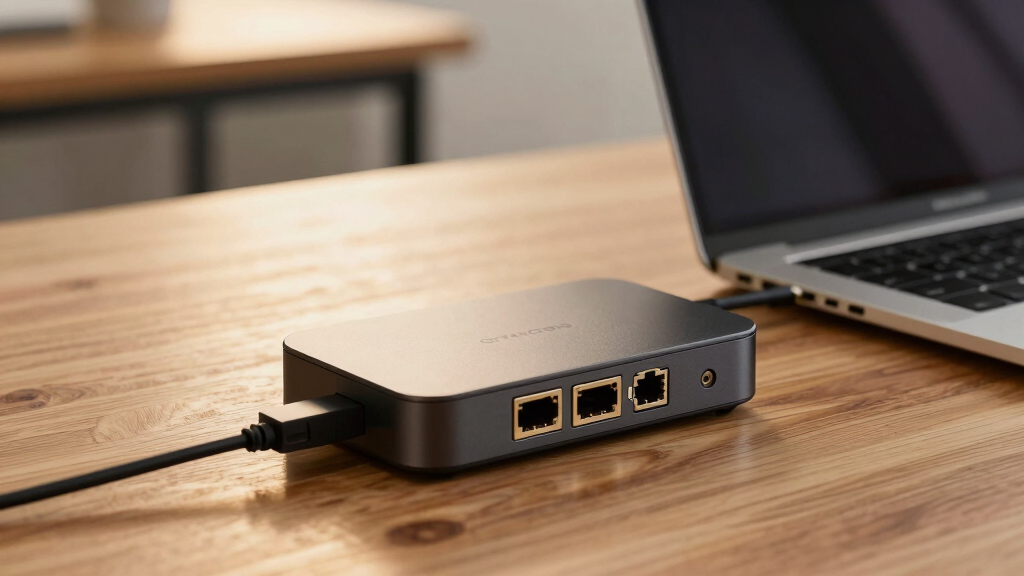
These products were evaluated based on a combination of performance, build quality, port selection, and value. Priority was given to docks that explicitly support 2.5Gb Ethernet, as this is a key feature for fast network connectivity. We also considered user versatility—whether the dock could handle multiple monitors, charging needs, and data transfer—alongside overall durability and compatibility. The ranking reflects a balance between high-end features and practical usability, aiming to identify options suitable for different types of users, from professionals to casual users.Factors to Consider When Choosing Best Docking Station With 2.5gb Ethernet
Choosing the best docking station with 2.5Gb Ethernet requires understanding several factors that impact daily use. Beyond port count, consider compatibility, charging capabilities, size, and build quality. Making the right choice depends on your specific needs—whether it’s for a home office, a professional workstation, or travel. Here are key considerations to help you find the perfect match.Performance and Network Speed
While 2.5Gb Ethernet provides faster network speeds, ensure the dock’s other data transfer ports support your needs. Look for docks with high-speed USB-C or Thunderbolt connections to avoid bottlenecks. Also, verify that the dock’s chipset is reliable for consistent performance, especially if you rely on stable internet or large data transfers. Choosing a dock that balances network speed with overall throughput prevents frustrating slowdowns during intensive tasks.
Port Selection and Compatibility
Evaluate what ports you need daily—additional USB-A, HDMI, DisplayPort, SD card readers, or audio jacks. A dock with too many ports can be bulky, while too few may limit your workflow. Compatibility with your laptop’s operating system is equally important; some docks require specific drivers or firmware updates. Consider whether the dock supports multiple 4K displays if your work involves high-resolution screens, and ensure the physical size fits your workspace or travel bag.
Power Delivery and Charging
Power delivery (PD) is critical if you want your laptop to charge through the dock. Most high-end docks offer at least 85W, but for larger laptops, 100W or more is preferable. Be cautious of docks with lower PD ratings if you need to keep your device charged during intensive use; they may result in slower charging or power drain. Compatibility with your device’s charging standards helps avoid issues like overheating or insufficient power supply.
Build Quality and Size
Durability matters, especially if you plan to move your dock frequently. Metal housings tend to last longer and dissipate heat better, but they can add weight. Size matters if you’re limited on desk space or want a portable option. Larger, more feature-rich docks suit a dedicated workstation, while smaller models prioritize portability. Balance your needs for mobility versus stability when selecting a dock.
Price and Future-Proofing
Expect to pay more for docks with advanced features like dual 4K support, Thunderbolt 4, or multiple high-bandwidth ports. Investing in a slightly higher-priced model can extend the device’s relevance as your setup evolves. Cheaper docks may lack some features or reliability, leading to potential frustrations over time. Consider your long-term needs and whether a higher investment now will save money and hassle later.
Frequently Asked Questions
Is 2.5Gb Ethernet worth it over Gigabit Ethernet?
Yes, 2.5Gb Ethernet provides significantly faster network speeds, which can be a game-changer for large file transfers, cloud backups, and streaming high-bandwidth content. While Gigabit Ethernet remains common and sufficient for many tasks, upgrading to 2.5Gb can future-proof your setup and improve performance in data-heavy workflows. If your internet plan supports higher speeds or you frequently transfer large files internally, a dock with 2.5Gb Ethernet makes a noticeable difference.
Can I use a docking station with 2.5Gb Ethernet with my MacBook?
Most modern docking stations with 2.5Gb Ethernet are compatible with MacBooks, but you should verify specific compatibility before purchase. Some docks may require specific drivers or firmware updates, especially for features like multiple displays or advanced networking. Mac users should look for docks explicitly labeled as compatible with macOS to avoid driver issues. Also, consider whether the dock supports Thunderbolt or USB-C, which offers the best performance with MacBook models.
How important is port variety beyond Ethernet and USB?
Port variety depends on your workflow. If you use multiple monitors, HDMI or DisplayPort outputs are essential. For photographers or content creators, SD card readers or audio jacks add convenience. The more versatile your dock, the fewer adapters you’ll need, which simplifies your workspace. However, more ports often mean larger docks, so consider your space and mobility needs when prioritizing port options.
Should I prioritize a dock with Thunderbolt 4 or USB-C?
Thunderbolt 4 docks generally support higher data transfer rates and more advanced features, making them ideal for high-performance tasks like 4K or 8K video editing. USB-C docks are more common and usually less expensive, but may not support the same bandwidth or daisy-chaining capabilities. Your choice should depend on your device’s port support and whether you need maximum speed and flexibility or a more affordable, compatible option.
What tradeoffs should I consider when choosing a dock with 2.5Gb Ethernet?
Adding 2.5Gb Ethernet often means a larger or more expensive dock, so consider if you need the speed or if Gigabit Ethernet suffices. Some docks with 2.5Gb Ethernet may sacrifice port count or compactness to include this feature. Power delivery might also be limited in smaller docks, affecting charging ability. Balancing network speed with other features like port variety, size, and price helps ensure your setup matches your specific needs.
Conclusion
For users who need a reliable, all-around docking solution, the Anker Prime Docking Station DL7400 offers a balanced mix of ports, power, and performance, making it the best overall pick. Budget-conscious buyers or those with simpler needs might prefer the Belkin Connect 8-Port USB-C Hub for its affordability and essential features. Professionals requiring top-tier performance, especially with multiple high-resolution displays, should consider the UGREEN Thunderbolt 4 Dock for future-proof capabilities. Beginners or casual users will benefit from straightforward, easy-to-use models like the StarTech.com USB-C Docking Station. Choose based on your specific workflow, budget, and portability needs to get the best fit.