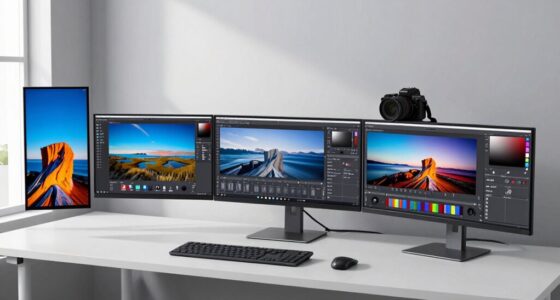
Choosing a monitor for coding and programming involves balancing screen size, resolution, color accuracy, and ergonomics. The best overall pick is the ASUS ProArt PA278QV, known for its excellent color precision and adjustable stand, ideal for long coding sessions. The Dell S2725HSM offers a high refresh rate and fast response time, making it suitable for both coding and occasional gaming. Meanwhile, ultrawide monitors like the Samsung ViewFinity S50GC excel for multitasking with multiple windows. The main tradeoffs involve balancing price against features like resolution, size, and color fidelity. Keep reading for a detailed breakdown of these options to find your perfect match.

Get comfort and recovery gear delivered free with Prime
- Fast, free delivery on millions of items
- Prime Video, Amazon Music and more included
- Member-only deals all year
Complete the kit



Key Takeaways
- Ultrawide monitors provide significant productivity benefits by enabling multiple windows and tools to be open simultaneously.
- Color accuracy is less critical for coding but is essential if your work involves design or UI development.
- High refresh rates and fast response times are beneficial for occasional gaming or testing with real-time feedback, but are less critical for pure coding work.
- Adjustable stands and ergonomic features greatly improve comfort during long programming sessions.
- Higher resolutions like 4K offer sharper text and more screen real estate but may require more powerful hardware.
| Acer 27-inch FHD IPS Monitor KB272 G0bi |  | Best Budget-Friendly for Fast-Paced Coding | Size: 27 inches | Resolution: 1920×1080 (FHD) | Refresh Rate: 120Hz | VIEW ON AMAZON | See Our Full Breakdown |
| ASUS ProArt PA278QV 27-Inch 1440p QHD Professional Monitor |  | Best for Creative Programmers Requiring Accurate Colors | Size: 27 inches | Resolution: 2560×1440 (QHD) | Panel Type: IPS | VIEW ON AMAZON | See Our Full Breakdown |
| Samsung 34″ ViewFinity S50GC Series Ultra-WQHD Monitor |  | Best for Multi-Tasking and Immersive Coding | Size: 34 inches | Resolution: Ultra-WQHD | Refresh Rate: 100Hz | VIEW ON AMAZON | See Our Full Breakdown |
| Dell 27 Plus Monitor – S2725HSM |  | Best for Ergonomic Comfort in Extended Coding Sessions | Size: 27 inches | Resolution: 1920×1080 (FHD) | Refresh Rate: 144Hz | VIEW ON AMAZON | See Our Full Breakdown |
| ASUS ProArt PA248QV 24-Inch WUXGA Professional Monitor |  | Best for Compact Creative Coding and Accurate Work | Size: 24 inches | Resolution: 1920×1200 (WUXGA) | Color Coverage: 100% sRGB/Rec. 709 | VIEW ON AMAZON | See Our Full Breakdown |
| BenQ RD280UA 28.2″ 4K HDR Programming Monitor with Ergo Arm |  | Best Overall for Ergonomic Coding Setup | Display Size: 28.2 inches | Resolution: 4K+ HDR | Panel Type: Nano Matte | VIEW ON AMAZON | See Our Full Breakdown |
| BenQ RD280U 28.2” 4K Programming Monitor with Eye-Care and VESA Mount |  | Best for Long Hours with VESA Flexibility | Display Size: 28.2 inches | Resolution: 3840×2560 4K | Panel Type: Nano Matte | VIEW ON AMAZON | See Our Full Breakdown |
| Dell 34 Monitor S3425DW, WQHD VA, 120Hz, FreeSync Premium, Eye Comfort, HDR10, Anti-Glare, 300 cd/m2 Brightness, 3,000:1 Contrast, 95% DCI-P3, 2x10W Speakers, USB-C 65W Power Delivery |  | Best for Visual Clarity and Multitasking | Display Size: 34 inches | Resolution: WQHD | Panel Type: VA | VIEW ON AMAZON | See Our Full Breakdown |
| BenQ RD320U 32” 4K Programming Monitor with Eye-Care Technology |  | Best for High-Resolution Clarity and Eye Comfort | Display Size: 32 inches | Resolution: 3840×2160 (4K) | Contrast Ratio: 2000:1 | VIEW ON AMAZON | See Our Full Breakdown |
| Samsung 49” Business Curved Ultrawide Dual QHD Computer Monitor LS49C954UANXZA |  | Best for Extensive Multitasking and Wide Workspace | Size: 49 inches | Display Type: Curved Ultrawide | Resolution: Dual QHD | VIEW ON AMAZON | See Our Full Breakdown |
| Dell 27 Plus QHD Monitor – S2725DSM |  | Best Overall for Versatile Productivity and Smooth Visuals | Display Size: 27 inches | Resolution: 2560×1440 (QHD) | Refresh Rate: 144Hz | VIEW ON AMAZON | See Our Full Breakdown |
| LG 27US500-W Ultrafine 27-Inch 4K UHD HDR10 IPS Monitor |  | Best for Creative Professionals and Color Accuracy | Display Size: 27 inches | Resolution: 3840×2160 (4K UHD) | Contrast Ratio: 1000:1 | VIEW ON AMAZON | See Our Full Breakdown |
| Dell 27-Inch FHD Gaming Monitor – SE2726HG |  | Best for Fast-Paced Coding and Gaming on a Budget | Size: 27 inches | Resolution: 1920×1080 (FHD) | Refresh Rate: 240Hz | VIEW ON AMAZON | See Our Full Breakdown |
| LG 34U530A-W 34-inch UltraWide WFHD IPS Computer Monitor |  | Best for Multitasking and Wide Workspace | Size: 34 inches | Resolution: 2560 x 1080 | Refresh Rate: 100Hz | VIEW ON AMAZON | See Our Full Breakdown |
| monitor for coding and programming | Resolution | Connectivity | Size | Refresh Rate |
|---|---|---|---|---|
| Acer 27-inch FHD IPS Monitor K | 1920×1080 (FHD) | — | 27 inches | 120Hz |
| ASUS ProArt PA278QV 27-Inch 14 | 2560×1440 (QHD) | DisplayPort, HDMI, DVI-D, USB | 27 inches | — |
| Samsung 34" ViewFinity S50GC S | Ultra-WQHD | — | 34 inches | 100Hz |
| Dell 27 Plus Monitor | 1920×1080 (FHD) | — | 27 inches | 144Hz |
| ASUS ProArt PA248QV 24-Inch WU | 1920×1200 (WUXGA) | HDMI, DisplayPort, D-Sub | 24 inches | — |
| BenQ RD280UA 28.2" 4K HDR Prog | 4K+ HDR | USB-C, HDMI, DisplayPort | — | — |
| BenQ RD280U 28.2” 4K Programmi | 3840×2560 4K | — | — | — |
| Dell 34 Monitor S3425DW | WQHD | USB-C with 65W | — | 120Hz |
| BenQ RD320U 32” 4K Programming | 3840×2160 (4K) | — | — | — |
| Samsung 49” Business Curved Ul | Dual QHD | USB-C (90W), DisplayPort, HDMI | 49 inches | 120Hz |
| Dell 27 Plus QHD Monitor | 2560×1440 (QHD) | HDMI 1.4, DisplayPort 1.4 | — | 144Hz |
| LG 27US500-W Ultrafine 27-Inch | 3840×2160 (4K UHD) | HDMI, DisplayPort | — | — |
| Dell 27-Inch FHD Gaming Monito | 1920×1080 (FHD) | 2x HDMI, DisplayPort 1.4 | 27 inches | 240Hz |
| LG 34U530A-W 34-inch UltraWide | 2560 x 1080 | HDMI, DisplayPort, USB Type-C | 34 inches | 100Hz |
More Details on Our Top Picks
Acer 27-inch FHD IPS Monitor KB272 G0bi
The Acer KB272 G0bi stands out for its high refresh rate of 120Hz and 1ms response time, making it an attractive choice for programmers who also enjoy quick-paced tasks like gaming or video editing. Its IPS panel guarantees wide viewing angles and accurate colors, which can reduce eye strain during long coding sessions. Compared to the Dell S2725HSM, it offers a faster refresh rate but sacrifices resolution, remaining at Full HD. The limited brightness of 250 nits might be a concern in bright environments, but its support for VESA mounting adds flexibility for workspace setup. Its primary tradeoff is that it only offers 1080p resolution, which may fall short for those needing pixel-perfect clarity for complex coding tools or multitasking across multiple windows.
Pros:- 120Hz refresh rate enables smooth scrolling and animations
- Fast 1ms response time reduces ghosting during quick interactions
- IPS panel offers accurate colors and wide viewing angles
- Supports VESA mounting for flexible setup
Cons:- Limited to 1080p resolution, not suitable for high-detail tasks
- Brightness may be insufficient in brightly lit rooms
Best for: Budget-conscious developers who prioritize fast response and smooth visuals for gaming and general coding
Not ideal for: Graphic designers or programmers requiring high-resolution displays for detailed work or multi-window workflows
- Size:27 inches
- Resolution:1920×1080 (FHD)
- Refresh Rate:120Hz
- Response Time:1ms
- Brightness:250 nits
- Inputs:HDMI, VGA
- VESA Mountable:Yes
Our verdict“This monitor is best suited for budget-conscious users who need fast refresh rates for versatile tasks, not high-resolution detail work.”
ASUS ProArt PA278QV 27-Inch 1440p QHD Professional Monitor
The ASUS ProArt PA278QV makes the list for its exceptional color accuracy, with 100% sRGB and factory calibration verified by Calman, making it ideal for programmers engaged in creative work or UI design. Its 2560×1440 resolution offers more workspace than Full HD monitors, enhancing multitasking and coding precision. Compared with the Acer KB272 G0bi, it sacrifices some refresh rate for better color fidelity and resolution, but the tradeoff is worth it for those needing pixel-perfect visuals. The adjustable ergonomic stand and extensive connectivity options—including USB hub—support long hours of comfortable use. However, its high price may be prohibitive for casual coders, and it generally requires calibration to reach its full color potential.
Pros:- Factory-calibrated with Delta E < 2 for color precision
- Wide viewing angles and vibrant color coverage
- Ergonomic stand with height, tilt, pivot, and swivel adjustments
- Multiple connectivity options including USB hub
Cons:- Premium price may deter casual users
- Color accuracy depends on proper calibration out of the box
Best for: Professional developers and creative coders who need precise color accuracy and ergonomic comfort
Not ideal for: Casual hobbyists or those with limited budgets who don’t require high color fidelity or extensive adjustments
- Size:27 inches
- Resolution:2560×1440 (QHD)
- Panel Type:IPS
- Color Gamut:100% sRGB, 100% Rec. 709
- Calibration:Calman Verified, Delta E < 2
- Connectivity:DisplayPort, HDMI, DVI-D, USB
Our verdict“This monitor is perfect for creative professionals who need reliable color accuracy and flexible ergonomics, at a higher price point.”
Samsung 34″ ViewFinity S50GC Series Ultra-WQHD Monitor
The Samsung ViewFinity S50GC earns its spot for its expansive 34-inch Ultra-WQHD display with a 21:9 aspect ratio, making it ideal for multitasking and immersive coding sessions. Its HDR10 support and billion-color display ensure vibrant visuals, beneficial for developers working with color-sensitive applications. Compared with smaller, high-resolution monitors like the ASUS ProArt PA278QV, it offers a broader workspace, reducing the need to switch between windows. The 100Hz refresh rate and eye care features—blue light reduction and flicker-free tech—support long hours of productivity. The main tradeoff is its premium price and the need for compatible graphics hardware to fully leverage PIP/PBP features, which might limit some users.
Pros:- Large ultra-wide display enhances multitasking and immersion
- HDR10 and billion-color support deliver vibrant visuals
- Eye care features reduce fatigue during extended use
- Multiple input options and PIP/PBP capabilities
Cons:- Premium price point may be high for some users
- Requires compatible hardware for optimal PIP/PBP features
Best for: Developers who need large, immersive screens for multitasking and content creation
Not ideal for: Desk-bound users with limited space or those needing high pixel density for pixel-level detail work
- Size:34 inches
- Resolution:Ultra-WQHD
- Refresh Rate:100Hz
- HDR:HDR10
- Color Support:Over 1 billion colors
- Inputs:HDMI 2.2, DisplayPort 1.2
Our verdict“This monitor suits developers who prioritize expansive viewing space and multitasking efficiency over pixel density for detailed work.”
Dell 27 Plus Monitor – S2725HSM
The Dell S2725HSM is a compelling choice for programmers who spend long hours at their desk thanks to its fully adjustable stand and TÜV-certified blue light reduction. The 144Hz refresh rate combined with a 1ms response time makes it suitable for fast interactions, similar to the Acer KB272 G0bi, but with the added benefit of ergonomic flexibility. Its Full HD resolution, however, may not satisfy those needing sharp, high-resolution displays for pixel-level detail or complex UI work. Limited connectivity options beyond HDMI could be a drawback for users with multiple devices or specialized setups.
Pros:- High 144Hz refresh rate with 1ms response for smooth visuals
- Fully adjustable stand supports ergonomic positioning
- Blue light reduction reduces eye strain
- Integrated speakers add convenience
Cons:- Full HD resolution may limit clarity for detailed coding tasks
- Limited connectivity options might restrict device connections
Best for: Developers prioritizing ergonomic comfort and fast response for extended hours of coding and light gaming
Not ideal for: Graphic professionals or users requiring high-resolution displays for detailed visual editing
- Size:27 inches
- Resolution:1920×1080 (FHD)
- Refresh Rate:144Hz
- Response Time:1ms
- Speakers:2 x 3W
- Adjustability:Height, Tilt, Pivot, Swivel
Our verdict“Ideal for programmers needing adjustable ergonomics and fast response times, but not for those requiring high-resolution or extensive port options.”
ASUS ProArt PA248QV 24-Inch WUXGA Professional Monitor
The ASUS ProArt PA248QV offers a smaller footprint with a 24-inch WUXGA resolution, making it ideal for space-constrained setups while maintaining high color accuracy with 100% sRGB and Delta E < 2. For those who value precise color reproduction over screen size, it outperforms larger yet less calibrated monitors like the Acer KB272 G0bi. Its extensive ergonomic adjustments and anti-glare coating support long hours of comfortable coding. The main tradeoff is its higher price relative to typical office monitors and the limited size, which might not suit users needing expansive workspace or detailed multitasking.
Pros:- Exceptional color accuracy with 100% sRGB and Delta E < 2
- Compact size fits smaller desks comfortably
- Versatile ergonomic stand with multiple adjustments
- Anti-glare screen reduces reflections
Cons:- Higher price point for its size and features
- Limited to professional and creative use cases
Best for: Professional coders and creative developers working in tight spaces who need color accuracy and ergonomic flexibility
Not ideal for: Users seeking large screens or high-resolution displays for complex graphical tasks
- Size:24 inches
- Resolution:1920×1200 (WUXGA)
- Color Coverage:100% sRGB/Rec. 709
- Color Accuracy:Delta E < 2
- Connectivity:HDMI, DisplayPort, D-Sub
Our verdict“This monitor is well-suited for space-conscious professionals who require precise color work and ergonomic comfort in a smaller package.”
BenQ RD280UA 28.2″ 4K HDR Programming Monitor with Ergo Arm
This BenQ RD280UA stands out for its combination of high-resolution 4K HDR display and dedicated coding modes, making it ideal for programmers who need clarity and reduced eye strain. Its nano matte panel minimizes reflections, which is especially beneficial compared to standard glossy screens like the Dell S3425DW. The ergonomic stand allows flexible positioning, supporting long coding sessions comfortably. However, its lack of specific color accuracy details and limited tilt or height adjustability can be limiting for professional color work or highly ergonomic setups. Compared with the BenQ RD320U, this model is more compact but offers fewer customization options. It’s best suited for developers prioritizing comfort and clarity over advanced color calibration or extensive ergonomic features.
Pros:- High-resolution 4K HDR display with minimal reflections
- Dedicated coding modes improve readability and reduce eye strain
- Ergonomic stand with flexible positioning
Cons:- Limited information on color accuracy specifications
- No adjustable height or tilt features
Best for: Programmers and developers seeking a crisp, reflection-minimized display with ergonomic flexibility
Not ideal for: Color-critical professionals or users needing extensive height adjustment and tilt options
- Display Size:28.2 inches
- Resolution:4K+ HDR
- Panel Type:Nano Matte
- Response Time:5 ms
- Contrast Ratio:1200:1
- Connectivity:USB-C, HDMI, DisplayPort
- Features:Coding Modes, Eye-Care Tech, Built-in Speakers
Our verdict“This monitor makes the most sense for developers who want detailed clarity and ergonomic flexibility in their setup.”
BenQ RD280U 28.2” 4K Programming Monitor with Eye-Care and VESA Mount
The BenQ RD280U offers a large 28.2-inch 4K display with anti-glare Nano Matte technology, making it ideal for programmers who spend extended hours coding. Its advanced coding modes help distinguish syntax, while eye-care features like blue light reduction keep fatigue at bay. The inclusion of a VESA mount provides flexible setup options that the RD280UA lacks, making it better suited for custom ergonomic arrangements. Its main drawback is that, as a renewed product, warranty coverage might be limited, and its size demands ample desk space. Compared to the RD320U, it has a slightly smaller footprint but offers similar features with enhanced mounting options. This pick is perfect for users who want a large, clear display with flexible mounting for a comfortable, long-term workspace.
Pros:- Anti-glare Nano Matte Panel for better visibility
- Advanced coding modes to aid syntax differentiation
- VESA mount compatibility for flexible setup
Cons:- Renewed product may have limited warranty
- Large size requires sufficient desk space
Best for: Programmers seeking a large, glare-minimized display with flexible mounting options
Not ideal for: Users with very tight desk space or those requiring precise color accuracy
- Display Size:28.2 inches
- Resolution:3840×2560 4K
- Panel Type:Nano Matte
- Backlight:MoonHalo
- USB-C Power Delivery:90W
- Features:KVM, VESA Mount, Eye-Care, Coding Modes
Our verdict“Ideal for long-hour coding sessions with a preference for adaptable mounting options.”
The Dell S3425DW provides a wide 34-inch curved display with vibrant color coverage and smooth visuals, thanks to its 120Hz refresh rate and FreeSync Premium. Its WQHD resolution ensures sharp images, making it suitable for multitasking and visual tasks. The eye comfort features, including blue light reduction, help minimize fatigue during long coding or media sessions. While the stand offers limited adjustability details, the inclusion of USB-C with 65W power delivery simplifies cable management. Compared with the ultra-wide Samsung LS49C954UANXZA, this monitor offers a more traditional aspect ratio but with better color accuracy and a more manageable size. It’s best suited for programmers who want a large, immersive workspace with vibrant display quality and eye comfort for extended use.
Pros:- Vivid color with 95% DCI-P3 coverage
- Smooth visuals with 120Hz and FreeSync Premium
- Eye comfort features and USB-C connectivity
Cons:- Limited stand adjustability details
- Sound quality of built-in speakers not emphasized
Best for: Developers and designers seeking a large, color-accurate display for multitasking
Not ideal for: Users needing extensive ergonomic adjustments or a more compact form factor
- Display Size:34 inches
- Resolution:WQHD
- Panel Type:VA
- Refresh Rate:120Hz
- HDR:HDR10
- Connectivity:USB-C with 65W
Our verdict“This monitor suits professionals who prioritize a large, vibrant display with comfort features for all-day use.”
BenQ RD320U 32” 4K Programming Monitor with Eye-Care Technology
The BenQ RD320U offers a 32-inch 4K display with high contrast and excellent clarity, making it well-suited for detailed coding work and multimedia. Its nano matte panel minimizes reflections, especially compared to glossy alternatives. The inclusion of coding modes, night hours protection, and adjustable backlight helps reduce eye strain during extended sessions. Compared with the smaller RD280UA, its larger size provides more workspace but may not fit smaller desks comfortably. Its features may require calibration for the best color accuracy, and the renewal status could limit warranty coverage. Overall, this monitor makes a compelling choice for those who need a large, high-resolution display with eye-care features in a professional or home office setting.
Pros:- Large 32-inch 4K display with high clarity
- Reduces eye strain with coding modes and night protection
- Nano matte panel minimizes reflections
Cons:- Renewed product might have limited warranty
- Size may be unsuitable for small desks
Best for: Developers and content creators needing a large, detailed display with eye-care features
Not ideal for: Users with limited desk space or needing portable monitor options
- Display Size:32 inches
- Resolution:3840×2160 (4K)
- Contrast Ratio:2000:1
- Panel Type:Nano Matte
- Power:90W USB-C
- Features:Coding Modes, Night Hours Protection, Eye-Care Technology
Our verdict“Best suited for professionals who require a large, detailed display with strong eye comfort features.”
Samsung 49” Business Curved Ultrawide Dual QHD Computer Monitor LS49C954UANXZA
The Samsung LS49C954UANXZA provides an expansive 49-inch curved ultrawide display with dual QHD resolution, making it ideal for multitasking, coding, and multimedia. Its 120Hz refresh rate and DisplayHDR 400 support deliver vibrant, smooth visuals, while the ultra-wide aspect ratio offers a panoramic workspace that can replace multiple monitors. The USB-C port with 90W charging simplifies cable management, and built-in speakers add convenience. However, its size can be overwhelming for smaller desks, requiring significant space and hardware support to fully utilize its features. Compared with traditional monitors like the Dell S3425DW, this model excels in multitasking but may be excessive for users with limited space or simpler needs. It’s best for users who want a single, immersive display for productivity and entertainment, willing to invest in a large setup.
Pros:- Massive, immersive curved display enhances productivity
- Multiple connectivity options including USB-C with charging
- VESA DisplayHDR 400 for vibrant visuals
Cons:- Requires ample desk space and powerful hardware
- High price and potential overkill for casual users
Best for: Power users needing a large, panoramic workspace for multitasking and media editing
Not ideal for: Users with limited desk space or those seeking a more affordable or smaller monitor
- Size:49 inches
- Display Type:Curved Ultrawide
- Resolution:Dual QHD
- Refresh Rate:120Hz
- HDR:DisplayHDR 400
- Connectivity:USB-C (90W), DisplayPort, HDMI
Our verdict“This ultrawide monitor is best for large-scale multitasking and immersive workflows in spacious setups.”
Dell 27 Plus QHD Monitor – S2725DSM
The Dell S2725DSM stands out as a balanced choice for programmers who value clarity and responsiveness. Its 27-inch QHD resolution delivers sharp text and detailed code, making it superior to 1080p options like the Dell SE2726HG for extended coding sessions. The 144Hz refresh rate and 1ms response time ensure smooth scrolling and minimal motion blur, which benefits developers working with fast-changing interfaces. The fully adjustable stand supports ergonomic setups, reducing strain during long hours. However, it lacks USB ports, which could be a drawback for those needing quick peripheral access, and its color accuracy details are limited—less ideal for graphics-heavy projects. Compared to the LG 27US500-W, which offers 4K resolution but lower refresh rates, this monitor provides a better balance of speed and clarity for coding. Best for developers who prioritize fast visuals and ergonomic comfort but don’t need extensive connectivity or high-end color precision.
Pros:- Sharp QHD resolution enhances text clarity and reduces eye strain
- Fast 144Hz refresh rate and 1ms response time for smooth scrolling and interactions
- Fully adjustable stand supports ergonomic setups
- Built-in dual 3W speakers add multimedia versatility
Cons:- No built-in USB ports limits peripheral connectivity
- Limited color accuracy information reduces suitability for color-sensitive tasks
Best for: Programmers needing a fast, adjustable monitor with clear visuals for coding and multitasking.
Not ideal for: Creative professionals requiring high color accuracy and USB-C connectivity, or users who prefer ultra-high resolution for detailed design work.
- Display Size:27 inches
- Resolution:2560×1440 (QHD)
- Refresh Rate:144Hz
- Response Time:1ms
- Connectivity:HDMI 1.4, DisplayPort 1.4
- Adjustability:Height, Tilt, Pivot, Swivel
- Speakers:2 x 3W
- Blue Light Reduction:Yes
Our verdict“A strong all-rounder for programmers who want speed, comfort, and decent visual fidelity.”
LG 27US500-W Ultrafine 27-Inch 4K UHD HDR10 IPS Monitor
The LG 27US500-W offers a crisp 4K UHD resolution, making it ideal for detailed coding alongside creative work like design or video editing. Its wide DCI-P3 color gamut and HDR10 support provide vibrant, accurate visuals, surpassing the pixel clarity of 1440p screens like the Dell S2725DSM. The ergonomic tilt adjustment allows for flexible positioning, promoting comfort during long sessions. Nonetheless, it lacks built-in speakers and USB-C connectivity, which could be inconvenient for users who want a streamlined workspace. Compared with the Dell 27 Plus, which emphasizes speed and responsiveness, this monitor suits those prioritizing visual fidelity and color precision over high refresh rates. Best suited for developers working with visual content or who need accurate colors for UI/UX design but less ideal for fast-paced coding or gaming.
Pros:- Ultra-sharp 4K UHD resolution for detailed code and visuals
- Wide DCI-P3 color gamut and HDR10 support for vibrant, accurate images
- Ergonomic tilt stand enhances comfort during prolonged use
- Vivid display quality ideal for creative tasks
Cons:- Lacks built-in speakers and USB-C port, limiting connectivity
- No high refresh rate for fast-paced interactions or gaming
Best for: Creative professionals and developers needing high-resolution, color-accurate displays for detailed work.
Not ideal for: Gamers or programmers requiring high refresh rates and quick responses, or users needing extensive connectivity options.
- Display Size:27 inches
- Resolution:3840×2160 (4K UHD)
- Contrast Ratio:1000:1
- Color Gamut:90% DCI-P3
- HDR:HDR10
- Connectivity:HDMI, DisplayPort
- Stand:Ergonomic tilt
Our verdict“A top pick for those blending coding with creative work requiring high visual fidelity.”
Dell 27-Inch FHD Gaming Monitor – SE2726HG
The Dell SE2726HG is tailored for those who want speed and responsiveness at a lower resolution. Its 240Hz refresh rate and 0.5ms response time excel for fast interactions, making it suitable for coding environments with rapid interface changes or casual gaming. The IPS panel ensures vibrant colors and wide viewing angles, comparable to the Dell S2725DSM but with a focus on speed over resolution. However, it’s limited to FHD resolution, which can make text appear less sharp for extended coding sessions, especially compared to higher-res options like the LG 27US500-W. Its absence of built-in speakers and USB ports might hinder a clutter-free setup. Compared to the LG ultrawide, which offers a broader workspace, this monitor emphasizes speed at the cost of screen real estate. Best for budget-conscious programmers who prioritize fast refresh rates and quick response times but don’t need high resolution or extensive connectivity.
Pros:- Extremely high 240Hz refresh rate for smooth interactions
- Fast 0.5ms response time minimizes motion blur
- IPS panel offers vivid colors and wide viewing angles
- Affordable option for speed-focused use
Cons:- Limited to 1080p resolution, affecting text sharpness
- No built-in speakers or USB ports for convenience
Best for: Budget-conscious developers or gamers seeking high refresh rates for fast, smooth visuals in coding or casual gaming.
Not ideal for: Professionals needing high-resolution text clarity or extensive peripheral connectivity for long coding sessions.
- Size:27 inches
- Resolution:1920×1080 (FHD)
- Refresh Rate:240Hz
- Response Time:0.5ms
- Panel Technology:IPS
- Color Coverage:99% sRGB
- Connectivity:2x HDMI, DisplayPort 1.4
- Features:AMD FreeSync Premium, TÜV Rheinland
Our verdict“A solid choice for speed-focused work and casual gaming on a budget, with some compromise on text clarity.”
LG 34U530A-W 34-inch UltraWide WFHD IPS Computer Monitor
The LG 34U530A-W excels as an ultra-wide monitor, offering a 21:9 aspect ratio that boosts productivity through expansive screen real estate. Its 2560×1080 resolution provides ample detail for coding, especially when multitasking across multiple windows, much like the benefits of the Dell 27 Plus but with an ultra-wide twist. The IPS panel ensures consistent color and wide viewing angles, ideal for collaborative work or color-critical tasks. Its multiple connectivity options, including USB Type-C, support streamlined setups. However, it requires a sizable desk footprint and lacks high-end speakers, limiting multimedia use. Compared to the smaller, standard monitors, the ultra-wide design makes this a standout for multitasking but less suitable for detailed design work that benefits from higher resolution. Best for developers who multitask across several apps or need an immersive workspace but need to allocate ample desk space.
Pros:- Wide 21:9 aspect ratio enhances multitasking and window management
- Vibrant IPS panel offers accurate colors and wide angles
- Multiple connectivity options including USB Type-C
- Adjustable stand for ergonomic comfort
Cons:- Limited resolution compared to 4K monitors, affecting detailed visuals
- Requires large desk space due to size
- No high-end speakers for superior audio
Best for: Developers and creative users who prioritize multitasking and wide-screen productivity over ultra-high resolution.
Not ideal for: Users with limited desk space or those desiring high-resolution displays for pixel-perfect design work.
- Size:34 inches
- Resolution:2560 x 1080
- Refresh Rate:100Hz
- Panel Type:IPS
- HDR:DisplayHDR 400
- Color Coverage:sRGB 99%
- Connectivity:HDMI, DisplayPort, USB Type-C
- Stand Adjustments:Height, Tilt, Swivel
Our verdict“A practical choice for developers who need a broad workspace to increase productivity without sacrificing visual clarity.”

How We Picked
These monitors were selected based on their suitability for coding and programming tasks, emphasizing screen size, resolution, color accuracy, ergonomics, and connectivity options. Performance aspects such as response time and refresh rate were considered for those who also do gaming or real-time testing. Build quality and adjustability are vital for comfort during prolonged use, while value was assessed by balancing features against price. The ranking reflects a combination of these factors, prioritizing models that deliver consistent, reliable performance for developers and programmers alike.Factors to Consider When Choosing Monitor For Coding And Programming
When choosing a monitor for coding and programming, focus on several key factors that impact your productivity and comfort. The right screen can reduce eye strain, improve readability, and support multitasking. It’s important to weigh these considerations carefully to avoid common pitfalls like overspending on unnecessary features or choosing a display that doesn’t match your workflow needs.Screen Size and Resolution
Opt for at least a 27-inch display with a resolution of 1440p or higher. Larger screens provide more space for code, terminals, and reference materials, reducing the need to switch between tabs. 4K displays offer even sharper text, which can reduce eye strain, but they also demand more graphics processing power. Be wary of smaller monitors that might force you to squint or increase eye fatigue during extended coding sessions.
Color Accuracy and Panel Type
While color accuracy isn’t critical for most coding tasks, if your work involves UI design or front-end development, look for IPS panels with high sRGB or AdobeRGB coverage. For typical programming, a standard IPS panel with good contrast and viewing angles suffices. Avoid TN panels, which often have inferior color and wider viewing angles, impacting your comfort and readability.
Ergonomics and Adjustability
An adjustable stand that offers height, tilt, and swivel adjustments can significantly improve comfort. Long hours in a static position lead to strain, so features like VESA compatibility and ergonomic stands are valuable. Investing in a monitor with flicker-free technology and blue light filters can also reduce eye fatigue over time.
Connectivity and Compatibility
Ensure the monitor has the ports you need, such as USB-C, HDMI, DisplayPort, and possibly a built-in hub for peripherals. USB-C with Power Delivery can simplify your workspace by reducing cable clutter and powering your laptop. Compatibility with your hardware and future-proofing for upgrades should influence your choice, especially if you plan to use the monitor across multiple devices.
Price and Value
Higher resolutions, larger sizes, and premium features come at a cost. Balance your budget with your actual needs—investing in a quality display can improve your workflow and reduce eye strain. Remember that a more affordable monitor with good ergonomics and resolution can outperform a feature-rich model that feels cluttered or uncomfortable to use over long periods.
Frequently Asked Questions
Is a 4K monitor necessary for programming?
A 4K monitor provides sharper text and more workspace, which can be beneficial for multitasking and detailed UI work. However, it requires a more powerful graphics card and may cause scaling issues on some operating systems or applications. For most programmers, a high-quality 1440p or QHD display offers a good balance of clarity and performance without the extra hardware demand.
What size monitor is best for coding?
Most developers find 27 inches to be an ideal size, balancing ample workspace with desk space and comfort. Larger ultrawide monitors, like 34 inches, can boost productivity by enabling multiple windows side-by-side. However, very large screens may require more arm movement and can be overwhelming in smaller workspaces, so consider your desk size and viewing distance when choosing.
Should I prioritize response time or color accuracy?
For pure coding and development, response time and refresh rate are less critical, so focus on resolution, size, and ergonomic features. If you also do gaming or real-time testing, a lower response time (1-3ms) and higher refresh rate (120Hz or more) can improve experience. For UI design or visual work, color accuracy and panel quality take precedence, with less emphasis on response times.
Are ultrawide monitors worth it for programming?
Ultrawide monitors excel at multitasking, allowing multiple windows and tools to be visible simultaneously. They reduce the need for multiple monitors and can streamline workflows. However, they tend to be more expensive and require more space. If you frequently manage complex projects or need to view multiple code files side-by-side, an ultrawide can be a smart investment.
How important are ergonomic features in a monitor for coding?
Ergonomics are vital for maintaining comfort during extended coding sessions. Features like height adjustment, tilt, swivel, and VESA compatibility help you set up a posture that minimizes strain. Long hours in an uncomfortable position can lead to neck and back pain, so prioritizing ergonomic design can enhance your productivity and well-being over time.
Conclusion
The best overall monitor for most developers is the ASUS ProArt PA278QV thanks to its balance of color accuracy, ergonomics, and value. If you’re on a budget but still want quality, the Dell S2725HSM offers fast refresh rates and decent resolution at a lower price point. For those with specialized needs like UI design or multitasking, ultrawide options such as the Samsung ViewFinity S50GC or the LG 34U530A-W excel. Beginners and casual programmers should focus on models with good ergonomics and resolution, while power users and designers might prioritize premium features like 4K or high color fidelity. Your choice depends on your work style, space, and budget, but each of these monitors can significantly improve your coding experience when aligned with your needs.
Halloween Picks
halloween
As an affiliate, we earn on qualifying purchases.