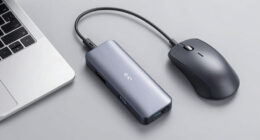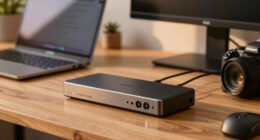
Finding the best docking station with an SD card reader involves balancing multiple factors like performance, port selection, build quality, and price. The Baseus 9-in-1 USB C Dock stands out as the overall best choice, thanks to its dual 4K@120Hz support and multiple ports. For a more budget-friendly option, the Anker 8-in-1 USB-C Hub offers solid performance for everyday use. Meanwhile, the Kensington SD5800T is ideal for professionals needing high-speed data transfer and multiple displays. Most options in this category involve tradeoffs between port variety, power delivery, and size, so continue reading for the full breakdown to find your best fit.
Key Takeaways
- High-end models like the Kensington SD5800T excel in display support and data transfer speed, making them ideal for professional workflows.
- Many docking stations with SD card readers also include multiple video outputs, which can influence size and portability.
- Power delivery (PD) is a key feature, and not all docks support the same wattage, affecting compatibility with different laptops.
- Build quality and cable management vary significantly; premium models tend to offer more durable construction and cleaner setups.
- The best value options balance price with essential features, but may lack some advanced capabilities found in higher-end models.




More Details on Our Top Picks
Baseus 9-in-1 USB C Docking Station with Dual 4K@120Hz Monitors, 2 HDMI, Ethernet, 85W PD, USB Ports, SD Card Reader
This model stands out for supporting dual 4K monitors at a stunning 120Hz, which surpasses many competitors like the Anker 8-in-1 that maxes out at 60Hz. Its comprehensive port selection—including Ethernet, multiple USB ports, and a dedicated SD card reader—makes it a true all-in-one solution for professionals and creators alike. While it offers 85W power delivery, it requires a 100W charger for full charging capacity, a small tradeoff for its extensive display capabilities. The compact size and versatile connectivity justify its premium role, though some users might find setup slightly complex. Compared to the Anker hub, this docking station provides higher refresh rates for demanding workflows, but at the cost of needing a higher wattage charger.
Pros:- Supports dual 4K@120Hz monitors for ultra-smooth visuals
- Includes fast Ethernet and multiple USB ports
- SD card reader adds convenient data transfer options
- Power delivery up to 85W for efficient charging
Cons:- Requires a 100W charger to maximize power delivery
- Compact design can limit some port access
- Setup can be complex for non-technical users
Best for: Power users who need dual 4K display support with high refresh rates and a complete port suite for creative or professional work.
Not ideal for: Casual users or those with limited desk space, as its setup complexity and high power requirements may be overkill.
- Hardware Interface:Ethernet, HDMI, MicroSD, SD Card, USB 2.0, USB 3.0, USB Type C
- Compatible Devices:iPhone 15 Series, MacBook, Dell, HP, Surface, Steam Deck, and more
- Total USB Ports:3
- Total HDMI Ports:2
- Wattage:100W
- Item Dimensions:5.31″L x 1.93″W x 0.63″H
Bottom line: This docking station is best suited for professionals who prioritize high refresh rates and multiple high-resolution displays along with comprehensive connectivity.
Anker 8-in-1 USB-C Hub with Dual 4K HDMI, Ethernet, SD Card Reader, and Power Delivery for Laptops
The Anker 8-in-1 offers a solid balance of features at a more accessible price point, making it ideal for everyday productivity. It supports dual 4K displays, though at 60Hz, which is less fluid than the Baseus model but sufficient for most office tasks. Its port variety—including Ethernet and an SD card reader—mirrors higher-end options like the ZAGG Pro Dock, but with slightly less power capacity at 85W. The need for a separate 100W charger and potential display mirroring issues on macOS are notable tradeoffs, especially for users who want seamless multi-monitor setups. Compared to the Baseus, it sacrifices some refresh rate performance for affordability and simpler setup, making it a smart choice for budget-conscious buyers aiming for reliable dual-display functionality.
Pros:- Supports dual 4K@60Hz displays for smooth visuals
- Provides Ethernet, SD card reader, and USB-A ports
- Supports charging up to 85W with compatible charger
- Compact and straightforward design
Cons:- Requires a 100W charger and USB-C to C cable for full functionality
- Display mirroring on macOS can limit dual monitor performance
- Limited to Windows and ChromeOS, not Linux
Best for: Budget-conscious professionals seeking dual 4K support with essential ports and reliable charging.
Not ideal for: Power users requiring high refresh rates or advanced multitasking features, as it maxes out at 60Hz for dual monitors.
- Number of HDMI ports:2
- Maximum resolution:4K@60Hz (single display), 4K@30Hz (dual displays)
- Power Delivery:85W
- Ethernet:1 Gbps
- SD card reader:Yes
- Compatibility:USB-C, USB4, Thunderbolt, Windows 10/11, ChromeOS
Bottom line: This hub offers great value for users needing reliable dual 4K display support without premium features.
Anker Nano 13-in-1 USB-C Laptop Docking Station with Detachable Hub
This docking station makes a strong case for users who need a flexible, portable solution, thanks to its detachable hub that can be used independently. It supports triple display outputs, including dual HDMI and DisplayPort, with a maximum of 100W power delivery—more than enough for most laptops. While its high versatility is appealing, it does lack video output support via USB-C on macOS, which could limit its use for some Apple users. The requirement to connect to a laptop to activate ports may feel less seamless compared to fixed hubs like the ZAGG Pro Dock. Compared to the Baseus, it excels in portability and multiple display options, but with some restrictions on macOS compatibility and external monitor control.
Pros:- Supports triple display with high-resolution outputs
- Detachable hub for easy transport
- Provides up to 100W charging for laptops
- Includes SD and TF card slots for data transfer
Cons:- Video output via USB-C isn’t supported on macOS
- Requires a connection to a laptop for port activation
- External monitors mirror content on macOS
Best for: Travelers and mobile professionals who need a multi-connection dock with high power delivery and multiple display options.
Not ideal for: MacBook users who rely heavily on USB-C video output, as this feature is unsupported on macOS.
- DisplayPort:Yes
- Ethernet:Yes
- HDMI Ports:2
- USB-C Ports:3
- SD Card Slots:Yes
- Power Delivery:100W
Bottom line: This docking station is ideal for mobile professionals who need flexible connectivity and high power delivery, but less so for Mac users relying on USB-C video output.
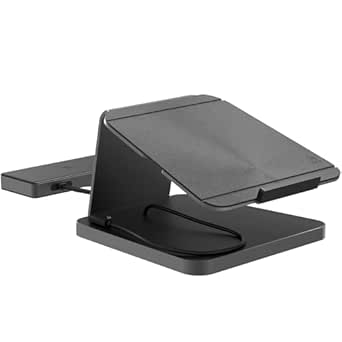
ZAGG Pro Dock – 9-Port Laptop Stand and Docking Station with Satellite Hub, USB-C, 150W Power, SD Card Reader
The ZAGG Pro Dock combines a professional aesthetic with extensive connectivity, making it suitable for demanding environments. Its 9 ports include HDMI, USB-C, USB-A, Ethernet, and SD card reader, supporting multiple monitors and peripherals simultaneously. The 150W power supply is a significant upgrade over competitors, allowing fast charging of multiple devices. The ergonomic stand adds a practical touch for workspace comfort. However, the dock’s size and reliance on external power can make it less ideal for small or portable setups. Compared to the Baseus, it offers more power and port variety but sacrifices some portability and simplicity, fitting best into a dedicated workspace.
Pros:- Extensive port selection including HDMI, Ethernet, SD card reader
- Powerful 150W charging supports multiple devices
- Sleek, professional design with ergonomic features
- Supports multiple high-resolution monitors
Cons:- Bulky for small workspaces
- Requires external power connection
- Limited to compatible USB-C devices
Best for: Professionals needing a robust, all-in-one solution with high power capacity and multiple monitor support.
Not ideal for: Users with limited desk space or those who prioritize portability, as it can be bulky and requires an external power source.
- Number of Ports:9
- USB-C Ports:3
- HDMI Ports:2 (4K at 60Hz and 30Hz)
- USB-A Ports:2
- Ethernet Port:Yes
- SD Card Reader:Yes
- Power Supply:150W
Bottom line: The ZAGG Pro Dock is tailored for users needing maximum connectivity and power in a professional setting, with less emphasis on portability.
Lenovo USB-C 7-in-1 Hub – Laptop Docking Station with 4K HDMI, 3 USB-A, 2 SD/TF Card Readers, USB-C Power Pass-Through
This hub offers a compact, plug-and-play design suited for on-the-go use, supporting 4K HDMI output and multiple USB-A and SD/TF card readers. Its 65W power pass-through makes it a practical choice for ultrabooks and travel laptops. While its small size makes it highly portable, it lacks an Ethernet port, which limits wired connectivity options for users who need a stable internet connection. Its maximum 4K resolution at 30Hz on dual monitors might fall short for high-refresh-rate tasks, but it remains a solid choice for travelers or remote workers who prioritize portability. Compared to the Baseus and ZAGG, it sacrifices some ports and power capacity for a lightweight design.
Pros:- Compact, travel-friendly design
- Supports 4K HDMI output
- Includes SD and TF card readers
- USB-C power pass-through up to 65W
Cons:- No Ethernet port included
- Limited to 65W charging, less for high-power laptops
- Dual monitor resolution limited to 30Hz at 4K
Best for: Travelers and mobile workers needing a lightweight dock with essential ports and 4K video support.
Not ideal for: Power users or professionals requiring multiple high-refresh-rate monitors or Ethernet connectivity.
- Power Adapter Compatibility:45W/65W USB-C
- Connectivity:HDMI, 3 USB-A ports, 2 SD/TF card readers, USB-C pass-through
Bottom line: This hub is best suited for mobile professionals who need reliable port options in a portable package, with limited high-refresh-rate or wired networking needs.
USB C Docking Station with 3 Monitors, 12-in-1 Multiport Hub for Laptops
This docking station stands out for its impressive ability to support three monitors with 4K resolution, making it ideal for productivity-heavy setups. Compared to the Acer USB-C Docking Station, which supports only dual 4K displays, this model offers greater display flexibility, though it requires a compatible USB-C port with Power Delivery. The support for triple 4K at 60Hz provides sharp visuals, but dual HDMI outputs may reduce refresh rates to 30Hz, which could impact smoothness for fast-paced tasks. Its 12-in-1 port array makes it a comprehensive choice for users needing multiple peripherals, yet the need for a compatible USB-C port limits compatibility somewhat. Overall, this pick makes the most sense for professionals who need expansive display options without sacrificing data or power transfer quality.
Pros:- Supports triple monitor setup with 4K resolution at 60Hz
- Provides fast data transfer via multiple USB 3.0 ports
- Delivers 100W power delivery for charging laptops
Cons:- Mac OS only supports mirror mode, not extended display
- Requires a compatible USB-C port with Power Delivery, limiting device compatibility
- Dual HDMI may reduce refresh rate to 30Hz, affecting smoothness
Best for: Power users with multi-monitor workflows who need high-resolution displays and extensive port options
Not ideal for: MacBook users on macOS who prefer extended displays over mirror mode, as OS support is limited to mirror mode
- Number of Ports:12
- HDMI Output:2 x 4K @60Hz
- DisplayPort:1
- USB Ports:2 x USB 3.0, 2 x USB 2.0
- Ethernet:Gigabit Ethernet
- Power Delivery:100W PD input, 87W output
Bottom line: This station suits professionals needing extensive, high-resolution multi-monitor setups with reliable power and data transfer capabilities.
UGREEN Revodok Pro USB C Hub 8-in-1 Docking Station for Laptop
The UGREEN Revodok Pro offers a compact yet powerful solution for expanding laptop connectivity, with 4K HDMI at 60Hz, multiple USB ports, and a reliable 100W charging feature. Compared to the Anker 13-in-1 Dock, it provides fewer ports overall but maintains high-quality output and charging, making it suitable for users who prioritize simplicity and affordability. Its 30cm cable may be too short for some setups, and compatibility can vary across devices, particularly with older USB-C ports lacking full video support. While it doesn’t support triple displays or extensive media options like the Anker 13-in-1, it covers the essentials for most users who need high-res video output and fast data transfer without extra bulk. This pick makes the most sense for commuters or students who want a streamlined, budget-friendly dock.
Pros:- Supports 4K UHD video at 60Hz for sharp visuals
- Provides 100W charging to keep laptops powered
- Compact design with built-in cable for portability
Cons:- Cable length may be restrictive for some desk setups
- Compatibility depends on device support for USB-C video output
- Limited to one external display, unlike the triple-monitor options
Best for: Students or mobile professionals needing reliable single-monitor support with multiple ports and charging
Not ideal for: Power users needing triple monitor setups or extensive media streaming, as it’s limited to a single 4K display
- Number of Ports:8
- HDMI Output:4K @ 60Hz
- USB-C Data Ports:2
- USB-A Data Ports:2
- SD Card Reader:Yes
- Power Delivery:100W
Bottom line: Ideal for on-the-go users seeking a compact, affordable hub with solid video and charging capabilities.
Acer USB-C Docking Station Dual Monitor with 2 HDMI, 9-in-1 Laptop Dock
This Acer dock provides a reliable dual 4K display setup via HDMI, making it a good choice for users who want crisp visuals without the complexity of multiple display types. Compared with the Anker 13-in-1, which offers more ports and features, this model is focused on high-quality dual monitor output with simple connectivity. Its 2 HDMI ports support 4K at 60Hz, but the cable length of just over half a foot limits flexibility, especially for desktop setups. It includes multiple USB-A ports and SD card slots, but the power delivery maxes out at 90W, slightly less than some competitors. This dock is suited for users who prioritize high-resolution dual monitors and basic peripheral support over extensive port counts or multi-display configurations beyond two screens.
Pros:- Supports dual 4K@60Hz monitors with high clarity
- Multiple USB-A ports and SD card slots for versatile peripheral connection
- Provides up to 90W power delivery for fast charging
Cons:- Limited to just two external displays, not suitable for triple monitor setups
- Very short cable length may restrict placement options
- Lacks additional video outputs like DisplayPort or Thunderbolt
Best for: Professionals who need dual 4K monitors with reliable performance and straightforward connectivity
Not ideal for: Power users requiring triple or more monitors, or those needing extensive media or gaming features
- Number of HDMI ports:2
- Maximum resolution:4K@60Hz
- USB ports:3 USB-A, 1 USB-C
- SD card slots:SD and MicroSD
- Power delivery:up to 90W
- Cable length:0.66 ft
Bottom line: Best suited for professionals who need high-quality dual monitor setups with reliable, straightforward connectivity.
Anker 13-in-1 USB-C Laptop Docking Station with Triple Display, 85W Charging, Ethernet, SD Card Slots
The Anker 13-in-1 model excels at expanding laptop capabilities with support for three displays, including HDMI and DisplayPort, along with a comprehensive port array. Compared to the UGREEN Revodok Pro, it offers more video outputs—ideal for users who need multiple screens for multitasking. Its 85W charging supports most laptops, though some high-demand models may require more. However, its maximum display resolution is limited to 1080p@60Hz, which might disappoint users expecting 4K support for all screens. Compatibility with Windows, macOS, and ChromeOS makes it flexible, but macOS users should note that displays are mirrored only, not extended. This dock works best for users who need multiple display outputs and extensive port options in a single device.
Pros:- Supports three external monitors for increased productivity
- Provides reliable 85W charging for most laptops
- Includes Ethernet and SD card slots for comprehensive connectivity
Cons:- Displays are mirrored on macOS, limiting extended desktop use
- Maximum resolution is 1080p on all monitors, not 4K
- Requires devices supporting DP Alt Mode and Power Delivery
Best for: Professionals requiring triple monitor support and versatile port options for multitasking
Not ideal for: Users needing 4K resolution on all monitors, or Linux users due to limited OS support
- Number of ports:13
- HDMI ports:2
- DisplayPort:1
- USB-C ports:2
- USB-A ports:3
- SD/microSD slots:Yes
- Ethernet:Yes
- Maximum display resolution:1080p@60Hz
- Power input:DC
Bottom line: Best suited for users who prioritize multiple monitor outputs and extensive connectivity over 4K resolution on all screens.
Belkin USB-C 6-in-1 Multiport Hub with Mount, USB-C Docking Station with MicroSD Card Reader, Powered USB Hub, Compatible with MacBook, Chromebook, iMac, PC, and Other USB-C Devices
This Belkin multiport hub stands out for its portable design and flexible mounting options, making it an excellent choice for users who need a quick, damage-free setup. Compared with the UGREEN Revodok Pro 210, it offers a more compact, mountable solution but lacks multiple display outputs, limiting its suitability for multi-monitor setups. Its 10 Gbps transfer speeds and inclusion of SD and micro SD card readers support fast file transfers and easy media access. However, the need for mounting on a surface may not suit all environments, and it excludes video output ports beyond USB-C and Ethernet. It’s ideal for users prioritizing portability and simple connectivity over extensive display support.Pros:- Multiple versatile ports including SD and micro SD card readers
- Fast data transfer speeds up to 10 Gbps
- Quick-release mounting with no residue
Cons:- Requires mounting on a surface, which may not fit all setups
- Limited to USB-C compatible devices without video output ports
Best for: Travelers and remote workers who need a compact, mountable hub for quick setups and media transfer.
Not ideal for: Power users needing multiple high-resolution displays or extensive port options, as it lacks video outputs and multi-monitor support.
- Ports:SD card reader, micro SD card reader, USB-C, 2x USB-A, Gigabit Ethernet
- Data Transfer Speed:10 Gbps
- Mount:3M Command Strip mount
- Compatibility:MacBook, Chromebook, iMac, PC, USB-C devices
Bottom line: This pick suits those seeking a portable, easy-to-mount hub primarily for media transfer and basic connectivity.
Kensington SD5800T Thunderbolt 4 and USB4 Quad 4K Display Docking Station, 100W Charging, 2 x HDMI, 2 x DP, 2.5G Ethernet, Card Readers, for Windows/MacOS
The Kensington SD5800T is tailored for professionals who need to connect up to four 4K monitors simultaneously, offering unparalleled display flexibility. Unlike the Anker USB C Hub 7-in-1, which prioritizes portability and fewer ports, the Kensington supports high-resolution multi-monitor setups with Thunderbolt 4 and USB4 compatibility. Its 100W charging supports power-hungry laptops, and with multiple HDMI and DisplayPort outputs, it handles demanding workflows. The premium price reflects its extensive features, but the mounting options are sold separately, which could be inconvenient for some. This dock fits users with high-resolution, multi-display needs in a professional environment.Pros:- Supports up to four 4K monitors or one 8K display for extensive workspace
- High-speed 40Gbps data transfer and 100W charging
- Multiple HDMI and DisplayPort outputs for versatile display options
- Includes SD and Micro SD card readers for media access
Cons:- Mounting bracket sold separately, adding to setup complexity
- Premium price point may not suit budget-conscious buyers
- Requires compatible Thunderbolt 4 or USB4 ports
Best for: Content creators, designers, and engineers requiring multiple 4K or 8K displays with fast data and charging support.
Not ideal for: Casual users or those with limited space, as the high cost and complex setup may be overkill for basic needs.
- Compatibility:Thunderbolt 4, Thunderbolt 3, USB4, USB-C devices on Windows 10+ and macOS 11+
- Video Support:Quad 4K @ 60Hz or Single 8K @ 60Hz (Windows), Dual 6K @ 60Hz or Single 4K @ 60Hz (Mac)
- Power Delivery:Up to 100W
- Ports:2 x HDMI, 2 x DisplayPort, Thunderbolt, USB-C, 3 x USB-A 3.2 Gen2, 2 x USB-A 3.2 Gen1, 1 x USB-A 2.0, audio jack, SD/Micro SD, Ethernet
Bottom line: This station is best suited for professionals needing high-resolution, multi-monitor setups with fast data and power delivery.
Anker USB C Hub 7-in-1 Multi-Port USB Adapter for Laptop and Mac
The Anker 7-in-1 offers a streamlined, lightweight design with essential ports, making it a practical choice for users who want reliable performance without bulk. Its inclusion of 4K@60Hz HDMI and SD/TF card readers makes it suitable for media professionals and students alike. While its 85W charging capacity is adequate for most laptops, it falls short against the 100W support of larger docks like the UGREEN Revodok Pro 210. Its USB-C data port lacks video output, which limits multitasking on some devices. Compared to the Kensington SD5800T, it sacrifices some display capabilities for portability and simplicity. This is best for those who prioritize a budget-friendly, versatile hub for moderate workflows.Pros:- Supports 4K@60Hz HDMI output for high-quality visuals
- Includes SD and TF card readers for media transfer
- Compact, lightweight design for portability
- Supports up to 85W charging for most laptops
Cons:- Charger not included, adding extra cost
- Limited to 5Gbps data transfer speed
- USB-C data port does not support video output
Best for: Students or remote workers needing a compact, all-in-one hub for media and everyday tasks.
Not ideal for: Power users requiring multiple high-resolution displays or extensive data transfer speeds beyond 5Gbps.
- Ports:HDMI, 2 USB-A 3.0, USB-C data, SD card, TF card
- Video Output:4K@60Hz HDMI
- Power Delivery:Up to 85W
- Transfer Speed:5Gbps
Bottom line: This hub is ideal for users wanting a portable, all-in-one media and data transfer solution for everyday use.
UGREEN Docking Station 10-in-1 Revodok Pro 210 USB-C Dock with Dual HDMI, 100W PD, Ethernet, SD/TF Card Reader, Compatible with HP, Dell
The UGREEN Revodok Pro 210 excels in expanding connectivity for users demanding dual 4K displays and high-speed data. Its 10-in-1 design includes dual HDMI ports, SD/TF card readers, Ethernet, and 85W charging, rivaling larger docks like the Kensington SD5800T but with a more integrated display setup. It supports dual 4K @ 60Hz outputs, making it perfect for multitasking professionals or gamers. However, MacBook users face display mirroring only, due to OS limitations, which could be frustrating for those wanting extended desktops. The USB-A ports lack charging capabilities, which may diminish overall convenience. Overall, this dock offers a well-rounded mix of features at a competitive price for Windows users or those with specific device needs.Pros:- Supports dual 4K displays at 60Hz for multitasking
- Includes SD and Micro SD card readers for media access
- Provides 85W charging for laptops
- Gigabit Ethernet port enhances wired connectivity
Cons:- Display mirroring on MacOS due to OS limitations
- USB-A ports do not support charging or video
- Some features depend on specific device compatibility
Best for: Professionals who need dual 4K display support, gigabit Ethernet, and media connectivity in a single unit.
Not ideal for: MacBook users seeking extended desktop modes or high-speed USB-A charging, as some features are OS-limited or lack charging.
- Number of Ports:10
- HDMI Output:2 ports, 4K@60Hz
- Power Delivery:100W
- Ethernet:Gigabit (1000Mbps)
- Card Reader:SD and Micro SD
Bottom line: Best suited for Windows users needing dual 4K displays, fast data transfer, and media connectivity without extensive extra features.

How We Picked
These products were selected based on their ability to combine multiple essential features: reliable SD card reading speeds, support for high-resolution displays, sufficient power delivery, build quality, and overall versatility. Priority was given to models that balance performance with value, especially those that include the SD card reader as a key feature rather than an afterthought. We also considered user reviews and brand reputation for durability and long-term reliability. Products are ranked to reflect their performance across these factors, with the top picks offering the best combination of features for most users.Factors to Consider When Choosing Best Docking Station With Sd Card Reader
Choosing the best docking station with an SD card reader depends on your specific needs, whether it’s professional photo editing, multi-monitor setups, or affordability. Beyond the basic specs, consider how the dock integrates into your workflow and the tradeoffs involved in size, power, and port variety. A well-chosen dock can streamline your workspace, but a mismatched one might cause frustration or bottlenecks. Keep these key factors in mind to make a smart investment.Performance and Data Transfer Speeds
For tasks involving large file transfers or high-resolution media, speed matters. Look for docks supporting UHS-II SD card standards or USB 3.2 Gen 2 to minimize wait times. Some models tout Thunderbolt 3 or 4 support, which greatly increases transfer rates and display capabilities. Avoid docks with outdated USB standards if fast data access is a priority for your workflow.
Display Support and Video Ports
Multi-monitor setups require docks with multiple HDMI or DisplayPort outputs, especially if you work with high-res monitors. Check the maximum supported resolution and refresh rate—many high-end docks support 4K at 60Hz or even 120Hz, which is essential for smooth visuals. Keep in mind that more video outputs can increase the dock’s size and complexity.
Power Delivery (PD)
Power delivery enables charging your laptop while connected, reducing clutter. Consider the wattage supported; 85W or higher is suitable for most laptops, but some models support up to 100W or more. Make sure your dock’s PD matches your device’s requirements to avoid slow charging or power shortages, especially during intensive use.
Build Quality and Port Accessibility
Durability and ease of use are often overlooked. Premium docks tend to feature metal construction and better cable management options, which prevent wear and tear. Also, check port placement—accessible ports prevent the need to unplug other devices repeatedly and make connections smoother.
Size, Compatibility, and Port Selection
Size matters if you plan to carry your dock around or work in tight spaces. Compatibility is crucial—verify that the dock supports your laptop’s port type (USB-C or Thunderbolt). Lastly, consider the total number of ports you need, including USB-A, Ethernet, audio, and SD card slots, to ensure the dock covers your workflow demands without forcing compromises.
Frequently Asked Questions
Can I use a docking station with an SD card reader for professional photo editing?
Yes, many docking stations with SD card readers support UHS-II or UHS-III standards, which enable fast read/write speeds essential for professional photo editing. Look for docks with high transfer rates and stable connections to avoid delays when importing large media files. Additionally, support for multiple displays and reliable power delivery can enhance your overall workflow.
Is it better to choose a docking station with Thunderbolt 3 or 4 support?
Thunderbolt 3 or 4 docks generally provide faster data transfer, higher display support, and more versatile connectivity options compared to standard USB-C docks. They are especially advantageous if you handle large files regularly or need multiple high-resolution displays. However, they tend to be more expensive, so consider your actual performance needs against your budget.
Will a docking station with SD card reader work with all types of SD cards?
Most modern docking stations support SDXC and SDHC cards, which are common for photography and media. Check the specifications to confirm support for UHS-I or UHS-II standards, depending on your card type. Faster standards like UHS-II are preferable for professional-grade cards, ensuring quicker data transfers and smoother editing workflows.
Can I connect multiple monitors through a docking station with a single SD card reader?
Yes, many docks with multiple video outputs—such as HDMI and DisplayPort—are capable of supporting dual or even triple monitors. The SD card reader can operate independently without affecting display performance, but ensure the dock’s graphics support and bandwidth are sufficient for your monitor setup. High-end docks usually excel here, providing crisp visuals without lag.
How important is power delivery when choosing a docking station with an SD card reader?
Power delivery is often a game-changer, especially if you want to keep your workspace minimal. A dock with adequate wattage (85W or more) can charge your laptop while in use, reducing cable clutter and ensuring your device remains powered during intensive tasks. Neglecting PD support may mean carrying a separate charger or risking slower charging speeds.
Conclusion
For most users seeking all-around performance, the Baseus 9-in-1 USB C Dock offers a balanced mix of speed, versatility, and affordability, making it the best overall pick. Professionals who need high-speed data transfer and multiple high-resolution displays should consider the Kensington SD5800T for its premium features. If budget is a key concern, the Anker 8-in-1 USB-C Hub delivers solid value with essential features. Beginners or casual users benefit from straightforward, compact options like the Ugreen Revodok Pro, while those with specific needs, such as advanced display support, should focus on premium models. Matching your workflow requirements with these categories will help you choose the best docking station with an SD card reader in 2026.