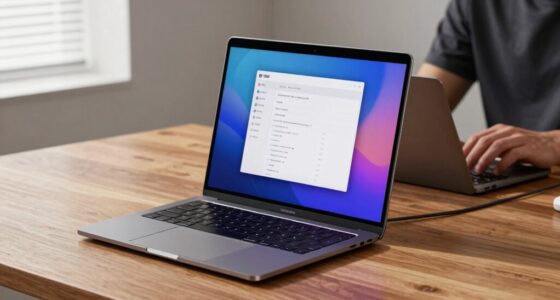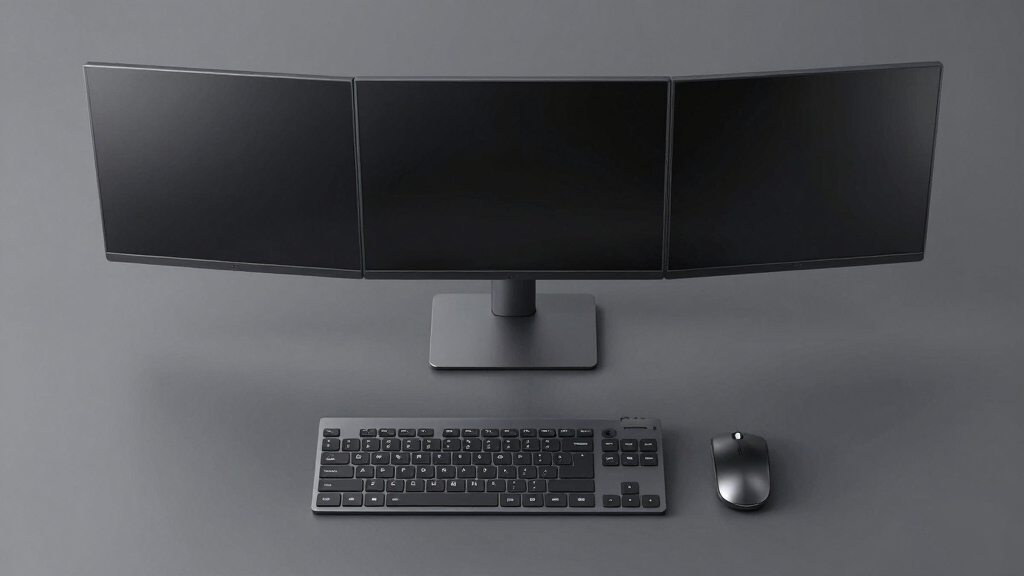

Choosing the best docking station with 3 monitor support requires balancing performance, compatibility, and price. The best overall pick is the Acer 13-in-1 USB-C Docking Station, offering extensive ports and 100W power delivery, making it suitable for most professional setups. For those seeking high resolution and reliable multi-monitor support, the TobenONE 18-in-1 Docking Station stands out with triple 4K HDMI outputs. Another popular choice, the Plugable USB C Triple Display Dock, provides a solid mix of power and multi-display capabilities at a competitive price. The main tradeoffs in this category tend to revolve around port selection, power output, and compatibility — more ports often mean more complexity and higher cost. Keep reading for a detailed breakdown to find the best fit for your workspace.
Complete the kit



Key Takeaways
- The best docking stations support at least 3 monitors with 4K resolution to future-proof setups.
- Power delivery (PD) is critical; higher wattage ensures charging and operation without compromise.
- Compatibility varies; some docks work better with certain brands or operating systems, so check your device specs.
- Ports are not all equal—prioritize docks with the right mix of HDMI, DisplayPort, and USB-C for your monitors.
- Build quality and ease of setup can significantly impact long-term satisfaction, especially for complex multi-monitor setups.


| docking station with 3 monitor support | Power Delivery | USB Ports | Ethernet | Compatibility |
|---|---|---|---|---|
| Acer 13-in-1 USB-C Docking Sta | 100W | 3 USB-A, 2 USB-C | Gigabit LAN | Windows, macOS (mirroring only) |
| MOKiN Dual Monitor 4K HDMI USB | — | — | — | Thunderbolt 3/4 Mac, Windows |
| TobenONE 18-in-1 Laptop Dockin | 100W | — | — | Windows, Chrome OS |
| OREI DisplayLink Docking Stati | — | 6 (2x USB 2.0, 4x USB 3.0) | Gigabit Ethernet | Windows 7+ and MacOS 10.10+ |
| Anker Nano Laptop Docking Stat | 100W | — | — | — |
| Selore USB C Docking Station D | — | 2 USB 3.0, 1 USB-C 3.0 | Gigabit Ethernet (1Gbps) | — |
| TobenONE DisplayLink Docking S | — | 4x USB 3.2, 2x USB-C | — | — |
| Plugable USB C Triple Display | 100W | 6x USB 3.0 | — | Windows, macOS 11+, ChromeOS v100+ |
| Selore Laptop Docking Station | 100W input, 85W output | 10Gbps & 5Gbps USB-A/C | Gigabit Ethernet | — |
| Acer 3 Monitor Docking Station | 100W | — | 1 Gbps | — |
More Details on Our Top Picks
Acer 13-in-1 USB-C Docking Station with 2 HDMI, DisplayPort, 100W Power Delivery, and Gigabit Ethernet
This Acer dock stands out for its all-in-one approach, combining multiple HDMI and DisplayPort outputs capable of supporting triple displays on Windows systems, which sets it apart from the OREI model that only supports 3 monitors via HDMI. Its 100W power delivery ensures reliable charging for most laptops, making it ideal for professional environments. However, MacOS users will find limited to mirroring, unlike the full extended desktop support offered by the MOKiN. The inclusion of a card reader and gigabit Ethernet adds convenience, but performance of triple 4K output depends heavily on your laptop’s GPU and DSC support, which could limit some setups. Compared to other options, this dock offers a solid balance of features with a sleek aluminum body, though it sacrifices some flexibility for Mac users.
Pros:- Supports triple display output on Windows for increased multitasking
- Robust 100W power delivery for reliable laptop charging
- Multiple ports including card reader and Ethernet
Cons:- MacOS only supports screen mirroring, not extended desktops
- Rear USB-C port supports data transfer but not video output
- Triple 4K performance depends on host GPU and DSC support
Best for: Professionals who need a reliable, all-in-one docking station with triple display support and robust charging for Windows laptops.
Not ideal for: Mac users or those with laptops lacking DSC support, due to limited multi-monitor capabilities and compatibility issues.
- Display Outputs:2 HDMI, 1 DisplayPort 1.4
- Power Delivery:100W
- USB Ports:3 USB-A, 2 USB-C
- Ethernet:Gigabit LAN
- Card Reader:SD/TF
- Compatibility:Windows, macOS (mirroring only)
Our verdict“This dock is best suited for Windows professionals needing a comprehensive, high-power, multi-monitor setup in a sleek form factor.”
MOKiN Dual Monitor 4K HDMI USB-C Docking Station for Laptop
The MOKiN dock excels at supporting dual 4K displays with its 2 HDMI and 2 DisplayPort outputs, making it a better choice for users prioritizing high-resolution dual monitors over triple displays, unlike the TobenONE that offers triple 4K but at a higher price. Its 14-in-1 port array provides versatile connectivity, including USB-A, USB-C, Ethernet, and SD card slots, all powered by a 100W delivery—adequate for most laptops. The limitation lies in its compatibility, as it’s restricted to Thunderbolt 3/4 Macs and certain Windows devices, and it supports only MST mode on MacOS, which can limit multi-monitor configurations. This model makes the most sense for users with dual 4K needs seeking a budget-friendly, high-quality dock, but those requiring triple monitors might find it restrictive.
Pros:- Supports dual 4K displays for crisp visuals
- Wide range of ports including SD and Ethernet
- Power delivery up to 100W for charging
Cons:- Limited to Thunderbolt 3/4 Macs and certain Windows systems
- Supports only MST mode on macOS, reducing multi-monitor flexibility
- Higher price compared to single or dual-monitor docks
Best for: Users with dual monitor setups and high-resolution needs who want great value without sacrificing essential ports.
Not ideal for: Mac users requiring extended desktops or those needing triple 4K support, due to compatibility and mode limitations.
- Number of Ports:14
- HDMI Ports:2
- DisplayPort Ports:2
- Max Power Delivery:100W
- Supported Display Configuration:2 HDMI + 2 DP
- Compatibility:Thunderbolt 3/4 Mac, Windows
Our verdict“Ideal for users who prioritize dual 4K display performance with extensive connectivity at a reasonable cost.”
TobenONE 18-in-1 Laptop Docking Station with Triple 4K HDMI, 9 USB Ports, Ethernet, PD 3.0 for Windows/Dell/Lenovo Laptops
The TobenONE dock offers impressive triple 4K@60Hz output, surpassing the OREI in display support with its 18-in-1 port array, making it better for demanding multitasking. Its 9 USB ports and Ethernet, combined with 100W PD charging, make it a comprehensive solution for professional users who need extensive peripheral connectivity. However, its lack of an included power adapter and compatibility limitations—being primarily for Windows and Chrome OS—may pose hurdles. The device also requires a compatible USB-C port with full features, which could limit some laptops. This setup is excellent for power users who need maximum ports and high-res dual or triple monitors, but less so for Mac users or those on budget.
Pros:- Supports triple 4K@60Hz displays for high-quality visuals
- Numerous USB ports for peripherals and external drives
- Includes 100W PD charging for uninterrupted power
Cons:- Power adapter not included, requiring additional purchase
- Designed mainly for Windows and Chrome OS, limiting Mac support
- Requires a full-featured USB-C port for full functionality
Best for: Power users needing multiple peripherals and triple 4K displays on Windows or Chrome OS laptops with full USB-C support.
Not ideal for: Mac users or users with laptops lacking full USB-C features, because of compatibility and power adapter requirements.
- Ports:18 (9 USB, PD, HDMI, RJ45, SD/microSD, audio)
- Display Support:Triple 4K@60Hz
- Power Delivery:100W
- Compatibility:Windows, Chrome OS
- Supported Display Resolution:Triple 4K
- Additional Ports:SD/TF, Ethernet
Our verdict“Best suited for power users at work or home who need maximum ports and high-resolution triple monitor support on compatible Windows or Chrome OS laptops.”
OREI DisplayLink Docking Station with 3 Monitors and 6 USB Ports
The OREI dock delivers a straightforward solution for connecting three 4K monitors via HDMI, making it ideal for users who value simplicity and easy setup compared to more complex docks like the TobenONE. Its six USB ports, Ethernet, and SD/TF slots provide versatile connectivity, suitable for most Windows and Mac systems. The main tradeoff involves the need for a USB-C port with DisplayPort alt mode and Power Delivery, which may limit compatibility for some laptops, and driver installation can be a hurdle. Mac users might also encounter limited extended display support, compared to Windows. Compared to the TobenONE, this dock offers a simpler, more affordable way to achieve triple 4K monitors without excessive ports.
Pros:- Supports three 4K monitors via HDMI
- Easy to set up with a single USB-C connection
- Includes SD/TF slots and Ethernet
Cons:- Requires USB-C with DP alt mode and PD support, limiting some laptops
- Driver installation may be necessary on some systems
- Limited extended display support on macOS
Best for: Users seeking a straightforward, reliable method to connect three 4K monitors with easy setup and ample peripheral ports.
Not ideal for: Power users needing extensive peripherals or full multi-monitor support on macOS, due to driver and compatibility issues.
- Number of Monitors:3
- Max Resolution:4K@60Hz
- USB Ports:6 (2x USB 2.0, 4x USB 3.0)
- Ethernet:Gigabit Ethernet
- Compatibility:Windows 7+ and MacOS 10.10+
- System Requirements:USB-C with DP alt mode/PD
Our verdict“A practical choice for users wanting a simple, reliable triple monitor setup with minimal fuss on Windows systems.”
Anker Nano Laptop Docking Station, 13-in-1 Dock with Detachable 6-in-1 USBC Hub, 3 Display USB C Dock (2 HDMI + 1 DP), 10 Gbps USBC, 3 USBA, Audio, SD/TF, Ethernet, 100W Max PD for Dell/Lenovo/HP Home Office
The Anker Nano dock combines portability with flexibility, featuring a detachable 6-in-1 USB-C hub that facilitates both desktop and mobile use. Its support for triple monitors via 2 HDMI and 1 DisplayPort makes it suitable for users who need high-quality visual output, comparable to the Orei setup but with added portability. The dock’s 10Gbps USB-C data transfer and 100W PD make it a strong choice for high-performance tasks. However, it requires a connection to activate full port functionality, and on macOS, support is limited to mirroring, similar to other docks. Its detachable design is particularly appealing for users who switch between office and travel. This makes it ideal for professionals on the go, but less suited for fixed desktop setups requiring full extended desktop on Mac.
Pros:- Detachable design for portability and flexibility
- Supports triple monitor configurations with high resolutions
- Provides extensive ports including Ethernet, SD/TF, and multiple USB-A
Cons:- Requires connection to activate ports and lights
- Supports only mirroring mode on macOS, limiting extended desktop use
- Full functionality depends on connecting to a compatible host
Best for: Mobile professionals who need a versatile, portable dock that supports triple monitors at high resolutions and extensive peripherals.
Not ideal for: Users seeking a permanent, full-featured desktop setup on macOS, where extended display support is limited.
- Number of ports:13
- Display outputs:2 HDMI, 1 DisplayPort
- Maximum resolution:4K@60Hz
- Power Delivery:100W
- USB C data transfer speed:10Gbps
- Compatible devices:Dell, Lenovo, HP, most Windows laptops
Our verdict“Best for users who need a portable, flexible docking solution with triple monitor capability and high-speed data transfer for mobile use.”
Selore USB C Docking Station Dual Monitor with 3 Display Support, 2 HDMI + DP + VGA, 100W PD, Ethernet, USB-A/C Hub
This dock stands out for its ability to support dual, triple, or even quad monitor configurations, making it highly adaptable for diverse workspace needs. Its multiple video outputs—including HDMI, DisplayPort, and VGA—offer flexibility that surpasses many competitors like the Plugable USB C Triple Display Docking Station, which is limited to HDMI. The 100W power delivery ensures rapid charging, and the aluminum chassis provides durability and heat dissipation. However, MacOS users should be aware that this device only mirrors displays, not extend, which limits its utility for Mac-centric workflows. Compatibility depends heavily on a USB-C port with DisplayPort Alt Mode, so system limitations could restrict full feature access.
Pros:- Supports various monitor configurations including dual, triple, or quad displays
- High-speed data transfer with USB 3.0 and USB-C ports
- Power delivery up to 100W for fast laptop charging
- Aluminum chassis enhances durability and heat management
Cons:- MacOS supports only display mirroring, not extending
- Requires compatible USB-C port with DisplayPort Alt Mode
- Some features depend on system compatibility, limiting universal use
Best for: Professionals who need flexible multi-monitor support and high data throughput on Windows or Thunderbolt 3/4 laptops.
Not ideal for: Mac users seeking extended display support or users with systems lacking DisplayPort Alt Mode functionality.
- Number of Ports:10-in-1
- Video Outputs:2 HDMI, 1 DisplayPort, 1 VGA
- Maximum Power Delivery:100W
- Ethernet:Gigabit Ethernet (1Gbps)
- USB Ports:2 USB 3.0, 1 USB-C 3.0
- Display Support:Up to 8K@30Hz via DP, 4K@60Hz via HDMI
Our verdict“This dock delivers excellent flexibility for Windows users needing multi-monitor support with fast charging and durable design.”
TobenONE DisplayLink Docking Station with 3 Monitors and 120W Power Adapter
The TobenONE docking station excels at supporting three or four 4K displays, making it ideal for professional creators and heavy multitaskers. Its 120W power adapter provides ample charging capacity, surpassing the 100W offerings of options like the Selore USB C Docking Station. The extensive port selection—including USB 3.2 and USB-C—further enhances its versatility. The main tradeoff is that it requires driver installation and doesn’t support Linux/Unix systems, which could be a dealbreaker for some. Additionally, screen streaming restrictions may limit certain media uses, so it’s best suited for Windows and Mac users who prioritize high-resolution displays and robust connectivity.
Pros:- Supports 3 or 4 4K monitors at 60Hz for detailed visual work
- Includes a 120W power adapter for fast, reliable charging
- Multiple USB ports for peripherals and data transfer
- Compatible with various laptop brands and operating systems
Cons:- Requires driver installation, adding setup complexity
- No Linux support, limiting flexibility for some users
- Screen streaming restrictions may limit multimedia use
Best for: Creative professionals and power users needing multiple 4K monitors and high power input on Windows or Mac systems.
Not ideal for: Linux users or those seeking plug-and-play simplicity with minimal driver setup.
- Number of Monitors Supported:3 or 4
- Display Resolution:4K@60Hz
- Power Adapter:120W
- Laptop Charging Power:up to 100W
- USB Ports:4x USB 3.2, 2x USB-C
- Data Transfer Speed:10Gbps
Our verdict“This dock is perfect for creators and power users who prioritize high-resolution multitasking and robust power delivery, despite requiring drivers and system compatibility considerations.”
Plugable USB C Triple Display Docking Station with 100W Power Delivery
This docking station is a solid choice for users who want to connect up to three HDMI monitors, including a 4K display, with broad OS compatibility. Its support for Windows, macOS, and ChromeOS provides flexibility that rivals the Selore and TobenONE options, which are more system-specific. Its 100W power delivery keeps laptops charged efficiently, and the six USB 3.0 ports allow extensive peripheral use. However, it does not support Linux, and driver installation is required for macOS, which could complicate setup for some. Additionally, the absence of HDCP support limits streaming options for protected content, making it less suitable for media-heavy workflows.
Pros:- Supports up to three HDMI monitors with high refresh rates
- Provides 100W power delivery for charging
- Compatible with a broad range of systems including Apple Silicon
- Multiple USB ports for peripherals
Cons:- Requires driver installation for macOS
- No HDCP support, limiting protected content streaming
- Not compatible with Linux systems
Best for: Hybrid workers using Windows or macOS laptops who need multiple monitors and versatile connectivity without system restrictions.
Not ideal for: Linux users or those seeking HDCP support for protected media streaming.
- Power Delivery:100W
- Display Outputs:3 HDMI (1x 4K 30Hz, 2x 1080p 60Hz)
- USB Ports:6x USB 3.0
- Compatibility:Windows, macOS 11+, ChromeOS v100+
- Maximum Monitors:3
- HDCP Support:No
Our verdict“Ideal for users needing broad OS compatibility with multi-monitor support and reliable charging, though Linux users should look elsewhere.”
Selore Laptop Docking Station with Triple 4K Monitors, 17-in-1 Expansion, Wi-Fi Display, 100W PD, USB-C, HDMI, DisplayPort, Ethernet, SD/microSD
This docking station offers extensive connectivity options, supporting three 4K monitors and a suite of peripherals, making it well-suited for demanding multitasking and creative workflows. Its built-in Wi-Fi and weather display add smart features not seen in typical hubs, providing added convenience. The 100W power delivery ensures laptops stay charged, but the charger is not included, requiring an 87W or higher power supply. MacOS users will find only mirror or single extended display, not triple extended, which may limit its appeal. The device’s broad feature set makes it ideal for tech-savvy users who want a comprehensive hub with advanced features.
Pros:- Supports three 4K monitors for multitasking and content creation
- Includes Wi-Fi display, weather info, and privacy mode features
- Fast data transfer with USB 3.0 and USB-C ports
- Provides 100W PD for efficient charging
Cons:- Charger not included, needs an 87W+ power supply
- macOS supports only mirror or single extended display, not triple extended
- Some features depend on specific laptop compatibility
Best for: Power users and creative professionals needing advanced connectivity, smart features, and multiple 4K display support.
Not ideal for: Users seeking a plug-and-play experience or Mac users who require triple extended displays.
- Number of Monitors:3
- Display Resolution:4K@60Hz (HDMI), 8K@30Hz (DisplayPort)
- USB Ports:10Gbps & 5Gbps USB-A/C
- Ethernet:Gigabit Ethernet
- SD/microSD Slots:SD/ microSD 3.0
- Power Delivery:100W input, 85W output
Our verdict“Best suited for tech enthusiasts and professionals who value advanced connectivity and smart features over simplicity or Mac-only compatibility.”
Acer 3 Monitor Docking Station with 3 HDMI, USB-C Hub, 4K@60Hz, Ethernet, 100W Power Delivery, SD/TF Card Reader
The Acer docking station supports three 4K monitors at 60Hz, matching many higher-priced options like the Selore and TobenONE. Its multiple USB-A ports and SD/TF card reader add versatility for data transfer and media management. The 100W power delivery ensures that laptops stay charged during intensive use. Yet, the USB ports are data-only, meaning they cannot charge devices, and the device requires a compatible USB-C port with PD support. Mac users will find only mirror mode available, limiting extended desktop options. This model offers a straightforward, affordable solution for users prioritizing high-quality visuals at a lower cost, with some limitations on peripheral charging and media streaming.
Pros:- Supports three 4K monitors at 60Hz for crisp visuals
- Includes SD/TF card readers for media transfer
- Provides 100W power delivery for laptops
- Affordable compared to premium docks
Cons:- USB ports are data-only, no device charging
- Requires compatible USB-C with PD support
- MacOS only supports mirroring, not extending
Best for: Budget-conscious users needing reliable 3-monitor support and high-resolution visuals for work or entertainment.
Not ideal for: Power users requiring charging of multiple devices via USB or Mac users seeking extended display support.
- Number of Monitors Supported:3
- HDMI Resolution:4K@60Hz
- USB-C Ports:2 (10Gbps)
- USB-A Ports:3 (10Gbps, 5Gbps, 480Mbps)
- Ethernet:1 Gbps
- SD/TF Card Reader:Yes
- Power Delivery:100W
Our verdict“A budget-friendly, high-resolution multi-monitor hub well-suited for standard office setups, with some peripheral charging and system limitations.”

How We Picked
The products in this roundup were evaluated primarily based on their ability to support three monitors reliably at high resolutions, with an emphasis on performance and compatibility. We also considered power delivery capacity, port variety, build quality, and user flexibility. Cost-effectiveness was a factor, but only when paired with robust features. Docks that offered easier setup and better cable management earned higher scores, as did those with good reviews for durability and consistent performance. This approach ensures that each recommendation addresses real user needs—whether for professional workflows, gaming, or general productivity—while highlighting tradeoffs like port limitations or price points.| docking station with 3 monitor support | Compatibility |
|---|---|
| Acer 13-in-1 USB-C Docking Sta | Windows, macOS (mirroring only) |
| MOKiN Dual Monitor 4K HDMI USB | Thunderbolt 3/4 Mac, Windows |
| TobenONE 18-in-1 Laptop Dockin | Windows, Chrome OS |
| OREI DisplayLink Docking Stati | Windows 7+ and MacOS 10.10+ |
| Anker Nano Laptop Docking Stat | — |
| Selore USB C Docking Station D | — |
| TobenONE DisplayLink Docking S | — |
| Plugable USB C Triple Display | Windows, macOS 11+, ChromeOS v100+ |
| Selore Laptop Docking Station | — |
| Acer 3 Monitor Docking Station | — |
Factors to Consider When Choosing Best Docking Station With 3 Monitor Support
Selecting the right docking station with 3 monitor support involves understanding a few key factors that go beyond just number of ports. Compatibility with your laptop or desktop is paramount—make sure your device supports the required connection standards. Power delivery capacity must match your laptop’s needs to avoid slow charging or shutdowns. The type of video outputs—HDMI versus DisplayPort—affects resolution and refresh rate, impacting visual quality for gaming or design work. Additionally, consider the dock’s build quality and ease of setup, especially if you plan to connect multiple monitors regularly. Finally, evaluate port variety to ensure your peripherals and accessories can connect seamlessly without needing additional hubs or adapters.Compatibility and Connectivity Standards
Before choosing a dock, verify that it supports your laptop’s connection ports, whether USB-C or Thunderbolt 3/4. Compatibility also includes operating system support—some docks work better with Windows, macOS, or Linux. Adapters and cables play a role here, so check if you need additional accessories. Ensuring your device can handle multiple high-resolution displays at the desired refresh rates is essential. Mismatched standards or outdated ports can limit performance or cause connection issues, so prioritize docks that support the latest standards for seamless multi-monitor support.
Power Delivery and Charging Capabilities
Power delivery (PD) is vital if you want to keep your laptop charged while working across multiple screens. Docks offering 85W or higher are generally suitable for most ultrabooks and gaming laptops, preventing the need for separate chargers. Be cautious—docks with lower wattage may charge slowly or not at all under heavy workloads. A dock with sufficient PD also reduces cable clutter, as it consolidates power and data through a single connection. However, higher wattage docks tend to cost more, so weigh your power needs carefully against your budget.
Video Output Types and Resolution Support
The choice between HDMI and DisplayPort impacts your monitor resolution and refresh rate capabilities. DisplayPort often supports higher refresh rates and bandwidth, making it better suited for gaming or high-end professional monitors. HDMI is more common and compatible with most consumer electronics, but check whether the dock supports 4K at 60Hz or higher if you want crisp, smooth visuals. Some docks combine both outputs, offering flexible options for different monitor types. Keep in mind that connecting three 4K monitors requires a dock with enough bandwidth and the right ports to prevent resolution downgrades or flickering.
Build Quality and Ease of Setup
A durable build ensures your dock will withstand regular use, especially in a busy office or studio environment. Ease of setup—such as straightforward cable management, clear port labeling, and driver support—can save time and frustration. Consider docks with integrated stands or cable channels for a tidy workspace. Compatibility with multiple operating systems and the ability to hot-swap or upgrade components add to long-term convenience. Remember, a well-designed dock not only functions better but also reduces the risk of connection issues or hardware failures.
Port Selection and Peripheral Compatibility
Beyond just supporting three monitors, the other ports you need—USB-A, Ethernet, SD card readers—should match your peripheral needs. For example, if you frequently transfer files from SD cards, prioritize docks with dedicated readers. USB-C and USB-A ports support accessories like external drives, printers, or webcams; ensure enough ports are available for your setup. VGA or legacy ports are less common but can be useful if older displays are involved. Balancing port variety with compactness and cost helps create a workspace that’s both functional and uncluttered.
Frequently Asked Questions
Can I connect three 4K monitors to a docking station without performance issues?
Connecting three 4K monitors is feasible with the right dock, but performance depends on the dock’s bandwidth and video output standards. Docks supporting DisplayPort 1.4 or HDMI 2.0/2.1 are best suited for maintaining 4K resolution at 60Hz across all screens. Keep in mind that some docks may reduce refresh rates or resolutions when pushing three monitors at once, especially with high color depths or HDR. Always verify the specifications for multi-monitor support at your desired resolution to avoid unexpected drops in quality or lag.
Is it better to choose a dock with more USB ports or one focused on video outputs?
The best choice depends on your primary needs. If you use many peripherals—external drives, printers, webcams—a dock with abundant USB ports adds significant convenience. Conversely, if your main focus is high-quality video output for multiple displays, prioritize docks with multiple HDMI or DisplayPort connections and sufficient bandwidth. Many docks try to balance both, but often, you need to trade off some USB ports to maximize video performance. Assess your peripheral usage and monitor setup to pick the most suitable option.
Should I opt for a dock with Thunderbolt support if I only have USB-C devices?
While Thunderbolt docks offer faster data transfer and higher bandwidth, they are most beneficial if you have Thunderbolt-compatible devices or require ultra-fast data rates. For standard USB-C laptops, a well-designed USB-C dock with Power Delivery and multiple video outputs often suffices. Thunderbolt docks tend to be more expensive and may include features you don’t need. Unless you plan to upgrade to Thunderbolt devices or need the highest possible performance for data-intensive tasks, a premium USB-C dock will likely meet your needs without the extra cost.
What is the most common mistake people make when buying a dock for three monitors?
A frequent error is not verifying that the dock can support three monitors at the desired resolution and refresh rate. Many docks advertise multi-monitor support but fall short on bandwidth or port standards, leading to reduced resolutions or flickering. Another common mistake is overlooking compatibility with the user’s laptop or operating system, which can cause driver issues or connectivity problems. To avoid these pitfalls, carefully review specifications, user reviews, and compatibility details before making a purchase.
Conclusion
For most users seeking an all-around reliable solution, the Acer 13-in-1 USB-C Docking Station offers a balanced mix of ports, power, and compatibility—making it the best overall choice. If you prioritize high-resolution displays and professional-grade performance, the TobenONE 18-in-1 Docking Station fits better, especially for demanding multi-monitor setups. Budget-conscious buyers or those new to multi-display setups should consider the Plugable USB C Triple Display Dock for strong features at a competitive price. For users with specific needs like legacy ports or extra peripherals, the Selore Docking Station provides extra versatility. Ultimately, the best dock depends on your specific workflow, monitor resolution, and device compatibility, but this guide ensures you can make an informed decision.