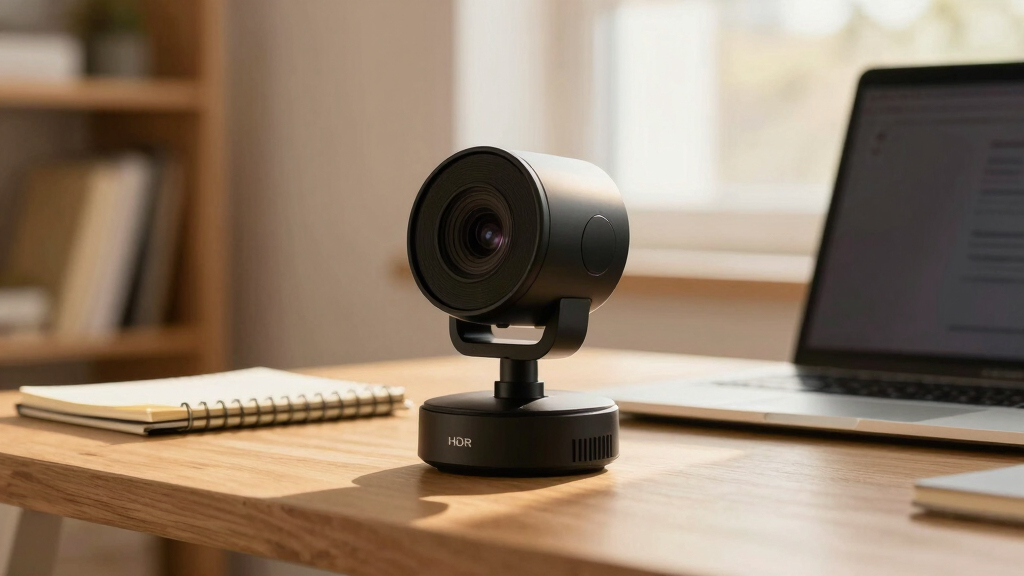

Finding the best webcam with autofocus and HDR in 2026 can be challenging, as many models promise high-quality video but vary significantly in performance and features. The Logitech Brio Ultra 4K HD stands out for its versatile 4K resolution and robust build, making it ideal for professional streams and meetings. Meanwhile, the EMEET NOVA 4K offers excellent auto light correction and dual microphones at a more affordable price, perfect for everyday use. The OBSBOT Meet 2 adds AI-driven framing and gesture controls for content creators seeking advanced features. Continue reading to see how these models compare and which one best fits your needs.
Complete the kit



Key Takeaways
- The top picks balance image quality, autofocus speed, and HDR capabilities, but tradeoffs exist between price and feature set.
- Models with AI framing or gesture controls, like the OBSBOT Meet 2, cater to content creators but come at a higher cost.
- Affordable options like the EMEET NOVA 4K provide solid performance with auto light correction, suitable for most professional settings.
- While 4K resolution is common, not all webcams handle HDR or autofocus equally well, impacting overall usability.
- Build quality and ease of use vary, with premium models offering more durable designs and intuitive controls.
| Logitech Brio Ultra 4K HD Webcam for Streaming and Meetings |  | Best Overall for Versatile 4K Quality and Security Features | Resolution: 4K at 30 fps | Field of View: 65°, 78°, 90° presets | Light Correction: RightLight 3 | VIEW LATEST PRICE | See Our Full Breakdown |
| EMEET NOVA 4K Webcam for PC, Ultra HD, PDAF Autofocus, Dual Microphones, 73° FOV, Auto Light Correction, Privacy Cover, USB-A |  | Best for Business and Education with Fast Autofocus | Resolution: 4K (defaults to 1080P) | Frame Rate: 30 FPS | Field of View: 73° | VIEW LATEST PRICE | See Our Full Breakdown |
| EMEET SmartCam S800 4K Webcam for Streaming with Dual Autofocus and HDR |  | Best for High-Quality Streaming with Dual Autofocus and HDR | Sensor: 1/2″ Sony Sensor | Resolution: 4K@30FPS, 1080P@60FPS | HDR: Supported | VIEW LATEST PRICE | See Our Full Breakdown |
| EMEET C960 4K Webcam for PC with Auto Focus and Dual Mics |  | Best for Easy Setup and Versatile Remote Meetings | Resolution: 4K (default 1080P) | Field of View: 73° | Focus: Auto PDAF | VIEW LATEST PRICE | See Our Full Breakdown |
| Insta360 Link 2 Pro 4K PTZ Webcam for PC/Mac |  | Best for Creative Professionals with AI Tracking and Versatile Modes | Sensor: 1/1.3” | Resolution: 4K | Microphone: Directional noise-canceling dual-mic system | VIEW LATEST PRICE | See Our Full Breakdown |
| OBSBOT Meet 2 4K Webcam for PC with AI Framing, Autofocus, Gesture Control, HDR, Dual Microphones, 60 FPS |  | Best for Compact, High-Quality Video with Smart Features | Sensor: 1/2″ CMOS | Resolution: 4K UHD | Frame Rate: 60 FPS | VIEW LATEST PRICE | See Our Full Breakdown |
| webcam with autofocus and hdr | Resolution | Microphones | Field of View | Compatibility |
|---|---|---|---|---|
| Logitech Brio Ultra 4K HD Webc | 4K at 30 fps | Dual omnidirectional with noise cancellation | 65°, 78°, 90° presets | Windows, Mac, ChromeOS |
| EMEET NOVA 4K Webcam for PC | 4K (defaults to 1080P) | Dual omni-directional | 73° | — |
| EMEET SmartCam S800 4K Webcam | 4K@30FPS, 1080P@60FPS | Dual noise-canceling | 40°-73° | — |
| EMEET C960 4K Webcam for PC wi | 4K (default 1080P) | Dual omnidirectional | 73° | Windows, macOS, Android TV, Linux |
| Insta360 Link 2 Pro 4K PTZ Web | 4K | — | — | Windows, macOS, Chrome OS, Linux |
| OBSBOT Meet 2 4K Webcam for PC | 4K UHD | Dual omni-directional noise-canceling | — | — |
More Details on Our Top Picks
Logitech Brio Ultra 4K HD Webcam for Streaming and Meetings
The Logitech Brio stands out for delivering exceptional 4K video clarity, making it ideal for professional streamers and remote workers seeking high detail. Its adjustable field of view and support for Windows Hello security give it an edge over models like the EMEET SmartCam S800, which, despite HDR support, lacks integrated facial recognition. However, the Brio’s higher price and somewhat complex setup might deter casual users. Its dual noise-canceling microphones and privacy shutter enhance security and audio quality, but those on a tighter budget or seeking a simpler plug-and-play experience might prefer the EMEET C960. Overall, this webcam makes the most sense for professionals who prioritize image quality, security, and flexible features, accepting the higher cost as a tradeoff.
Pros:- Exceptional 4K video quality with adjustable FOV
- Supports Windows Hello for secure login
- Includes physical privacy shutter for security
- Good audio clarity with noise-canceling microphones
Cons:- Relatively high price point compared to basic webcams
- Setup can be complex for non-technical users
- Requires compatible software for full feature access
Best for: Business professionals and streamers who need high-resolution video, facial recognition, and privacy controls.
Not ideal for: Casual users or those with a limited budget who prefer straightforward setups without extra security features.
- Resolution:4K at 30 fps
- Field of View:65°, 78°, 90° presets
- Light Correction:RightLight 3
- Zoom:5x digital zoom
- Microphones:Dual omnidirectional with noise cancellation
- Compatibility:Windows, Mac, ChromeOS
Our verdict“This webcam is best suited for professionals who value top-tier video quality and security features despite a higher price and setup complexity.”
EMEET NOVA 4K Webcam for PC, Ultra HD, PDAF Autofocus, Dual Microphones, 73° FOV, Auto Light Correction, Privacy Cover, USB-A
The EMEET NOVA 4K webcam offers sharp 4K video and rapid autofocus thanks to PDAF, making it well-suited for dynamic online meetings and streaming. Compared to the EMEET SmartCam S800, which has broader HDR support and a more advanced sensor, the NOVA focuses on quick, reliable autofocus and user-friendly features like auto light correction. Its video defaults to 1080P, requiring software to switch to full 4K, which could be a slight inconvenience for users needing instant highest resolution. Its dual microphones and privacy cover bolster security and audio clarity, but the lack of facial tracking or adjustable FOV limits its flexibility for more interactive or content-creation scenarios. This pick makes the most sense for users who need fast autofocus and high-quality audio without fussing over complex settings.
Pros:- Fast, precise PDAF autofocus for quick focus shifts
- Reliable auto light correction for consistent image quality
- Dual microphones with noise reduction
- Simple plug-and-play setup with privacy cover
Cons:- Video defaults to 1080P and requires software for 4K
- No adjustable FOV or facial tracking
- Limited HDR activation options
Best for: Remote workers, educators, and streamers needing quick focus and reliable auto light correction for professional video calls.
Not ideal for: Content creators or streamers who want adjustable FOV or advanced HDR features for cinematic-quality streams.
- Resolution:4K (defaults to 1080P)
- Frame Rate:30 FPS
- Field of View:73°
- Autofocus:PDAF
- Microphones:Dual omni-directional
- Connectivity:USB 2.0 Type A
Our verdict“Ideal for professionals who prioritize fast autofocus and clear audio over advanced customization or HDR features.”
EMEET SmartCam S800 4K Webcam for Streaming with Dual Autofocus and HDR
The EMEET SmartCam S800 excels with 4K resolution, HDR support, and dual autofocus, making it an excellent choice for streamers and professionals needing high-detail visuals. Its broad compatibility across platforms and the inclusion of a physical lens cover prioritize privacy and ease of use. Compared to the Insta360 Link 2 Pro, which offers AI tracking and more versatile modes, the S800 is more straightforward but still provides sharp, vibrant images with precise focus. Its HDR requires manual activation via EMEETLINK, which could be a slight hassle, and it lacks wireless options or built-in storage. This model makes sense for users who want top-tier video quality with reliable autofocus and HDR, but who don’t need advanced AI features or wireless connectivity.
Pros:- High-quality 4K video with HDR support
- Fast, accurate dual autofocus system
- Broad platform compatibility
- Physical lens cover for privacy
Cons:- HDR must be manually activated via software
- No wireless or cloud storage options
- Price not specified, potentially higher for advanced features
Best for: Content creators and streamers who need high-fidelity video with HDR and dual autofocus for professional-quality streams.
Not ideal for: Users seeking wireless or mobile streaming solutions with built-in storage or AI tracking capabilities.
- Sensor:1/2″ Sony Sensor
- Resolution:4K@30FPS, 1080P@60FPS
- HDR:Supported
- Autofocus:Dual PDAF & TOF
- Field of View:40°-73°
- Microphones:Dual noise-canceling
Our verdict“Best suited for streamers and professionals who want exceptional 4K clarity with HDR and dual autofocus in a straightforward package.”
EMEET C960 4K Webcam for PC with Auto Focus and Dual Mics
The EMEET C960 offers solid 4K video with auto focus and auto light correction, making it a practical choice for remote workers and educators. While it defaults to 1080P, switching to full 4K requires software — a minor inconvenience compared to the more advanced autofocus systems of the NOVA or SmartCam S800. Its dual omnidirectional microphones and privacy cover provide essential security and audio clarity. However, it lacks features like wireless connectivity or AI tracking, which might be limiting for content creators or high-end streamers. Compared to the Insta360 Link 2 Pro, the C960 is more straightforward but less feature-rich. This webcam is ideal for users seeking a reliable, easy-to-use 4K camera for standard meetings and teaching sessions, accepting some compromise on advanced features.
Pros:- High-quality 4K video with auto focus and auto light correction
- Simple plug-and-play setup
- Dual omnidirectional microphones for clear audio
- Includes privacy cover for security
Cons:- Defaults to 1080P and requires software for 4K
- Limited advanced features like AI tracking or wireless
- No HDR support
Best for: Remote educators and small business users seeking a straightforward 4K webcam with auto focus and easy setup.
Not ideal for: Content creators or streamers needing AI tracking or multiple scene modes for dynamic content.
- Resolution:4K (default 1080P)
- Field of View:73°
- Focus:Auto PDAF
- Microphones:Dual omnidirectional
- Compatibility:Windows, macOS, Android TV, Linux
- Mounting:360° horizontal, 15° vertical
Our verdict“This webcam suits those who want reliable 4K video with auto focus in a straightforward, easy-to-use package for meetings and teaching.”
Insta360 Link 2 Pro 4K PTZ Webcam for PC/Mac
The Insta360 Link 2 Pro offers a premium 4K PTZ experience with a large sensor for outstanding low-light performance. Its AI tracking and auto-framing make it appealing for content creators, streamers, and professionals who need dynamic shot adjustments. Compared with the EMEET SmartCam S800, which emphasizes straightforward high-quality video, the Link 2 Pro adds intelligent features like gesture control, remote operation, and multiple modes such as Whiteboard and DeskView. Its USB-C requirement and some features needing additional software may be hurdles for less tech-savvy users. This model makes the most sense for those who want a powerful, flexible webcam with auto-tracking and creative modes, accepting higher complexity and cost for advanced functionality.
Pros:- Large 1/1.3″ sensor for exceptional low-light and detail
- AI tracking and auto-framing for engaging content
- Multiple modes including Whiteboard and DeskView
- Supports gesture control and remote operation
Cons:- Requires USB-C port, may need adapters
- Some features need additional software setup
- Not compatible with ARM-based Windows systems or Windows Hello
Best for: Content creators and streamers seeking AI-driven auto-framing, low-light performance, and versatile scene modes.
Not ideal for: Users who prefer plug-and-play simplicity or have limited hardware compatibility for USB-C connections.
- Sensor:1/1.3”
- Resolution:4K
- Microphone:Directional noise-canceling dual-mic system
- Features:AI tracking, HDR, gesture control
- Compatibility:Windows, macOS, Chrome OS, Linux
Our verdict“Best suited for creators who want a high-end, feature-rich webcam with AI tracking and creative modes, accepting setup complexity and higher cost.”
OBSBOT Meet 2 4K Webcam for PC with AI Framing, Autofocus, Gesture Control, HDR, Dual Microphones, 60 FPS
The OBSBOT Meet 2 stands out for its combination of 4K resolution at 60 FPS and AI-powered framing, making it ideal for those who need sharp, smooth video with intelligent face tracking. Compared to the Logitech Brio, which offers excellent image quality but lacks AI framing, this webcam provides a more interactive experience, especially with gesture control. However, its compact design means it may generate heat during prolonged use, and full feature access depends on additional software. Its dual noise-canceling microphones boost audio clarity, making it a strong choice for streaming, meetings, or gaming. The limited color options and potential overheating are tradeoffs, but for users prioritizing mobility and smart features, this model excels.
Pros:- High-quality 4K video at 60 FPS with AI framing and autofocus
- Lightweight, portable design at just over 40 grams
- Gesture control adds hands-free operation
- Dual noise-canceling microphones improve audio clarity
Cons:- Can overheat during long sessions, potentially affecting performance
- Requires software installation for full feature access
- Limited color options may not match all setups
Best for: Content creators, streamers, or remote workers who value portability combined with AI framing and gesture control.
Not ideal for: Users needing extended hours of continuous use without overheating or those preferring a plug-and-play setup without software dependencies.
- Sensor:1/2″ CMOS
- Resolution:4K UHD
- Frame Rate:60 FPS
- Connectivity:USB-C
- Weight:40.5 grams
- Microphones:Dual omni-directional noise-canceling
- Features:AI framing, autofocus, HDR, gesture control
- Color options:Space Grey
Our verdict“This webcam is best suited for users who want sharp video and smart features in a compact form factor, accepting some thermal and software tradeoffs.”

How We Picked
These webcams were selected based on their ability to deliver sharp, autofocus-enabled HDR video suitable for professional and streaming use. We prioritized models with reliable autofocus systems that quickly adjust to changing scenes, as well as those with effective HDR to improve image clarity in various lighting conditions. Ease of setup and user interface also played key roles, along with overall build quality and value for money. The ranking reflects a balance between high-end features and affordability, ensuring options for different budgets and use cases.| webcam with autofocus and hdr | Microphones | Compatibility |
|---|---|---|
| Logitech Brio Ultra 4K HD Webc | Dual omnidirectional with noise cancellation | Windows, Mac, ChromeOS |
| EMEET NOVA 4K Webcam for PC | Dual omni-directional | — |
| EMEET SmartCam S800 4K Webcam | Dual noise-canceling | — |
| EMEET C960 4K Webcam for PC wi | Dual omnidirectional | Windows, macOS, Android TV, Linux |
| Insta360 Link 2 Pro 4K PTZ Web | — | Windows, macOS, Chrome OS, Linux |
| OBSBOT Meet 2 4K Webcam for PC | Dual omni-directional noise-canceling | — |
Factors to Consider When Choosing Best Webcam With Autofocus And Hdr
When choosing a webcam with autofocus and HDR, it’s essential to consider several factors beyond basic specs. These include how well autofocus performs in real-world conditions, the quality and consistency of HDR, and the camera’s usability in different lighting environments. Understanding these aspects will help you select a webcam that not only meets your current needs but also remains versatile for future use.Autofocus Performance
Effective autofocus ensures your face remains sharp even when you move or change position. Look for webcams with fast, reliable autofocus systems, especially those that use phase detection or AI-driven focus. Poor autofocus can be distracting and undermine professional presentation quality, so testing or reading reviews about real-world responsiveness is advisable.
HDR Quality
HDR (High Dynamic Range) enhances contrast and color accuracy, especially in tricky lighting conditions. Not all HDR implementations are equal; some webcams produce more natural and detailed images while others may oversaturate or introduce artifacts. Consider models with well-reviewed HDR performance suited for your typical lighting environment.
Video Resolution and Frame Rate
While 4K resolution is increasingly common, verify that the webcam can maintain a steady frame rate, ideally 30 or 60 FPS, for smooth video. Higher resolutions can improve detail but demand more bandwidth and processing power, so balance your system capabilities with your desired video quality.
Ease of Use and Compatibility
Choose webcams with intuitive controls and broad compatibility with your operating system and streaming platforms. Features like automatic lighting correction, privacy shutters, and simple setup can save time and frustration, especially for users new to high-quality webcams.
Build Quality and Design
Durability matters, especially if you move your webcam frequently. A sturdy mount and quality materials prevent damage and ensure the device remains stable. Also, consider the design—compact models are easier to store and transport, while larger units may offer more adjustable features.
Frequently Asked Questions
Does HDR improve video quality in all lighting environments?
HDR can significantly enhance video quality by balancing exposure and improving contrast, especially in challenging lighting conditions. However, the effectiveness depends on the webcam’s HDR implementation and the lighting setup. In very bright or very dark environments, HDR can make a noticeable difference, but in well-lit, stable conditions, its impact may be less apparent.
Is higher resolution always better for a webcam?
Higher resolution, like 4K, offers more detail but also requires more bandwidth and processing power. If your internet connection or system isn’t robust, you might experience lag or lower frame rates, which can compromise video quality. For most users, 1080p with good autofocus and HDR can provide excellent results without the technical demands of 4K.
How important is autofocus speed for daily video calls?
Fast and reliable autofocus ensures your face remains sharp as you move, which is especially important for dynamic presentations or multi-person calls. Slow or inconsistent autofocus can cause distracting blurriness and reduce professionalism. Look for webcams with autofocus systems designed for quick adjustments in real-time scenarios.
Should I prioritize HDR or low-light performance?
Both are important but serve different needs. HDR improves image quality in high-contrast scenes, while good low-light performance ensures clarity in dim environments. If your lighting isn’t controllable, a webcam with strong low-light capabilities may be more beneficial. Combining both features gives the best overall image under varied conditions.
Are premium webcams worth the extra cost?
Premium webcams often offer superior autofocus, HDR, build quality, and additional features like AI framing. If you rely heavily on high-quality video for professional streaming, content creation, or frequent meetings, investing in a higher-end model can be worthwhile. However, for casual use, more affordable options with decent autofocus and HDR may suffice.