As you start your first week back, take time to reset your workspace for maximum comfort. Adjust your chair, monitor, and keyboard to support good posture, and make sure your feet are flat on the floor. Incorporate regular breaks, stretch often, and stay mindful of your body’s signals to prevent aches and pains. Establishing these habits early can help you avoid January discomfort and promote ongoing well-being—there’s more you can do to set yourself up for success.
Key Takeaways
- Reassess and adjust your workspace setup to ensure proper ergonomic alignment early in your return.
- Incorporate regular breaks and stretching every 30 minutes to prevent muscle stiffness and discomfort.
- Maintain good posture and keep essentials within easy reach to minimize strain and overreaching.
- Pay attention to body feedback; make quick adjustments to your setup or routines as needed.
- Establish consistent habits now to promote long-term comfort and reduce January-related aches.
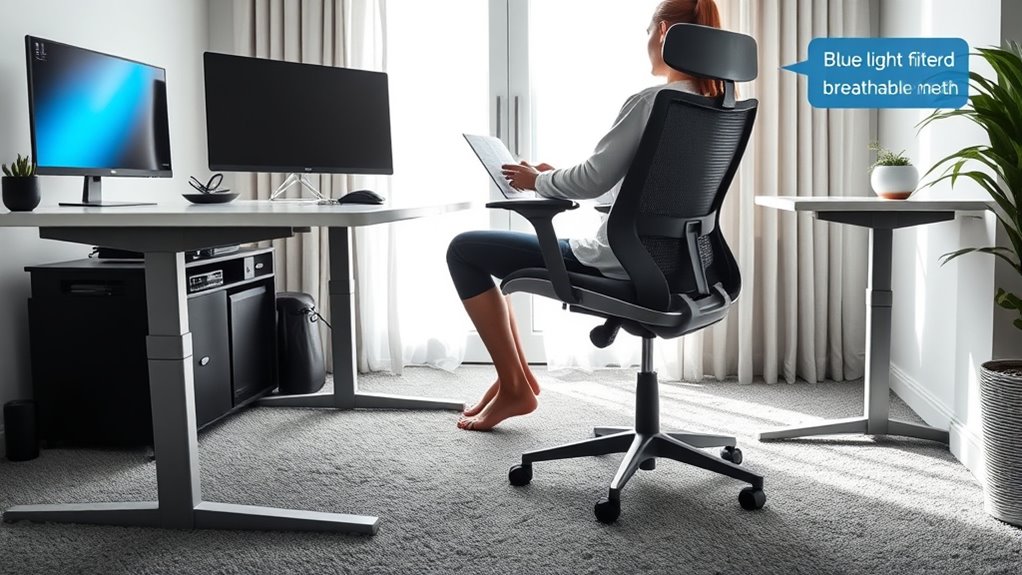
Are you feeling a mix of excitement and nerves as you step into your first week back? It’s completely normal to feel a little overwhelmed as you shift from the laid-back days of home comfort to re-establishing your office setup. This first week is vital for setting the tone of your daily routines and ensuring you stay comfortable and productive. A well-organized workspace isn’t just about aesthetics; it’s about creating an environment that supports your body and mind, preventing those January pains that often come with a sudden surge in activity.
Start by evaluating your office setup. Now’s the time to adjust your desk, chair, and monitor height so your workspace aligns with ergonomic principles. Your chair should support your lower back, with feet flat on the floor and knees bent at roughly 90 degrees. Your monitor should be at eye level to prevent neck strain, so consider using a stand or stacking books if needed. Think about the placement of your keyboard and mouse—these should be close enough to avoid reaching, which can cause shoulder strain. Taking a few moments to refine your space now can save you from discomfort later, especially as you settle into your daily routines.
Evaluate and adjust your workspace for ergonomic comfort to prevent discomfort and support your daily routines.
Your routines during this first week will establish habits that last for months. Incorporate regular breaks into your schedule—standing up, stretching, or walking around every 30 minutes. These small movements help loosen tight muscles and improve circulation, reducing the risk of stiffness and pain. Stay mindful of your posture throughout the day; avoid slouching or leaning forward, which can strain your back and neck. Keep essentials within easy reach to avoid unnecessary twisting or overreaching, and stay hydrated to keep your muscles functioning efficiently. Prioritizing ergonomic principles during this process helps prevent discomfort and promotes long-term health.
As you establish these routines, pay attention to how your body feels. If you notice discomfort, don’t dismiss it—adjust your setup or take extra breaks. Consistency is key. Over the next few days, your body will adapt, but the initial effort you put into setting up an ergonomic workspace and maintaining good habits will pay off in the long run. You’ll find that your energy levels stay steadier and aches become less frequent.

Fizzin Office Chair Mesh Computer Chairs with Adjustable Lumbar Support
- Ergonomic Design for Comfort: Supports head, back, hips, and arms
- Adjustable Headrest: Up and down, angle adjustable
- Adjustable Lumbar Support: Customizable for perfect fit
As an affiliate, we earn on qualifying purchases.
As an affiliate, we earn on qualifying purchases.
Frequently Asked Questions
What Are the Best Ergonomic Products for Home Offices?
You should pick ergonomic products that improve keyboard ergonomics and monitor placement. An adjustable keyboard tray or split keyboard can reduce strain, while a monitor stand or adjustable arm guarantees your screen is eye level. Consider an ergonomic chair with lumbar support to maintain good posture. These tools help you stay comfortable, prevent pain, and boost productivity by keeping your workspace aligned and supportive.
How Can I Adjust My Workspace for Optimal Comfort?
You should prioritize fine-tuning your workspace for comfort. Adjust your desk height so your elbows stay at a 90-degree angle, reducing strain. Position your monitor at eye level to avoid neck discomfort and encourage good posture. Small tweaks like these can make a big difference in your daily comfort and productivity. Remember, a well-adjusted workspace isn’t just about convenience — it’s about supporting your well-being every day.
Are There Quick Stretches to Prevent Back Pain?
To prevent back pain, incorporate quick stretches into your routine, like gentle torso twists, hamstring stretches, and shoulder rolls. Focus on posture correction by sitting upright and keeping your feet flat on the floor. Regular stretching routines help loosen tight muscles and improve flexibility. Take short breaks every hour to stand, stretch, and reset your posture. These simple actions can markedly reduce back discomfort and keep you comfortable throughout the day.
How Often Should I Take Breaks During Work?
An ounce of prevention is worth a pound of cure. You should take a break every 30 to 60 minutes during work to keep your body comfortable. Use this time for quick stretch routines that target your neck, back, and shoulders. Regular breaks help reduce strain, boost productivity, and prevent pain. Stay mindful of your break frequency, and incorporate movement to stay ergonomic and energized throughout the day.
What Signs Indicate Ergonomic Issues Needing Professional Help?
If you notice persistent pain, numbness, tingling, or frequent headaches, it’s time for a posture assessment or ergonomic evaluation. These signs indicate your setup may be causing strain, and professional help can identify issues like improper chair height or monitor placement. Don’t ignore discomfort; addressing ergonomic problems early can prevent long-term injuries. Seek expert advice to optimize your workspace and maintain your well-being.

WALI Computer Monitor Stand for Desk, Adjustable Laptop Riser, up to 44 lbs
- Large Metal Shelf: Fits most screens, laptops, printers
- Supports Up to 44 lbs: Heavy-duty metal construction
- Non-slip Rubber Pads: Prevents slipping and surface damage
As an affiliate, we earn on qualifying purchases.
As an affiliate, we earn on qualifying purchases.
Conclusion
Start your first week back with intentionality, prioritize your posture, and set your space. Keep your workspace organized, your chair supportive, and your screen at eye level. Take breaks regularly, stretch often, and listen to your body’s signals. By aligning your habits with comfort, productivity, and health, you create a foundation that prevents pain and boosts well-being. Make these small adjustments today, commit to these habits tomorrow, and enjoy a pain-free, energized return to work.

Wireless Keyboard and Mouse Combo, 2.4G Ergonomic Wave Keys(Black)
- Ergonomic Wave Design: Fits fingers and relieves wrist strain
- Adjustable Keyboard Stand: Set to most comfortable height
- Contoured Wireless Mouse: Fits snugly in the palm
As an affiliate, we earn on qualifying purchases.
As an affiliate, we earn on qualifying purchases.

CasaZenith Foot Rest, Six Heights Adjustable Foot Rest Under Desk at Work
- Adjustable Height: Six height settings for personalized comfort
- Ergonomic Design: Supports proper posture and reduces back pain
- Foot Massage Rollers: Includes rollers for foot relaxation and circulation
As an affiliate, we earn on qualifying purchases.
As an affiliate, we earn on qualifying purchases.