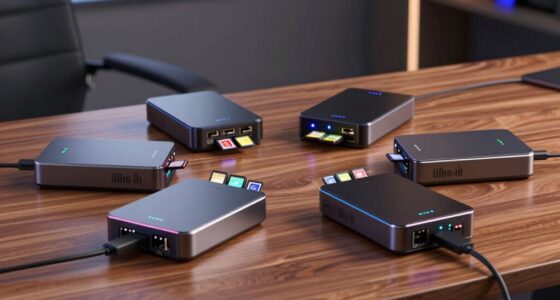
Choosing between a simple factory reset and a secure erase depends on your needs for restoring devices or securely wiping data. Safe Factory Reset offers a dependable reset process suitable for most devices, while Kindle Factory Reset & Recovery Guide and How to Reset Your Kindle Device focus specifically on Kindle troubleshooting. The main tradeoff is that factory resets are quick and easy but may leave data recoverable, whereas secure erases ensure data is unrecoverable but can be more complex. Here’s a comparison of these tools to help you decide which fits your situation best.

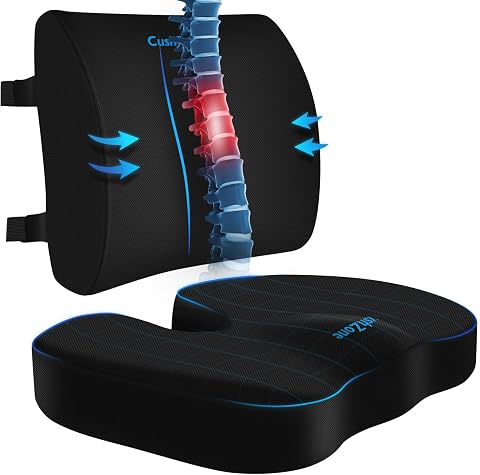
Get comfort and recovery gear delivered free with Prime
- Fast, free delivery on millions of items
- Prime Video, Amazon Music and more included
- Member-only deals all year
Complete the kit


Key Takeaways
- Factory resets quickly restore devices to default settings but may leave data recoverable.
- Secure erase tools are essential for permanently deleting sensitive information, especially before disposal.
- Device-specific guides, like those for Kindle, simplify the reset process but may not cover other devices.
- Choosing the right tool depends on whether you prioritize ease of use or data security.
- Most reset tools vary in complexity, with some offering detailed instructions and others focusing on simplicity.
| Safe Factory Reset |  | Best General-Purpose Factory Reset Tool | Compatibility: Multiple devices | Ease of Use: High | Security: None | VIEW ON AMAZON | See Our Full Breakdown |
| Kindle Factory Reset & Recovery Guide |  | Best Kindle-Specific Reset Guide | Device Focus: Kindle | Ease of Use: Very high | Security: None | VIEW ON AMAZON | See Our Full Breakdown |
| How to Reset Your Kindle Device: A Complete Step-by-Step Guide with Screenshots (Amazon Guides Book 8) |  | Best Detailed Kindle Reset Instructions | Device Focus: Kindle | Ease of Use: Moderate | Security: None | VIEW ON AMAZON | See Our Full Breakdown |
| factory reset vs secure erase | Ease of Use | Security | Instructions | Device Focus |
|---|---|---|---|---|
| Safe Factory Reset | High | None | Limited | — |
| Kindle Factory Reset & Recover | Very high | None | Step-by-step | Kindle |
| How to Reset Your Kindle Devic | Moderate | None | Detailed with screenshots | Kindle |
More Details on Our Top Picks
Safe Factory Reset
Safe Factory Reset stands out for delivering a reliable method to restore devices to their original settings, making it a good choice for users who want quick, consistent results. Compared to specialized guides, this tool focuses solely on reset functionality without extra troubleshooting features. Its simplicity is an advantage for those who just need a straightforward reset, but the lack of detailed instructions or compatibility info can be a drawback for less tech-savvy users. This product excels in reliability but falls short if you require detailed guidance or wide compatibility. It’s best suited for users who need a dependable reset with minimal fuss, but not for those seeking to erase data securely.
Pros:- Ensures device is restored to original settings
- Reliable reset process
- Simple, straightforward operation
Cons:- Lacks detailed instructions
- Limited information on device compatibility
- No security features for data erasure
Best for: Users needing quick, reliable device resets without complex instructions
Not ideal for: Users who need secure data deletion or detailed troubleshooting
- Compatibility:Multiple devices
- Ease of Use:High
- Security:None
- Instructions:Limited
- Reliability:High
- Recovery Option:No
Our verdict“A solid choice for quick, dependable factory resets on various devices when security isn’t a concern.”
Kindle Factory Reset & Recovery Guide
Kindle Factory Reset & Recovery Guide is tailored for Kindle users seeking straightforward instructions to perform factory resets and troubleshoot common issues. Its step-by-step approach simplifies the process, making it ideal for less experienced users or those who prefer guided instructions. However, it’s limited to Kindle devices and doesn’t offer any secure erasure features. Compared with more comprehensive guides, this one is easier to follow but doesn’t include advanced troubleshooting or security options. It’s perfect for Kindle owners needing quick fixes, but not for users wanting to securely erase or reset multiple device types.
Pros:- Easy-to-follow instructions
- Helps resolve common Kindle issues
- Useful for quick troubleshooting
Cons:- No detailed troubleshooting beyond basics
- Limited to Kindle devices
- No security or data erasure features
Best for: Kindle owners looking for easy, step-by-step reset instructions
Not ideal for: Users requiring secure data deletion or support for non-Kindle devices
- Device Focus:Kindle
- Ease of Use:Very high
- Security:None
- Instructions:Step-by-step
- Screenshots:Included
- Troubleshooting:Basic
Our verdict“An excellent guide for Kindle users needing quick, simple reset instructions without security features.”
How to Reset Your Kindle Device: A Complete Step-by-Step Guide with Screenshots (Amazon Guides Book 8)
This guide provides detailed, visual instructions with screenshots, making it ideal for users who want a thorough understanding of the reset process. Its step-by-step format helps troubleshoot complex issues and is especially useful if previous guides failed or if you prefer visual learning. However, it remains focused solely on Kindle devices, with no options for other devices or for secure erasure. Compared with shorter guides, this one offers more clarity but may be more time-consuming for quick resets. It’s best suited for users who want comprehensive, visual guidance on Kindle resets, especially in troubleshooting scenarios.
Pros:- Clear, step-by-step instructions
- Includes helpful screenshots
- Effective for troubleshooting complex issues
Cons:- Limited to Kindle devices
- No secure erasure features
- Requires time to follow detailed steps
Best for: Users seeking detailed, visual instructions for Kindle resets
Not ideal for: Those needing to reset non-Kindle devices or perform secure data wipes
- Device Focus:Kindle
- Ease of Use:Moderate
- Security:None
- Instructions:Detailed with screenshots
- Troubleshooting:Advanced
- Visuals:Yes
Our verdict“A detailed, visual guide perfect for Kindle users needing comprehensive reset instructions and troubleshooting support.”

How We Picked
Our selection process focused on evaluating the primary functions of factory reset and secure erase tools, considering ease of use, compatibility, and security features. We prioritized tools that provide clear instructions, reliable performance, and specific device or data security focus. Each product was chosen for its ability to serve different user needs—from casual device troubleshooting to thorough data sanitization—while highlighting their tradeoffs and ideal use cases.
| factory reset vs secure erase | Ease of Use | Instructions | Troubleshooting |
|---|---|---|---|
| Safe Factory Reset | High | Limited | — |
| Kindle Factory Reset & Recover | Very high | Step-by-step | Basic |
| How to Reset Your Kindle Devic | Moderate | Detailed with screenshots | Advanced |
Factors to Consider When Choosing Factory Reset Vs Secure Erase
When deciding between a factory reset and a secure erase, it’s important to understand their core differences. A factory reset restores a device to its original settings, making it quick and easy but potentially leaving data recoverable. In contrast, secure erase methods aim to permanently delete all data, which is essential when disposing of or selling devices. Your choice depends on whether your priority is convenience or security. This guide will help you evaluate the key factors to consider, including device type, data sensitivity, and ease of use.Understanding Factory Reset and Secure Erase
A factory reset is a process that restores a device to its default factory settings. It typically involves deleting user data and settings but often leaves residual data that can be recovered with specialized tools. Conversely, secure erase methods use data destruction algorithms to overwrite data multiple times, making recovery practically impossible. Recognizing this distinction helps determine which method suits your needs—quick device restoration or thorough data destruction.
When to Use a Factory Reset
Factory resets are most appropriate when you want to quickly troubleshoot performance issues, remove personal settings, or prepare a device for new users. They are especially handy for devices like smartphones, tablets, or laptops that don’t contain highly sensitive data or where quick turnaround is needed. Keep in mind that a reset alone doesn’t guarantee data privacy if the device falls into the wrong hands afterward.
When Secure Erase Is Necessary
Secure erase is essential when disposing of or selling a device containing sensitive information, such as financial data, personal identifiers, or confidential work files. This process ensures that data cannot be recovered, protecting your privacy. It’s also useful for organizations and individuals requiring compliance with data security standards. However, secure erasure often takes longer and may require specialized software or hardware tools.
Choosing the Right Tool
Selecting between a factory reset and secure erase depends on your priorities. For quick troubleshooting and device reuse, a factory reset suffices. But if privacy and data security are paramount, investing in secure erase tools or guided procedures ensures your data is truly gone. Consider your device type, the sensitivity of stored data, and whether you need simple instructions or advanced security features when making your choice.
Frequently Asked Questions
What is the main difference between a factory reset and a secure erase?
The primary difference lies in their purpose and data security. A factory reset restores a device to its original settings, removing user data but not necessarily making it unrecoverable. Secure erase, on the other hand, overwrites data multiple times, making recovery impossible, which is essential for privacy and security when disposing of devices.
Can a factory reset protect my data from recovery?
While a factory reset removes user data and resets settings, it often leaves residual data that can be recovered using specialized software. For maximum privacy, a secure erase method is recommended, especially before selling or disposing of a device.
Are there any risks associated with secure erasing data?
Secure erasing typically involves overwriting data multiple times, which can be time-consuming and sometimes requires specific tools or software. If not done correctly, some data might still be recoverable, so following recommended procedures is crucial. Also, once data is securely erased, recovery is no longer possible, so be sure you no longer need the information.
Is a guide necessary for performing a reset on my Kindle?
For most Kindle users, a simple guide can make the reset process straightforward, especially if troubleshooting or troubleshooting complex issues. Guides with step-by-step instructions and screenshots reduce the risk of errors and ensure the reset is performed correctly. However, experienced users may find basic reset options sufficient without detailed guidance.
Which option is better for protecting sensitive data?
Secure erase is the better choice when data security is a priority, as it ensures data cannot be recovered after deletion. Factory resets are quick and easy but leave residual data that could potentially be recovered by someone with the right tools. For sensitive information, a secure erase process is highly recommended.
Conclusion
For users who need quick, reliable device resets without concern for data security, a standard factory reset like Safe Factory Reset offers an efficient solution. Those looking to troubleshoot Kindle devices specifically will benefit from guides like Kindle Factory Reset & Recovery Guide or How to Reset Your Kindle Device, especially when visual instructions or detailed steps are needed. Finally, anyone disposing of a device containing sensitive data should prioritize secure erase methods to guarantee privacy and data destruction. Your choice ultimately hinges on whether ease and speed or security and thoroughness are your top priorities.
Black Friday Picks

Vitamix 5200 Blender with 64 oz. Container, Black
As an affiliate, we earn on qualifying purchases.