
To stop backlight from ruining your camera presence, guarantee the main light faces you, preferably from the front or side, and avoid strong light sources behind you. Position yourself near windows but avoid direct sunlight, and use soft, diffused artificial lighting if needed. Elevate your camera to eye level and adjust your setup for balanced lighting. Small tweaks can make a huge difference—keep going to discover more simple tips to shine on camera.

Get comfort and recovery gear delivered free — and shop member deals
- Fast, free delivery on millions of items
- Access to Prime Big Deal Days deals on October 6–7
- Prime Video, Amazon Music and more included
Key Takeaways
- Position yourself so the main light faces your front, avoiding strong backlights behind you.
- Use natural light from windows, diffused and indirect, to illuminate your face evenly.
- Elevate your camera to eye level for better framing and reduce shadows.
- Reposition light sources to balance illumination and prevent silhouettes or shadows.
- Incorporate soft, diffused artificial lighting if natural light is insufficient or inconsistent.

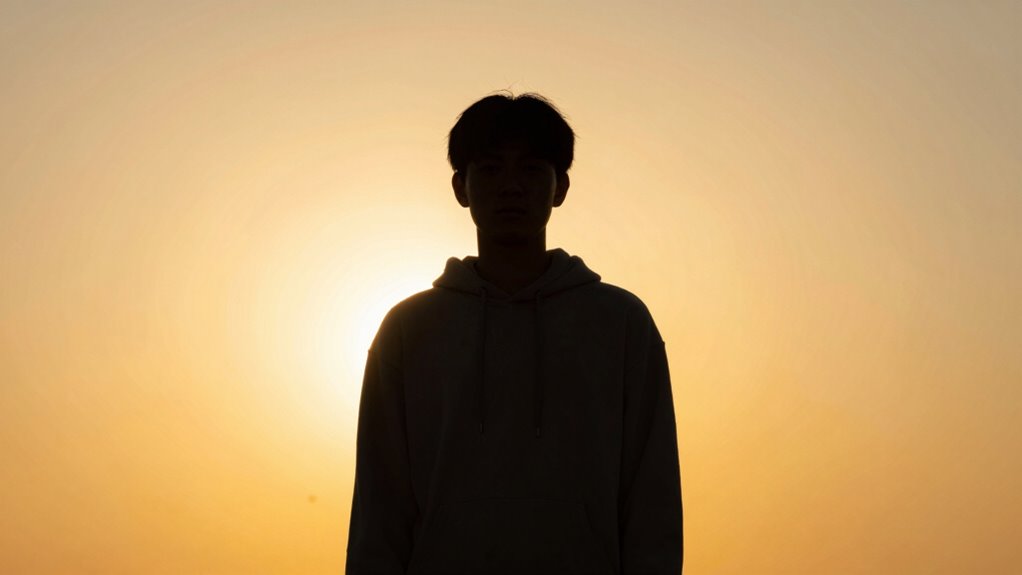
When it comes to video calls and virtual meetings, backlight and camera presence play vital roles in how you’re perceived on screen. If you’ve ever found yourself squinting into the camera, struggling to be seen clearly, chances are backlight is working against you. Backlighting occurs when a strong light source, like a window or lamp, is behind you, causing your face to appear dark and shadowed. This makes it difficult for others to connect with you visually, which can diminish your authority and engagement during the meeting. To combat this, you need to pay attention to natural lighting and how it interacts with your camera setup. Ideally, position yourself so that the main light source faces you, not behind you. Natural lighting from windows can be your best friend if used correctly—place your desk near a window, but avoid direct sunlight that causes glare or harsh shadows. If natural light isn’t enough, supplement with soft, diffused artificial lighting that illuminates your face evenly. Avoid bright backlights that create a silhouette effect, making it seem like you’re hiding in the shadows. Additionally, understanding lighting placement can help you create a more balanced and flattering on-camera appearance. Proper lighting techniques can significantly improve your overall camera presence by reducing shadows and enhancing clarity. Being aware of your camera angle and how it influences your appearance can also make a difference, ensuring you look confident and professional. When you’re using a laptop, prop it up on books or a stand to achieve this eye-level shot. Keep your face centered in the frame, with a little space above your head, so you don’t appear cramped or overly distant. This positioning not only enhances your presence but also makes your gestures more visible, which is important for effective communication. Adjusting your lighting setup can also help prevent unflattering shadows and improve overall visibility. Small lighting adjustments, like repositioning your light source or elevating your camera, can make a noticeable difference in how you present yourself. When you’re mindful of natural lighting and camera angles, your appearance becomes more professional and approachable, reducing the impact of backlight. You’ll look more confident, engaged, and ready to connect, which can make a real difference in how you’re perceived on screen. Remember, small adjustments like repositioning your light source or elevating your camera can significantly improve your camera presence and ensure backlight doesn’t sabotage your efforts.
soft diffused LED ring light for video calls
As an affiliate, we earn on qualifying purchases.
As an affiliate, we earn on qualifying purchases.
Frequently Asked Questions
How Do I Identify if Backlighting Is Ruining My Shot?
To identify if backlighting is ruining your shot, check your video for excessive glare or washed-out subjects. If your subject appears dark or silhouetted against bright backgrounds, your backlighting awareness needs improvement. Use shadow management techniques like adjusting your position, adding fill lights, or changing your camera angle to reduce harsh backlight. Recognizing these signs helps you better control lighting and improve your overall camera presence.
Can Editing Fix Backlighting Issues After Filming?
Yes, editing can fix backlighting issues after filming. You can use color correction to balance the exposure and restore details lost in shadows or highlights caused by backlighting. Additionally, applying lighting techniques like increasing shadows or reducing highlights helps improve the shot’s overall look. While editing helps, it’s best to use proper lighting techniques during filming to prevent backlighting from ruining your shot in the first place.
What Camera Settings Are Best for Backlit Scenarios?
In backlit scenarios, you must master lighting techniques and camera angles to save your shot. Use spot metering to expose your subject correctly, and set your aperture wide to balance the bright background. Dial down ISO for clarity, and consider adjusting your camera angle to face the light source or block excess light. These settings transform overwhelming backlight into a powerful visual tool, making your subject pop!
Are There Affordable Accessories to Improve Backlit Footage?
Yes, there are affordable accessories to improve your backlit footage. You can invest in portable LED lights or reflectors to control lighting techniques and reduce harsh backlight effects. Using camera angles that position light sources behind you can also help. These tools and techniques make a significant difference, helping you achieve well-balanced shots without breaking the bank. They’re simple, effective solutions to improve your backlit videos immediately.
How Does Backlighting Affect Audio Quality in Videos?
Backlighting can weaken your video’s audio quality, making it harder to clearly hear your voice. While lighting techniques improve visual clarity, poor backlighting can cause your microphone to pick up unwanted noise or echo, disrupting audio synchronization. To prevent this, balance your lighting to highlight your face without overpowering the sound environment. Properly managed backlighting ensures your visuals and audio work together seamlessly, strengthening your overall camera presence.
adjustable laptop stand for eye level
As an affiliate, we earn on qualifying purchases.
As an affiliate, we earn on qualifying purchases.
Conclusion
By managing backlight effectively, you’ll instantly boost your camera presence and appear more professional. Did you know that studies show 55% of communication is visual? That means your lighting can make or break your message even more than your words. So, next time you’re on camera, remember to control the backlight — it’s a simple step that can profoundly enhance how you’re perceived. Don’t let backlight undermine your confidence; master it and own your presence.
ring light with adjustable brightness and color temperature
As an affiliate, we earn on qualifying purchases.
As an affiliate, we earn on qualifying purchases.
camera tripod or stand for stable video recording
As an affiliate, we earn on qualifying purchases.
As an affiliate, we earn on qualifying purchases.
Fall Picks
fall essentials
As an affiliate, we earn on qualifying purchases.